Best Coding and STEM Robots for Kids 2026: By Age & Skill
Five coding and STEM robots for kids, from a screen-free mouse for ages 4+ to a Python-ready robot for ages 8+, with the trade-offs for each.
19 products compared · Research-based · Affiliate links
We earn a commission from qualifying purchases made through our links, at no extra cost to you. It never decides our picks. How we make money
Which one should you buy?
Our picks by what matters to you · details below ↓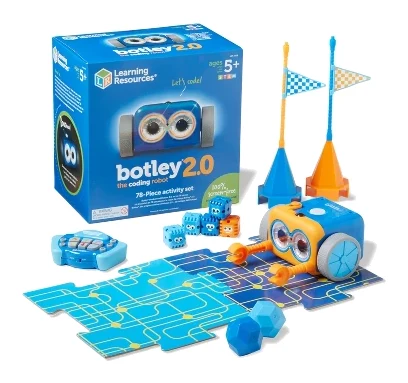
Best for: Young beginners who need screen-free coding fun
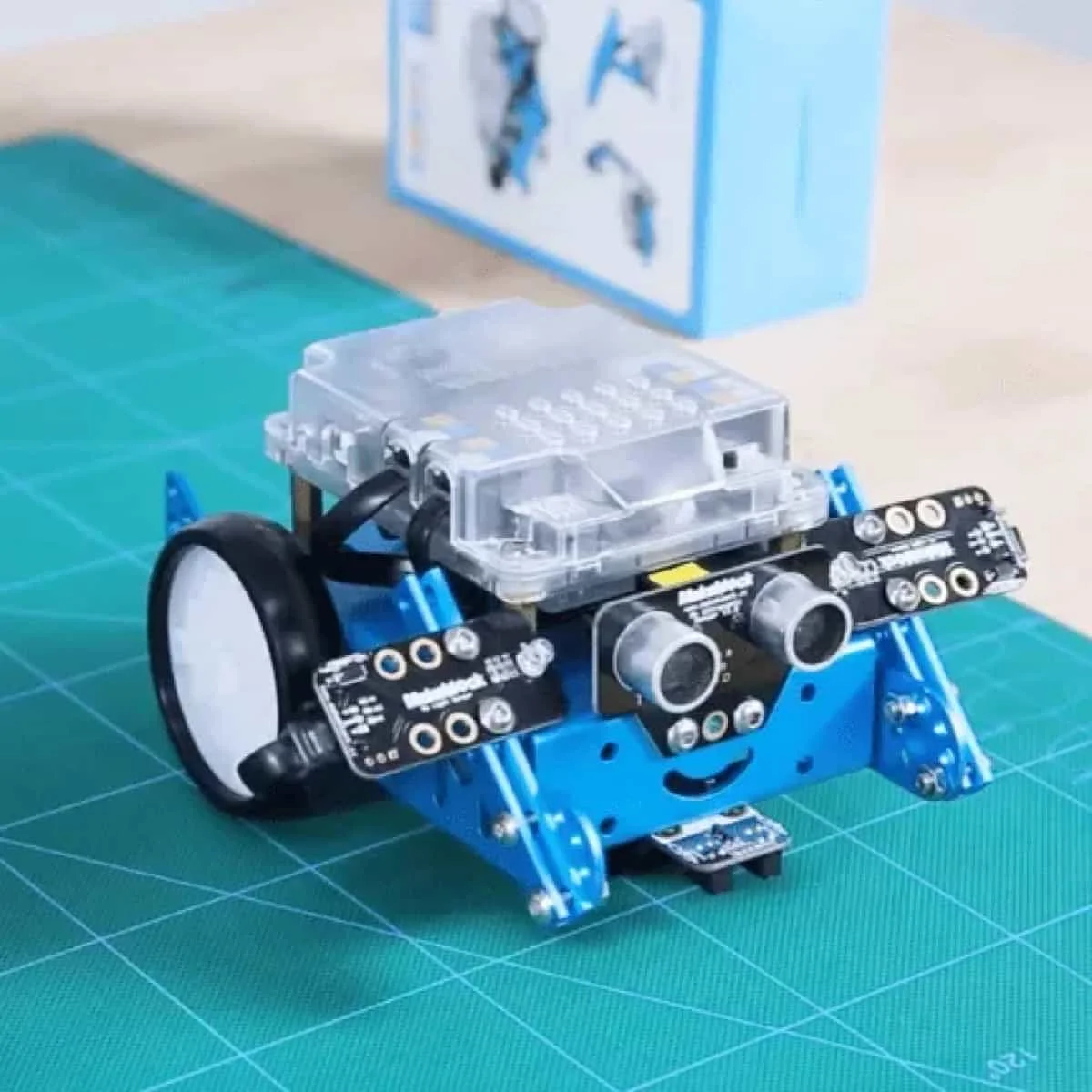
Check price on Amazon- Also GreatMakeblock mBotBest for: Kids ready to move from blocks to ArduinoCheck price
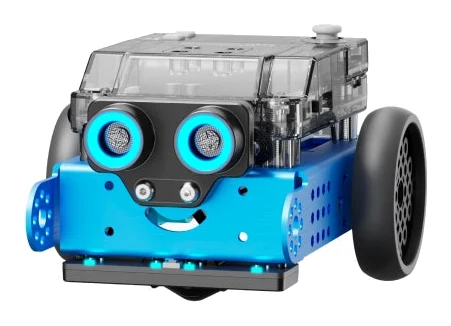
- Premium PickMakeblock mBot2Best for: Older kids who want to learn Python roboticsCheck price
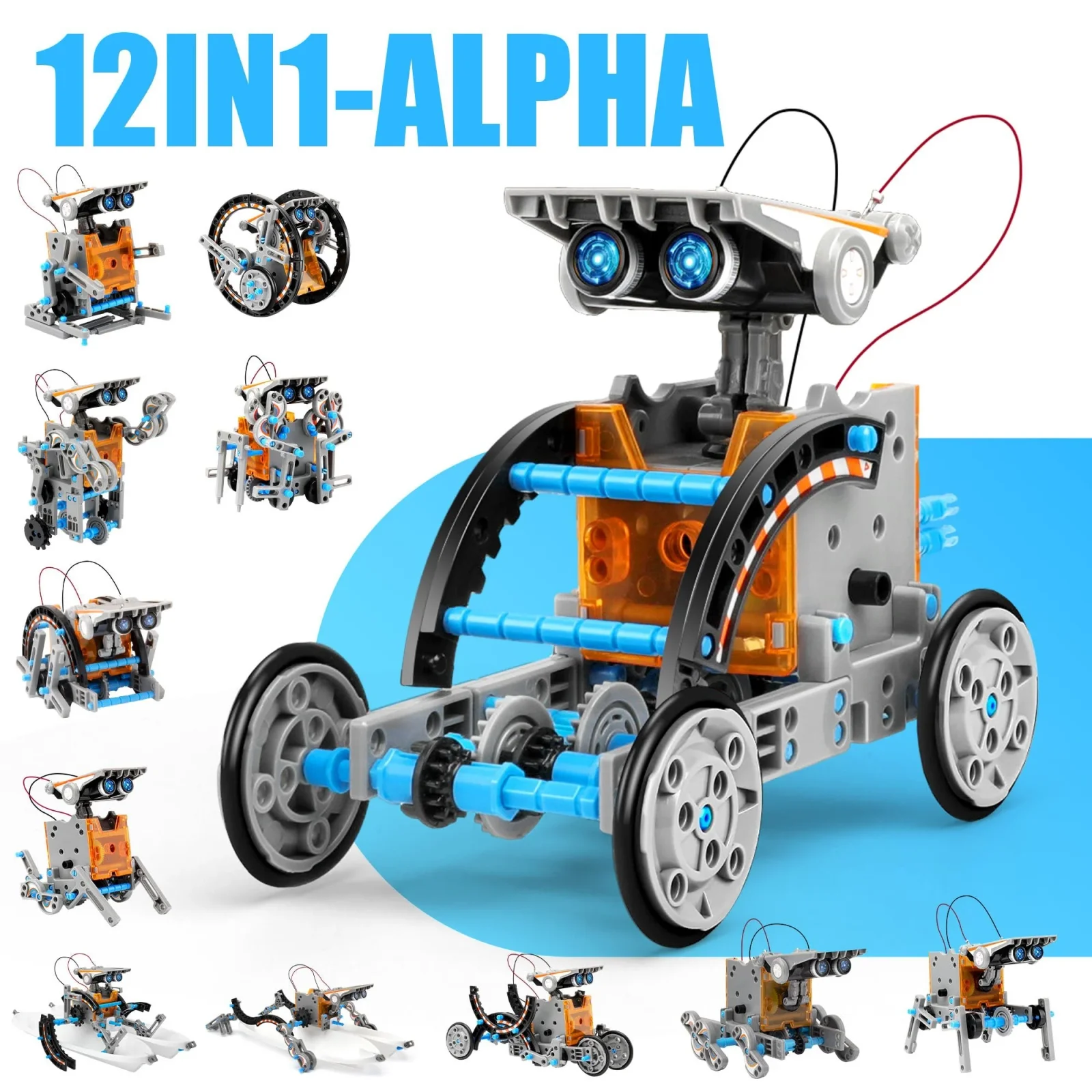
- Best ValueSillbird STEM 12-in-1 Solar RobotBest for: Budget-minded builders who enjoy hands-on engineering projectsCheck price
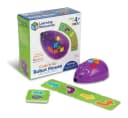
- Best BudgetLearning Resources Code & Go Robot MouseBest for: Preschoolers and early learners starting coding on a budgetCheck price
Finding the best coding and STEM robots for kids mostly comes down to age and what the child wants to do next: program a robot, build one, or both. We narrowed the field to five picks that cover the range, from a screen-free card-based mouse to a robot that grows into Python.
This guide is based on manufacturer specs and independent expert recommendations, not our own hands-on testing. Prices change often, so use the check-price buttons on each pick for current offers.
Best Coding and STEM Robots for Kids at a Glance
| Pick | Label | Age range | How kids code or build | Power | Buy |
|---|---|---|---|---|---|
| Learning Resources Botley 2.0 | Best Overall | 5+ | Screen-free remote programmer and coding cards | 5 AAA batteries (not included) | Check price |
| Makeblock mBot | Also Great | 6+ | Block-based coding, then Arduino | Battery life about 1 hour | Check price |
| Makeblock mBot2 | Premium Pick | 8+ | Blocks, Python, or Arduino IDE (C/C++) | Battery life about 5 hours | Check price |
| Sillbird STEM 12-in-1 Solar Robot | Best Value | 8+ | Building kit, no coding | Solar or strong artificial light | Check price |
| Learning Resources Code & Go Robot Mouse | Best Budget | 4+ | Screen-free card and button commands | 3 AAA batteries (not included) | Check price |
Learning Resources Botley 2.0: Best Overall for Screen-Free Coding
Best for: Young beginners who need screen-free coding fun
Botley 2.0 teaches sequencing and logic without a screen, and the remote and coding cards make it easy to start. Its transformations, sensor and multi-robot pairing keep it engaging for early learners.
- Age range
- 5+
- Connectivity
- Remote wireless controller (color-coded buttons)
- Build material
- Plastic
- Battery life
- Automatic power-down after 5 minutes of inactivity
- Expandability
- Pairs with up to 4 additional Botley units; compatible with accessory sets
- Programming language
- Screen-free remote control (no code syntax required)
Reasons to buy
- Fully screen-free coding with a simple remote programmer
- Programs up to 150 steps with 45° turns
- Object detection sensor adds interactive play
- Includes 40 coding cards and starter guide
- Pairs with up to 4 additional Botley units
Reasons to avoid
- Needs 5 AAA batteries, not included
- Plastic build, aimed at younger beginners
- AI Toys UK
- 8.8
- What's Good to Do
- 10.0
Botley 2.0 is our top pick because it teaches sequencing and logic without a screen, and the remote programmer and coding cards make it easy to start. It is aimed at ages 5+ and suits young beginners who need screen-free coding fun.
Keep reading about Learning Resources Botley 2.0
You program it with a color-coded remote, up to 150 steps, across 6 directions of movement including 45° turns. Sixteen secret transformations (train, police car, ghost and dinosaur modes among them) and an object detection sensor with light-up eyes add interactive play. The box includes 40 coding cards, 46 pieces and a starter guide. Botley can also pair with up to 4 additional Botley units, and it works with accessory sets.
Reviewers rate it well. AI Toys UK gives it 4.4 out of 5 and What's Good to Do gives it 5 out of 5. It is recommended in 12 expert guides.
The trade-offs are practical. It needs 5 AAA batteries (3 for the robot, 2 for the remote), and they are not included. The build is plastic, and the design is aimed at younger beginners, so older kids who want to type real code will need something else.
Makeblock mBot: Also Great for Blocks to Arduino
Best for: Kids ready to move from blocks to Arduino
The mBot is a hands-on way to move from block coding to real text-based programming. Its sensors and expandability give kids room to grow beyond the first projects.
- Age range
- 6+
- Connectivity
- USB, Bluetooth, 2.4G
- Build material
- Aluminum alloy
- Battery life
- ≈1 hour
- Expandability
- 2 motor & servo ports, 4 sensor ports; compatible with 500+ Makeblock parts
- Programming language
- Block-based, Arduino
Reasons to buy
- Assembles in about 15 minutes
- Block-based coding leads into Arduino C
- Compatible with 500+ Makeblock parts and LEGO bricks
- Includes obstacle avoidance and line-following sensors
- Connects via USB, Bluetooth, or 2.4GHz
Reasons to avoid
- Battery life is about 1 hour
- Needs a computer or device for programming
- AIToys
- 9.4
- ToyScout Reviews
- 9.4
- LearnRobotix
- 8.6
The mBot is the pick for kids ready to move from block coding to real text-based programming. It is designed for ages 6+ and is the most widely recommended robot here, appearing in 14 expert guides.
Keep reading about Makeblock mBot
Assembly takes about 15 minutes, and kids can start coding within an hour. Programming begins with blocks and leads into Arduino C. The robot carries an ultrasonic sensor, a line follower sensor, a light sensor, an IR emitter and a buzzer, which cover obstacle avoidance and line following. It connects by USB, Bluetooth or 2.4G, and its aluminum alloy build is compatible with 500+ Makeblock parts and LEGO bricks.
Expert scores are consistent: AIToys and ToyScout Reviews each give it 4.7 out of 5, and LearnRobotix gives it 4.3 out of 5.
The main limits are battery life of about 1 hour and the need for a computer or device to program it. If you want fully screen-free play, look at Botley or the Robot Mouse instead.
Makeblock mBot2: Premium Pick for Python Robotics
Best for: Older kids who want to learn Python robotics
The mBot2 gives older kids a capable platform that grows from Scratch-style blocks to Python. Its encoder motors, sensors and long battery life suit serious, long-term learning.
- Age range
- 8+
- Connectivity
- Bluetooth, 2.4G Wi-Fi, USB
- Build material
- Aluminum alloy
- Battery life
- ≈ 5 hours
- Expandability
- 8 motor & servo ports, 10+ expansion ports with 1 mBuild port, 500+ compatible parts
- Programming language
- Block-based (Scratch-like in mBlock), Python, Arduino IDE (C/C++)
Reasons to buy
- Block coding progresses to Python and Arduino C/C++
- Dual-core processor with Wi-Fi and Bluetooth
- Precision encoder motors control rotation, speed, and position
- About 5 hours of battery life
- Durable aluminum chassis with 500+ compatible parts
Reasons to avoid
- Premium price tier
- Aimed at ages 8+, too advanced for little ones
- AI Toys UK
- 9.4
- What Gadget
- 8.9
The mBot2 is the premium choice for older kids who want to learn Python robotics. It is designed for ages 8+ and moves from Scratch-style blocks to Python on a single platform, and it is recommended in 12 expert guides.
Keep reading about Makeblock mBot2
Its CyberPi microcontroller has a dual-core processor, Wi-Fi and Bluetooth. Precision encoder motors control rotation, speed and position. Built-in sensors include ultrasonic and Quad RGB color detection. Besides blocks and Python, it supports Arduino IDE (C/C++). Battery life is about 5 hours, and the aluminum chassis is built for repeated assembly and disassembly. It is expandable with 500+ compatible Makeblock electronic and mechanical parts.
AI Toys UK gives it 4.7 out of 5, and What Gadget gives it 4.45 out of 5.
The trade-offs are the premium price tier and the age target. It is aimed at ages 8+, so it is too advanced for little ones. For a younger child, the standard mBot is the gentler step.
Sillbird STEM 12-in-1 Solar Robot: Best Value for Hands-On Building
Best for: Budget-minded builders who enjoy hands-on engineering projects
This solar kit is an affordable way to explore mechanical building and renewable energy. It suits kids who like assembling more than programming.
- Age range
- 8+ years
- Connectivity
- Not applicable
- Build material
- Non-toxic ABS plastic
- Battery life
- Solar powered, no batteries required
- Power source
- Solar energy or strong artificial light
- Box dimensions
- 10.24 x 7.87 x 2.56 in
Reasons to buy
- Builds 12 different robot models from 190 pieces
- Solar-powered, so no batteries are needed
- Two difficulty levels from beginner to advanced
- Works indoors with a flashlight or artificial light
- Non-toxic ABS plastic construction
Reasons to avoid
- Teaches building and engineering, not coding
- Performance depends on strong light
Our score. Fewer than two published expert reviews score this model yet, so the number is our ranking formula (expert recommendations, features, value, retailers), relative to the other picks in this guide. It switches to the expert average once two reviews are published.
The Sillbird solar kit is the best value pick for kids who like assembling more than programming. It is an affordable way to explore mechanical building and renewable energy, for ages 8+. It is recommended in 6 expert guides.
Keep reading about Sillbird STEM 12-in-1 Solar Robot
The 190 reusable pieces build 12 different robot models, at two difficulty levels from beginner to advanced. The estimated assembly time is 1-2 hours. It runs on solar energy, so no batteries are needed, and it can run indoors under a flashlight or other artificial light. The pieces are non-toxic ABS plastic.
The important caveat is that this kit teaches building and engineering, not coding. Performance also depends on strong light. If coding is the goal, choose one of the other four picks.
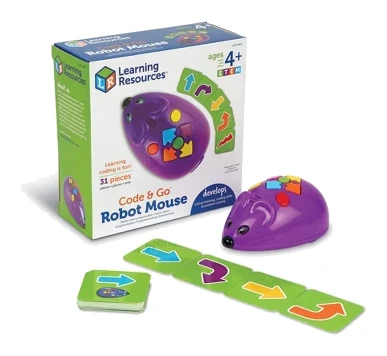
Learning Resources Code & Go Robot Mouse: Best Budget for Preschool Coding
Best for: Preschoolers and early learners starting coding on a budget
Code & Go Robot Mouse is a simple, low-cost introduction to step-by-step coding for the youngest kids. Its card-based play teaches the basics without screens.
- Age range
- 4+
- Connectivity
- None (no wireless/Bluetooth)
- Build material
- Plastic
- Expandability
- Compatible with Code & Go Robot Mouse Activity Set (sold separately)
- Programming language
- Visual/Card-based button commands
- Mouse size
- 4" L
Reasons to buy
- Screen-free coding with simple button commands
- 30 double-sided cards for planning paths
- Lights, sounds, and 2 speeds keep play engaging
- Suitable from age 4
- Expandable with optional activity sets
Reasons to avoid
- Basic feature set, outgrown quickly
- Needs 3 AAA batteries, not included
Our score. Fewer than two published expert reviews score this model yet, so the number is our ranking formula (expert recommendations, features, value, retailers), relative to the other picks in this guide. It switches to the expert average once two reviews are published.
Code & Go Robot Mouse is the budget pick and the youngest-friendly option here, suitable from age 4. It is a simple, low-cost introduction to step-by-step coding that teaches the basics without screens, and it is recommended in 10 expert guides.
Keep reading about Learning Resources Code & Go Robot Mouse
Kids enter simple button commands on the mouse (Jack) and use 30 double-sided coding cards to plan his path. Lights, sounds and 2 speeds give feedback and keep play engaging. Optional Code & Go Robot Mouse Activity Sets can extend it. It has no wireless or Bluetooth connectivity, which keeps things simple.
The trade-offs are a basic feature set that kids can outgrow quickly, and 3 AAA batteries that are not included. Treat it as a first step, not a long-term platform.
Compare our picks side by side
The specs most of our picks share, from each maker’s spec page (— = not published). Expert score = the average of published expert reviews, which rate each product for its price. Scroll sideways on small screens.
| Spec | Learning Resources Botley 2.0 | Makeblock mBot | Makeblock mBot2 | Sillbird STEM 12-in-1 Solar Robot | Learning Resources Code & Go Robot Mouse |
|---|---|---|---|---|---|
| Best for | Best Overall | Also Great | Premium Pick | Best Value | Best Budget |
| Expert score | 9.4 | 9.1 | 9.2 | 6.8 | 6.7 |
| Price vs. these picks | Middle | Middle | Higher | Lower | Lower |
| Age range | 5+ | 6+ | 8+ | 8+ years | 4+ |
| Connectivity | Remote wireless controller (color-coded buttons) | USB, Bluetooth, 2.4G | Bluetooth, 2.4G Wi-Fi, USB | Not applicable | None (no wireless/Bluetooth) |
| Build material | Plastic | Aluminum alloy | Aluminum alloy | Non-toxic ABS plastic | Plastic |
| Battery life | Automatic power-down after 5 minutes of inactivity | ≈1 hour | ≈ 5 hours | Solar powered, no batteries required | — |
| Expandability | Pairs with up to 4 additional Botley units; compatible with accessory sets | 2 motor & servo ports, 4 sensor ports; compatible with 500+ Makeblock parts | 8 motor & servo ports, 10+ expansion ports with 1 mBuild port, 500+ compatible parts | — | Compatible with Code & Go Robot Mouse Activity Set (sold separately) |
| Programming language | Screen-free remote control (no code syntax required) | Block-based, Arduino | Block-based (Scratch-like in mBlock), Python, Arduino IDE (C/C++) | — | Visual/Card-based button commands |
| Learning curve | Beginner-friendly with visual coding cards and intuitive remote | Beginner-friendly | Designed for K-12 learners ages 8+; progresses from block coding to Python | — | — |
| Where to buy | Check price | Check price | Check price | Check price | Check price |
How to Choose the Best Coding and STEM Robots for Kids
Start with age
The picks here span ages 4+ to 8+. The Robot Mouse starts at 4+, Botley 2.0 at 5+, the mBot at 6+, and the mBot2 and Sillbird kit at 8+. A robot aimed too high can frustrate a child, and one aimed too low can be outgrown quickly.
Decide on screens
Botley 2.0 and the Robot Mouse are screen-free, using a remote or buttons with coding cards. The mBot and mBot2 are programmed with software, which is what lets them move on to Arduino or Python. If you want a robot that grows with your child, accept the screen. If you want to introduce logic to a young child first, go screen-free.
Think about the growth path
The mBot moves from blocks to Arduino C. The mBot2 offers blocks, Python and Arduino IDE (C/C++). Both are compatible with 500+ Makeblock parts. Botley 2.0 can pair with up to 4 additional Botley units, but it does not teach text-based code.
Check power and running costs
Botley 2.0 and the Robot Mouse need AAA batteries that are not included. The mBot runs about 1 hour, while the mBot2 runs about 5 hours. The Sillbird kit runs on light and needs no batteries.
Coding or building?
If your child likes taking things apart and putting them together, the Sillbird kit is a good fit, but it teaches building rather than coding. For both, the Makeblock robots combine assembly with programming.
How We Picked
We compared candidates using manufacturer specs and the recommendations of independent expert guides. Where reviews published scores, we cite them with the publication's name. We favored robots with clear age targets, a defined learning path, and consistent expert recommendations. We also considered how each pick's trade-offs affect the buyer it is meant for. We did not run our own hands-on tests, and every claim here comes from manufacturer pages and independent reviewers.
Bottom Line
For most families with a young beginner, Learning Resources Botley 2.0 is the best overall choice: screen-free, easy to start, and well reviewed. Kids who are ready for real code should look at the Makeblock mBot, or the premium mBot2 if they are 8+ and want Python. The Sillbird solar kit suits young builders rather than coders, and the Code & Go Robot Mouse is the budget way to start preschoolers on coding basics.
Ready to buy?
 Best OverallLearning Resources Botley 2.0Check price
- Also GreatMakeblock mBotCheck price
- Premium PickMakeblock mBot2Check price
- Best ValueSillbird STEM 12-in-1 Solar RobotCheck price
- Best BudgetLearning Resources Code & Go Robot MouseCheck price
Frequently asked questions
What is the best screen-free coding robot for young kids?
The Learning Resources Botley 2.0. It is 100% screen-free, using a remote programmer and 40 included coding cards, and it programs up to 150 steps. It is aimed at ages 5+. For ages 4+, the Code & Go Robot Mouse is a simpler, lower-cost option.
Which robot teaches kids Python?
The Makeblock mBot2. It progresses from block-based coding to Python on one platform and also supports Arduino IDE (C/C++). It is designed for ages 8+.
Which robot lets kids move from block coding to Arduino?
The Makeblock mBot. It starts with block-based programming and leads into Arduino C. It is designed for ages 6+ and assembles in about 15 minutes.
Which STEM robot kit does not need batteries?
The Sillbird STEM 12-in-1 Solar Robot. It runs on solar energy or strong artificial light, such as a flashlight indoors. It is a building kit that teaches engineering, not coding.
What is the youngest age for a coding robot in this guide?
The Learning Resources Code & Go Robot Mouse: from age 4. It uses simple button commands and 30 double-sided coding cards, with no screen needed.
How long does the mBot2 battery last?
The Makeblock mBot2: about 5 hours. By comparison, the standard Makeblock mBot lists a battery life of about 1 hour.
Sources
Specs are taken from the manufacturers' official pages; expert recommendations from the publications below.
- Learning Resources Botley 2.0: learningresources.com, robot-advance.com, stemfinity.com
- Makeblock mBot: makeblock.com, dreamingofrobots.com, stemfinity.com
- Makeblock mBot2: makeblock.com, stemfinity.com, techsurged.com
- Sillbird STEM 12-in-1 Solar Robot: sillbird.com, manuals.plus, device.report
- Learning Resources Code & Go Robot Mouse: learningresources.com, select.schoolspecialty.com
More buying guides
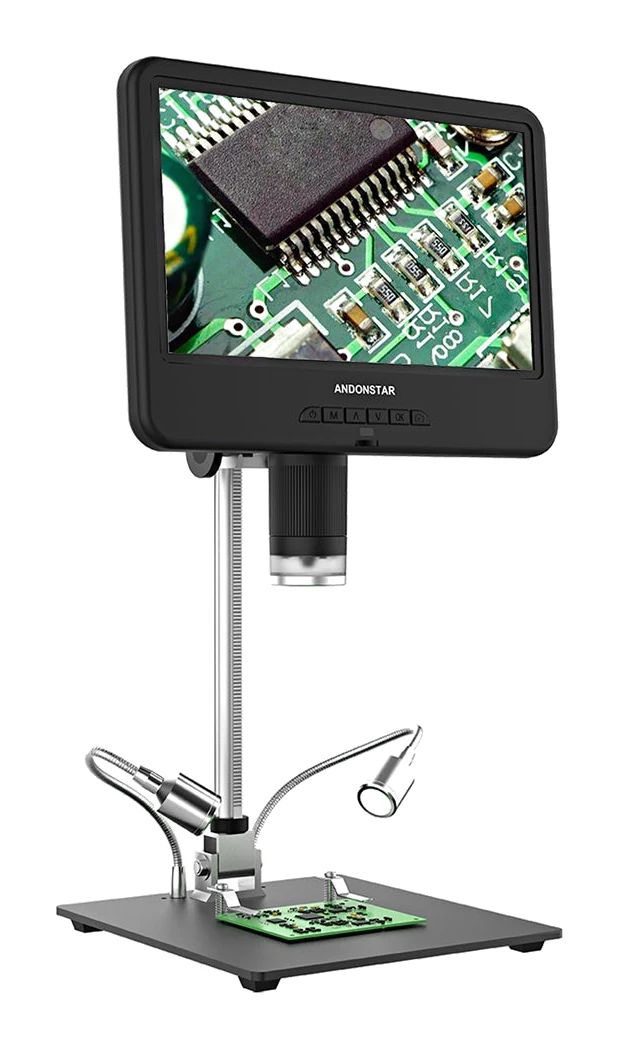
Best Digital Microscopes in 2026: Coins, PCBs & Soldering
Five digital microscopes compared on screen, magnification, lighting and recording, from a big-screen bench pick to a three-lens kit for electronics and biology.
Published Oct 30, 2026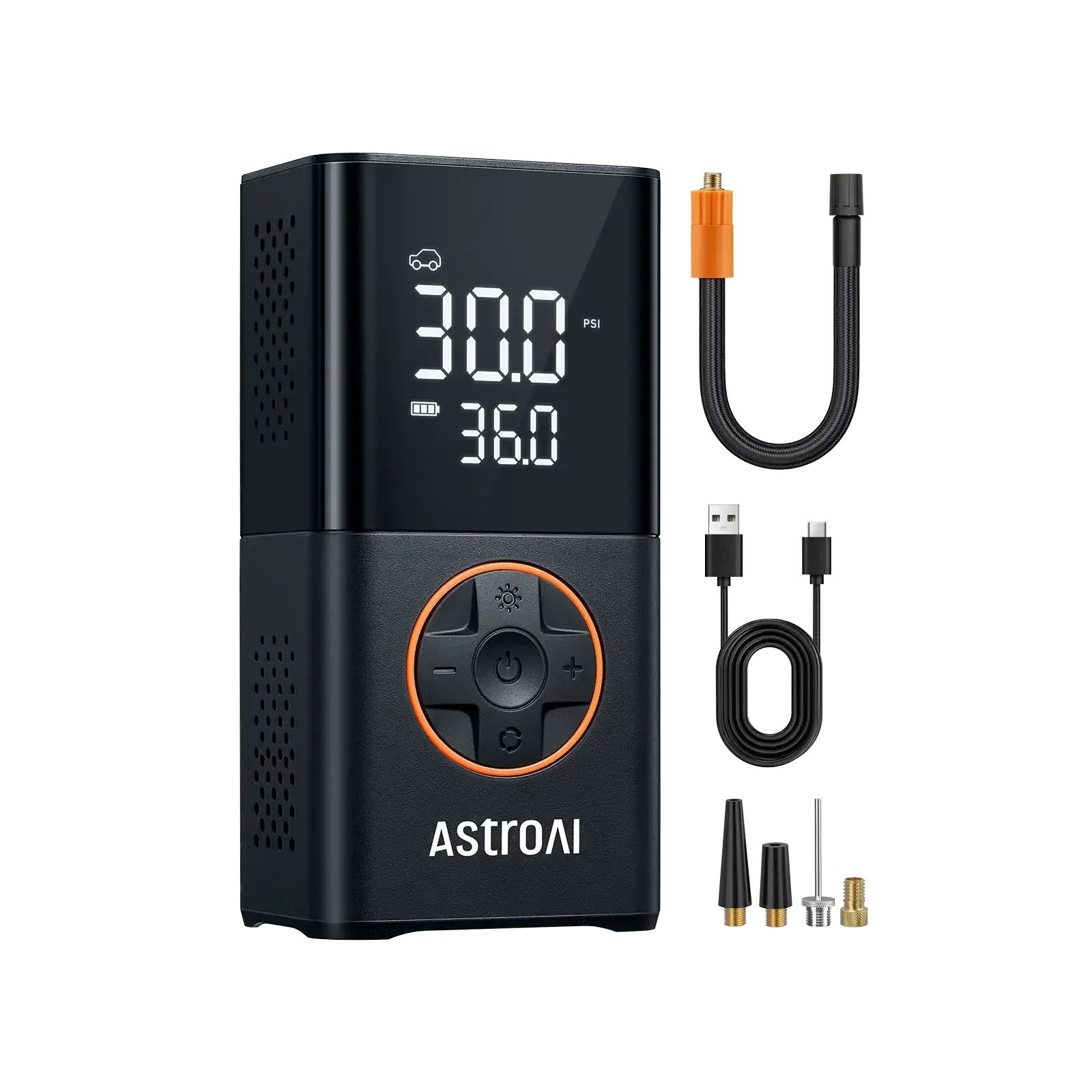
Best Portable Tire Inflators 2026: Glove-Box to Truck Ready
Five cordless tire inflators compared on weight, battery, maximum pressure and runtime, from a light glove-box budget pick to a heavy-duty model for trucks and SUVs.
Published Oct 22, 2026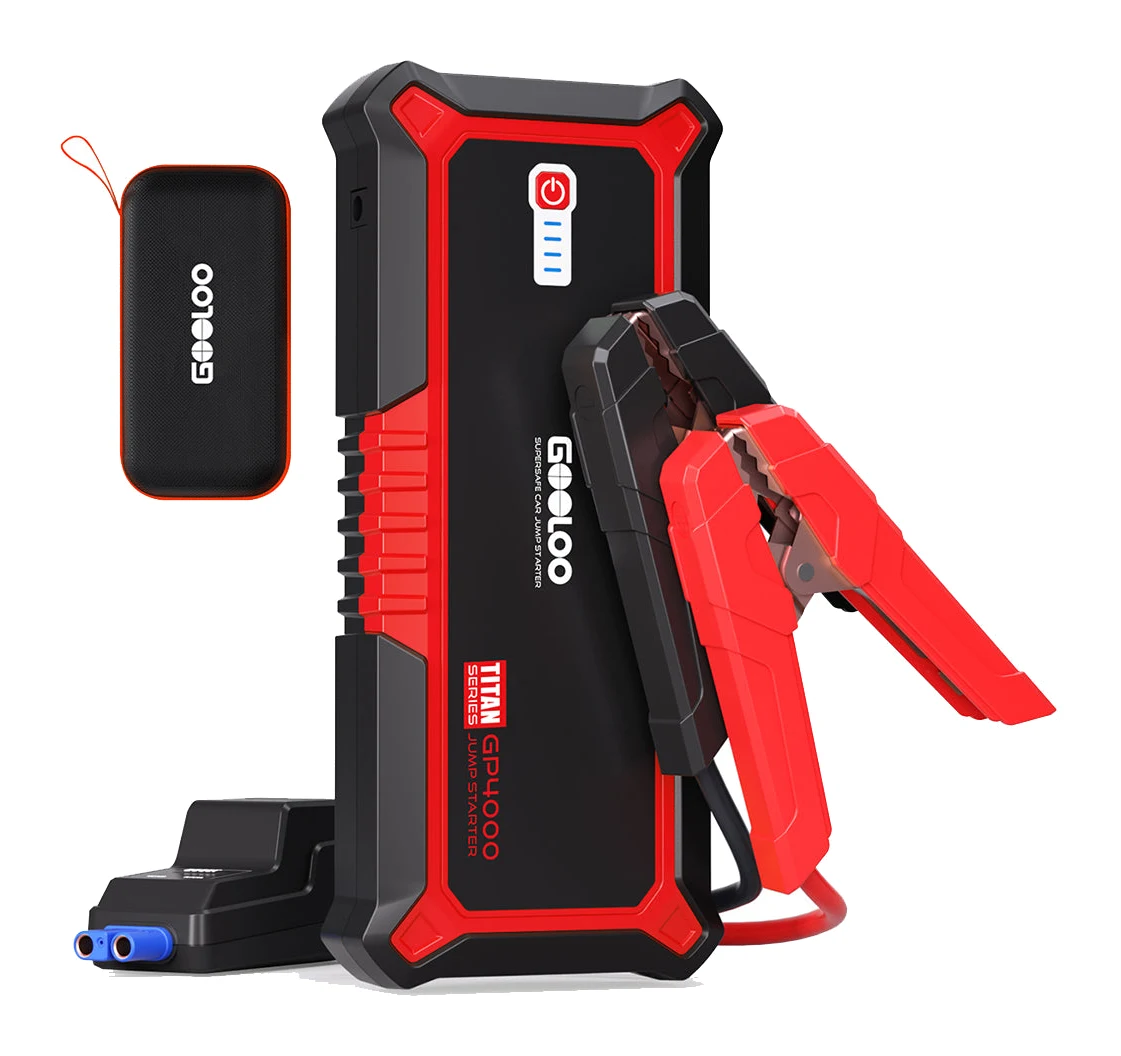
Best Portable Car Jump Starters 2026: Sized to Your Engine
Five jump starters compared on engine range, weight, recharging and extras, using manufacturer specs and expert recommendations.
Published Oct 22, 2026