Best DIY Home Security Systems 2026: Easy Setup, No Contract
Four DIY home security systems compared on sensors, outage backup, monitoring options and smart home support, with a pick for renters, budget buyers and Ring households.
12 products compared · Research-based · Affiliate links
We earn a commission from qualifying purchases made through our links, at no extra cost to you. It never decides our picks. How we make money
Which one should you buy?
Our picks by what matters to you · details below ↓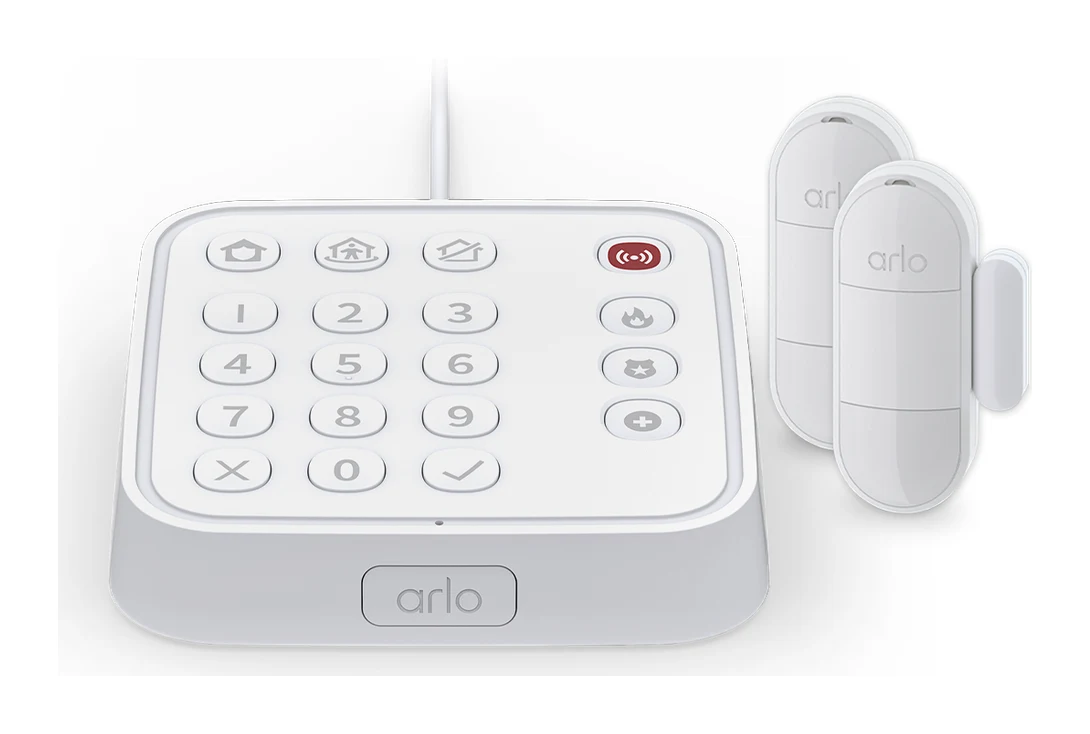
Best for: Renters and homeowners wanting simple, wire-free all-in-one coverage
Check price on Amazon- Also GreatCove DIY Home Security SystemBest for: Buyers wanting a customizable system with flexible month-to-month monitoringCheck price

- Best ValueWyze Home Monitoring Core Starter KitBest for: Budget shoppers starting small and expanding their system over timeCheck price
- Premium PickRing Alarm ProBest for: Ring ecosystem users wanting a security hub with built-in routerCheck price
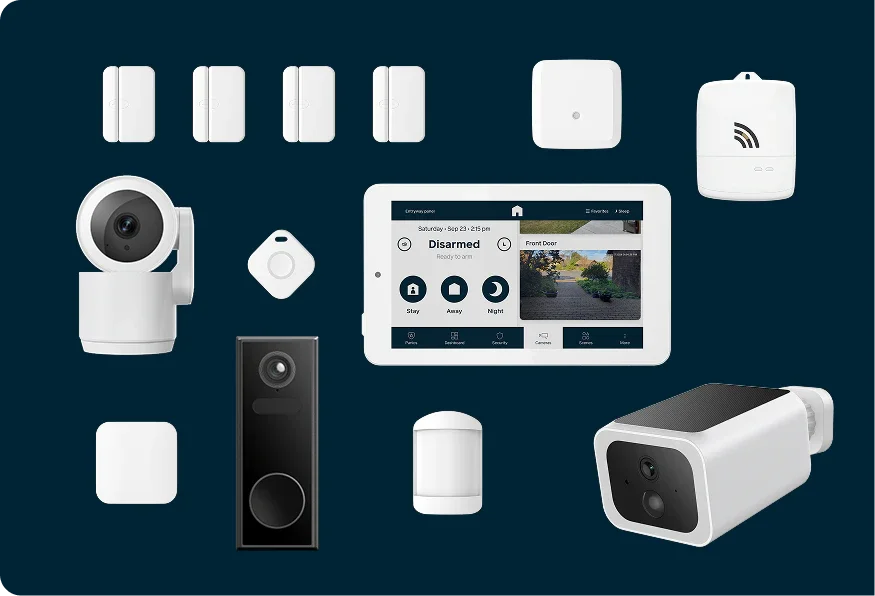
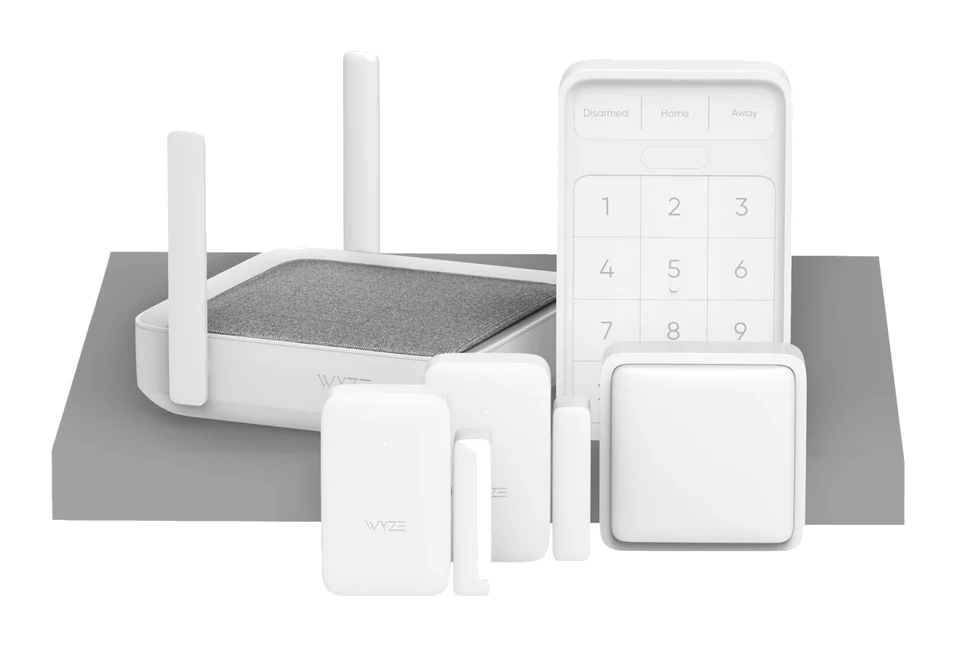
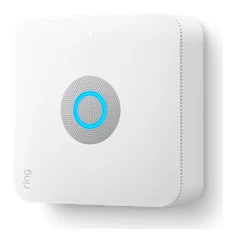
The best DIY home security systems let you set up protection yourself without a long-term contract, and the four below all meet that bar. We narrowed the field to four systems, each suited to a different kind of buyer: all-in-one simplicity, customization, a low-cost start and a Ring-based setup with a built-in router.
This guide is based on manufacturer specs and independent expert recommendations, not hands-on testing. Live prices change often, so use the check-price buttons for current costs.
DIY Home Security Systems at a Glance
| Product | Label | Outage backup | Professional monitoring | Contract | Best for | Buy |
|---|---|---|---|---|---|---|
| Arlo Home Security System | Best Overall | Cellular plus up to 12 hours (Keypad Sensor Hub) | 24/7 live security experts (paid Premium plan) | No | Renters and homeowners wanting all-in-one coverage | Check price |
| Cove DIY Home Security System | Also Great | 4G LTE cellular plus 24-hour hub battery | 24/7, required on all plans | No, month-to-month | Customizable setups | Check price |
| Wyze Home Monitoring Core Starter Kit | Best Value | 10-hour hub battery | 24/7 Noonlight-backed dispatch | No | Budget shoppers who expand over time | Check price |
| Ring Alarm Pro | Premium Pick | Cellular backup plus up to 24 hours in Low Power Mode | Optional Ring Protect Pro | No | Ring users wanting a built-in router | Check price |
Arlo Home Security System: Best Overall for All-in-One Sensors
Best for: Renters and homeowners wanting simple, wire-free all-in-one coverage
Arlo's multi-purpose sensors cut down on separate devices, and cellular plus battery backup keep it working through outages. Broad smart home support makes it an easy fit for most homes.
Read our full Arlo Home Security System review →- Range
- up to 500 feet (sensors to hub)
- Mobile app
- Arlo Secure App
- Backup battery
- Up to 12 hours (Keypad Sensor Hub)
- Contract required
- No
- Installation type
- Wire-free DIY
- Number of sensors
- 2-5 All-in-One Sensors (depending on bundle)
Reasons to buy
- All-in-one sensor covers motion, leaks, temperature, doors/windows, and smoke/CO alarms
- Wire-free DIY setup with no contract required
- Cellular and battery backup keep protection on during outages
- Works with Alexa, Google Home, Apple HomeKit, and IFTTT
Reasons to avoid
- Sensor count depends on the bundle, only 2-5 sensors
- Tom's Guide
- 8.0
- SafeWise
- 8.0
- Forbes Home
- 8.6
- NerdWallet
- 9.0
- The Ambient
- 9.0
The Arlo Home Security System is our Best Overall pick because one sensor does the work of several. Each 8-in-1 All-in-One Sensor detects motion, water leaks, temperature, door and window openings, and smoke/CO alarms. It suits renters and homeowners who want simple, wire-free coverage with no contract.
Keep reading about Arlo Home Security System
The system is recommended in 8 expert guides. Forbes Home gave it 4.3 out of 5, NerdWallet 4.5 out of 5, The Ambient 4.5 out of 5 and SafeWise 4 out of 5. Installation is wire-free DIY, and sensor battery life is up to 1 year.
Outage protection is a strength. The Keypad Sensor Hub has built-in motion detection and a backup battery of up to 12 hours, and cellular backup keeps protection on during power or internet outages. Smart home support covers Alexa, Google Home, Apple HomeKit and IFTTT, which is the widest list among the four systems here.
The trade-off
Live professional monitoring is a paid subscription, so budget for it if you want 24/7 response. Bundles include only 2-5 All-in-One Sensors depending on the one you pick, so check that the count matches your doors and rooms.
Cove DIY Home Security System: Also Great for Custom Setups
Best for: Buyers wanting a customizable system with flexible month-to-month monitoring
Cove offers a highly customizable system with guided setup, strong backup connectivity, and fast emergency dispatch. It suits buyers who want a flexible setup without a long-term contract.
- Range
- —
- Mobile app
- Yes, iOS and Android with remote control and 2-way audio
- Backup battery
- 24-hour hub battery backup included
- Contract required
- No; month-to-month plans
- Installation type
- DIY with optional professional installation
- Number of sensors
- Customizable; door, window, motion, glass-break, flood, smoke, CO detectors available
Reasons to buy
- Touchscreen-guided DIY setup in under 30 minutes
- Ethernet hub with 4G LTE backup and 24-hour battery
- Wide range of customizable sensors, cameras, and environmental detectors
- Month-to-month plans with a 60-day money-back guarantee
Reasons to avoid
- Professional monitoring is required on all plans
- Smart home support limited to Alexa and Google Assistant
- SafeHome.org
- 8.8
- Security.org
- 8.7
- BestGuide
- 8.0
- BestCompany
- 7.8
Cove earns the Also Great spot because you can build the system around your home. The range includes door and window sensors, motion detectors, cameras and environmental sensors, and glass-break, flood, smoke and CO detectors are also available. It suits buyers who want a flexible setup with month-to-month monitoring.
Keep reading about Cove DIY Home Security System
Cove is recommended in 10 expert guides, the joint-highest count in this roundup. SafeHome.org scored it 8.8 out of 10 and Security.org 8.7 out of 10. A touchscreen guides the DIY setup, which the manufacturer says takes under 30 minutes.
Connectivity and backup are strong. The hub uses Ethernet with 4G LTE cellular backup and includes a 24-hour battery. Emergency dispatch is RapidSOS-enabled for fast contact with 911. There are no long-term contracts, and a 60-day money-back guarantee lets you try it with less risk.
The trade-off
Professional monitoring is required on all plans, so you can't run it as a self-monitored system. There are three monitoring tiers (Basic, Plus and Premium), and costs rise as you move up. Smart home support is limited to Alexa and Google Assistant, so Apple HomeKit users should look at Arlo.
Wyze Home Monitoring Core Starter Kit: Best Value for Starting Small
Best for: Budget shoppers starting small and expanding their system over time
Wyze is an affordable way to start a monitored security system, with easy installation and room to expand. Cancel-anytime monitoring keeps commitment low.
- Range
- 500 feet (152 meters) indoors
- Mobile app
- Wyze app (iOS and Android)
- Backup battery
- 10 hours (hub rechargeable battery)
- Contract required
- No
- Installation type
- DIY wireless; peel-and-stick with optional screws
- Number of sensors
- 3 (2 entry sensors, 1 motion sensor; expandable to 100 total)
Reasons to buy
- Budget-friendly entry point with peel-and-stick, tool-free installation
- Expandable up to 100 sensors as needs grow
- Noonlight-backed monitoring with roughly 30-second response time
- No contract; cancel anytime
Reasons to avoid
- Hub backup battery lasts 10 hours, shorter than some rivals
- Starter kit includes only three sensors
- SafeHome
- 7.3
- SafeWise
- 7.5
- U.S. News & World Report
- 8.4
- Smart.Homes
- 7.2
The Wyze Home Monitoring Core Starter Kit is the Best Value pick and the only budget-tier option here. It suits shoppers who want a monitored system now and plan to add to it later. Installation is wireless and peel-and-stick, with no tools required.
Keep reading about Wyze Home Monitoring Core Starter Kit
The starter kit has three sensors: two entry sensors and one motion sensor. The system can expand to 100 sensors in total. Monitoring is 24/7 through Noonlight, with a roughly 30-second response time, and there is no contract, so you can cancel anytime. It's recommended in 7 expert guides, and U.S. News & World Report rated it 4.2 out of 5.
Other specs include a siren of 88 dB at 2 feet and indoor range of 500 feet (152 meters). The motion sensor detects up to 25 feet with a 120-degree field of view. Smart home support covers Alexa, Google Assistant and IFTTT.
The trade-off
The hub's rechargeable battery lasts 10 hours, the shortest backup of the four systems compared here. The starter kit includes only three sensors, so many buyers will want to add more. It's best for budget shoppers who want to start small and expand over time.
Ring Alarm Pro: Premium Pick for a Built-In Wi-Fi 6 Router
Best for: Ring ecosystem users wanting a security hub with built-in router
Ring Alarm Pro combines a security hub with a Wi-Fi 6 router and strong outage protection. It's best for those already invested in the Ring ecosystem or wanting Z-Wave flexibility.
- Range
- 250 feet to base station (Z-Wave), 1500 sq. ft. WiFi coverage
- Mobile app
- Ring app with iOS/Android support
- Backup battery
- Internal rechargeable Lithium Ion, up to 24 hours in Low Power Mode
- Contract required
- No contract required
- Installation type
- DIY, tabletop or wall mounted
- Number of sensors
- Expandable; base unit sold with additional sensors in kits
Reasons to buy
- Built-in eero Wi-Fi 6 router doubles as home networking
- Loud 104 dB siren
- 24-hour battery backup plus cellular backup internet
- Z-Wave support allows third-party sensor integration
Reasons to avoid
- Base unit needs additional sensor kits for full coverage
- Silent Security
- 8.4
- Smart Home Explorer
- 8.0
- The Tested Hub
- 9.2
- Android Police
- 8.0
Ring Alarm Pro is the Premium Pick because it combines a security hub with a built-in eero Wi-Fi 6 router. It suits people already invested in the Ring ecosystem, or anyone who wants Z-Wave support for third-party sensors. The router covers up to 1500 sq. ft. and supports speeds up to 900 Mbps.
Keep reading about Ring Alarm Pro
It is recommended in 10 expert guides. Silent Security scored it 8.4 out of 10, The Tested Hub 4.6 out of 5, and Smart Home Explorer and Android Police each 8 out of 10. The siren is a loud 104 Decibel siren measured at 1 ft.
Backup is a highlight. An internal rechargeable lithium-ion battery lasts up to 24 hours in Low Power Mode, and cellular backup internet keeps devices connected during outages. Z-Wave range to the base station is 250 feet. Installation is DIY, either tabletop or wall mounted, and no contract is required.
The trade-off
The base unit needs additional sensor kits for full coverage. Professional monitoring is an optional add-on through Ring Protect Pro. Alexa support is native, but the system is built around the Ring ecosystem, so it makes most sense if you already use Ring devices.
Compare our picks side by side
The specs most of our picks share, from each maker’s spec page (— = not published). Expert score = the average of published expert reviews, which rate each product for its price. Scroll sideways on small screens.
| Spec | Arlo Home Security System | Cove DIY Home Security System | Wyze Home Monitoring Core Starter Kit | Ring Alarm Pro |
|---|---|---|---|---|
| Best for | Best Overall | Also Great | Best Value | Premium Pick |
| Expert score | 8.5 | 8.3 | 7.6 | 8.4 |
| Price vs. these picks | Middle | Middle | Lower | Higher |
| Range | up to 500 feet (sensors to hub) | — | 500 feet (152 meters) indoors | 250 feet to base station (Z-Wave), 1500 sq. ft. WiFi coverage |
| Mobile app | Arlo Secure App | Yes, iOS and Android with remote control and 2-way audio | Wyze app (iOS and Android) | Ring app with iOS/Android support |
| Backup battery | Up to 12 hours (Keypad Sensor Hub) | 24-hour hub battery backup included | 10 hours (hub rechargeable battery) | Internal rechargeable Lithium Ion, up to 24 hours in Low Power Mode |
| Contract required | No | No; month-to-month plans | No | No contract required |
| Installation type | Wire-free DIY | DIY with optional professional installation | DIY wireless; peel-and-stick with optional screws | DIY, tabletop or wall mounted |
| Number of sensors | 2-5 All-in-One Sensors (depending on bundle) | Customizable; door, window, motion, glass-break, flood, smoke, CO detectors available | 3 (2 entry sensors, 1 motion sensor; expandable to 100 total) | Expandable; base unit sold with additional sensors in kits |
| Smart home integration | Alexa, Google Home, Apple HomeKit, IFTTT | Amazon Alexa, Google Assistant | Amazon Alexa, Google Assistant, IFTTT | Z-Wave, Alexa native, Works with Ring ecosystem |
| Monitoring service | 24/7 Professional Monitoring available | 24/7 professional monitoring (required) | 24/7 professional monitoring through Noonlight; 3 months included | — |
| Where to buy | Check price | Check price | Check price | Check price |
How to Choose the Best DIY Home Security System
Decide how much monitoring you want
Cove requires professional monitoring on every plan. Arlo and Ring offer paid professional monitoring, and Wyze's monitoring is backed by Noonlight. If you want a system that works without a subscription, check what each one does without monitoring before you buy.
Check outage protection
Burglars don't wait for your Wi-Fi to work. Cove and Ring list 24-hour hub backup, Arlo lists up to 12 hours on its Keypad Sensor Hub, and Wyze lists 10 hours. Arlo, Cove and Ring also add cellular backup. Wyze's facts don't mention cellular backup, so confirm it before you rely on it.
Count your entry points
Starter bundles are small. Arlo includes 2-5 sensors depending on the bundle, Wyze includes three, and Ring's base unit needs extra sensor kits. Count doors, windows and rooms before comparing bundle sizes.
Match your smart home platform
Arlo covers Alexa, Google Home, Apple HomeKit and IFTTT. Wyze covers Alexa, Google Assistant and IFTTT. Cove supports Alexa and Google Assistant. Ring is Alexa-native and works within the Ring ecosystem, with Z-Wave for third-party sensors.
Think about renting
Arlo's wire-free setup and Wyze's peel-and-stick installation need no hardwiring. Renters should check each product's installation notes before buying.
How We Picked These Systems
We compared DIY home security systems using manufacturer specs and independent expert recommendations. We looked at sensor coverage, backup power, connectivity, monitoring terms, contract requirements and smart home support. We also looked at how often independent buying guides recommend each product and at the scores reviewers published. We have not hands-on tested these systems. Specs come from manufacturer pages, and we describe each product on its own terms.
Bottom Line
For most homes, the Arlo Home Security System is the easiest recommendation: all-in-one sensors, wire-free setup, outage backup and broad smart home support. Choose Cove if you want to customize the system and don't mind monitoring being mandatory. Pick the Wyze Home Monitoring Core Starter Kit if budget matters most and you plan to expand. Go for Ring Alarm Pro if you already use Ring or want a hub with a built-in Wi-Fi 6 router.
Ready to buy?
 Best OverallArlo Home Security SystemCheck price
- Also GreatCove DIY Home Security SystemCheck price
- Best ValueWyze Home Monitoring Core Starter KitCheck price
- Premium PickRing Alarm ProCheck price
Related buying guides
- Best Outdoor Security Cameras 2026: Solar & No-Fee Options
- Best Indoor Security Cameras 2026 for Privacy-Minded Homes
- Best Security Camera Without Subscription 2026: Pay Once
- Best Smart Thermostats 2026: Matched to Your Wiring & Home
- Best Matter Hub 2026: Thread, Zigbee and Z-Wave Options
- Arlo Home Security System SS1501 Review: DIY With Catches
Frequently asked questions
Which DIY home security system has the longest backup battery?
Ring Alarm Pro and the Cove DIY Home Security System: up to 24 hours. Ring's figure is up to 24 hours in Low Power Mode, while Cove includes a 24-hour hub battery backup. Arlo lists up to 12 hours on its Keypad Sensor Hub, and Wyze lists 10 hours.
Do DIY home security systems require a contract?
No. Arlo, Cove, Wyze and Ring Alarm Pro are all listed without a required contract. Cove uses month-to-month plans, but professional monitoring is required on all of them.
Which DIY system works with Apple HomeKit?
The Arlo Home Security System: it supports Apple HomeKit alongside Alexa, Google Home and IFTTT. Among the other three systems here, the published specs list Alexa, Google Assistant or Ring's own ecosystem, not HomeKit.
Which is the best budget DIY home security system?
The Wyze Home Monitoring Core Starter Kit: it is the budget-tier pick. It uses tool-free peel-and-stick installation and expands to 100 sensors. Its hub backup is the shortest of the four at 10 hours.
How loud is the Ring Alarm Pro siren?
Ring Alarm Pro: a 104 Decibel siren measured at 1 ft. The Wyze kit lists 88 dB at 2 feet, which is measured at a different distance.
Which DIY home security system is easiest to set up?
Wyze uses tool-free peel-and-stick installation, and Cove uses a touchscreen guide that the manufacturer says takes under 30 minutes. Arlo is also wire-free DIY.
Sources
Specs are taken from the manufacturers' official pages; expert recommendations from the publications below.
- Arlo Home Security System: us.arlo.com, blog.arlo.com, care.arlo.com, manuals.plus
- Cove DIY Home Security System: covesmart.com, safewise.com, cybernews.com
- Wyze Home Monitoring Core Starter Kit: wyze.com, safehome.org, safewise.com
- Ring Alarm Pro: ring.com
More buying guides
Arlo Home Security System SS1501 Review: DIY With Catches
A look at the Arlo SS1501 kit: a plug-in keypad hub with five all-in-one sensors, easy DIY setup, and the subscription catches experts flag.
Published Oct 28, 2026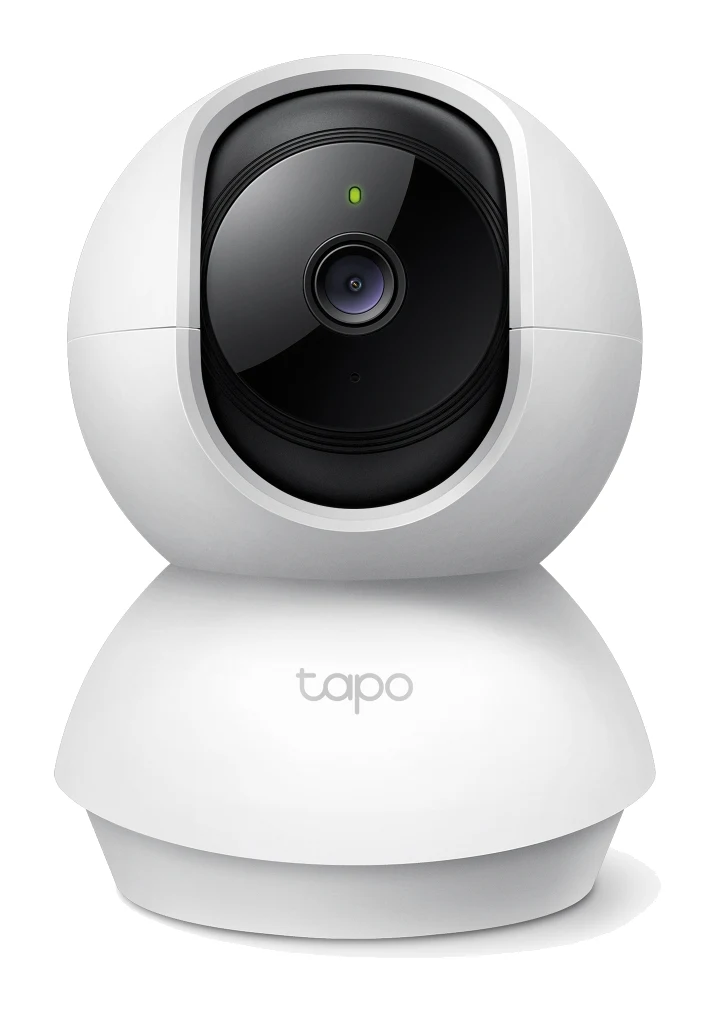
Best Indoor Security Cameras 2026 for Privacy-Minded Homes
The best indoor security cameras for 2026, compared on resolution, privacy features, storage and Wi-Fi support, from a budget pan/tilt cam to a premium 2K Nest.
Published Oct 9, 2026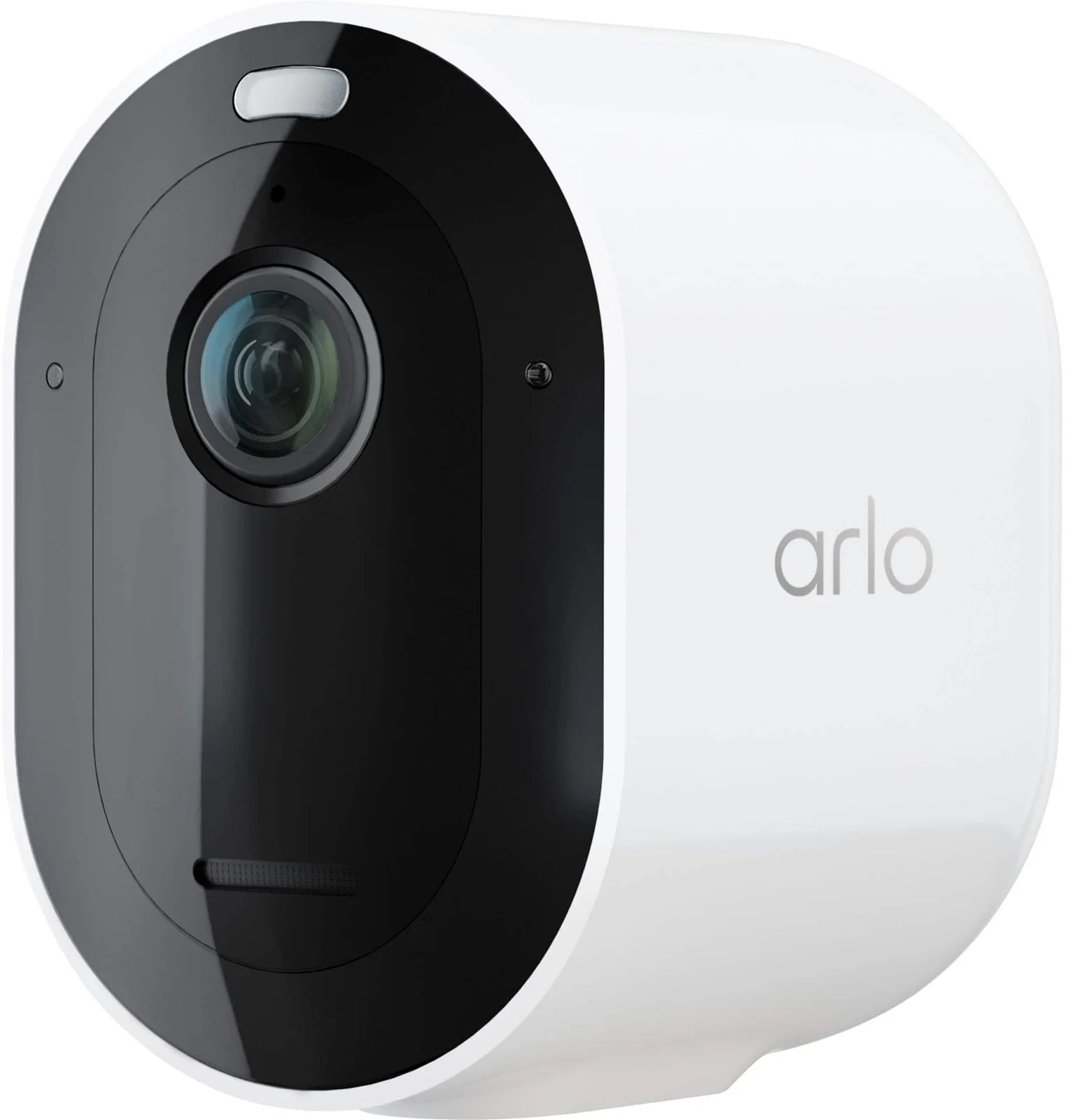
Best Outdoor Security Cameras 2026: Solar & No-Fee Options
Five outdoor security cameras compared on power, storage, subscriptions, field of view and smart home support, based on manufacturer specs and expert recommendations.
Published Oct 20, 2026