Seculife Medical Alert Smartwatch Review: No Phone Needed
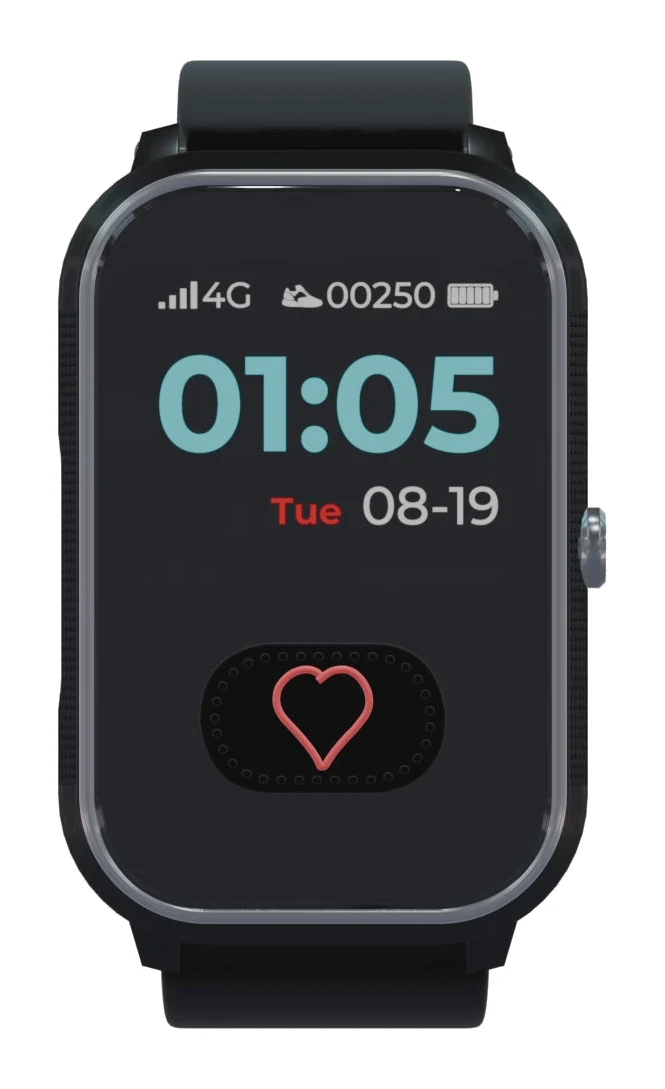
A look at the Seculife cellular medical alert smartwatch: automatic fall detection, GPS, calling and health readings on its own 4G LTE connection, and the trade-offs of a monthly plan and daily charging.
Research-based · We earn from qualifying purchases
Our verdict
The Seculife is a good fit for families who want automatic fall detection, GPS tracking and calling in a watch seniors will actually wear. Skip it if you want to avoid a monthly fee, can't count on daily charging, or live where cellular coverage is poor.
The good
- Automatic fall detection sends alerts with GPS location, no button press needed
- Standalone 4G LTE, so the wearer needs no smartphone
- Real-time GPS with geofence safe zones and one year of location history
- Two-way calling with hands-free auto-answer from approved contacts
- Heart rate, SpO2, blood pressure and temperature readings in one watch
+2 more
- Two-way calling with hands-free auto-answer from approved contacts
- Heart rate, SpO2, blood pressure and temperature readings in one watch
The bad
- Needs daily charging, with battery life of about one day
- Performance depends on cellular coverage, which may be weak in rural areas
- Health readings are wellness information, not medical diagnoses
This Seculife cellular medical alert smartwatch for seniors review looks at a watch built around one idea: give an older family member a way to call for help, and give caregivers a way to know where they are, without asking the wearer to carry or manage a smartphone. It runs on its own 4G LTE cellular connection and pairs with a caregiver app for the family. It is aimed at families who want fall detection and GPS tracking in something that looks and wears like a watch.
This review is based on the manufacturer's specifications and on what independent expert reviews report, not on hands-on testing. The product is in the mid-range part of the market, and two independent expert guides recommend it.
Seculife Cellular Medical Alert Smartwatch for Seniors: specs at a glance
From the manufacturer- Battery
- 680 mAh lithium-polymer
- Calling
- Two-way speakerphone, unknown numbers blocked
- Network
- 4G LTE cellular
- Location
- GPS tracking with geofencing
- Pedometer
- Yes
- SOS button
- Yes, press and hold 3 seconds
- Caregiver app
- SecuPro (iOS and Android)
- Fall detection
- Yes, automatic
- Health sensors
- Heart rate, SpO2, blood pressure, temperature
- Location history
- 1 year
- Water resistance
- IP67
- Typical battery life
- about 1 day (daily charging)
- Dimensions (maker's senior smartwatch page)
- 1.22"W 2.16"H 0.58"D
Key features
- Automatic fall detection sends SMS and app alerts with GPS location
- Large SOS button, press and hold for 3 seconds to alert and call preset contacts
- Two-way calling through the watch, with hands-free auto-answer from approved contacts
- Real-time GPS tracking with geofence safe zones and location history
- Heart rate, blood oxygen, blood pressure and temperature readings plus pedometer
- Medication reminders on a simple, large screen
- Works on its own 4G LTE cellular connection, so the wearer needs no smartphone
- SecuPro caregiver app supports multiple family members
What the Seculife actually is
This watch has its own cellular radio, so calling, alerts and location tracking work without a paired handset. For someone who doesn't want a smartphone, or for a family that doesn't want to depend on one, that changes what a wearable can do.
Caregivers manage everything through the SecuPro app, available for iOS and Android. It supports multiple family members, so the job of keeping an eye on a parent doesn't fall on one person.
Design and build
The maker positions this as a senior-friendly watch, and the feature list reflects that. The screen is described as large and simple for medication reminders, and the SOS button is large. The SOS function needs a press and hold of 3 seconds before it alerts and calls preset contacts.
Water resistance is rated IP67. The maker publishes the dimensions on its senior smartwatch page as 1.22"W 2.16"H 0.58"D. The battery is a 680 mAh lithium-polymer cell.
Features and what they mean day to day
Automatic fall detection
This is the headline feature. When the watch detects a fall, it sends SMS and app alerts that include GPS location, with no button press needed. That matters most when the wearer may be unable to press anything, for example after a hard fall. Reviewers praise the automatic fall detection that sends alerts with GPS location.
SOS button and two-way calling
Press and hold the SOS button for 3 seconds and the watch alerts and calls the preset contacts. The watch is also a two-way speakerphone, so the wearer can talk through it directly. Approved contacts can reach the wearer hands-free, because the watch auto-answers their calls. That helps if the wearer is struggling to answer or has limited dexterity. Unknown numbers are blocked, which cuts down on scam and nuisance calls.
GPS tracking, geofencing and location history
The watch offers real-time GPS tracking with geofence safe zones. A caregiver can define an area, such as the home and its surroundings, and use it as a reference for where the wearer should be. Location history is kept for 1 year, so families can look back at where the wearer has been. Together, these let caregivers see where the wearer is and has been.
Health readings and reminders
The watch measures heart rate, blood oxygen, blood pressure and temperature, and includes a pedometer. Having these in one device is convenient for caregivers who want a general picture of day-to-day wellbeing. Treat them as wellness information and not as medical diagnoses. They don't replace a doctor's advice or clinical equipment.
Medication reminders appear on the simple, large screen, a practical addition for anyone managing a regular schedule.
Connectivity and the monthly plan
Because the watch uses 4G LTE cellular (the maker lists 5G/4G/LTE), it needs no smartphone. That is also where the main trade-off sits. A service plan is required. The maker offers a lower monthly rate on a one-year contract, and a higher month-to-month rate that also carries an activation fee. If you want a watch with no recurring cost, this is not it. Budget for the ongoing plan, not just the watch.
Cellular performance also depends on coverage where the wearer lives and travels. Coverage may be weak in rural areas. A watch that can't reach a network can't send a fall alert, so it is worth checking coverage before you buy, especially if the point of the device is to protect someone who lives alone in a remote spot.
Battery life
Battery life is about 1 day, which means daily charging. Needing daily charging is one of the product's listed drawbacks. The battery is a 680 mAh lithium-polymer cell. A safety device that sits dead on a nightstand protects nobody, so this works best when charging is a fixed daily habit, such as at bedtime or during a regular activity. If the wearer is likely to forget, a caregiver will need to help build that routine. Families who can't count on daily charging should consider this a serious drawback.
What experts like and what they criticise
Reviewers praise a consistent set of strengths:
- Automatic fall detection that sends alerts with GPS location
- A standalone 4G LTE connection, so no smartphone is needed
- Real-time GPS with geofence safe zones and a year of location history
- Two-way calling with hands-free auto-answer from approved contacts
- Heart rate, SpO2, blood pressure and temperature in one watch
The drawbacks are clear. Daily charging is required. The monthly plan is a required ongoing cost. Performance depends on cellular coverage. And the health readings are wellness information, not diagnoses. These drawbacks are real, and they decide whether this suits your family.
Who should buy it
The Seculife suits families who want automatic fall detection, GPS tracking and calling in a watch a senior will actually wear. It is particularly relevant if:
- The wearer doesn't own or want a smartphone.
- Several relatives want to share monitoring through the SecuPro app.
- Geofencing and location history would ease worries about wandering.
- The wearer can reliably charge the watch each day, or a caregiver can help.
Who should skip it
Skip it if you want to avoid a monthly fee, since the plan is required. Skip it if daily charging isn't realistic for the wearer. And skip it if the wearer lives or spends time where cellular coverage is poor, because the whole device depends on a connection. If you want a clinical health monitor, this isn't one either.
How it fits in its category
Medical alert devices range from simple pendants to full smartwatches. The Seculife combines a watch form, health sensors and a caregiver app. The trade-offs are that it needs daily charging and costs a recurring fee. In general terms, the question to ask is whether you value the extra features and the watch form enough to accept the daily charge and the plan.
Seculife cellular medical alert smartwatch for seniors review: the verdict
The Seculife covers the essentials of a modern senior safety watch: automatic fall detection, a large SOS button, GPS with geofencing, two-way calling and a standalone cellular connection. For families who want those in a wearable that doesn't depend on a phone, it is a strong option, and two independent expert guides back it. The costs are the required monthly plan, the need to charge every day, and the dependence on good cellular coverage. If your family can manage those, it is a sensible way to add safety and peace of mind. If not, the trade-offs may outweigh the features.
Related buying guides
- Medical Guardian MGMove Review (2026): Phone-Free Safety
- Audar E2 Senior Smartwatch Review (2026): Phone-Free Care
- Best Smartwatches for Kids (2026): Safe Calls and GPS
- Best Smartwatch for Small Wrists 2026: Light and Compact
- Gabb Watch 3e Review (2026): Calls, GPS, No Social Media
- Apple Watch SE 3 Review (2026): Enough Watch for Most?
Not sure about the Seculife Cellular Medical Alert Smartwatch for Seniors? Consider these
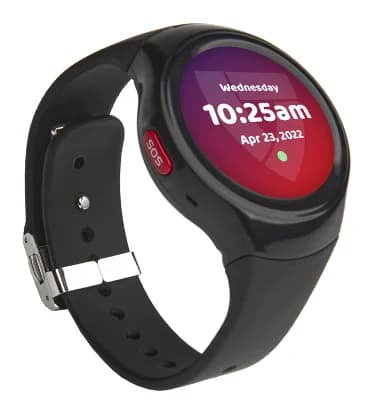
- Best OverallMedical Guardian MGMoveWhy we picked it →
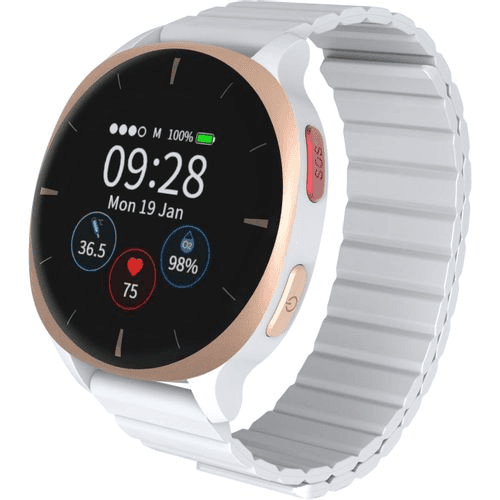
- Also GreatAudar E2 Senior SmartwatchWhy we picked it →
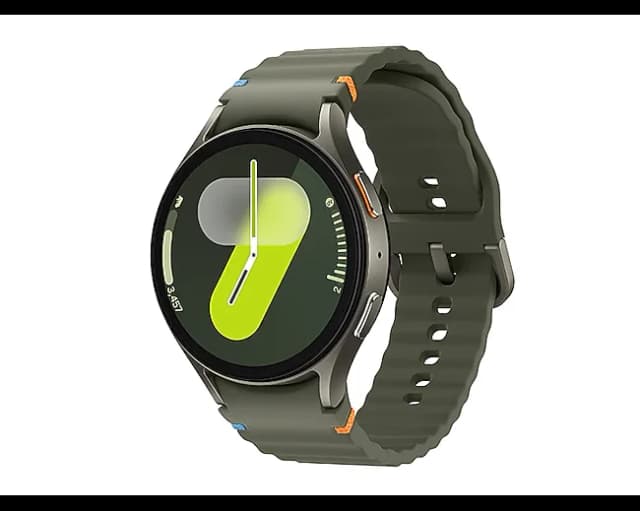
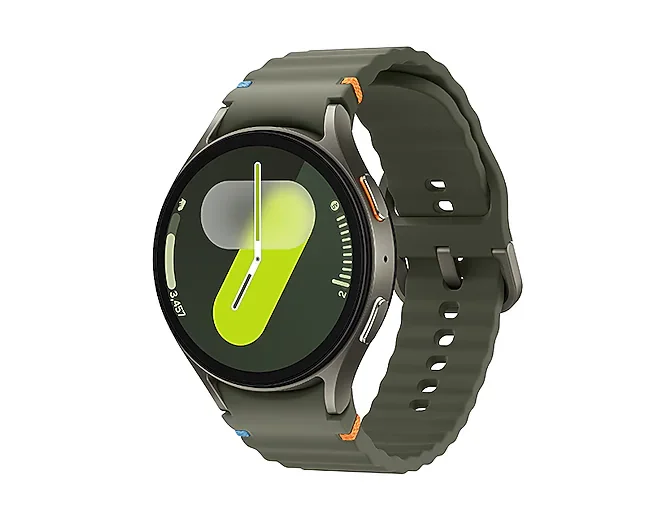
- Best BudgetSamsung Galaxy Watch 7Why we picked it →
Frequently asked questions
Is the Seculife medical alert smartwatch worth it?
It is worth considering if you want automatic fall detection, GPS tracking and calling in one watch, and the wearer doesn't use a smartphone. It is less appealing if you want to avoid a monthly fee, can't manage daily charging, or live in an area with weak cellular coverage.
Does the Seculife need a smartphone?
No. It works on its own 4G LTE cellular connection, so the wearer needs no smartphone. Caregivers use the SecuPro app, which is available for iOS and Android.
Does the Seculife have automatic fall detection?
Yes. Automatic fall detection sends SMS and app alerts with GPS location, with no button press needed. There is also a large SOS button you press and hold for 3 seconds to alert and call preset contacts.
Is there a monthly fee for the Seculife watch?
Yes, a service plan is required. The maker offers a lower monthly rate on a one-year contract, and a higher month-to-month rate that includes an activation fee. Check the current plan terms before buying.
How long does the Seculife battery last?
Typical battery life is about 1 day, so it needs daily charging. The battery is a 680 mAh lithium-polymer cell.
Can the Seculife replace medical equipment?
No. It measures heart rate, blood oxygen, blood pressure and temperature, but these are wellness readings, not medical diagnoses. Use them as a general guide and follow a doctor's advice for health decisions.
Sources
Specs are taken from the manufacturers' official pages; expert recommendations from the publications below.
- Seculife Cellular Medical Alert Smartwatch for Seniors: seculife.us, walmart.com, tiendamia.com.ec, eldersafetyguide.com
Related reviews & guides
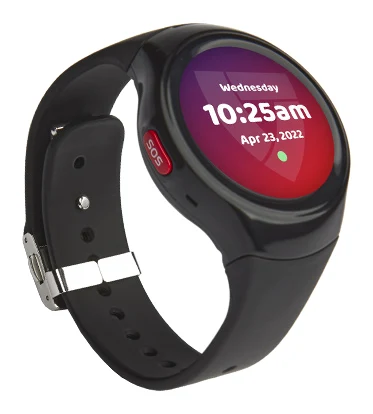
Medical Guardian MGMove Review (2026): Phone-Free Safety
A look at the Medical Guardian MGMove, a smartwatch-style medical alert device with built-in 4G LTE, GPS location tracking and a 24/7 monitoring center, based on specs and expert reviews.
Published Oct 23, 2026Best Smartwatch for Seniors with Memory Issues
The best smartwatch for seniors depends on whether you want professional monitoring, health tracking or a full smartwatch. Here are five fall-detection picks compared.
Published Oct 22, 2026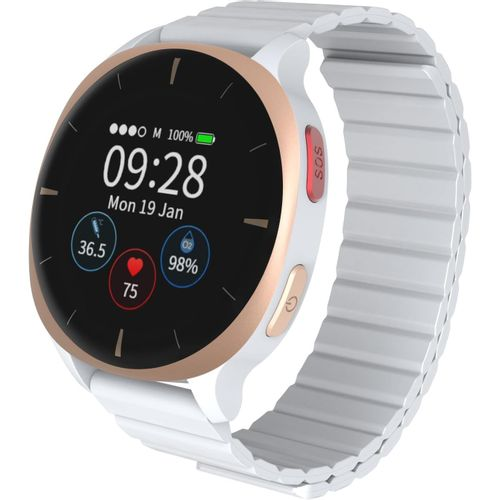
Audar E2 Senior Smartwatch Review (2026): Phone-Free Care
The Audar E2 is a phone-free smartwatch for seniors, with fall detection, SOS, vital-sign tracking and a caregiver dashboard. Here is who it suits and where it falls short.
Published Oct 25, 2026