Best Digital Photo Frames 2026: Easy Sharing for Families
Five digital photo frames compared on display, storage, sharing and trade-offs, from cloud-only Aura models to expandable local-storage options, based on manufacturer specs and expert recommendations.
25 products compared · Research-based · Affiliate links
We earn a commission from qualifying purchases made through our links, at no extra cost to you. It never decides our picks. How we make money
Which one should you buy?
Our picks by what matters to you · details below ↓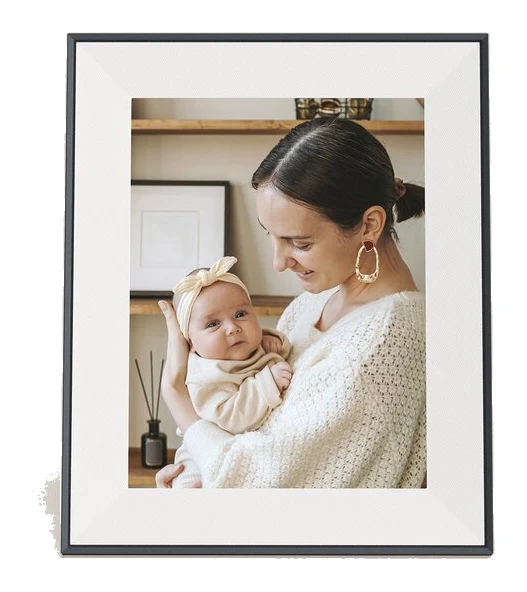
Best for: Gift-givers wanting an elegant, set-and-forget cloud frame
Check price on Amazon- Best ValuePhotoSpring Classic 10in Digital FrameBest for: Budget buyers wanting flexible sharing and local storageCheck price

- Also GreatLexar Pexar 11-inchBest for: Buyers wanting sharp images and expandable local storageCheck price

- Premium PickAura Walden 15Best for: Those wanting a large statement frame for living spacesCheck price

- Best BudgetAura Carver 10"Best for: First-time buyers wanting simple, affordable cloud photo sharingCheck price



The best digital photo frames make it easy for family and friends to send pictures that appear on a display at home, without anyone fiddling with cables or memory cards. We narrowed the field to five frames that cover the main ways people use these frames: cloud-only simplicity, generous local storage, a sharp high-resolution screen and a large statement display.
The biggest decision is where your photos live. Aura frames store everything in the cloud and need Wi-Fi, while the PhotoSpring and Lexar Pexar keep photos on built-in storage. The sections below explain each pick, its main trade-off and who it suits.
Digital Photo Frames at a Glance
| Pick | Label | Display | Storage | Best for | Buy |
|---|---|---|---|---|---|
| Aura Aspen 12" HD Frame | Best Overall | 11.8" diagonal LCD, dual-orientation | Unlimited cloud, no local storage | Gift-givers wanting an elegant, set-and-forget cloud frame | Check price |
| PhotoSpring Classic 10in | Best Value | 10.1 inch touchscreen IPS | 32GB (28GB user storage) | Budget buyers wanting flexible sharing and local storage | Check price |
| Lexar Pexar 11-inch | Also Great | 11-inch touchscreen, 2000 x 1200 | 32GB, expandable to 1TB | Buyers wanting sharp images and expandable local storage | Check price |
| Aura Walden 15 | Premium Pick | 15-inch diagonal LCD | Unlimited cloud, no local storage | Those wanting a large statement frame for living spaces | Check price |
| Aura Carver 10" | Best Budget | 10.1" diagonal LCD, landscape | Unlimited cloud (Wi-Fi required) | First-time buyers wanting simple, affordable cloud sharing | Check price |
Aura Aspen 12" HD Frame: Best Overall for Effortless Cloud Sharing
Best for: Gift-givers wanting an elegant, set-and-forget cloud frame
The Aura Aspen is the pick for a polished, frame-like look and effortless sharing, backed by strong expert recommendations. It trades local storage and long video for simplicity.
Read our full Aura Aspen 12" HD Frame review →- Dimensions
- 12.7" x 10.1" x 1.1"
- Display
- 11.8" diagonal LCD, dual-orientation
- Resolution
- 1600 x 1200 (170 ppi)
- Storage
- Unlimited cloud storage, no local storage
- Aspect Ratio
- 4:3
- Connectivity
- Wi-Fi (2.4 or 5 GHz broadcast-capable router), works with iOS and Android
Reasons to buy
- Anti-glare display with paper-textured mat gives an authentic framed-photo look
- Auto-adjusts brightness and turns off at night via ambient light sensor
- Touchbar control keeps fingerprints off the display
- Unlimited photo and video sharing with no subscription fees
- Dual-orientation display switches between portrait and landscape automatically
Reasons to avoid
- No local storage; photos live in the cloud only
- Videos limited to 30 seconds each
- Premium pricing tier
- TechRadar
- 9.0
- Tom's Guide
- 8.0
- Digital Camera World
- 10.0
The Aura Aspen earned Best Overall because it combines a polished, frame-like look with sharing that needs very little effort. It suits gift-givers who want an elegant, set-and-forget frame for someone else's home. It is recommended in 7 expert guides.
Keep reading about Aura Aspen 12" HD Frame
The anti-glare HD display has a paper-textured mat border, which gives it the look of a framed print. The dual-orientation display switches between portrait and landscape automatically, and an ambient light sensor adjusts brightness and turns the frame off at night. A built-in touchbar handles control, so fingerprints stay off the screen. Sharing is unlimited for photos and videos with no subscription fees, and the frame works with iOS and Android.
The trade-offs are real. There is no local storage, so photos live in the cloud only, and videos are limited to 30 seconds each. It also sits in the premium price tier. Reviewers rate it well: Digital Camera World gives it 5 out of 5, TechRadar 4.5 out of 5 and Tom's Guide 4 out of 5.
PhotoSpring Classic 10in Digital Frame: Best Value for Flexible Local Storage
Best for: Budget buyers wanting flexible sharing and local storage
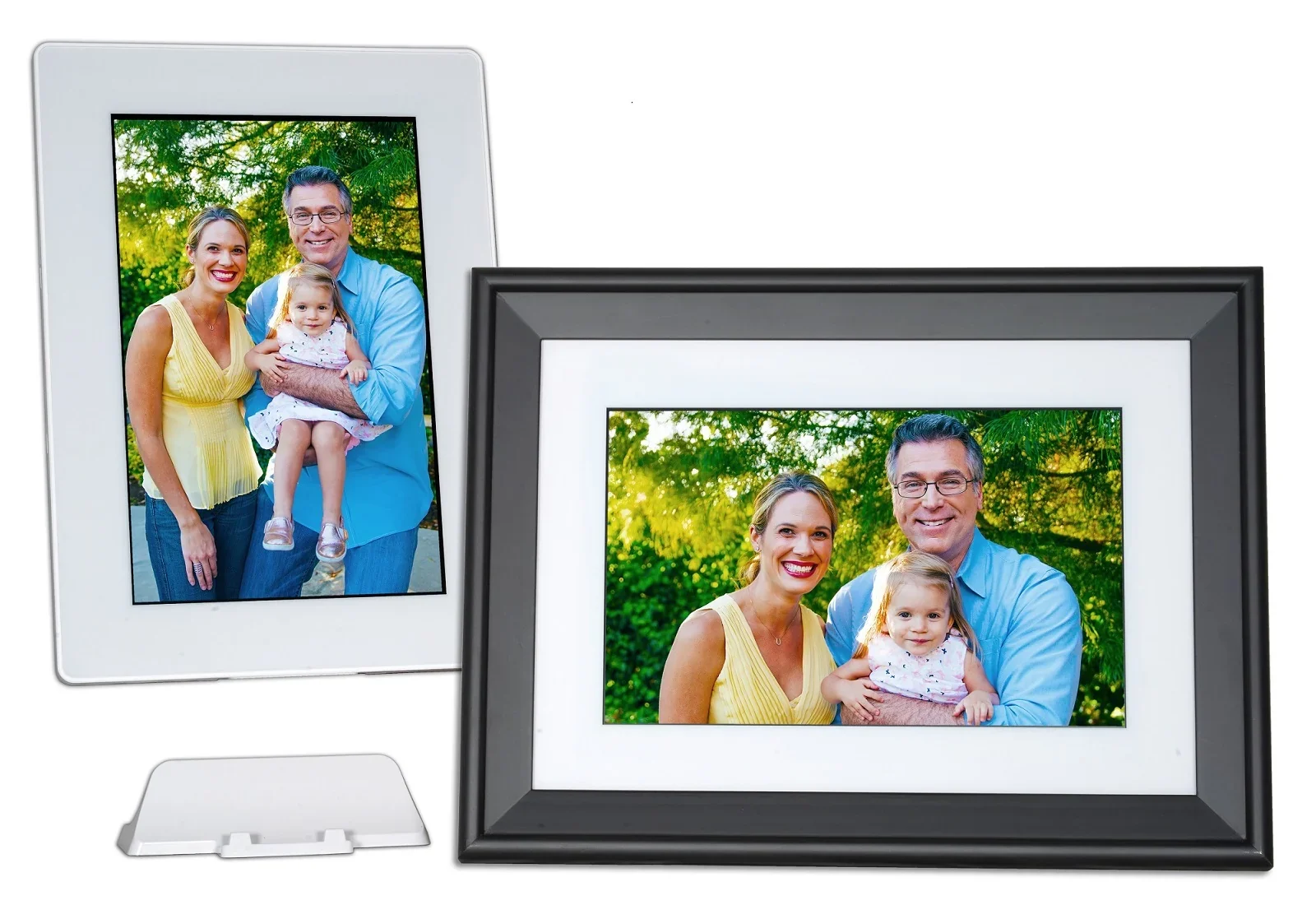
The PhotoSpring Classic packs generous storage, many sharing methods and longer video support into a budget price tier. It is a flexible, no-fee choice for families.
Read our full PhotoSpring Classic 10in Digital Frame review →- Dimensions
- 12.0 x 8.8 x 1.6 inches with frame
- Display
- 10.1 inch diagonal touchscreen IPS
- Resolution
- 1280 x 800
- Storage
- 32GB (28GB user storage, holds 20,000+ photos)
- Aspect ratio
- 16:10
- Connectivity
- WiFi 802.11 b/g/n
Reasons to buy
- 32GB storage holds over 20,000 photos
- Send photos by email, app, web, USB or SD card
- Supports videos up to about 5 minutes
- Dual 2W speakers and wide file format support
- No subscription fees ever
Reasons to avoid
- 1280 x 800 resolution is lower than some rivals
- Thicker frame profile at 1.6 inches
- Wi-Fi limited to 802.11 b/g/n
- Tom's Guide
- 9.0
- Best Review Guide
- 9.0
- BestViewsReviews
- 9.5
The PhotoSpring Classic is the Best Value pick for families who want many ways to get photos onto the frame without paying fees. It sits in the budget price tier yet offers 32GB of storage and long video support. It is recommended in 4 expert guides.
Keep reading about PhotoSpring Classic 10in Digital Frame
Photos can arrive by email, app, web, USB or SD card. The 32GB of storage (28GB of it available to the user) holds 20,000+ photos, and the frame handles HD video up to 1GB file size (approximately 5 minutes). Dual 2W integrated speakers support video playback, and the list of supported formats is wide: JPG, PNG, GIF, MOV, MP4, AVI and M4V. The touchscreen supports both portrait and landscape viewing, and there are no subscription fees ever.
The compromises are in the hardware. Its 1280 x 800 resolution is lower than some rivals, the frame profile is thicker at 1.6 inches, and Wi-Fi is limited to 802.11 b/g/n. Tom's Guide scores it 4.5 out of 5, as does Best Review Guide, while BestViewsReviews gives it 4.73 out of 5.
Lexar Pexar 11-inch: Also Great for Sharp, Expandable Storage
Best for: Buyers wanting sharp images and expandable local storage
The Lexar Pexar delivers a sharp 2K display, expandable storage and plenty of ports at a budget tier. It suits those who want local control without relying on the cloud.
Read our full Lexar Pexar 11-inch review →- Dimensions
- 11.2" x 7.5" x 2.8"
- Display
- 11-inch touchscreen
- Resolution
- 2000 x 1200 (2K)
- Storage
- 32GB built-in, expandable to 1TB
- Aspect Ratio
- 5:3
- Connectivity
- Wi-Fi (IEEE 802.11b/g/n 2.4 GHz), USB-A, USB-C, SD card
Reasons to buy
- 2K 2000 x 1200 touchscreen with 100% sRGB color gamut
- 32GB storage expandable to 1TB via SD or USB
- Frameo app enables sharing from family worldwide
- Optional offline mode keeps photos on the frame
- USB-A, USB-C and SD card slots offer many connection options
Reasons to avoid
- Wi-Fi limited to 2.4 GHz
- Fairly thick at 2.8 inches deep with stand
- Video format support limited to MP4 and 3GP
- Tom's Guide
- 8.0
- Digital Camera World
- 9.0
- TechRadar
- 9.0
The Lexar Pexar is the pick for buyers who want a sharper picture and local control rather than a cloud-only setup. It pairs a 2K anti-glare touchscreen with storage you can expand, all in the budget price tier. It is recommended in 7 expert guides.
Keep reading about Lexar Pexar 11-inch
The 2000 x 1200 display covers 100% sRGB and reaches 400 cd/m² brightness. Built-in 32GB storage holds up to 40,000 photos and expands to 1TB via SD card or USB. The Frameo app lets family and friends share photos and videos from anywhere, and an optional offline mode keeps photos on the frame without cloud dependency. Connection options include Wi-Fi, USB-A, USB-C and an SD card slot. The display auto-rotates between portrait and landscape and comes with a magnetic stand.
The drawbacks are modest but worth knowing. Wi-Fi is limited to 2.4 GHz, the frame is fairly thick at 2.8" deep with the stand, and video support is limited to MP4 and 3GP. TechRadar scores it 4.5 out of 5 and Tom's Guide 4 out of 5.
Aura Walden 15: Premium Pick for a Large Statement Display
Best for: Those wanting a large statement frame for living spaces
The Aura Walden 15 offers the biggest canvas in this group with the same easy sharing and framed look as other Aura models. It is best where a large display makes a statement.
Read our full Aura Walden 15 review →- Dimensions
- 15.7 x 12.7 x 1.2 inches
- Display
- 15-inch diagonal, LCD
- Resolution
- 1600 x 1200, 133 PPI
- Storage
- Unlimited cloud storage, no local storage
- Aspect Ratio
- 4:3
- Connectivity
- WiFi 2.4 or 5 GHz
Reasons to buy
- Large 15-inch anti-glare display with paper-like mat border
- Unlimited cloud storage with no subscription fees
- Shares via Aura app, email, iCloud and Google Photos
- Tabletop stand or wall mount with auto-rotate orientation
- Ambient light sensor adjusts brightness and turns off in darkness
Reasons to avoid
- Heavy at 3.64 lbs
- No local storage; requires cloud and Wi-Fi
- Video clips limited to 30 seconds
- MacRumors
- 8.0
- How-To Geek
- 8.0
- Tom's Guide
- 8.0
- TechRadar
- 9.0
- Digital Camera World
- 10.0
The Aura Walden 15 is the Premium Pick because it offers the biggest canvas in this group with the same easy sharing and framed look as other Aura models. It suits anyone who wants a large frame to make a statement in a living space. It is recommended in 6 expert guides.
Keep reading about Aura Walden 15
The 15-inch HD anti-glare display has a paper-like mat border and auto-rotates between portrait and landscape. You can use a tabletop stand or wall mount. Cloud storage is unlimited with no subscription fees, and photos can come in through the free Aura app, email, iCloud and Google Photos. An ambient light sensor adjusts brightness and turns the frame off in darkness. It works with iOS 14+ and Android 5.0+.
Size brings trade-offs. At 3.64 lbs it is heavy, it has no local storage and requires cloud and Wi-Fi, and video clips are limited to 30 seconds. Digital Camera World gives it 5 out of 5, TechRadar 4.5 out of 5, and Tom's Guide and How-To Geek each 4 out of 5.
Aura Carver 10": Best Budget for Simple Cloud Sharing
Best for: First-time buyers wanting simple, affordable cloud photo sharing
The Aura Carver 10" is a simple, affordable way into the Aura ecosystem with easy setup and no fees. It fits small spaces and less tech-savvy recipients.
Read our full Aura Carver 10" review →- Dimensions
- 10.5" x 7.3" x 2.1"
- Display
- 10.1" diagonal LCD, landscape orientation
- Resolution
- 1280 x 800
- Storage
- Unlimited cloud storage (WiFi required)
- Aspect ratio
- 16:10
- Connectivity
- WiFi 2.4GHz, iOS 13+/Android 5.0+
Reasons to buy
- Unlimited free cloud storage with no subscription fees
- Quick one-minute Wi-Fi setup through the Aura app
- Auto-dimming brightness and automatic night-time shutdown
- Compact, lightweight 10.1-inch display at 1.61 lbs
- Touch bar control and built-in speaker for video
Reasons to avoid
- Videos capped at 30 seconds
- No local storage; photos depend on cloud
- Wi-Fi limited to 2.4 GHz
- Digital Camera World
- 9.0
- TechRadar
- 8.0
- Tech Advisor
- 9.0
The Aura Carver 10" is the Best Budget pick for first-time buyers who want simple, affordable cloud photo sharing. It is a straightforward way into the Aura ecosystem and suits small spaces and less tech-savvy recipients. It is recommended in 5 expert guides.
Keep reading about Aura Carver 10"
Setup is quick: the free Aura app on iOS and Android gets the frame onto Wi-Fi in about one minute. The 10.1" landscape display runs at 1280x800 resolution, and the frame weighs a compact 1.61 lbs. Auto-dimming and automatic night-time shutdown are built in, along with an interactive touch bar and a speaker for video playback. Cloud storage is unlimited and free of subscription fees.
Videos are capped at 30 seconds, there is no local storage so photos depend on the cloud, and Wi-Fi is limited to 2.4 GHz. TechRadar scores it 4 out of 5 and Tech Advisor 4.5 out of 5.
Compare our picks side by side
The specs most of our picks share, from each maker’s spec page (— = not published). Expert score = the average of published expert reviews, which rate each product for its price. Scroll sideways on small screens.
| Spec | Aura Aspen 12" HD Frame | PhotoSpring Classic 10in Digital Frame | Lexar Pexar 11-inch | Aura Walden 15 | Aura Carver 10" |
|---|---|---|---|---|---|
| Best for | Best Overall | Best Value | Also Great | Premium Pick | Best Budget |
| Expert score | 9.0 | 9.2 | 8.7 | 8.6 | 8.7 |
| Price vs. these picks | Higher | Lower | Lower | Higher | Lower |
| Dimensions | 12.7" x 10.1" x 1.1" | 12.0 x 8.8 x 1.6 inches with frame | 11.2" x 7.5" x 2.8" | 15.7 x 12.7 x 1.2 inches | 10.5" x 7.3" x 2.1" |
| Display | 11.8" diagonal LCD, dual-orientation | 10.1 inch diagonal touchscreen IPS | 11-inch touchscreen | 15-inch diagonal, LCD | 10.1" diagonal LCD, landscape orientation |
| Resolution | 1600 x 1200 (170 ppi) | 1280 x 800 | 2000 x 1200 (2K) | 1600 x 1200, 133 PPI | 1280 x 800 |
| Storage | Unlimited cloud storage, no local storage | 32GB (28GB user storage, holds 20,000+ photos) | 32GB built-in, expandable to 1TB | Unlimited cloud storage, no local storage | Unlimited cloud storage (WiFi required) |
| Aspect Ratio | 4:3 | 16:10 | 5:3 | 4:3 | 16:10 |
| Connectivity | Wi-Fi (2.4 or 5 GHz broadcast-capable router), works with iOS and Android | WiFi 802.11 b/g/n | Wi-Fi (IEEE 802.11b/g/n 2.4 GHz), USB-A, USB-C, SD card | WiFi 2.4 or 5 GHz | WiFi 2.4GHz, iOS 13+/Android 5.0+ |
| Supported formats | Photos and videos (limited to 30 seconds each) | JPG, PNG, GIF, MOV, MP4, AVI, M4V | Photo: JPG, JPEG, PNG, WEBP, HEIC; Video: MP4, 3GP | Photos and videos (up to 30 seconds) | Photos and videos up to 30 seconds |
| Weight | 2.1 lbs | — | 1.389 lbs | 3.64 lbs | 1.61 lbs |
| Where to buy | Check price | Check price | Check price | Check price | Check price |
How to Choose the Best Digital Photo Frames
Cloud storage or local storage
The three Aura frames in this guide store photos in the cloud only and need Wi-Fi, which keeps sharing simple and removes any storage limit. The PhotoSpring Classic and Lexar Pexar keep photos on built-in storage. The Lexar can also run in an optional offline mode and expand to 1TB. If you want photos to stay on the device, choose one of those two.
Display size and sharpness
The Aura Walden 15 has the largest screen at 15-inch. The Lexar Pexar has the highest resolution here at 2000 x 1200, while the PhotoSpring Classic and Aura Carver both use 1280 x 800. The Aura Aspen's anti-glare display and mat border are aimed at a framed-print look.
Video
All three Aura frames limit videos to 30 seconds. The PhotoSpring Classic supports HD video up to 1GB file size (approximately 5 minutes), and the Lexar Pexar supports MP4 and 3GP video. If clips matter to you, check this before you buy.
Sharing and setup
The Aura Walden 15 and Aura Carver 10" use the free Aura app, and the Walden also accepts photos via email, iCloud and Google Photos. The Lexar Pexar uses the Frameo app. The PhotoSpring accepts photos by email, app, web, USB or SD card. Think about who will send pictures and which method they will actually use.
Budget
The Aura Aspen and Walden sit in the premium tier. The PhotoSpring Classic, Lexar Pexar and Aura Carver are budget-tier picks. Use the check price buttons for current pricing.
How We Picked
This guide is based on manufacturer specifications and independent expert recommendations, not hands-on testing. We looked at how many independent buying guides recommend each product, read the scores published by named expert reviews, and weighed the strengths and weaknesses that reviewers consistently report. Each product's facts come from its own manufacturer page, and we only describe a feature when it appears there.
Bottom Line
For most people giving a frame as a gift, the Aura Aspen is the best overall choice thanks to its framed look and effortless sharing. If you would rather keep photos on the device, the PhotoSpring Classic offers the best value with 32GB of storage and many sharing methods, while the Lexar Pexar adds a sharper 2K screen and expandable storage. Choose the Aura Walden 15 for a large display and the Aura Carver 10" for the simplest, most affordable cloud option.
Ready to buy?
 Best OverallAura Aspen 12" HD FrameCheck price
- Best ValuePhotoSpring Classic 10in Digital FrameCheck price
- Also GreatLexar Pexar 11-inchCheck price
- Premium PickAura Walden 15Check price
- Best BudgetAura Carver 10"Check price
Frequently asked questions
Which digital photo frame has the most storage?
The Aura frames offer unlimited cloud storage but no local storage. Among frames with local storage, the Lexar Pexar 11-inch has the most: 32GB built-in, expandable to 1TB via SD card or USB. The PhotoSpring Classic has 32GB (28GB user storage).
Which digital photo frames have no subscription fees?
The Aura Aspen, Aura Walden 15 and Aura Carver 10" all offer unlimited cloud sharing with no subscription fees, and the PhotoSpring Classic lists no subscription fees ever. Check the manufacturer's page before buying in case terms change.
Which digital photo frame handles the longest videos?
The PhotoSpring Classic: HD video up to 1GB file size (approximately 5 minutes). The Aura frames in this guide limit videos to 30 seconds each.
Do digital photo frames need Wi-Fi?
The Aura Aspen, Walden 15 and Carver 10" need Wi-Fi because their photos live in the cloud. The Lexar Pexar offers an optional offline mode that keeps photos on the frame, and the PhotoSpring Classic can take photos by USB or SD card as well as Wi-Fi.
What is the best budget digital photo frame?
The Aura Carver 10" is our Best Budget pick for simple cloud sharing, with quick app setup and no subscription fees. The PhotoSpring Classic is the Best Value pick if you want local storage and longer video support.
Which digital photo frame has the biggest screen?
The Aura Walden 15: a 15-inch HD anti-glare display. It can sit on a tabletop stand or be wall mounted, but it weighs 3.64 lbs and has no local storage.
Sources
Specs are taken from the manufacturers' official pages; expert recommendations from the publications below.
- Aura Aspen 12" HD Frame: auraframes.com, digitalcameraworld.com, tomsguide.com, bloomingdales.com
- PhotoSpring Classic 10in Digital Frame: photospring.com, tomsguide.com, walmart.com
- Lexar Pexar 11-inch: americas.lexar.com, pexar.com, target.com, digitalcameraworld.com
- Aura Walden 15: auraframes.com, the-gadgeteer.com, reviewed.com, tomsguide.com
- Aura Carver 10": auraframes.com, dpreview.com, bestbuy.com
More buying guides
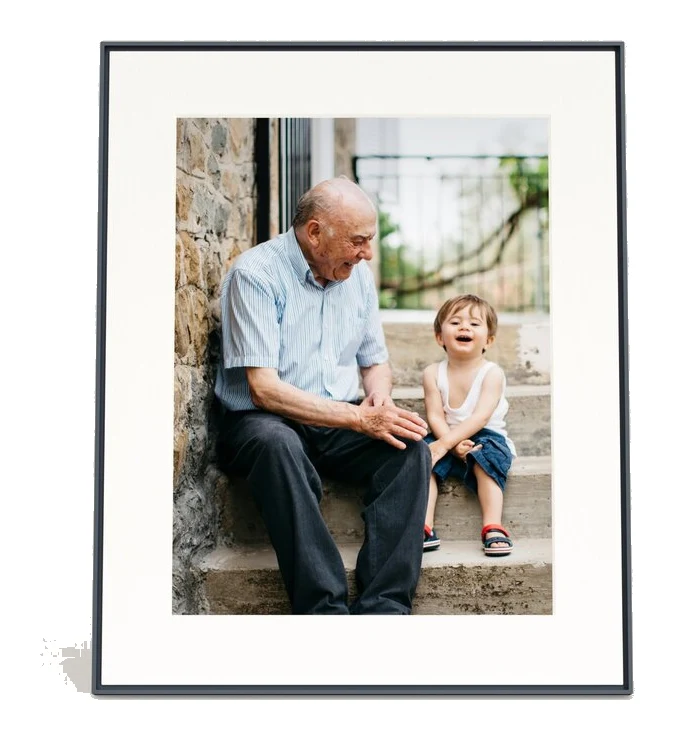
Aura Walden 15 Review (2026): A Big, Easy Family Frame
The Aura Walden 15 is a large 4:3 digital photo frame with unlimited cloud storage and easy sharing. Here is what it does well, where experts find fault, and who should buy it.
Published Oct 29, 2026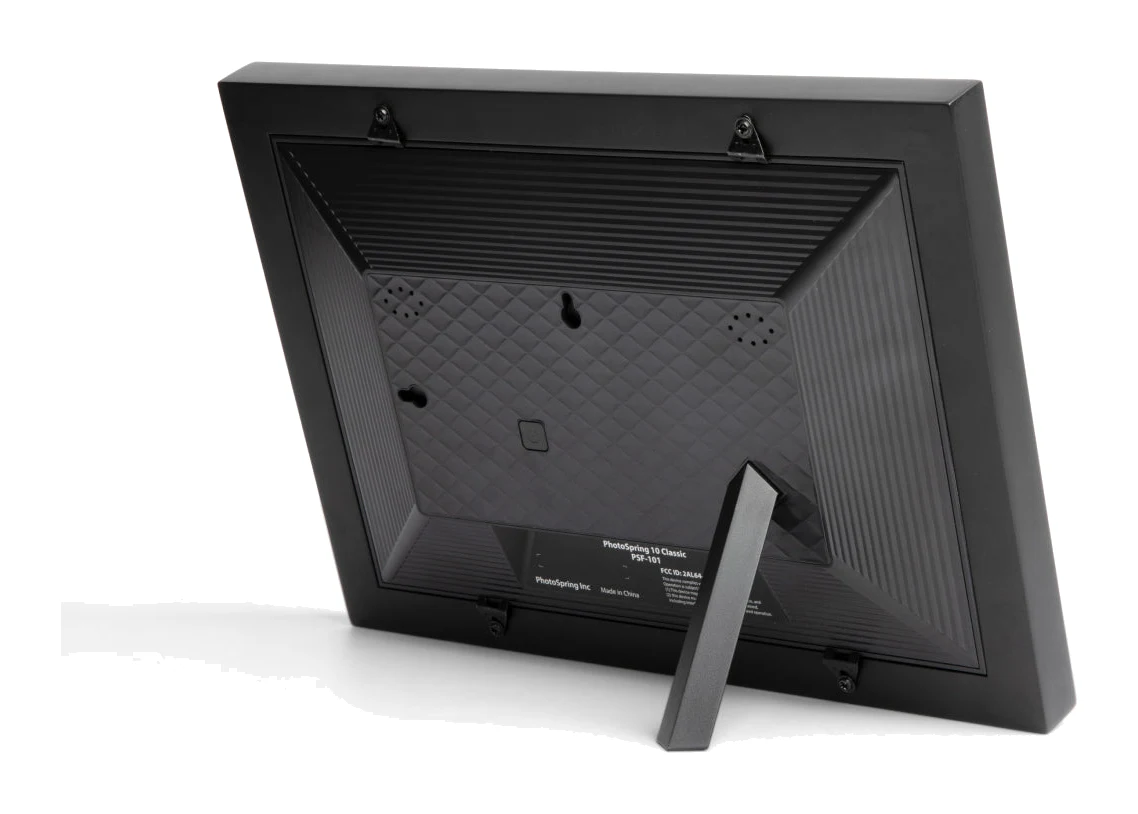
PhotoSpring Classic 10in Digital Frame Review: Easy Gifting
A look at the PhotoSpring Classic 10in digital frame: easy setup, flexible photo sending and no subscription, balanced against a plain plastic build and a glossy screen.
Published Oct 29, 2026Aura Aspen 12" HD Frame Review (2026): Built to Look Real
The Aura Aspen is a subscription-free digital frame that aims to look like a real picture frame and show phone photos well. Here is what the specs and expert reviews say.
Published Oct 23, 2026