Best Graphics Cards for Gaming PCs 2026: Top 5 Picks
Five graphics cards for gaming PCs, from a compact budget RTX 5060 to a high-end RTX 5070 Ti, compared on VRAM, memory bandwidth, power draw and expert recommendations.
17 products compared · Research-based · Affiliate links
We earn a commission from qualifying purchases made through our links, at no extra cost to you. It never decides our picks. How we make money
Which one should you buy?
Our picks by what matters to you · details below ↓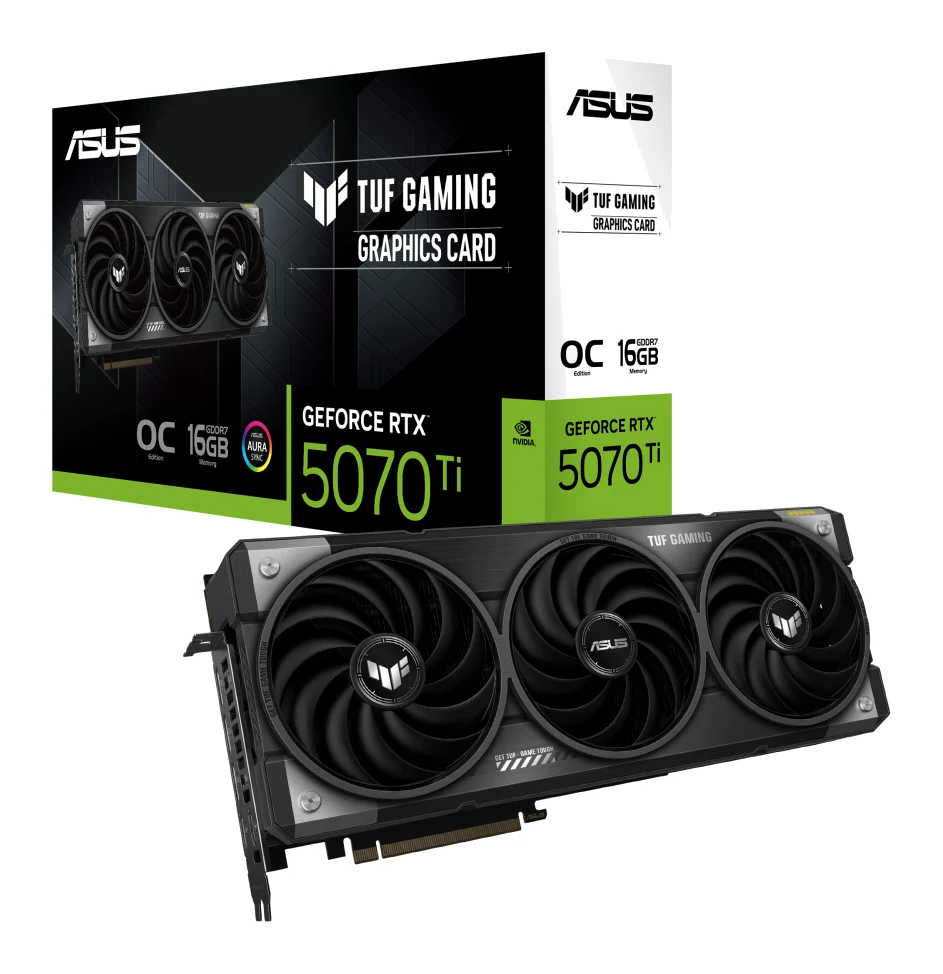
Best for: Enthusiasts wanting high-end 4K-capable gaming with DLSS 4
Check price on Amazon- Best ValueGIGABYTE Radeon RX 9070 XT Gaming OC 16GBest for: Value-minded gamers wanting 16GB VRAM for high resolutionsCheck price
- Best BudgetASUS Dual GeForce RTX 5060 8GB GDDR7 OC EditionBest for: Budget builders wanting an efficient, compact DLSS 4 cardCheck price
- Also GreatGIGABYTE Radeon RX 9070 Gaming OC 16GBest for: Mid-range builders wanting 16GB VRAM with moderate power drawCheck price
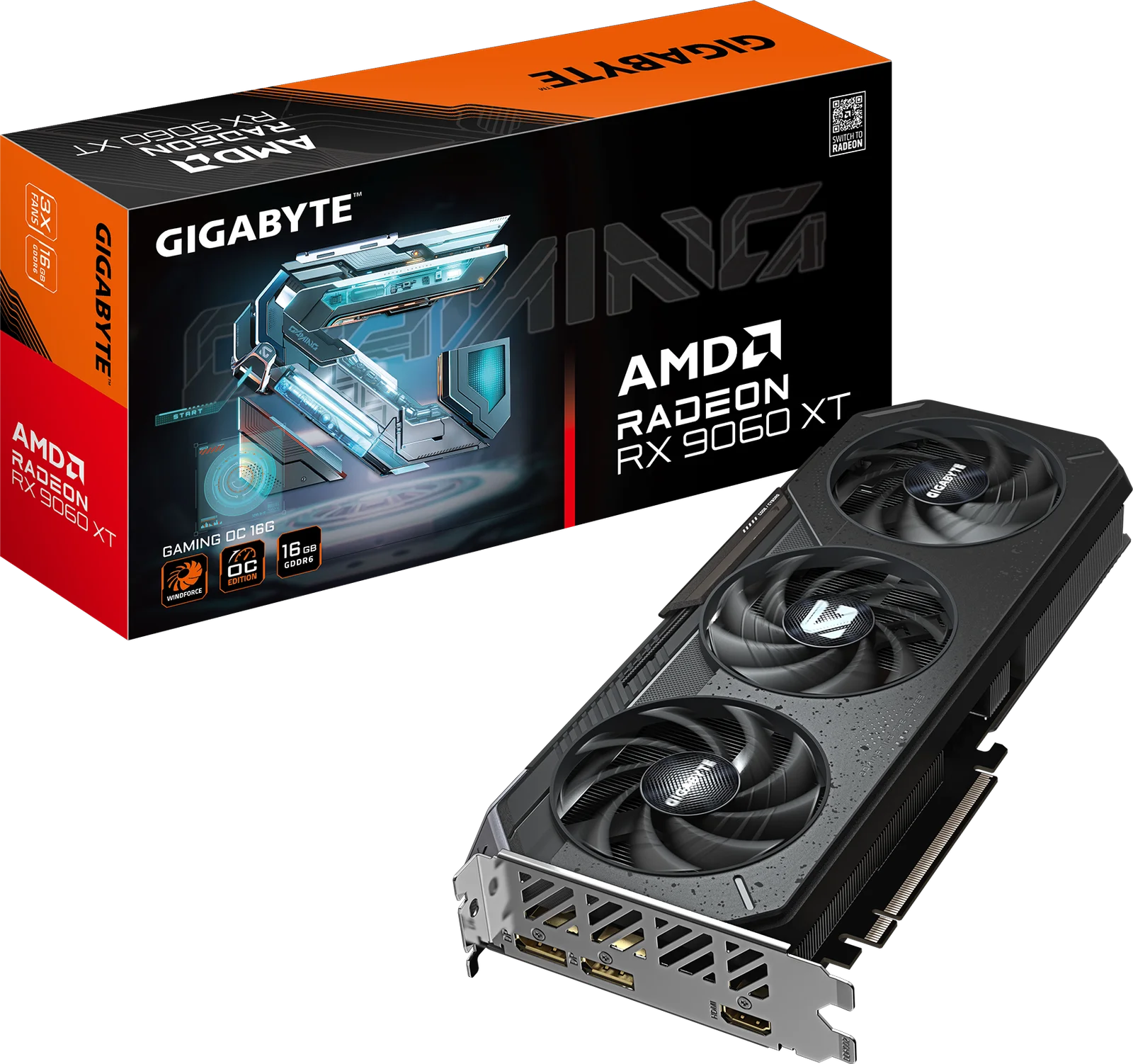
- Premium PickGIGABYTE Radeon RX 9060 XT GAMING OC 16GBest for: 1440p gamers wanting lots of VRAM and low powerCheck price
Choosing the best graphics cards for gaming PCs in 2026 comes down to three things: how much video memory you need, how much power your system can supply, and which upscaling technology you want. We narrowed the field to five cards that cover everything from a compact, efficient 8GB build to a high-end, 4K-capable setup.
This guide is based on manufacturer specs and independent expert recommendations, not our own hands-on testing. Prices change often, so use the check price buttons on each card for current deals.
Best Graphics Cards for Gaming PCs at a Glance
| Card | Label | VRAM | Memory bandwidth | Max power | Upscaling | Buy |
|---|---|---|---|---|---|---|
| ASUS TUF Gaming GeForce RTX 5070 Ti OC | Best Overall | 16GB GDDR7 | 896 GB/s | 300W | DLSS 4 | Check price |
| GIGABYTE Radeon RX 9070 XT Gaming OC | Best Value | 16GB GDDR6 | 640 GB/s | 424W | FSR 4 | Check price |
| ASUS Dual GeForce RTX 5060 OC | Best Budget | 8GB GDDR7 | 448 GB/s | 150W | DLSS 4 Multi Frame Generation | Check price |
| GIGABYTE Radeon RX 9070 Gaming OC | Also Great | 16GB GDDR6 | about 645 GB/s | 220W (reference TDP) | FSR 4 | Check price |
| GIGABYTE Radeon RX 9060 XT Gaming OC | Premium Pick | 16GB GDDR6 | 320 GB/s | 160W | FSR 4 | Check price |
ASUS TUF Gaming GeForce RTX 5070 Ti 16GB GDDR7 OC Edition: Best Overall for 4K-Capable DLSS 4 Gaming
Best for: Enthusiasts wanting high-end 4K-capable gaming with DLSS 4
The RTX 5070 Ti pairs fast GDDR7 memory with DLSS 4 and a robust cooler, making it a well-rounded high-end choice. Strong expert backing supports its place as the top pick.
Read our full ASUS TUF Gaming GeForce RTX 5070 Ti 16GB GDDR7 OC Edition review →- Ports
- 3x DisplayPort 2.1b, 2x HDMI 2.1b
- Boost Clock
- 2610 MHz
- Memory type
- GDDR7
- Ray tracing
- 4th generation ray tracing cores
- Memory (VRAM)
- 16GB GDDR7
- DLSS/FSR support
- DLSS 4
Reasons to buy
- 16GB GDDR7 with 896 GB/s bandwidth for high-resolution gaming
- Blackwell architecture with DLSS 4 and 4th-gen ray tracing
- Three Axial-tech fans and 3.125-slot cooler for strong airflow
- Modern outputs: three DisplayPort 2.1b and two HDMI 2.1b
- Rated 300W max power, lower than the RX 9070 XT
Reasons to avoid
- Large 3.125-slot design needs plenty of case clearance
- Premium price tier is a bigger investment
- Guru3D
- 10.0
- PC Gamer
- 6.8
- Basic Tutorials
- 9.0
- TechPowerUp
- 10.0
The ASUS TUF Gaming GeForce RTX 5070 Ti is our Best Overall pick for enthusiasts who want high-end, 4K-capable gaming with DLSS 4. It pairs 16GB of GDDR7 with 896 GB/s of memory bandwidth, and it is recommended in 11 independent expert guides, the most of any card here.
Keep reading about ASUS TUF Gaming GeForce RTX 5070 Ti 16GB GDDR7 OC Edition
Standout features
This card is built on NVIDIA's Blackwell architecture with 8960 CUDA cores, 4th generation ray tracing cores and a 2610 MHz boost clock. The cooler is a 3.125-slot design with three Axial-tech fans and a large fin array, and ASUS also lists military-grade components and a phase-change GPU thermal pad. Outputs are current: three DisplayPort 2.1b and two HDMI 2.1b.
Expert scores are strong but not uniform. TechPowerUp gave it 5 out of 5 and Basic Tutorials 4.5 out of 5, while PC Gamer scored it 3.4 out of 5. The expert average is 8.6 out of 10.
The trade-off
The 3.125-slot cooler needs plenty of case clearance, so check your case dimensions before buying. It also sits in the premium price tier, which is a bigger investment than the other cards here. Its 300W maximum power rating is lower than the RX 9070 XT's. This is the card for buyers who want the most complete high-end package and have the room and budget for it.
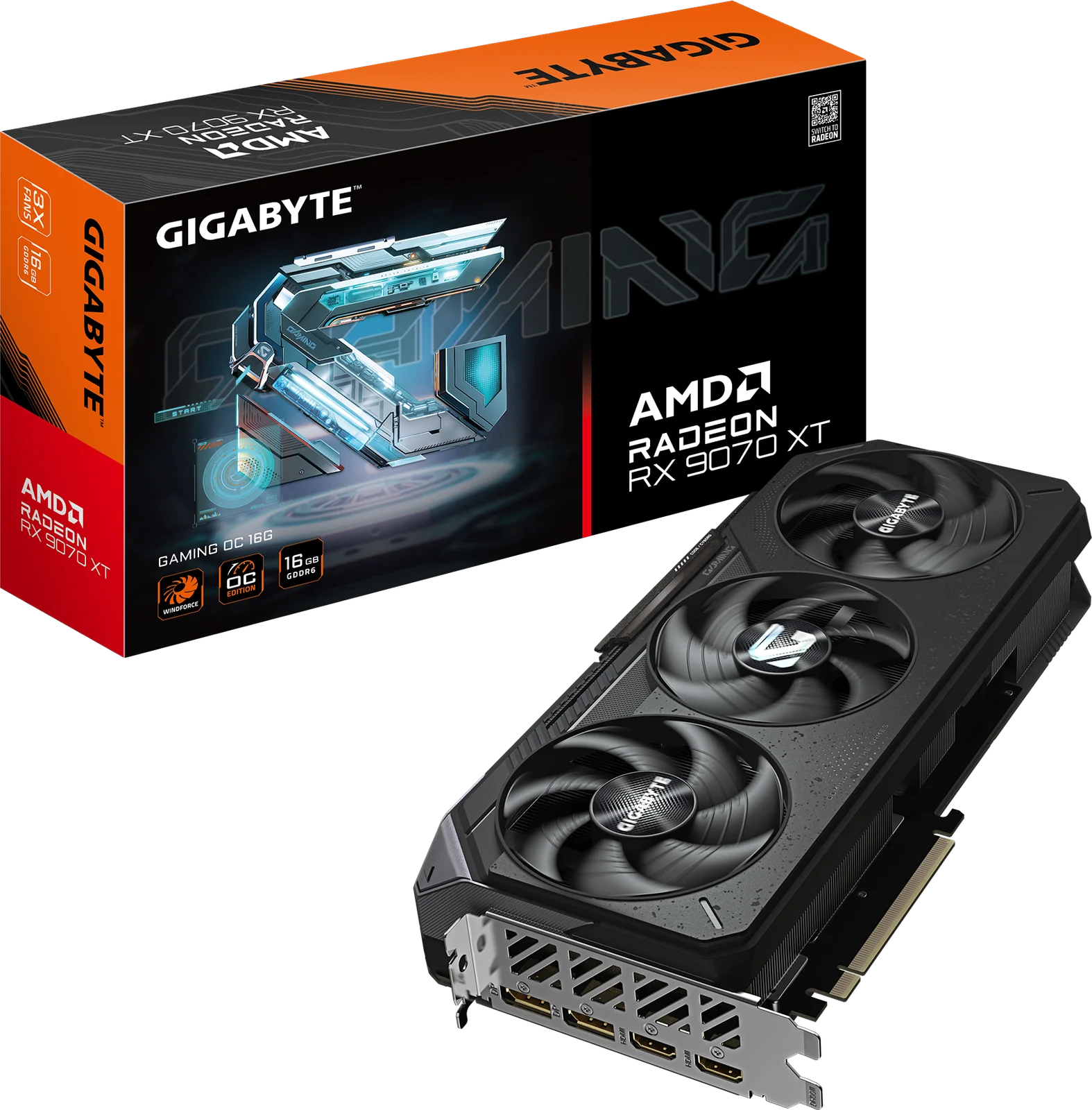
GIGABYTE Radeon RX 9070 XT Gaming OC 16G: Best Value for 16GB at High Resolutions
Best for: Value-minded gamers wanting 16GB VRAM for high resolutions
The RX 9070 XT delivers high-end specs, a generous 16GB of VRAM and flexible dual BIOS at a budget price tier. It is a strong choice for value-focused high-resolution gamers.
- Ports
- 2x DisplayPort 2.1a, 2x HDMI 2.1b
- Boost Clock
- 3060 MHz
- Memory type
- GDDR6
- Ray tracing
- Yes (64 ray tracing cores)
- Memory (VRAM)
- 16GB GDDR6
- DLSS/FSR support
- Yes (FSR 4)
Reasons to buy
- 16GB GDDR6 with 640 GB/s bandwidth for high-resolution gaming
- Factory overclock to 3060 MHz boost clock
- Dual BIOS switch for Performance or Silent modes
- WINDFORCE triple-fan cooling with server-grade thermal gel
- FSR 4 and 64 ray tracing cores included
Reasons to avoid
- Rated up to 424W, demanding a strong power supply
- GDDR6 memory is slower than GDDR7 on rival cards
- TechRadar
- 8.5
- Vivid Repairs
- 8.5
- Digital Citizen
- 9.0
The GIGABYTE Radeon RX 9070 XT Gaming OC earns Best Value by offering 16GB of VRAM and a factory overclock in the budget price tier. It suits value-minded gamers who want that memory capacity for high-resolution play. Ten independent expert guides recommend it.
Keep reading about GIGABYTE Radeon RX 9070 XT Gaming OC 16G
Standout features
The card runs a factory-overclocked 3060 MHz boost clock, with 4096 stream processors, 64 ray tracing cores and FSR 4 support. Its 16GB of GDDR6 delivers 640 GB/s of bandwidth over a 256-bit interface. Cooling is a WINDFORCE triple-fan design with server-grade thermal gel, and a dual BIOS switch lets you choose Performance or Silent mode. Outputs are two DisplayPort 2.1a and two HDMI 2.1b, suitable for 4K/8K displays.
Reviewers score it well: TechRadar and Vivid Repairs each gave it 4.25 out of 5, and Digital Citizen gave it 4.5 out of 5. The expert average is 8.7 out of 10.
The trade-off
This card is rated for up to 424W, so it demands a strong power supply, and that is the most power of any card in this guide. Its GDDR6 memory is also slower than the GDDR7 used on rival cards. If your PSU has headroom, the value case is strong.
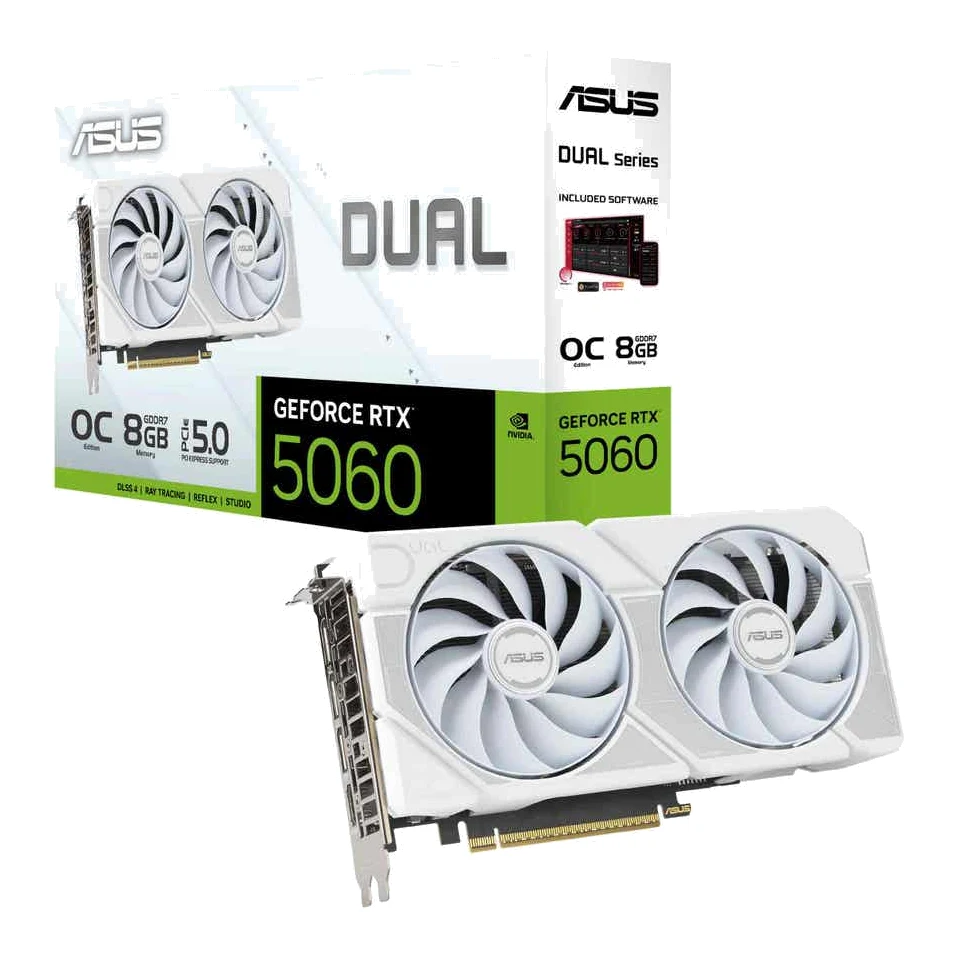
ASUS Dual GeForce RTX 5060 8GB GDDR7 OC Edition: Best Budget for Compact, Efficient Builds
Best for: Budget builders wanting an efficient, compact DLSS 4 card
The RTX 5060 brings DLSS 4 and GDDR7 to a compact, efficient card at a budget price. It suits straightforward builds where cost and power draw matter most.
- Ports
- 1 x HDMI 2.1b, 3 x DisplayPort 2.1b
- Boost clock
- OC mode: 2565MHz Default mode: 2535MHz
- Memory type
- GDDR7
- Ray tracing
- Yes (4th gen Ray Tracing Cores)
- Memory (VRAM)
- 8GB GDDR7
- DLSS/FSR support
- DLSS 4 Multi Frame Generation
Reasons to buy
- Blackwell architecture with DLSS 4 Multi Frame Generation
- Fast 28 Gbps GDDR7 memory
- Compact 2.5-slot design with 0dB silent mode
- Low 150W max power draw eases PSU requirements
- Supports up to four simultaneous displays
Reasons to avoid
- 8GB VRAM may limit very demanding high-resolution textures
- 128-bit-class bandwidth of 448 GB/s trails larger cards
- Vivid Repairs
- 8.0
- TweakTown
- 7.9
The ASUS Dual GeForce RTX 5060 is the Best Budget pick for builders who want an efficient, compact card with DLSS 4. It draws a maximum of 150W, which eases power supply requirements, and nine independent expert guides recommend it.
Keep reading about ASUS Dual GeForce RTX 5060 8GB GDDR7 OC Edition
Standout features
Blackwell architecture brings DLSS 4 with Multi Frame Generation and 4th generation ray tracing cores, backed by 3840 CUDA cores. The 8GB of GDDR7 runs at 28 Gbps for 448 GB/s of bandwidth. The 2.5-slot dual-fan design includes a 0dB silent mode, and the card supports up to four simultaneous displays. The OC mode boost clock is 2565 MHz.
Vivid Repairs scored it 8 out of 10 and TweakTown 7.9 out of 10, for an expert average of 8 out of 10.
The trade-off
The 8GB of VRAM may limit very demanding high-resolution textures, and its 448 GB/s of bandwidth trails the larger cards in this guide. That makes it a fit for straightforward builds where cost, size and power draw matter most, rather than for maxed-out high-resolution settings.
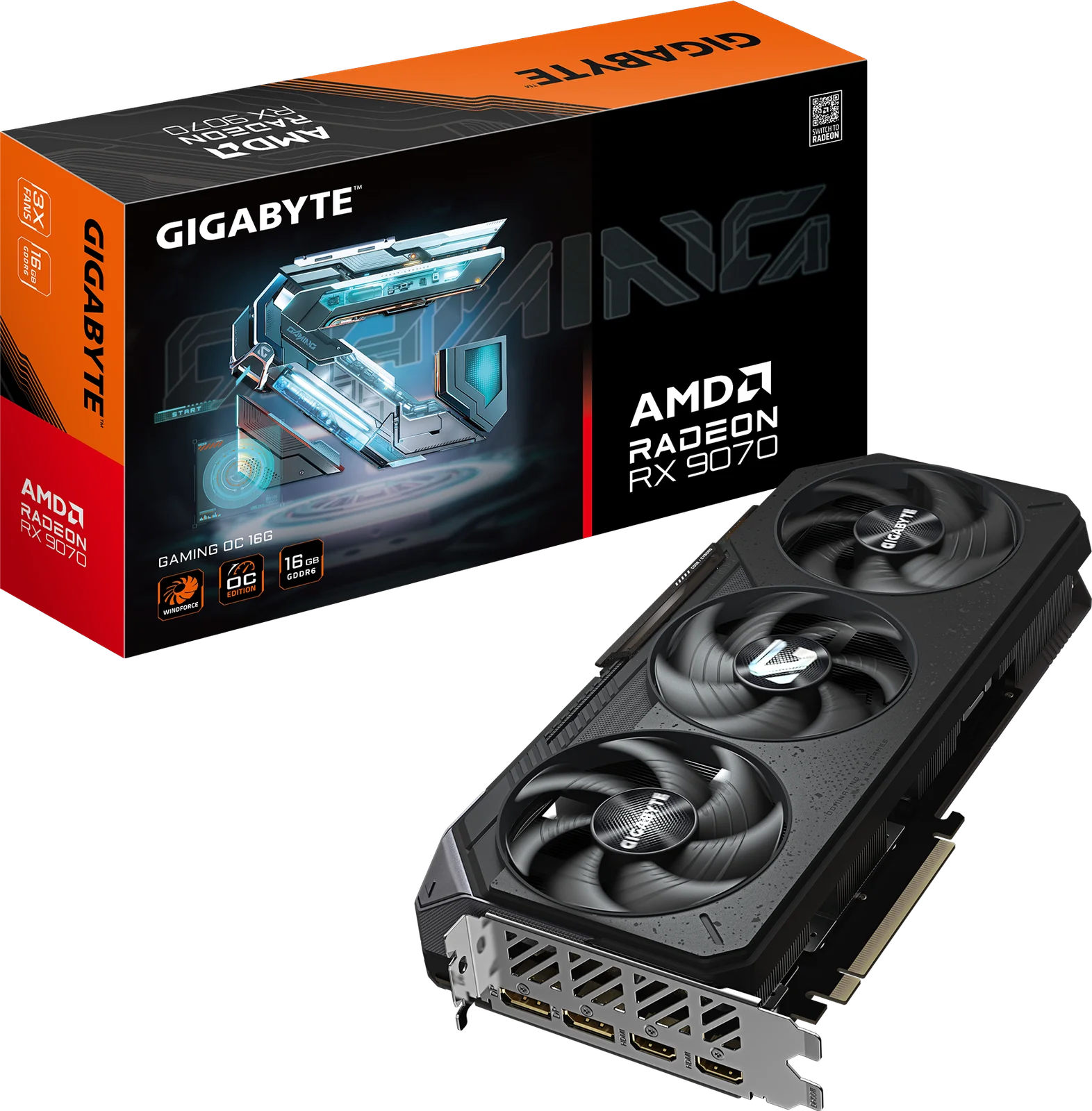
GIGABYTE Radeon RX 9070 Gaming OC 16G: Also Great for 16GB at Moderate Power
Best for: Mid-range builders wanting 16GB VRAM with moderate power draw
The RX 9070 offers 16GB of VRAM and RDNA 4 features with a moderate power profile. It is a sensible mid-range option for 1440p and higher gaming.
- Ports
- DisplayPort 2.1a x2, HDMI 2.1b x2
- Boost clock
- up to 2700 MHz
- Memory type
- GDDR6
- Ray tracing
- Yes
- Memory (VRAM)
- 16GB GDDR6
- DLSS/FSR support
- Yes (FSR 4)
Reasons to buy
- 16GB GDDR6 on a 256-bit interface with about 645 GB/s bandwidth
- RDNA 4 architecture with FSR 4 and ray tracing
- WINDFORCE cooling with Hawk fans for quiet operation
- 220W reference TDP is modest for its class
- DisplayPort 2.1 and HDMI 2.1 for next-gen displays
Reasons to avoid
- Boost clock up to 2700 MHz is lower than the XT sibling
- Needs a recommended 750W power supply
- TweakTown
- 8.4
- Pokde.Net
- 8.1
- Funky Kit
- 8.0
- Glitched.Online
- 9.5
The GIGABYTE Radeon RX 9070 Gaming OC takes the Also Great spot for mid-range builders who want 16GB of VRAM without a very high power draw. Its reference TDP is 220W, and six independent expert guides recommend it. It is a sensible option for 1440p and higher gaming.
Keep reading about GIGABYTE Radeon RX 9070 Gaming OC 16G
Standout features
The card uses RDNA 4 architecture with 3584 stream processors, FSR 4 and ray tracing support. Its 16GB of GDDR6 sits on a 256-bit interface for about 645 GB/s of bandwidth. WINDFORCE cooling with Hawk fans is aimed at quiet operation, and DisplayPort 2.1 and HDMI 2.1 cover next-gen displays. Boost clock is up to 2700 MHz.
Expert scores are consistently good: Glitched.Online gave it 4.75 out of 5, TweakTown 4.2 out of 5, Pokde.Net 4.05 out of 5 and Funky Kit 4 out of 5. The expert average is 8.5 out of 10.
The trade-off
Its boost clock is lower than its XT sibling's, and the recommended power supply is 750W, so check that your PSU qualifies. It is best for gamers who want a lower power profile than the RX 9070 XT while keeping the same 16GB memory pool.
GIGABYTE Radeon RX 9060 XT Gaming OC 16G: Premium Pick for 1440p and Low Power
Best for: 1440p gamers wanting lots of VRAM and low power
The RX 9060 XT combines a large 16GB memory pool with efficient power use and a hefty factory overclock. It is a good fit for 1440p-focused builds.
- Ports
- DisplayPort 2.1a x2, HDMI 2.1b x1
- Boost Clock
- 3320 MHz
- Memory type
- GDDR6
- Ray tracing
- Yes
- Memory (VRAM)
- 16GB GDDR6
- DLSS/FSR support
- AMD FSR 4
Reasons to buy
- 16GB GDDR6 VRAM is generous for this class
- Factory overclock reaches 3320 MHz boost clock
- Low 160W max power consumption
- Three-fan WINDFORCE cooling system
- Suited to 1440p gaming with FSR 4 and ray tracing
Reasons to avoid
- 128-bit interface limits bandwidth to 320 GB/s
- Only 2048 stream processors, fewer than higher-tier cards
- Pokde.Net
- 8.0
- GeekaWhat
- 8.4
- Notebookcheck
- 8.0
The GIGABYTE Radeon RX 9060 XT Gaming OC is our Premium Pick for 1440p gamers who want a lot of VRAM and low power use. It combines 16GB of GDDR6 with a 160W maximum power rating, and eight independent expert guides recommend it.
Keep reading about GIGABYTE Radeon RX 9060 XT GAMING OC 16G
Standout features
The factory overclock reaches a 3320 MHz boost clock on RDNA 4 architecture with 2048 stream processors. Memory runs at 20 Gbps, and the three-fan WINDFORCE cooling system keeps the card suited to efficient builds. It supports ray tracing and AMD FSR 4, and the 16GB of VRAM is generous for this class.
Pokde.Net scored it 8 out of 10, GeekaWhat 4.2 out of 5 and Notebookcheck 4 out of 5. The expert average is 8.1 out of 10.
The trade-off
The 128-bit memory interface limits bandwidth to 320 GB/s, the lowest figure of the 16GB cards here. It also has only 2048 stream processors, fewer than higher-tier cards. It is a good fit for 1440p-focused builds.
Compare our picks side by side
The specs most of our picks share, from each maker’s spec page (— = not published). Expert score = the average of published expert reviews, which rate each product for its price. Scroll sideways on small screens.
| Spec | ASUS TUF Gaming GeForce RTX 5070 Ti 16GB GDDR7 OC Edition | GIGABYTE Radeon RX 9070 XT Gaming OC 16G | ASUS Dual GeForce RTX 5060 8GB GDDR7 OC Edition | GIGABYTE Radeon RX 9070 Gaming OC 16G | GIGABYTE Radeon RX 9060 XT GAMING OC 16G |
|---|---|---|---|---|---|
| Best for | Best Overall | Best Value | Best Budget | Also Great | Premium Pick |
| Expert score | 9.0 | 8.7 | 8.0 | 8.5 | 8.1 |
| Price vs. these picks | Higher | Lower | Lower | Middle | Middle |
| Ports | 3x DisplayPort 2.1b, 2x HDMI 2.1b | 2x DisplayPort 2.1a, 2x HDMI 2.1b | 1 x HDMI 2.1b, 3 x DisplayPort 2.1b | DisplayPort 2.1a x2, HDMI 2.1b x2 | DisplayPort 2.1a x2, HDMI 2.1b x1 |
| Boost Clock | 2610 MHz | 3060 MHz | OC mode: 2565MHz Default mode: 2535MHz | up to 2700 MHz | 3320 MHz |
| Memory type | GDDR7 | GDDR6 | GDDR7 | GDDR6 | GDDR6 |
| Ray tracing | 4th generation ray tracing cores | Yes (64 ray tracing cores) | Yes (4th gen Ray Tracing Cores) | Yes | Yes |
| Memory (VRAM) | 16GB GDDR7 | 16GB GDDR6 | 8GB GDDR7 | 16GB GDDR6 | 16GB GDDR6 |
| DLSS/FSR support | DLSS 4 | Yes (FSR 4) | DLSS 4 Multi Frame Generation | Yes (FSR 4) | AMD FSR 4 |
| Memory bandwidth | 896 GB/s | 640 GB/s | 448 GB/s | 644-645 GB/s | 320 GB/s |
| Power consumption | 300W | 424W | 145W | 220W | 160 W |
| Where to buy | Check price | Check price | Check price | Check price | Check price |
How to Choose the Best Graphics Cards for Gaming PCs
Start with VRAM and memory bandwidth
VRAM holds textures and other game data, and higher resolutions use more of it. Four of the five cards here carry 16GB, while the RTX 5060 has 8GB. Bandwidth matters too: the RTX 5070 Ti's 896 GB/s is the highest here, and the RX 9060 XT's 320 GB/s is the lowest. Memory type differs as well, since the two NVIDIA cards use GDDR7 and the three AMD cards use GDDR6.
Check your power supply
Maximum power ranges from 150W on the RTX 5060 to 424W on the RX 9070 XT. The RX 9070 lists a recommended 750W power supply. Before buying, confirm that your PSU has enough wattage and the right connectors, especially if you are upgrading an older system.
Measure your case
The RTX 5070 Ti is a 3.125-slot card and the RTX 5060 is a 2.5-slot card. Large coolers run quieter and cooler, but they need space, so check card length and slot width against your case.
Pick your upscaling ecosystem
The two NVIDIA cards support DLSS 4, and the RTX 5060 specifically lists Multi Frame Generation. The AMD cards support FSR 4. Which one you prefer may depend on the games you play and which features you want.
Match the card to your display
All five cards pair with modern displays. The RTX 5070 Ti lists three DisplayPort 2.1b and two HDMI 2.1b outputs, and the RX 9070 XT lists two DisplayPort 2.1a and two HDMI 2.1b. If you run multiple monitors, the RTX 5060 supports up to four simultaneous displays.
How We Picked
We compared five graphics cards using manufacturer specs and the recommendations of independent expert guides. We did not hands-on test any of them. We looked at memory capacity and bandwidth, power requirements, cooling design, display outputs, upscaling support and how many expert guides recommend each card. Where expert reviews published scores, we cite them with the publication's name. We also weighed each card's relative price tier, so a budget card is judged against what it offers for its tier.
The Bottom Line
The ASUS TUF Gaming GeForce RTX 5070 Ti is the best all-round choice for 4K-capable gaming with DLSS 4, provided you have the case space and budget. The GIGABYTE Radeon RX 9070 XT is the value pick if your power supply can handle its 424W rating. For tighter budgets and smaller builds, the ASUS Dual GeForce RTX 5060 offers DLSS 4 at 150W, though its 8GB of VRAM is the main limit. The GIGABYTE Radeon RX 9070 and RX 9060 XT both bring 16GB of VRAM, with the RX 9070 suiting 1440p and higher and the RX 9060 XT suiting efficient 1440p builds.
Ready to buy?
 Best OverallASUS TUF Gaming GeForce RTX 5070 Ti 16GB GDDR7 OC EditionCheck price
- Best ValueGIGABYTE Radeon RX 9070 XT Gaming OC 16GCheck price
- Best BudgetASUS Dual GeForce RTX 5060 8GB GDDR7 OC EditionCheck price
- Also GreatGIGABYTE Radeon RX 9070 Gaming OC 16GCheck price
- Premium PickGIGABYTE Radeon RX 9060 XT GAMING OC 16GCheck price
Related buying guides
- Best Prebuilt Gaming PCs 2026: Ready to Play or Upgrade
- Best Mini PC in 2026: Small, Quiet Desktops for Work
- Apple Mac mini (M4 Pro, 2024) Review: Small, Fast, Port-Rich
- GEEKOM A6 Review (2026): Small, Solid, Upgradeable
- GEEKOM A5 2027 Edition Review (2026): Quiet Office Mini PC
- GMKtec NucBox M6 Ultra Review (2026): A Well-Connected Mini PC
- Beelink SER9 Pro (Ryzen 7 H 255) Review: Small, Quiet
- ASUS TUF RTX 5070 Ti OC Review (2026): Quiet but Costly
Frequently asked questions
Which of these graphics cards has the fastest memory bandwidth?
The ASUS TUF Gaming GeForce RTX 5070 Ti: 896 GB/s. That comes from its 16GB of GDDR7 on a 256-bit interface, and it is the highest bandwidth figure among the five cards in this guide.
Which graphics card uses the least power?
The ASUS Dual GeForce RTX 5060: 150W maximum power consumption. That low draw eases power supply requirements and suits compact builds, since it is also a 2.5-slot design.
What is the best graphics card for 1440p gaming?
The GIGABYTE Radeon RX 9060 XT Gaming OC 16G is the 1440p-focused pick, with 16GB of GDDR6 and a 160W maximum power rating. The GIGABYTE Radeon RX 9070 Gaming OC 16G is a step up for 1440p and higher gaming, with about 645 GB/s of bandwidth.
Will I need a new power supply for these cards?
The GIGABYTE Radeon RX 9070 XT: rated up to 424W, so it demands a strong power supply. The RX 9070 lists a recommended 750W PSU, while the ASUS Dual RTX 5060 draws a maximum of 150W. Check your current PSU against the card you choose.
Is 8GB of VRAM enough for a gaming PC in 2026?
The ASUS Dual GeForce RTX 5060 has 8GB of GDDR7, which suits budget builds, but it may limit very demanding high-resolution textures. If you play at higher resolutions, the 16GB cards in this guide give you more headroom.
Sources
Specs are taken from the manufacturers' official pages; expert recommendations from the publications below.
- ASUS TUF Gaming GeForce RTX 5070 Ti 16GB GDDR7 OC Edition: eshop.asus.com, alktech.co, geeks3d.com, elbadrgroupeg.store
- GIGABYTE Radeon RX 9070 XT Gaming OC 16G: gigabyte.com, bestbuy.com, videocardz.net, gpu-monkey.com
- ASUS Dual GeForce RTX 5060 8GB GDDR7 OC Edition: asus.com, eshop.asus.com
- GIGABYTE Radeon RX 9070 Gaming OC 16G: gigabyte.com, pcspecchart.com, silicon-computer.com, gpu-monkey.com
- GIGABYTE Radeon RX 9060 XT GAMING OC 16G: gigabyte.com, bestbuy.com
More buying guides
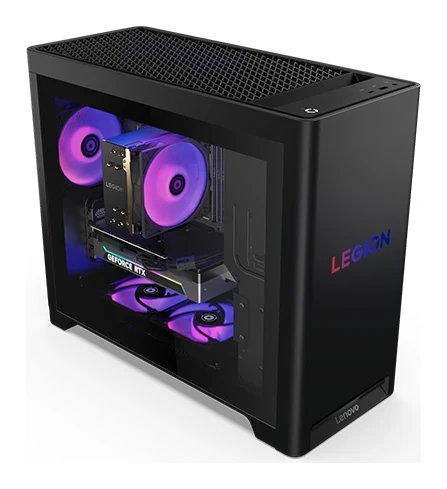
Best Prebuilt Gaming PCs 2026: Ready to Play or Upgrade
Three prebuilt gaming PCs compared on specs and expert recommendations: a ready-to-play Lenovo, a configurable HP Omen and an expandable Dell full tower.
Published Oct 20, 2026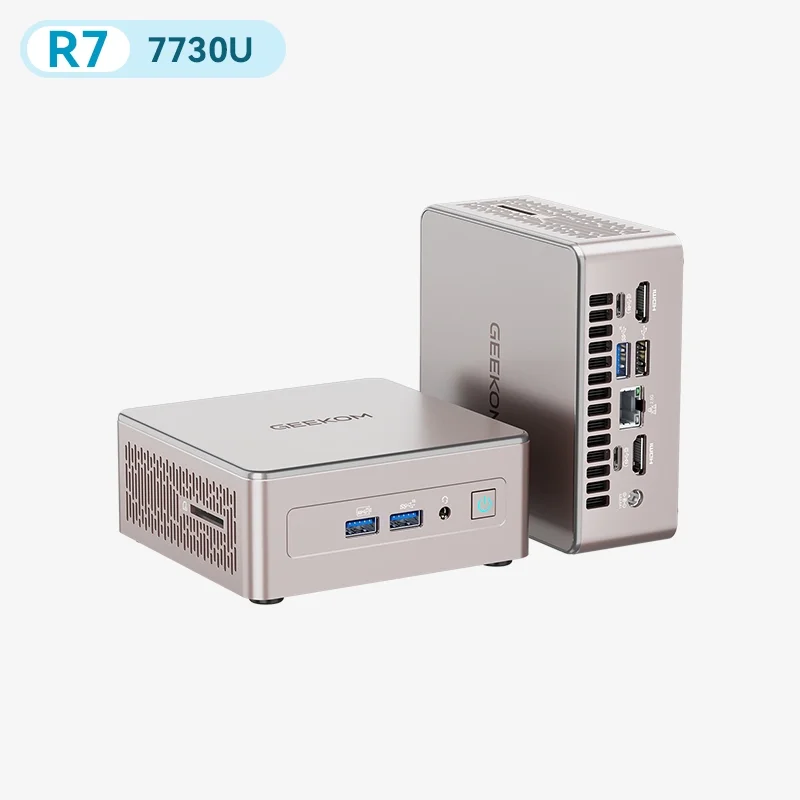
Best Mini PC in 2026: Small, Quiet Desktops for Work
Five compact desktops compared on manufacturer specs and independent expert recommendations, from a quiet all-rounder to budget machines with big upgrade headroom.
Published Oct 17, 2026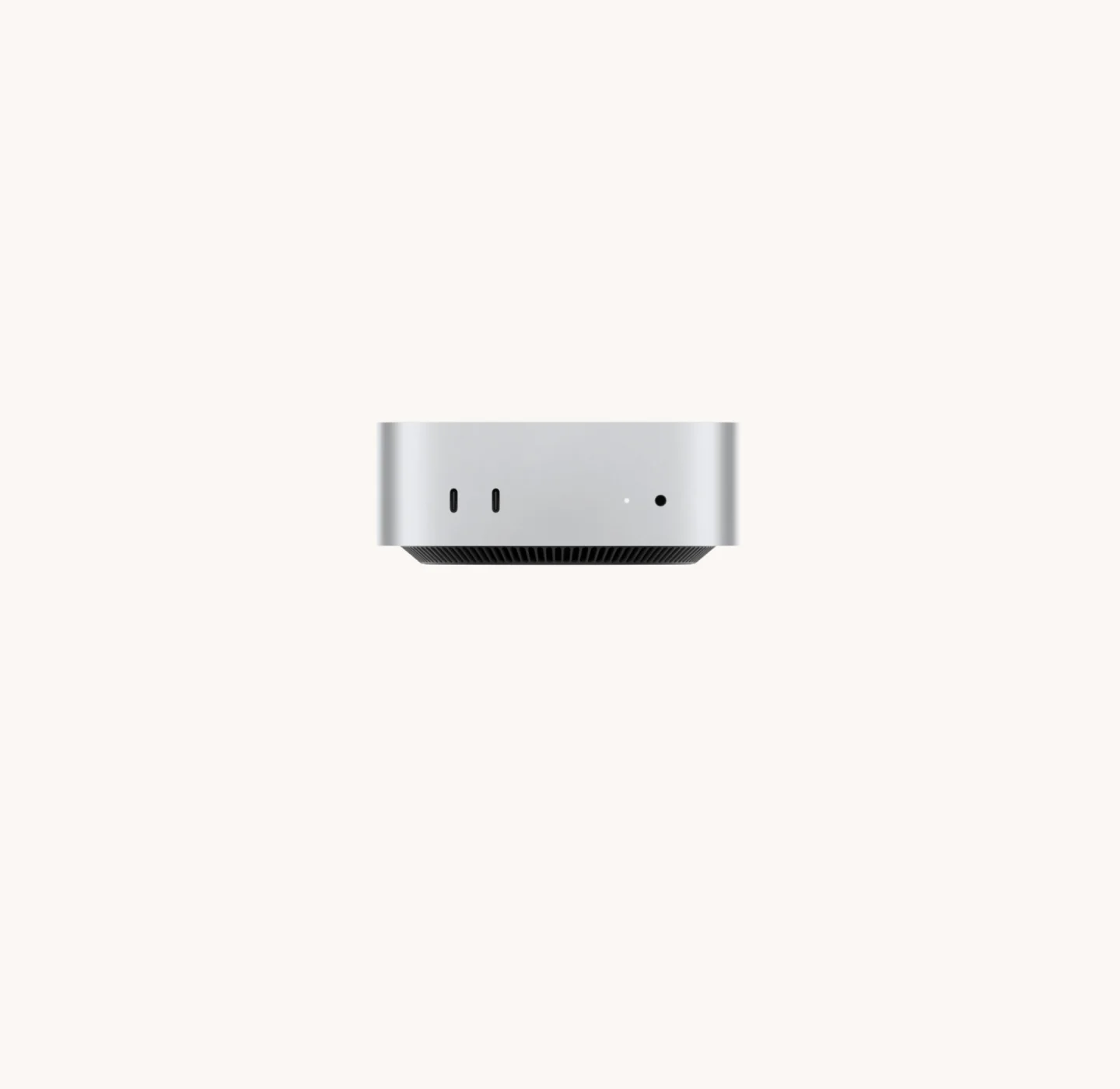
Apple Mac mini (M4 Pro, 2024) Review: Small, Fast, Port-Rich
The Apple Mac mini with M4 Pro packs a 12-core CPU, Thunderbolt 5 and multi-display support into a 5 x 5 inch case. Here's who it suits and where it falls short.
Published Oct 19, 2026