Aqara Hub M100 Review (2026): Thread Stick With Limits
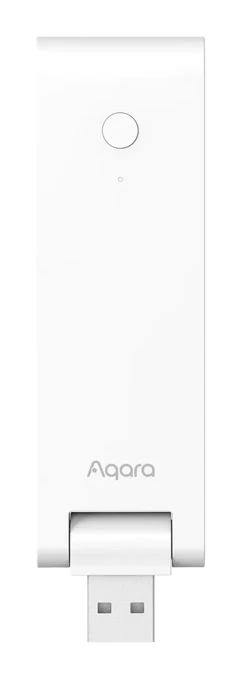
The Aqara Hub M100 is a small USB-A stick that adds a Thread border router and a Matter bridge for Aqara Zigbee devices. Here is what it offers and where it falls short.
Research-based · We earn from qualifying purchases
Our verdict
The Aqara Hub M100 suits smart home users who want an affordable, compact Thread border router or a way to bring Aqara Zigbee sensors into Matter ecosystems. Buyers who need Ethernet, an IR blaster, a built-in speaker or a large Zigbee network, or who want painless Matter setup, should look elsewhere.
The good
- Thread Border Router that can also extend an existing Thread mesh
- Matter bridge exposes Aqara Zigbee devices to Apple Home, Alexa and Google
- Key Zigbee and Matter-over-Thread automations keep running locally, even offline
- Tiny USB-A stick plugs into a router, charger or power bank
- Works with Home Assistant and SmartThings alongside the major platforms
+2 more
- Tiny USB-A stick plugs into a router, charger or power bank
- Works with Home Assistant and SmartThings alongside the major platforms
The bad
- Wi-Fi only on 2.4 GHz, with no Ethernet port
- No IR blaster or speaker, so no audible alarms
- Zigbee side is limited to 20 devices and pairs only Aqara gear
- Matter setup can be frustrating, with buggy Apple Home pairing in reviews
+1 more
- Matter setup can be frustrating, with buggy Apple Home pairing in reviews
This Aqara Hub M100 review looks at a very different kind of smart home hub. It has no screen, no speaker and no Ethernet port. It is a thin USB-A stick that plugs into a router, a charger or a power bank and quietly does three jobs: it acts as a Thread Border Router, a Matter controller and a Matter bridge for Aqara Zigbee devices. It sits in the mid-range part of the market, and it is aimed at people who already own Aqara gear, or who want a compact way to add Thread and Matter to their home.
This review is based on Aqara's published specifications and on what independent expert reviews report. It is not based on hands-on testing.
Aqara Hub M100: specs at a glance
From the manufacturer- Port
- USB-A (male)
- Model
- HM-G02E
- Dimensions
- 108×30×8 mm (4.25×1.18×0.31 in.)
- Net weight
- 40g (1.41 oz)
- Wi-Fi band
- 2.4 GHz only
- Power input
- 5V 0.5A
- Operating humidity
- 0%~95%, non-condensing
- Wireless protocols
- Zigbee/Thread IEEE 802.15.4 (acts as a router/repeater); Wi-Fi IEEE 802.11 b/g/n/ax 2.4 GHz; BLE 5.2
- Compatible platforms
- Aqara, Apple Home, Alexa, Google Home, SmartThings, Home Assistant
- Operating temperature
- -10 °C to +40 °C (14 °F ~ 104 °F)
- Supported accessories
- Up to 20 Zigbee + 20 Thread devices
- Ethernet / IR / speaker
- None
Key features
- Thread Border Router that also extends an existing Thread mesh
- Matter controller and Matter bridge for Aqara Zigbee devices
- Works with Apple Home, Alexa, Google Home, SmartThings and Home Assistant
- Runs key Zigbee and Matter-over-Thread automations locally, even offline
- 2.4 GHz Wi-Fi 6 with WPA3 security
- USB-A stick design that plugs into a router, charger or power bank
- Advanced Matter bridging keeps Aqara-specific features in other platforms
- Handles up to 20 Zigbee plus 20 Thread devices
Aqara Hub M100 review: what it actually is
Smart home hubs used to be bulky boxes with their own power supplies. The M100 (model HM-G02E) takes the opposite approach. It strips the idea down to a radio stick that borrows power from whatever USB-A port is nearby, and it leaves out extras like an IR blaster or a speaker.
The result is a hub with a narrow purpose. It connects to your network over 2.4 GHz Wi-Fi and speaks Zigbee and Thread (both IEEE 802.15.4) to your devices. Its job is to make those devices available to your preferred smart home platform. It supports Aqara's own app, Apple Home, Alexa, Google Home, SmartThings and Home Assistant, so it is not locked to one ecosystem.
Design and build
The physical design is the most distinctive thing about the M100. It measures 108×30×8 mm and weighs 40g, so it is closer to a USB flash drive than to a traditional hub. The connector is a male USB-A plug, and the power input is 5V 0.5A, a modest draw that nearly any USB port can supply.
That has practical consequences for placement:
- Plug it into your router. If the router has a spare USB-A port, the M100 can sit there and draw power with no extra cable or wall socket.
- Use a charger. A standard USB charger lets you put it in whichever room gives the best coverage.
- Use a power bank. Aqara lists this as a supported option, which can help if you want to position the stick somewhere without a convenient socket.
Because it also acts as a Zigbee/Thread router/repeater, placement matters more than it would for a hub that sits in a cupboard. A stick that can move around to the middle of the house is a real advantage here.
For environmental limits, Aqara lists an operating temperature of -10 °C to +40 °C and operating humidity of 0%~95%, non-condensing. Those are the ranges to keep in mind when choosing where to plug it in.
The flip side of the compact body is what is missing. The spec sheet lists no Ethernet port, no IR blaster and no speaker. You cannot connect it by cable, and it cannot sound an alarm.
Features and what they mean day to day
Thread Border Router
The M100 works as a Thread Border Router, and it can also extend an existing Thread mesh. Thread is a low-power mesh network used by a growing number of Matter devices. A border router connects that mesh to your home network so that phones and voice assistants can reach the devices on it. If you already have a Thread network from another device, the M100 can strengthen it rather than start a competing one. Reviewers single this out as a strength.
Matter controller and Matter bridge
The M100 is both a Matter controller and a Matter bridge for Aqara Zigbee devices. In practical terms, the bridge exposes your Aqara Zigbee sensors and accessories to platforms such as Apple Home, Alexa and Google Home, even though those devices do not speak Matter natively. Aqara also lists advanced Matter bridging that keeps Aqara-specific features available in other platforms. Bridging often strips a device down to basic functions, so retaining those extra features is a meaningful benefit for anyone who mixes platforms.
Local automations
Key Zigbee and Matter-over-Thread automations run locally on the hub, even when the internet is offline. This is one of the strongest practical arguments for a dedicated hub. Routines that depend on the cloud can fail when your connection drops. Local execution means that the automations Aqara covers here should keep working during an outage. Aqara's wording is "key" automations, so do not assume that every possible routine runs offline.
Platform support
Aqara lists support for Aqara, Apple Home, Alexa, Google Home, SmartThings and Home Assistant. That is a broad list. It makes the M100 a reasonable choice for households where one person uses an iPhone and another uses Android, or for anyone who wants to try Home Assistant without giving up the main voice assistants.
Connectivity and capacity
The M100 supports 2.4 GHz Wi-Fi 6 (IEEE 802.11 b/g/n/ax) with WPA3 security, plus BLE 5.2 and Zigbee/Thread. The Wi-Fi is 2.4 GHz only. That band travels well through walls, which suits a hub, but it means no 5 GHz option. With no Ethernet port either, the hub depends entirely on your 2.4 GHz network for its connection. If your Wi-Fi is patchy where you want to plug it in, this is the main thing to plan around.
Capacity is listed as up to 20 Zigbee plus 20 Thread devices. For a small apartment or a modest set of sensors, that is probably enough. For a larger home with many Zigbee accessories, the Zigbee ceiling is the first limit you may meet. Reviewers also note that the Zigbee side pairs only Aqara gear, so you cannot treat it as a general-purpose Zigbee coordinator for other brands.
What experts like and what they criticise
Praise
Reviewers praise the M100 for several things:
- It works as a Thread Border Router and can extend an existing Thread mesh.
- The Matter bridge exposes Aqara Zigbee devices to Apple Home, Alexa and Google Home.
- Key Zigbee and Matter-over-Thread automations keep running locally, even offline.
- The tiny USB-A stick plugs into a router, charger or power bank.
- It works with Home Assistant and SmartThings alongside the major platforms.
The common thread is flexibility. It is small, cheap to place, and open to a wide range of ecosystems.
Criticism
The criticisms are just as consistent:
- Wi-Fi is 2.4 GHz only, and there is no Ethernet port.
- There is no IR blaster and no speaker, so no audible alarms.
- The Zigbee side is limited to 20 devices and pairs only Aqara gear.
- Matter setup can be frustrating, with buggy Apple Home pairing mentioned in reviews.
The last point deserves weight. Matter is meant to make setup easy, but a common complaint is that pairing does not always go smoothly, particularly in Apple Home. If you are patient with smart home setup, that may be a nuisance. If you want everything to work first time, it may be a deal-breaker.
Who should buy the Aqara Hub M100
The M100 fits best in these situations:
- You own Aqara Zigbee sensors and want them to show up in Apple Home, Alexa or Google Home through Matter.
- You want a Thread Border Router to support Thread devices, or to strengthen an existing Thread network.
- You value local control, and want key automations to carry on during an internet outage.
- You use Home Assistant or SmartThings and want a small, affordable radio to feed them.
- Space is tight. A stick that disappears into a USB port is easy to hide.
Who should skip it
Look elsewhere if any of these apply:
- You need a wired Ethernet connection for reliability.
- You want an IR blaster to control older TVs or air conditioners.
- You want a built-in speaker for alarm sounds or chimes.
- You plan a large Zigbee network or want to pair non-Aqara Zigbee devices.
- You want Matter setup to be painless, especially with Apple Home.
Also consider whether you need a hub at all. A hub like the M100 pays off when you are building a network of sensors and automations rather than adding a single light.
How it fits in its category
Smart home hubs range from large all-in-one boxes with speakers, IR blasters and Ethernet to minimal radios that do one job. The M100 sits firmly at the minimal end. It focuses on Thread, Matter and Aqara Zigbee, and it drops the extras that larger hubs include. That makes it attractive for the buyer who already knows what they need and unattractive for anyone hoping for a single device that does everything.
Its broad platform support is the feature that stops it from feeling like a closed Aqara accessory. Support for Apple Home, Alexa, Google Home, SmartThings and Home Assistant gives it a wider reach than the small size suggests.
Verdict
The Aqara Hub M100 is a focused, compact answer to a specific problem: getting Thread and Aqara Zigbee devices into the platform you already use. Its strengths are real, particularly the Thread Border Router role, the Matter bridge, local automations and the flexible USB-A stick design. Its weaknesses are just as clear: 2.4 GHz Wi-Fi only, no Ethernet, no IR or speaker, a 20-device Zigbee ceiling, and Matter setup that reviewers describe as frustrating at times.
If you are an Aqara owner who wants to extend Thread or Matter without buying a bulky hub, it makes a lot of sense. If you want a do-everything hub or effortless setup, it is not the right fit.
Related buying guides
- Best Matter Hub 2026: Thread and Zigbee for Every Home
- Aqara Hub M200 Review (2026): Flexible All-in-One Hub
- Aqara Hub M3 Review (2026): Local Control, Many Protocols
- Philips Hue Bridge Pro Review (2026): Worth the Upgrade?
- Best Cordless Stick Vacuums 2026: Shark and Dyson Compared
- Best Smart Light Bulbs in 2026: Bright, Colorful, Hub-Free
- Best Smart Thermostats 2026: Matched to Your Wiring & Home
Not sure about the Aqara Hub M100? Consider these
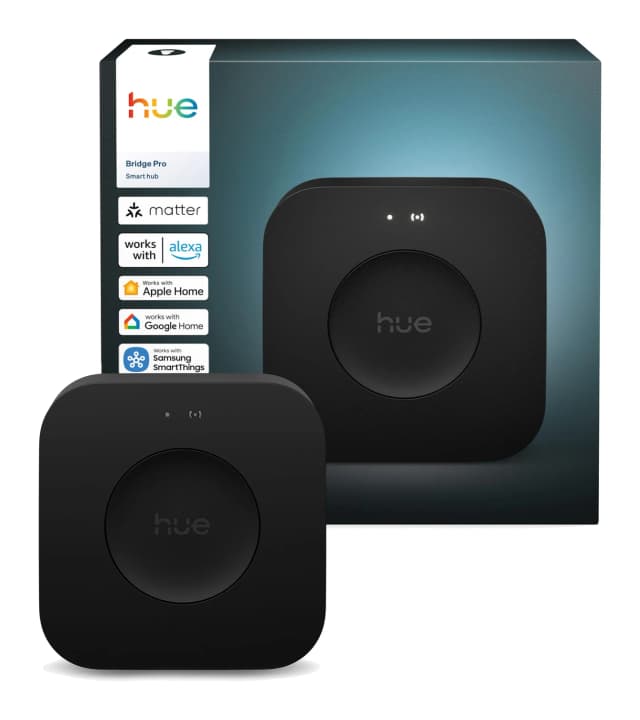
- Best OverallPhilips Hue Bridge ProWhy we picked it →
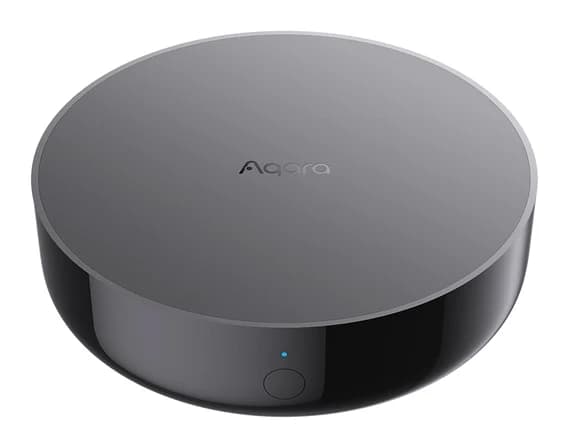
- Best BudgetAqara Hub M200Why we picked it →
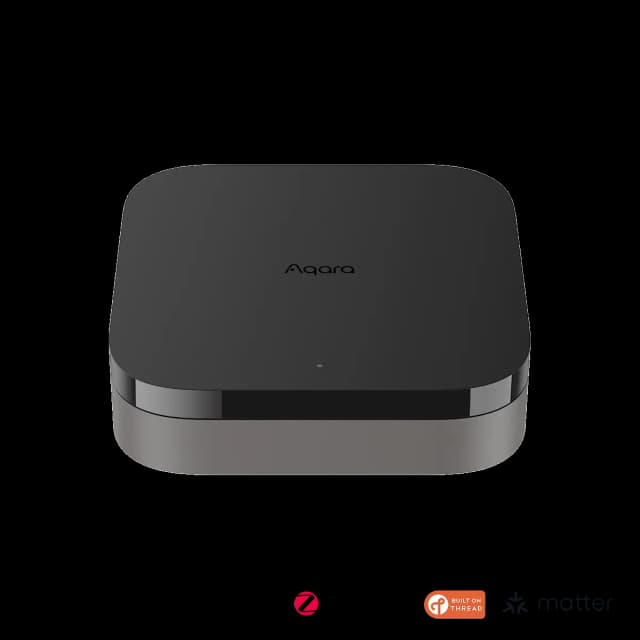
- Also GreatAqara Hub M3Why we picked it →
Frequently asked questions
Is the Aqara Hub M100 worth it?
It is worth considering if you own Aqara Zigbee devices or want a compact Thread Border Router and Matter bridge. It is less suitable if you need Ethernet, an IR blaster, a speaker, a large Zigbee network or trouble-free Matter setup.
Does the Aqara Hub M100 support Matter?
Yes. It works as a Matter controller and as a Matter bridge for Aqara Zigbee devices, so those devices can appear in platforms such as Apple Home, Alexa and Google Home. Reviewers note that Matter setup can be frustrating, with buggy Apple Home pairing.
Is the Aqara Hub M100 a Thread Border Router?
Yes. It acts as a Thread Border Router and can also extend an existing Thread mesh.
Does the Aqara Hub M100 work with Apple Home, Alexa and Google Home?
Yes. Aqara lists compatibility with Aqara, Apple Home, Alexa, Google Home, SmartThings and Home Assistant.
Does the Aqara Hub M100 work without internet?
Key Zigbee and Matter-over-Thread automations run locally, even when you are offline. Aqara describes these as key automations, so not every possible routine is guaranteed to run without internet.
How many devices can the Aqara Hub M100 handle?
It handles up to 20 Zigbee plus 20 Thread devices. The Zigbee side pairs only Aqara gear.
Does the Aqara Hub M100 have Ethernet or 5 GHz Wi-Fi?
No. It has no Ethernet port, and its Wi-Fi is 2.4 GHz only (Wi-Fi 6 with WPA3 security).
Sources
Specs are taken from the manufacturers' official pages; expert recommendations from the publications below.
- Aqara Hub M100: aqara.com, matteralpha.com, forum.aqara.com, eattechdad.com
Related reviews & guides
Best Matter Hub 2026: Thread and Zigbee for Every Home
Five Matter hubs compared on Thread, Zigbee, device capacity and ecosystem support, from a budget Aqara pick to a local-first Home Assistant box.
Published Oct 22, 2026
Aqara Hub M200 Review (2026): Flexible All-in-One Hub
A look at the Aqara Hub M200, an all-in-one Matter controller, Thread border router and Zigbee hub with PoE power and an IR blaster, based on specs and expert reviews.
Published Oct 26, 2026
Aqara Hub M3 Review (2026): Local Control, Many Protocols
The Aqara Hub M3 packs Zigbee, Thread and Matter into one local-first box with PoE, an IR blaster and a loud speaker. Here is what the specs and expert reviews say.
Published Oct 23, 2026