Best E-Ink Writing Tablets 2026: Color, Paper Feel & Value
Five e-ink writing tablets compared on display, weight, battery and storage, from the color reMarkable Paper Pro to the budget Onyx Boox Go 10.3 (Gen II).
24 products compared · Research-based · Affiliate links
We earn a commission from qualifying purchases made through our links, at no extra cost to you. It never decides our picks. How we make money
Which one should you buy?
Our picks by what matters to you · details below ↓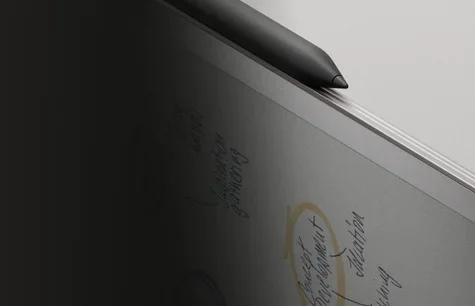
Best for: Serious note-takers wanting a color, paper-like writing tablet
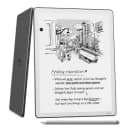
Check price on Amazon- Best ValueAmazon Kindle Scribe (2025)Best for: Readers who also want smart note-taking and cloud exportCheck price
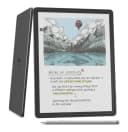
- Premium PickAmazon Kindle Scribe ColorsoftBest for: Annotators who want color-coded notes and Kindle readingCheck price
- Best BudgetOnyx Boox Go 10.3 (Gen II)Best for: Budget buyers wanting a flexible Android e-ink tabletCheck price
- Also GreatKobo Elipsa 2EBest for: eBook and PDF annotators on a modest budgetCheck price
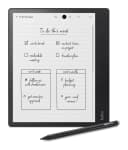
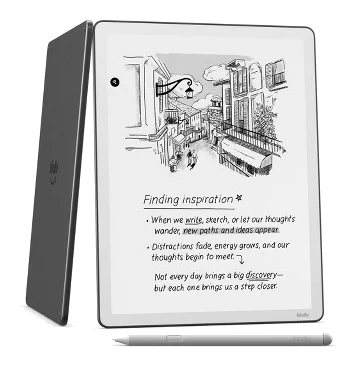
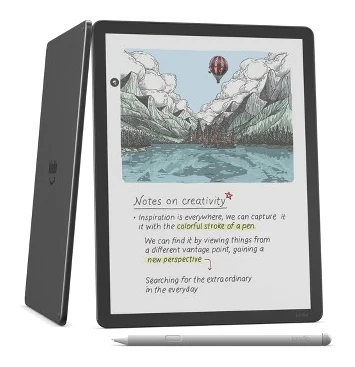
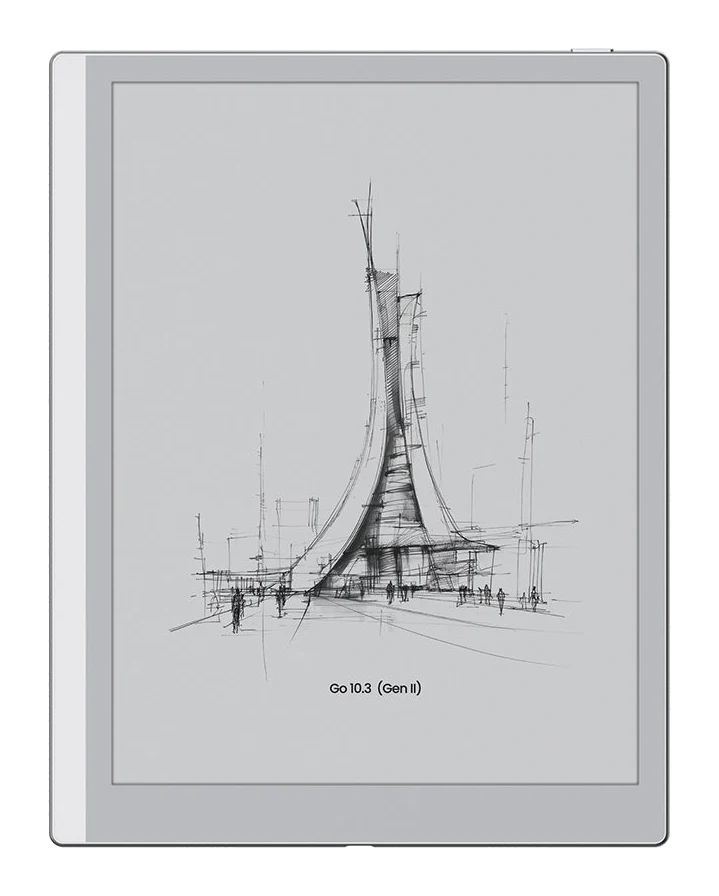
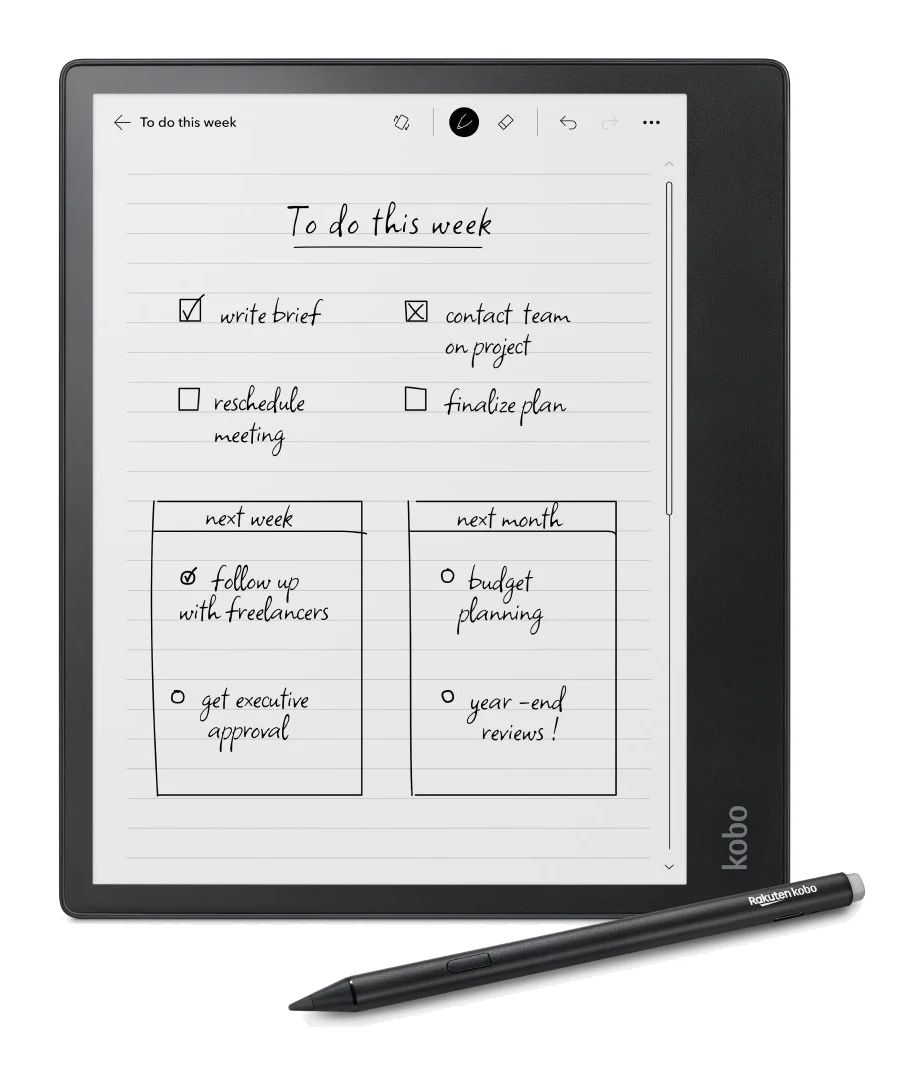
The best e-ink writing tablets give you a paper-like surface for handwriting and reading without the distractions of a full-color LCD tablet. The choice has become broader, though. Some now offer color e-ink, some run Android apps, and others are built around a reading ecosystem like Kindle or Kobo.
This guide compares 24 candidates and narrows them to five. It is based on manufacturer specs and independent expert recommendations, not hands-on testing by us. Prices change often, so use the check-price buttons to see current offers.
Best E-Ink Writing Tablets at a Glance
| Pick | Label | Display | Weight | Storage | Buy |
|---|---|---|---|---|---|
| reMarkable Paper Pro | Best Overall | 11.8-inch E Ink Gallery 3 (color) | 525 g | 64 GB | Check price |
| Amazon Kindle Scribe (2025) | Best Value | 11-inch e-ink, glare-free | 400g | 32GB or 64GB | Check price |
| Amazon Kindle Scribe Colorsoft | Premium Pick | 11 inch oxide color e-ink | 400 g | 32 GB or 64 GB | Check price |
| Onyx Boox Go 10.3 (Gen II) | Best Budget | 10.3-inch ePaper | 350g | 64GB | Check price |
| Kobo Elipsa 2E | Also Great | 10.3-inch E Ink Carta 1200 | 390 g | 32 GB | Check price |
reMarkable Paper Pro: Best Overall for Color Note-Taking
Best for: Serious note-takers wanting a color, paper-like writing tablet
The reMarkable Paper Pro combines a color e-ink display, a fast 12 ms refresh and a natural writing feel. It is a polished choice for people who put writing first and want generous storage.
Read our full reMarkable Paper Pro review →- Charging time
- 0-90% in 90 minutes
- Battery life
- Up to 2 weeks
- Weight
- 525 g
- Display
- 11.8-inch E Ink Gallery 3
- Resolution
- 2160 x 1620 pixels (229 PPI)
- Storage
- 64 GB
Reasons to buy
- Color e-ink display with 20,000 colors
- Paper-like writing feel with 4,096 pressure levels
- Two weeks of battery life
- 64 GB storage for large document libraries
- Adjustable frontlight for dark environments
Reasons to avoid
- Heavier than the other tablets here at 525 g
- Premium pricing tier
- TechRadar
- 8.0
- Trusted Reviews
- 9.0
- Gizmodo
- 6.0
- XDA Developers
- 8.5
- The Shortcut
- 7.0
- CGMagazine
- 8.5
- Templacity
- 8.6
The reMarkable Paper Pro is our best overall pick for serious note-takers who want a color, paper-like writing tablet. It pairs an 11.8-inch color e-ink display (20,000 colors) with a writing feel built around 4,096 pressure levels. It is recommended in 13 expert guides, the most of any tablet here.
Keep reading about reMarkable Paper Pro
The display is E Ink Gallery 3 at 2160 x 1620 pixels (229 PPI), with a 12 millisecond refresh rate. An adjustable frontlight lets you read and write in dark environments. Battery life is up to 2 weeks, and charging takes 0-90% in 90 minutes. The 64 GB of storage holds large libraries of documents.
Reviewers have been positive. Trusted Reviews gave it 4.5 out of 5 and TechRadar gave it 4 out of 5. The main trade-off is weight: at 525 g it is heavier than the other tablets in this guide. It also sits in the premium pricing tier, so it suits people who put writing first and will use it daily.
Amazon Kindle Scribe (2025): Best Value for Smart Note-Taking
Best for: Readers who also want smart note-taking and cloud export
The Kindle Scribe (2025) packs a sharp display, an included pen and AI notebook tools into a mid-range package. It suits readers who also want capable writing and easy exports to cloud services.
- Charging time
- 2.5 hours with 9W USB-C adapter
- Battery life
- Up to 12 weeks reading (30 min/day, light at 13, wireless off); up to 3 weeks writing
- Weight
- 400g
- Display
- 11-inch e-ink, glare-free
- Resolution
- 300 ppi
- Storage
- 32GB or 64GB (16GB without front light model)
Reasons to buy
- Pen with magnetic attachment included, no charging needed
- Sharp 300 ppi glare-free 11-inch display
- AI notebook with summaries and handwriting-to-text conversion
- Direct export to OneNote, Google Drive and OneDrive
- Weeks of writing battery, up to 12 weeks reading
Reasons to avoid
- Monochrome display only
- Base storage option is 16GB on the model without front light
- Technerdo
- 8.4
- Engadget
- 8.6
The Kindle Scribe (2025) earns Best Value by combining a sharp display, an included pen and AI notebook tools at a mid-range tier. It is a good fit for readers who also want capable writing and easy exports to cloud services. It is recommended in 11 expert guides.
Keep reading about Amazon Kindle Scribe (2025)
The 11-inch glare-free display runs at 300 ppi and has an adjustable warm/cool front light. The premium pen attaches magnetically and needs no charging. The AI notebook offers summaries and handwriting-to-text conversion, and you can export directly to OneNote, Google Drive and OneDrive. A quad-core processor brings 40% faster writing and page turns, and the textured glass with reduced parallax aims for a paper-like feel.
Battery life is up to 12 weeks of reading and up to 3 weeks of writing. The 12-week figure assumes 30 minutes a day with the light at 13 and wireless off. The display is monochrome only. Storage comes as 32GB or 64GB, but the model without a front light starts at 16GB, so check which configuration you are buying. Engadget scored it 86 out of 100.
Amazon Kindle Scribe Colorsoft: Premium Pick for Color Annotation
Best for: Annotators who want color-coded notes and Kindle reading
The Kindle Scribe Colorsoft adds color pens and highlighters to Amazon's large-screen e-ink design. It is a good fit for annotators who want color-coded notes alongside long-lasting reading.
- Charging time
- Under 3 hours USB-C
- Battery life
- Up to 8 weeks reading, up to 2 weeks writing
- Weight
- 400 g
- Display
- 11 inch oxide color e-ink
- Resolution
- 1980 x 2640 (300 PPI mono, 150 PPI color)
- Storage
- 32 GB or 64 GB
Reasons to buy
- Color e-ink with 10 pen colors and 5 highlighters
- Sharp 300 PPI in monochrome for text
- Low 12ms writing latency feels natural
- AI notebook search and handwriting-to-text conversion
- Up to 8 weeks reading battery life
Reasons to avoid
- Color content renders at lower 150 PPI
- Writing battery life is shorter than reading, up to 2 weeks
- Premium pricing tier
- Pocket-lint
- 9.0
- Good e-Reader
- 8.9
- TechRadar
- 8.0
- PureWow
- 9.2
The Kindle Scribe Colorsoft is our Premium Pick for annotators who want color-coded notes alongside Kindle reading. It adds color pens and highlighters to Amazon's large-screen e-ink design. It is recommended in 9 expert guides.
Keep reading about Amazon Kindle Scribe Colorsoft
The 11 inch oxide color e-ink display has a resolution of 1980 x 2640, with 300 PPI in monochrome for sharp text and 150 PPI for color. The included pen offers 10 pen colors and 5 highlighter colors. Writing latency is 12ms, and AI-powered notebook search and handwriting-to-text conversion are built in. Storage is 32 GB or 64 GB, and the tablet weighs 400 g.
There are two trade-offs. Color content renders at the lower 150 PPI, and writing battery life is shorter than reading battery life: up to 2 weeks of writing against up to 8 weeks of reading. It is also in the premium pricing tier. Reviewers rate it well, with Pocket-lint giving it 4.5 out of 5 and TechRadar 4 out of 5.
Onyx Boox Go 10.3 (Gen II): Best Budget for Android Flexibility
Best for: Budget buyers wanting a flexible Android e-ink tablet
The Onyx Boox Go 10.3 (Gen II) is the lightest option here and offers open Android app support. It gives budget-minded buyers a flexible reading and note-taking tablet.
- Charging time
- —
- Battery life
- 6.7 days (typical mixed use)
- Weight
- 350g
- Display
- 10.3" HD ePaper glass screen with flat cover-lens
- Resolution
- 2480x1860 (300 ppi)
- Storage
- 64GB
Reasons to buy
- Lightweight at 350 g for easy carrying
- Android 15 with Google Play Store access
- 4096 pressure level stylus for natural handwriting
- Sharp 300 ppi monochrome display
- 64GB storage
Reasons to avoid
- Monochrome display only
- Typical mixed-use battery is about 6.7 days
- eWritable
- 9.0
- Android Authority
- 8.0
- Apple Insider
- 7.0
- MakeUseOf
- 8.5
The Onyx Boox Go 10.3 (Gen II) is our Best Budget pick for buyers who want a flexible Android e-ink tablet. It is the lightest option here at 350 g and runs Android 15 with Google Play Store access, so you are not tied to one store's apps. It is recommended in 5 expert guides.
Keep reading about Onyx Boox Go 10.3 (Gen II)
The 10.3-inch HD ePaper display is monochrome at 2480x1860 (300 ppi), and the stylus supports 4096 pressure levels for handwriting and annotation. Storage is 64GB. Typical mixed-use battery life is 6.7 days, which is shorter than the multi-week figures quoted for several rivals here.
The display is monochrome only. The manufacturer does not specify refresh rate or charging time. Reviewers have scored it well, including 9 out of 10 from eWritable and 8.5 out of 10 from MakeUseOf. It suits people who want a light, open, budget-friendly tablet for reading and notes.
Kobo Elipsa 2E: Also Great for PDF Annotation
Best for: eBook and PDF annotators on a modest budget
The Kobo Elipsa 2E bundles a stylus, adjustable lighting and cloud syncing in a budget-tier tablet. It works well for eBook and PDF annotation on a modest budget.
- Charging time
- 2 hours 10 minutes (12W USB-A); approximately 1 hour (45W USB-C)
- Battery life
- Weeks of battery life; approximately 40 hours reading time
- Weight
- 390 g
- Display
- 10.3-inch E Ink Carta 1200 touchscreen
- Resolution
- 1404 x 1872 pixels (227 PPI)
- Storage
- 32 GB
Reasons to buy
- Rechargeable Kobo Stylus 2 included
- ComfortLight PRO adjusts brightness and color temperature
- Handwriting-to-text conversion and Dropbox or Google Drive sync
- 32GB holds up to 24,000 eBooks
- Weeks of battery life, about 40 hours reading
Reasons to avoid
- Lower 227 PPI resolution than sharper rivals
- Monochrome display only
- TechRadar
- 8.2
- Pokde.Net
- 8.1
- Good e-Reader
- 8.4
- Frontum
- 7.2
The Kobo Elipsa 2E is a budget-tier tablet for people who mainly annotate eBooks and PDFs. It includes the rechargeable Kobo Stylus 2, which charges over USB-C. It is recommended in 6 expert guides.
Keep reading about Kobo Elipsa 2E
The 10.3-inch E Ink Carta 1200 touchscreen is glare-free, with ComfortLight PRO adjusting brightness and color temperature to reduce blue light. Handwriting-to-text conversion is supported, along with cloud syncing through Dropbox and Google Drive. The 32 GB of storage holds up to 24,000 eBooks plus a large collection of notes. Battery life is listed as weeks, with approximately 40 hours of reading time.
The resolution is 1404 x 1872 pixels (227 PPI), lower than the 300 ppi screens of the Kindle Scribe models and the Boox. The display is also monochrome. TechRadar gave it 4.1 out of 5, and Good e-Reader gave it 4.2 out of 5. It is a sensible choice if your priority is annotation on a modest budget.
Compare our picks side by side
The specs most of our picks share, from each maker’s spec page (— = not published). Expert score = the average of published expert reviews, which rate each product for its price. Scroll sideways on small screens.
| Spec | reMarkable Paper Pro | Amazon Kindle Scribe (2025) | Amazon Kindle Scribe Colorsoft | Onyx Boox Go 10.3 (Gen II) | Kobo Elipsa 2E |
|---|---|---|---|---|---|
| Best for | Best Overall | Best Value | Premium Pick | Best Budget | Also Great |
| Expert score | 7.9 | 8.5 | 8.8 | 8.1 | 8.0 |
| Price vs. these picks | Higher | Middle | Higher | Lower | Lower |
| Charging time | 0-90% in 90 minutes | 2.5 hours with 9W USB-C adapter | Under 3 hours USB-C | — | 2 hours 10 minutes (12W USB-A); approximately 1 hour (45W USB-C) |
| Battery life | Up to 2 weeks | Up to 12 weeks reading (30 min/day, light at 13, wireless off); up to 3 weeks writing | Up to 8 weeks reading, up to 2 weeks writing | 6.7 days (typical mixed use) | Weeks of battery life; approximately 40 hours reading time |
| Weight | 525 g | 400g | 400 g | 350g | 390 g |
| Display | 11.8-inch E Ink Gallery 3 | 11-inch e-ink, glare-free | 11 inch oxide color e-ink | 10.3" HD ePaper glass screen with flat cover-lens | 10.3-inch E Ink Carta 1200 touchscreen |
| Resolution | 2160 x 1620 pixels (229 PPI) | 300 ppi | 1980 x 2640 (300 PPI mono, 150 PPI color) | 2480x1860 (300 ppi) | 1404 x 1872 pixels (227 PPI) |
| Storage | 64 GB | 32GB or 64GB (16GB without front light model) | 32 GB or 64 GB | 64GB | 32 GB |
| Refresh rate | 12 milliseconds | — | 40% faster than previous generation | — | — |
| Pressure levels | 4,096 | — | 4096 | 4096 | — |
| Where to buy | Check price | Check price | Check price | Check price | Check price |
How to Choose the Best E-Ink Writing Tablets
Color or monochrome
Only two picks here offer color: the reMarkable Paper Pro and the Kindle Scribe Colorsoft. Color helps with color-coded notes and highlighting, but the Colorsoft renders color at 150 PPI, lower than its 300 PPI monochrome text. If you mostly write and read text, a monochrome screen such as the Kindle Scribe (2025) or Onyx Boox Go 10.3 (Gen II) covers the basics for less.
Weight and size
Screens run from 10.3 inches to 11.8 inches, and weights from 350 g to 525 g. If you carry your tablet all day, the Boox at 350 g is lightest. The reMarkable Paper Pro is the heaviest at 525 g.
Ecosystem and apps
Pick the platform that fits how you read and store files:
- Kindle Scribe models: Kindle reading, plus export to OneNote, Google Drive and OneDrive on the Scribe (2025).
- Kobo Elipsa 2E: eBook and PDF annotation with Dropbox and Google Drive syncing.
- Onyx Boox Go 10.3 (Gen II): Android 15 with Google Play Store access.
- reMarkable Paper Pro: a writing-first tablet with generous storage.
Battery and storage
Battery claims depend on how you use the device. Reading figures are usually longer than writing figures, as the Scribe (2025) and Colorsoft show. For storage, the reMarkable and Boox offer 64 GB or 64GB, the Kindle Scribe models offer 32 GB or 64 GB options, and the Kobo has 32 GB. Check which Scribe configuration you select.
Resolution and writing feel
Resolution affects text sharpness: 300 ppi on the Kindle Scribe models and the Boox, 229 PPI on the reMarkable and 227 PPI on the Kobo. Writing feel depends on pressure levels and latency. The reMarkable and Boox list 4,096 and 4096 pressure levels, and the reMarkable and Colorsoft list 12 ms or 12ms latency or refresh. The Kindle models do not specify pressure levels.
How We Picked
This guide is based on manufacturer specs and independent expert recommendations, not our own hands-on testing. We compared 24 candidates and weighed display, writing features, battery life, storage and ecosystem. We also considered how often expert buying guides recommend each tablet, along with published review scores and the consistent points reviewers raise. Each pick's label reflects its strongest buyer benefit, and the trade-offs listed for each come from its own specs and reviewer feedback.
Bottom Line
The reMarkable Paper Pro is the best overall choice for color, paper-like note-taking, if you can accept its weight and premium tier. The Kindle Scribe (2025) is the best value for readers who want smart notebook features and cloud export. The Kindle Scribe Colorsoft suits people who want color pens and highlighters in a Kindle. The Onyx Boox Go 10.3 (Gen II) is the budget pick for a light, Android-based tablet. The Kobo Elipsa 2E is a good option for annotating eBooks and PDFs on a modest budget.
Ready to buy?
 Best OverallreMarkable Paper ProCheck price
- Best ValueAmazon Kindle Scribe (2025)Check price
- Premium PickAmazon Kindle Scribe ColorsoftCheck price
- Best BudgetOnyx Boox Go 10.3 (Gen II)Check price
- Also GreatKobo Elipsa 2ECheck price
Related buying guides
Frequently asked questions
Which e-ink writing tablet has the longest battery life?
The Kindle Scribe (2025): up to 12 weeks of reading and up to 3 weeks of writing. The reading figure assumes 30 minutes a day with the light at 13 and wireless off, so real-world results will vary with your use.
Which e-ink writing tablet is the lightest?
The Onyx Boox Go 10.3 (Gen II): 350 g. It also has a 10.3-inch screen and runs Android 15 with Google Play Store access.
Which e-ink writing tablets have a color display?
The reMarkable Paper Pro and the Kindle Scribe Colorsoft. The reMarkable Paper Pro has a color display with 20,000 colors. The Colorsoft offers 10 pen colors and 5 highlighter colors, with color content rendered at 150 PPI.
What is the best budget e-ink writing tablet?
The Onyx Boox Go 10.3 (Gen II) is the Best Budget pick, with a 300 ppi monochrome display and 64GB of storage. The Kobo Elipsa 2E is also in the budget tier and includes a rechargeable Kobo Stylus 2.
Can e-ink writing tablets convert handwriting to text?
Yes, several can: the Kindle Scribe (2025), the Kindle Scribe Colorsoft and the Kobo Elipsa 2E all list handwriting-to-text conversion. The Kindle models also add AI notebook features, and the Kobo supports cloud syncing through Dropbox and Google Drive.
Sources
Specs are taken from the manufacturers' official pages; expert recommendations from the publications below.
- reMarkable Paper Pro: remarkable.com, ewritable.net, wmappdigital.com, bestbuy.com
- Amazon Kindle Scribe (2025): seriousinsights.net, shi.com, blog.the-ebook-reader.com, gsmarena.com
- Amazon Kindle Scribe Colorsoft: templacity.com, ereadercatalog.com, womanandhome.com, tomsguide.com
- Onyx Boox Go 10.3 (Gen II): shop.boox.com, euroshop.boox.com, goodereader.com, makeuseof.com
- Kobo Elipsa 2E: ereader.kobo.com, twentyfirsttech.com, techradar.com, goodereader.com
More buying guides
reMarkable Paper Pro Review (2026): Is Color Worth It?
A look at the reMarkable Paper Pro, a color E Ink notebook built for focused handwriting, based on manufacturer specs and what independent reviewers report.
Published Oct 26, 2026
Best E-Reader of 2026 for Bath, Beach and Bedtime Reading
Five e-readers from Kobo and Amazon compared on screen size, color, battery life, storage and expert recommendations, from a compact budget pick to a premium color Kindle.
Published Oct 17, 2026
Kobo Clara BW Review (2026): Compact, Waterproof Reader
A look at the Kobo Clara BW, a compact, waterproof 6-inch e-reader with a warm front light, library borrowing and wide format support, and who it suits.
Published Oct 23, 2026