Best Printer for Home Office 2026: Five All-in-Ones Compared
Five home office all-in-ones compared on print speed, running costs, scanning and paper handling, from a fast color laser to a compact ink tank model.
23 products compared · Research-based · Affiliate links
We earn a commission from qualifying purchases made through our links, at no extra cost to you. It never decides our picks. How we make money
Which one should you buy?
Our picks by what matters to you · details below ↓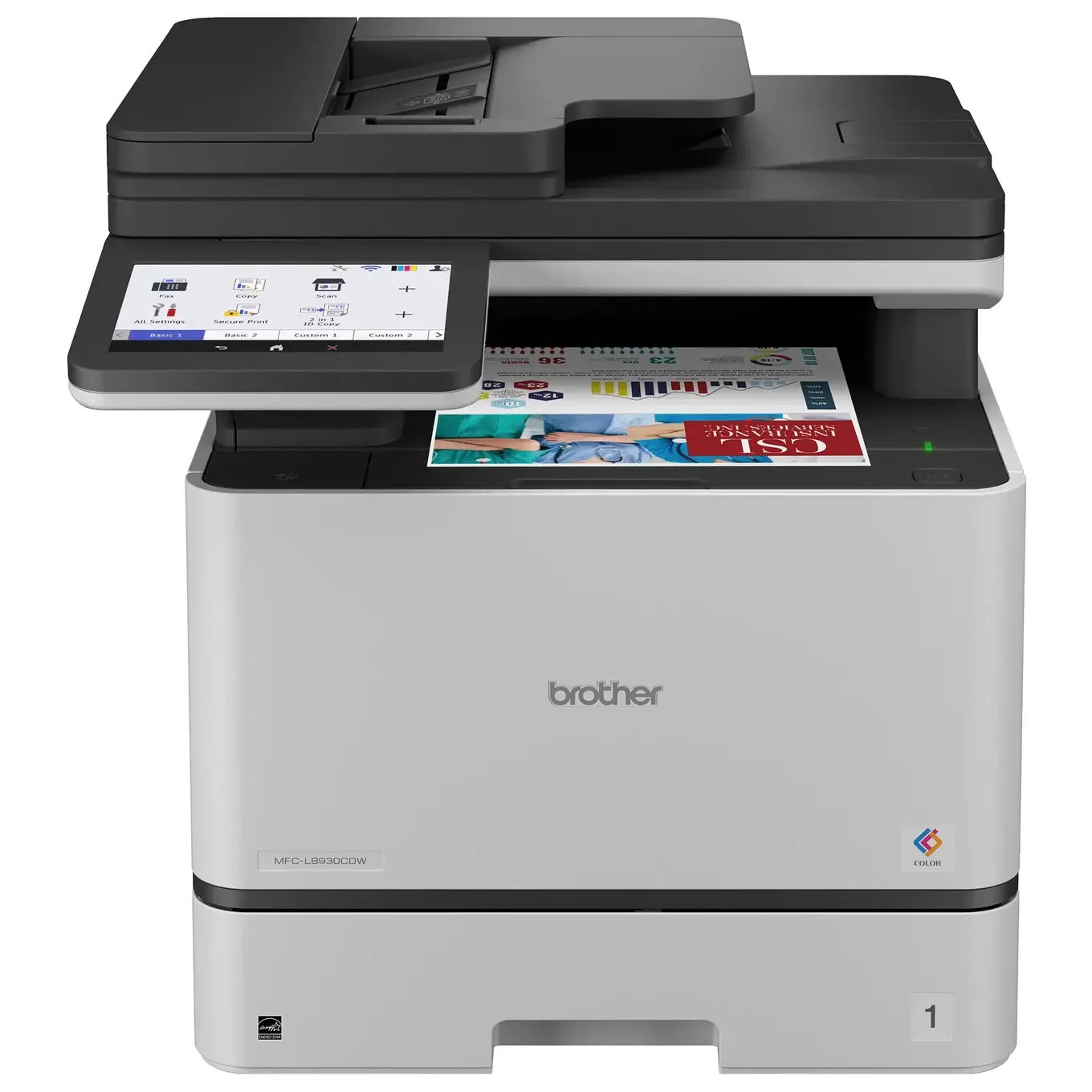
Best for: Busy home offices needing fast color laser output
Check price on Amazon- Best ValueBrother MFC-L2820DWBest for: Text-focused home offices wanting low running costsCheck price
- Premium PickEpson EcoTank ET-4950Best for: Home offices wanting color with minimal ink refillsCheck price
- Best BudgetHP OfficeJet Pro 9125eBest for: Budget-minded home offices needing color and faxCheck price
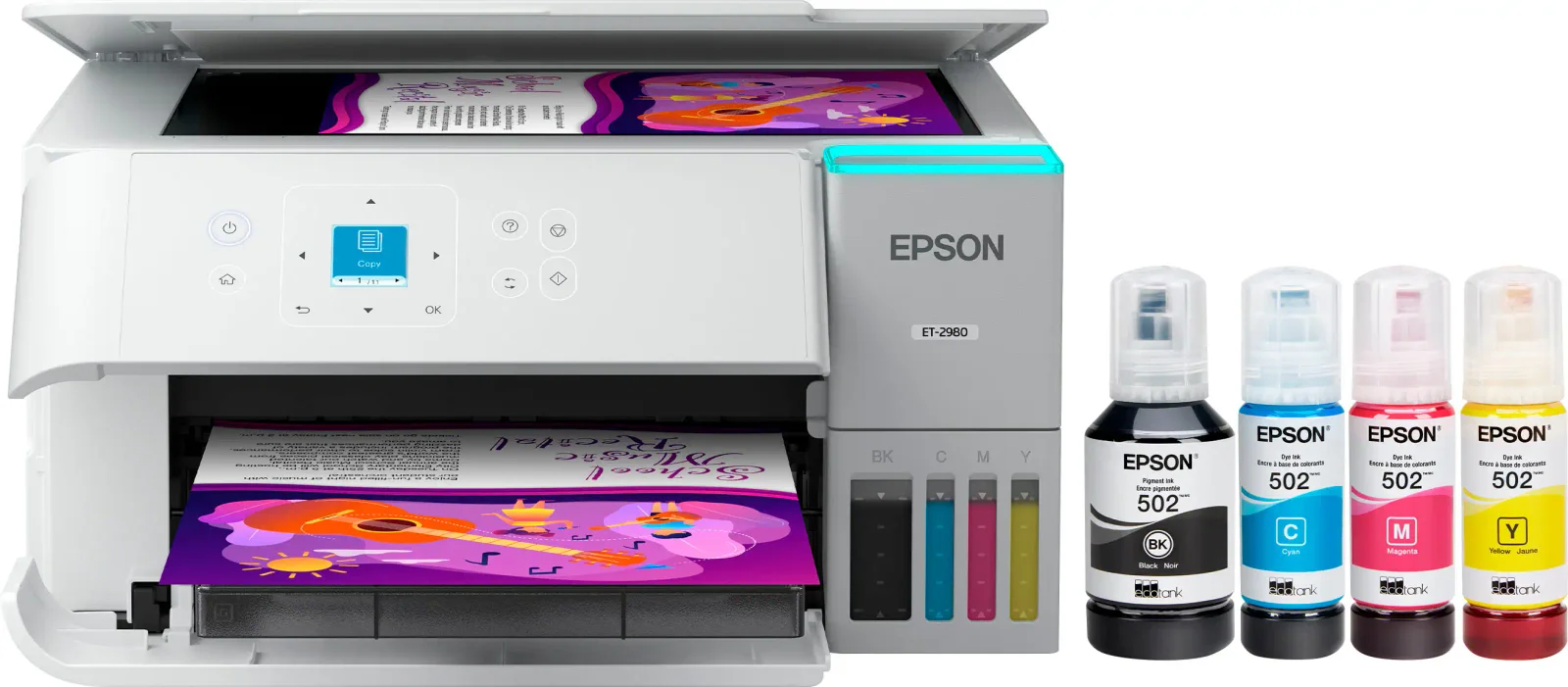
- Also GreatEpson EcoTank ET-2980Best for: Light-volume home users with limited desk spaceCheck price
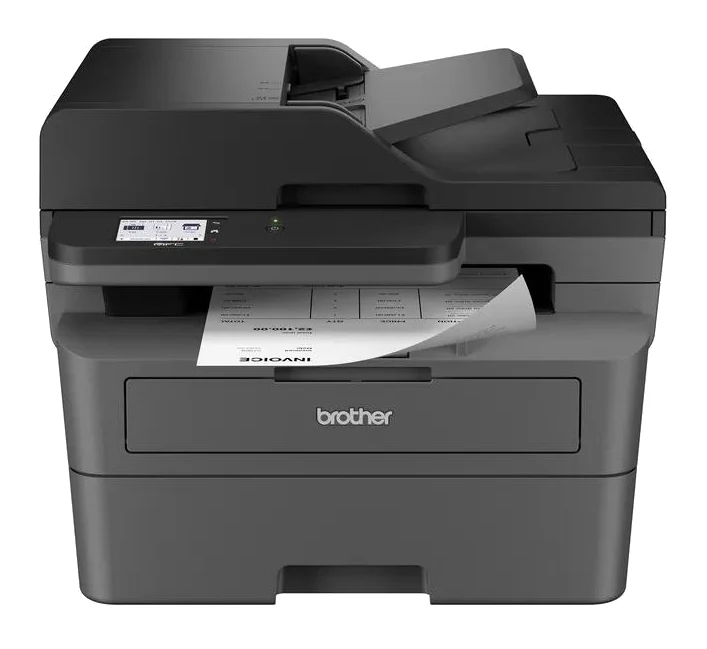
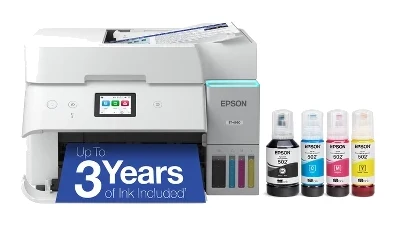
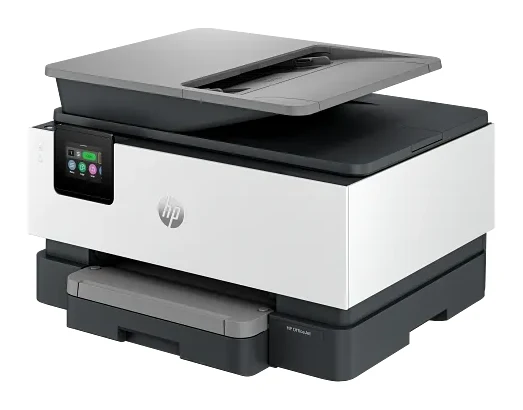
Finding the best printer for home office work comes down to three trade-offs: speed, running costs and how much paper handling you need. This guide compares five all-in-ones, covering color laser, black-and-white laser, ink tank and cartridge inkjet designs. It is based on manufacturer specs and independent expert recommendations, so you can match a printer to your workload rather than chase the longest feature list.
Use the live "check price" buttons in each product card for current pricing.
Best Printer for Home Office at a Glance
| Pick | Label | Type | Print speed | ADF | Best for | Buy |
|---|---|---|---|---|---|---|
| Brother MFC-L8930CDW | Best Overall | Color laser | 33 ppm color and black | 80-sheet | Busy home offices needing fast color laser output | Check price |
| Brother MFC-L2820DW | Best Value | Black-and-white laser | 34 ppm | 50-sheet | Text-focused offices wanting low running costs | Check price |
| Epson EcoTank ET-4950 | Premium Pick | Refillable ink tank | 18 ppm black / 9 ppm color | 30-sheet | Color with minimal ink refills | Check price |
| HP OfficeJet Pro 9125e | Best Budget | Color inkjet (cartridge) | 22 ppm black / 18 ppm color | 35-sheet | Budget-minded offices needing color and fax | Check price |
| Epson EcoTank ET-2980 | Also Great | Refillable ink tank | 15 ppm black / 8 ppm color | None | Light-volume users with limited desk space | Check price |
Brother MFC-L8930CDW: Best Overall for Fast Color Laser
Best for: Busy home offices needing fast color laser output
A fast, full-featured color laser all-in-one with strong scanning, security and expandable paper handling. It suits home offices that run heavy, professional workloads.
- Display
- 7-inch color touchscreen
- Resolution
- 2400 x 600 dpi print; 1200 x 1200 dpi scan
- Wireless
- Yes, dual-band wireless networking with Wi-Fi Protected Setup
- Print speed
- 33 ppm (black and color)
- Connectivity
- Gigabit Ethernet, dual-band wireless (802.11 b/g/n 2.4GHz and 802.11 a/n 5GHz), USB 2.0, Wi-Fi Direct, AirPrint
- Color printing
- Yes, 4-toner system (black, cyan, magenta, yellow)
Reasons to buy
- 33 ppm color and black printing with a 9.9-second first page
- 80-sheet ADF with fast duplex scanning for busy workflows
- Expandable paper capacity with optional trays up to 1,340 sheets
- NFC card reader and advanced security features
- 7-inch color touchscreen makes device control easy
Reasons to avoid
- Premium price tier may be more than light users need
- Larger laser build suits dedicated office space better than tight desks
- Best Buy
- 9.8
- B&H Photo Video
- 9.4
- Quill.com
- 8.8
The Brother MFC-L8930CDW is our Best Overall pick because it combines fast color printing, strong scanning and expandable paper handling in one machine. It suits busy home offices that run heavy, professional workloads. It is recommended in 5 expert guides.
Keep reading about Brother MFC-L8930CDW
It prints at 33 ppm in both black and color, with a first page out time of 9.9 seconds. The 80-sheet automatic document feeder scans at 104 ipm duplex, and automatic two-sided printing and scanning help reduce paper costs. Paper capacity can be expanded to 1,340 sheets with optional trays. Security is a strength too, with advanced features and an integrated NFC card reader. A 7-inch color touchscreen handles device control.
Expert scores are strong: Best Buy gives it 4.9 out of 5, B&H Photo Video 4.7 out of 5 and Quill.com 4.4 out of 5. The main trade-off is that it sits in the premium price tier, which may be more than light users need. It is also a larger laser build that suits a dedicated office space better than a tight desk. If you print occasionally, a cheaper pick below will serve you better.
Brother MFC-L2820DW: Best Value for Low Running Costs
Best for: Text-focused home offices wanting low running costs
A compact black-and-white laser all-in-one that prints fast and keeps running costs low. A smart pick if your home office work is mostly text documents.
- Display
- 2.7-inch color touchscreen
- Resolution
- 1200 x 1200 dpi
- Wireless
- Yes (Wi-Fi Direct, AirPrint, Mopria, Brother Mobile Connect)
- Print speed
- 34 ppm
- Connectivity
- Wireless (802.11 b/g/n 2.4GHz, 802.11 a/n 5GHz), Ethernet, USB 2.0
- Color printing
- Monochrome (black and white only)
Reasons to buy
- 34 ppm printing with automatic duplex for quick documents
- Low cost-per-print thanks to large toner yields
- 50-sheet ADF and flatbed scanner for batch scanning
- Compact design fits small office spaces
- Wi-Fi, Ethernet, AirPrint and Mopria support
Reasons to avoid
- Monochrome only, so no color printing
- 2.7-inch touchscreen is small compared with larger models
- RTINGS
- 9.0
- How-To Geek
- 8.0
The Brother MFC-L2820DW earns Best Value by pairing fast printing with low running costs, in a compact black-and-white laser body. It is a smart pick if your home office work is mostly text documents. It is recommended in 3 expert guides.
Keep reading about Brother MFC-L2820DW
Print speed is 34 ppm, and automatic duplex printing saves paper. Brother highlights a low cost-per-print thanks to large toner yields. For scanning there is a 50-sheet automatic document feeder plus a flatbed scanner. The standard tray holds 250 sheets, and connectivity covers wireless, Ethernet and USB 2.0, with AirPrint, Mopria and Brother Mobile Connect support. Reviewers back it up: RTINGS scores it 9 out of 10 and How-To Geek 8 out of 10.
The trade-off is clear: it is monochrome only, so there is no color printing at all. The 2.7-inch touchscreen is also small compared with larger models. If you never need color, it is a good fit for text-focused home offices that want low running costs.
Epson EcoTank ET-4950: Premium Pick for Years of Ink Included
Best for: Home offices wanting color with minimal ink refills
A refillable-tank all-in-one that includes years of ink and a full feature set with fax and ADF. Ideal if you want low ink hassle and color without cartridge replacement.
- Display
- 2.4-inch color touchscreen (tilting)
- Resolution
- 4800 x 1200 dpi
- Wireless
- Yes, 802.11ac, AirPrint, Epson Smart Panel App
- Print speed
- 18 ppm black / 9 ppm color (ISO)
- Connectivity
- Wireless (dual-band Wi-Fi 5GHz/2.4GHz), Ethernet, USB, Wi-Fi Direct
- Color printing
- Yes, 4-color CMYK
Reasons to buy
- Up to 3 years of ink included in the box
- Refillable tanks with a permanent, long-life printhead
- Automatic duplex printing and scanning
- 250-sheet tray and 30-sheet ADF suit steady workloads
- Prints, copies, scans and faxes with Ethernet built in
Reasons to avoid
- Print speed of 18 ppm black and 9 ppm color is modest
- Slower than laser models for large print jobs
- TechRadar
- 9.0
- CGM Magazine Online
- 9.0
- Digital Camera World
- 8.0
The Epson EcoTank ET-4950 is our Premium Pick for home offices that want color without constant cartridge replacement. Up to 3 years of ink is included in the box, with capacity for 6,600 black and 5,500 color pages. It is recommended in 5 expert guides.
Keep reading about Epson EcoTank ET-4950
It uses 4 individual refillable ink tanks and a permanent printhead designed to last the life of the printer. Automatic duplex printing and scanning are built in, along with a 250-sheet paper tray and a 30-sheet automatic document feeder. It is a 4-in-1 machine that prints, copies, scans and faxes, with Ethernet networking included. A 2.4-inch tilting color touchscreen handles control. Scores include 4.5 out of 5 from TechRadar, 9 out of 10 from CGM Magazine Online and 4 out of 5 from Digital Camera World.
The main compromise is speed. At 18 ppm black and 9 ppm color, it is modest, and it is slower than laser models for large print jobs. Epson lists up to 10,000 pages per month, with 1,600 pages recommended, which fits steady home office use rather than heavy production.
HP OfficeJet Pro 9125e: Best Budget for Color and Fax
Best for: Budget-minded home offices needing color and fax
A budget-friendly color inkjet all-in-one with fax, duplex scanning and solid security. It covers everyday home office needs without a big spend.
- Display
- 2.7-inch capacitive touchscreen
- Resolution
- 1200 x 1200 dpi (black best), 4800 x 1200 dpi (color optimized)
- Wireless
- Yes, dual-band Wi-Fi with self-healing, AirPrint, Wi-Fi Direct, Mopria
- Print speed
- 22 ppm (black), 18 ppm (color)
- Connectivity
- Wi-Fi 802.11 a/b/g/n/ac (dual-band), Ethernet, USB 2.0, RJ-11 fax/modem
- Color printing
- Yes, 4-color (CMYK) cartridge system
Reasons to buy
- Prints 22 ppm black and 18 ppm color with automatic duplex
- 35-sheet ADF with auto-duplex scanning
- 4-in-1 print, copy, scan and fax in a compact device
- Dual-band Wi-Fi, Ethernet and HP Wolf Pro Security
- 250-sheet paper capacity for high-volume tasks
Reasons to avoid
- Cartridge system may cost more per page than tank printers
- Black and color speeds trail the faster lasers here
- Digital Trends
- 8.0
- Home Office Research
- 7.0
- Best Buy Customer Reviews
- 8.4
The HP OfficeJet Pro 9125e is the Best Budget pick for home offices that need color and fax without a big spend. It is a 4-in-1 device that prints, copies, scans and faxes in a compact body. It is recommended in 5 expert guides.
Keep reading about HP OfficeJet Pro 9125e
Printing runs at 22 ppm black and 18 ppm color with automatic duplex, which makes its color speed the quickest of the non-laser options here. It has a 250-sheet paper capacity and a 35-sheet automatic document feeder that scans both sides automatically. Dual-band Wi-Fi with self-healing, Ethernet and AirPrint are included, along with HP Wolf Pro Security. A 2.7-inch capacitive touchscreen handles control. Digital Trends scores it 8 out of 10, and Home Office Research gives it 6.95 out of 10.
The trade-offs are running costs and speed. Its cartridge system may cost more per page than tank printers, and its black and color speeds trail the faster lasers in this guide. HP lists a recommended volume of 1,500 pages per month, so it suits everyday rather than heavy use.
Epson EcoTank ET-2980: Also Great for Small Desks
Best for: Light-volume home users with limited desk space
A compact tank-based all-in-one that keeps ink costs low for light to moderate use. Best where space is tight and print volume is modest.
- Display
- 1.44-inch color LCD
- Resolution
- 4800 x 1200 dpi
- Wireless
- Wi-Fi 5 (802.11ac) with Agile Multiband (2.4GHz/5GHz)
- Print speed
- 15 ppm black, 8 ppm color
- Connectivity
- Wi-Fi 5 (802.11ac), Wi-Fi Direct, USB 2.0, Apple AirPrint, Mopria
- Color printing
- Yes, 4-color (black, cyan, magenta, yellow)
Reasons to buy
- Up to 3 years of included ink with refillable tanks
- Automatic duplex printing saves paper on two-sided documents
- Compact design suits home and small office spaces
- Wi-Fi 5, Wi-Fi Direct, AirPrint and Mopria support
- Color printing with flatbed scanning and copying
Reasons to avoid
- 15 ppm black and 8 ppm color is slow
- 100-sheet tray and small 1.44-inch display limit convenience
- No automatic document feeder for scanning multiple pages
- Home Office Research
- 8.1
- Criticaster (aggregated 6 expert reviews)
- 7.9
The Epson EcoTank ET-2980 is an Also Great pick for light-volume home users with limited desk space. It keeps ink costs low with refillable tanks and up to 3 years of included ink, covering 6,600 black and 5,500 color pages. It is recommended in 3 expert guides.
Keep reading about Epson EcoTank ET-2980
It offers color printing, copying and flatbed scanning, plus automatic duplex printing for two-sided documents. Connectivity includes Wi-Fi 5, Wi-Fi Direct, USB 2.0, AirPrint and Mopria. Home Office Research scores it 8.05 out of 10, and Criticaster's aggregate of 6 expert reviews comes to 79 out of 100.
The compromises are real. Print speed is 15 ppm black and 8 ppm color, which is slow. The 100-sheet tray and small 1.44-inch display limit convenience, and there is no automatic document feeder, so multi-page scanning is manual. It works best where space is tight and print volume is modest.
Compare our picks side by side
The specs most of our picks share, from each maker’s spec page (— = not published). Expert score = the average of published expert reviews, which rate each product for its price. Scroll sideways on small screens.
| Spec | Brother MFC-L8930CDW | Brother MFC-L2820DW | Epson EcoTank ET-4950 | HP OfficeJet Pro 9125e | Epson EcoTank ET-2980 |
|---|---|---|---|---|---|
| Best for | Best Overall | Best Value | Premium Pick | Best Budget | Also Great |
| Expert score | 9.3 | 8.5 | 8.7 | 7.8 | 8.0 |
| Price vs. these picks | Higher | Lower | Middle | Lower | Middle |
| Display | 7-inch color touchscreen | 2.7-inch color touchscreen | 2.4-inch color touchscreen (tilting) | 2.7-inch capacitive touchscreen | 1.44-inch color LCD |
| Resolution | 2400 x 600 dpi print; 1200 x 1200 dpi scan | 1200 x 1200 dpi | 4800 x 1200 dpi | 1200 x 1200 dpi (black best), 4800 x 1200 dpi (color optimized) | 4800 x 1200 dpi |
| Wireless | Yes, dual-band wireless networking with Wi-Fi Protected Setup | Yes (Wi-Fi Direct, AirPrint, Mopria, Brother Mobile Connect) | Yes, 802.11ac, AirPrint, Epson Smart Panel App | Yes, dual-band Wi-Fi with self-healing, AirPrint, Wi-Fi Direct, Mopria | Wi-Fi 5 (802.11ac) with Agile Multiband (2.4GHz/5GHz) |
| Print speed | 33 ppm (black and color) | 34 ppm | 18 ppm black / 9 ppm color (ISO) | 22 ppm (black), 18 ppm (color) | 15 ppm black, 8 ppm color |
| Connectivity | Gigabit Ethernet, dual-band wireless (802.11 b/g/n 2.4GHz and 802.11 a/n 5GHz), USB 2.0, Wi-Fi Direct, AirPrint | Wireless (802.11 b/g/n 2.4GHz, 802.11 a/n 5GHz), Ethernet, USB 2.0 | Wireless (dual-band Wi-Fi 5GHz/2.4GHz), Ethernet, USB, Wi-Fi Direct | Wi-Fi 802.11 a/b/g/n/ac (dual-band), Ethernet, USB 2.0, RJ-11 fax/modem | Wi-Fi 5 (802.11ac), Wi-Fi Direct, USB 2.0, Apple AirPrint, Mopria |
| Color printing | Yes, 4-toner system (black, cyan, magenta, yellow) | Monochrome (black and white only) | Yes, 4-color CMYK | Yes, 4-color (CMYK) cartridge system | Yes, 4-color (black, cyan, magenta, yellow) |
| Max paper size | Legal (8.5" x 14") | 8.5 x 14 inches | 8.5 x 14 inches (Legal) | 8.5 x 14 in (Legal) | 8.5 x 14 inches (Legal) |
| Monthly volume | Up to 6,500 pages | Up to 2,500 pages | 1600 sheets recommended | Up to 25,000 pages | 800 sheets |
| Where to buy | Check price | Check price | Check price | Check price | Check price |
How to Choose the Best Printer for Home Office Use
Laser or ink tank?
Laser models, like the two Brothers here, are built for speed. The MFC-L8930CDW and MFC-L2820DW print at 33 ppm and 34 ppm. Ink tank models like the EcoTank ET-4950 and ET-2980 are slower, but they include up to 3 years of ink and use refillable tanks, which reduces refill hassle.
Do you need color?
If your work is mostly text, the black-and-white MFC-L2820DW is the most focused option. If you send proposals, presentations or client material, choose a color model: the MFC-L8930CDW for speed, the ET-4950 for low ink hassle or the HP OfficeJet Pro 9125e for a lower spend.
Scanning and paper handling
If you scan stacks of documents, compare the document feeders: 80 sheets on the MFC-L8930CDW, 50 on the MFC-L2820DW, 35 on the HP and 30 on the ET-4950. The ET-2980 has none. For paper capacity, the MFC-L8930CDW can expand to 1,340 sheets with optional trays, while the ET-2980 holds 100 sheets.
Fax, security and space
The HP OfficeJet Pro 9125e and the Epson EcoTank ET-4950 both include fax. The MFC-L8930CDW adds an NFC card reader and advanced security features, while the HP includes HP Wolf Pro Security. If desk space is tight, the compact MFC-L2820DW and ET-2980 are the better fit, and the larger MFC-L8930CDW suits a dedicated office area.
How We Picked
We compared five all-in-ones for the home office use case. This guide is based on manufacturer specs and independent expert recommendations, not hands-on testing. We weighed print speed, scanning and paper handling, connectivity, running-cost design and how often independent buying guides recommend each model. Expert scores are cited only where a named publication published them. We do not list prices because they change, so use the live "check price" buttons to see current offers.
Bottom Line
For most busy home offices that want one printer to do it all quickly, the Brother MFC-L8930CDW is the best pick, with fast color output, an 80-sheet feeder and expandable paper handling. The Brother MFC-L2820DW is the smarter buy for text-heavy work, and the Epson EcoTank ET-4950 is the choice if you want color with minimal ink refills. The HP OfficeJet Pro 9125e covers color and fax on a budget, and the Epson EcoTank ET-2980 fits small desks with modest print volume.
Ready to buy?
 Best OverallBrother MFC-L8930CDWCheck price
- Best ValueBrother MFC-L2820DWCheck price
- Premium PickEpson EcoTank ET-4950Check price
- Best BudgetHP OfficeJet Pro 9125eCheck price
- Also GreatEpson EcoTank ET-2980Check price
Related buying guides
- Best Portable Photo Printers 2026: Instant, Sticker & Wide
- Best 3D Printers for Beginners 2026: Easy to Set Up
- Best Quiet Keyboard for Office in 2026: Calm Typing at Work
- Best Monitors for Working From Home 2026: One-Cable Desks
- Best NAS Devices for Home 2026: Backup, Media & Growth
- Best Laptops for College Students 2026: All-Day Battery
- Canon SELPHY QX20 Review (2026): Sticker Prints on the Go
- Fujifilm Instax mini Link 3 Review: Fun Pocket Printer
Frequently asked questions
What is the best printer for home office use?
The Brother MFC-L8930CDW. It prints at 33 ppm in color and black, has an 80-sheet automatic document feeder and can expand to 1,340 sheets of paper capacity. It is best for busy home offices, though it sits in the premium price tier.
Which home office printer has low running costs?
The Brother MFC-L2820DW is our Best Value pick for text-focused offices. Brother highlights a low cost-per-print thanks to large toner yields, but it prints in black and white only. If you need color, the Epson EcoTank ET-4950 includes up to 3 years of ink.
Which printer includes the most ink in the box?
The Epson EcoTank ET-4950 and ET-2980 both include up to 3 years of ink, with capacity for 6,600 black and 5,500 color pages. The ET-4950 adds a 30-sheet document feeder and fax. The ET-2980 is more compact but slower and has no document feeder.
Which printer in this guide can fax?
The Epson EcoTank ET-4950 and the HP OfficeJet Pro 9125e. Both are 4-in-1 machines that print, copy, scan and fax. The HP is the Best Budget pick, and the Epson is the one with included ink.
Which is the best small printer for a tight desk?
The Brother MFC-L2820DW has a compact design that fits small office spaces, with a 50-sheet document feeder. The Epson EcoTank ET-2980 is also compact but has no document feeder and is slow at 15 ppm black and 8 ppm color.
Sources
Specs are taken from the manufacturers' official pages; expert recommendations from the publications below.
- Brother MFC-L8930CDW: brother-usa.com, officedepot.com, microcenter.com, cdw.com
- Brother MFC-L2820DW: brother-usa.com, bhphotovideo.com, cdw.com, officesupply.com
- Epson EcoTank ET-4950: epson.com, consumerreports.org, bestbuy.com, officedepot.com
- HP OfficeJet Pro 9125e: hp.com, consumerreports.org, manuals.plus, castleink.com
- Epson EcoTank ET-2980: epson.com, consumerreports.org, officedepot.com, bhphotovideo.com
More buying guides
Best Portable Photo Printers 2026: Instax, Kodak, Polaroid
Five portable photo printers compared on print size, speed, battery life and trade-offs, from Instax instant film to Kodak and Polaroid dye-sublimation prints, including the Polaroid's sticky-back photos.
Published Oct 25, 2026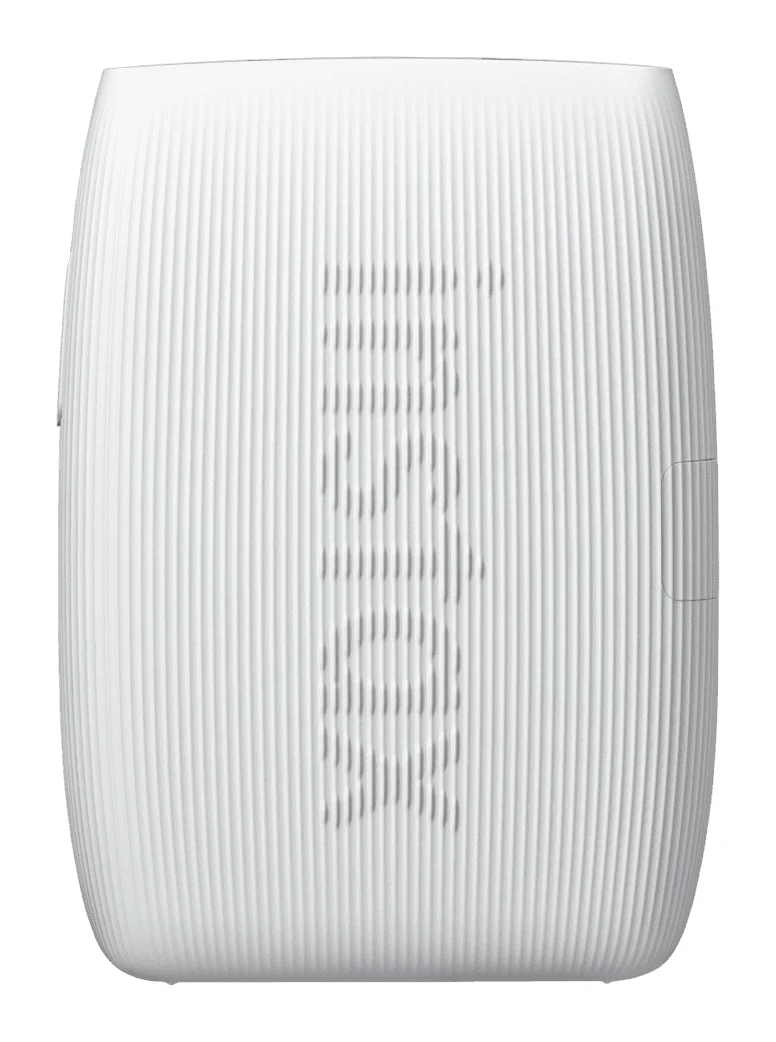
Fujifilm Instax mini Link 3 Review: Fun Pocket Printer
A pocketable Bluetooth printer that turns phone photos into real instax mini prints. We look at the specs, app features and what experts say about the Link 3.
Published Oct 27, 2026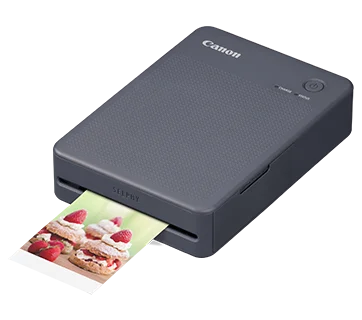
Canon SELPHY QX20 Review (2026): Sticker Prints on the Go
A pocketable dye-sublimation printer that turns phone photos into dry, sticker-backed prints. Here is what the specs and expert reviews say about the Canon SELPHY QX20.
Published Oct 26, 2026