Best Quiet Keyboard for Office in 2026: Calm Typing at Work
Five quiet keyboards for shared offices and hybrid desks, compared on switches, layout, connectivity and portability using manufacturer specs and expert recommendations.
26 products compared · Research-based · Affiliate links
We earn a commission from qualifying purchases made through our links, at no extra cost to you. It never decides our picks. How we make money
Which one should you buy?
Our picks by what matters to you · details below ↓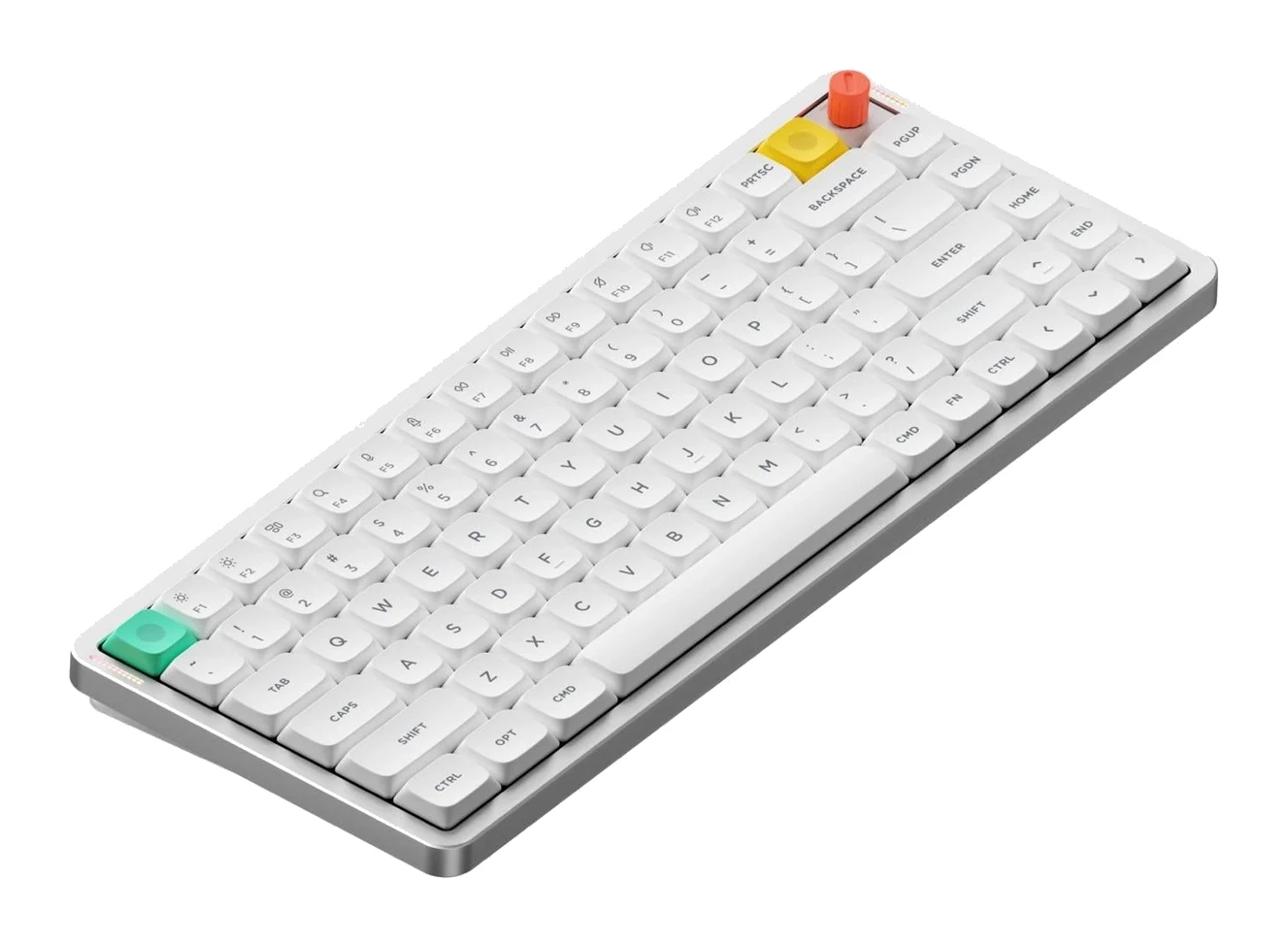
Best for: Hybrid workers wanting a slim, quiet portable keyboard
Check price on Amazon- Best ValueEPOMAKER TH99 ProBest for: Spreadsheet users wanting a quiet numpad keyboard affordablyCheck price
- Also GreatLogitech MX Keys SBest for: Office professionals juggling several computers and devicesCheck price
- Best BudgetCherry KC 200 MXBest for: Desk-bound users wanting a simple, wired, quiet mechanical boardCheck price
- Premium PickKeychron Q1 MaxBest for: Enthusiasts wanting a customizable, premium-feeling desk keyboardCheck price
Choosing the best quiet keyboard for an office means balancing sound, layout and how you work, not just picking the softest switch. We narrowed the field to five keyboards that suit shared desks, open-plan floors and hybrid setups. This guide is based on manufacturer specs and independent expert recommendations, not hands-on testing.
Quiet Keyboards at a Glance
| Product | Label | Layout | Connectivity | Weight | Best for | Buy |
|---|---|---|---|---|---|---|
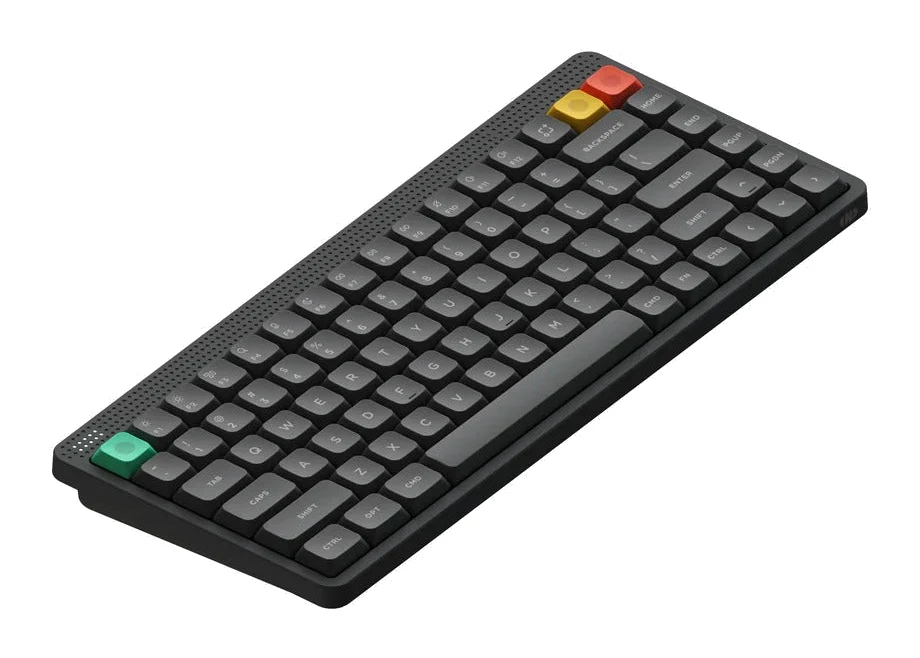
| NuPhy Air75 V3 | Best Overall | 75% ANSI, 84 keys | 2.4GHz, Bluetooth 5.0, USB-C wired | 724g | Hybrid workers wanting a slim, quiet portable keyboard | Check price |
| EPOMAKER TH99 Pro | Best Value | 96%, 98 keys + metal knob | USB-C, 2.4 GHz, Bluetooth 5.0 | 1.12 kg | Spreadsheet users wanting a quiet numpad keyboard | Check price |
| Logitech MX Keys S | Also Great | Full-size, 104 keys | Bluetooth LE, Logi Bolt receiver | 810g | Office professionals juggling several devices | Check price |
| Cherry KC 200 MX | Best Budget | Full-size, 104 keys + 4 media keys | Wired USB-A | 830g | Desk-bound users wanting a simple, wired, quiet board | Check price |
| Keychron Q1 Max | Premium Pick | 75% ANSI | 2.4 GHz, Bluetooth 5.1, USB-C wired | about 1.7 kg | Enthusiasts wanting a customizable, premium desk keyboard | Check price |
NuPhy Air75 V3: Best Overall for Slim Quiet Portability
Best for: Hybrid workers wanting a slim, quiet portable keyboard
The NuPhy Air75 V3 pairs gasket-mounted, muted typing with a slim, portable body and flexible connectivity. It suits quiet offices where you also move between devices or workspaces.
Read our full NuPhy Air75 V3 review →- Weight
- 724g (1.6 lbs)
- Layout
- 75% ANSI, 84 keys
- Key travel
- 3.5mm
- Switch type
- Low-profile Gateron Nano 3.0 (Red linear, Brown tactile, Blush silent linear)
- Backlighting
- North-facing RGB-LED, 20 modes
- Connectivity
- 2.4GHz (1000Hz), Bluetooth 5.0 (125Hz), USB-C wired (1000Hz)
Reasons to buy
- Gasket-mounted switches and muted acoustics keep typing quiet
- Ultra-slim 13.2mm profile is easy to carry
- Silent linear Blush switch option available
- Tri-mode connectivity: 2.4GHz, Bluetooth, and wired USB-C
- Hot-swappable low-profile switches allow customization
Reasons to avoid
- 75% layout has no numpad
- Low-profile 3.5mm travel may feel unfamiliar to some typists
- Tom's Guide
- 9.0
- Crafting Worlds
- 8.8
- techboys.de
- 8.1
- TweakTown
- 9.2
- Scorata
- 8.4
The NuPhy Air75 V3 is our top pick because it combines muted, gasket-mounted typing with a slim body and three connection modes. It suits hybrid workers who carry a keyboard between home and the office and don't want to disturb colleagues. It is recommended in 7 independent expert guides.
Keep reading about NuPhy Air75 V3
The board is 13.2mm thick and weighs 724g, so it is easy to carry. It uses low-profile Gateron Nano 3.0 switches in Red linear, Brown tactile and Blush silent linear versions. The Blush option is the one to choose if noise is your top concern. Connectivity covers 2.4GHz, Bluetooth 5.0 and wired USB-C, and the battery is rated at up to 1,200 hours with RGB off. Switches are hot-swappable, so you can change them later.
The main trade-offs are the 75% layout, which has no numpad, and the 3.5mm low-profile key travel, which some typists may find unfamiliar. Reviewers have rated it well: Tom's Guide gave it 4.5 out of 5 and TweakTown gave it 4.6 out of 5.
EPOMAKER TH99 Pro: Best Value for Quiet Numpad Work
Best for: Spreadsheet users wanting a quiet numpad keyboard affordably
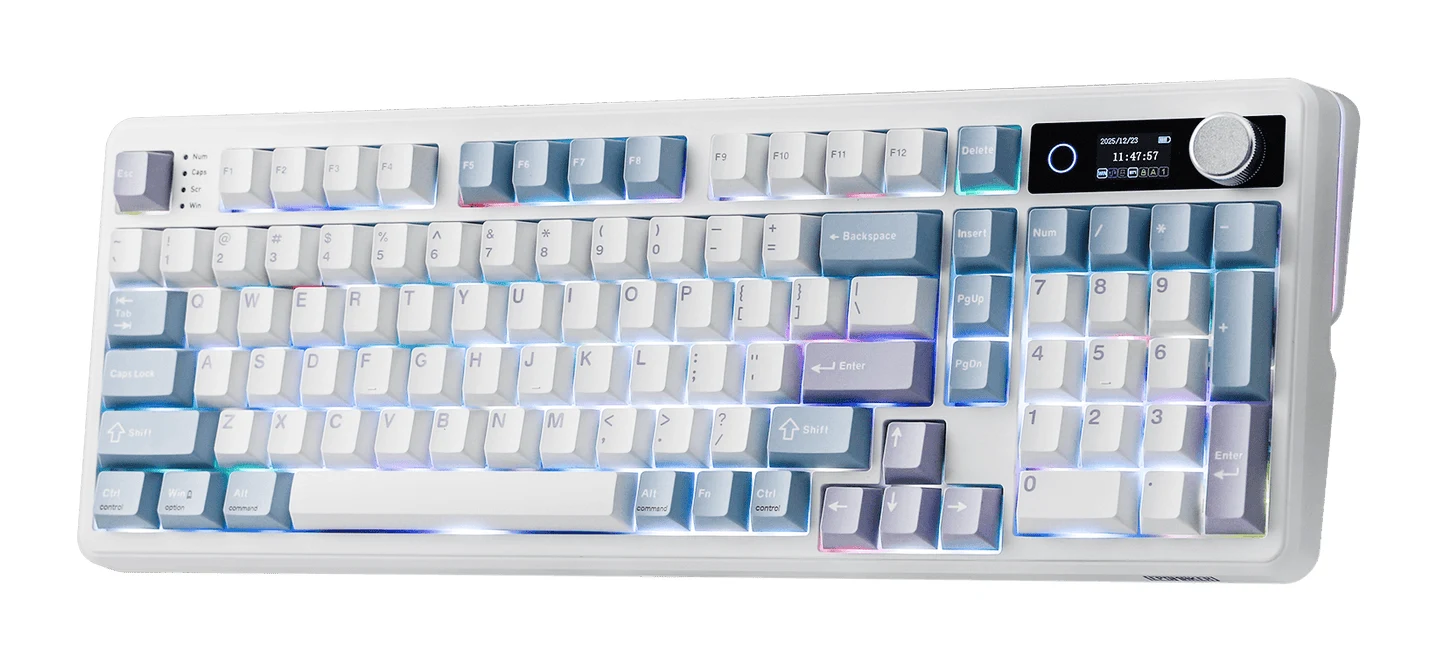
The EPOMAKER TH99 Pro delivers silent pre-lubed switches, a numpad, and a rich feature set at a budget tier. It is a strong choice for number-heavy office work without noise.
Read our full EPOMAKER TH99 Pro review →- Weight
- 1.12 kg
- Layout
- 96% (1800 compact layout), ANSI, 98 keys + 1 metal knob
- Key travel
- 3.5 mm (Sea Salt Silent V2); 3.6 mm (Creamy Jade)
- Switch type
- Linear (Sea Salt Silent V2 or Creamy Jade, 5-pin, pre-lubed)
- Backlighting
- South-facing per-key RGB, customizable
- Connectivity
- USB-C, 2.4 GHz wireless, Bluetooth 5.0
Reasons to buy
- Sea Salt Silent V2 switches with 5-layer dampening for very quiet typing
- 96% layout keeps a full numpad without the bulk
- Long battery life, 150–200 hours with RGB off
- Tri-mode connectivity: wired, 2.4 GHz, and Bluetooth
- Hot-swappable gasket-mounted build with a glass display and knob
Reasons to avoid
- Heavy at 1.12 kg, less suited to frequent carrying
- Battery drops to about 40 hours with RGB on
- Funky Kit
- 9.0
- MechanicalKeyboard.net
- 9.0
- CGMagazine
- 9.0
- Phrasemaker
- 8.5
The EPOMAKER TH99 Pro earns Best Value by pairing very quiet typing with a full numpad at a budget price tier. It is a good fit for people who enter a lot of numbers and still want a quiet desk. Six independent expert guides recommend it.
Keep reading about EPOMAKER TH99 Pro
Quiet typing comes from pre-lubed Sea Salt Silent V2 linear switches and 5-layer dampening in a gasket-mounted, hot-swappable build. The 96% layout keeps the numpad without the bulk of a full-size board. The specs cite roughly 40–45 dB in quiet office settings with dampening. It connects over USB-C, 2.4 GHz wireless or Bluetooth 5.0. It also has a 1.06-inch interactive glass display and a metal control knob for system monitoring.
The battery is 10,000 mAh and lasts 150–200 hours with RGB off, but only about 40 hours with RGB on. The board is also heavy at 1.12 kg, so it suits a fixed desk better than a commute. Quiet performance is specified for the Sea Salt Silent V2 switches, so pick that option over Creamy Jade if silence matters. MechanicalKeyboard.net and CGMagazine each scored it 9 out of 10.
Logitech MX Keys S: Also Great for Multi-Device Desks
Best for: Office professionals juggling several computers and devices
The Logitech MX Keys S is a polished, quiet full-size keyboard built for multi-device office setups. Its scissor keys and productivity shortcuts favor steady everyday work over mechanical feel.
Read our full Logitech MX Keys S review →- Weight
- 810g
- Layout
- Full-size QWERTY, 104 keys
- Key travel
- 1.8mm
- Switch type
- Scissor
- Backlighting
- White, auto-adjusting with proximity sensor
- Connectivity
- Bluetooth LE, Logi Bolt USB receiver (2.4GHz)
Reasons to buy
- Low-profile dished scissor keys designed for comfortable, quiet typing
- Smart backlighting reacts to hand proximity and ambient light
- Pairs with up to 3 devices via Bluetooth or Logi Bolt
- Programmable Smart Actions through Logi Options+
- Up to 5 months battery with backlighting off
Reasons to avoid
- Short 1.8mm travel feels shallow to mechanical keyboard fans
- Not hot-swappable or customizable at the switch level
- Tom's Guide
- 8.0
- Windows Central
- 9.0
- Trusted Reviews
- 10.0
- PCWorld
- 8.0
- How-To Geek
- 8.0
- Tech Gear Lab
- 8.3
- The Tech Showdown
- 9.0
- Tool Step
- 9.4
The Logitech MX Keys S is the pick for office professionals who switch between several computers during the day. It is a full-size keyboard with low-profile, spherically dished scissor keys designed for comfortable, quiet typing, and it is recommended in 8 independent expert guides.
Keep reading about Logitech MX Keys S
It pairs with up to 3 devices over Bluetooth LE or the Logi Bolt receiver. The spec sheet lists a noise level of 35 dBa. Smart illumination turns the backlight on as your hands approach and adapts to ambient light. Programmable keys and Smart Actions are set up through the Logi Options+ app. Battery life is up to 10 days with backlighting on and up to 5 months with it off, and it recharges over USB-C. If you're also shopping for a mouse, see our Logitech MX Master 4 review.
The trade-off is feel. Key travel is 1.8mm, which can seem shallow to mechanical keyboard fans, and the switches are not hot-swappable or customizable. It favors steady everyday work over typing feel. Tool Step scored it 4.7 out of 5 and The Tech Showdown scored it 4.5 out of 5.
Cherry KC 200 MX: Best Budget for Wired Silent Typing
Best for: Desk-bound users wanting a simple, wired, quiet mechanical board
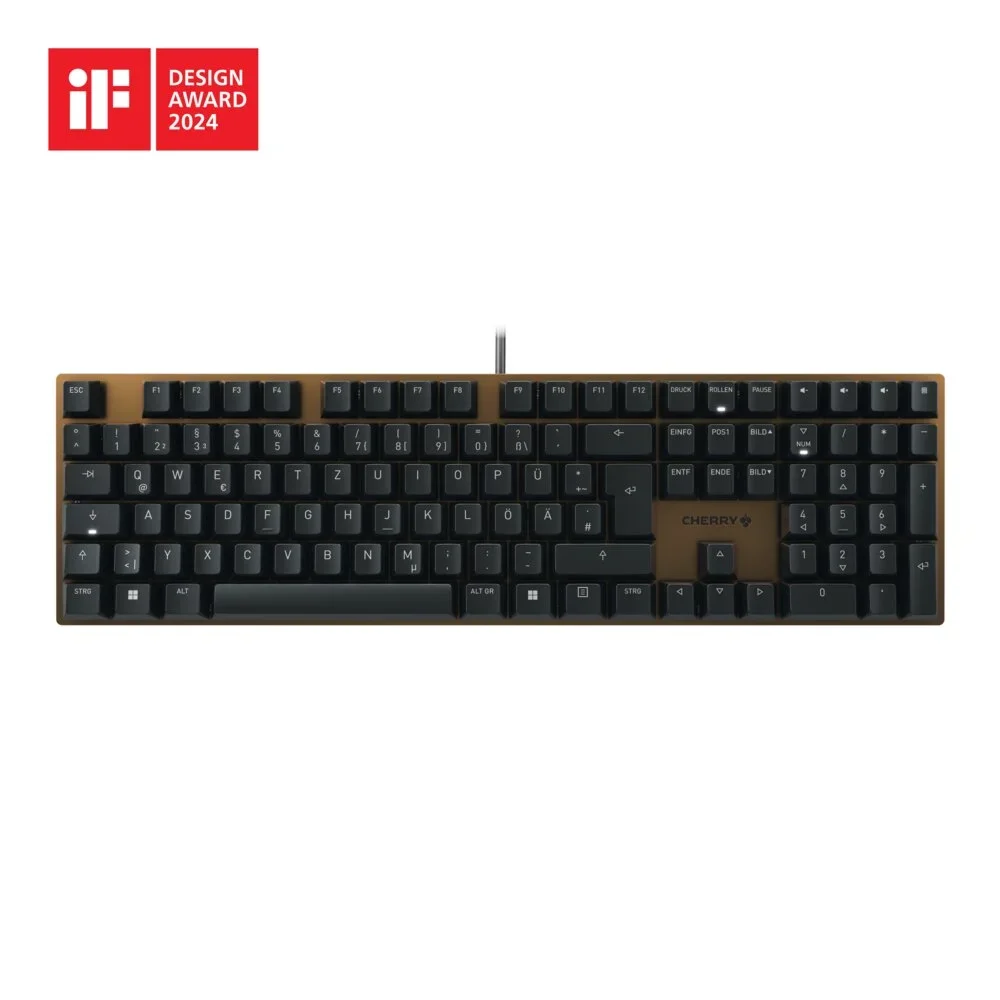
The Cherry KC 200 MX is a straightforward, durable full-size mechanical keyboard with a silent switch option. It fits a fixed desk setup where wired reliability matters more than extras.
Read our full Cherry KC 200 MX review →- Weight
- 830g (1.83 lbs)
- Layout
- Full-size (100%), 104 standard keys + 4 media keys
- Key travel
- 3.7mm total (MX2A Silent Red)
- Switch type
- Cherry MX2A Brown (tactile, 100M keystrokes) or MX2A Silent Red (linear, 50M keystrokes)
- Backlighting
- None (status LEDs only)
- Connectivity
- Wired USB-A
Reasons to buy
- Cherry MX2A Silent Red option for smoother, quieter typing
- Full-size layout with four dedicated media keys
- Anodized aluminum plate adds durability
- Full N-key rollover and anti-ghosting for accurate input
- Budget-tier price for a mechanical keyboard
Reasons to avoid
- Wired USB-A only, no wireless option
- No backlighting beyond status LEDs
- PC Gamer
- 7.9
- Trusted Reviews
- 8.0
- PCGamesN
- 7.0
- Android Police
- 5.0
- XDA Developers
- 7.5
- Electronikz
- 9.0
- TheTechShowdown
- 8.8
The Cherry KC 200 MX is the Best Budget pick for people who want a simple, durable, wired mechanical keyboard with a silent switch option. It suits a fixed desk setup where plugging in matters more than extras. Eight independent expert guides recommend it.
Keep reading about Cherry KC 200 MX
It is a full-size keyboard with 104 keys, four dedicated media keys and an anodized aluminum plate. It offers Cherry MX2A switches in Brown (tactile) or Silent Red (linear), and the Silent Red is the one to pick for a quieter office. Full N-key rollover and anti-ghosting support accurate input. The Silent Red's noise level is listed as 60 dB, measured 20cm above the board. Treat noise figures across these boards as rough indicators rather than a direct comparison.
The compromises are clear. It is wired USB-A only, and it has no backlighting beyond status LEDs on Caps Lock, Scroll Lock and Num Lock. It is well suited to a permanent desk and a poor fit for anyone who moves between workspaces. Electronikz scored it 9 out of 10, while XDA Developers gave it 7.5 out of 10.
Keychron Q1 Max: Premium Pick for Refined Deep Sound
Best for: Enthusiasts wanting a customizable, premium-feeling desk keyboard
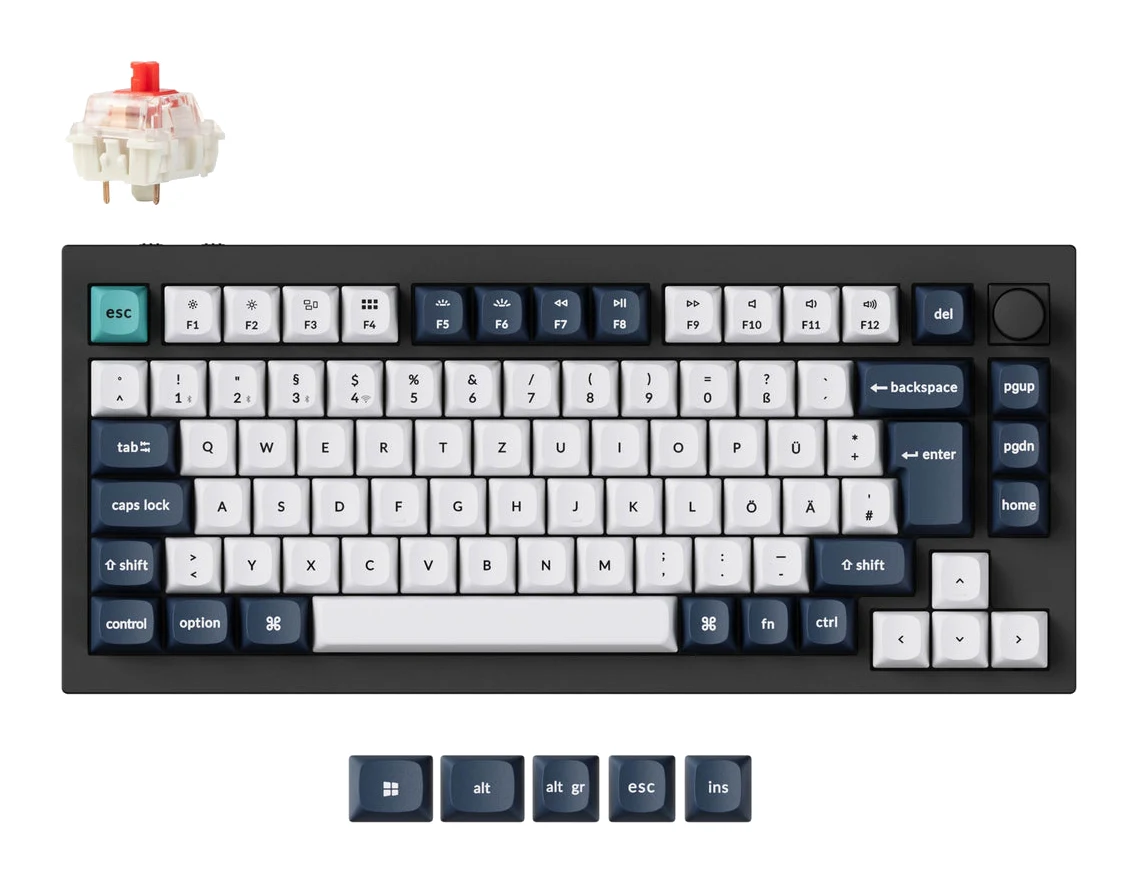
The Keychron Q1 Max is a premium, fully programmable 75% board with a solid aluminum build and dampened acoustics. It is aimed at enthusiasts who want a deep, refined sound at their desk.
Read our full Keychron Q1 Max review →- Weight
- 1724 g ± 10 g
- Layout
- 75% ANSI
- Key travel
- 3.4 mm (Jupiter switches)
- Switch type
- Gateron Jupiter (Brown/Red/Banana)
- Backlighting
- South-facing RGB LED
- Connectivity
- 2.4 GHz (1000 Hz polling), Bluetooth 5.1 (90 Hz), USB-C wired
Reasons to buy
- Full CNC aluminum case with double-gasket mount feels premium
- Multi-layer acoustic foam gives a quiet, deep sound
- Full QMK/VIA programmability for remapping and macros
- Tri-mode wireless with up to 180 hours battery
- Hot-swappable, factory-lubricated Gateron Jupiter switches
Reasons to avoid
- Very heavy at about 1.7 kg, built for the desk
- Premium pricing sits well above other options
- Trusted Reviews
- 9.0
- KitGuru
- 9.0
- AppleInsider
- 9.0
- Mechanical Keyboard.net
- 9.1
- XDA-Developers
- 8.0
The Keychron Q1 Max is the Premium Pick for enthusiasts who want a customizable, solid-feeling board with a deep, dampened sound. It is built for the desk rather than the commute, and seven independent expert guides recommend it.
Keep reading about Keychron Q1 Max
It has a full CNC aluminum case with a double-gasket mount and multi-layer acoustic foam dampening. Its factory-lubricated, hot-swappable Gateron Jupiter switches come in Brown, Red and Banana. Full QMK/VIA programmability allows key remapping and macros. It connects over 2.4 GHz, Bluetooth 5.1 or USB-C, and the 4000 mAh battery runs up to 180 hours with the backlight off.
The main downsides are weight and cost. At about 1.7 kg it is very heavy, and premium pricing puts it well above the other options here. Reviewers have been positive: KitGuru and Mechanical Keyboard.net scored it 9 and 9.1 out of 10, and AppleInsider gave it 4.5 out of 5.
Compare our picks side by side
The specs most of our picks share, from each maker’s spec page (— = not published). Expert score = the average of published expert reviews, which rate each product for its price. Scroll sideways on small screens.
| Spec | NuPhy Air75 V3 | EPOMAKER TH99 Pro | Logitech MX Keys S | Cherry KC 200 MX | Keychron Q1 Max |
|---|---|---|---|---|---|
| Best for | Best Overall | Best Value | Also Great | Best Budget | Premium Pick |
| Expert score | 8.7 | 8.9 | 8.7 | 7.6 | 8.8 |
| Price vs. these picks | Middle | Lower | Middle | Lower | Higher |
| Weight | 724g (1.6 lbs) | 1.12 kg | 810g | 830g (1.83 lbs) | 1724 g ± 10 g |
| Layout | 75% ANSI, 84 keys | 96% (1800 compact layout), ANSI, 98 keys + 1 metal knob | Full-size QWERTY, 104 keys | Full-size (100%), 104 standard keys + 4 media keys | 75% ANSI |
| Key travel | 3.5mm | 3.5 mm (Sea Salt Silent V2); 3.6 mm (Creamy Jade) | 1.8mm | 3.7mm total (MX2A Silent Red) | 3.4 mm (Jupiter switches) |
| Switch type | Low-profile Gateron Nano 3.0 (Red linear, Brown tactile, Blush silent linear) | Linear (Sea Salt Silent V2 or Creamy Jade, 5-pin, pre-lubed) | Scissor | Cherry MX2A Brown (tactile, 100M keystrokes) or MX2A Silent Red (linear, 50M keystrokes) | Gateron Jupiter (Brown/Red/Banana) |
| Backlighting | North-facing RGB-LED, 20 modes | South-facing per-key RGB, customizable | White, auto-adjusting with proximity sensor | None (status LEDs only) | South-facing RGB LED |
| Connectivity | 2.4GHz (1000Hz), Bluetooth 5.0 (125Hz), USB-C wired (1000Hz) | USB-C, 2.4 GHz wireless, Bluetooth 5.0 | Bluetooth LE, Logi Bolt USB receiver (2.4GHz) | Wired USB-A | 2.4 GHz (1000 Hz polling), Bluetooth 5.1 (90 Hz), USB-C wired |
| Battery life | Up to 1200 hours (RGB off); 60–100 hours (RGB on) | 10,000 mAh (150–200 hours RGB off; ~40 hours RGB on) | 1500 mAh, rechargeable via USB-C | — | 4000 mAh rechargeable li-polymer (up to 180 hours backlight off) |
| Noise level | Muted/quiet | Quiet (Sea Salt Silent V2); approximately 40–45 dB in quiet office settings with dampening | 35 dBa | 60 dB (MX2A Silent Red, measured 20cm above board) | — |
| Where to buy | Check price | Check price | Check price | Check price | Check price |
How to Choose the Best Quiet Keyboard for an Office
Start with switch type
Switch design has the biggest effect on noise. Silent or dampened switches, such as the NuPhy's Blush, the EPOMAKER's Sea Salt Silent V2 and the Cherry's MX2A Silent Red, are made to cut the sound of each keypress. Scissor keys, like those on the Logitech, are a different route to a quiet keystroke. Check which switch variant you are actually buying, because several of these boards come in more than one option.
Pick a layout that matches your work
If you handle numbers daily, a numpad matters. The EPOMAKER TH99 Pro keeps one in a 96% layout, while the Logitech MX Keys S and Cherry KC 200 MX are full-size. The NuPhy Air75 V3 and Keychron Q1 Max are 75% boards with no numpad, which frees up desk space.
Think about portability and connectivity
If you move between home and office, weight and wireless options count. The NuPhy is the lightest here at 724g, and the Logitech supports up to 3 paired devices. The Keychron and EPOMAKER are heavy, and the Cherry is wired only.
Consider build and customization
Hot-swappable switches on the NuPhy, EPOMAKER and Keychron let you change the sound and feel later. The Logitech's scissor keys are not customizable at the switch level. The Keychron adds QMK/VIA programmability for remapping and macros.
How We Picked
We used manufacturer specs and what independent expert reviews and buying guides consistently say. We favored boards with a clear quiet-typing design, such as silent switches, gasket mounting, dampening or scissor keys. We also weighed layout, connectivity, battery life, portability and how often expert guides recommend each one. We did not hands-on test any of these keyboards. Noise figures come from manufacturers and reviewers, so we treat them as indicators rather than a like-for-like ranking. We don't print prices because they change, so use the live price buttons to check current offers.
Bottom Line
The NuPhy Air75 V3 is the best all-round choice for a quiet, portable office keyboard. The EPOMAKER TH99 Pro is the pick if you need a numpad and want to spend less. The Logitech MX Keys S suits multi-device desks. The Cherry KC 200 MX is a straightforward wired budget option, and the Keychron Q1 Max is for enthusiasts who want a premium desk board.
Ready to buy?
 Best OverallNuPhy Air75 V3Check price
- Best ValueEPOMAKER TH99 ProCheck price
- Also GreatLogitech MX Keys SCheck price
- Best BudgetCherry KC 200 MXCheck price
- Premium PickKeychron Q1 MaxCheck price
Related buying guides
- Best Wireless Keyboard and Mouse Combo 2026: Budget to Pro
- Best Mini PC in 2026: Small, Quiet Desktops for Work
- Best Printer for Home Office 2026: Low Ink Costs & Speed
- Best Webcams for Streaming and Work Calls 2026: 4K to Budget
- Logitech MK540 Advanced Review (2026): Quiet Desk Workhorse
- Keychron V1 Ultra 8K Review (2026): Speed Meets Battery
- NuPhy Node75 Low-Profile Review (2026): Slim, Cushioned 75%
- Razer Huntsman V3 Pro Tenkeyless Review: Built for Speed
- Logitech G915 X LIGHTSPEED TKL Review: Slim and Solid
- Keychron K2 HE Review (2026): Wood-Trimmed Hall Effect
Frequently asked questions
What is the best quiet keyboard for an office?
The NuPhy Air75 V3. It combines gasket-mounted, muted typing with a slim 13.2mm body and tri-mode connectivity, and it is recommended in 7 independent expert guides. Its main drawback is a 75% layout with no numpad.
Which quiet keyboard has a numpad without being full-size?
The EPOMAKER TH99 Pro. Its 96% layout keeps a full numpad in a more compact footprint, and it uses Sea Salt Silent V2 switches with 5-layer dampening. It is heavy at 1.12 kg, so it suits a fixed desk.
How long does the NuPhy Air75 V3 battery last?
The NuPhy Air75 V3: up to 1,200 hours with RGB off. Runtime will be shorter with the backlighting on.
Which quiet keyboard works with several devices?
The Logitech MX Keys S. It pairs with up to 3 devices over Bluetooth LE or the Logi Bolt receiver. It is a full-size scissor-switch board rather than a mechanical one.
Is there a wired quiet mechanical keyboard on a budget?
The Cherry KC 200 MX. It is wired USB-A only and offers a Cherry MX2A Silent Red switch option for quieter typing. It has no backlighting beyond status LEDs.
Sources
Specs are taken from the manufacturers' official pages; expert recommendations from the publications below.
- NuPhy Air75 V3: nuphy.com, semiprotechgear.com, forbes.com, bikmantech.com
- EPOMAKER TH99 Pro: epomaker.com, mechanicalkeyboard.net, gizchina.com, epomaker.au
- Logitech MX Keys S: logitech.com, support.logi.com, shi.com, bhphotovideo.com
- Cherry KC 200 MX: cherry.de, xda-developers.com, shi.com, tomshardware.com
- Keychron Q1 Max: keychron.com, keychron-store.com
More buying guides
Best Mechanical Keyboards 2026 for Typing and Gaming
Five mechanical keyboards for 2026, from a compact tri-mode 75% board to a wired rapid-trigger TKL and a slim aluminum-topped wireless option, chosen from manufacturer specs and expert recommendations.
Published Oct 9, 2026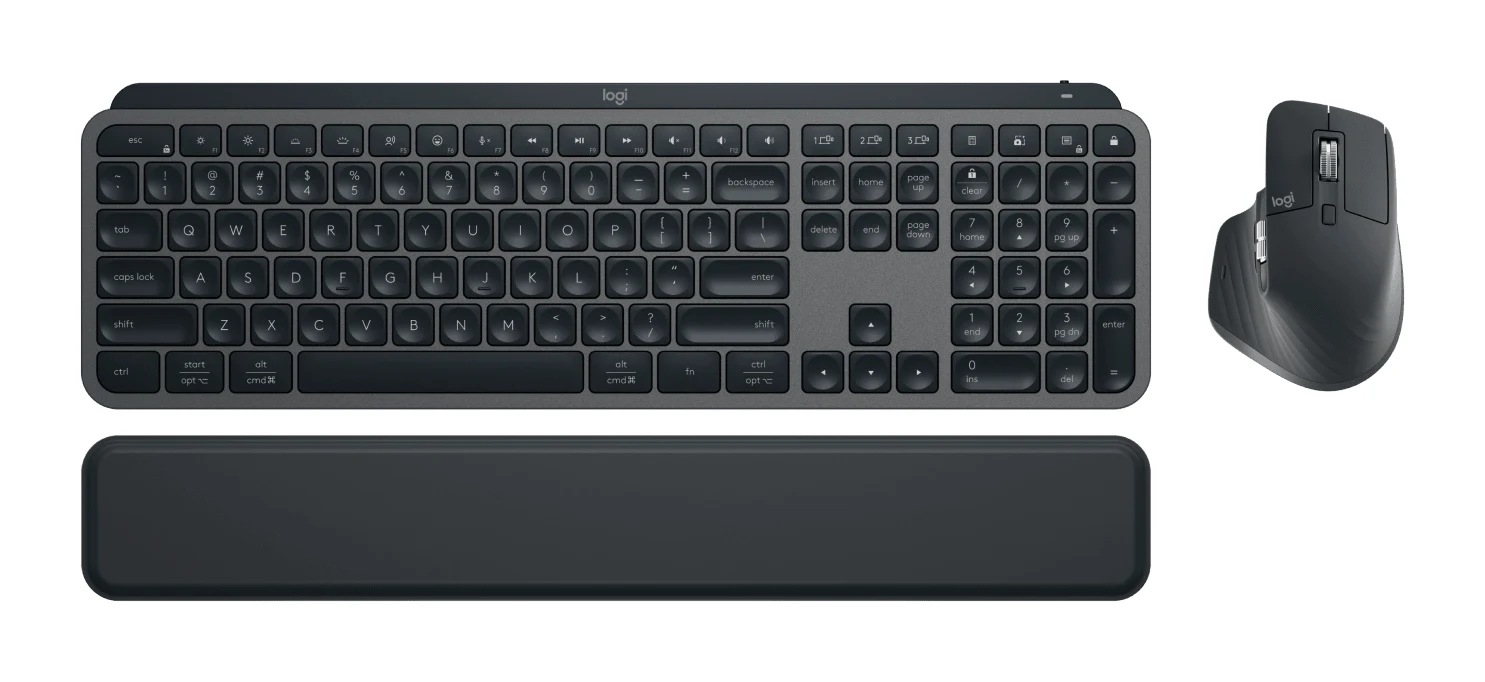
Best Wireless Keyboard and Mouse Combo 2026: Budget to Pro
Five Logitech keyboard and mouse combos compared on connectivity, noise, comfort and battery life, from a budget everyday set to a premium multi-device setup.
Published Oct 22, 2026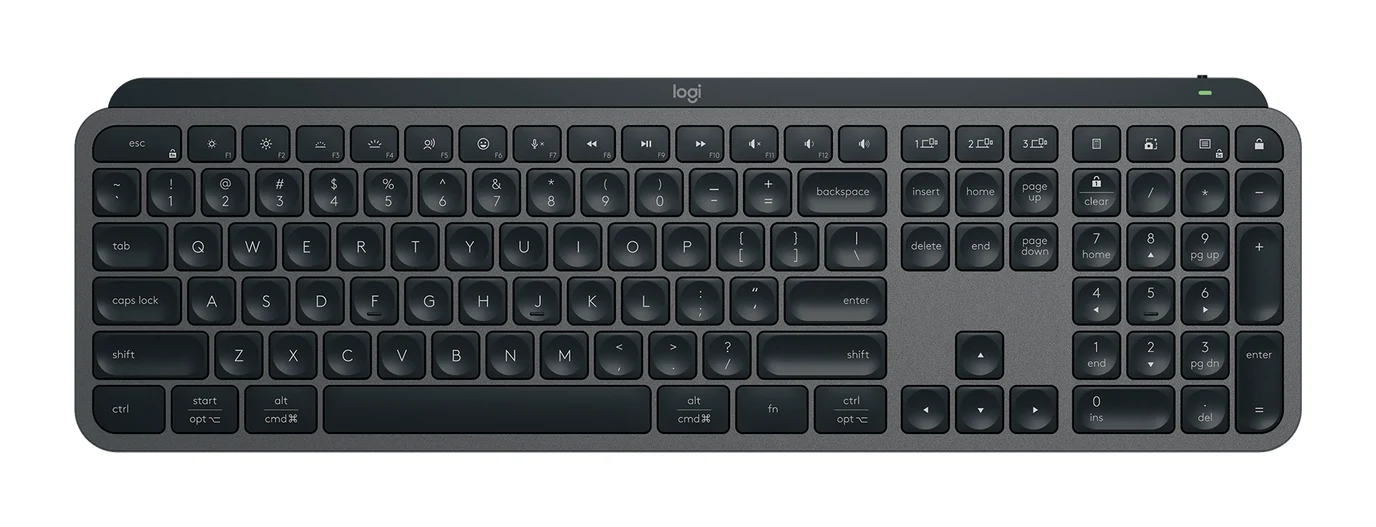
Logitech MX Keys S Review (2026): Quiet, Not Mechanical
A full-size, quiet wireless keyboard built for office users who switch between computers. Here is what the MX Keys S offers, where reviewers find fault, and who should skip it.
Published Oct 27, 2026