Best Wireless Keyboard and Mouse Combo 2026: Budget to Pro
Five Logitech keyboard and mouse combos compared on connectivity, noise, comfort and battery life, from a budget everyday set to a premium multi-device setup.
23 products compared · Research-based · Affiliate links
We earn a commission from qualifying purchases made through our links, at no extra cost to you. It never decides our picks. How we make money
Which one should you buy?
Our picks by what matters to you · details below ↓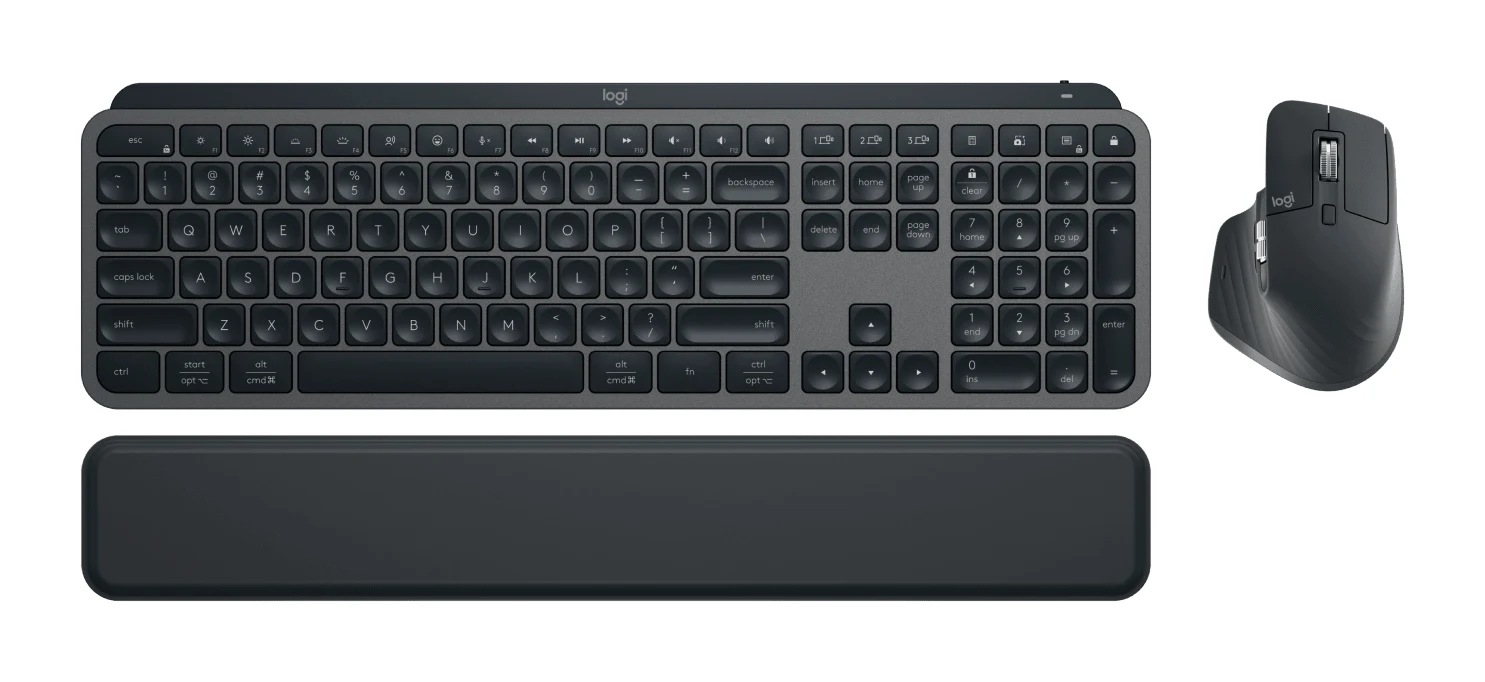
Best for: Multi-device professionals who want a premium typing setup
Check price on Amazon- Best BudgetLogitech MK270Best for: Budget buyers wanting a dependable everyday desktop comboCheck price
- Best ValueLogitech MK295 Silent WirelessBest for: Quiet-workspace users who want a low-cost comboCheck price
- Also GreatLogitech MK345 Comfort Wireless Keyboard and Mouse ComboBest for: Right-handed users typing long hours on a budgetCheck price
- Premium PickLogitech MK540 AdvancedBest for: Desk users wanting quiet, comfortable, ambidextrous-friendly setupCheck price
Finding the best wireless keyboard and mouse combo comes down to a few practical choices: Bluetooth or a USB receiver, quiet keys or standard ones, and a full-size desk layout or something lighter. We narrowed the options to five Logitech sets that cover premium multi-device work, budget everyday use, quiet offices and long typing sessions.
This guide is based on manufacturer specs and independent expert recommendations. It is not based on hands-on testing. Prices change often, so use the check-price buttons for current pricing.
At a Glance: Our Top Wireless Keyboard and Mouse Combos
| Pick | Label | Connection | Keyboard battery | Best for | Buy |
|---|---|---|---|---|---|
| Logitech MX Keys S Combo | Best Overall | Bluetooth Low Energy and Logi Bolt USB receiver | 5 months (backlight off) | Multi-device professionals | Check price |
| Logitech MK270 | Best Budget | 2.4 GHz with USB nano receiver | 36 months | Everyday desktop use on a budget | Check price |
| Logitech MK295 Silent Wireless | Best Value | 2.4 GHz with USB dongle | 36 months | Quiet workspaces | Check price |
| Logitech MK345 Comfort | Also Great | 2.4 GHz with USB nano receiver | 36 months | Right-handed long-hour typists | Check price |
| Logitech MK540 Advanced | Premium Pick | Logitech Unifying (2.4 GHz) | 36 months | Quiet, comfortable desk setups | Check price |
Logitech MX Keys S Combo: Best Overall for Multi-Device Work
Best for: Multi-device professionals who want a premium typing setup
The MX Keys S Combo is the most capable set here, with multi-device Bluetooth pairing, smart backlighting and a precise scroll wheel. It suits people who work across several computers and want a premium typing feel.
Read our full Logitech MX Keys S Combo review →- Battery life
- Keyboard: 10 days (backlight on), 5 months (backlight off); Mouse: 70 days
- Range
- 10 meters
- Weight
- Keyboard: 810 g; Mouse: 141 g
- Warranty
- 1-Year Limited Hardware Warranty
- DPI (mouse)
- 400 – 8,000 DPI
- Connection type
- Bluetooth Low Energy and Logi Bolt USB receiver
Reasons to buy
- Dual Bluetooth and Logi Bolt receiver connectivity
- Pairs with up to 3 devices across major platforms
- Smart backlighting with proximity sensor activation
- MagSpeed scroll wheel with 8K DPI sensor
- Includes palm rest and programmable Smart Actions
Reasons to avoid
- Premium price tier
- Keyboard weighs 810 g, heavy for travel
- Backlight on cuts keyboard battery to about 10 days
- XDA Developers
- 9.0
- CGMagazine
- 8.0
- Mezha
- 8.5
The MX Keys S Combo is our best overall pick because it is the most capable set in this group. It offers Bluetooth Low Energy alongside a Logi Bolt USB receiver, and it can pair with up to 3 devices at once. It suits professionals who move between several computers and want a premium typing setup.
Keep reading about Logitech MX Keys S Combo
The feature list goes beyond the basics. The keyboard has scissor keys and smart backlighting that uses a proximity sensor. The mouse has a MagSpeed scroll wheel that scrolls 1,000 lines per second, paired with an 8K DPI sensor and 7 buttons. A palm rest is included, and Smart Actions macro programming is available through Logi Options+. Compatibility covers Windows, macOS, Linux, Chrome OS, iPadOS and Android. Reviewers scored it well: XDA Developers gave it 9 out of 10 and CGMagazine 8 out of 10. It is recommended in 8 expert guides.
The trade-offs are price and bulk. It sits in the premium price tier, and the keyboard weighs 810 g, which is heavy for travel. Battery life also depends on the backlight: about 10 days with it on, versus 5 months with it off. If you want the lighting on all day, expect to recharge regularly.
Logitech MK270: Best Budget for Everyday Desk Use
Best for: Budget buyers wanting a dependable everyday desktop combo
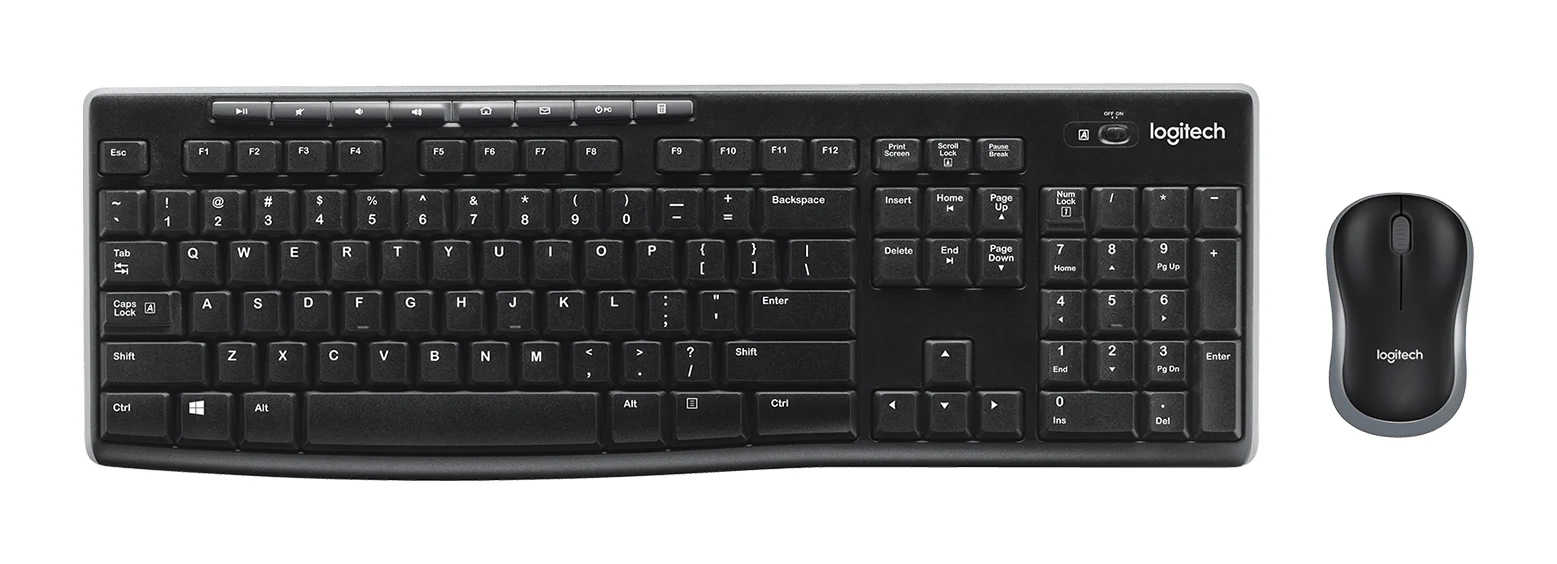
The MK270 covers everyday needs at a budget price, with a full-size layout, very long battery life and a receiver that tucks away in the mouse. A dependable pick for home or office use.
Read our full Logitech MK270 review →- Battery life
- Keyboard: 36 months; Mouse: 12 months
- Range
- 10 meters (33 feet)
- Weight
- Keyboard: 487.6 g; Mouse: 68.9 g
- Warranty
- 3-year limited hardware
- DPI (mouse)
- 1000
- Connection type
- 2.4 GHz wireless with USB nano receiver
Reasons to buy
- Keyboard battery rated up to 36 months
- Spill-resistant full-size keyboard with numeric keypad
- Receiver stores inside the mouse for portability
- 8 multimedia hotkeys and adjustable tilt legs
- 3-year limited hardware warranty
Reasons to avoid
- Basic 3-button mouse with 1000 dpi optical tracking
- 2.4 GHz receiver only, no Bluetooth
- Standard typing feel without silent keys or backlight
- PCWorld
- 6.0
- TechGearLab
- 6.5
- PCVarge
- 8.4
The MK270 is the best budget pick for people who want a dependable keyboard and mouse for home or office. It has a full-size layout with a numeric keypad and 8 multimedia hotkeys, and it is aimed at buyers who just want something that works. It is recommended in 10 expert guides, the most of any set here.
Keep reading about Logitech MK270
Battery life is a strength. The keyboard is rated for 36 months and the mouse for 12 months, with auto-sleep switches helping them last. The keyboard is spill-resistant and has adjustable tilt legs. The nano USB receiver stores inside the mouse, which helps if you carry the mouse between desks. The connection is 2.4 GHz wireless with a 10-meter range, and the set carries a 3-year limited hardware warranty.
The compromises are basic. The mouse has 3 buttons and 1000 dpi optical tracking, and there is no Bluetooth, so the receiver must stay plugged into a USB port. Typing feel is standard, without silent keys or a backlight. Expert scores are mixed: TechGearLab gave it 6.5 out of 10 and PCVarge 4.2 out of 5.
Logitech MK295 Silent Wireless: Best Value for Quiet Workspaces
Best for: Quiet-workspace users who want a low-cost combo
The MK295 delivers quiet keys and clicks at a budget price, plus long battery life and a full-size layout. It's a smart choice for shared spaces and offices where noise matters.
Read our full Logitech MK295 Silent Wireless review →- Battery life
- Keyboard: 36 months (2x AAA), Mouse: 18 months (1x AA)
- Range
- 10m (33 feet)
- Weight
- Keyboard: 498g, Mouse: 75.2g
- Warranty
- 1 year limited hardware warranty
- DPI (mouse)
- 1000 DPI
- Connection type
- Wireless 2.4 GHz RF USB-A Dongle
Reasons to buy
- SilentTouch cuts typing and click noise by over 90%
- Full-size keyboard with numeric keypad and 8 shortcut keys
- Keyboard battery up to 36 months, mouse 18 months
- Spill-resistant design with adjustable tilt legs
- Light mouse at 75.2 g
Reasons to avoid
- 2.4 GHz USB dongle only, no Bluetooth
- Basic 3-button mouse at 1000 DPI
- Compatibility listed for Windows and Chrome OS only
- 3rd-strike.com
- 5.6
- Electronikz
- 9.0
- Financial Mail Business Day
- 9.0
The MK295 earns Best Value by adding quiet operation to a budget-tier, full-size set. Its SilentTouch technology eliminates over 90% of typing and mouse-click noise, which makes it a good fit for shared spaces and offices where noise matters.
Keep reading about Logitech MK295 Silent Wireless
Beyond the quiet keys, it has a full-size keyboard with a numeric keypad and 8 shortcut keys. Battery life is rated up to 36 months for the keyboard and 18 months for the mouse. The keyboard is spill-resistant with adjustable tilt legs, and the mouse is light at 75.2 g. Connection is 2.4 GHz wireless with a 10m range through a nano USB receiver. Expert scores vary widely: Electronikz gave it 9 out of 10, Financial Mail Business Day 4.5 out of 5 and 3rd-strike.com 5.6 out of 10. It is recommended in 5 expert guides.
The limitations are similar to the MK270. It uses a USB dongle only, with no Bluetooth, and the mouse is a basic 3-button model at 1000 DPI. Compatibility is listed for Windows 7/8/10/11 and Chrome OS only.
Logitech MK345 Comfort: Also Great for Long Typing Sessions
Logitech MK345 Comfort Wireless Keyboard and Mouse Combo
Best for: Right-handed users typing long hours on a budget
The MK345 focuses on comfort with a palm rest, contoured mouse and enhanced F-keys, all at a budget price. It fits long daily typing sessions at a desk.
Read our full Logitech MK345 Comfort Wireless Keyboard and Mouse Combo review →- Battery life
- 36 months keyboard, 18 months mouse
- Range
- 33 feet
- Weight
- 603 g keyboard, 86.4 g mouse
- Warranty
- <cite index="3-26">1-year limited hardware warranty</cite>
- DPI (mouse)
- <cite index="6-3">1000 dpi</cite>
- Connection type
- Wireless 2.4 GHz RF with USB nano receiver
Reasons to buy
- Contoured ergonomic right-handed mouse
- Textured palm rest for comfortable typing
- 12 enhanced F-keys for media and productivity
- Spill-resistant keyboard and mouse
- Keyboard battery rated up to 3 years
Reasons to avoid
- Mouse is right-handed only
- Keyboard weighs 603 g, heavier than other budget options
- 2.4 GHz receiver only, no Bluetooth
Our score. Fewer than two published expert reviews score this model yet, so the number is our ranking formula (expert recommendations, features, value, retailers), relative to the other picks in this guide. It switches to the expert average once two reviews are published.
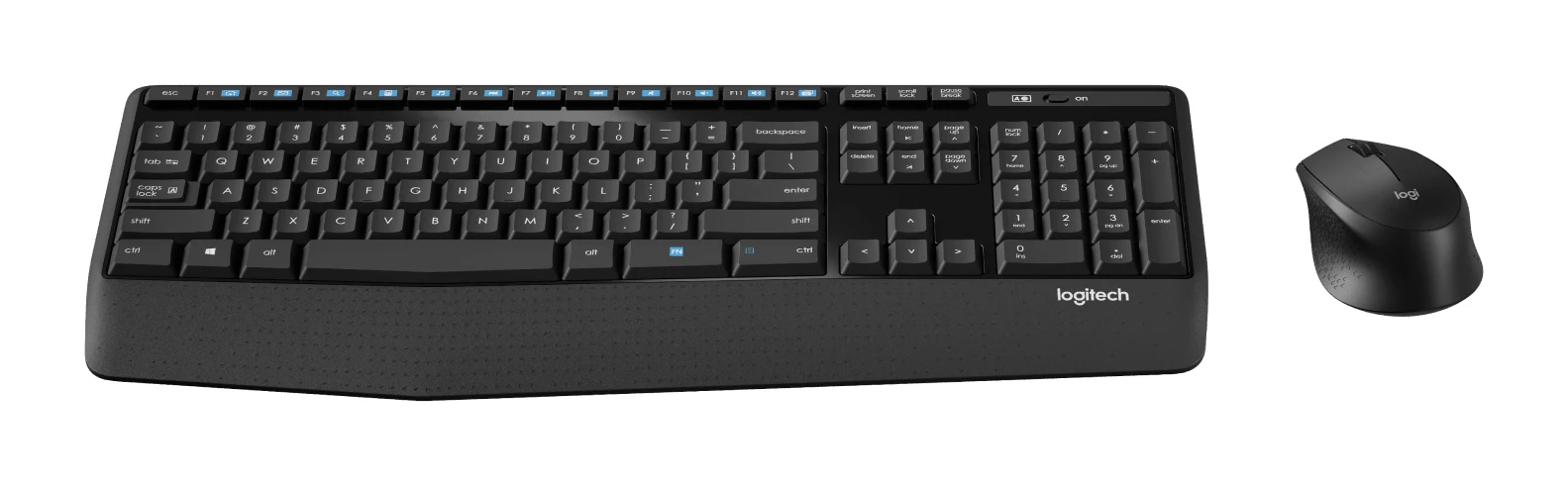
The MK345 Comfort is a budget-tier set built around comfort, and it suits right-handed users who type for long hours at a desk. It combines a textured palm rest, a contoured ergonomic mouse and 12 enhanced F-keys for media control and productivity.
Keep reading about Logitech MK345 Comfort Wireless Keyboard and Mouse Combo
Both the keyboard and the mouse are spill-resistant. The keyboard is full-size with a number pad, and battery life is rated at 3 years for the keyboard and 18 months for the mouse. The connection is 2.4 GHz wireless through a plug-and-play nano USB receiver, with a 33 feet operating range. Compatibility is listed for Windows and Chrome OS. No expert scores are on file for this one, but it is recommended in 5 expert guides.
The main trade-off is that the mouse is right-handed only, so left-handed users should look at the MK540 instead. The keyboard also weighs 603 g, heavier than other budget options here, and there is no Bluetooth.
Logitech MK540 Advanced: Premium Pick for Quiet Comfort
Best for: Desk users wanting quiet, comfortable, ambidextrous-friendly setup
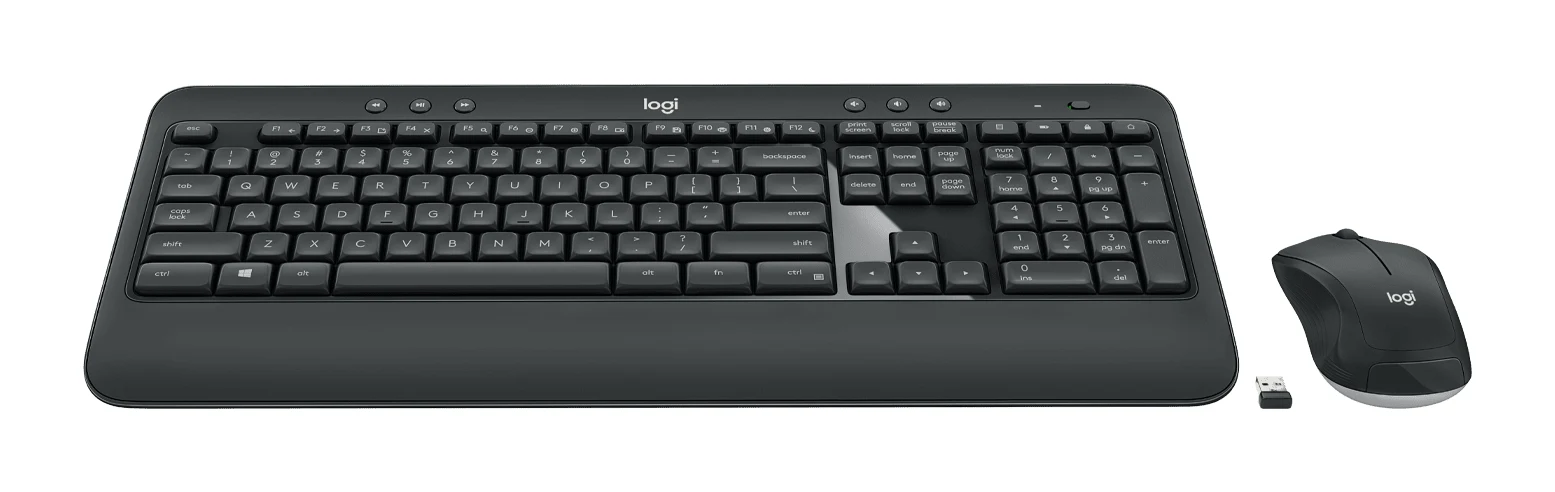
The MK540 Advanced offers quiet keys, a built-in palm rest and an ambidextrous mouse in a full-size desktop setup. It suits users who want a comfortable, steady workstation combo without going premium.
Read our full Logitech MK540 Advanced review →- Battery life
- Keyboard: 36 months (2 x AA); Mouse: 18 months (1 x AA)
- Range
- 10 meters (33 feet)
- Weight
- Keyboard: 805 g (28.39 ounces); Mouse: 73.5 g (2.59 ounces)
- Warranty
- 1 year limited (US & AP); 2 years (EMEA & Japan)
- DPI (mouse)
- 1000±
- Connection type
- Logitech Unifying protocol (2.4 GHz wireless)
Reasons to buy
- Whisper-quiet membrane keys
- Integrated palm rest with 3 keyboard tilt positions
- Ambidextrous mouse suits left- and right-handed users
- Programmable function keys and multimedia hotkeys
- Unifying receiver, 36-month keyboard battery life
Reasons to avoid
- Mid-range price for basic 1000 DPI mouse
- No Bluetooth, relies on Unifying USB receiver
- Keyboard weighs 805 g, bulky for portability
Our score. Fewer than two published expert reviews score this model yet, so the number is our ranking formula (expert recommendations, features, value, retailers), relative to the other picks in this guide. It switches to the expert average once two reviews are published.
The MK540 Advanced is the Premium Pick for a steady, comfortable workstation without going to the premium price tier. It sits in the mid-range tier and combines whisper-quiet membrane keys, an integrated palm rest and an ambidextrous mouse. It suits desk users who want a quiet, comfortable setup that works for left- and right-handed people alike.
Keep reading about Logitech MK540 Advanced
The keyboard is full-size with 107 keys and a 10-key number pad. It has 3 tilt positions, programmable function keys and multimedia hotkeys, and it is spill-resistant. Battery life is rated at 36 months for the keyboard and 18 months for the mouse. It connects over the Logitech Unifying protocol (2.4 GHz wireless) with an included USB receiver and a 10 meters range. PCWorld gave it 4.5 out of 5, and it is recommended in 6 expert guides.
The trade-offs are the mouse and the connection. The mouse is a basic 1000 DPI model with 3 buttons, which is a drawback at a mid-range price. There is no Bluetooth, and the keyboard weighs 805 g, so it is bulky if you plan to move it around.
Compare our picks side by side
The specs most of our picks share, from each maker’s spec page (— = not published). Expert score = the average of published expert reviews, which rate each product for its price. Scroll sideways on small screens.
| Spec | Logitech MX Keys S Combo | Logitech MK270 | Logitech MK295 Silent Wireless | Logitech MK345 Comfort Wireless Keyboard and Mouse Combo | Logitech MK540 Advanced |
|---|---|---|---|---|---|
| Best for | Best Overall | Best Budget | Best Value | Also Great | Premium Pick |
| Expert score | 8.5 | 7.0 | 7.9 | 7.2 | 7.0 |
| Price vs. these picks | Higher | Lower | Lower | Lower | Middle |
| Battery life | Keyboard: 10 days (backlight on), 5 months (backlight off); Mouse: 70 days | Keyboard: 36 months; Mouse: 12 months | Keyboard: 36 months (2x AAA), Mouse: 18 months (1x AA) | 36 months keyboard, 18 months mouse | Keyboard: 36 months (2 x AA); Mouse: 18 months (1 x AA) |
| Range | 10 meters | 10 meters (33 feet) | 10m (33 feet) | 33 feet | 10 meters (33 feet) |
| Weight | Keyboard: 810 g; Mouse: 141 g | Keyboard: 487.6 g; Mouse: 68.9 g | Keyboard: 498g, Mouse: 75.2g | 603 g keyboard, 86.4 g mouse | Keyboard: 805 g (28.39 ounces); Mouse: 73.5 g (2.59 ounces) |
| Warranty | 1-Year Limited Hardware Warranty | 3-year limited hardware | 1 year limited hardware warranty | <cite index="3-26">1-year limited hardware warranty</cite> | 1 year limited (US & AP); 2 years (EMEA & Japan) |
| DPI (mouse) | 400 – 8,000 DPI | 1000 | 1000 DPI | <cite index="6-3">1000 dpi</cite> | 1000± |
| Connection type | Bluetooth Low Energy and Logi Bolt USB receiver | 2.4 GHz wireless with USB nano receiver | Wireless 2.4 GHz RF USB-A Dongle | Wireless 2.4 GHz RF with USB nano receiver | Logitech Unifying protocol (2.4 GHz wireless) |
| Compatibility | Windows, macOS, Linux, Chrome OS, iPadOS, Android | — | Windows 7/8/10/11, Chrome OS | Windows Vista/7/8/10, Chrome OS | Windows 7, 8, 10, 11; Chrome OS |
| Wireless technology | — | Logitech Advanced 2.4 GHz wireless | 2.4 GHz RF | <cite index="1-7">2.4 GHz USB receiver connection</cite> | Logitech Unifying protocol (2.4GHz) |
| Where to buy | Check price | Check price | Check price | Check price | Check price |
How to Choose the Best Wireless Keyboard and Mouse Combo
Bluetooth or USB receiver
A USB receiver is simple: plug it in and it works, but it uses a port and ties the set to one computer. Bluetooth lets you pair with laptops and tablets that lack spare ports. Among these five, only the MX Keys S Combo offers Bluetooth, along with its Logi Bolt receiver. The other four rely on a USB receiver.
Noise level
If you share a room or work in an open office, quiet keys matter. The MK295 is the one that specifically reduces both typing and click noise, by over 90%. The MK540 uses whisper-quiet membrane keys.
Comfort and handedness
For long typing sessions, a palm rest and an adjustable keyboard angle help. The MK345 and MK540 both have palm rests, and the MX Keys S Combo includes one. Left-handed users should note that the MK345 mouse is right-handed only, while the MK540 mouse is ambidextrous.
Battery life and portability
The four budget and mid-range sets are rated up to 36 months on the keyboard, so battery changes are rare. The MX Keys S Combo trades that for backlighting, with the keyboard lasting about 10 days with the backlight on and 5 months with it off. If you travel with your keyboard, note that the heavier models (810 g for the MX Keys S and 805 g for the MK540) are less portable.
Operating system support
Check compatibility before buying. The MK295, MK345 and MK540 list Windows and Chrome OS support. The MX Keys S Combo lists Windows, macOS, Linux, Chrome OS, iPadOS and Android.
How We Picked
We compared the candidates using manufacturer specs and independent expert recommendations. We looked at connectivity, battery life, keyboard layout, mouse features, noise reduction and comfort features. We also considered how often each set is recommended in independent buying guides, and what expert reviews consistently praise and criticize. This guide is not based on hands-on testing. Labels reflect the role each set plays in this group, relative to the others compared.
Bottom Line
For most people who work across several devices and want a premium typing feel, the Logitech MX Keys S Combo is the best wireless keyboard and mouse combo in this group. If you want to spend less, the MK270 is the dependable budget choice, and the MK295 adds quiet operation for shared spaces. The MK345 is the pick for right-handed long-hour typists, and the MK540 suits anyone who wants a quiet, comfortable, ambidextrous-friendly desk setup.
Ready to buy?
 Best OverallLogitech MX Keys S ComboCheck price
- Best BudgetLogitech MK270Check price
- Best ValueLogitech MK295 Silent WirelessCheck price
- Also GreatLogitech MK345 Comfort Wireless Keyboard and Mouse ComboCheck price
- Premium PickLogitech MK540 AdvancedCheck price
Related buying guides
- Best Mechanical Keyboards 2026 for Typing and Gaming
- Best Quiet Keyboard for Office in 2026: Calm Typing at Work
- Best Chromebooks 2026: Budget, 2-in-1 and OLED Options
- Keychron Q1 Max Review (2026): Heavyweight Wireless 75%
- Razer Huntsman V3 Pro Tenkeyless Review: Built for Speed
- Keychron V1 Ultra 8K Review (2026): Speed Meets Battery
- NuPhy Node75 Low-Profile Review (2026): Slim, Cushioned 75%
- Logitech G915 X LIGHTSPEED TKL Review: Slim and Solid
- Keychron K2 HE Review (2026): Wood-Trimmed Hall Effect
Frequently asked questions
What is the best wireless keyboard and mouse combo overall?
The Logitech MX Keys S Combo. It offers Bluetooth Low Energy and a Logi Bolt USB receiver, pairs with up to 3 devices, and is recommended in 8 expert guides. It sits in the premium price tier, so it suits buyers who want a premium setup.
Which wireless keyboard and mouse combo is the quietest?
The Logitech MK295 Silent Wireless: its SilentTouch technology eliminates over 90% of typing and mouse-click noise. The Logitech MK540 Advanced also uses whisper-quiet membrane keys.
Which combo has Bluetooth?
The Logitech MX Keys S Combo is the only one of the five with Bluetooth, using Bluetooth Low Energy alongside a Logi Bolt USB receiver. The MK270, MK295, MK345 and MK540 all rely on a USB receiver.
Which combo has the longest keyboard battery life?
The Logitech MK270, MK295, MK345 and MK540: each is rated up to 36 months on the keyboard. The MX Keys S Combo lasts about 10 days with the backlight on and 5 months with it off.
Which combo is best for left-handed users?
The Logitech MK540 Advanced, which comes with an ambidextrous mouse that suits left- and right-handed users. The Logitech MK345 Comfort mouse is right-handed only.
What is the best budget wireless keyboard and mouse combo?
The Logitech MK270. It has a full-size keyboard with a numeric keypad, a 10-meter wireless range and a receiver that stores inside the mouse. It is recommended in 10 expert guides, the most of the five.
Sources
Specs are taken from the manufacturers' official pages; expert recommendations from the publications below.
- Logitech MX Keys S Combo: logitech.com, support.logi.com, wwwtest.logitech.com, officedepot.com
- Logitech MK270: logitech.com, hub.sync.logitech.com, service.alaska.edu
- Logitech MK295 Silent Wireless: logitech.com, bhphotovideo.com, support.logi.com, shi.com
- Logitech MK345 Comfort Wireless Keyboard and Mouse Combo: logitech.com, officedepot.com, bhphotovideo.com, texas.gs.shi.com
- Logitech MK540 Advanced: logitech.com, support.logi.com, bhphotovideo.com
More buying guides
Logitech MK345 Comfort Combo Review (2026): Simple, Quiet
A full-size, quiet, low-maintenance desk combo with a palm rest and very long battery life. Here's what the specs and independent reviewers say, and who should look elsewhere.
Published Oct 27, 2026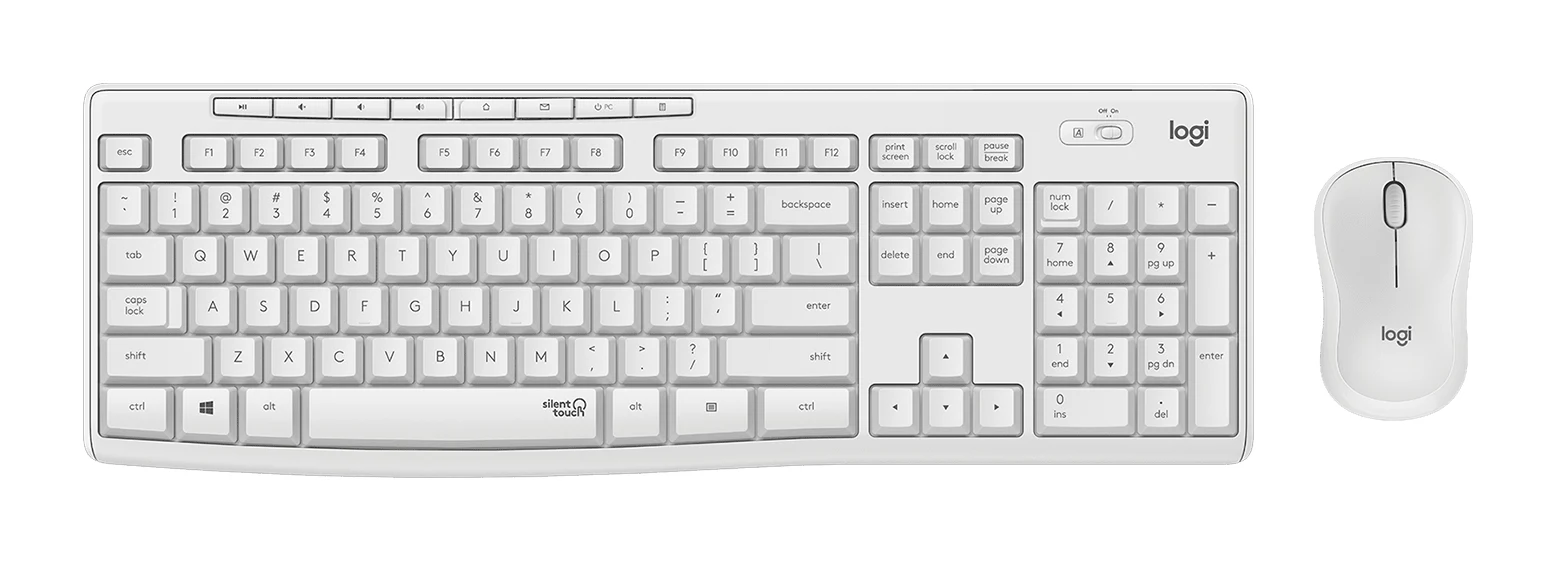
Logitech MK295 Silent Wireless Combo Review: Quiet Basics
A plain, quiet, plug-and-play keyboard and mouse set for Windows and Chrome OS desks. Here is what the specs and expert reviews say about who it suits.
Published Oct 27, 2026Logitech MX Keys S Combo Review (2026): Polished Desk Duo
A bundle of the MX Keys S keyboard, MX Master 3S mouse and palm rest, aimed at people who type all day and switch between computers. Here is what the specs and expert reviews say.
Published Oct 27, 2026