Best Webcams for Streaming and Work Calls 2026: 4K to Budget
Five webcams for streamers and remote workers, from AI-tracking 4K gimbals to a budget 1080p pick, chosen from 24 candidates using manufacturer specs and expert recommendations.
24 products compared · Research-based · Affiliate links
We earn a commission from qualifying purchases made through our links, at no extra cost to you. It never decides our picks. How we make money
Which one should you buy?
Our picks by what matters to you · details below ↓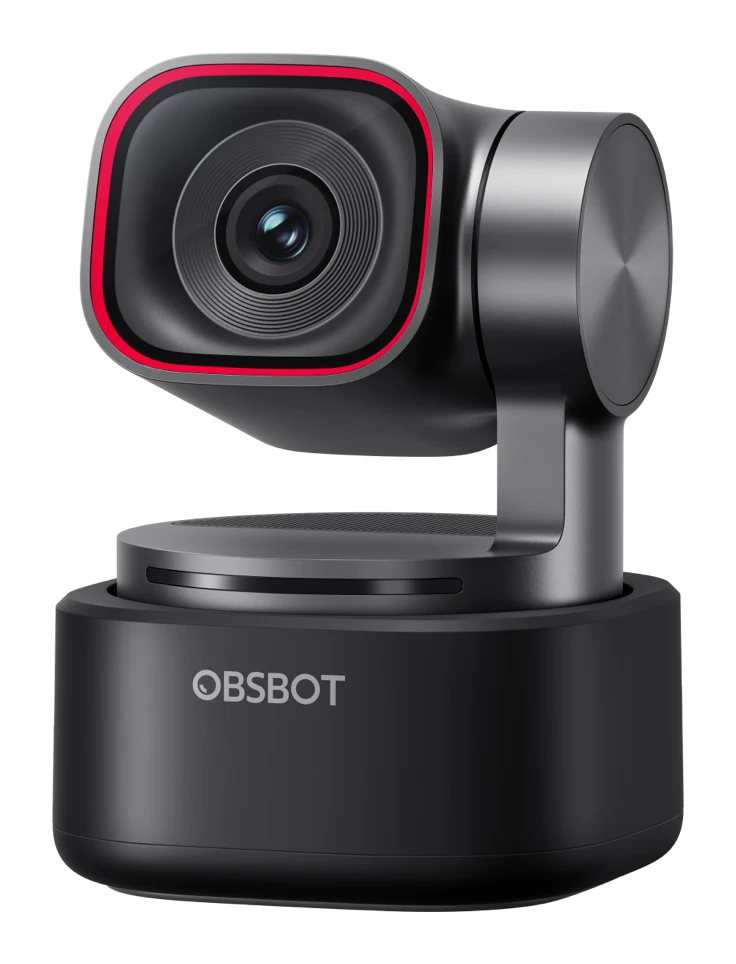
Best for: Streamers and remote workers wanting automatic subject tracking
Check price on Amazon- Best ValueElgato Facecam 4KBest for: Streamers who want manual image control and 4K60Check price
- Also GreatInsta360 Link 2CBest for: Remote workers wanting sharp video and AI framingCheck price
- Best BudgetLogitech Brio 500Best for: Budget-minded professionals focused on everyday video callsCheck price
- Premium PickInsta360 Link 2 ProBest for: Presenters and educators needing tracking and low-light qualityCheck price
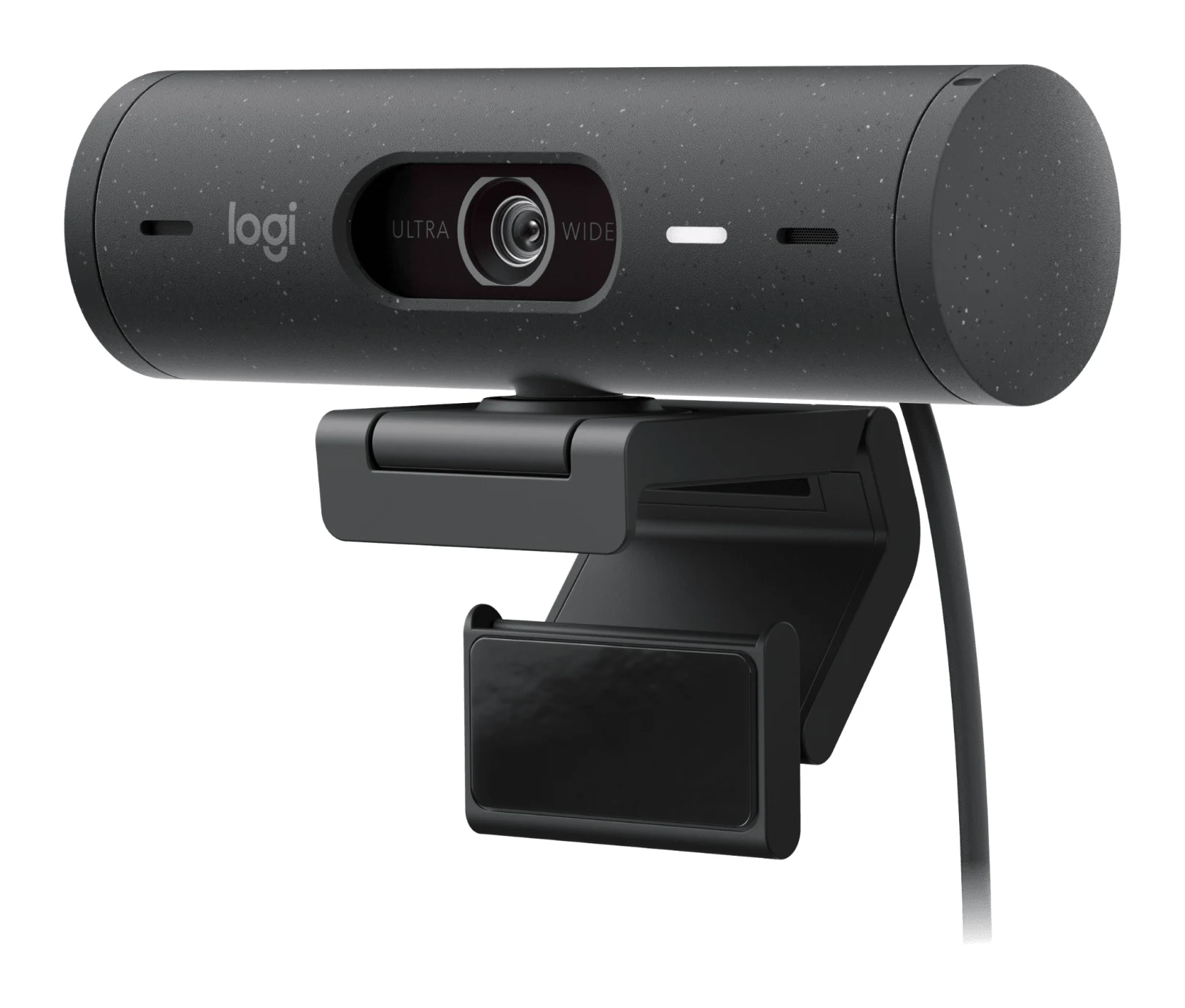
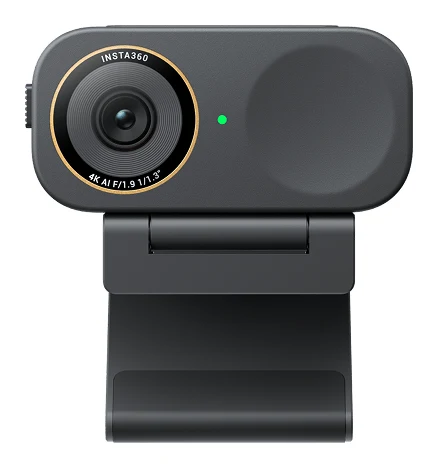
The best webcams for streaming and work calls in 2026 do more than raise the resolution. They also handle framing, low light and audio, and the right one depends on whether you spend your day on Teams or live on Twitch. We compared 24 candidates and narrowed them to five, from an AI-tracking 4K gimbal to a budget 1080p camera built around everyday calls.
This guide is based on manufacturer specs and independent expert recommendations. It is not based on hands-on testing. Prices change often, so use the "check price" buttons for current offers.
Webcams at a Glance
| Pick | Label | Top video mode | Microphones | Framing | Port | Buy |
|---|---|---|---|---|---|---|
| OBSBOT Tiny 3 | Best Overall | 4K@30fps / 1080p@120fps | 3 (triple array) | AI tracking, 2-axis gimbal | USB-C 2.0 | Check price |
| Elgato Facecam 4K | Best Value | 4K up to 60 fps | None | Fixed focus, 90° field of view | USB-C 3.0 | Check price |
| Insta360 Link 2C | Also Great | 4K at 30fps | AI noise-canceling mics | AI auto framing (digital) | USB-C 2.0 | Check price |
| Logitech Brio 500 | Best Budget | 1080p at 30 fps | 2, with beamforming | Auto-framing (RightSight) | USB-C | Check price |
| Insta360 Link 2 Pro | Premium Pick | 4K at 30fps | 2 | AI 2-axis gimbal tracking | USB-C (USB 2.0) | Check price |
OBSBOT Tiny 3: Best Overall for Automatic Tracking
Best for: Streamers and remote workers wanting automatic subject tracking
A feature-packed 4K gimbal webcam that tracks you automatically and includes a capable built-in mic array. Its mix of tracking, image quality and audio options makes it a strong all-rounder for streaming and calls.
Read our full OBSBOT Tiny 3 review →- Microphones
- 3 (1x omnidirectional + 2x directional MEMS)
- Resolution
- 3840x2160@30fps (4K) / 1920x1080@120fps
- Ports
- USB-C 2.0
- Autofocus
- All-Pixel PDAF, manual focus, 14cm minimum focus distance
- USB/Ports
- USB-C 2.0
- Frame rate
- 4K@30fps, 1080p@120fps
Reasons to buy
- Compact 4K PTZ gimbal with AI tracking and voice locator
- Large 50MP 1/1.28-inch sensor with dual native ISO
- Triple-mic array with five audio modes
- Gesture and voice control with PDAF autofocus
Reasons to avoid
- USB-C 2.0 port, not a faster USB 3.0 connection
- 4K capped at 30fps
- PCWorld
- 9.0
- Creative Bloq
- 9.0
- Digital Camera World
- 9.0
- CGMagazine
- 9.0
- Tech4Gamers
- 8.7
- I'mTech
- 9.2
- Basic Tutorials
- 9.5
The OBSBOT Tiny 3 is our Best Overall because it combines a 4K gimbal, AI subject tracking and a triple-microphone array in one compact body. It suits streamers and remote workers who want the camera to follow them rather than adjusting it by hand. It is also one of the most widely recommended picks here, appearing in 10 independent expert guides.
Keep reading about OBSBOT Tiny 3
The camera has a 2-axis gimbal with ±130° pan and a tilt range from 32° down to -60° up. AI Tracking 2.0 with a voice locator handles framing automatically, and gesture and voice control are built in. The large 50MP, 1/1.28-inch sensor records 4K@30fps or 1080p@120fps, with dual native ISO and DCG HDR for varied lighting. Autofocus uses all-pixel PDAF, with a 14cm minimum focus distance and manual focus if you want it. Audio comes from three microphones (one omnidirectional and two directional MEMS) with five audio modes. At 63g including the mount, it stays small.
The trade-offs are modest but real. It connects over USB-C 2.0 rather than a faster USB 3.0 link, and 4K is capped at 30fps. Reviewers rate it highly: CGMagazine gave it 9/10, Tech4Gamers 4.5/5, I'mTech 92/100 and Basic Tutorials 95/100. If you want 4K at a higher frame rate, look at the Elgato below.
Elgato Facecam 4K: Best Value for 4K60 Manual Control
Best for: Streamers who want manual image control and 4K60
A creator-focused 4K60 webcam offering DSLR-style manual control and filter support at a mid-range tier. You'll need a separate mic, but image control and smooth video make it a standout for streamers.
Read our full Elgato Facecam 4K review →- Microphones
- None
- Resolution
- 4K (2160p) up to 60 fps; supports 2160p30, 1440p60, 1440p30, 1080p60, 1080p30, 720p60, 720p30, 540p30
- Ports
- USB-C 3.0
- Autofocus
- Fixed focus
- USB/Ports
- USB-C (USB 3.0)
- Frame rate
- 4K60
Reasons to buy
- 4K60 capture for smooth, detailed streaming
- Manual ISO, shutter and white balance via Camera Hub
- Supports 49mm threaded lens filters
- Sony STARVIS 2 sensor with HDR up to 4K30
Reasons to avoid
- No built-in microphone
- Fixed focus, tuned for desk distances
- No auto-framing or tracking
- TweakTown
- 9.5
- Noisy Pixel
- 9.0
- Basic Tutorials
- 9.5
- CGMagazine Online
- 9.5
- Cubed3
- 9.0
The Elgato Facecam 4K earns Best Value for streamers who want smooth 4K60 capture and DSLR-style control over the image. Camera Hub software exposes manual ISO, shutter speed and white balance, so you can set the look yourself instead of leaving it to automatic processing. Eight independent expert guides recommend it.
Keep reading about Elgato Facecam 4K
It is built around a Sony STARVIS 2 sensor (1/1.8 inch) with an f/4.0 aperture. It records 4K at up to 60 fps, with HDR available up to 4K30. The 90° field of view and fixed-focus lens are tuned for desk use, with a focus range of 30–120 cm at 4K and 25 cm to infinity at 1080p. It is also the first webcam to support 49mm threaded lens filters, which opens up cinematic effects. It connects over USB-C 3.0. Reviewers scored it well: TweakTown and CGMagazine Online each gave it 9.5/10, and Cubed3 and NoisyPixel each gave it 9/10.
The main trade-off is that it has no built-in microphone, so you need a separate mic. It also has no auto-framing or tracking, and fixed focus means it suits desk distances rather than roaming around a room. It is a good fit for a streamer with a fixed setup and an existing audio chain, and a weaker one for someone who moves around on calls.
Insta360 Link 2C: Also Great for Remote Work Calls
Best for: Remote workers wanting sharp video and AI framing
A well-rounded 4K webcam combining AI framing, noise-canceling mics and a privacy shutter. It suits work calls and casual streaming across Zoom, Teams and Twitch.
Read our full Insta360 Link 2C review →- Microphones
- AI noise-canceling microphones
- Resolution
- 4K (3840 x 2160) at 30fps; 1080p at 60fps; 720p at 60fps
- Ports
- USB-C 2.0
- Autofocus
- Supported at 10cm (4 inches) to infinity
- USB/Ports
- USB-C 2.0
- Frame rate
- 4K 30fps, 1080p 60fps, 720p 60fps, 360p 30fps
Reasons to buy
- 4K30 video from a 1/2-inch sensor
- AI auto framing keeps everyone in view
- AI noise-canceling mics for busy environments
- Built-in privacy shutter
Reasons to avoid
- USB 2.0 connection limits to 4K30
- No mechanical gimbal, digital framing only
- Tom's Guide
- 10.0
- Trusted Reviews
- 8.0
- CGMagazine
- 9.0
- MMORPG.com
- 9.0
- TechRadar
- 9.0
- PC Gamer
- 8.6
The Insta360 Link 2C is a well-rounded 4K webcam for remote workers who want sharp video, AI framing and a privacy shutter without a mechanical gimbal. It is compatible with Zoom, Teams, Twitch and other major platforms, so it covers calls and casual streaming. Eight independent expert guides recommend it.
Keep reading about Insta360 Link 2C
A 1/2-inch sensor with an F1.8 aperture records 4K (3840 x 2160) at 30fps, or 1080p and 720p at 60fps. AI auto framing adjusts the frame to keep everyone in sight, and 4x digital zoom is available. The field of view is 79.5° diagonal. Autofocus works from 10cm (4 inches) to infinity. AI noise-canceling microphones aim to keep voices clear in busy environments, and the privacy shutter is easy to reach. Insta360 lists low-light performance with HDR support. Reviewer scores include TechRadar at 4.5/5, CGMagazine at 9/10, Trusted Reviews at 4/5 and PC Gamer at 86/100.
The limits are the USB 2.0 connection, which holds video to 4K30, and the fact that framing is digital only, with no physical pan or tilt. Choose it for remote work calls where you want AI framing that keeps everyone in sight without a mechanical gimbal.
Logitech Brio 500: Best Budget for Everyday Calls
Best for: Budget-minded professionals focused on everyday video calls
A budget-tier webcam packed with call-friendly features like auto-framing, Show Mode and a privacy shutter. It covers everyday work calls well without stepping up to 4K.
- Microphones
- 2 dual stereo with noise reduction and beamforming
- Resolution
- 1920 x 1080 pixels (1080p) at 30 fps; 1280 x 720 pixels (720p) at 60 fps
- Ports
- USB-C (5 feet / 1.5 m cable)
- Autofocus
- Yes, with glass lens
- USB/Ports
- USB-C plug-and-play
- Frame rate
- 1080p/30fps, 720p/60fps
Reasons to buy
- 1080p webcam with RightLight 4 auto light correction
- Auto-framing keeps you centered during calls
- Show Mode tilts down to present desk items
- Privacy shutter and beamforming dual mics
- Adjustable field of view: 90°, 78° or 65°
Reasons to avoid
- Limited to 1080p at 30fps
- No 4K option for high-end streaming
- Wirecutter
- 8.5
- TheTechShowdown
- 8.6
- Cuttles
- 8.0
The Logitech Brio 500 is our Best Budget pick for professionals who mainly need dependable video calls. It is the budget-tier option here, and it packs in call-friendly features instead of chasing 4K. Nine independent expert guides recommend it.
Keep reading about Logitech Brio 500
Video is 1080p at 30 fps, or 720p at 60 fps, from a 4MP CMOS sensor with a glass autofocus lens. RightLight 4 with HDR corrects lighting automatically, and RightSight auto-framing keeps you centered as you move. Show Mode tilts the camera down so you can present desk objects and documents. The field of view is adjustable between 90°, 78° and 65°. Two noise-reducing microphones use beamforming, and a rotate-to-close privacy shutter is built in. Wirecutter scored it 8.5/10, TheTechShowdown 4.3/5 and Cuttles 8/10.
The trade-off is resolution. It is limited to 1080p at 30fps and has no 4K option, so it is not aimed at high-end streaming. For everyday work calls, though, its feature set covers the essentials.
Insta360 Link 2 Pro: Premium Pick for Presenters and Low Light
Best for: Presenters and educators needing tracking and low-light quality
A premium gimbal webcam with a large sensor, AI tracking and presenter-oriented modes. It's well suited to teaching, demos and low-light setups where image quality matters.
- Microphones
- 2
- Resolution
- 4K (3840 x 2160) at 30fps; 1080p at 60fps
- Ports
- USB-C Cable (USB 2.0) or USB-C to USB-A adapter
- Autofocus
- Supported (Focus distance: 12cm–∞)
- USB/Ports
- USB-C Cable (USB 2.0) or USB-C to USB-A adapter
- Frame rate
- 4K 30fps, 1080p 60fps
Reasons to buy
- Large 1/1.3-inch sensor for 4K30 video
- 2-axis AI gimbal tracking follows your movement
- Dual Native ISO and HDR for low light
- Whiteboard Mode and DeskView for presenting
Reasons to avoid
- USB 2.0 connection and 4K limited to 30fps
- Only two microphones
- Technerdo
- 8.8
- TechRadar
- 9.0
- CGMag Online
- 9.5
- GearBrain
- 8.5
The Insta360 Link 2 Pro is the Premium Pick for presenters, teachers and anyone working in tricky lighting. It pairs a large 1/1.3-inch sensor with a 2-axis AI gimbal that follows your movement. Ten independent expert guides recommend it.
Keep reading about Insta360 Link 2 Pro
It records 4K (3840 x 2160) at 30fps, or 1080p at 60fps. Dual Native ISO (100~3200), an F/1.9 aperture and HDR support its low-light performance. Autofocus works from 12cm to infinity, and white balance runs from 2000 to 10000K. Two microphones use AI noise canceling. What sets it apart is the presenter tooling: Whiteboard Mode and DeskView are aimed at teaching and demos. Reviewer scores include Technerdo at 8.8/10, TechRadar at 4.5/5, CGMag Online at 9.5/10 and GearBrain at 8.5/10.
The drawbacks are a USB 2.0 connection that limits 4K to 30fps and only two microphones. If audio matters most, the OBSBOT's triple array may suit you better. If you present or teach, this is the more specialized tool.
Compare our picks side by side
The specs most of our picks share, from each maker’s spec page (— = not published). Expert score = the average of published expert reviews, which rate each product for its price. Scroll sideways on small screens.
| Spec | OBSBOT Tiny 3 | Elgato Facecam 4K | Insta360 Link 2C | Logitech Brio 500 | Insta360 Link 2 Pro |
|---|---|---|---|---|---|
| Best for | Best Overall | Best Value | Also Great | Best Budget | Premium Pick |
| Expert score | 9.1 | 9.3 | 8.9 | 8.4 | 9.0 |
| Price vs. these picks | Higher | Higher | Middle | Lower | Higher |
| Microphones | 3 (1x omnidirectional + 2x directional MEMS) | None | AI noise-canceling microphones | 2 dual stereo with noise reduction and beamforming | 2 |
| Resolution | 3840x2160@30fps (4K) / 1920x1080@120fps | 4K (2160p) up to 60 fps; supports 2160p30, 1440p60, 1440p30, 1080p60, 1080p30, 720p60, 720p30, 540p30 | 4K (3840 x 2160) at 30fps; 1080p at 60fps; 720p at 60fps | 1920 x 1080 pixels (1080p) at 30 fps; 1280 x 720 pixels (720p) at 60 fps | 4K (3840 x 2160) at 30fps; 1080p at 60fps |
| Ports | USB-C 2.0 | USB-C 3.0 | USB-C 2.0 | USB-C (5 feet / 1.5 m cable) | USB-C Cable (USB 2.0) or USB-C to USB-A adapter |
| Autofocus | All-Pixel PDAF, manual focus, 14cm minimum focus distance | Fixed focus | Supported at 10cm (4 inches) to infinity | Yes, with glass lens | Supported (Focus distance: 12cm–∞) |
| USB/Ports | USB-C 2.0 | USB-C (USB 3.0) | USB-C 2.0 | USB-C plug-and-play | USB-C Cable (USB 2.0) or USB-C to USB-A adapter |
| Frame rate | 4K@30fps, 1080p@120fps | 4K60 | 4K 30fps, 1080p 60fps, 720p 60fps, 360p 30fps | 1080p/30fps, 720p/60fps | 4K 30fps, 1080p 60fps |
| Field of view | 82.4° (4:3), 74° (16:9), 70° (horizontal) | 90° | 79.5° diagonal, 67° horizontal | 90°, 78°, 65° (diagonal, adjustable) | 83.9° DFOV, 71.4° HFOV |
| Light correction | DCG HDR, ISO 100-12800 | HDR up to 4K30 | Yes | RightLight 4 with HDR | HDR Supported |
| Where to buy | Check price | Check price | Check price | Check price | Check price |
How to Choose the Best Webcams for Streaming and Work Calls
Decide how much resolution you need
For most meetings, 1080p is enough, and the Logitech Brio 500 covers that. If you stream or record, 4K gives you more detail and room to crop. Among these picks, only the Elgato Facecam 4K lists 4K at up to 60 fps. The OBSBOT Tiny 3 adds 1080p@120fps for smoother motion at a lower resolution.
Choose your framing style
There are three approaches here. A mechanical gimbal (OBSBOT Tiny 3, Insta360 Link 2 Pro) physically follows you. Auto-framing (Insta360 Link 2C, Logitech Brio 500) keeps you in frame without a mechanical gimbal. Fixed focus and a fixed frame (Elgato Facecam 4K) suit anyone who sits still and wants to control the image manually.
Check the audio
The Elgato has no microphone at all. The others have built-in mics, from the Brio 500's beamforming pair to the OBSBOT's triple array. If you already own a good mic, built-in audio matters less.
Consider privacy and ports
The Insta360 Link 2C and Logitech Brio 500 both include a privacy shutter. For connection, the Elgato uses USB-C 3.0, while the OBSBOT Tiny 3 and the Link 2C list USB-C 2.0. The Link 2 Pro is listed as USB 2.0 with a USB-C cable or a USB-C to USB-A adapter. Check that your computer has a suitable port before you buy.
How We Picked
We started with 24 candidate webcams and compared manufacturer specs, features and the consistent themes in independent expert reviews. We also counted how many expert buying guides recommend each product and weighed the trade-offs that reviewers and spec sheets agree on. We have not tested these cameras ourselves. Each pick is placed by how well it fits its label, from overall versatility to budget and presenter use.
Bottom Line
The OBSBOT Tiny 3 is the most complete choice, with AI tracking, a 4K gimbal and a capable triple-microphone array. The Elgato Facecam 4K is the pick for streamers who want 4K60 and manual control and already have a mic. The Insta360 Link 2C suits remote workers who value AI framing and a privacy shutter. The Logitech Brio 500 handles everyday calls at the lowest cost tier. The Insta360 Link 2 Pro is for presenters and low-light rooms. Pick on how you frame yourself and what audio you already own, then use the price buttons to check current offers.
Ready to buy?
 Best OverallOBSBOT Tiny 3Check price
- Best ValueElgato Facecam 4KCheck price
- Also GreatInsta360 Link 2CCheck price
- Best BudgetLogitech Brio 500Check price
- Premium PickInsta360 Link 2 ProCheck price
Related buying guides
- Best Mini PC in 2026: Small, Quiet Desktops for Work
- Best Chromebooks 2026: Budget, 2-in-1 and OLED Options
- Best microSD Cards for Cameras 2026: 4K Speed & Durability
- Best Quiet Keyboard for Office in 2026: Calm Typing at Work
- Best Ergonomic Mice 2026: Vertical or Palm Grip, Any Budget
- Best Wireless Keyboard and Mouse Combo 2026: Budget to Pro
Frequently asked questions
What is the best webcam for streaming and work calls overall?
The OBSBOT Tiny 3 is our Best Overall pick. It combines a 4K gimbal with AI tracking and a triple-microphone array, and 10 independent expert guides recommend it. Its main limits are the USB-C 2.0 port and 4K capped at 30fps.
Which webcam here offers 4K at 60 fps?
The Elgato Facecam 4K: up to 60 fps at 4K. HDR is available up to 4K30, and the camera connects over USB-C 3.0. It has no built-in microphone, so you will need a separate one.
What is the best budget webcam for video calls?
The Logitech Brio 500. It records 1080p at 30 fps and adds RightSight auto-framing, Show Mode, a privacy shutter and dual beamforming microphones. It has no 4K option.
Do any of these webcams have a privacy shutter?
The Insta360 Link 2C and the Logitech Brio 500 both include one. The Brio 500 uses a rotate-to-close design, and the Link 2C's is easy to reach.
Which webcam is best for presentations and teaching?
The Insta360 Link 2 Pro. It has Whiteboard Mode and DeskView, plus a 2-axis AI gimbal that follows your movement. The Logitech Brio 500 also offers Show Mode for presenting desk items.
Do I need a separate microphone with these webcams?
Only with the Elgato Facecam 4K, which has no built-in microphone. The OBSBOT Tiny 3, Insta360 Link 2C, Logitech Brio 500 and Insta360 Link 2 Pro all include built-in mics. A dedicated mic is still worth considering if audio quality is a priority for your streams.
Sources
Specs are taken from the manufacturers' official pages; expert recommendations from the publications below.
- OBSBOT Tiny 3: obsbot.com, nikktech.com, basic-tutorials.com, bhphotovideo.com
- Elgato Facecam 4K: elgato.com, help.elgato.com
- Insta360 Link 2C: insta360.com, onlinemanual.insta360.com, bestbuy.com, bhphotovideo.com
- Logitech Brio 500: logitech.com, bhphotovideo.com, headsetadvisor.com, tomshardware.com
- Insta360 Link 2 Pro: insta360.com, onlinemanual.insta360.com, digitalcameraworld.com
More buying guides
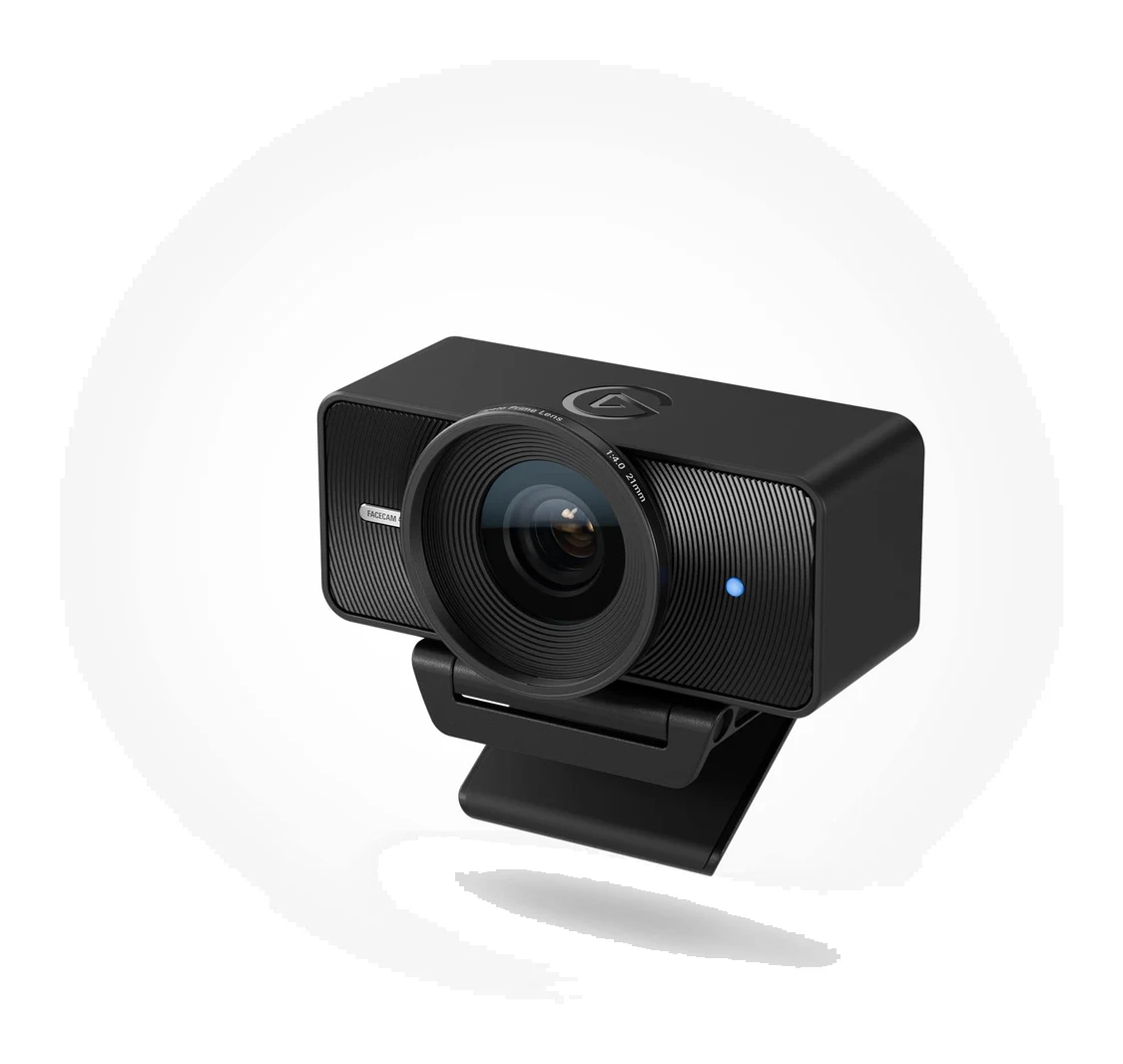
Elgato Facecam 4K Review (2026): Sharp, but Needs Light
A look at the Elgato Facecam 4K: 4K60 video, DSLR-style manual control and a filter thread, set against its low-light limits, missing microphone and NVIDIA-only AI blur.
Published Oct 28, 2026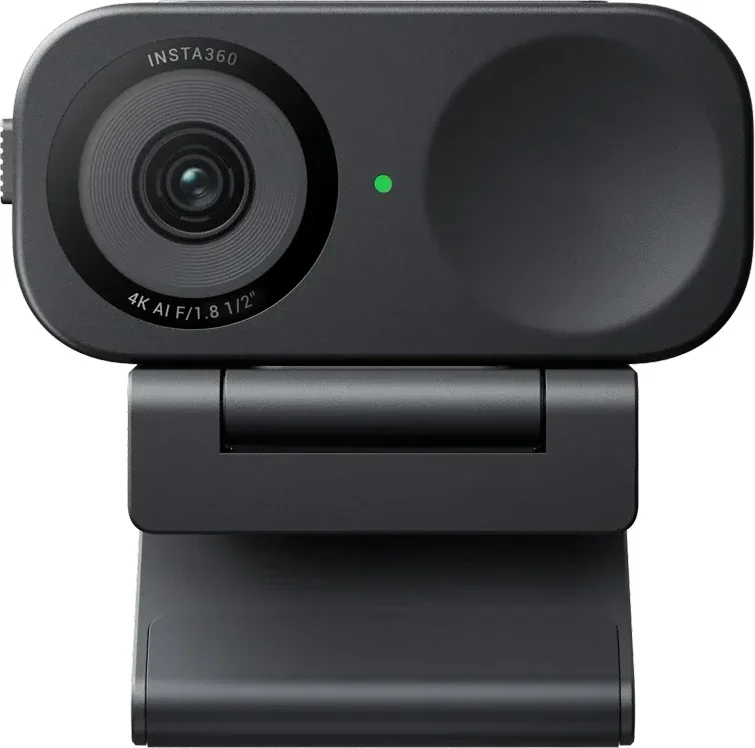
Insta360 Link 2C Review (2026): Sharp 4K, Uneven AI Extras
A compact 4K webcam with fast autofocus, a privacy shutter and a full-featured app. Here is what the specs and expert reviews say about who should buy the Insta360 Link 2C.
Published Oct 27, 2026OBSBOT Tiny 3 Review (2026): Tiny Body, Creator Ambitions
A 63g 4K webcam with a 2-axis gimbal, AI tracking and a triple-mic array. Here is what the OBSBOT Tiny 3 offers, what experts say, and who it is really for.
Published Oct 27, 2026