Best Ergonomic Mice 2026: Vertical or Palm Grip, Any Budget
Five ergonomic mice compared on manufacturer specs and expert recommendations, from a full-size palm-grip workhorse to budget vertical designs, plus advice on grip size, handedness and Mac use.
22 products compared · Research-based · Affiliate links
We earn a commission from qualifying purchases made through our links, at no extra cost to you. It never decides our picks. How we make money
Which one should you buy?
Our picks by what matters to you · details below ↓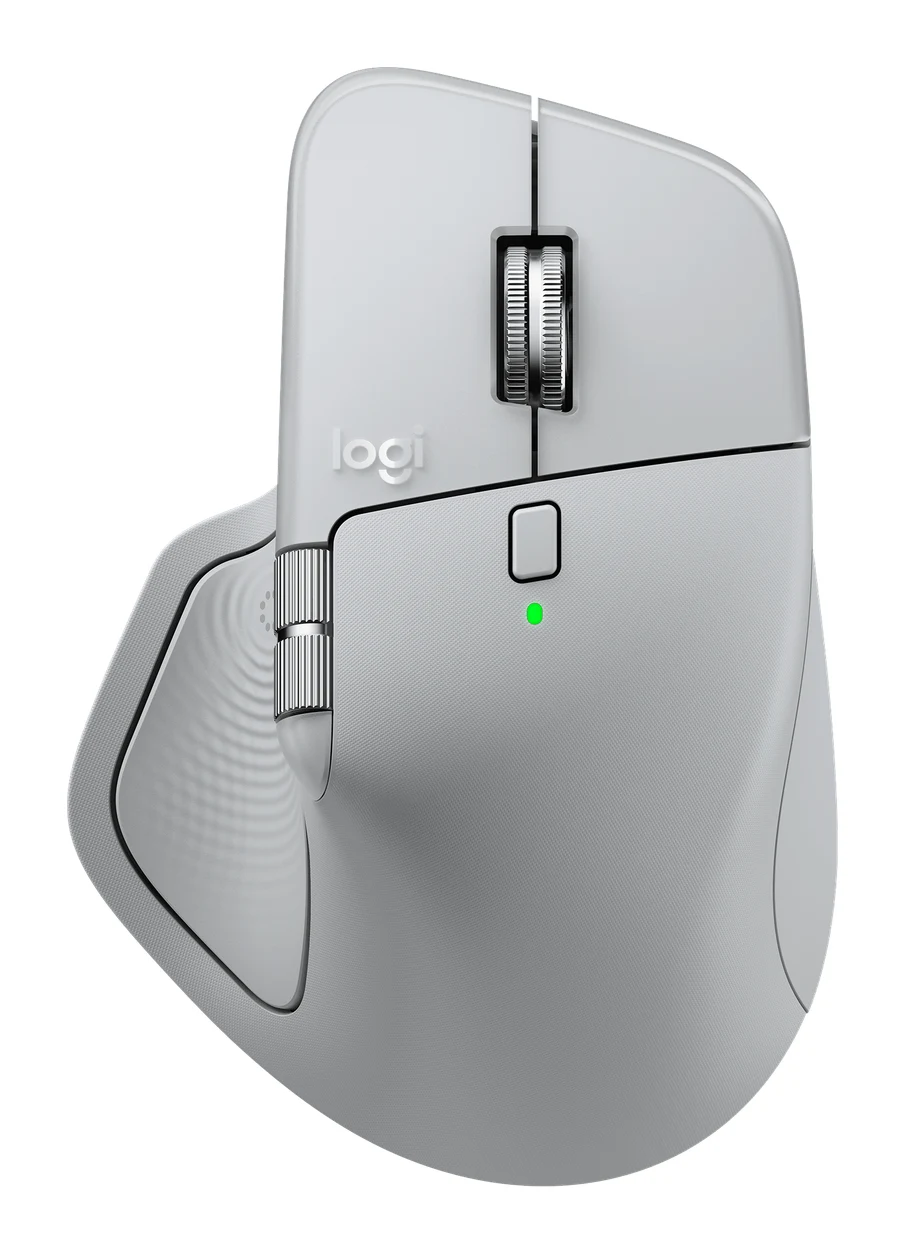
Best for: Power users wanting a customizable, full-size ergonomic mouse
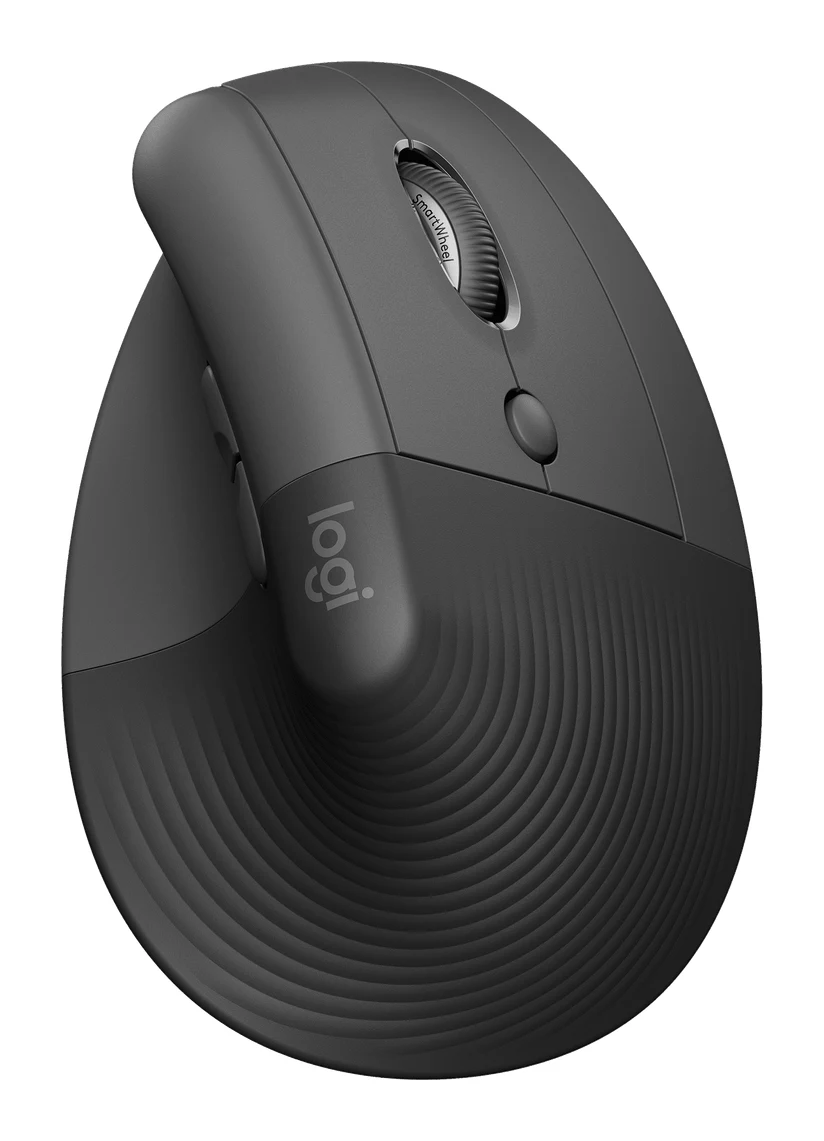
Check price on Amazon- Also GreatLogitech Lift Vertical Ergonomic MouseBest for: Small to medium hands wanting a vertical mouseCheck price
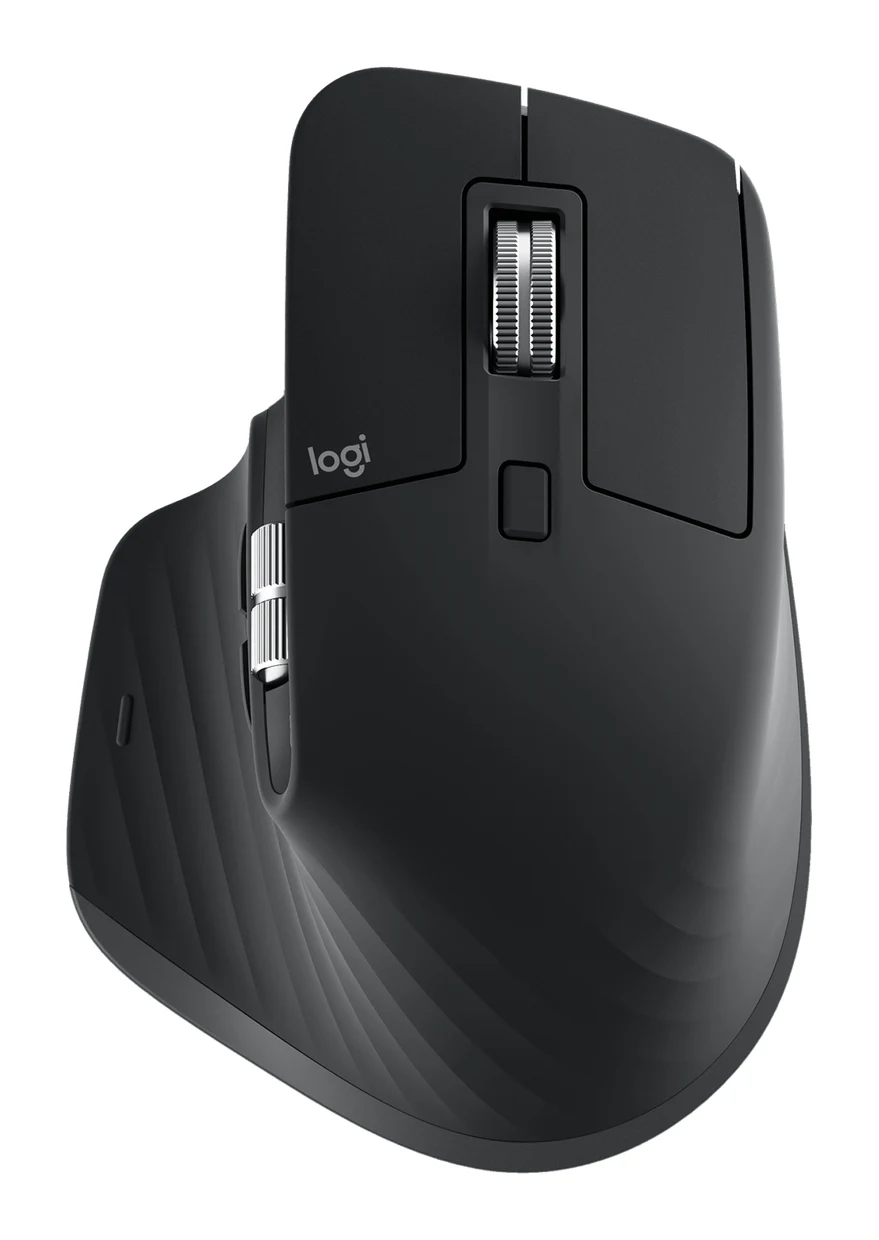
- Premium PickLogitech MX Master 3SBest for: Right-handed users wanting all-day palm-grip comfortCheck price
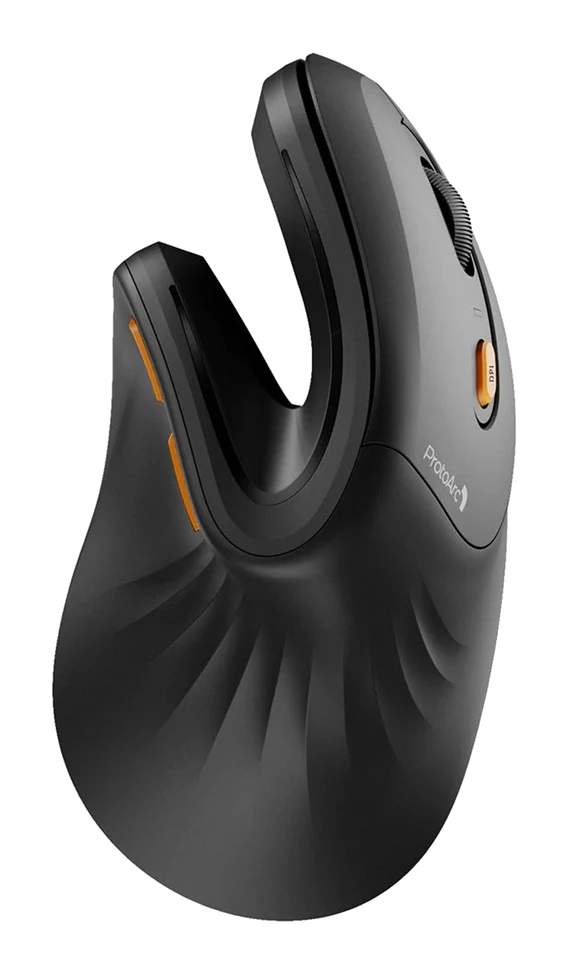
- Best BudgetProtoArc EM11 NLBest for: Budget shoppers trying a rechargeable vertical mouseCheck price
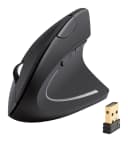
- Best ValueAnker 2.4G Wireless Vertical Ergonomic Optical MouseBest for: Cost-conscious buyers wanting a simple vertical mouseCheck price
The best ergonomic mice make long days at the desk more comfortable, but the right one depends on whether you want a sculpted palm grip or a vertical handshake shape. We narrowed the field to five: two premium palm-grip Logitech mice, a mid-range vertical Logitech, and two budget vertical options. This guide is based on manufacturer specs and independent expert recommendations, not hands-on testing.
Best Ergonomic Mice at a Glance
| Pick | Label | Grip | Connectivity | Power | Expert guides recommending | Buy |
|---|---|---|---|---|---|---|
| Logitech MX Master 4 | Best Overall | Right-handed palm grip | Bluetooth Low Energy, Logi Bolt USB-C receiver | 70 days on full charge | 7 | Check price |
| Logitech Lift Vertical Ergonomic Mouse | Also Great | Vertical, 57 degrees | Bluetooth Low Energy, Logi Bolt USB receiver | Up to 24 months on one AA | 8 | Check price |
| Logitech MX Master 3S | Premium Pick | Right-handed palm grip | Logi Bolt USB receiver, Bluetooth Low Energy | 70 days on full charge | 7 | Check price |
| ProtoArc EM11 NL | Best Budget | Vertical, 58° | Bluetooth 5.0 (dual channels) + 2.4G USB-A | Rechargeable, 90 days standby | 4 | Check price |
| Anker 2.4G Wireless Vertical Ergonomic Optical Mouse | Best Value | Vertical handshake | 2.4G USB receiver | 2 x AAA batteries (not included) | 7 | Check price |
Logitech MX Master 4: Best Overall for Customizable Power Use
Best for: Power users wanting a customizable, full-size ergonomic mouse
The MX Master 4 is a feature-rich palm-grip mouse with haptic feedback, precise tracking and long battery life. It suits those who want a customizable, full-size workhorse.
Read our full Logitech MX Master 4 review →- Battery life
- 70 days on full charge
- Weight
- 150 g
- Dimensions
- 128.2 x 88.4 x 50.8 mm
- DPI
- 200-8,000 DPI (adjustable in 50 DPI increments)
- Buttons
- 8 (left/right click, back/forward, gesture, wheel mode-shift, middle click, Actions Ring)
- Grip type
- Right-handed ergonomic palm grip
Reasons to buy
- Haptic Actions Ring gives quick access to tools and shortcuts
- Darkfield 8K DPI sensor tracks on any surface, glass included
- MagSpeed wheel scrolls up to 1,000 lines per second
- 70-day battery with fast USB-C charging
- Quiet Click cuts click noise by 90%
Reasons to avoid
- Right-handed palm grip only
- Premium pricing
- Heavier at 150 g
- Tom's Guide
- 9.0
- TechRadar
- 9.0
- PCWorld
- 8.0
- Technerdo
- 8.7
- The Tech Showdown
- 9.2
The Logitech MX Master 4 is our best overall pick for people who want a full-size, highly customizable ergonomic mouse. It combines a right-handed palm grip with haptic feedback, a customizable Actions Ring and a long-lasting battery. It is recommended in 7 expert guides.
Keep reading about Logitech MX Master 4
The feature list is deep. The Darkfield sensor covers 200-8,000 DPI, adjustable in 50 DPI increments, and tracks on any surface, glass included. The MagSpeed electromagnetic wheel scrolls at up to 1,000 lines per second. Quiet Click technology reduces click noise by 90%, and Easy-Switch connects up to 3 devices. Battery life is 70 days on a full charge, and a 1-minute USB-C quick charge gives 3 hours of use. There are 8 buttons in total, including a gesture button and the Actions Ring.
Reviewers rate it well: PCWorld gave it 4 out of 5, Technerdo 8.7 out of 10, The Tech Showdown 4.6 out of 5 and TechRadar 4.5 out of 5. The trade-offs are that it is right-handed only, sits in the premium price tier and weighs 150 g. If you want a closer look, see our Logitech MX Master 4 review.
Logitech Lift Vertical Ergonomic Mouse: Also Great for Small to Medium Hands
Best for: Small to medium hands wanting a vertical mouse
The Lift brings a comfortable vertical design with quiet clicks and very long battery life at a mid-range tier. It is a strong choice for anyone looking to ease wrist pressure.
Read our full Logitech Lift Vertical Ergonomic Mouse review →- Battery life
- Up to 24 months
- Weight
- 125 g
- Dimensions
- 70 x 71 x 108 mm
- DPI
- 400-4000 DPI
- Buttons
- 6
- Grip type
- Vertical
Reasons to buy
- 57-degree vertical angle encourages a natural handshake position
- Whisper-quiet clicks and silent SmartWheel
- Up to 24 months of battery on one AA
- Easy-Switch connects up to 3 devices
- Textured grip with thumb rest
Reasons to avoid
- Sized for small to medium hands
- Only 6 buttons
- Lower maximum DPI than premium Logitech models
- TechRadar
- 9.0
- PCWorld
- 9.0
- Tom's Guide
- 7.0
- Trusted Reviews
- 9.0
- BinaryFork
- 9.0
The Logitech Lift is the pick for small to medium hands that want a vertical mouse at a mid-range price tier. Its 57-degree vertical angle encourages a natural handshake position to reduce wrist pressure. It is also the most widely recommended mouse here, appearing in 8 expert guides.
Keep reading about Logitech Lift Vertical Ergonomic Mouse
The Lift is built for quiet, low-maintenance use. Clicks are whisper-quiet, the SmartWheel is silent, and one AA battery lasts up to 24 months. Easy-Switch connects up to 3 devices over Bluetooth or Logi Bolt, and it has a soft textured grip with a snug thumb rest. The Graphite model uses 70% recycled plastic. It weighs 125 g.
Expert scores are consistent: PC World, TechRadar, Trusted Reviews and BinaryFork each gave it 4.5 out of 5. The compromises are the sizing (small to medium hands), only 6 buttons and a DPI range of 400-4000, lower than the premium Logitech models. For anyone looking to ease wrist pressure, it is a strong choice.
Logitech MX Master 3S: Premium Pick for All-Day Palm-Grip Comfort
Best for: Right-handed users wanting all-day palm-grip comfort
The MX Master 3S offers a comfortable sculpted shape, precise tracking and multi-device flexibility. It is a polished premium option for long workdays.
- Battery life
- 70 days on full charge; 3 hours from 1-minute quick charge
- Weight
- 141 g
- Dimensions
- 124.9 mm H x 84.3 mm W x 51 mm D
- DPI
- 200-8,000 DPI
- Buttons
- 7 customizable (Left/Right-click, Back/Forward, App-Switch, Wheel mode-shift, Middle click)
- Grip type
- Right-handed ergonomic palm grip
Reasons to buy
- Hand-sculpted shape with palm and thumb rests for all-day comfort
- Darkfield 8,000 DPI sensor works on glass
- Quiet Clicks reduce click noise by 90% versus MX Master 3
- MagSpeed wheel plus thumb wheel for fast scrolling
- Fast USB-C charge: 3 hours of use from 1 minute
Reasons to avoid
- Right-handed design only
- Premium price tier
- No vertical angle for neutral wrist posture
- Tech Gear Lab
- 8.6
- Gadget Review
- 8.8
- Trusted Reviews
- 10.0
- CGMagazine
- 9.0
The Logitech MX Master 3S is the premium pick for right-handed users who prefer a sculpted palm-grip shape over a vertical one. Its hand-sculpted design has palm and thumb rests for all-day comfort. It is recommended in 7 expert guides.
Keep reading about Logitech MX Master 3S
The 8,000 DPI Darkfield sensor tracks on any surface, including glass. Quiet Clicks cut click noise by 90% compared with the MX Master 3. The MagSpeed wheel is joined by a thumb wheel, and Easy-Switch connects up to 3 devices via Bluetooth or Logi Bolt. USB-C quick charging gives 3 hours of use from a 1-minute charge, and a full charge lasts 70 days. It has 7 customizable buttons and weighs 141 g, and the plastic is 27% post-consumer recycled.
Reviewers like it: Trusted Reviews scored it 5 out of 5, CGMagazine 4.5, Gadget Review 4.4 and Tech Gear Lab 4.3 (all out of 5). Its downsides are the right-handed-only design, the premium price tier and the lack of a vertical angle for a neutral wrist posture.
ProtoArc EM11 NL: Best Budget for Trying a Vertical Mouse
Best for: Budget shoppers trying a rechargeable vertical mouse
The ProtoArc EM11 NL delivers a vertical ergonomic shape, quiet clicks and 3-device connectivity at a budget price. It is a practical way to try a vertical mouse.
- Battery life
- 90 days standby, 4-5 hours charging time
- Weight
- 3.9 oz (112 g)
- Dimensions
- 2.68 in (H) × 5.43 in (D) × 2.72 in (W)
- DPI
- 1000/1600/2400
- Buttons
- 5 (left, right, scroll wheel, forward, back)
- Grip type
- Vertical ergonomic with extended wrist rest
Reasons to buy
- 58° vertical design promotes natural handshake posture
- Triple connectivity with dual Bluetooth and 2.4G receiver
- Quiet clicks suit offices and shared spaces
- Rechargeable USB-C battery
- Extended wrist rest adds support
Reasons to avoid
- Fewer buttons than premium mice
- Best for small to medium hands
- Limited DPI range for demanding precision work
- Best New Tips
- 9.1
- Apple Insider
- 6.0
- PCPartsGeek
- 8.0
The ProtoArc EM11 NL is the best budget pick for anyone who wants to try a rechargeable vertical mouse without spending much. Its 58° angle promotes a natural handshake posture, and it adds an extended wrist rest. It suits small to medium hands.
Keep reading about ProtoArc EM11 NL
Connectivity is a highlight. It offers dual Bluetooth 5.0 plus a 2.4G USB-A receiver for 3-device switching, and it lists compatibility with Windows XP/7/8/10+, macOS 10.12+ and Android 4.3+. The left and right buttons are quiet, which suits offices and shared spaces. The 500mAh battery charges over USB-C and is rated for 90 days standby. DPI steps are 1000/1600/2400, and it weighs 3.9 oz (112 g).
Expert opinion is more mixed than for the Logitech mice: Best New Tips scored it 9.1 out of 10, PCPartsGeek 8 out of 10 and Apple Insider 3 out of 5. It has 5 buttons and a limited DPI range for demanding precision work, and it is optimized for hands under 7.5 inches. It is recommended in 4 expert guides.
Anker 2.4G Wireless Vertical Ergonomic Optical Mouse: Best Value for Simple Vertical Comfort
Best for: Cost-conscious buyers wanting a simple vertical mouse
The Anker vertical mouse covers the essentials with a handshake grip, adjustable DPI and convenient browser buttons at a budget price. It is a simple, low-cost entry into ergonomic mice.
Read our full Anker 2.4G Wireless Vertical Ergonomic Optical Mouse review →- Battery life
- Extended via auto-sleep after 8 minutes
- Weight
- 3.4 oz
- Dimensions
- 120 x 62.8 x 74.8 mm (4.7 x 2.5 x 2.9 in)
- DPI
- 800 / 1200 / 1600
- Buttons
- 5
- Grip type
- Vertical handshake position
Reasons to buy
- Vertical handshake design reduces wrist strain
- Three DPI settings adjust cursor sensitivity
- Five buttons include browser back and forward
- USB receiver stores in the mouse base
- Auto power-saving after 8 minutes idle
Reasons to avoid
- Needs 2 AAA batteries, not included
- 2.4G USB receiver only, no Bluetooth
- Basic feature set with 125 Hz polling
- Tom's Guide
- 8.0
- Digital Camera World
- 8.0
The Anker 2.4G Wireless Vertical Ergonomic Optical Mouse is the best value pick for cost-conscious buyers who want a simple vertical mouse. Its handshake design is meant to reduce wrist strain and repetitive stress. It is recommended in 7 expert guides.
Keep reading about Anker 2.4G Wireless Vertical Ergonomic Optical Mouse
It covers the basics. There are three DPI settings (800/1200/1600) and five buttons, including previous/next navigation for web browsing. The USB receiver stores in the mouse base, and a power-saving mode kicks in after 8 minutes idle to extend battery life. It weighs 3.4 oz.
The trade-offs are practical. It needs 2 AAA batteries, which are not included, it connects only through a 2.4G USB receiver with no Bluetooth, and its feature set is basic, with 125 Hz polling. If you only need one computer and a straightforward vertical shape, those limits may not matter.
Compare our picks side by side
The specs most of our picks share, from each maker’s spec page (— = not published). Expert score = the average of published expert reviews, which rate each product for its price. Scroll sideways on small screens.
| Spec | Logitech MX Master 4 | Logitech Lift Vertical Ergonomic Mouse | Logitech MX Master 3S | ProtoArc EM11 NL | Anker 2.4G Wireless Vertical Ergonomic Optical Mouse |
|---|---|---|---|---|---|
| Best for | Best Overall | Also Great | Premium Pick | Best Budget | Best Value |
| Expert score | 8.8 | 8.6 | 9.1 | 7.7 | 8.0 |
| Price vs. these picks | Higher | Middle | Higher | Lower | Lower |
| Battery life | 70 days on full charge | Up to 24 months | 70 days on full charge; 3 hours from 1-minute quick charge | 90 days standby, 4-5 hours charging time | Extended via auto-sleep after 8 minutes |
| Weight | 150 g | 125 g | 141 g | 3.9 oz (112 g) | 3.4 oz |
| Dimensions | 128.2 x 88.4 x 50.8 mm | 70 x 71 x 108 mm | 124.9 mm H x 84.3 mm W x 51 mm D | 2.68 in (H) × 5.43 in (D) × 2.72 in (W) | 120 x 62.8 x 74.8 mm (4.7 x 2.5 x 2.9 in) |
| DPI | 200-8,000 DPI (adjustable in 50 DPI increments) | 400-4000 DPI | 200-8,000 DPI | 1000/1600/2400 | 800 / 1200 / 1600 |
| Buttons | 8 (left/right click, back/forward, gesture, wheel mode-shift, middle click, Actions Ring) | 6 | 7 customizable (Left/Right-click, Back/Forward, App-Switch, Wheel mode-shift, Middle click) | 5 (left, right, scroll wheel, forward, back) | 5 |
| Grip type | Right-handed ergonomic palm grip | Vertical | Right-handed ergonomic palm grip | Vertical ergonomic with extended wrist rest | Vertical handshake position |
| Connection | Logi Bolt USB-C receiver and Bluetooth Low Energy | Logi Bolt USB receiver, Bluetooth Low Energy | Logi Bolt USB receiver and Bluetooth Low Energy | Bluetooth 5.0 and 2.4G USB-A receiver | Wireless (2.4G) |
| Connectivity | Bluetooth Low Energy, Logi Bolt USB-C receiver | Bluetooth Low Energy, Logi Bolt USB receiver | Logi Bolt USB receiver and Bluetooth Low Energy (10 m wireless range) | Bluetooth 5.0 (dual channels) + 2.4G USB-A | 2.4G Wireless USB receiver |
| Where to buy | Check price | Check price | Check price | Check price | Check price |
Best Vertical Mouse
Three of our five picks are vertical mice, so if you already know you want the upright handshake grip, start here. The Logitech Lift is the best vertical mouse in this guide. Its 57-degree angle puts your hand in a natural handshake position, the clicks and SmartWheel are quiet, one AA battery lasts up to 24 months, and Easy-Switch pairs up to 3 devices. It is also the most widely recommended mouse here, appearing in 8 expert guides. It is sized for small to medium hands.
The ProtoArc EM11 NL is the budget way to try a vertical mouse. It has a 58° angle, an extended wrist rest, a rechargeable USB-C battery and switching between 3 devices, though expert opinion on it is more mixed. The Anker 2.4G Wireless Vertical Ergonomic Optical Mouse is the simplest choice, with three DPI steps and five buttons, but it runs on 2 AAA batteries and connects only through its 2.4G receiver.
How to Choose the Best Ergonomic Mice for Your Hand
Should I choose a vertical or palm-grip ergonomic mouse?
A vertical mouse turns your hand toward a handshake position. A palm-grip mouse keeps a more conventional hand orientation but shapes the body to support your palm and thumb. Among our picks, the Lift (57 degrees), ProtoArc EM11 NL (58°) and Anker are vertical. The MX Master 4 and MX Master 3S are right-handed palm-grip mice, and the MX Master 3S is noted for having no vertical angle. If you are switching from a standard mouse, a vertical design is the bigger change, so a budget model is a low-risk way to try it.
What should I look for if my wrist hurts?
This guide makes no medical claims, and a mouse is not a treatment. If you have persistent pain or a repetitive strain injury, talk to a health professional. For general comfort, the manufacturers describe the Lift's angle as reducing wrist pressure, the ProtoArc as reducing wrist strain, and the Anker as reducing wrist strain and repetitive stress. The MX Master 3S is built for all-day palm-grip comfort.
Which grip size fits my hand?
Hand size matters as much as shape. The Lift is made for small to medium hands, and the ProtoArc is optimized for small to medium hands under 7.5 inches. The MX Master 4 is a full-size mouse at 128.2 x 88.4 x 50.8 mm. The manufacturer facts we used don't give hand-size guidance for the Anker or the MX Master 3S, so check the dimensions against your own hand before buying.
Is there an ergonomic mouse for left-handed users?
Not in this list. The MX Master 4 and MX Master 3S are explicitly right-handed only. The specs for the Lift, ProtoArc and Anker don't state handedness, so confirm with the manufacturer before ordering if you are left-handed.
Which one works with a Mac?
Of these five, only the ProtoArc EM11 NL lists macOS in its compatibility (macOS 10.12+). The other manufacturer pages we used don't specify operating systems, so check the product page for your Mac before buying.
Is there a trackball option?
No, every mouse here is a conventional or vertical mouse. We did not include a trackball among the five picks.
Which features are worth paying for?
Check connectivity and power. The MX Master 4, Lift and MX Master 3S offer Easy-Switch across 3 devices, and the ProtoArc offers dual Bluetooth plus a 2.4G receiver. The Anker has a 2.4G receiver only. For power, the Lift runs up to 24 months on one AA, the Logitech MX models last 70 days on a charge, and the ProtoArc is rated for 90 days standby.
How We Picked
We compared the five picks using manufacturer specs and the recommendations of independent expert guides and reviews. We looked at ergonomic design, hand-size suitability, connectivity, battery life, noise, expert scores and how many guides recommend each mouse. We have not hands-on tested these mice. We also don't use Amazon sales figures in this guide, so we can't say which mouse is the best-selling ergonomic mouse. The number of expert guides recommending each pick is our measure of popularity instead. We never list prices because they change, so use the live check-price buttons for current offers.
Bottom Line
The Logitech MX Master 4 is the best overall choice for people who want a customizable, full-size palm-grip mouse. The Logitech Lift is the one to get if you want a vertical mouse for small to medium hands, and it has the most expert recommendations here. The MX Master 3S suits right-handed users who want a polished premium palm-grip shape. On a tighter budget, the ProtoArc EM11 NL adds rechargeable convenience and 3-device connectivity, while the Anker is a simple, low-cost way to try a vertical mouse.
Ready to buy?
 Best OverallLogitech MX Master 4Check price
- Also GreatLogitech Lift Vertical Ergonomic MouseCheck price
- Premium PickLogitech MX Master 3SCheck price
- Best BudgetProtoArc EM11 NLCheck price
- Best ValueAnker 2.4G Wireless Vertical Ergonomic Optical MouseCheck price
Related buying guides
- Best Mesh Wi-Fi System for 2026: Wi-Fi 7 on Any Budget
- Best Chromebooks 2026: Budget, 2-in-1 and OLED Options
- Best Quiet Keyboard for Office in 2026: Calm Typing at Work
- Best 3D Printers for Beginners 2026: Easy to Set Up
- Anker 2.4G Wireless Vertical Mouse Review: Try Ergonomics
- Logitech Lift Vertical Ergonomic Mouse Review: Small Hands
- Best Wireless Keyboard and Mouse Combo 2026: Budget to Pro
Frequently asked questions
What is the best ergonomic mouse overall?
The Logitech MX Master 4 is our best overall pick. It is a full-size, right-handed palm-grip mouse with haptic feedback, a customizable Actions Ring, 70 days of battery life and 7 expert-guide recommendations. It is in the premium price tier.
Is a vertical mouse better than a regular ergonomic mouse?
Neither is better for everyone. A vertical mouse such as the Logitech Lift (57 degrees) puts your hand in a handshake position, while a palm-grip mouse such as the MX Master 3S keeps a more traditional orientation with palm and thumb support. Choose based on comfort and hand size, and see a health professional for persistent wrist pain.
Which ergonomic mouse is best for wrist pain or RSI?
The Logitech Lift is a strong vertical option, since its 57-degree angle is designed to reduce wrist pressure. This is not medical advice, and no mouse is a treatment. If you have persistent pain, speak to a health professional.
Which ergonomic mouse is best for small hands, and how do I check sizing?
The Logitech Lift is the best fit for small to medium hands. The ProtoArc EM11 NL is also optimized for small to medium hands under 7.5 inches and is the budget alternative. The MX Master 4 is full-size at 128.2 x 88.4 x 50.8 mm, and hand-size guidance isn't listed for the Anker or MX Master 3S, so compare dimensions with your own hand.
Is there an ergonomic mouse for left-handed users in this guide?
No. The Logitech MX Master 4 and MX Master 3S are right-handed only, and the specs for the Lift, ProtoArc and Anker don't state handedness. Confirm with the manufacturer before buying if you are left-handed.
Which ergonomic mouse is best for Mac?
The ProtoArc EM11 NL is the only pick here that lists macOS compatibility (macOS 10.12+). The other manufacturer pages we used don't specify operating systems, so check each product page for your Mac.
Is there an ergonomic trackball in this list?
No. All five picks are conventional or vertical mice, and we did not include a trackball.
What is the best-selling ergonomic mouse?
The Logitech Lift is the most widely recommended, with 8 expert guides. That figure measures expert recommendations, not sales, because we don't use sales data in this guide.
What is the best vertical mouse?
The Logitech Lift is the best vertical mouse in this guide. Its 57-degree angle encourages a natural handshake position, one AA battery lasts up to 24 months, and it appears in 8 expert guides, more than any other pick. For a lower price, the ProtoArc EM11 NL is a rechargeable vertical mouse with a 58° angle and an extended wrist rest. Both suit small to medium hands.
Sources
Specs are taken from the manufacturers' official pages; expert recommendations from the publications below.
- Logitech MX Master 4: logitech.com, hub.sync.logitech.com, support.logi.com
- Logitech Lift Vertical Ergonomic Mouse: logitech.com, shi.com, support.logi.com, bestbuy.com
- Logitech MX Master 3S: logitech.com, hub.sync.logitech.com, support.logi.com, uk.shi.com
- ProtoArc EM11 NL: protoarc.com, appleinsider.com, device.report, maxgaming.com
- Anker 2.4G Wireless Vertical Ergonomic Optical Mouse: anker.com, officedepot.com, newegg.com
More buying guides
Logitech Lift Vertical Ergonomic Mouse Review: Small Hands
A look at the Logitech Lift vertical mouse: its 57° angle, compact body, quiet clicks and long battery life, and who should skip it.
Published Oct 26, 2026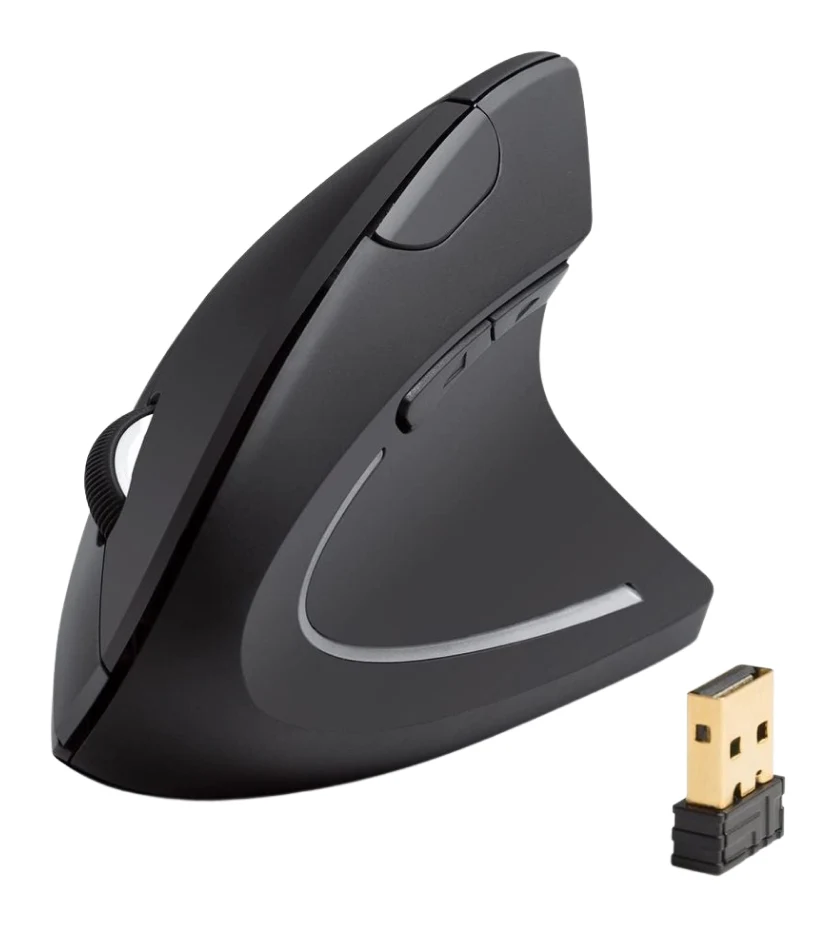
Anker 2.4G Wireless Vertical Mouse Review: Try Ergonomics
A look at Anker's 2.4G wireless vertical mouse: the upright handshake grip, 2.4G receiver, three DPI steps, and who should skip it, based on specs and expert reviews.
Published Oct 25, 2026Logitech MX Master 4 Review (2026): Refined, Not Radical
The MX Master 4 is a comfortable, quiet, highly customizable productivity mouse with long battery life. Here is who it suits, and who should look elsewhere.
Published Oct 22, 2026