Best Laptops for College Students 2026: All-Day Battery
Five laptops for campus life in 2026, from a long-lasting MacBook Air to a budget OLED Chromebook, compared on battery, weight, memory and ports.
15 products compared · Research-based · Affiliate links
We earn a commission from qualifying purchases made through our links, at no extra cost to you. It never decides our picks. How we make money
Which one should you buy?
Our picks by what matters to you · details below ↓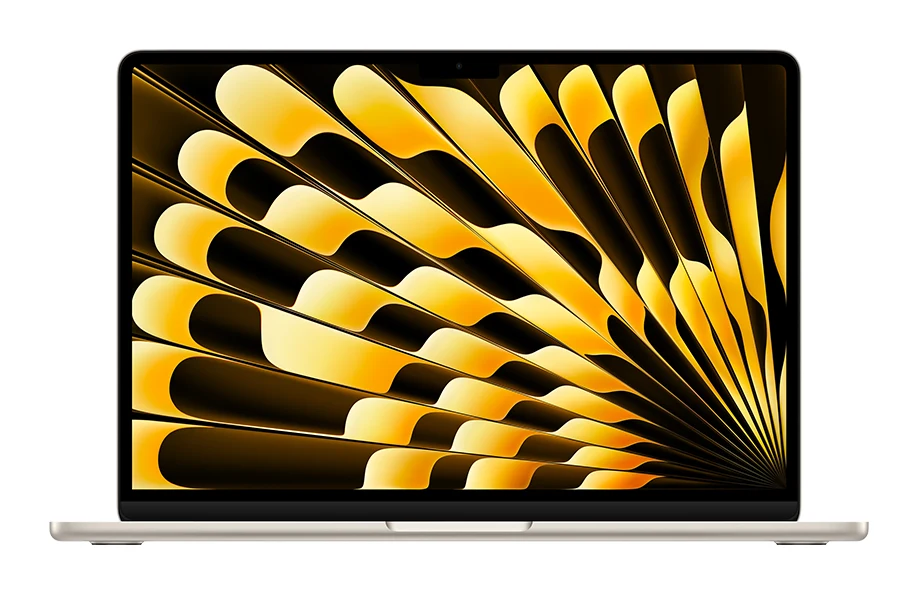
Best for: Students wanting a long-lasting, powerful all-rounder
Check price on Amazon- Best ValueApple MacBook Neo 13-inchBest for: Budget-minded students doing everyday coursework and writingCheck price

- Premium PickMacBook Air 13-inch M4Best for: Students who value video calls and all-day batteryCheck price

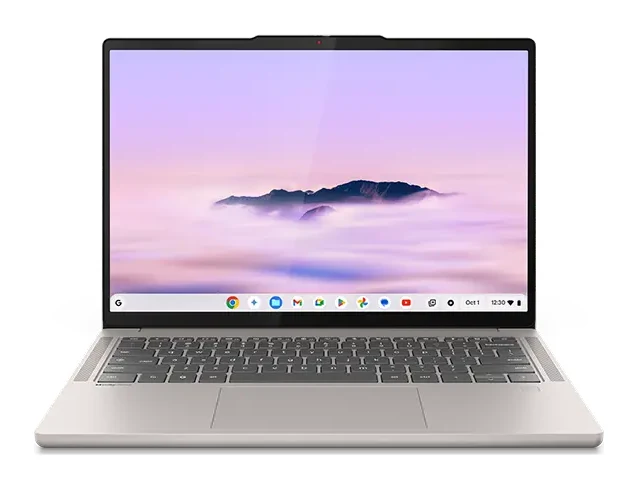
- Best BudgetLenovo Chromebook Plus (14", 10)Best for: Cloud-based students who want a great screen cheaplyCheck price
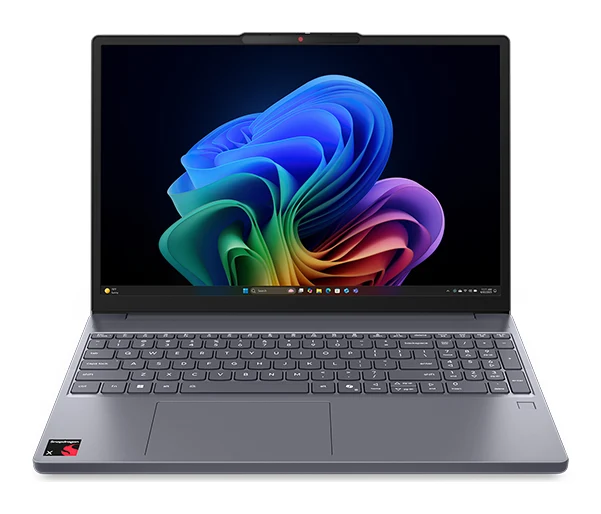
- Also GreatLenovo IdeaPad Slim 3x (15" Gen 10 Snapdragon)Best for: Windows users wanting a big screen and many portsCheck price

The best laptops for college students balance battery life, weight and memory, so one machine can get through lectures, library sessions and late-night essays. We narrowed the field to five picks, covering Apple's MacBook line, a Chromebook Plus and a big-screen Windows laptop. This guide is based on manufacturer specs and independent expert recommendations, not our own hands-on testing.
Best Laptops for College Students at a Glance
| Pick | Label | Battery | Weight | Memory | Price tier | Buy |
|---|---|---|---|---|---|---|
| MacBook Air 13-inch M5 | Best Overall | Up to 18 hours | 2.7 lbs | 16GB | Premium | Check price |
| Apple MacBook Neo 13-inch | Best Value | Up to 16 hours | 2.7 lbs | 8GB | Budget | Check price |
| MacBook Air 13-inch M4 | Premium Pick | Up to 18 hours | 2.7 lbs | 16GB | Mid-range | Check price |
| Lenovo Chromebook Plus (14", 10) | Best Budget | Up to 17 hours | 2.78 lbs | 16GB | Budget | Check price |
| Lenovo IdeaPad Slim 3x (15" Gen 10 Snapdragon) | Also Great | 15+ hours | 3.42 lbs | 16GB | Mid-range | Check price |
Battery figures are manufacturer claims. The MacBook figures are for video streaming.
MacBook Air 13-inch M5: Best Overall for Long Battery Life
Best for: Students wanting a long-lasting, powerful all-rounder
The M5 MacBook Air pairs long battery life, 16GB of memory and a silent, light design. It is a dependable all-rounder that should stay useful through a full degree.
Read our full MacBook Air 13-inch M5 review →- Battery life
- Up to 18 hours video streaming, up to 15 hours wireless web
- Weight
- 2.7 pounds (1.23 kg)
- Display
- 13.6-inch Liquid Retina LED-backlit IPS, 2560x1664 resolution, 224 ppi, 500 nits, P3 wide color
- Processor
- Apple M5 (10-core CPU: 4 super cores + 6 efficiency cores; 8-core or 10-core GPU configurable)
- RAM
- 16GB unified memory (configurable to 24GB or 32GB)
- Storage
- 512GB SSD (configurable to 1TB, 2TB, or 4TB)
Reasons to buy
- Up to 18 hours of battery for full days on campus
- Fanless, silent design suits libraries and lecture halls
- 16GB unified memory handles heavy multitasking
- Thin 2.7 lb aluminum body is easy to carry
- Two Thunderbolt 4 ports plus MagSafe charging
Reasons to avoid
- Only two USB-C ports, so dongles may be needed
- Premium price tier is a stretch for tight budgets
- TechRadar
- 9.0
- Trusted Reviews
- 9.0
- Stuff
- 10.0
- Creative Bloq
- 8.5
- Pickr
- 9.4
The MacBook Air 13-inch M5 is our Best Overall pick because it combines up to 18 hours of battery, 16GB of unified memory and a silent, fanless body. It suits students who want a long-lasting, powerful all-rounder. It is also recommended in 6 independent expert guides.
Keep reading about MacBook Air 13-inch M5
The 2.7 lb aluminum body is easy to carry between classes. The 13.6-inch Liquid Retina display reaches 500 nits and covers P3 wide color. Connectivity includes two Thunderbolt 4 ports, MagSafe 3 charging, Wi-Fi 7 and Bluetooth 6. The backlit keyboard includes Touch ID. The memory can be configured up to 24GB or 32GB, and storage up to 4TB, for students with heavier projects.
The trade-off
There are only two USB-C ports, so you may need dongles for older accessories. It is also in the premium price tier, which can be a stretch on a tight budget. Reviewers rate it highly: TechRadar gave it 4.75 out of 5, Trusted Reviews 4.5 and Pickr 4.7. The verdict is that it should stay useful through a full degree.
Apple MacBook Neo 13-inch: Best Value for Everyday Coursework
Best for: Budget-minded students doing everyday coursework and writing
The MacBook Neo gives students an affordable, portable Apple laptop with solid battery life and a good display. It suits everyday coursework and light creative projects better than demanding workloads.
Read our full Apple MacBook Neo 13-inch review →- Battery life
- Up to 16 hours video streaming, up to 11 hours wireless web
- Weight
- 2.7 pounds (1.23 kg)
- Display
- 13-inch Liquid Retina IPS, 2408 x 1506 resolution, 219 ppi, 500 nits
- Processor
- Apple A18 Pro (6-core CPU with 2 performance cores and 4 efficiency cores)
- RAM
- 8GB unified memory
- Storage
- 256GB or 512GB SSD
Reasons to buy
- Budget price tier for an Apple laptop
- Up to 16 hours of battery life
- Light 2.7 lb aluminum body is easy to carry
- Bright 13-inch Liquid Retina display
- Four color choices with color-matched keyboard
Reasons to avoid
- 8GB of memory limits heavy multitasking
- Only one port supports fast USB 3.2 speeds
- Wi-Fi 6E is a step behind newer standards
- Tom's Guide
- 9.0
- Pickr
- 9.0
- Trusted Reviews
- 9.0
- Stuff.tv
- 8.0
- eftm
- 9.6
The Apple MacBook Neo is our Best Value pick. It brings an Apple laptop with up to 16 hours of battery and a bright display into the budget price tier. It suits budget-minded students doing everyday coursework and writing. It is recommended in 6 independent expert guides.
Keep reading about Apple MacBook Neo 13-inch
It runs on the Apple A18 Pro chip, which is aimed at everyday tasks and light creative work. The 13-inch Liquid Retina display reaches 500 nits, and the aluminum body weighs 2.7 lbs. It comes in four colors (Silver, Blush, Citrus and Indigo), each with a color-matched keyboard, and has Apple Intelligence built in. For a closer look, see our MacBook Neo review.
The trade-off
The 8GB of memory limits heavy multitasking, so it suits everyday coursework better than demanding workloads. Only one of its two USB-C ports supports fast USB 3.2 speeds (the other is USB 2.0), and Wi-Fi 6E is a step behind newer standards. Trusted Reviews gave it 4.5 out of 5, Stuff.tv 4 and eftm 4.8.
MacBook Air 13-inch M4: Premium Pick for Video Calls
Best for: Students who value video calls and all-day battery
The M4 MacBook Air offers strong performance, great battery life and an excellent webcam in a light body. It is a good pick for students who want a polished experience without moving to the newest chip.
- Battery life
- Up to 18 hours video streaming; up to 15 hours wireless web
- Weight
- 2.7 pounds (1.24 kg)
- Display
- 13.6-inch Liquid Retina LED-backlit IPS; 2560×1664 at 224 ppi; 500 nits brightness
- Processor
- Apple M4 (10-core CPU with 4 performance and 6 efficiency cores)
- RAM
- 16GB unified memory (configurable to 24GB or 32GB)
- Storage
- 256GB SSD (configurable to 512GB, 1TB, or 2TB)
Reasons to buy
- 16GB memory handles many apps and browser tabs
- Up to 18 hours of battery life
- 12MP Center Stage camera with Desk View for video calls
- Fanless design runs silently
- Two Thunderbolt 4 ports plus MagSafe charging
Reasons to avoid
- Base storage of 256GB fills quickly
- Wi-Fi 6E and Bluetooth 5.3 trail newer models
- TechRadar
- 9.5
- Trusted Reviews
- 9.0
- Notebookcheck
- 9.1
The MacBook Air 13-inch M4 earns the Premium Pick label thanks to its 12MP Center Stage camera with Desk View and up to 18 hours of battery. It is a good fit for students who value video calls and all-day battery. It sits in the mid-range price tier and is recommended in 3 expert guides.
Keep reading about MacBook Air 13-inch M4
The M4 chip comes with 16GB of unified memory, configurable to 24GB or 32GB. The fanless design runs silently. The 13.6-inch Liquid Retina display reaches 500 nits, and the body weighs 2.7 lbs. Ports match the M5 model: two Thunderbolt 4 ports, MagSafe 3 and a headphone jack. Reviewers describe an excellent webcam in a light body. TechRadar scored it 4.75 out of 5, Trusted Reviews 4.5 and Notebookcheck 4.54.
The trade-off
The base storage of 256GB fills quickly, so consider a larger configuration if you keep lots of files locally. It also uses Wi-Fi 6E and Bluetooth 5.3, which trail newer models. It is a good choice for students who want a polished experience without moving to the newest chip.
Lenovo Chromebook Plus (14", 10): Best Budget for Cloud-Based Work
Best for: Cloud-based students who want a great screen cheaply
This Chromebook Plus delivers an OLED screen, strong audio and long battery life at a budget-friendly tier. It is ideal for students whose work happens mostly in the browser and Google apps.
- Battery life
- Up to 17 hours
- Weight
- 2.78 lbs (1.26 kg)
- Display
- 14" WUXGA (1920x1200) OLED, 100% DCI-P3, 400nits, 60Hz
- Processor
- MediaTek Kompanio Ultra 910
- RAM
- 16GB LPDDR5X
- Storage
- 256GB UFS 4.0
Reasons to buy
- Vivid 14-inch OLED display with wide color coverage
- Up to 17 hours of battery life
- 16GB of memory is generous for a Chromebook
- Quad Dolby Atmos speakers sound great for media
- Wi-Fi 7 and a privacy-shutter webcam
Reasons to avoid
- ChromeOS limits some desktop software options
- Display peaks at 400 nits and 60Hz
- Fewer ports than larger laptops
- TechRadar
- 8.0
- PC World
- 9.0
The Lenovo Chromebook Plus is our Best Budget pick because it offers a 14-inch OLED display, 16GB of memory and up to 17 hours of battery in the budget price tier. It is ideal for students whose work happens mostly in the browser and Google apps. It is recommended in 3 expert guides.
Keep reading about Lenovo Chromebook Plus (14", 10)
The OLED panel covers 100% DCI-P3. Four 2W speakers with Dolby Atmos sound great for media. The MediaTek Kompanio Ultra 910 includes a 50 TOPS NPU, with Google AI features and Gemini integration. It also has Wi-Fi 7 and a 5MP webcam with a physical privacy shutter. The fanless design weighs 2.78 lbs. It has two USB-C 5Gbps ports and one USB-A 5Gbps port.
The trade-off
ChromeOS limits some desktop software options, so check that your course tools run in a browser or have Chromebook versions. The display peaks at 400nits and 60Hz, and there are fewer ports than on larger laptops. TechRadar scored it 4 out of 5 and PC World 4.5.
Lenovo IdeaPad Slim 3x (15" Gen 10 Snapdragon): Also Great for Big-Screen Desk Work
Best for: Windows users wanting a big screen and many ports
The IdeaPad Slim 3x offers a big screen, many ports and upgradeable storage with long battery life. It suits students who want a roomy Windows laptop for desk work.
Read our full Lenovo IdeaPad Slim 3x (15" Gen 10 Snapdragon) review →- Battery life
- 15+ hours
- Weight
- 1.55 kg (3.42 lbs)
- Display
- 15.3" WUXGA (1920 x 1200) IPS 60Hz, 300 nits
- Processor
- Qualcomm Snapdragon X X1-26-100 (8-core, 3.0 GHz)
- RAM
- 16GB LPDDR5X-8448
- Storage
- 512GB SSD M.2 2242 PCIe 4.0x4 NVMe
Reasons to buy
- Large 15.3-inch 16:10 display gives extra working space
- Battery life of 15+ hours
- Wide port selection including HDMI and SD card reader
- Dual M.2 slots allow storage upgrades
- MIL-STD 810H durability for backpack life
Reasons to avoid
- Heavier at 3.42 lbs than 13-inch rivals
- Display is only 300 nits
- Basic 720p webcam
- Tom's Guide
- 8.0
- PCWorld
- 7.0
- Expert Reviews
- 10.0
- IT Pro
- 8.0
The Lenovo IdeaPad Slim 3x earns its Also Great spot for a roomy 15.3-inch display, a wide port selection and 15+ hours of battery. It is best for Windows users who want a big screen and many ports. It is recommended in 3 expert guides.
Keep reading about Lenovo IdeaPad Slim 3x (15" Gen 10 Snapdragon)
The 16:10 WUXGA screen gives extra working space for documents and side-by-side windows. Ports include two USB-A, one USB-C with DisplayPort, HDMI and an SD card reader. It has dual M.2 slots for storage upgrades. The aluminum chassis meets MIL-STD 810H durability standards, which is reassuring for life in a backpack. The Snapdragon X chip includes a 45 TOPS NPU for Copilot+ features.
The trade-off
At 3.42 lbs it is heavier than the 13-inch options here. The display is only 300 nits, and the webcam is a basic 720p unit with a privacy shutter. Reviews were mixed to strong: Expert Reviews gave it 5 out of 5, Tom's Guide and IT Pro 4, and PC World 3.5.
Compare our picks side by side
The specs most of our picks share, from each maker’s spec page (— = not published). Expert score = the average of published expert reviews, which rate each product for its price. Scroll sideways on small screens.
| Spec | MacBook Air 13-inch M5 | Apple MacBook Neo 13-inch | MacBook Air 13-inch M4 | Lenovo Chromebook Plus (14", 10) | Lenovo IdeaPad Slim 3x (15" Gen 10 Snapdragon) |
|---|---|---|---|---|---|
| Best for | Best Overall | Best Value | Premium Pick | Best Budget | Also Great |
| Expert score | 9.2 | 8.9 | 9.2 | 8.5 | 8.3 |
| Price vs. these picks | Higher | Lower | Middle | Lower | Middle |
| Battery life | Up to 18 hours video streaming, up to 15 hours wireless web | Up to 16 hours video streaming, up to 11 hours wireless web | Up to 18 hours video streaming; up to 15 hours wireless web | Up to 17 hours | 15+ hours |
| Weight | 2.7 pounds (1.23 kg) | 2.7 pounds (1.23 kg) | 2.7 pounds (1.24 kg) | 2.78 lbs (1.26 kg) | 1.55 kg (3.42 lbs) |
| Display | 13.6-inch Liquid Retina LED-backlit IPS, 2560x1664 resolution, 224 ppi, 500 nits, P3 wide color | 13-inch Liquid Retina IPS, 2408 x 1506 resolution, 219 ppi, 500 nits | 13.6-inch Liquid Retina LED-backlit IPS; 2560×1664 at 224 ppi; 500 nits brightness | 14" WUXGA (1920x1200) OLED, 100% DCI-P3, 400nits, 60Hz | 15.3" WUXGA (1920 x 1200) IPS 60Hz, 300 nits |
| Processor | Apple M5 (10-core CPU: 4 super cores + 6 efficiency cores; 8-core or 10-core GPU configurable) | Apple A18 Pro (6-core CPU with 2 performance cores and 4 efficiency cores) | Apple M4 (10-core CPU with 4 performance and 6 efficiency cores) | MediaTek Kompanio Ultra 910 | Qualcomm Snapdragon X X1-26-100 (8-core, 3.0 GHz) |
| RAM | 16GB unified memory (configurable to 24GB or 32GB) | 8GB unified memory | 16GB unified memory (configurable to 24GB or 32GB) | 16GB LPDDR5X | 16GB LPDDR5X-8448 |
| Storage | 512GB SSD (configurable to 1TB, 2TB, or 4TB) | 256GB or 512GB SSD | 256GB SSD (configurable to 512GB, 1TB, or 2TB) | 256GB UFS 4.0 | 512GB SSD M.2 2242 PCIe 4.0x4 NVMe |
| Ports | 2x Thunderbolt 4 (USB-C), MagSafe 3, 3.5mm headphone jack | 1x USB-C (USB 3.2 Gen 2, 10Gbps with DisplayPort), 1x USB-C (USB 2.0), 3.5mm audio jack | Two Thunderbolt 4 (USB-C); MagSafe 3; 3.5mm headphone jack | 2x USB-C 5Gbps, 1x USB-A 5Gbps, 1x audio jack | 2x USB-A 3.2 Gen 1, 1x USB-C 3.2 Gen 1 with USB PD and DisplayPort 1.2, 1x HDMI 1.4, 1x SD Card reader, 1x 3.5mm audio jack |
| Connectivity | — | Wi-Fi 6E, Bluetooth 6 | Wi-Fi 6E (802.11ax); Bluetooth 5.3 | Wi-Fi 7, Bluetooth 5.4 | Wi-Fi 7 (802.11be), Bluetooth 5.4 |
| Where to buy | Check price | Check price | Check price | Check price | Check price |
How to Choose the Best Laptops for College Students
Battery life and weight
You will carry your laptop daily and may not always find a power outlet. All five picks claim at least 15 hours of battery, and four weigh under 3 lbs. The IdeaPad is the heaviest, at 3.42 lbs, in exchange for a larger screen.
Memory and storage
Memory affects how smoothly many browser tabs and apps run together. Four of these laptops have 16GB. The MacBook Neo has 8GB, which suits lighter use. Storage matters too: the MacBook Air M4 starts at 256GB, so consider a larger configuration if you will keep big files locally.
Operating system and software
Check your course requirements first. The Chromebook Plus is best for browser-based work. The IdeaPad is a Windows laptop. The MacBooks suit students who prefer Apple's ecosystem.
Ports and screen
If you connect to projectors, SD cards or older accessories, the IdeaPad's port selection helps. The MacBooks have fewer ports. For video calls, the MacBook Air M4 has a 12MP Center Stage camera. For media, the Chromebook Plus combines OLED and quad speakers.
How We Picked
We compared the five picks using manufacturer specs and the recommendations of independent expert guides and reviews. We did not run our own hands-on tests. Battery figures are the manufacturers' claims and may vary with use. Prices change often, so use the check-price buttons for current pricing.
Bottom Line
For most students, the MacBook Air 13-inch M5 is the safest all-round choice, with long battery life, 16GB of memory and a silent, light body. If budget matters most, the Apple MacBook Neo suits everyday coursework, and the Lenovo Chromebook Plus is a strong fit for browser-based work. The MacBook Air M4 is a good option for frequent video calls, and the IdeaPad Slim 3x suits students who want a big screen and plenty of ports.
Ready to buy?
 Best OverallMacBook Air 13-inch M5Check price
- Best ValueApple MacBook Neo 13-inchCheck price
- Premium PickMacBook Air 13-inch M4Check price
- Best BudgetLenovo Chromebook Plus (14", 10)Check price
- Also GreatLenovo IdeaPad Slim 3x (15" Gen 10 Snapdragon)Check price
Related buying guides
Frequently asked questions
What is the best laptop for college students overall?
The MacBook Air 13-inch M5 is our Best Overall pick. It offers up to 18 hours of battery, 16GB of unified memory and a fanless, silent design at 2.7 lbs. It is recommended in 6 independent expert guides.
Which laptop has the longest battery life here?
The MacBook Air 13-inch M5 and M4: up to 18 hours of video streaming each. The Lenovo Chromebook Plus follows with up to 17 hours, and the MacBook Neo with up to 16 hours. The IdeaPad Slim 3x is rated at 15+ hours. These are manufacturer claims.
What is the best budget laptop for college?
The Lenovo Chromebook Plus (14", 10) is our Best Budget pick, with a 14-inch OLED display, 16GB of memory and up to 17 hours of battery. It works best if your coursework runs in the browser and Google apps. The Apple MacBook Neo is also in the budget tier.
Is 8GB of memory enough for college?
The Apple MacBook Neo has 8GB of unified memory, which suits everyday coursework and writing but limits heavy multitasking. If you run many apps at once, the 16GB models in this guide are a safer fit.
Which laptop has the most ports?
The Lenovo IdeaPad Slim 3x: it has two USB-A ports, a USB-C port, HDMI, an SD card reader and a headphone jack. The MacBook Airs offer two Thunderbolt 4 ports and MagSafe 3, so you may need dongles for older accessories.
Which laptop is best for video calls?
The MacBook Air 13-inch M4: it has a 12MP Center Stage camera with Desk View. Reviewers describe its webcam as excellent. The Lenovo Chromebook Plus has a 5MP webcam with a physical privacy shutter.
Sources
Specs are taken from the manufacturers' official pages; expert recommendations from the publications below.
- MacBook Air 13-inch M5: apple.com, support.apple.com
- Apple MacBook Neo 13-inch: apple.com, en.wikipedia.org
- MacBook Air 13-inch M4: apple.com, support.apple.com
- Lenovo Chromebook Plus (14", 10): lenovo.com, tomsguide.com, pcworld.com, notebookcheck.net
- Lenovo IdeaPad Slim 3x (15" Gen 10 Snapdragon): lenovo.com, nanoreview.net, psref.lenovo.com, devicerated.com
More buying guides
Apple MacBook Air 13-inch M5 Review: Quiet All-Day Laptop
Our Apple MacBook Air 13-inch M5 review looks at the silent, slim ultraportable: what the specs mean day to day, what experts praise and who should skip it.
Published Oct 25, 2026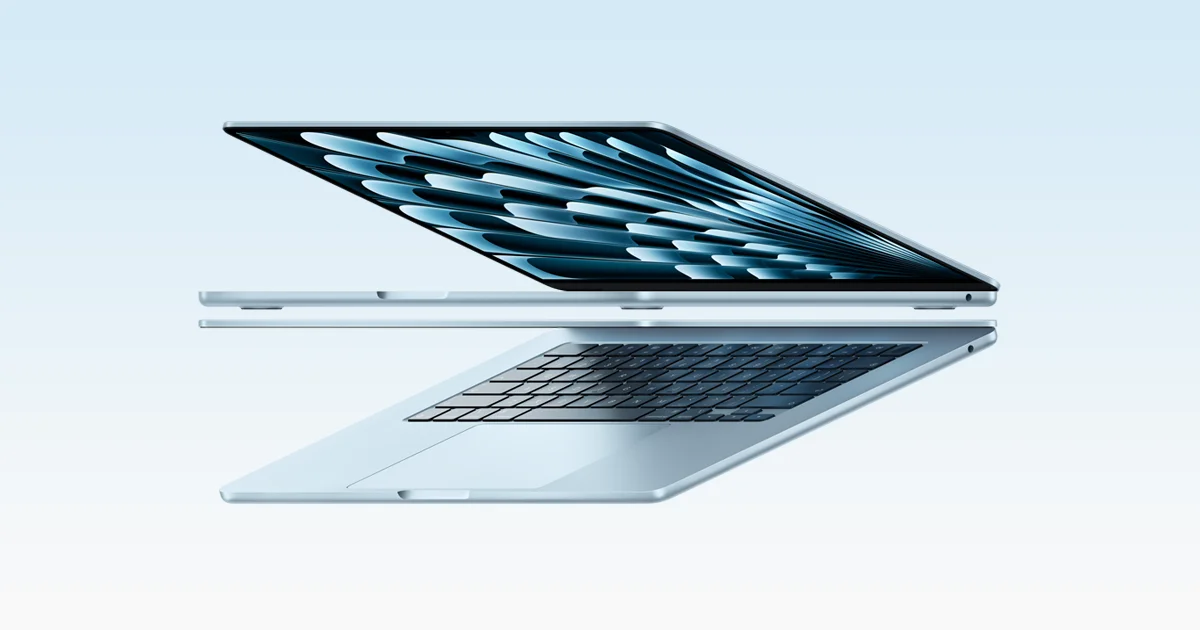
Best Laptops in 2026: Overall Picks and by Budget
Five laptops for 2026, from the best all-rounder to the best budget buy, compared on display, battery, weight and ports using manufacturer specs and expert recommendations.
Published Oct 30, 2026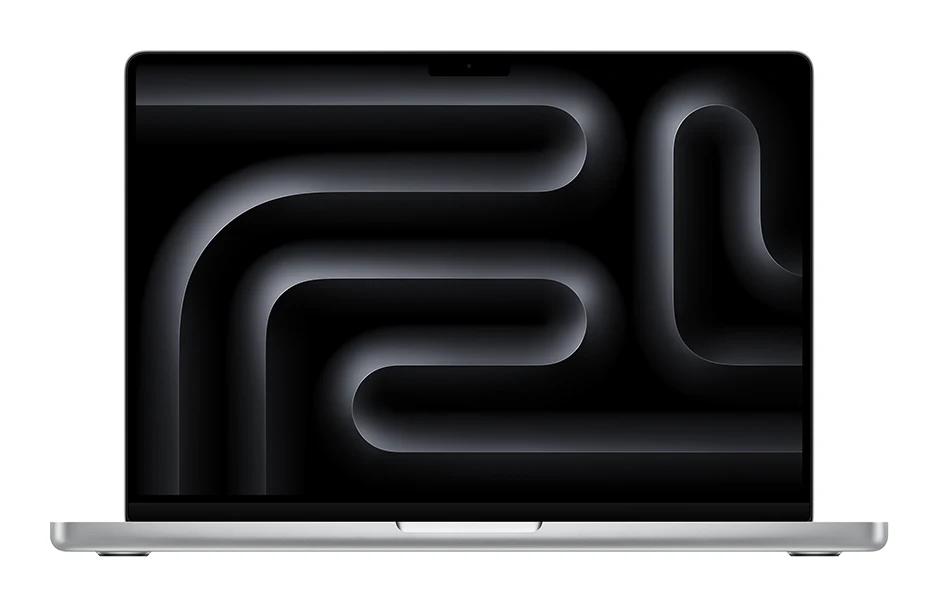
Best Laptops for Video Editing 2026: Macs to RTX
Five video editing laptops compared on processor, GPU, display, ports, weight and battery life, drawn from manufacturer specs and independent expert recommendations.
Published Oct 25, 2026