Acer Chromebook Plus Spin 714 Review (2026): Updates to 2034
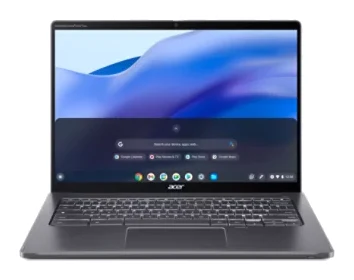
A convertible ChromeOS laptop with a Core Ultra 5 chip, a 1440p webcam, two Thunderbolt 4 ports and updates promised to June 2034. Here is who it suits and where it falls short.
Research-based · We earn from qualifying purchases
Our verdict
The Acer Chromebook Plus Spin 714 suits students and professionals who want a fast, well-built ChromeOS laptop with a great webcam, solid ports and updates guaranteed until June 2034. Skip it if you're on a tight budget, need biometric login, or want a light tablet-first device.
The good
- Snappy everyday ChromeOS performance, even with many browser tabs open
- Sharp 14-inch 16:10 touchscreen with 100% sRGB colour
- Very good 1440p webcam with a privacy shutter
- Two Thunderbolt 4 ports plus HDMI 2.0 and USB-A
- Comfortable backlit keyboard with good key travel
+2 more
- Two Thunderbolt 4 ports plus HDMI 2.0 and USB-A
- Comfortable backlit keyboard with good key travel
The bad
- Glare-prone display with modest brightness in bright rooms
- No fingerprint reader or microSD card reader
- Pricier than the average Chromebook
- Awkward to use as a tablet
+1 more
- Awkward to use as a tablet
This Acer Chromebook Plus Spin 714 (CP714-1H-54UB) review looks at a convertible ChromeOS laptop aimed at people who want more than a basic budget Chromebook. It pairs an Intel Core Ultra 5 115U processor with a 14-inch touchscreen, a high-resolution webcam and a long update commitment. It suits remote workers and students who live in the browser, on video calls and in web apps, and who want a machine that stays supported for years.
This article is based on Acer's manufacturer specs and on what independent expert reviews report. It is not a hands-on test.
Acer Chromebook Plus Spin 714 (CP714-1H-54UB): specs at a glance
From the manufacturer- Ports
- 2x USB Type-C (Thunderbolt 4), 1x USB 3.2 Gen 1 Type-A, 1x HDMI 2.0, 3.5mm combo jack
- Memory
- 8 GB LPDDR5 (max 16 GB)
- Webcam
- 2560 x 1440
- Weight
- 3.21 lbs
- Battery
- 53 Wh, up to 10 hours (Acer rating)
- Charger
- 65 W USB-C
- Display
- 14" IPS touchscreen, 1920 x 1200, 60 Hz, 100% sRGB
- Storage
- 256 GB PCIe NVMe SSD
- Wireless
- Wi-Fi 6E (802.11ax)
- Bluetooth
- 5.2; Acer's spec page lists 5.3 or above
- Processor
- Intel Core Ultra 5 115U, 1.50 GHz, 8 cores
- Dimensions
- 12.35 x 8.84 x 0.71 inches
- Fingerprint reader
- No
- Auto update expiration
- June 2034
Key features
- 360-degree hinge converts between laptop, tent and tablet modes
- Intel Core Ultra 5 115U keeps ChromeOS and web apps fast
- 14-inch 1920 x 1200 touchscreen with 100% sRGB colour
- 1440p webcam with a privacy shutter for video calls
- Two Thunderbolt 4 ports plus HDMI 2.0 for external displays and fast charging
- Backlit keyboard and a large glass touchpad
- MIL-STD 810H durability and Gorilla Glass protection
- ChromeOS updates guaranteed until June 2034
Acer Chromebook Plus Spin 714 review: design and build
The Spin 714 is a 14-inch convertible. Its 360-degree hinge lets it work as a regular laptop, in tent mode for propping up on a desk or table, or folded flat as a tablet. Acer gives the dimensions as 12.35 x 8.84 x 0.71 inches and the weight as 3.21 lbs.
The Spin 714 is listed with MIL-STD 810H durability and Gorilla Glass protection. The specs don't detail what the durability testing covers.
The keyboard is backlit, and the touchpad is large and glass-surfaced. Reviewers praise the keyboard for its comfort and good key travel.
The display: sharp, but not built for bright rooms
The screen is a 14-inch IPS touchscreen at 1920 x 1200, in the taller 16:10 shape. It refreshes at 60 Hz and covers 100% sRGB. The panel is sharp and covers 100% sRGB.
The main caveat is glare. A common criticism is that the display is glare-prone and offers only modest brightness in bright rooms.
Performance: built for ChromeOS and web apps
Inside is the Intel Core Ultra 5 115U, an 8-core chip running at 1.50 GHz, with 8 GB of LPDDR5 memory. Acer lists a maximum of 16 GB for the platform. Storage is a 256 GB PCIe NVMe SSD. ChromeOS is a lightweight operating system, and this hardware is aimed at keeping it and web apps responsive. Reviewers praise snappy everyday performance, even with many browser tabs open.
The 256 GB drive is the listed storage. There is no microSD card reader, so you cannot expand storage that way. If you handle large local files, plan on an external drive or cloud storage.
Ports and connectivity
The port selection is one of this model's strengths. You get two USB Type-C ports that support Thunderbolt 4, one USB 3.2 Gen 1 Type-A port, one HDMI 2.0 port and a 3.5mm combo jack. In practice, that means:
- You can plug in a USB-A mouse, flash drive or older accessory without a dongle.
- HDMI 2.0 lets you connect an external display or projector directly.
- The two Thunderbolt 4 ports plus HDMI 2.0 are listed for external displays and fast charging.
The charger is a 65 W USB-C unit. Wireless is Wi-Fi 6E (802.11ax). On Bluetooth, sources differ slightly: PCWorld, Digital Trends and Consumer Reports list 5.2, while Acer's own spec page lists 5.3 or above.
One omission is a fingerprint reader. The spec sheet lists none. You will sign in with a password or PIN instead, which is a real consideration if you value quick biometric login.
Webcam and video calls
The 1440p webcam, at 2560 x 1440, is one of its listed highlights. Reviewers describe it as a very good webcam. A physical privacy shutter lets you cover the lens when you aren't using it.
Battery life
The battery is 53 Wh, and Acer rates it at up to 10 hours. Treat that as a manufacturer rating, not a guarantee. Real-world runtime depends on screen brightness, the number of open tabs, video calls and wireless use. Charging is handled by a 65 W USB-C charger.
Software and long-term support
Acer guarantees ChromeOS updates until June 2034. That is a long support commitment, and it suits anyone who wants one laptop supported for years.
What experts like and what they criticise
The expert picture is positive overall. It averages 8.5/10 across 2 expert reviews: PCWorld scores it 4.5/5 and Android Police scores it 8/10.
What reviewers praise:
- Snappy everyday ChromeOS performance, even with many tabs open.
- The sharp 16:10 touchscreen with 100% sRGB colour.
- The very good 1440p webcam and its privacy shutter.
- A strong port selection that includes two Thunderbolt 4 ports, HDMI 2.0 and USB-A.
- A comfortable backlit keyboard.
The common criticisms:
- The glare-prone display with modest brightness in bright rooms.
- No fingerprint reader and no microSD card reader.
- It is pricier than the average Chromebook.
- It is awkward to use as a tablet.
That last point deserves attention. The 360-degree hinge is a real feature, but the Spin 714 is awkward to use as a tablet.
Who should buy it, and who should skip it
Buy it if you work or study mostly in the browser and on video calls, and you want a well-built ChromeOS laptop that will remain supported for years. The webcam, port selection and keyboard suit remote workers and students.
Skip it if you are on a tight budget, since it costs more than the average Chromebook. Also skip it if you need a fingerprint reader for biometric login, depend on a microSD slot, work often in bright light, or want a light device mainly for tablet use.
How it fits in the ChromeOS landscape
This is a mid-range Chromebook that is pricier than the average Chromebook, and in return you get a Core Ultra 5 processor, a sharp 16:10 touchscreen, a 1440p webcam, Thunderbolt 4 and HDMI ports and updates until June 2034. It is pricier than the average Chromebook, so it is less compelling if you only need basic browsing. It is a more convincing buy if you will use the webcam, the ports and the screen daily, and you value support through June 2034.
Verdict
The Acer Chromebook Plus Spin 714 is a capable, well-rounded ChromeOS convertible with clear priorities: fast everyday performance, a very good webcam, flexible ports and long-term software support. Its weak points are a glare-prone screen, no fingerprint or microSD reader, a price above the average Chromebook, and a convertible design that is awkward to use as a tablet. If those trade-offs suit you, it suits remote workers and students who want a fast, well-built ChromeOS laptop. Use the check price buttons on this page to see current pricing and availability.
Related buying guides
- Best Laptops for College Students 2026: All-Day Battery
- Apple MacBook Neo Review (2026): Quiet, Light, Everyday Mac
- Best Portable Monitor 2026 for Laptops, Consoles & Travel
- Best Laptops for Video Editing 2026: Power, Screens, Ports
- Apple MacBook Pro 16-inch (M5 Pro, 2026) Review: Worth It?
- Apple MacBook Air 13-inch M5 Review: Quiet All-Day Laptop
Not sure about the Acer Chromebook Plus Spin 714 (CP714-1H-54UB)? Consider these
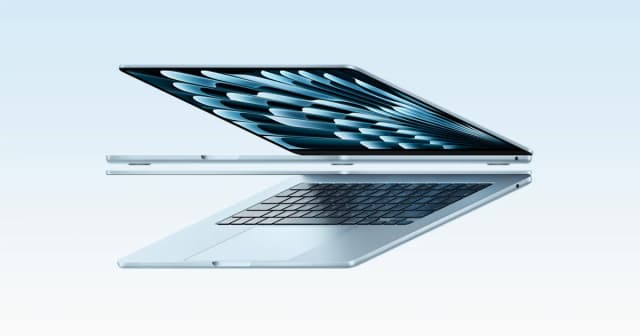
- Best OverallApple MacBook Air 13-inch (M5, 2026)Why we picked it →
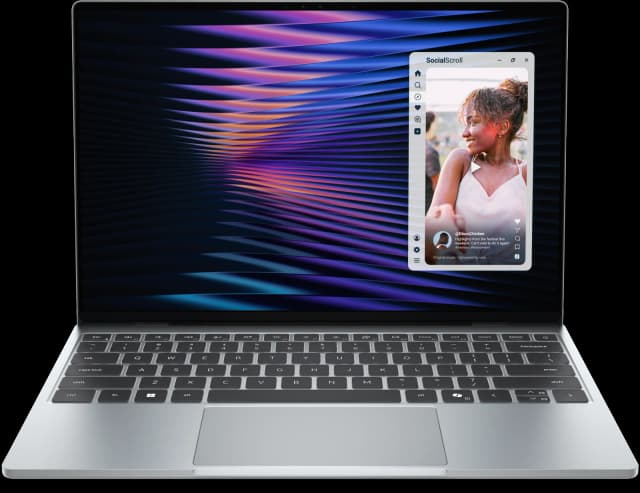
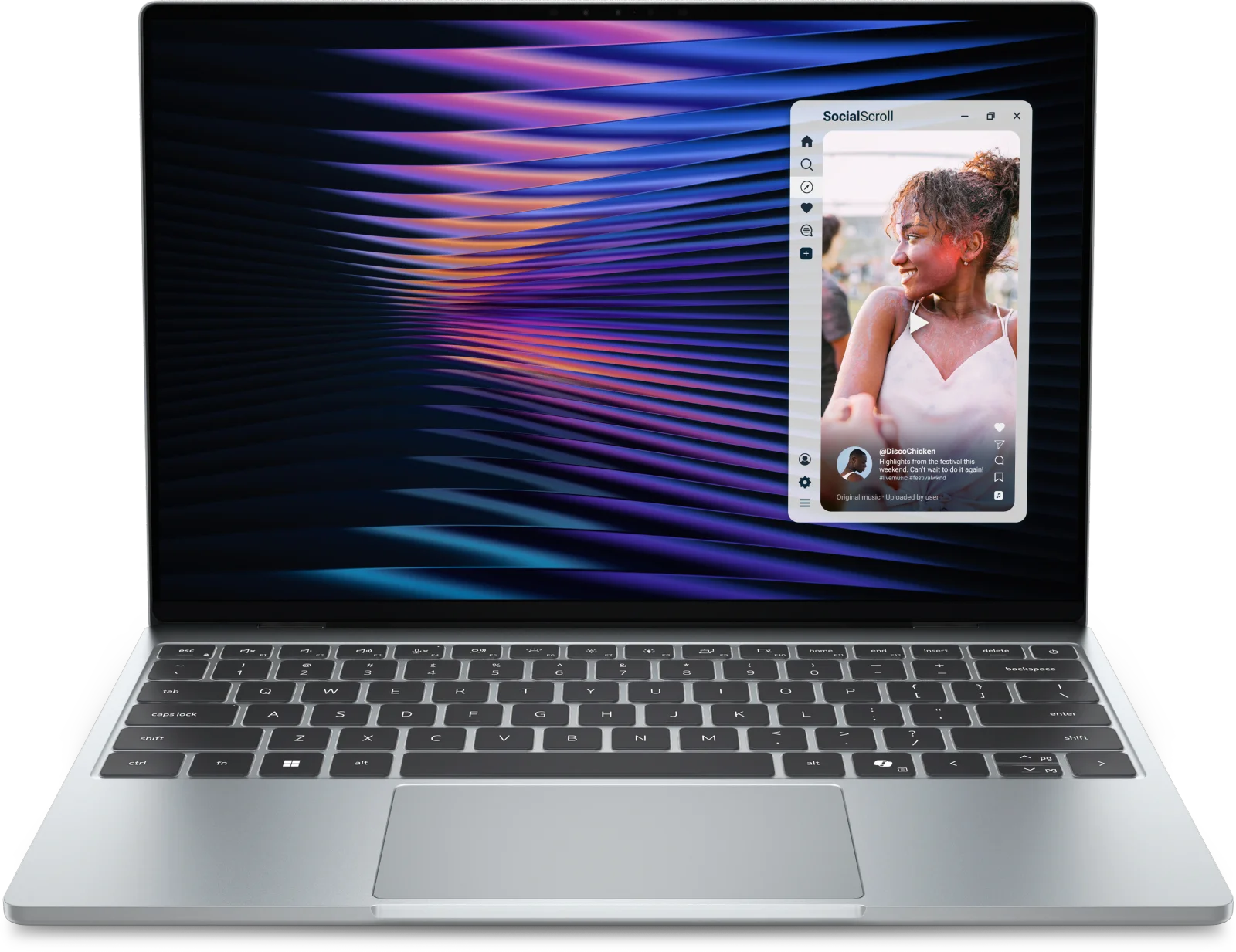
- Best ValueDell XPS 13 (2026)Why we picked it →
- Premium PickMacBook Pro 14-inch (M5, 2025)Why we picked it →
Frequently asked questions
Is the Acer Chromebook Plus Spin 714 worth it?
For remote workers and students who want a fast, well-built ChromeOS laptop, it is a good fit, averaging 8.5/10 across 2 expert reviews from PCWorld and Android Police. It is pricier than the average Chromebook, so it is less compelling if you only need basic browsing.
How long will the Acer Chromebook Plus Spin 714 get updates?
Acer guarantees ChromeOS updates until June 2034.
Does the Acer Chromebook Plus Spin 714 have a fingerprint reader?
No. The spec sheet lists no fingerprint reader, which is a drawback if you want biometric login. You sign in using a password or PIN.
Can the Acer Chromebook Plus Spin 714 connect to an external monitor?
Yes. It has an HDMI 2.0 port and two USB Type-C ports with Thunderbolt 4, which are listed for external displays and fast charging.
How good is the battery life?
Acer rates the 53 Wh battery at up to 10 hours. That is a manufacturer rating, so real-world runtime will vary with brightness, video calls and workload.
Is the Acer Chromebook Plus Spin 714 good as a tablet?
It can fold flat thanks to its 360-degree hinge, but reviewers say it is awkward to use as a tablet.
Sources
Specs are taken from the manufacturers' official pages; expert recommendations from the publications below.
- Acer Chromebook Plus Spin 714 (CP714-1H-54UB): acer.com, pcworld.com, rtings.com, laptopmag.com
Related reviews & guides
Best Chromebooks 2026: Budget, 2-in-1 and AMOLED Picks
Five of the best Chromebooks for 2026, from a premium convertible with a decade of updates to a budget detachable and a slim AMOLED laptop.
Published Oct 15, 2026
Best Laptops in 2026: Overall Picks and by Budget
Five laptops for 2026, from the best all-rounder to the best budget buy, compared on display, battery, weight and ports using manufacturer specs and expert recommendations.
Published Oct 30, 2026
Best Laptops for Video Editing 2026: Macs to RTX
Five video editing laptops compared on processor, GPU, display, ports, weight and battery life, drawn from manufacturer specs and independent expert recommendations.
Published Oct 25, 2026