Best Laptops for Video Editing 2026: Macs to RTX
Five video editing laptops compared on processor, GPU, display, ports, weight and battery life, drawn from manufacturer specs and independent expert recommendations.
25 products compared · Research-based · Affiliate links
We earn a commission from qualifying purchases made through our links, at no extra cost to you. It never decides our picks. How we make money
Which one should you buy?
Our picks by what matters to you · details below ↓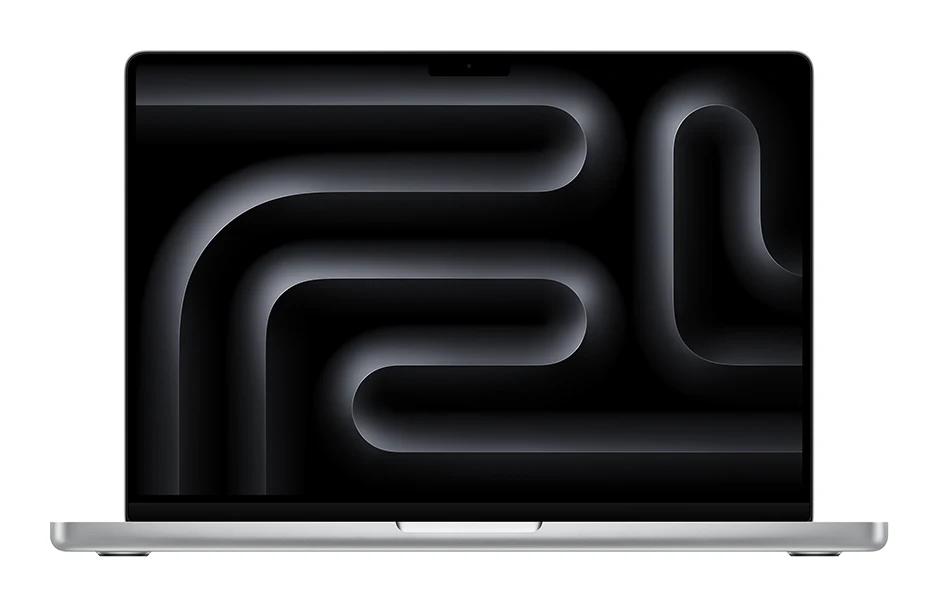
Best for: Editors wanting a portable, well-rounded Mac powerhouse
Check price on Amazon- Also GreatMacBook Pro 16 M5 ProBest for: Editors prioritizing screen size and ProRes-heavy workflowsCheck price

- Best ValueLenovo ThinkPad P1 Gen 8Best for: Windows editors wanting a configurable, portable workstationCheck price
- Best BudgetSamsung Galaxy Book6 UltraBest for: Budget-minded editors wanting a slim RTX laptopCheck price
- Premium PickASUS ProArt P16 H7606Best for: Color-critical editors wanting maximum GPU power and OLEDCheck price
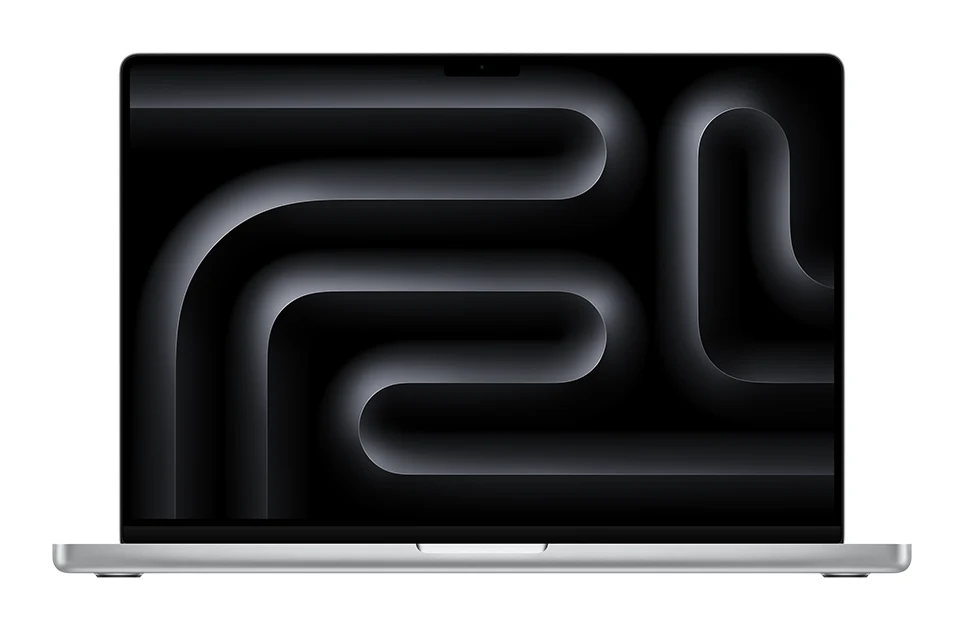
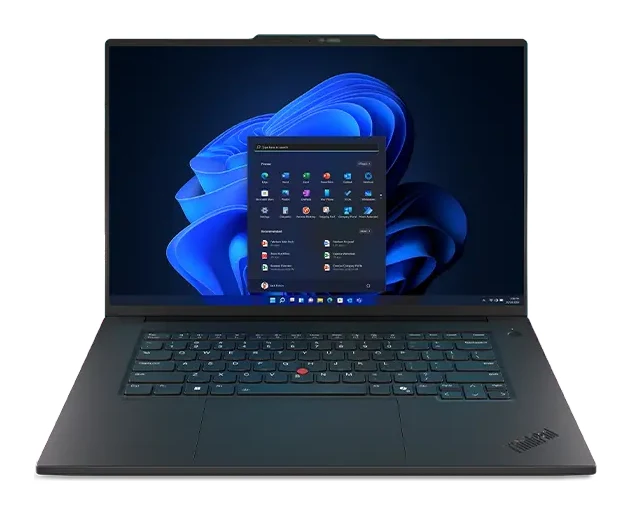
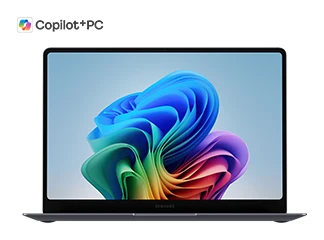
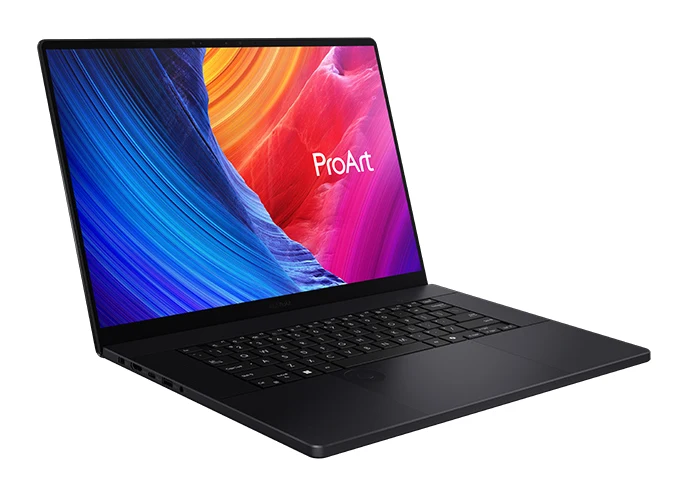
The best laptops for video editing combine a fast processor, a capable GPU, plenty of memory and a display you can trust for color. We narrowed the field to five: two MacBook Pro models, a configurable ThinkPad workstation, a slim RTX-equipped Samsung and a color-focused ASUS ProArt. This guide is based on manufacturer specs and independent expert recommendations, not our own hands-on testing.
Best Laptops for Video Editing at a Glance
| Pick | Label | Processor | Graphics | Display | Weight | Buy |
|---|---|---|---|---|---|---|
| Apple MacBook Pro 14 M5 Pro | Best Overall | Apple M5 Pro (15-core CPU) | 16-core GPU (configurable to 20-core) | 14.2-inch Liquid Retina XDR | 3.5 pounds (1.60 kg) | Check price |
| MacBook Pro 16 M5 Pro | Also Great | Apple M5 Pro (18-core CPU) | 20-core GPU | 16.2-inch Liquid Retina XDR, 120Hz ProMotion | 4.7 pounds (2.14 kg) | Check price |
| Lenovo ThinkPad P1 Gen 8 | Best Value | Intel Core Ultra 9 285H | Intel Arc Graphics 140T / NVIDIA RTX PRO 1000-2000 Blackwell (8GB GDDR7) | 16" WUXGA IPS / 3.2K Tandem OLED / WQUXGA IPS | 1.84 kg | Check price |
| Samsung Galaxy Book6 Ultra | Best Budget | Intel Core Ultra 7 356H / Core Ultra X7 358H / Core Ultra 9 386H | NVIDIA GeForce RTX 5060 / 5070 or Intel Arc Graphics | 16 inch Dynamic AMOLED 2X | 1.79 kg (Intel Arc) / 1.89 kg (RTX) | Check price |
| ASUS ProArt P16 H7606 | Premium Pick | AMD Ryzen AI 9 HX 370 | Up to NVIDIA GeForce RTX 5090 Laptop GPU with 24GB GDDR7 | 16-inch OLED 4K (3840 x 2400) | 1.85 kg | Check price |
Apple MacBook Pro 14 M5 Pro: Best Overall for Portable Editing
Best for: Editors wanting a portable, well-rounded Mac powerhouse
A balanced, portable editing machine with a powerful chip, a bright XDR display and a port selection built for creators. Its card slot and Thunderbolt 5 ports suit camera-to-edit workflows.
- Battery life
- Up to 22 hours video streaming, up to 14 hours wireless web
- Weight
- 3.5 pounds (1.60 kg)
- Display
- 14.2-inch Liquid Retina XDR
- Resolution
- 3024 x 1964 at 254 ppi
- Processor
- Apple M5 Pro (15-core CPU)
- RAM
- 24GB unified memory (configurable to 48GB or 64GB)
Reasons to buy
- Fast 15-core M5 Pro CPU suited to multithreaded editing
- 16-core GPU with Neural Accelerators in each core
- Bright 14.2-inch XDR display for professional color work
- Three Thunderbolt 5 ports, HDMI and SDXC card slot
- Up to 22 hours video streaming battery life
Reasons to avoid
- Base 24GB memory may need upgrading for heavy projects
- Smaller 14.2-inch screen limits timeline workspace
- CG Mag
- 8.5
- Notebookcheck
- 9.4
The MacBook Pro 14 with the M5 Pro is our best overall pick because it balances power, portability and a creator-friendly port selection. It suits editors who want a well-rounded, portable Mac. It is recommended in 7 independent expert guides.
Keep reading about Apple MacBook Pro 14 M5 Pro
The 15-core CPU has 5 super cores and 10 performance cores, and the 16-core GPU has Neural Accelerators in each core for AI and creative workloads. The 14.2-inch Liquid Retina XDR display reaches 1600 nits peak brightness for professional color work. Battery life is rated at up to 22 hours of video streaming. At 3.5 pounds (1.60 kg), it is the lightest laptop in this roundup.
Ports and workflow
There are three Thunderbolt 5 ports, HDMI, an SDXC card slot, a headphone jack and MagSafe 3. The card slot and Thunderbolt 5 suit a camera-to-edit workflow. Expert scores include 8.5 out of 10 from CG Mag and 4.7 out of 5 from Notebookcheck.
The trade-off
The base 24GB of unified memory may need upgrading for heavy projects, and it can be configured to 48GB or 64GB. The smaller 14.2-inch screen also limits timeline workspace. If screen space matters more than weight, look at the 16-inch model below.
MacBook Pro 16 M5 Pro: Also Great for ProRes Workflows
Best for: Editors prioritizing screen size and ProRes-heavy workflows
The larger-screen, higher-core-count step up for editors who want more workspace and ProRes acceleration. It trades some portability for extra power and a bigger display.
Read our full MacBook Pro 16 M5 Pro review →- Battery life
- Up to 24 hours video streaming, up to 17 hours wireless web
- Weight
- 4.7 pounds (2.14 kg)
- Display
- 16.2-inch Liquid Retina XDR, 3456 x 2234, 120Hz ProMotion
- Resolution
- 3456-by-2234
- Processor
- Apple M5 Pro (18-core CPU with 6 super cores and 12 performance cores)
- RAM
- 24GB unified memory (configurable to 36GB, 48GB, or 64GB)
Reasons to buy
- 18-core M5 Pro CPU with 20-core GPU
- Hardware-accelerated ProRes and ProRes RAW encoding
- Large 16.2-inch XDR display with 120Hz ProMotion
- Supports up to three external displays
- Up to 24 hours video streaming battery life
Reasons to avoid
- At 4.7 pounds, heavier to carry daily
- Base 24GB memory may fall short for demanding projects
- Tom's Guide
- 9.0
- Notebookcheck
- 9.2
- CGMagazine
- 8.5
The MacBook Pro 16 is the step up for editors who want more workspace and more cores. It adds a larger display, an 18-core CPU and a 20-core GPU with hardware-accelerated ProRes and ProRes RAW encoding. It suits editors who prioritize screen size and ProRes-heavy workflows. It is recommended in 8 independent expert guides.
Keep reading about MacBook Pro 16 M5 Pro
The 16.2-inch Liquid Retina XDR display runs at 3456 x 2234 with 120Hz ProMotion and 1600 nits peak brightness. The CPU has 6 super cores and 12 performance cores. Battery life is rated at up to 24 hours of video streaming, the longest rated streaming figure among the Macs here. It supports up to three external displays over its three Thunderbolt 5 ports, and also has HDMI and an SDXC card slot.
Reviewer scores
Tom's Guide gave it 4.5 out of 5, Notebookcheck 92.3 out of 100 and CGMagazine 8.5 out of 10.
The trade-off
At 4.7 pounds (2.14 kg), it is heavier to carry daily. The base 24GB of memory may also fall short for demanding projects, though it is configurable to 36GB, 48GB or 64GB.
Lenovo ThinkPad P1 Gen 8: Best Value for Configurable Power
Best for: Windows editors wanting a configurable, portable workstation
A workstation-class Windows laptop with highly configurable memory, storage and graphics. It suits editors who want pro-grade hardware and expandability without excess weight.
Read our full Lenovo ThinkPad P1 Gen 8 review →- Battery life
- 7.69 hours (Procyon productivity test)
- Weight
- 1.84 kg
- Display
- 16" WUXGA IPS (1920×1200) / 3.2K Tandem OLED (3200×2000) / WQUXGA IPS (3840×2400)
- Resolution
- 1920 x 1200 pixels, 3200 x 2000 pixels, or 3840 x 2400 pixels
- Processor
- Intel Core Ultra 9 285H (up to 16C/16T, 5.4 GHz)
- RAM
- 32GB-64GB LPDDR5X-7467 CAMM2
Reasons to buy
- Optional NVIDIA RTX PRO GPU for demanding creative work
- Configurable up to 64GB RAM and 8TB storage
- Optional 3.2K Tandem OLED touchscreen with HDR brightness
- Thunderbolt 5 plus SD Express card reader and HDMI 2.1
- Relatively light for a workstation at 1.84 kg
Reasons to avoid
- Measured productivity battery life is modest at 7.69 hours
- Best display and GPU options require specific configurations
- XDA Developers
- 8.5
- Notebookcheck
- 9.2
- TheMetalVerse
- 8.9
The ThinkPad P1 Gen 8 is our best value pick because it offers workstation-class hardware that you can configure to your needs without much extra weight. It suits Windows editors who want a portable, expandable workstation. It is recommended in 4 independent expert guides.
Keep reading about Lenovo ThinkPad P1 Gen 8
Processor options go up to the Intel Core Ultra 9 285H. Graphics options include an NVIDIA RTX PRO GPU for demanding creative work. Memory is configurable up to 64GB of LPDDR5X and storage up to 8TB across two M.2 slots. The display options include a 3.2K Tandem OLED touchscreen with 1500 nits HDR brightness.
Ports and weight
You get two Thunderbolt 5 ports, one Thunderbolt 4, a USB-A 10Gbps port, HDMI 2.1 and an SD Express 7.0 card reader. It weighs 1.84 kg. Notebookcheck scored it 9.16 out of 10, XDA Developers 8.5 out of 10 and TheMetalVerse 8.9 out of 10.
The trade-off
Measured battery life is modest at 7.69 hours in the Procyon productivity test. The best display and GPU options also require specific configurations, so check the exact model before you buy.
Samsung Galaxy Book6 Ultra: Best Budget for a Slim RTX Laptop
Best for: Budget-minded editors wanting a slim RTX laptop
A slim, portable Windows laptop pairing an RTX GPU with a vivid AMOLED screen. It's a sensible pick for editors who want a lighter, lower-cost option.
- Battery life
- Up to 30 hours video playback
- Weight
- 1.79 kg (3.95 lbs) with Intel Arc / 1.89 kg (4.17 lbs) with RTX GPU
- Display
- 16 inch Dynamic AMOLED 2X
- Resolution
- 2880 x 1800 (WQXGA+)
- Processor
- Intel Core Ultra 7 356H / Core Ultra X7 358H / Core Ultra 9 386H
- RAM
- 16GB / 32GB / 64GB LPDDR5X
Reasons to buy
- Discrete NVIDIA RTX 5070 option for editing and rendering
- Vivid 16-inch 120Hz Dynamic AMOLED 2X touchscreen
- Thin 15.4mm body at around 1.8 kg
- Up to 64GB RAM configurations
- Claimed up to 30 hours of video playback
Reasons to avoid
- RTX models weigh slightly more than the Intel Arc version
- Storage tops out at 2TB
- Trusted Reviews
- 9.0
- TechRadar
- 9.0
- Notebookcheck
- 9.1
- 91mobiles
- 9.0
The Galaxy Book6 Ultra is our best budget pick for editors who want a lighter, lower-cost option with a discrete NVIDIA GPU. It pairs an RTX GPU with a vivid AMOLED screen in a thin body. It suits budget-minded editors who want a slim RTX laptop. It is recommended in 3 independent expert guides.
Keep reading about Samsung Galaxy Book6 Ultra
The top graphics option is the NVIDIA RTX 5070, and the 16-inch Dynamic AMOLED 2X touchscreen runs at 120Hz with a 2880 x 1800 (WQXGA+) resolution. The body is 15.4 mm thick. Memory options go up to 64GB of LPDDR5X. Samsung claims up to 30 hours of video playback, the longest claimed battery figure in this roundup, though that is a manufacturer video playback figure rather than a measure of editing endurance.
Reviewer scores
Trusted Reviews, TechRadar and 91mobiles each gave it 4.5 out of 5, and Notebookcheck gave it 4.54 out of 5.
The trade-off
The RTX models weigh 1.89 kg, slightly more than the 1.79 kg Intel Arc version. Storage also tops out at 2TB, which can fill quickly with footage, so plan on external drives.
ASUS ProArt P16 H7606: Premium Pick for Color-Critical Editing
Best for: Color-critical editors wanting maximum GPU power and OLED
A creator-focused laptop built around a color-accurate 4K OLED display and top-tier GPU options. The DialPad adds hands-on control for editing workflows.
- Battery life
- 17.4 hours (1080p video playback)
- Weight
- 1.85 kg (4.08 lbs)
- Display
- 16-inch OLED 4K (3840 x 2400) 16:10 aspect ratio
- Resolution
- 3840 x 2400 pixels
- Processor
- AMD Ryzen AI 9 HX 370 (2.0GHz, up to 5.1GHz, 12 cores, 24 threads)
- RAM
- Up to 64GB LPDDR5X
Reasons to buy
- Up to RTX 5090 laptop GPU for 4K/8K editing
- 16-inch 4K OLED with 100% DCI-P3 coverage
- Up to 64GB RAM and 4TB SSD
- Built-in DialPad controller for creative workflows
- 17.4 hours of 1080p video playback
Reasons to avoid
- Top GPU configurations likely push it into premium pricing
- No Thunderbolt 5 or card slot listed in specs
- Ultrabook Review
- 8.5
- PC Magazine
- 9.0
- Tech Radar
- 9.0
- CGMagazine
- 9.0
The ProArt P16 is our premium pick for color-critical editors who want maximum GPU power and an OLED display. It is built around a 16-inch 4K OLED Lumina Pro panel and top-tier graphics options. It is recommended in 8 independent expert guides.
Keep reading about ASUS ProArt P16 H7606
The display is 3840 x 2400 at 120Hz with 1,000,000:1 contrast and 100% DCI-P3 color accuracy. Graphics go up to the NVIDIA GeForce RTX 5090 Laptop GPU with 24GB GDDR7. It can have up to 64GB of LPDDR5X and up to 4TB of PCIe 4.0 storage. The built-in ASUS DialPad touchscreen controller adds hands-on control for creative apps. Battery life is listed at 17.4 hours of 1080p video playback, and it weighs 1.85 kg.
Reviewer scores
Ultrabook Review gave it 4.25 out of 5, while PC Magazine, Tech Radar and CGMagazine each gave it 4.5 out of 5.
The trade-off
The top GPU configurations likely push it into premium pricing. The specs also list no Thunderbolt 5 or card slot, so factor in adapters if you ingest footage from camera cards.
Compare our picks side by side
The specs most of our picks share, from each maker’s spec page (— = not published). Expert score = the average of published expert reviews, which rate each product for its price. Scroll sideways on small screens.
| Spec | Apple MacBook Pro 14 M5 Pro | MacBook Pro 16 M5 Pro | Lenovo ThinkPad P1 Gen 8 | Samsung Galaxy Book6 Ultra | ASUS ProArt P16 H7606 |
|---|---|---|---|---|---|
| Best for | Best Overall | Also Great | Best Value | Best Budget | Premium Pick |
| Expert score | 9.0 | 8.9 | 8.9 | 9.0 | 8.9 |
| Price vs. these picks | Lower | Middle | Lower | Lower | Higher |
| Battery life | Up to 22 hours video streaming, up to 14 hours wireless web | Up to 24 hours video streaming, up to 17 hours wireless web | 7.69 hours (Procyon productivity test) | Up to 30 hours video playback | 17.4 hours (1080p video playback) |
| Weight | 3.5 pounds (1.60 kg) | 4.7 pounds (2.14 kg) | 1.84 kg | 1.79 kg (3.95 lbs) with Intel Arc / 1.89 kg (4.17 lbs) with RTX GPU | 1.85 kg (4.08 lbs) |
| Display | 14.2-inch Liquid Retina XDR | 16.2-inch Liquid Retina XDR, 3456 x 2234, 120Hz ProMotion | 16" WUXGA IPS (1920×1200) / 3.2K Tandem OLED (3200×2000) / WQUXGA IPS (3840×2400) | 16 inch Dynamic AMOLED 2X | 16-inch OLED 4K (3840 x 2400) 16:10 aspect ratio |
| Resolution | 3024 x 1964 at 254 ppi | 3456-by-2234 | 1920 x 1200 pixels, 3200 x 2000 pixels, or 3840 x 2400 pixels | 2880 x 1800 (WQXGA+) | 3840 x 2400 pixels |
| Processor | Apple M5 Pro (15-core CPU) | Apple M5 Pro (18-core CPU with 6 super cores and 12 performance cores) | Intel Core Ultra 9 285H (up to 16C/16T, 5.4 GHz) | Intel Core Ultra 7 356H / Core Ultra X7 358H / Core Ultra 9 386H | AMD Ryzen AI 9 HX 370 (2.0GHz, up to 5.1GHz, 12 cores, 24 threads) |
| RAM | 24GB unified memory (configurable to 48GB or 64GB) | 24GB unified memory (configurable to 36GB, 48GB, or 64GB) | 32GB-64GB LPDDR5X-7467 CAMM2 | 16GB / 32GB / 64GB LPDDR5X | Up to 64GB LPDDR5X |
| Storage | 1TB SSD (configurable to 2TB or 4TB) | 1TB SSD (configurable to 2TB or 4TB) | 512GB-8TB PCIe Gen 4/5 NVMe SSD | 512GB / 1TB / 2TB SSD | Up to 4TB PCIe 4.0 SSD |
| Graphics | 16-core GPU (configurable to 20-core) | 20-core GPU with Hardware-accelerated ray tracing | Intel Arc Graphics 140T / NVIDIA RTX PRO 1000-2000 Blackwell (8GB GDDR7) | NVIDIA GeForce RTX 5060 / 5070 or Intel Arc Graphics | Up to NVIDIA GeForce RTX 5090 Laptop GPU with 24GB GDDR7 |
| Where to buy | Check price | Check price | Check price | Check price | Check price |
How to Choose the Best Laptops for Video Editing
Start with the platform
Mac or Windows often decides the shortlist. The two MacBook Pro models offer SDXC card slots, Thunderbolt 5 and long rated battery life. The ThinkPad, Galaxy Book6 Ultra and ProArt P16 give you more Windows configuration options, including NVIDIA GPUs.
Prioritize memory and storage
Video editing is memory-hungry. The base 24GB on both MacBook Pro models may need an upgrade for heavy projects. The Windows picks go up to 64GB, and the ThinkPad reaches 8TB of storage. Storage ceilings vary, from 2TB on the Galaxy Book6 Ultra to 4TB on the ProArt P16.
Check the display
Color accuracy and brightness matter for grading. The ProArt P16 lists 100% DCI-P3, the MacBook Pro models reach 1600 nits peak brightness, and the ThinkPad offers an optional OLED panel with 1500 nits HDR brightness. Screen size matters for timeline room, which is where the 16-inch models help.
Consider ports and portability
If you shoot on cards, look for a built-in reader. Both MacBooks have an SDXC slot, and the ThinkPad has SD Express 7.0. Weight ranges from 1.60 kg for the MacBook Pro 14 to 2.14 kg for the MacBook Pro 16.
Check the exact configuration
Several of these laptops come in multiple processor, GPU, memory and display options. Confirm the exact configuration on the live listing before you buy.
How We Picked
We compared the five laptops using manufacturer specs and independent expert recommendations. We looked at processor and GPU options, memory and storage ceilings, display quality, ports, weight and battery life. We also looked at how often expert guides recommend each laptop and at published expert review scores. We did not test these laptops ourselves. Claimed battery figures come from manufacturers and may differ from real-world editing endurance.
Bottom Line
The Apple MacBook Pro 14 M5 Pro is the best all-rounder for most editors, with its portability, XDR display and card slot. Choose the MacBook Pro 16 M5 Pro if you want more screen space and ProRes acceleration. The Lenovo ThinkPad P1 Gen 8 is the pick for a configurable Windows workstation, and the Samsung Galaxy Book6 Ultra is the slim, lower-cost RTX option. If color accuracy and GPU power come first, the ASUS ProArt P16 is the one to look at.
Ready to buy?
 Best OverallApple MacBook Pro 14 M5 ProCheck price
- Also GreatMacBook Pro 16 M5 ProCheck price
- Best ValueLenovo ThinkPad P1 Gen 8Check price
- Best BudgetSamsung Galaxy Book6 UltraCheck price
- Premium PickASUS ProArt P16 H7606Check price
Related buying guides
- Best Laptops for College Students 2026: All-Day Battery
- Apple MacBook Neo Review (2026): Quiet, Light, Everyday Mac
- Best Chromebooks 2026: Budget, 2-in-1 and AMOLED Picks
- Apple MacBook Air 13-inch M5 Review: Quiet All-Day Laptop
- Apple MacBook Pro 16-inch (M5 Pro, 2026) Review: Worth It?
- Lenovo IdeaPad Slim 3x 15" Review (2026): Battery First
- Acer Chromebook Plus Spin 714 Review (2026): Updates to 2034
Frequently asked questions
Which laptop here has the most powerful GPU option?
The ASUS ProArt P16 H7606: it can be configured with up to an NVIDIA GeForce RTX 5090 Laptop GPU with 24GB GDDR7. Not every configuration includes that GPU, so check the exact model before you buy.
Which laptop is the lightest?
The Apple MacBook Pro 14 M5 Pro: 3.5 pounds (1.60 kg). The Samsung Galaxy Book6 Ultra's Intel Arc version is next at 1.79 kg, and the ThinkPad P1 Gen 8 is 1.84 kg.
Which laptop claims the longest battery life?
The Samsung Galaxy Book6 Ultra: up to 30 hours of video playback. That is a manufacturer claim for video playback, so expect less during editing. The MacBook Pro 16 M5 Pro is rated at up to 24 hours of video streaming.
How much RAM do I need for video editing?
More is better for heavier projects. The MacBook Pro models start at 24GB of unified memory and can be configured up to 64GB. The ThinkPad P1 Gen 8, Galaxy Book6 Ultra and ProArt P16 are all available with up to 64GB.
Which of these laptops have built-in card readers?
The MacBook Pro 14 M5 Pro and MacBook Pro 16 M5 Pro: both have an SDXC card slot. The ThinkPad P1 Gen 8 has an SD Express 7.0 reader. The ASUS ProArt P16's specs list no card slot.
Is a Mac or a Windows laptop better for video editing?
Either can work, and it depends on your software and workflow. The MacBook Pro models offer Thunderbolt 5, an SDXC card slot and hardware-accelerated ProRes on the 16-inch model. The Windows picks offer NVIDIA GPU options and more configuration choices.
Sources
Specs are taken from the manufacturers' official pages; expert recommendations from the publications below.
- Apple MacBook Pro 14 M5 Pro: apple.com, support.apple.com
- MacBook Pro 16 M5 Pro: apple.com, support.apple.com
- Lenovo ThinkPad P1 Gen 8: lenovo.com, nanoreview.net, psreftest.lenovo.com, notebookcheck.net
- Samsung Galaxy Book6 Ultra: samsung.com, nanoreview.net
- ASUS ProArt P16 H7606: asus.com, laptopmedia.com
More buying guides
Best Laptops in 2026: Overall Picks and by Budget
Five laptops for 2026, from the best all-rounder to the best budget buy, compared on display, battery, weight and ports using manufacturer specs and expert recommendations.
Published Oct 30, 2026
Apple MacBook Neo Review (2026): Quiet, Light, Everyday Mac
A fanless 13-inch MacBook with an A18 Pro chip, Touch ID and long battery life. Here is who it suits and where its 8GB of memory and port choices hold it back.
Published Oct 19, 2026
Best Laptops for College Students 2026: All-Day Battery
Five laptops for campus life in 2026, from a long-lasting MacBook Air to a budget OLED Chromebook, compared on battery, weight, memory and ports.
Published Oct 20, 2026