Lenovo ThinkPad P1 Gen 8 Review (2026): Thin, Upgradeable
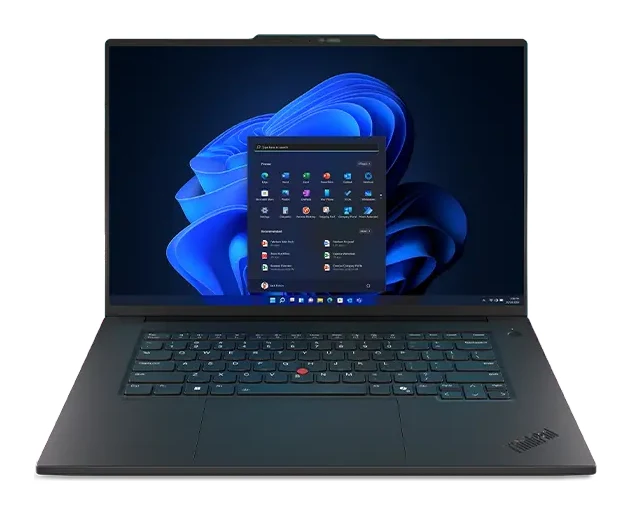
A slim 16-inch workstation with optional OLED, RTX PRO Blackwell graphics and upgradeable memory and storage. Here is what the specs and expert reviews say about who it suits.
Research-based · We earn from qualifying purchases
Our verdict
The ThinkPad P1 Gen 8 suits professionals who want a thin, upgradeable workstation with a superb keyboard and optional OLED display. Buyers chasing maximum GPU power per dollar or Copilot+ AI features should look elsewhere.
The good
- Optional 3.2K Tandem OLED touch display is bright with 40-120Hz VRR
- Excellent classic ThinkPad keyboard, TrackPoint and large haptic touchpad
- Upgradeable LPCAMM2 memory up to 64GB plus two M.2 slots for 8TB
- Thunderbolt 5 x2, HDMI 2.1 and SD Express card reader cover pro needs
- Thin, well-built chassis with optional RTX PRO Blackwell graphics for CAD and 3D
+2 more
- Thunderbolt 5 x2, HDMI 2.1 and SD Express card reader cover pro needs
- Thin, well-built chassis with optional RTX PRO Blackwell graphics for CAD and 3D
The bad
- Very expensive, especially in higher configurations
- GPU performance is modest for the price, near previous-generation RTX 4060 laptops
- Not a Copilot+ PC, as the NPU manages only 13 TOPS
- Webcam and speakers are only average; battery life is mixed under load
+1 more
- Webcam and speakers are only average; battery life is mixed under load
This Lenovo ThinkPad P1 Gen 8 review looks at a thin 16-inch mobile workstation aimed at people who need real professional hardware but don't want to carry a brick. It combines Intel Core Ultra processors, optional NVIDIA RTX PRO Blackwell graphics and an optional Tandem OLED touch display in a chassis that starts at 1.84 kg (4.06 lbs). It is for engineers, designers and 3D or CAD users who want a portable machine they can upgrade later.
This review is based on Lenovo's specifications and on what independent expert reviews report. It is not hands-on testing.
Lenovo ThinkPad P1 Gen 8: specs at a glance
From the manufacturer- NPU
- Intel AI Boost, up to 13 TOPS
- Ports
- 2x Thunderbolt 5, 1x Thunderbolt 4, 1x USB-A (USB 10Gbps), HDMI 2.1, 3.5mm combo jack, SD Express 7.0 card reader
- Camera
- 5.0MP + IR with privacy shutter
- Memory
- 16GB / 32GB / 64GB LPCAMM2 LPDDR5X-7467, one slot, up to 64GB
- Weight
- Starting at 1.84 kg (4.06 lbs)
- Battery
- 90Wh, Rapid Charge (80% in 1hr)
- Charger
- 140W USB-C PD 3.1 adapter
- Storage
- Two M.2 2280 slots, up to 8TB (2 x 4TB)
- Wireless
- Intel Wi-Fi 7 BE201, Bluetooth 5.4
- Dimensions
- 354.3 × 241.0 × 9.9 / 15.8, 20.6mm (13.95 x 9.49 x 0.39 / 0.62, 0.81in)
- Display options
- 16" WUXGA (1920x1200) IPS 500nits; 16" WQUXGA (3840x2400) IPS 800nits; 16" 3.2K (3200x2000) Tandem OLED touch, 40-120Hz VRR
- Processor options
- Intel Core Ultra 5 235H / 7 255H / 7 265H / 9 285H (up to 16 cores, up to 5.4GHz)
- Integrated graphics
- Intel Arc 140T
- Discrete graphics options
- NVIDIA RTX PRO 1000 or RTX PRO 2000 Blackwell, 8GB GDDR7
Key features
- Optional 3.2K Tandem OLED touch display with 40-120Hz VRR and HDR up to 1500nits peak
- Optional NVIDIA RTX PRO 1000 or 2000 Blackwell graphics for CAD, 3D and AI work
- Upgradeable LPCAMM2 memory, up to 64GB, in a single slot
- Two M.2 2280 SSD slots for up to 8TB of storage
- Thunderbolt 5 x2, Thunderbolt 4, HDMI 2.1 and SD Express 7.0 card reader
- 90Wh battery with Rapid Charge to 80% in 1 hour via a 140W USB-C adapter
- Classic ThinkPad keyboard, TrackPoint and large haptic touchpad
- 5.0MP + IR camera with privacy shutter and presence detection; starts at 1.84 kg (4.06 lbs)
Lenovo ThinkPad P1 Gen 8 review: design and build
The P1 keeps the ThinkPad look and is built as a slim workstation. Reviewers consistently describe the chassis as thin and well built, which matters in a category where "workstation" often means "heavy". Starting weight is 1.84 kg (4.06 lbs), and the dimensions are 354.3 × 241.0 × 9.9 / 15.8, 20.6mm (13.95 x 9.49 x 0.39 / 0.62, 0.81in).
Keyboard, TrackPoint and touchpad
The input hardware is one of the strongest reasons to pick a ThinkPad, and reviewers praise it. You get the classic ThinkPad keyboard, the red TrackPoint nub and a large haptic touchpad. If you spend long days writing, modelling or editing, the keyboard and TrackPoint are a large part of the appeal.
Camera and security touches
The webcam is a 5.0MP + IR unit with a privacy shutter and presence detection. The shutter will appeal to anyone in a security-conscious workplace. Reviewers do describe the camera as only average, though, so treat it as a convenience rather than a selling point.
Display options: where the configuration matters
The panel you pick shapes the whole experience, and there are three 16" choices:
- A WUXGA (1920x1200) IPS panel rated at 500nits.
- A WQUXGA (3840x2400) IPS panel rated at 800nits.
- A 3.2K (3200x2000) Tandem OLED touch panel with 40-120Hz variable refresh rate (VRR) and HDR up to 1500nits peak.
The OLED is the one reviewers single out. They describe it as bright, and the 40-120Hz VRR range means motion can look smoother while the panel drops its refresh rate for static work. The OLED and the high-resolution IPS option are the higher-spec display choices. The WUXGA panel is the lower-spec choice. It suits buyers who care more about the other hardware than the screen.
Performance: processors, graphics and memory
Processor and AI hardware
Processor options are Intel Core Ultra 5 235H, 7 255H, 7 265H and 9 285H, with up to 16 cores and speeds up to 5.4GHz. Integrated graphics are Intel Arc 140T, which will handle everyday work on models without a discrete GPU.
The NPU is Intel AI Boost, rated at up to 13 TOPS. It is not a Copilot+ PC. A common criticism is that buyers who want Copilot+ features won't get them here.
Discrete graphics
The headline option is NVIDIA RTX PRO 1000 or RTX PRO 2000 Blackwell graphics, each with 8GB GDDR7. Lenovo positions them for CAD, 3D and AI work. Expectations need managing, though. Reviewers say the GPU performance is modest for the price, comparable to previous-generation RTX 4060 laptops. That doesn't make it a poor choice for professional applications, but if your priority is the most GPU power per dollar, this is not the machine built around that goal. Its pitch is a thin workstation with optional professional graphics, not the fastest graphics in a laptop.
Memory and storage you can upgrade
This is one of the P1's more distinctive features. Memory is LPCAMM2 LPDDR5X-7467 in a single slot, available in 16GB, 32GB and 64GB. Unlike soldered memory in many thin laptops, it can be swapped out later, so you can start modestly and expand. Storage is handled by two M.2 2280 slots, up to 8TB in total (2 x 4TB). Reviewers highlight the upgradeable memory and the dual-SSD layout as real advantages for a laptop this slim.
Ports and connectivity
The port selection is generous for a thin machine:
- 2x Thunderbolt 5
- 1x Thunderbolt 4
- 1x USB-A (USB 10Gbps)
- HDMI 2.1
- 3.5mm combo jack
- SD Express 7.0 card reader
Having a full-size card reader and HDMI 2.1 means photographers, video editors and anyone presenting or docking can often skip the dongle. Two Thunderbolt 5 ports give plenty of bandwidth for fast external storage, docks and displays. Wireless is Intel Wi-Fi 7 BE201 with Bluetooth 5.4.
Battery and charging
The battery is 90Wh, charged by a 140W USB-C PD 3.1 adapter. Rapid Charge takes it to 80% in 1 hour, which is useful if you need a top-up between meetings. Reviewers describe battery life as mixed under load. That is typical of a laptop with high-performance processors and a discrete GPU, so heavy CAD or rendering sessions will drain it faster than office work. If you work away from a socket all day, think about the configuration you choose, because the integrated-graphics models are the less demanding option. I can't give runtime figures from the specs alone.
What experts like and what they criticise
On the positive side, reviewers repeatedly praise:
- The optional Tandem OLED touch display.
- The ThinkPad keyboard, TrackPoint and haptic touchpad.
- The upgradeable memory and two SSD slots.
- The port selection.
- The thin, solid chassis with optional professional graphics.
XDA Developers scores it 8.5/10.
The criticisms are just as consistent. The first is cost: it is described as very expensive, especially in higher configurations. The second is the GPU, which is seen as modest for the price. The NPU's 13 TOPS rules out Copilot+ status. The webcam and speakers are only average, and battery life is mixed under load. For a premium machine, those last points are worth weighing, especially if you take lots of video calls or use the built-in audio.
Who should buy it, and who should skip it
Buy it if you are a professional who wants a portable workstation you can expand over time. It suits anyone who types a lot and values the ThinkPad keyboard and TrackPoint, and anyone who wants an OLED screen without moving to a thicker, heavier machine. The port selection and the memory and storage upgrades make it a sensible long-term tool for CAD, 3D and similar work.
Skip it if you want the most GPU performance for the money, since reviewers rate the graphics as modest for the price. Also skip it if you want Copilot+ AI features, or if the webcam and speakers matter a lot. Buyers watching the budget should be wary too, because higher configurations get very expensive.
How it fits in its category
In general terms, the P1 Gen 8 is a thin-and-light professional laptop rather than a bulky, maximum-power workstation. Its strengths are build, input, ports and upgradeability, while raw graphics grunt is not its main selling point. Judge it by whether portability and long-term flexibility matter more to you than the highest possible GPU performance.
Verdict
The ThinkPad P1 Gen 8 is a well-judged workstation for people who value a thin chassis, excellent input hardware and the ability to upgrade memory and storage. The optional Tandem OLED display and the Thunderbolt 5 and card-reader connectivity add to its appeal. The trade-offs are real: it is very expensive, the GPU performance is modest for the price, it is not a Copilot+ PC, and the webcam, speakers and battery under load are only average or mixed. If your work fits the portable-workstation brief, it is a strong choice. If you want maximum graphics value, look elsewhere.
Related buying guides
- Lenovo IdeaPad Slim 3x 15" Review (2026): Battery First
- Best Laptops for Video Editing 2026: Mac and Windows Picks
- Best Laptops for College Students 2026: All-Day Battery
- Best Chromebooks 2026: Budget, 2-in-1 and AMOLED Picks
- Apple MacBook Air 13-inch M5 Review: Quiet All-Day Laptop
- Apple MacBook Pro 16-inch (M5 Pro, 2026) Review: Worth It?
- Apple MacBook Neo Review (2026): Quiet, Light, Everyday Mac
- Acer Chromebook Plus Spin 714 Review (2026): Updates to 2034
Not sure about the Lenovo ThinkPad P1 Gen 8? Consider these
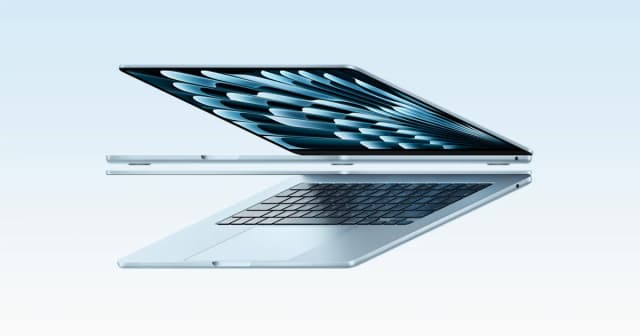
- Best OverallApple MacBook Air 13-inch (M5, 2026)Why we picked it →
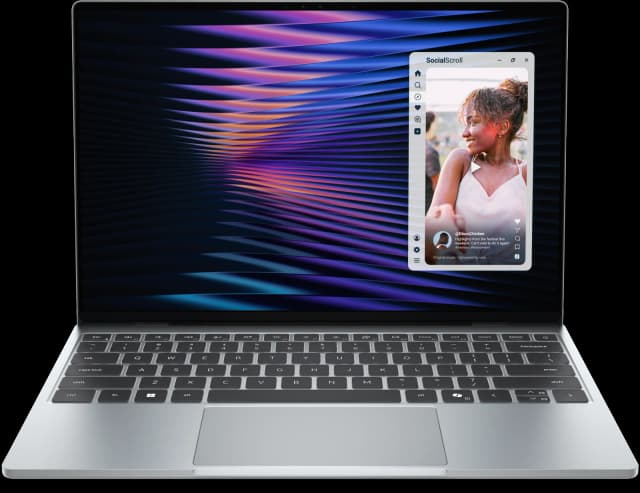
- Best ValueDell XPS 13 (2026)Why we picked it →
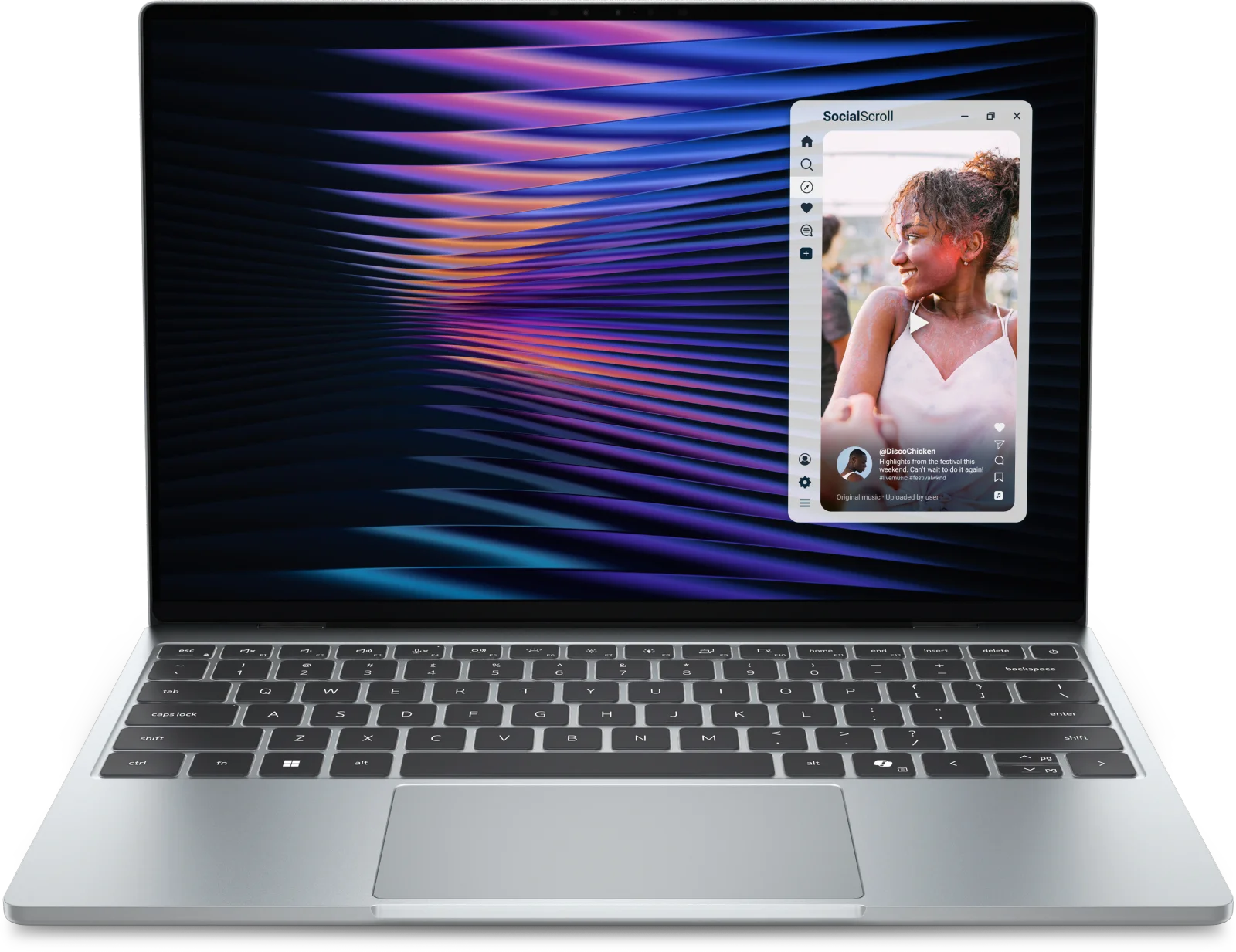
- Premium PickMacBook Pro 14-inch (M5, 2025)Why we picked it →


Frequently asked questions
Is the Lenovo ThinkPad P1 Gen 8 worth it?
It is worth considering if you want a thin, upgradeable workstation with an excellent keyboard and an optional OLED display. Reviewers do call it very expensive, especially in higher configurations, and say the GPU is modest for the price. It is less compelling if raw graphics value is your priority.
Can you upgrade the memory and storage on the ThinkPad P1 Gen 8?
Yes. Memory is LPCAMM2 LPDDR5X-7467 in a single slot, up to 64GB, and it is upgradeable. Storage comes from two M.2 2280 slots, supporting up to 8TB (2 x 4TB).
Does the ThinkPad P1 Gen 8 have a dedicated graphics card?
It is optional. You can choose NVIDIA RTX PRO 1000 or RTX PRO 2000 Blackwell graphics with 8GB GDDR7. Without them, the laptop uses Intel Arc 140T integrated graphics.
Is the ThinkPad P1 Gen 8 a Copilot+ PC?
No. Its Intel AI Boost NPU is rated at up to 13 TOPS, and reviewers note it is not a Copilot+ PC.
What display options does the ThinkPad P1 Gen 8 offer?
There are three 16" options: a WUXGA (1920x1200) IPS at 500nits, a WQUXGA (3840x2400) IPS at 800nits, and a 3.2K (3200x2000) Tandem OLED touch display with 40-120Hz VRR. The OLED supports HDR up to 1500nits peak.
What ports does the ThinkPad P1 Gen 8 have?
It has two Thunderbolt 5 ports, one Thunderbolt 4, one USB-A (USB 10Gbps), HDMI 2.1, a 3.5mm combo jack and an SD Express 7.0 card reader.
Sources
Specs are taken from the manufacturers' official pages; expert recommendations from the publications below.
- Lenovo ThinkPad P1 Gen 8: psref.lenovo.com, thurrott.com, xda-developers.com, themetalverse.net
Related reviews & guides
Lenovo IdeaPad Slim 3x 15" Review (2026): Battery First
A light, long-lasting Snapdragon laptop with a number pad and plenty of ports. Here is what the specs and expert reviews say about its strengths and trade-offs.
Published Oct 25, 2026
Best Laptops in 2026: Overall Picks and by Budget
Five laptops for 2026, from the best all-rounder to the best budget buy, compared on display, battery, weight and ports using manufacturer specs and expert recommendations.
Published Oct 30, 2026
Best Laptops for Video Editing 2026: Macs to RTX
Five video editing laptops compared on processor, GPU, display, ports, weight and battery life, drawn from manufacturer specs and independent expert recommendations.
Published Oct 25, 2026