Best Laptops in 2026: Overall Picks and by Budget
Five laptops for 2026, from the best all-rounder to the best budget buy, compared on display, battery, weight and ports using manufacturer specs and expert recommendations.
24 products compared · Research-based · Affiliate links
We earn a commission from qualifying purchases made through our links, at no extra cost to you. It never decides our picks. How we make money
Which one should you buy?
Our picks by what matters to you · details below ↓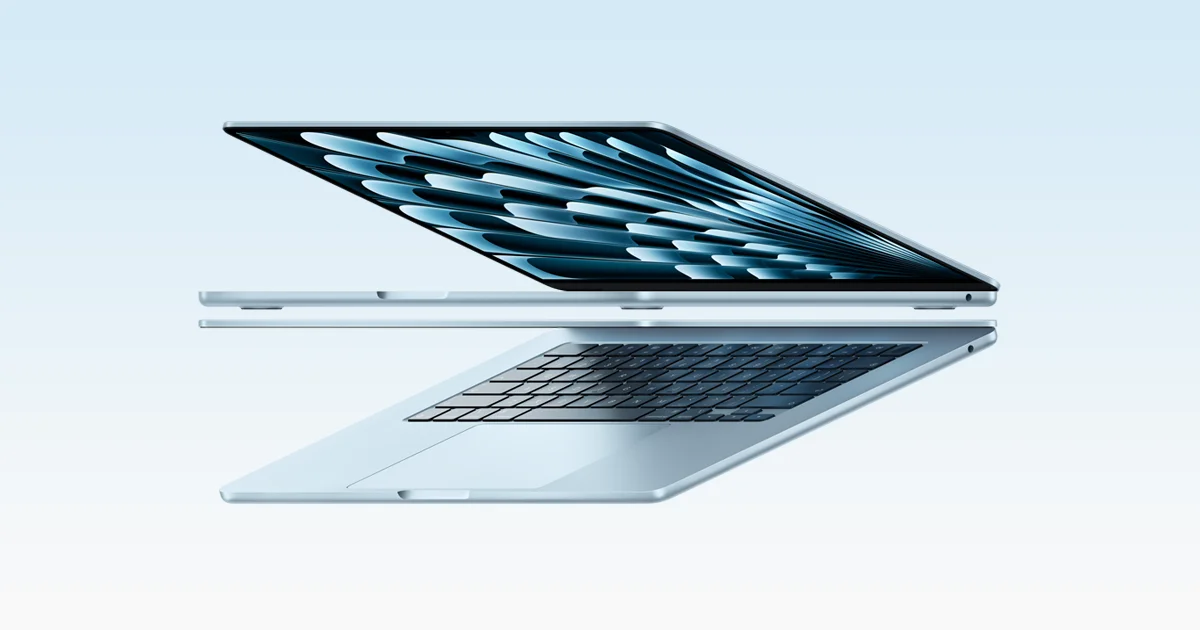
Best for: Students and professionals wanting a portable all-rounder laptop
Check price on Amazon- Best ValueDell XPS 13 (2026)Best for: Windows users wanting premium portability on a budgetCheck price

- Premium PickMacBook Pro 14-inch (M5, 2025)Best for: Creative professionals needing a top display and portsCheck price

- Also GreatLenovo Yoga Slim 7x (14″ Snapdragon) Gen 9Best for: Windows users who want an OLED screen and AI featuresCheck price
- Best BudgetApple MacBook Neo (A18 Pro, 2026)Best for: Budget buyers wanting a simple everyday MacBookCheck price



The best laptops overall and by budget in 2026 come down to five models that cover very different needs: a silent all-rounder, a premium Windows ultraportable, a display-focused pro machine, an OLED Copilot+ PC and an entry-level MacBook. We compared 24 candidates and narrowed them to the five below. This guide is based on manufacturer specs and independent expert recommendations, not hands-on testing.
Best Laptops at a Glance
| Product | Label | Chip | Display | Weight | Battery | Best for | Buy |
|---|---|---|---|---|---|---|---|
| Apple MacBook Air 13-inch (M5, 2026) | Best Overall | Apple M5 | 13.6-inch Liquid Retina | 2.7 pounds | Up to 18 hours video streaming | Students and professionals wanting a portable all-rounder | Check price |
| Dell XPS 13 (2026) | Best Value | Intel Core 5 320 or Core Ultra 7 355 | 13.4-inch 2.5K touchscreen, 120Hz adaptive | 2.2 lbs | Up to 17 hours | Windows users wanting premium portability on a budget | Check price |
| MacBook Pro 14-inch (M5, 2025) | Premium Pick | Apple M5 | 14.2-inch Liquid Retina XDR, 120Hz | 3.4 pounds | Up to 24 hours video streaming | Creative professionals needing a top display and ports | Check price |
| Lenovo Yoga Slim 7x (14″ Snapdragon) Gen 9 | Also Great | Snapdragon X Elite | 14.5-inch 3K OLED, 90Hz | 2.82 lbs | 14+ hours | Windows users who want an OLED screen and AI features | Check price |
| Apple MacBook Neo (A18 Pro, 2026) | Best Budget | Apple A18 Pro | 13-inch Liquid Retina IPS, 60Hz | 2.7 lb | Up to 16 hours video streaming | Budget buyers wanting a simple everyday MacBook | Check price |
Apple MacBook Air 13-inch (M5, 2026): Best Overall for Silent All-Day Portability
Best for: Students and professionals wanting a portable all-rounder laptop
The MacBook Air 13-inch (M5) combines silent fanless performance, long battery life and a portable 2.7-pound body. It has the strongest expert backing of the group, making it the most well-rounded choice.
- Battery life
- Up to 18 hours video streaming, up to 15 hours wireless web
- Weight
- 2.7 pounds (1.23 kg)
- Display
- 13.6-inch Liquid Retina, 2560×1664, 500 nits
- Resolution
- 2560-by-1664
- Processor
- Apple M5 (10-core CPU with 4 super cores and 6 efficiency cores)
- RAM
- 16GB unified memory (configurable to 24GB or 32GB)
Reasons to buy
- Fanless M5 chip delivers silent, efficient performance
- Up to 18 hours of battery life
- Sharp 13.6-inch display with 500 nits brightness
- Wi-Fi 7, two Thunderbolt 4 ports and MagSafe 3
- Lightweight at 2.7 pounds, with 16GB RAM standard
Reasons to avoid
- Only two Thunderbolt 4 ports, no HDMI or card slot
- Display is 500 nits, below the Pro's XDR panel
- Notebookcheck
- 8.8
- Geek Culture
- 9.1
- Creative Bloq
- 8.5
The MacBook Air 13-inch (M5) is our best overall pick because it pairs a fanless M5 chip with up to 18 hours of video streaming battery life in a 2.7-pound body. It suits students and professionals who want one portable laptop for nearly everything. It also has the strongest expert backing of the group, with recommendations in 9 independent expert guides.
Keep reading about Apple MacBook Air 13-inch (M5, 2026)
Why it stands out
The M5 has a 10-core CPU and an 8-core GPU, and the cooling is fanless, so it runs silently. The 13.6-inch Liquid Retina display runs at 2560×1664 and reaches 500 nits. It comes with 16GB of unified memory and a 512GB SSD, and both can be configured higher: memory up to 24GB or 32GB, storage up to 4TB. Connectivity is current, with Wi-Fi 7 and Bluetooth 6, plus two Thunderbolt 4 ports, MagSafe 3 charging and a 12MP Center Stage camera.
Expert scores back this up. Notebookcheck gave it 88.05 out of 100, Geek Culture 91 out of 100 and Creative Bloq 4.25 out of 5.
The trade-off
Port selection is limited. You get two Thunderbolt 4 ports and no HDMI or card slot, so a hub may be needed. The 500-nit display is also below the XDR panel on the MacBook Pro.
Dell XPS 13 (2026): Best Value for Premium Portability
Best for: Windows users wanting premium portability on a budget
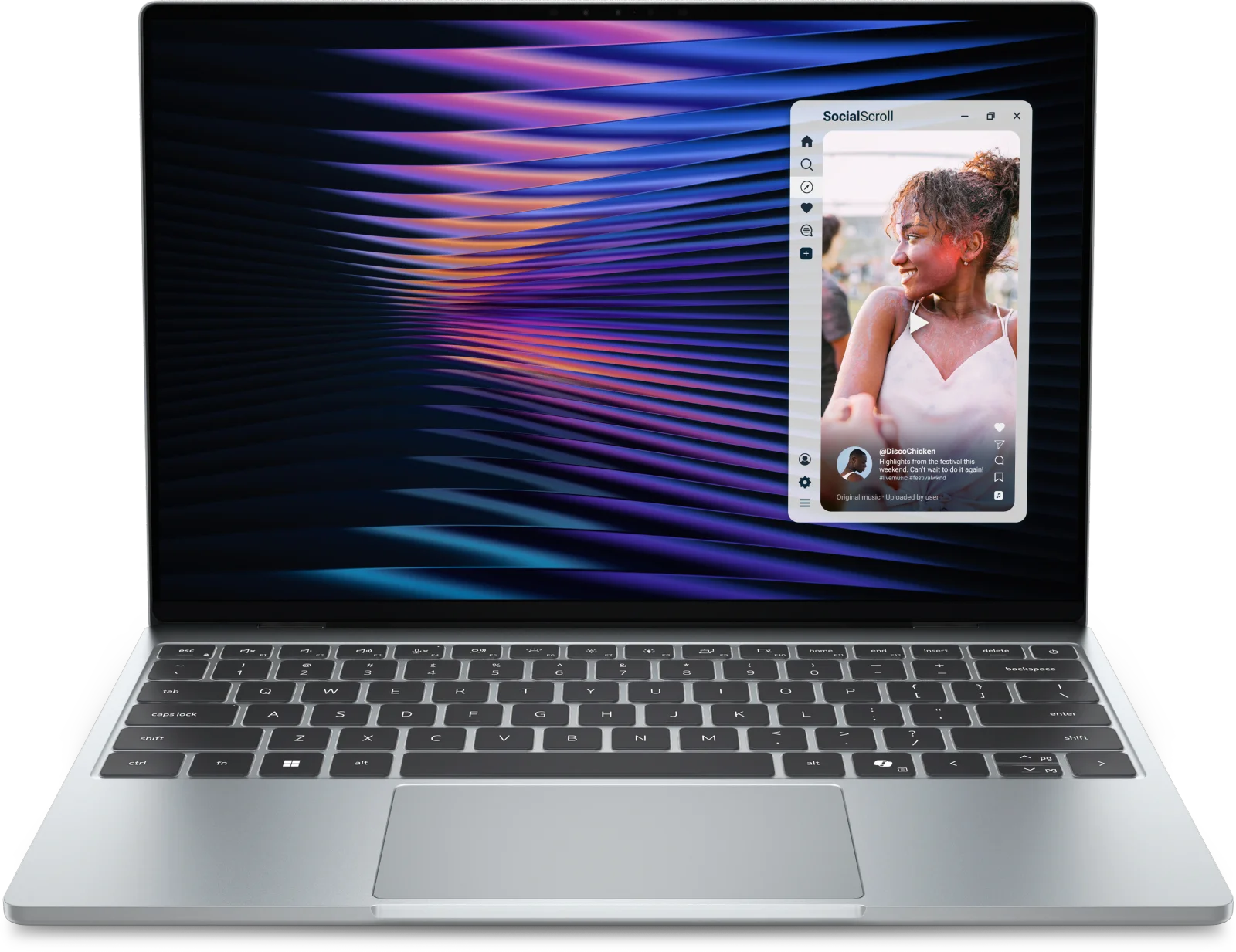
The Dell XPS 13 packs a premium aluminum build, a sharp 120Hz touchscreen and long battery life into a very light body. It delivers the best balance of features and price tier for Windows buyers.
- Battery life
- Up to 17 hours
- Weight
- 2.2 lbs (1 kg)
- Display
- 13.4-inch 2560x1600 (2.5K) IPS touchscreen, 30-120Hz adaptive refresh, 500 nits
- Resolution
- 2560 x 1440
- Processor
- Intel Core 5 320 (6-core, up to 4.6GHz) or Intel Core Ultra 7 355 (8-core, up to 4.7GHz)
- RAM
- 8GB, 16GB, or 32GB LPDDR5X-7467
Reasons to buy
- Ultra-thin 12.7mm chassis at just 2.2 lbs
- 2.5K touchscreen with 120Hz adaptive refresh
- Up to 17 hours of battery life
- Quad speakers with Dolby Atmos for immersive audio
- Configurable up to 32GB RAM and 1TB storage
Reasons to avoid
- Integrated Intel graphics suit everyday tasks, not heavy workloads
- Only two Thunderbolt 4 ports for connectivity
- XDA Developers
- 8.5
- Techaeris
- 9.8
The Dell XPS 13 is the best value pick for Windows buyers. It combines a 12.7mm aluminum chassis weighing 2.2 lbs with a sharp touchscreen and up to 17 hours of battery life, all in the budget price tier. It is a strong fit for anyone who wants a premium-feeling, very light Windows laptop without paying premium money.
Keep reading about Dell XPS 13 (2026)
Why it stands out
The 13.4-inch 2.5K (2560x1600) IPS touchscreen offers 30-120Hz adaptive refresh and 500 nits of brightness. Inside, you choose between an Intel Core 5 320 (6-core, up to 4.6GHz) and an Intel Core Ultra 7 355 (8-core, up to 4.7GHz). You can configure up to 32GB of LPDDR5X RAM and up to 1TB of PCIe Gen 4 storage. Quad speakers with 8W output and Dolby Atmos round out the package. It was recommended in 6 expert guides, and XDA Developers scored it 8.5 out of 10 while Techaeris gave it 9.8 out of 10.
The trade-off
Graphics are integrated Intel Xe3, which suits everyday productivity rather than heavy workloads. Connectivity is limited to two Thunderbolt 4 / USB 4.0 Type-C ports.
MacBook Pro 14-inch (M5, 2025): Premium Pick for Display and Ports
Best for: Creative professionals needing a top display and ports
The MacBook Pro 14-inch (M5) is the step-up pick for those who want a brighter, smoother XDR display and a fuller port selection. Its battery life is the longest of the group.
- Battery life
- Up to 24 hours video streaming; up to 16 hours wireless web
- Weight
- 3.4 pounds (1.55 kg)
- Display
- 14.2-inch Liquid Retina XDR, 3024 x 1964 pixels, 120Hz, 254 ppi
- Resolution
- 3024-by-1964
- Processor
- Apple M5 (10-core CPU with 4 super cores and 6 efficiency cores)
- RAM
- 16GB unified memory (upgradeable to 24GB or 32GB)
Reasons to buy
- Liquid Retina XDR display with 120Hz ProMotion
- Up to 24 hours of video streaming battery
- Broad ports: HDMI, SDXC slot, three Thunderbolt 4
- M5 chip with 10-core GPU for demanding tasks
- 16-core Neural Engine supports Apple Intelligence features
Reasons to avoid
- Heavier at 3.4 pounds than the MacBook Air
- Wi-Fi 6E and Bluetooth 5.3 trail newer wireless standards
- Engadget
- 9.2
- Notebookcheck
- 9.1
- Macworld
- 9.0
The MacBook Pro 14-inch (M5) is the step-up pick for people who want a better screen and a fuller port selection than a thin-and-light laptop offers. It has the longest battery life of the group, up to 24 hours of video streaming, and it is aimed at creative professionals who need a top display and ports.
Keep reading about MacBook Pro 14-inch (M5, 2025)
Why it stands out
The 14.2-inch Liquid Retina XDR display runs at 3024 x 1964 pixels (254 ppi) with 120Hz ProMotion. Ports are generous: three Thunderbolt 4 (USB-C) ports, HDMI, an SDXC card slot, a 3.5mm headphone jack and MagSafe 3. The M5 chip has a 10-core CPU and 10-core GPU, and a 16-core Neural Engine supports Apple Intelligence features. It starts with 16GB of unified memory and a 512GB SSD, with upgrades to 24GB or 32GB of memory and up to 4TB of storage. Reviewers back it up: Engadget gave it 4.6 out of 5, Notebookcheck 4.55 out of 5 and Macworld 4.5 out of 5.
The trade-off
At 3.4 pounds it is heavier than the MacBook Air. Wireless is Wi-Fi 6E and Bluetooth 5.3, which trail newer wireless standards.
Lenovo Yoga Slim 7x (14″ Snapdragon) Gen 9: Also Great for OLED and On-Device AI
Best for: Windows users who want an OLED screen and AI features
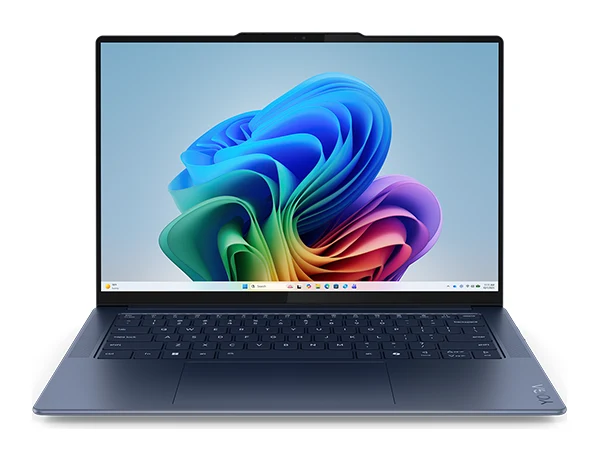
The Yoga Slim 7x stands out for its bright OLED screen and Copilot+ AI features in a light 2.82-pound body. It suits Windows users who value display quality and on-device AI.
- Battery life
- 70Wh
- Weight
- 2.82 lbs (1.28 kg)
- Display
- 14.5-inch 3K (2944×1840) OLED, 90Hz, 1000 nits peak, 100% DCI-P3, touch
- Resolution
- 3K (2944 x 1840)
- Processor
- Qualcomm Snapdragon X Elite X1E-78-100 (12-core)
- RAM
- 16GB LPDDR5X-8448MHz
Reasons to buy
- Vivid 14.5-inch 3K OLED touchscreen with 100% DCI-P3
- Snapdragon X Elite with 45 TOPS NPU for AI tasks
- Three USB4 USB-C ports with fast 65W charging
- MIL-STD-810H durability with aluminum construction
- Wi-Fi 7 and 16GB RAM included
Reasons to avoid
- Display limited to 90Hz refresh rate
- Storage is fixed at 512GB in this configuration
- PCWorld
- 9.0
- XDA Developers
- 9.0
- Notebookcheck
- 8.6
The Lenovo Yoga Slim 7x is an also-great pick for Windows users who care most about screen quality and on-device AI. It pairs a 14.5-inch 3K OLED touchscreen with a Snapdragon X Elite processor in a 2.82-pound body, and it sits in the budget price tier.
Keep reading about Lenovo Yoga Slim 7x (14″ Snapdragon) Gen 9
Why it stands out
The display is 14.5-inch 3K (2944×1840) OLED with 100% DCI-P3 and 1000 nits peak brightness. The Snapdragon X Elite is a 12-core chip with a dedicated NPU rated at 45 TOPS, and the laptop is Copilot+ PC certified with Windows 11. A 70Wh battery is listed at 14+ hours, and the three USB-C ports (USB4 40Gbps) support 65W fast charging. It also has Wi-Fi 7, 16GB of LPDDR5X RAM, and a MIL-STD-810H durability rating with aluminum construction. Expert scores include PCWorld at 4.5 out of 5, XDA Developers at 9 out of 10 and Notebookcheck at 86 out of 100.
The trade-off
The display is limited to 90Hz refresh. Storage is fixed at 512GB in this configuration, so heavy file users should plan around that.
Apple MacBook Neo (A18 Pro, 2026): Best Budget for Everyday Tasks
Best for: Budget buyers wanting a simple everyday MacBook
The MacBook Neo is Apple's entry-level laptop, built for everyday tasks in a light, silent, colorful body. It suits buyers who want a MacBook without paying for extra power they won't use.
- Battery life
- Up to 16 hours video streaming, up to 11 hours wireless web
- Weight
- 2.7 lb (1.23 kg)
- Display
- 13-inch Liquid Retina IPS, 2408×1506 resolution, 500 nits, 60Hz
- Resolution
- 2408x1506
- Processor
- Apple A18 Pro (6-core CPU: 2 performance + 4 efficiency cores)
- RAM
- 8GB unified memory (fixed, non-upgradeable)
Reasons to buy
- Lightweight 2.7 lb aluminum design with fanless cooling
- Up to 16 hours of video streaming battery
- Apple Intelligence support with 16-core Neural Engine
- Available in four color options
- Handles web browsing, email and documents with the A18 Pro
Reasons to avoid
- 8GB RAM is fixed and cannot be upgraded
- Limited ports: one USB 3 and one USB 2 USB-C
- Display is 60Hz
- Macworld
- 8.0
- Notebookcheck
- 8.6
- Gadreview
- 7.5
- Toptrustedproducts
- 8.2
The MacBook Neo is Apple's entry-level laptop and our best budget pick. It is built for everyday tasks such as web browsing, email and document editing, and it suits buyers who want a MacBook without paying for extra power they won't use. It was recommended in 8 independent expert guides.
Keep reading about Apple MacBook Neo (A18 Pro, 2026)
Why it stands out
The A18 Pro has a 6-core CPU (2 performance and 4 efficiency cores) and a 5-core GPU, and cooling is fanless. The aluminum body weighs 2.7 lb, and battery life is up to 16 hours of video streaming or up to 11 hours of wireless web. The 13-inch Liquid Retina IPS display is 2408×1506 at 500 nits. It supports Apple Intelligence with a 16-core Neural Engine and comes in four colors: silver, indigo, citrus and blush. Scores include Macworld at 4 out of 5, Notebookcheck at 4.3 out of 5, Gadreview at 7.5 out of 10 and Toptrustedproducts at 4.1 out of 5.
The trade-off
This is where the savings show up. The 8GB of RAM is fixed and cannot be upgraded. Ports are limited to one USB-C (USB 3, 10Gbps) and one USB-C (USB 2, 480Mbps), and the display is 60Hz. Storage comes in 256GB or 512GB.
Compare our picks side by side
The specs most of our picks share, from each maker’s spec page (— = not published). Expert score = the average of published expert reviews, which rate each product for its price. Scroll sideways on small screens.
| Spec | Apple MacBook Air 13-inch (M5, 2026) | Dell XPS 13 (2026) | MacBook Pro 14-inch (M5, 2025) | Lenovo Yoga Slim 7x (14″ Snapdragon) Gen 9 | Apple MacBook Neo (A18 Pro, 2026) |
|---|---|---|---|---|---|
| Best for | Best Overall | Best Value | Premium Pick | Also Great | Best Budget |
| Expert score | 8.8 | 9.2 | 9.1 | 8.9 | 8.1 |
| Price vs. these picks | Middle | Lower | Middle | Lower | Lower |
| Battery life | Up to 18 hours video streaming, up to 15 hours wireless web | Up to 17 hours | Up to 24 hours video streaming; up to 16 hours wireless web | 70Wh | Up to 16 hours video streaming, up to 11 hours wireless web |
| Weight | 2.7 pounds (1.23 kg) | 2.2 lbs (1 kg) | 3.4 pounds (1.55 kg) | 2.82 lbs (1.28 kg) | 2.7 lb (1.23 kg) |
| Display | 13.6-inch Liquid Retina, 2560×1664, 500 nits | 13.4-inch 2560x1600 (2.5K) IPS touchscreen, 30-120Hz adaptive refresh, 500 nits | 14.2-inch Liquid Retina XDR, 3024 x 1964 pixels, 120Hz, 254 ppi | 14.5-inch 3K (2944×1840) OLED, 90Hz, 1000 nits peak, 100% DCI-P3, touch | 13-inch Liquid Retina IPS, 2408×1506 resolution, 500 nits, 60Hz |
| Resolution | 2560-by-1664 | 2560 x 1440 | 3024-by-1964 | 3K (2944 x 1840) | 2408x1506 |
| Processor | Apple M5 (10-core CPU with 4 super cores and 6 efficiency cores) | Intel Core 5 320 (6-core, up to 4.6GHz) or Intel Core Ultra 7 355 (8-core, up to 4.7GHz) | Apple M5 (10-core CPU with 4 super cores and 6 efficiency cores) | Qualcomm Snapdragon X Elite X1E-78-100 (12-core) | Apple A18 Pro (6-core CPU: 2 performance + 4 efficiency cores) |
| RAM | 16GB unified memory (configurable to 24GB or 32GB) | 8GB, 16GB, or 32GB LPDDR5X-7467 | 16GB unified memory (upgradeable to 24GB or 32GB) | 16GB LPDDR5X-8448MHz | 8GB unified memory (fixed, non-upgradeable) |
| Storage | 512GB SSD (configurable to 1TB, 2TB, or 4TB) | 256GB, 512GB, or 1TB M.2 PCIe Gen 4 SSD | 512GB SSD (upgradeable to 1TB, 2TB, or 4TB) | 512GB PCIe Gen 4 NVMe SSD | 256GB or 512GB SSD |
| Ports | 2× Thunderbolt 4 (USB-C), MagSafe 3, 3.5mm headphone jack | 2x Thunderbolt 4 / USB 4.0 Type-C with DisplayPort and Power Delivery | 3x Thunderbolt 4 (USB-C), HDMI, SDXC card slot, 3.5mm headphone jack, MagSafe 3 | 3× USB-C (USB4 40Gbps) with USB PD 3.1 and DisplayPort 1.4 | 1× USB-C (USB 3, 10Gbps), 1× USB-C (USB 2, 480Mbps), 3.5mm audio jack |
| Where to buy | Check price | Check price | Check price | Check price | Check price |
How to Choose the Best Laptops Overall and by Budget
Pick your platform first
The list splits into macOS (MacBook Air, MacBook Pro, MacBook Neo) and Windows (Dell XPS 13, Lenovo Yoga Slim 7x). If you rely on software that only runs on one platform, that decides it before specs do.
Match memory and storage to your workload
The MacBook Air and MacBook Pro start at 16GB of unified memory, and the Yoga Slim 7x includes 16GB. The Dell XPS 13 starts lower, with 8GB, 16GB or 32GB options. The MacBook Neo has 8GB that cannot be upgraded, which is fine for light use but worth knowing before you buy. If you want room to grow, the MacBook Air, MacBook Pro and Dell XPS 13 offer configurable options.
Consider the screen
For the smoothest display, the MacBook Pro offers 120Hz ProMotion and the Dell XPS 13 offers 30-120Hz adaptive refresh. If colour and contrast matter most, the Yoga Slim 7x has an OLED panel with 100% DCI-P3. The MacBook Neo is 60Hz.
Check ports and battery
If you connect monitors, SD cards or accessories daily, the MacBook Pro has HDMI, an SDXC slot and three Thunderbolt 4 ports. The Air and Dell XPS 13 each have two Thunderbolt 4 ports, the Yoga has three USB4 USB-C ports, and the Neo has only two USB-C ports at different speeds. For battery, the MacBook Pro is listed at up to 24 hours of video streaming, ahead of the others on paper, but all five are rated at 14 hours or more.
Weight and portability
The Dell XPS 13 is the lightest at 2.2 lbs. The MacBook Air and MacBook Neo are both around 2.7 pounds, the Yoga Slim 7x is 2.82 lbs and the MacBook Pro is 3.4 pounds.
Need gaming power instead?
These five are portable all-rounders. If you want gaming-class hardware, see our reviews of the Lenovo Legion Pro 7i (Gen 10) 16-inch and the Alienware 16X Aurora.
How We Picked
We started with 24 laptops and compared them using manufacturer specs and independent expert recommendations. We looked at how many expert guides recommend each model, the scores published by named reviewers, and what reviewers consistently praise or criticise. We weighed practical factors such as display, battery life, weight, ports and memory, and how each model's price tier fits its capabilities. We have not tested these laptops ourselves, and prices are not listed here because they change often. Use the live check-price buttons for current pricing.
Bottom Line
The MacBook Air 13-inch (M5) is the best laptop overall for most people: silent, light and backed by the most expert recommendations. The Dell XPS 13 is the best value for Windows users, and the MacBook Pro 14-inch is the choice if the display and ports matter more than weight. The Lenovo Yoga Slim 7x suits anyone who wants an OLED screen and on-device AI, and the MacBook Neo is the simplest way into a MacBook on a budget, provided you accept its fixed 8GB of RAM and limited ports.
Ready to buy?
 Best OverallApple MacBook Air 13-inch (M5, 2026)Check price
- Best ValueDell XPS 13 (2026)Check price
- Premium PickMacBook Pro 14-inch (M5, 2025)Check price
- Also GreatLenovo Yoga Slim 7x (14″ Snapdragon) Gen 9Check price
- Best BudgetApple MacBook Neo (A18 Pro, 2026)Check price
Related buying guides
- Best Chromebooks 2026: Budget, 2-in-1 and AMOLED Picks
- Best Laptops for Video Editing 2026: Macs to RTX
- Best Laptops for College Students 2026: All-Day Battery
- Apple MacBook Air 13-inch M5 Review: Quiet All-Day Laptop
- Apple MacBook Pro 16-inch (M5 Pro, 2026) Review: Worth It?
- Lenovo ThinkPad P1 Gen 8 Review (2026): Thin, Upgradeable
Frequently asked questions
What is the best laptop overall in 2026?
The Apple MacBook Air 13-inch (M5, 2026). It has a fanless M5 chip, up to 18 hours of video streaming battery life and a 2.7-pound body, and it is recommended in 9 independent expert guides.
What is the best budget laptop?
The Apple MacBook Neo (A18 Pro, 2026) is our best budget pick for everyday tasks such as web browsing, email and documents. Its 8GB of RAM is fixed and it has only two USB-C ports, so it suits light use. For a Windows alternative in the budget tier, look at the Dell XPS 13.
Which laptop has the longest battery life?
The MacBook Pro 14-inch (M5, 2025): up to 24 hours of video streaming. Apple lists up to 16 hours of wireless web for the same model.
What is the best Windows laptop on this list?
The Dell XPS 13 (2026) is the best-value Windows pick, with a 2.5K 120Hz adaptive touchscreen and up to 17 hours of battery life. The Lenovo Yoga Slim 7x is the alternative if you prefer an OLED display and Copilot+ AI features.
Which laptop is the lightest?
The Dell XPS 13 (2026): 2.2 lbs. Its chassis is 12.7mm thin and made of aluminum.
Which laptop has an OLED screen?
The Lenovo Yoga Slim 7x (14″ Snapdragon) Gen 9 has a 14.5-inch 3K OLED touchscreen with 1000 nits peak brightness and 100% DCI-P3. Its refresh rate is limited to 90Hz.
Which laptop has the most ports?
The MacBook Pro 14-inch (M5, 2025): three Thunderbolt 4 (USB-C) ports, HDMI, an SDXC card slot, a 3.5mm headphone jack and MagSafe 3. That is the fullest selection among these five.
Sources
Specs are taken from the manufacturers' official pages; expert recommendations from the publications below.
- Apple MacBook Air 13-inch (M5, 2026): apple.com, support.apple.com, everymac.com, nanoreview.net
- Dell XPS 13 (2026): dell.com, notebookcheck.net, nanoreview.net, windowscentral.com
- MacBook Pro 14-inch (M5, 2025): apple.com, support.apple.com
- Lenovo Yoga Slim 7x (14″ Snapdragon) Gen 9: lenovo.com, tomshardware.com, wezm.net
- Apple MacBook Neo (A18 Pro, 2026): apple.com, rtings.com, support.apple.com, pcrichard.com
More buying guides
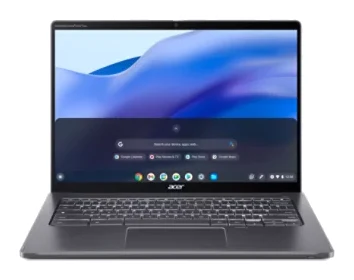
Best Chromebooks 2026: Budget, 2-in-1 and AMOLED Picks
Five of the best Chromebooks for 2026, from a premium convertible with a decade of updates to a budget detachable and a slim AMOLED laptop.
Published Oct 15, 2026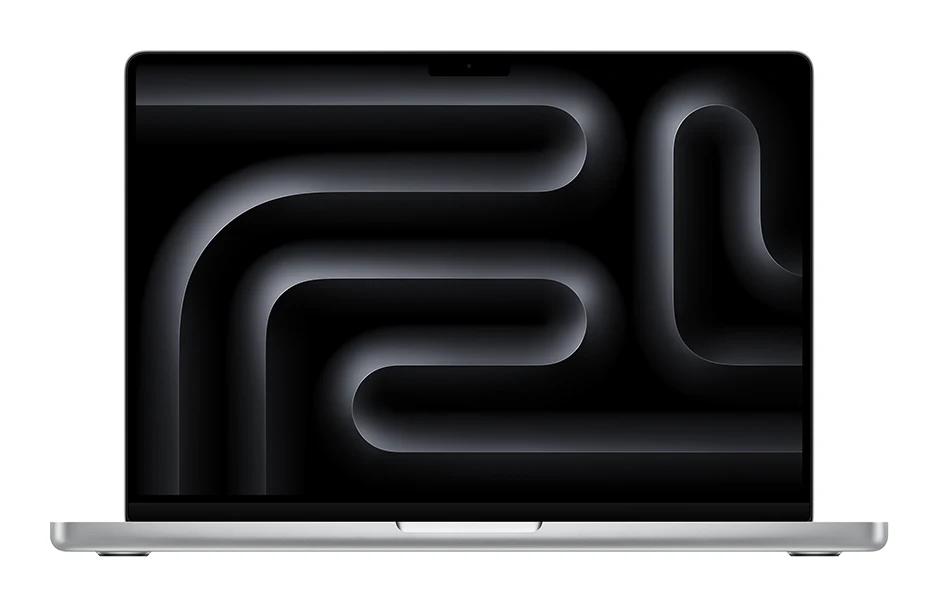
Best Laptops for Video Editing 2026: Macs to RTX
Five video editing laptops compared on processor, GPU, display, ports, weight and battery life, drawn from manufacturer specs and independent expert recommendations.
Published Oct 25, 2026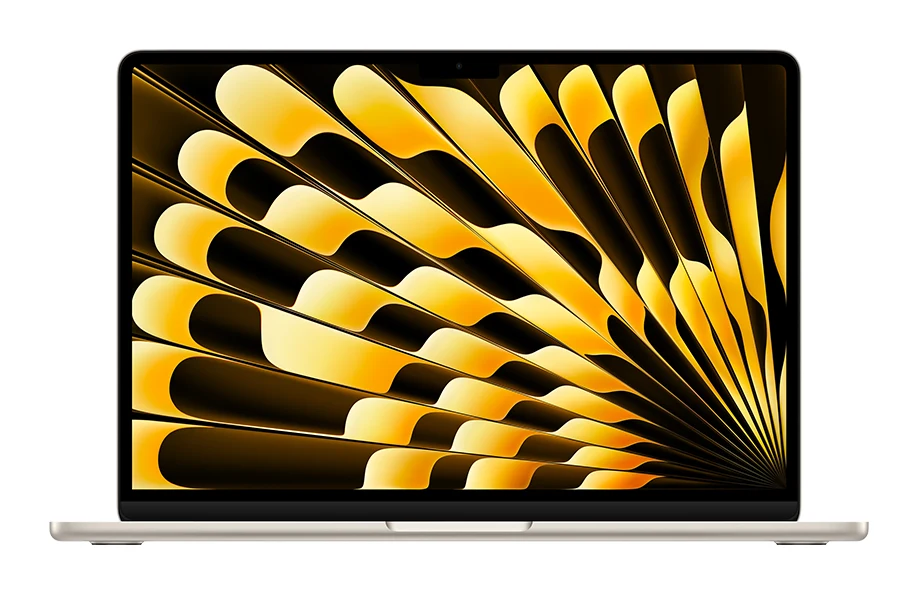
Best Laptops for College Students 2026: All-Day Battery
Five laptops for campus life in 2026, from a long-lasting MacBook Air to a budget OLED Chromebook, compared on battery, weight, memory and ports.
Published Oct 20, 2026