Best Portable Monitor 2026 for Laptops, Consoles & Travel
Five portable monitors compared on size, resolution, refresh rate, brightness, weight and ports, using manufacturer specs and independent expert recommendations.
21 products compared · Research-based · Affiliate links
We earn a commission from qualifying purchases made through our links, at no extra cost to you. It never decides our picks. How we make money
Which one should you buy?
Our picks by what matters to you · details below ↓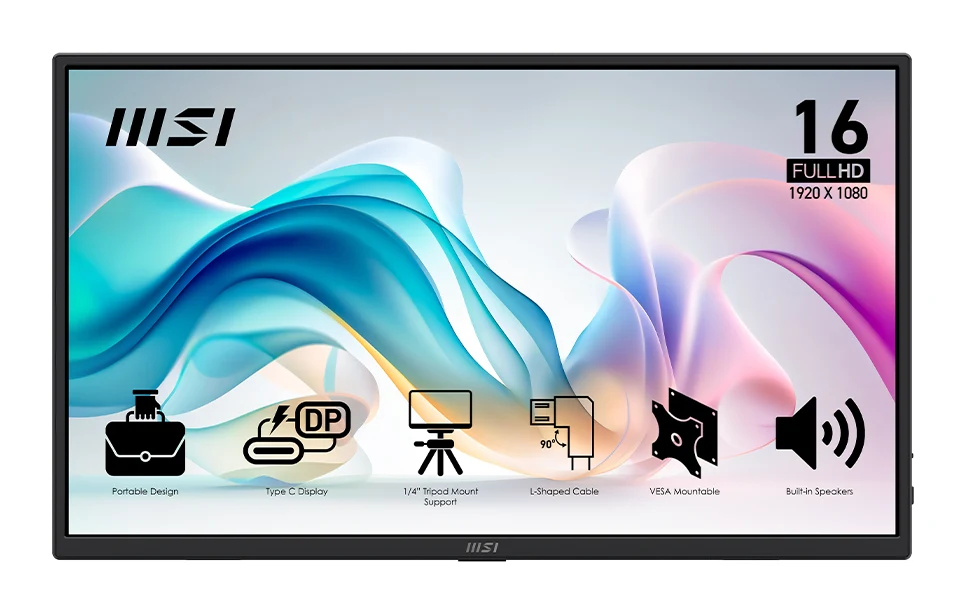
Best for: Buyers seeking lightweight everyday portable monitor
Check price on Amazon- Best ValueArzopa Z3FCBest for: Gamers and color-sensitive work professionalsCheck price
- Best BudgetArzopa Z1FCBest for: Console and handheld gamers on tight budgetCheck price
- Premium PickLenovo ThinkVision M14t Gen 2Best for: Mobile professionals valuing touch and pen inputCheck price

- Also GreatAsus ZenScreen MB16ACVBest for: Office users wanting straightforward portable displayCheck price
Finding the best portable monitor comes down to a few trade-offs: screen size, resolution, refresh rate, brightness and how much weight you are willing to carry. A second screen should be light enough to disappear into a bag, yet good enough that you do not regret bringing it. This guide covers five portable monitors that span the main use cases: everyday travel, console and handheld gaming, color-sensitive work, and touch-and-pen productivity.
This guide is research-based, drawing on manufacturer specs and independent expert recommendations. Prices change often, so use the check price buttons on each product card for current offers.
Portable Monitors at a Glance
| Rank | Model | Label | Screen | Resolution | Refresh rate | Brightness | Weight | Buy |
|---|---|---|---|---|---|---|---|---|
| 1 | MSI PRO MP165 E6 | Best Overall | 15.6" IPS | 1920 x 1080 (FHD) | 60Hz | 250 nits | 0.78 kg (1.72 lbs) | Check price |
| 2 | Arzopa Z3FC | Best Value | 16.1 inches IPS | 2560×1440 (2.5K QHD) | 180Hz (DisplayPort), 144Hz (Mini HDMI) | 400 nits | 780g | Check price |
| 3 | Arzopa Z1FC | Best Budget | 16.1 inches IPS | 1920×1080 (Full HD) | 144Hz | 300 nits | 780g | Check price |
| 4 | Lenovo ThinkVision M14t Gen 2 | Premium Pick | 14 inches IPS touchscreen | 2240 x 1400 | 60Hz | 300 cd/m² (panel) | 0.7 kg | Check price |
| 5 | Asus ZenScreen MB16ACV | Also Great | 15.6 inch IPS | 1920 x 1080 | 60 Hz | 250 cd/m² | 0.9 kg | Check price |
Best Portable Monitor Overall: MSI PRO MP165 E6
Best for: Buyers seeking lightweight everyday portable monitor
The MSI PRO MP165 E6 ranks first on the strength of its top value for money, 6 expert recommendations and a versatile mounting and connectivity setup. It suits buyers who want a light, flexible everyday portable monitor.
Read our full MSI PRO MP165 E6 review →- Weight
- 0.78 kg (1.72 lbs)
- Display
- 15.6" FHD IPS 1920 x 1080 60Hz
- Resolution
- 1920 x 1080 (FHD)
- Refresh rate
- 60Hz
- Ports
- 1x HDMI 2.0b, 2x USB Type-C DP Alt Mode with 15W Power Delivery
- Brightness
- 250 nits
Reasons to buy
- Lightweight at 0.78 kg
- Kickstand tilts 0-90°
- Tripod socket and 75x75mm VESA mount
- HDMI plus two USB-C ports
- Anti-flicker, low blue light eye care
Reasons to avoid
- Only 250 nits brightness
- 60Hz refresh rate
- Full HD resolution on a 15.6" panel
- PCWorld
- 8.0
- How-To Geek
- 6.0
- Display Ratings
- 7.0
The MSI PRO MP165 E6 takes the top spot because it is the most flexible all-rounder of the group. It is backed by 6 independent expert recommendations, and its spec sheet is built around practicality. It weighs 0.78 kg (1.72 lbs), and the multi-angle kickstand tilts from 0 to 90°. It also has a standard 1/4" tripod socket and a 75x75mm VESA mount, so you can set it up on a desk arm or a tripod instead of the built-in stand.
Keep reading about MSI PRO MP165 E6
Connectivity is a strong point. You get 1x HDMI 2.0b and 2x USB Type-C with DP Alt Mode and 15W Power Delivery, so it can pair with laptops over USB-C or with other devices over HDMI. The panel is a 15.6" IPS with 1920 x 1080 resolution, a 4ms (GtG) response time and a 1000:1 contrast ratio. MSI also lists EyesErgo technology with anti-flicker and low blue light.
The main trade-off is the panel itself. Brightness is 250 nits and the refresh rate is 60Hz, so it is not the pick for fast gaming or for working in bright rooms. It suits people who want a light, adaptable second screen for emails, documents, video calls and general laptop use.
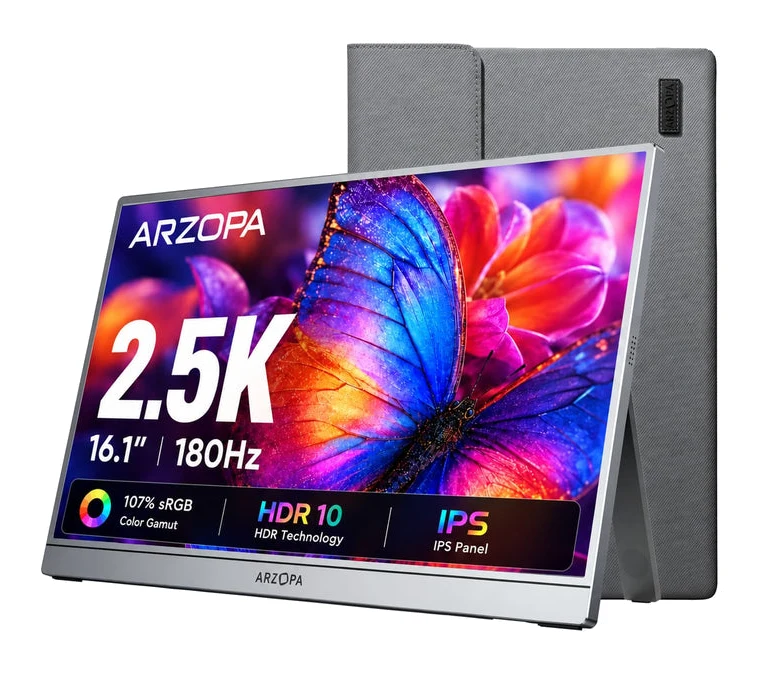
Best Value Portable Monitor: Arzopa Z3FC
Best for: Gamers and color-sensitive work professionals
The Arzopa Z3FC earns Best Value by pairing a QHD, 180Hz, 400-nit panel with a budget price tier and 8 expert recommendations. It is a strong fit for gaming and color-sensitive work.
Read our full Arzopa Z3FC review →- Weight
- 1.72 lbs (780g)
- Display
- 16.1 inches
- Resolution
- 2560×1440 (2.5K QHD)
- Refresh rate
- 180Hz (DisplayPort), 144Hz (Mini HDMI)
- Ports
- 2× USB-C (with Power Delivery and DisplayPort), 1× Mini HDMI 2.0
- Brightness
- 400 nits
Reasons to buy
- 2.5K QHD resolution (2560×1440)
- 180Hz refresh over DisplayPort
- 400 nits brightness, 107% sRGB
- FreeSync and HDR10 support
- Slim 9.3mm aluminum body, 780g
Reasons to avoid
- 9ms response time is slower than the other budget picks
- 144Hz limit over Mini HDMI
- PCWorld
- 6.0
- Amateur Photographer
- 9.0
- Technobezz
- 8.7
- TechRadar
- 9.0
- How-To Geek
- 8.0
The Arzopa Z3FC earns Best Value by packing the strongest panel specs of the group into the budget price tier. It has a 16.1-inch IPS display at 2560×1440 (2.5K QHD), a 180Hz refresh rate over DisplayPort, 400 nits of brightness and a 107% sRGB color gamut. It has 8 expert recommendations behind it.
Keep reading about Arzopa Z3FC
It also looks good on paper for gamers. It supports AMD FreeSync and HDR10, and the manufacturer positions it for PS5, Xbox and Steam Deck. The body is aluminum alloy, 9.3mm thick and 780g, with a built-in kickstand and 2x 1W stereo speakers. Ports are 2× USB-C (with Power Delivery and DisplayPort) and 1× Mini HDMI 2.0, and it is listed as plug-and-play over USB-C with no driver installation. A 2-year standard warranty is included.
The trade-offs are speed-related. The response time is 9ms, slower than the other budget picks here, and the refresh rate drops to 144Hz over Mini HDMI. If you plan to use the full 180Hz, you need a DisplayPort-capable USB-C connection. It is a good fit for gamers and for anyone who cares about sharp text and color.
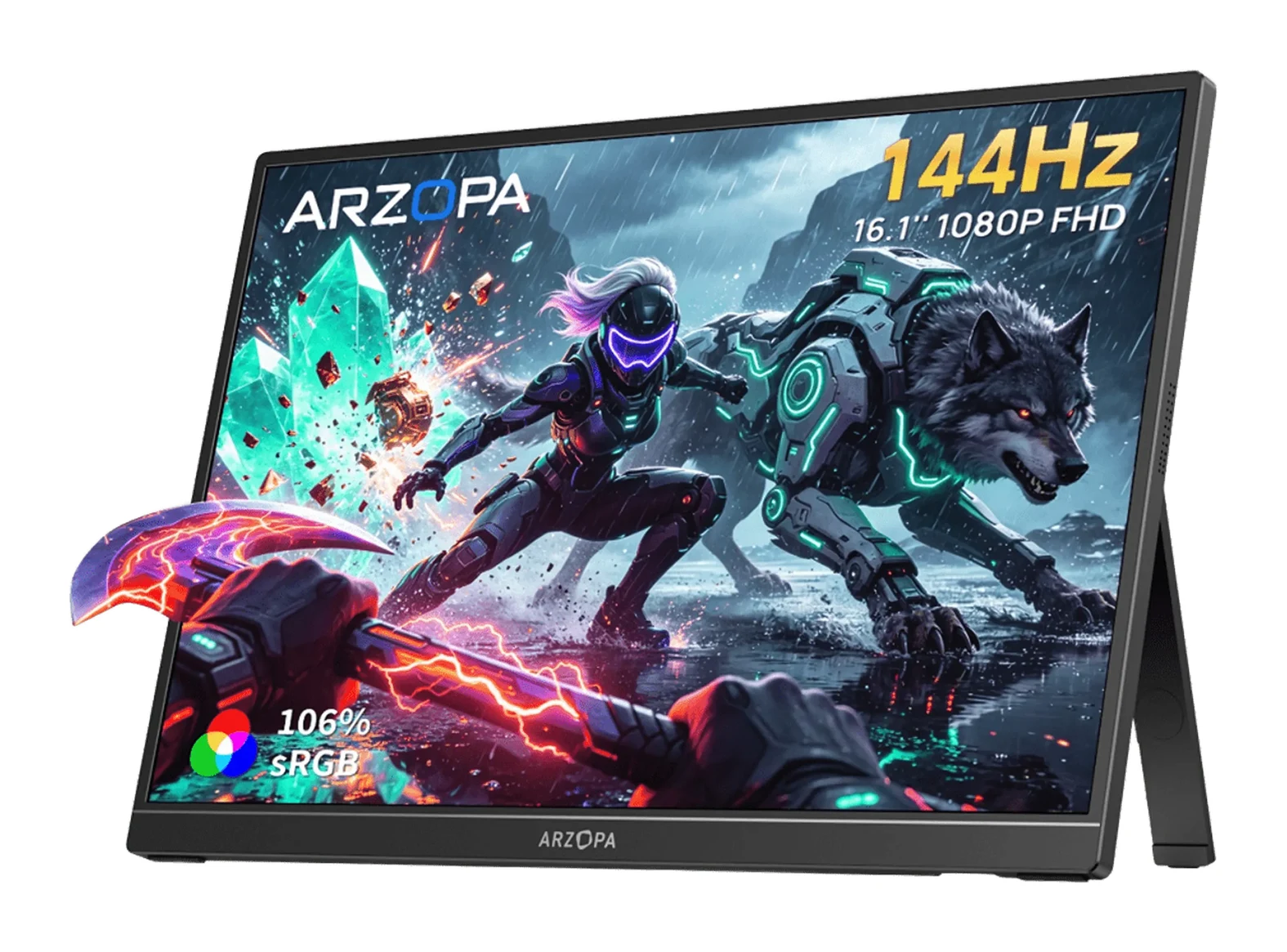
Best Budget Portable Monitor: Arzopa Z1FC
Best for: Console and handheld gamers on tight budget
The Arzopa Z1FC is the Best Budget pick, offering a 144Hz, 4ms panel and a full feature set in the budget tier, backed by 8 expert recommendations. It is a good choice for console and handheld gaming on a tight budget.
Read our full Arzopa Z1FC review →- Weight
- 780g (1.7 lbs)
- Display
- 16.1 inches
- Resolution
- 1920×1080 (Full HD)
- Refresh rate
- 144Hz
- Ports
- 2x USB-C, 1x Mini HDMI
- Brightness
- 300 nits
Reasons to buy
- 144Hz refresh rate
- 4ms response time
- 16.1-inch Full HD IPS, 106% sRGB
- Slim 9.3mm body at 780g
- Works with PS5, Xbox, Steam Deck, Switch
Reasons to avoid
- 300 nits brightness is modest
- Full HD resolution on a 16.1" screen
- PCWorld
- 8.0
- TweakTown
- 9.0
The Arzopa Z1FC is the Best Budget pick. It drops the QHD resolution and the 180Hz refresh rate of its sibling, but still offers 144Hz, a 4ms response time and HDR10. You still get a 144Hz refresh rate, a 4ms response time and a 16.1-inch Full HD IPS panel with 106% sRGB. It has 8 expert recommendations. It weighs 780g and is 9.3mm (0.3 inches) thick, so it stays easy to carry.
Keep reading about Arzopa Z1FC
The connection setup is simple. There are 2× USB-C (USB 3.1 with DisplayPort and Power Delivery) and 1× Mini HDMI 2.0, and the manufacturer lists support for PS5, Xbox, Steam Deck, Switch, PCs, phones and tablets. Built-in 2× 1W speakers and HDR10 support round out the feature set, and the warranty is 2 years.
The compromises are modest brightness at 300 nits and Full HD resolution stretched over 16.1 inches, which will look less crisp than the QHD Z3FC. For a console or handheld gaming companion on a tight budget, though, the smooth 144Hz and quick 4ms response time are what matter most.
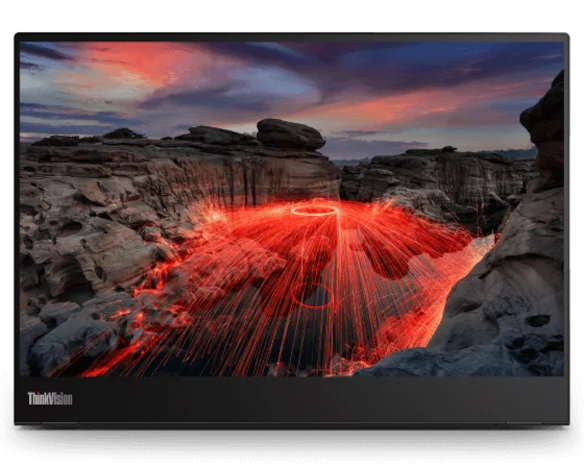
Premium Pick: Lenovo ThinkVision M14t Gen 2
Best for: Mobile professionals valuing touch and pen input
The Lenovo ThinkVision M14t Gen 2 is the Premium Pick thanks to its touch and pen support, sharp 16:10 panel and 65W charging, plus 7 expert recommendations. It suits mobile professionals who value input features over low cost.
Read our full Lenovo ThinkVision M14t Gen 2 review →- Weight
- 0.7 kg
- Display
- 14 inches
- Resolution
- 2240 x 1400
- Refresh rate
- 60Hz
- Ports
- 2x USB-C with DisplayPort 1.2 Alt Mode and Power Delivery up to 65W
- Brightness
- 300 cd/m² (panel) / 270 cd/m² (set)
Reasons to buy
- 2.2K 2240x1400 touchscreen
- Includes digital pen, 4096 pressure levels
- Light 700g, 4.6mm thin
- 65W power delivery with pass-through charging
- Stand with tilt, pivot and height adjustment
Reasons to avoid
- Premium price tier
- 60Hz refresh rate
- Only 14 inches, 300 nits brightness
- TechRadar
- 8.0
- PCWorld
- 7.0
- XDA Developers
- 9.0
- CGMagazine
- 9.5
The Lenovo ThinkVision M14t Gen 2 is a different kind of portable monitor. It is a 14-inch 2240x1400 touchscreen with 10-point capacitive touch and 4096 pressure levels, and it includes a digital pen. That makes it the only model in this guide aimed at sketching, note-taking and touch-driven work. It has 7 expert recommendations.
Keep reading about Lenovo ThinkVision M14t Gen 2
It is also the lightest option at 700g and 4.6mm thick. The 16:10 IPS panel covers 100% sRGB and carries Eyesafe 2.0 and TÜV Low Blue Light certification. Two USB-C ports support USB PD 2.0 and DisplayPort 1.2 Alt Mode, with up to 65W power delivery and pass-through charging, so one cable can help power a connected laptop. The stand adjusts with 0-90° tilt, -90 to +90° pivot and 11mm height lift, and the warranty is 3-year limited.
The cost is in the premium price tier, and the display is a modest 14 inches at 60Hz with 300 cd/m² panel brightness. It is not built for gaming. It is for mobile professionals and creators who value touch, pen input and charging over raw screen size.
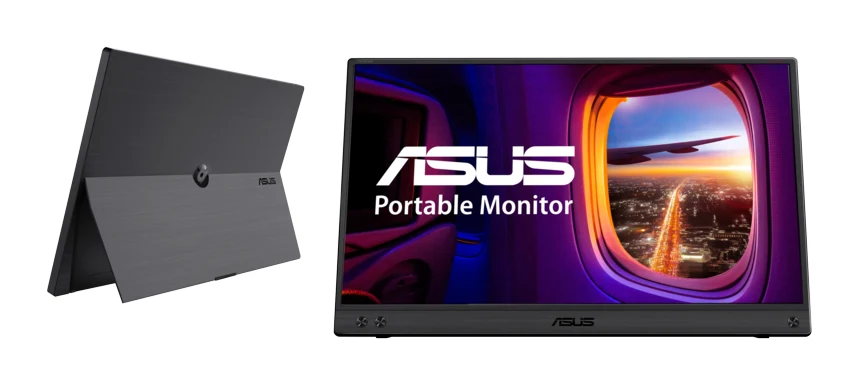
Also Great: Asus ZenScreen MB16ACV
Best for: Office users wanting straightforward portable display
The Asus ZenScreen MB16ACV is a solid Also Great option with its anti-glare screen, certified eye-comfort features and simple one-cable setup. It fits users who want a straightforward office-style portable display.
Read our full Asus ZenScreen MB16ACV review →- Weight
- 0.9 kg
- Display
- 15.6-inch IPS, 1920x1080, 250cd/m², 60Hz
- Resolution
- 1920 x 1080
- Refresh rate
- 60 Hz
- Ports
- 1x USB-C (hybrid, power and video)
- Brightness
- 250 cd/m²
Reasons to buy
- Single-cable USB-C power and video
- Anti-glare 15.6" Full HD IPS
- TÜV-certified flicker-free, low blue light
- Fold-out kickstand, portrait or landscape
- Antibacterial ionic silver treatment
Reasons to avoid
- Heaviest of the group at 0.9 kg
- Single USB-C port, no HDMI
- Lowest contrast ratio at 800:1
Our score. Fewer than two published expert reviews score this model yet, so the number is our ranking formula (expert recommendations, features, value, retailers), relative to the other picks in this guide. It switches to the expert average once two reviews are published.
The Asus ZenScreen MB16ACV is the simplest option here, and that is its appeal. It is a 15.6-inch Full HD 1920 x 1080 anti-glare IPS panel that connects with a single hybrid USB-C cable for both power and video. It is 10.5 mm thick, and the fold-out kickstand supports portrait or landscape viewing. It is recommended by 3 independent expert guides, fewer than the other picks.
Keep reading about Asus ZenScreen MB16ACV
Eye comfort is a focus. Asus lists TÜV Rheinland-certified flicker-free and low blue light technology, and an antibacterial ionic silver treatment. The 5 ms response time is fine for office work and video.
The drawbacks are clear. At 0.9 kg it is the heaviest model here, there is one USB-C port and no HDMI, and the 800:1 contrast ratio is the lowest in this guide. It suits office-style use with a USB-C laptop, where a matte screen and a one-cable setup matter more than extra ports.
Compare our picks side by side
The specs most of our picks share, from each maker’s spec page (— = not published). Expert score = the average of published expert reviews, which rate each product for its price. Scroll sideways on small screens.
| Spec | MSI PRO MP165 E6 | Arzopa Z3FC | Arzopa Z1FC | Lenovo ThinkVision M14t Gen 2 | Asus ZenScreen MB16ACV |
|---|---|---|---|---|---|
| Best for | Best Overall | Best Value | Best Budget | Premium Pick | Also Great |
| Expert score | 7.0 | 8.1 | 8.5 | 8.4 | 6.9 |
| Price vs. these picks | Lower | Lower | Lower | Higher | Middle |
| Weight | 0.78 kg (1.72 lbs) | 1.72 lbs (780g) | 780g (1.7 lbs) | 0.7 kg | 0.9 kg |
| Display | 15.6" FHD IPS 1920 x 1080 60Hz | 16.1 inches | 16.1 inches | 14 inches | 15.6-inch IPS, 1920x1080, 250cd/m², 60Hz |
| Resolution | 1920 x 1080 (FHD) | 2560×1440 (2.5K QHD) | 1920×1080 (Full HD) | 2240 x 1400 | 1920 x 1080 |
| Refresh rate | 60Hz | 180Hz (DisplayPort), 144Hz (Mini HDMI) | 144Hz | 60Hz | 60 Hz |
| Ports | 1x HDMI 2.0b, 2x USB Type-C DP Alt Mode with 15W Power Delivery | 2× USB-C (with Power Delivery and DisplayPort), 1× Mini HDMI 2.0 | 2x USB-C, 1x Mini HDMI | 2x USB-C with DisplayPort 1.2 Alt Mode and Power Delivery up to 65W | 1x USB-C (hybrid, power and video) |
| Brightness | 250 nits | 400 nits | 300 nits | 300 cd/m² (panel) / 270 cd/m² (set) | 250 cd/m² |
| Panel type | IPS | IPS | IPS | IPS | IPS |
| Response time | 4ms (GtG) | 9ms | 4ms | 6ms (Extreme) / 8ms (Normal) | 5 ms |
| Where to buy | Check price | Check price | Check price | Check price | Check price |
How to Choose a Portable Monitor
Match the connection to your devices
Check that your laptop, phone or console can output video over USB-C. The models here list USB-C with DisplayPort Alt Mode, and the MSI and both Arzopa models add an HDMI input (Mini HDMI on the Arzopas). The Asus has only one USB-C port. If you want to connect a console or a device without USB-C video, an HDMI input is the safer choice.
Decide how much refresh rate you need
For documents and video calls, 60Hz is fine, which is what the MSI, Lenovo and Asus offer. For gaming, the Arzopa Z1FC at 144Hz and the Z3FC at 180Hz over DisplayPort are the clear choices. If you are comparing portable options with full-size screens, our best gaming monitor guide covers desktop models.
Weigh resolution and size together
The Z3FC has the highest resolution here at 2560×1440. The Z1FC, MSI and Asus use Full HD, which is fine at 15.6 inches but less sharp at 16.1 inches. The Lenovo's 2240x1400 on 14 inches is the most compact option. Handheld gamers pairing a screen with a portable PC may also want our best handheld gaming PCs guide.
Think about brightness and where you will work
The Z3FC is brightest at 400 nits. The Z1FC and Lenovo are at 300 nits (the Lenovo's panel is listed in cd/m²), and the MSI and Asus are at 250. If you often work near windows or outdoors, brightness deserves extra weight.
Consider stands and mounting
The MSI, Arzopa Z3FC, Lenovo and Asus list a kickstand or adjustable stand. The MSI adds a tripod socket and a VESA mount, while the Lenovo offers tilt, pivot and height adjustment. If you want to mount the screen, check those details first.
How We Picked
We compared these portable monitors using manufacturer specs and the number of independent expert guides that recommend each one. We looked at panel size, resolution, refresh rate, brightness, weight, ports, mounting options and eye-care features, and weighed them against each product's price tier. This guide is research-based, so it reflects published specifications and expert opinion. Where a spec was unclear, we left it out.
Bottom Line
The MSI PRO MP165 E6 is the best portable monitor for most people, thanks to its light weight, flexible mounting and HDMI plus dual USB-C connectivity. The Arzopa Z3FC is the better buy if you want QHD resolution, 180Hz and 400 nits in the budget tier, and the Arzopa Z1FC is the budget-tier gaming option with 144Hz. Choose the Lenovo ThinkVision M14t Gen 2 for touch and pen input, or the Asus ZenScreen MB16ACV for a simple, anti-glare, one-cable office setup. Use the check price buttons to see current offers.
Ready to buy?
 Best OverallMSI PRO MP165 E6Check price
- Best ValueArzopa Z3FCCheck price
- Best BudgetArzopa Z1FCCheck price
- Premium PickLenovo ThinkVision M14t Gen 2Check price
- Also GreatAsus ZenScreen MB16ACVCheck price
Frequently asked questions
What is the best portable monitor overall?
Based on manufacturer specs and expert recommendations, the MSI PRO MP165 E6 is the best overall pick. It weighs 0.78 kg (1.72 lbs), has HDMI and two USB-C ports, and includes a tripod socket and 75x75mm VESA mount.
Which portable monitor is best for gaming?
The Arzopa Z3FC offers a 180Hz refresh rate over DisplayPort, 2560×1440 resolution and FreeSync support. The Arzopa Z1FC offers 144Hz and a 4ms response time, and it is also in the budget tier. Both list support for consoles such as PS5 and Xbox, as well as Steam Deck.
Is there a portable monitor with touch and pen support?
Yes. The Lenovo ThinkVision M14t Gen 2 is a 14-inch 2240x1400 touchscreen with 10-point capacitive touch and 4096 pressure levels, and it includes a digital pen.
Do I need HDMI on a portable monitor?
Not if your device outputs video over USB-C, since every model here supports it. An HDMI input helps with devices that lack USB-C video output. The MSI PRO MP165 E6 has HDMI 2.0b, and both Arzopa models have Mini HDMI 2.0. The Asus ZenScreen MB16ACV has a single USB-C port and no HDMI.
Which portable monitor is the lightest?
The Lenovo ThinkVision M14t Gen 2 is the lightest at 700g and 4.6mm thick. The MSI PRO MP165 E6 and both Arzopa models are close behind at 780g or 0.78 kg, while the Asus ZenScreen MB16ACV is the heaviest at 0.9 kg.
Sources
Specs are taken from the manufacturers' official pages; expert recommendations from the publications below.
- MSI PRO MP165 E6: msi.com, us-store.msi.com, tomshardware.com, my.msi.com
- Arzopa Z3FC: arzopa.com, pcworld.com, tomshardware.com, fstoppers.com
- Arzopa Z1FC: global.arzopa.com, tweaktown.com, pcworld.com
- Lenovo ThinkVision M14t Gen 2: psref.lenovo.com, shi.com, bestbuy.com, cgmagonline.com
- Asus ZenScreen MB16ACV: asus.com, pcnation.com
More buying guides
Best Monitors for Working From Home 2026: One-Cable Desks
Five home-office monitors compared on resolution, USB-C or Thunderbolt charging, KVM switching and eye comfort, using manufacturer specs and expert recommendations.
Published Oct 20, 2026
LG 27US500-W UltraFine Review (2026): Sharp 4K, Basic Stand
A mid-range 27-inch 4K IPS monitor from LG with wide colour and eye-comfort features, but a tilt-only stand, 60Hz refresh and no USB-C. Here is who it suits.
Published Oct 19, 2026Dell UltraSharp U2725QE Review (2026): One-Cable Desk
A look at the Dell UltraSharp U2725QE, a 27-inch 4K IPS Black monitor with a Thunderbolt 4 hub, KVM and 2.5GbE, and who it suits.
Published Oct 22, 2026