Best Gaming Monitor 2026: OLED and Mini LED Picks Compared
Five gaming monitors compared on panel tech, refresh rate, resolution and connectivity, from an ultrawide QD-OLED to a 4K 240Hz flagship and a bright Mini LED value pick.
25 products compared · Research-based · Affiliate links
We earn a commission from qualifying purchases made through our links, at no extra cost to you. It never decides our picks. How we make money
Which one should you buy?
Our picks by what matters to you · details below ↓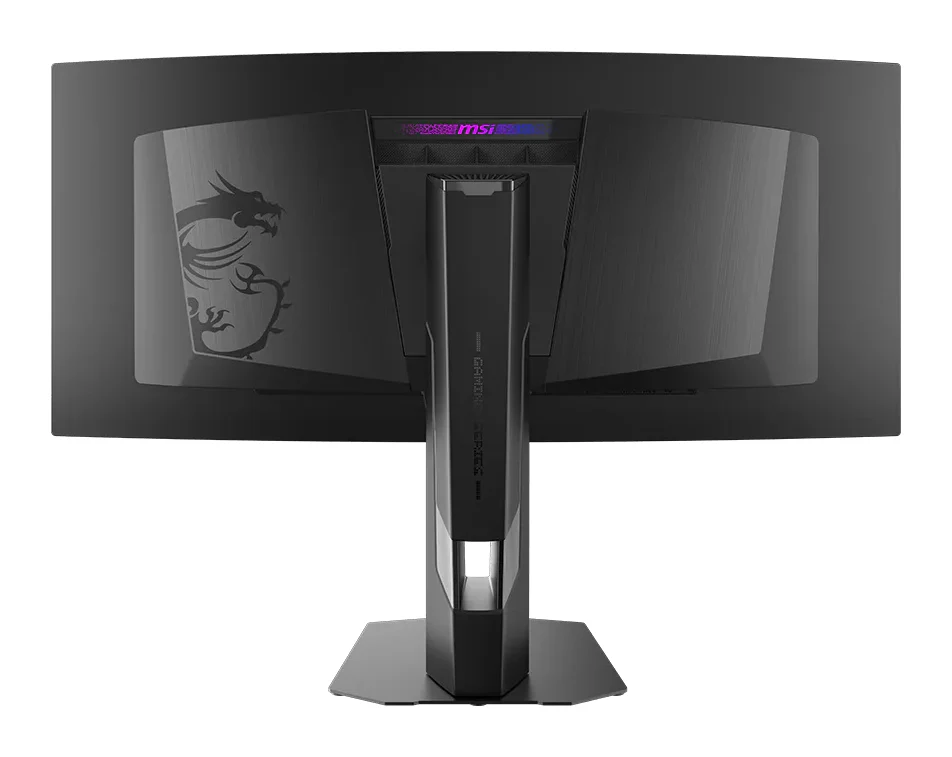
Best for: Immersive ultrawide gamers wanting competitive speed and OLED quality
Check price on Amazon- Best BudgetAlienware 27 240Hz QD-OLED Gaming Monitor AW2726DMBest for: Budget-minded gamers wanting their first OLED monitorCheck price
- Best ValueAOC Q27G3XMNBest for: Value-focused gamers who want bright, punchy HDRCheck price
- Also GreatASUS ROG Swift OLED PG27AQWP-WBest for: Esports players chasing maximum refresh rate and responsivenessCheck price
- Premium PickASUS ROG Swift OLED PG32UCDM Gen3Best for: Enthusiasts wanting 4K OLED for gaming and creative workCheck price
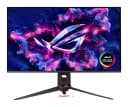
The best gaming monitor in 2026 depends on what you want most: ultrawide immersion, the highest refresh rate, 4K sharpness or bright HDR for less. We compared the leading candidates and narrowed them to five that cover those needs, from a 34-inch ultrawide QD-OLED to a 4K 240Hz flagship and a Mini LED model aimed at value.
This guide is based on manufacturer specs and independent expert recommendations, so you can see why each monitor earned its place and where it falls short.
Best Gaming Monitor 2026 at a Glance
| Rank | Monitor | Label | Panel | Resolution | Refresh rate | Best for | Buy |
|---|---|---|---|---|---|---|---|
| 1 | MSI MPG 341CQR QD-OLED X36 | Best Overall | QD-OLED, 34-inch curved ultrawide | 3440×1440 | 360Hz | Immersive ultrawide gaming | Check price |
| 2 | Alienware 27 AW2726DM | Best Budget | QD-OLED | 2560x1440 | 240Hz | A first OLED monitor | |
| 3 | AOC Q27G3XMN | Best Value | VA with Mini LED | 2560x1440 | 180Hz | Bright, punchy HDR | Check price |
| 4 | ASUS ROG Swift OLED PG27AQWP-W | Also Great | Tandem OLED | 2560 x 1440 | 540Hz | Esports players | Check price |
| 5 | ASUS ROG Swift OLED PG32UCDM Gen3 | Premium Pick | Tandem QD-OLED | 3840 x 2160 (4K) | 240Hz | 4K gaming and creative work | Check price |
MSI MPG 341CQR QD-OLED X36: Best Overall for Ultrawide Speed
Best for: Immersive ultrawide gamers wanting competitive speed and OLED quality
This ultrawide QD-OLED pairs a 360Hz refresh rate with immersive 21:9 curvature and strong HDR brightness. USB-C charging and burn-in safeguards round out a well-balanced all-rounder.
Read our full MSI MPG 341CQR QD-OLED X36 review →- Display
- 34-inch QD-OLED curved
- Resolution
- 3440 x 1440 (UWQHD)
- Refresh rate
- 360Hz
- Ports
- 2x HDMI 2.1, 1x DisplayPort 2.1a, 1x USB-C (DP Alt Mode, 98W PD)
- HDR
- VESA DisplayHDR True Black 500
- Brightness
- 300 cd/m² (SDR), 1300 cd/m² (HDR peak)
Reasons to buy
- Ultrawide 34-inch QD-OLED with 360Hz refresh and 0.03ms response
- 1300 nits HDR peak with True Black 500 certification
- USB-C with 98W Power Delivery doubles as a laptop dock
- DisplayPort 2.1a plus two HDMI 2.1 ports
- OLED Care 3.0 with sensor aims to limit burn-in
Reasons to avoid
- 1440p resolution on a 34-inch ultrawide is less sharp than 4K
- SDR brightness is only 300 cd/m²
- Tom's Guide
- 9.0
- TechRadar
- 9.0
- PCWorld
- 9.0
- Display Ninja
- 9.6
- PC Gamer
- 9.2
- PC Guide
- 9.0
- KitGuru
- 9.0
The MSI MPG 341CQR QD-OLED X36 is our best overall pick because it combines a 34-inch curved ultrawide QD-OLED panel with a 360Hz refresh rate and 0.03ms response time. It suits gamers who want immersive 21:9 visuals without giving up competitive speed. It is recommended in 4 expert guides.
Keep reading about MSI MPG 341CQR QD-OLED X36
The panel is a 5th-generation tandem QD-OLED with 1300 nits peak brightness and VESA DisplayHDR True Black 500 certification. Connectivity is strong: DisplayPort 2.1a, two HDMI 2.1 ports and a USB-C port with 98W Power Delivery and DisplayPort Alt Mode. That USB-C port means the monitor can double as a laptop dock. MSI also includes OLED Care 3.0 with an AI Care Sensor, which aims to limit burn-in.
Reviewers have been positive. Display Ninja gives it 4.8 out of 5, PC Gamer 4.6 out of 5 and TechRadar 4.65 out of 5. The main trade-offs are that 1440p on a 34-inch ultrawide is less sharp than 4K, and SDR brightness is only 300 cd/m². If you mostly play in bright rooms with SDR content, keep that in mind.
Alienware 27 AW2726DM: Best Budget for a First OLED
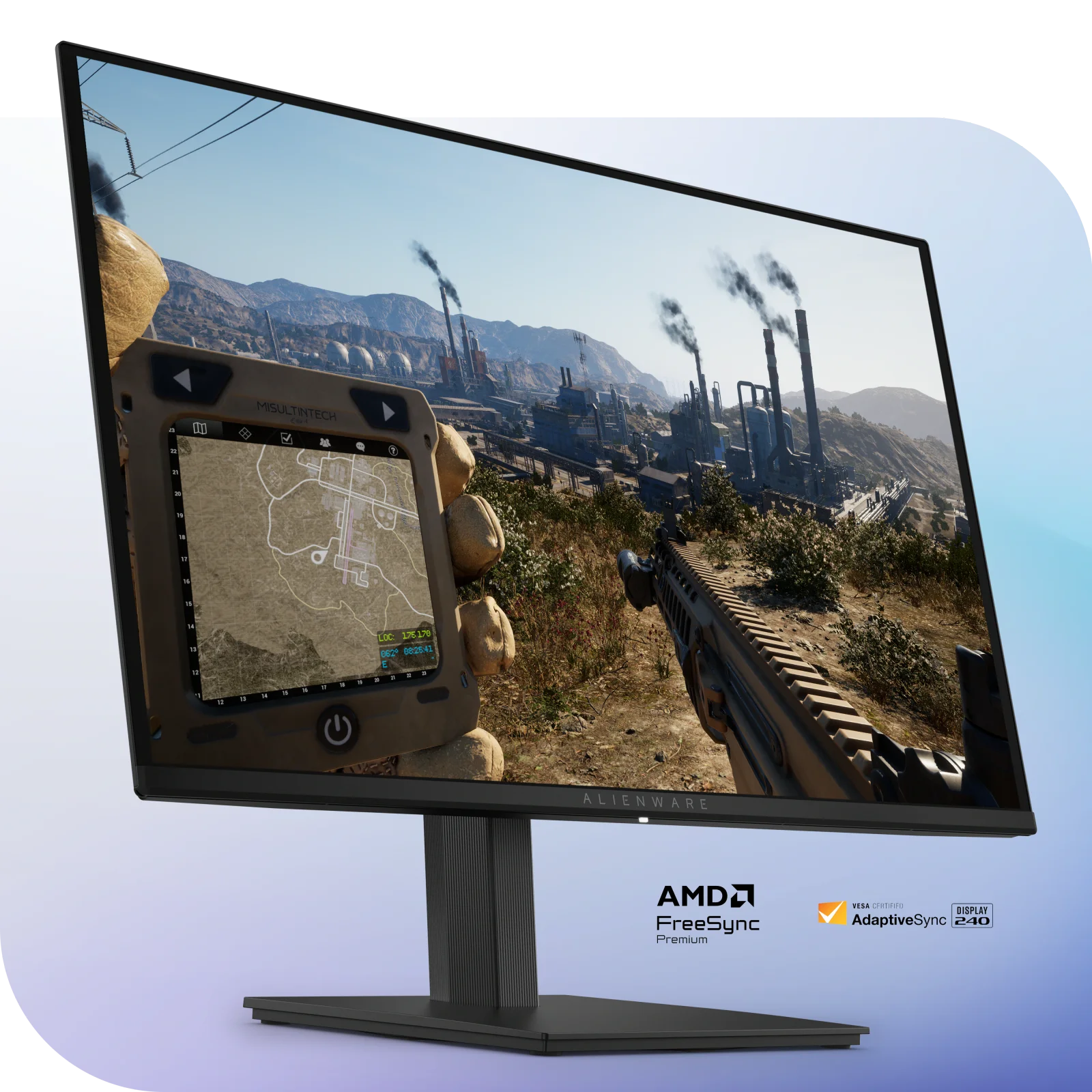
Alienware 27 240Hz QD-OLED Gaming Monitor AW2726DM
Best for: Budget-minded gamers wanting their first OLED monitor
An affordable way into QD-OLED, offering deep blacks, vivid color and fast 240Hz motion at QHD. The warranty with burn-in coverage adds peace of mind.
Read our full Alienware 27 240Hz QD-OLED Gaming Monitor AW2726DM review →- Display
- 26.5 inches (67.31 cm), 16:9 aspect ratio
- Resolution
- 2560 x 1440 (QHD)
- Refresh rate
- 240 Hz (via DisplayPort 1.4); 120 Hz (via HDMI 2.1)
- Ports
- 1x DisplayPort 1.4 (DSC), 2x HDMI 2.1, 1x 3.5mm audio out
- HDR
- HDR10
- Brightness
- 200 nits (SDR), 400 nits (HDR peak)
Reasons to buy
- QD-OLED panel with perfect blacks and infinite contrast
- 240Hz refresh with 0.03ms response keeps motion smooth
- 99% DCI-P3 coverage with 10-bit color
- 3-year warranty includes OLED burn-in protection
- Fully adjustable stand with height, tilt, swivel and pivot
Reasons to avoid
- HDR peak brightness is modest at 400 nits
- 240Hz requires DisplayPort; HDMI 2.1 is limited to 120Hz
- No USB-C input
- Tom's Hardware
- 9.0
- Tom's Guide
- 9.0
- Windows Central
- 9.0
- PCWorld
- 9.0
- Engadget
- 9.2
- PC Gamer
- 8.5
- CGMagOnline
- 9.0
- GameTyrant
- 9.0
The Alienware 27 240Hz QD-OLED (AW2726DM) is our best budget pick and an affordable way into QD-OLED. It offers deep blacks, 99% DCI-P3 coverage and 240Hz motion at QHD, and it is aimed at budget-minded gamers buying their first OLED monitor. It is recommended in 4 expert guides.
Keep reading about Alienware 27 240Hz QD-OLED Gaming Monitor AW2726DM
The QD-OLED panel has 0.03 ms GTG response time and 10-bit color. The 3-year warranty includes OLED burn-in protection and AI pixel management, which adds peace of mind on a technology some buyers worry about. The stand adjusts for height, tilt, swivel and pivot. Tom's Hardware, Tom's Guide, CGMagOnline and GameTyrant each score it 4.5 out of 5.
There are some compromises. HDR peak brightness is a modest 400 nits. The full 240Hz needs the DisplayPort 1.4 connection, because HDMI 2.1 is limited to 120 Hz. There is also no USB-C input. Console players should note that cap.
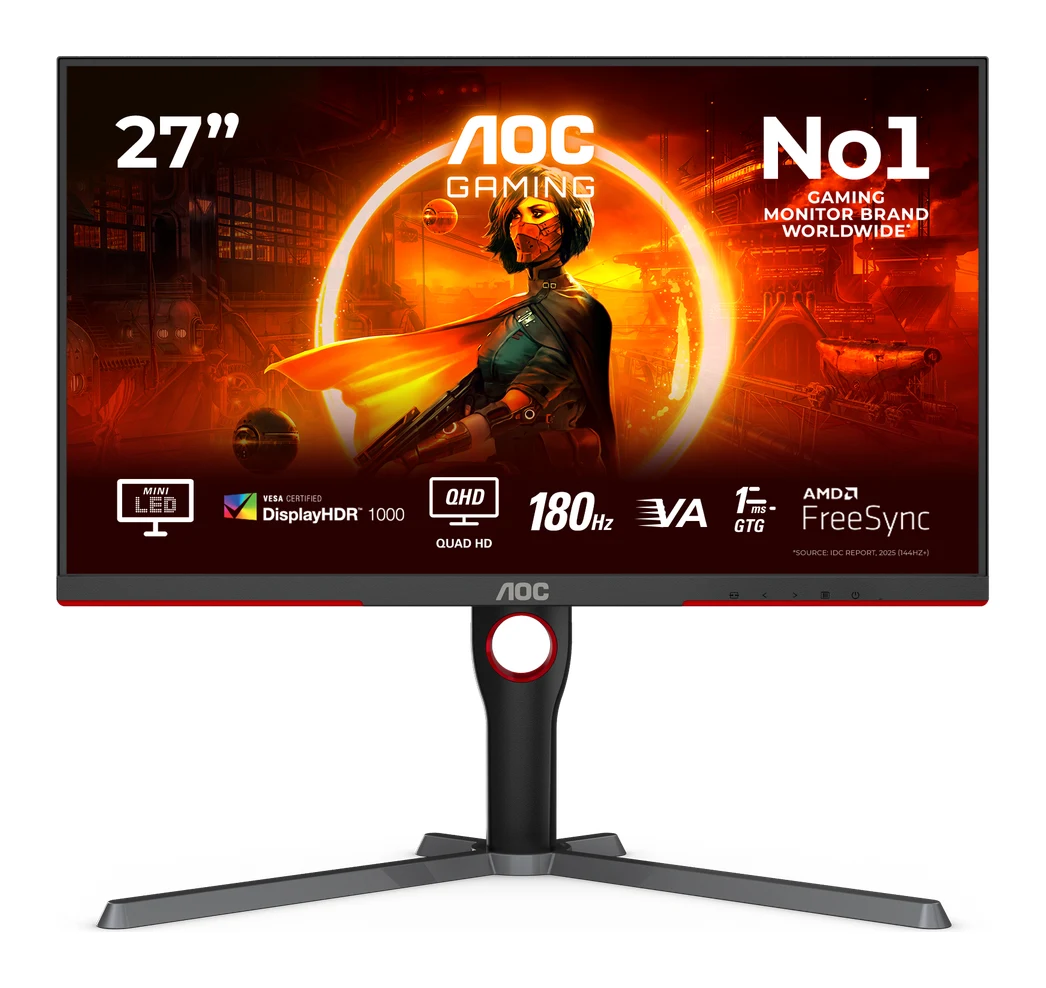
AOC Q27G3XMN: Best Value for Bright HDR
Best for: Value-focused gamers who want bright, punchy HDR
Delivers HDR performance rarely seen at this level, with Mini LED dimming and 1000 nits brightness. A strong choice for gamers who want vivid, punchy visuals without paying OLED prices.
- Display
- 27 inch flat
- Resolution
- 2560 x 1440
- Refresh rate
- 180 Hz
- Ports
- DisplayPort 1.4 x1, HDMI 2.0 x1, 3.5mm audio jack
- HDR
- VESA DisplayHDR 1000
- Brightness
- 1000 cd/m²
Reasons to buy
- Mini LED with 336 dimming zones boosts contrast and HDR
- DisplayHDR 1000 certification with 1000 nits peak brightness
- 180Hz refresh with 1ms response suits fast games
- Quantum Dot color with wide sRGB and DCI-P3 coverage
- FreeSync Premium Pro and G-Sync compatible with ergonomic stand
Reasons to avoid
- VA panel can't match OLED black levels or response time
- HDMI 2.0 port limits console and high-refresh options
- RTings
- 8.2
- DisplayNinja
- 8.6
- Trusted Reviews
- 9.0
- DisplaysTested
- 9.0
The AOC Q27G3XMN is our best value pick for gamers who want bright, punchy HDR without moving to OLED. It pairs a 27-inch VA panel with 336-zone Mini LED local dimming, VESA DisplayHDR 1000 certification and 1000 nits peak brightness. It is recommended in 3 expert guides.
Keep reading about AOC Q27G3XMN
Beyond HDR, it offers a 180Hz refresh rate with 1ms response time at 2560x1440. Quantum Dot technology gives wide color coverage, with 137.5% sRGB and 101.3% DCI-P3. FreeSync Premium Pro is supported along with G-Sync compatibility, and the stand adjusts for height, pivot, swivel and tilt. RTings scores it 8.2 out of 10. Trusted Reviews and DisplaysTested each give 4.5 out of 5, and DisplayNinja gives 4.3 out of 5.
The trade-offs follow from the panel type. A VA panel can't match OLED black levels or response time. The single HDMI 2.0 port also limits console and high-refresh options, so this monitor is best suited to a PC connected over DisplayPort 1.4.
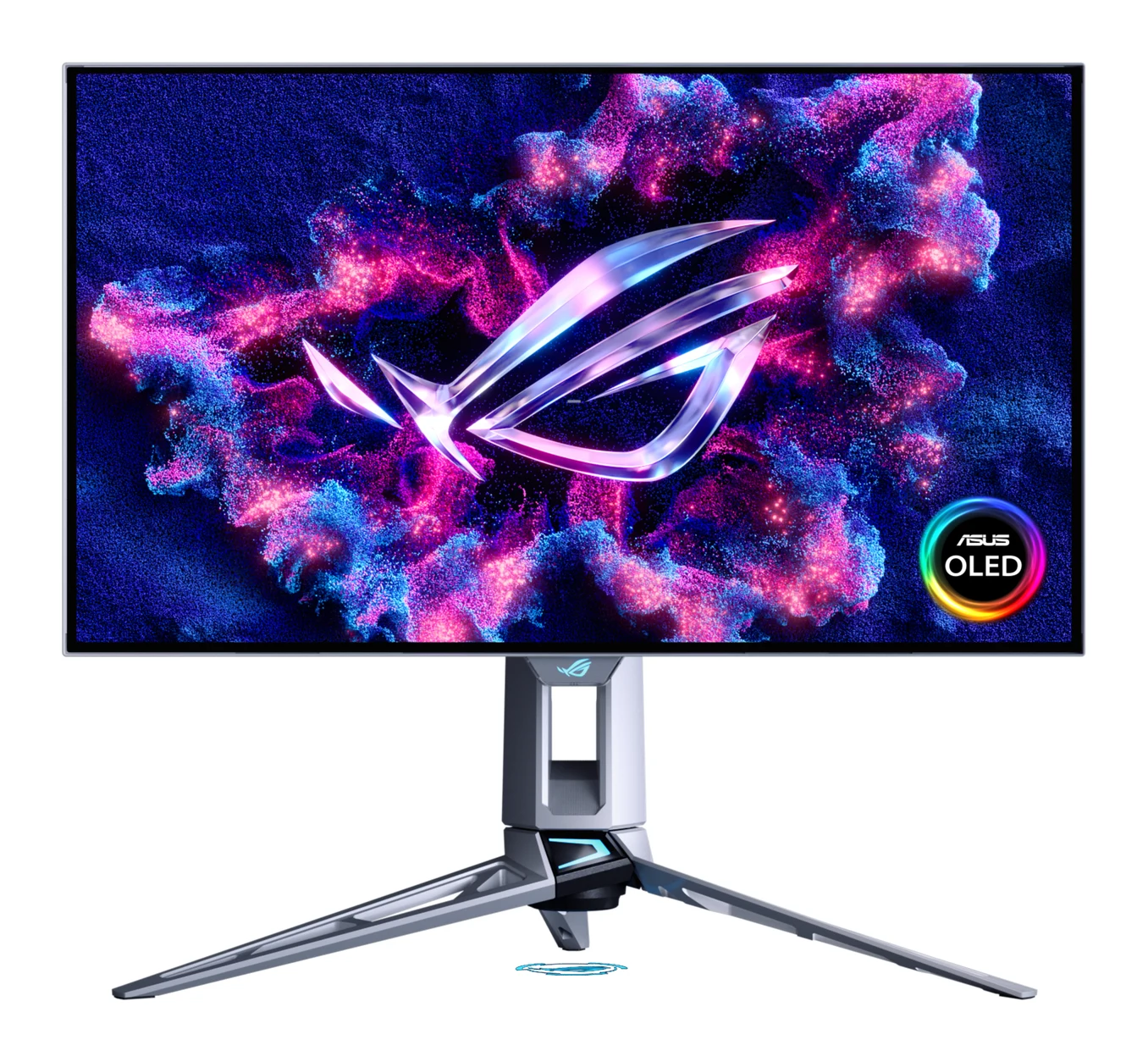
ASUS ROG Swift OLED PG27AQWP-W: Also Great for Esports Refresh Rates
Best for: Esports players chasing maximum refresh rate and responsiveness
Built for competitive players chasing the highest refresh rates available on an OLED. Tandem OLED brings bright HDR and accurate color alongside the speed.
- Display
- 26.5-inch 16:9 glossy
- Resolution
- 2560 x 1440
- Refresh rate
- 540Hz (1440p) / 720Hz (720p)
- Ports
- 1x DisplayPort 2.1a UHBR20 (80Gbps), 2x HDMI 2.1, 3x USB-A, 1x 3.5mm audio
- HDR
- VESA DisplayHDR 500 True Black, 1500 nits peak
- Brightness
- 1,500 cd/㎡
Reasons to buy
- 540Hz at 1440p, with 720Hz option at lower resolution
- 0.02ms response time for extreme motion clarity
- Tandem OLED with 1500 nits HDR peak brightness
- DisplayPort 2.1a UHBR20 and two HDMI 2.1 ports
- 99.5% DCI-P3 with Delta E under 2
Reasons to avoid
- 26.5-inch size is small for immersive play
- Reaching top refresh rates requires a very powerful PC
- 720Hz mode drops resolution to HD
- PCWorld
- 9.0
- Tom's Hardware
- 10.0
- TechPorn
- 9.0
The ASUS ROG Swift OLED PG27AQWP-W is built for competitive players chasing the highest refresh rates on an OLED. It runs at 540Hz at 1440p and offers a 720Hz option at 720p, with 0.02ms response time. It is recommended in 4 expert guides.
Keep reading about ASUS ROG Swift OLED PG27AQWP-W
The tandem OLED panel reaches 1500 nits peak brightness and carries VESA DisplayHDR 500 True Black certification. Color coverage is 99.5% DCI-P3 with Delta E under 2. Ports include DisplayPort 2.1a UHBR20 (80Gbps), two HDMI 2.1 ports and three USB-A ports. Tom's Hardware scores it 5 out of 5, while PCWorld and TechPorn each give 4.5 out of 5.
The trade-offs are specific. The 26.5-inch size is small for immersive play. Reaching the top refresh rates requires a very powerful PC. The 720Hz mode drops resolution to HD. It sits in the mid-range price tier of this group and is for players who put speed above screen size.
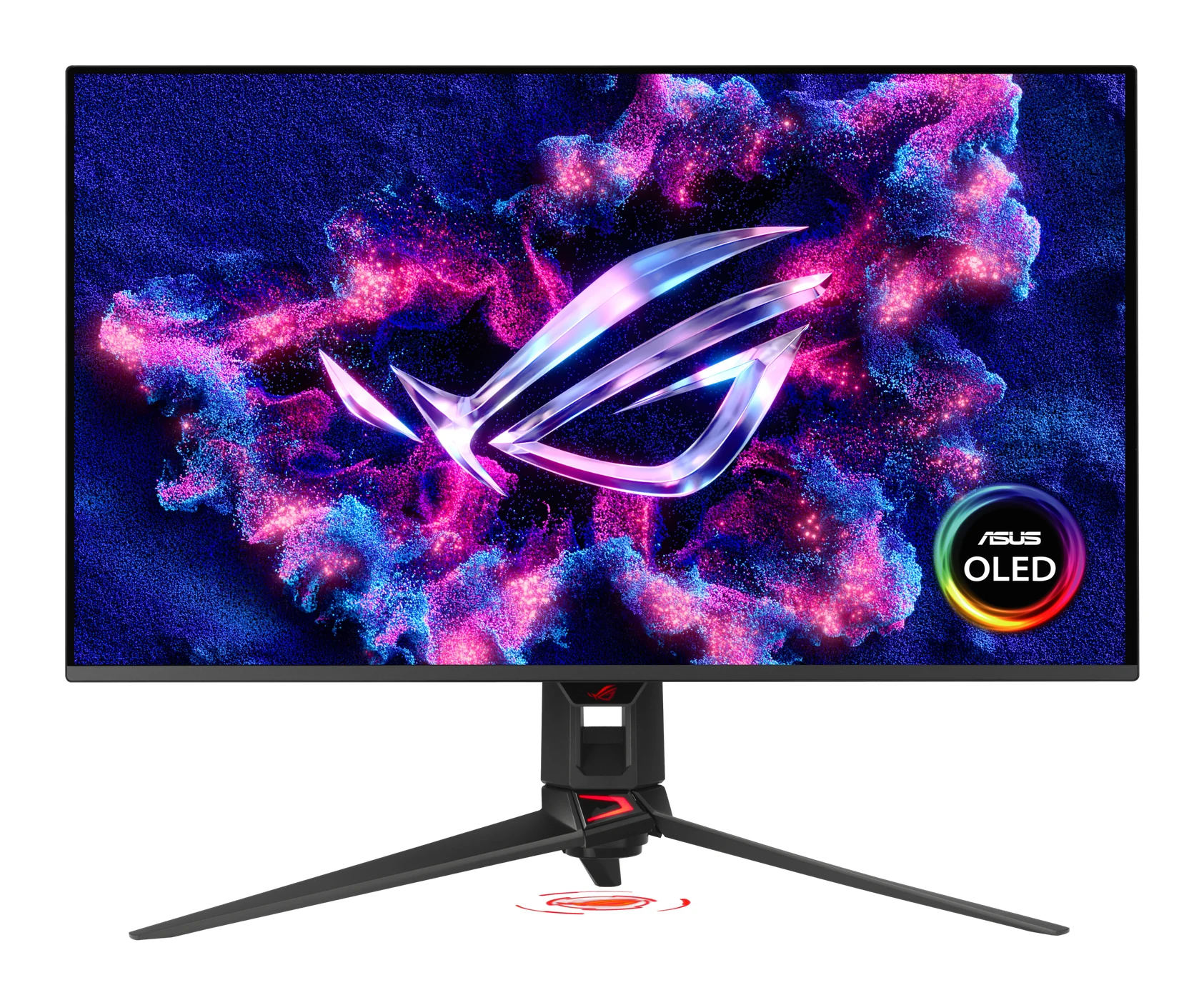
ASUS ROG Swift OLED PG32UCDM Gen3: Premium Pick for 4K at 240Hz
Best for: Enthusiasts wanting 4K OLED for gaming and creative work
Combines 4K sharpness, 240Hz speed and accurate color, suiting both gaming and creative work. It's the pick for buyers who want a high-end all-in-one display.
- Display
- 31.5-inch (32-inch class)
- Resolution
- 3840 x 2160 (4K)
- Refresh rate
- 240Hz
- Ports
- 1x DisplayPort 2.1a UHBR20, 2x HDMI 2.1, 1x USB-C (90W), 3x USB 3.2 Gen 1
- HDR
- HDR10, Dolby Vision, VESA DisplayHDR 500 True Black
- Brightness
- 1,000 cd/㎡ (HDR, Peak)
Reasons to buy
- 32-inch 4K Tandem QD-OLED running at 240Hz
- DisplayPort 2.1a drives 4K 240Hz without compression
- BlackShield Film improves perceived blacks and scratch resistance
- Supports Dolby Vision and DisplayHDR 500 True Black
- USB-C with 90W power and 99% DCI-P3 accuracy
Reasons to avoid
- 4K at high refresh demands a top-tier graphics card
- HDR peak of 1000 nits trails some rivals
- TweakTown
- 9.6
- Tom's Hardware
- 9.0
- PowerUp Gaming
- 9.6
The ASUS ROG Swift OLED PG32UCDM Gen3 is our premium pick for enthusiasts who want 4K sharpness and 240Hz speed on a Tandem QD-OLED panel. It suits people who split their time between gaming and creative work. It is recommended in 3 expert guides.
Keep reading about ASUS ROG Swift OLED PG32UCDM Gen3
The 32-inch-class screen (31.5 inches) has 0.03ms response time and DisplayPort 2.1a with 80Gbps bandwidth, which supports 4K at 240Hz without compression. HDR support covers HDR10, Dolby Vision and VESA DisplayHDR 500 True Black, with 1000 nits peak brightness. The BlackShield Film is described by ASUS as giving 40% improved perceived black levels and 2.5x better scratch resistance. Color is 99% DCI-P3 with Delta E < 2, and the USB-C port delivers 90W. TweakTown and PowerUp Gaming each give it 4.8 out of 5, and Tom's Hardware gives it 4.5 out of 5.
The main trade-off is that 4K at high refresh demands a top-tier graphics card. Its 1000 nits HDR peak also trails some rivals. It is in the premium price tier.
Compare our picks side by side
The specs most of our picks share, from each maker’s spec page (— = not published). Expert score = the average of published expert reviews, which rate each product for its price. Scroll sideways on small screens.
| Spec | MSI MPG 341CQR QD-OLED X36 | Alienware 27 240Hz QD-OLED Gaming Monitor AW2726DM | AOC Q27G3XMN | ASUS ROG Swift OLED PG27AQWP-W | ASUS ROG Swift OLED PG32UCDM Gen3 |
|---|---|---|---|---|---|
| Best for | Best Overall | Best Budget | Best Value | Also Great | Premium Pick |
| Expert score | 9.1 | 9.0 | 8.7 | 9.3 | 9.4 |
| Price vs. these picks | Lower | Lower | Lower | Middle | Higher |
| Display | 34-inch QD-OLED curved | 26.5 inches (67.31 cm), 16:9 aspect ratio | 27 inch flat | 26.5-inch 16:9 glossy | 31.5-inch (32-inch class) |
| Resolution | 3440 x 1440 (UWQHD) | 2560 x 1440 (QHD) | 2560 x 1440 | 2560 x 1440 | 3840 x 2160 (4K) |
| Refresh rate | 360Hz | 240 Hz (via DisplayPort 1.4); 120 Hz (via HDMI 2.1) | 180 Hz | 540Hz (1440p) / 720Hz (720p) | 240Hz |
| Ports | 2x HDMI 2.1, 1x DisplayPort 2.1a, 1x USB-C (DP Alt Mode, 98W PD) | 1x DisplayPort 1.4 (DSC), 2x HDMI 2.1, 1x 3.5mm audio out | DisplayPort 1.4 x1, HDMI 2.0 x1, 3.5mm audio jack | 1x DisplayPort 2.1a UHBR20 (80Gbps), 2x HDMI 2.1, 3x USB-A, 1x 3.5mm audio | 1x DisplayPort 2.1a UHBR20, 2x HDMI 2.1, 1x USB-C (90W), 3x USB 3.2 Gen 1 |
| HDR | VESA DisplayHDR True Black 500 | HDR10 | VESA DisplayHDR 1000 | VESA DisplayHDR 500 True Black, 1500 nits peak | HDR10, Dolby Vision, VESA DisplayHDR 500 True Black |
| Brightness | 300 cd/m² (SDR), 1300 cd/m² (HDR peak) | 200 nits (SDR), 400 nits (HDR peak) | 1000 cd/m² | 1,500 cd/㎡ | 1,000 cd/㎡ (HDR, Peak) |
| Panel type | QD-OLED (5th generation) | Quantum Dot OLED (QD-OLED) | VA with Mini LED | WOLED (Tandem OLED) | Tandem QD-OLED |
| Response time | 0.03ms (GtG) | 0.03 ms GTG | 1 ms GtG | 0.02ms (GTG) | 0.03ms (GTG) |
| Where to buy | Check price | Check price | Check price | Check price | Check price |
How to Choose the Best Gaming Monitor
OLED or Mini LED
Four of these picks use OLED-type panels, which offer perfect blacks and very fast response. The AOC takes a different route with a VA panel and Mini LED local dimming, which trades OLED black levels and response time for high peak brightness. Choose OLED for contrast and motion, or Mini LED if bright HDR for less matters most.
Resolution and size
The 4K ASUS PG32UCDM Gen3 is the sharpest option here, but it needs a powerful GPU. The QHD models are easier to drive. The MSI spreads QHD-class resolution across a 34-inch ultrawide, which gives immersion at the cost of pixel density, while the ASUS PG27AQWP-W suits players who prefer a compact screen.
Refresh rate and your PC
A higher refresh rate only helps if your PC can deliver those frame rates. The 540Hz ASUS needs a very powerful system to reach its top speeds, and 4K at 240Hz is just as demanding.
Ports and connectivity
Check the inputs before you buy. The Alienware reaches 240Hz only over DisplayPort 1.4, with HDMI 2.1 limited to 120 Hz. The AOC has just one HDMI 2.0 port. If you want one cable for a laptop, the MSI (98W) and ASUS PG32UCDM Gen3 (90W) offer USB-C with power delivery.
Burn-in protection
If burn-in worries you, look at the safeguards. The MSI includes OLED Care 3.0 with a sensor, and the Alienware has a 3-year warranty that includes burn-in protection.
How We Picked
We compared the leading candidates using manufacturer specs and independent expert recommendations. We looked at panel technology, resolution, refresh rate, HDR capability, connectivity and the trade-offs reviewers and spec sheets point to. We also counted how many independent expert buying guides recommend each product. This guide does not rely on hands-on testing. Prices change often, so use the check price buttons for current pricing.
Bottom Line
For most buyers, the MSI MPG 341CQR QD-OLED X36 is the best gaming monitor here, thanks to its ultrawide QD-OLED panel, 360Hz speed and USB-C. The Alienware 27 AW2726DM is the pick for a first OLED, and the AOC Q27G3XMN delivers bright HDR for less. Esports players should look at the ASUS PG27AQWP-W, and anyone who wants 4K OLED at 240Hz should consider the ASUS PG32UCDM Gen3.
Ready to buy?
 Best OverallMSI MPG 341CQR QD-OLED X36Check price
- Best BudgetAlienware 27 240Hz QD-OLED Gaming Monitor AW2726DMCheck price
- Best ValueAOC Q27G3XMNCheck price
- Also GreatASUS ROG Swift OLED PG27AQWP-WCheck price
- Premium PickASUS ROG Swift OLED PG32UCDM Gen3Check price
Related buying guides
- Alienware AW2726DM Review (2026): Mid-Range QD-OLED Speed
- Best Gaming Laptops 2026: Light, OLED & RTX 50 Power
- Best Gaming Headset 2026: Comfort, Battery & Low Latency
- Best Handheld Gaming PCs 2026: Power, Screens & Battery
- Best Gaming Chairs 2026: Comfort for Long Sessions
- Best Gaming Consoles 2026: TV, Handheld and Hybrid Play
- Best Gaming Mouse for FPS 2026: Lightweight Wireless Aim
Frequently asked questions
What is the best gaming monitor in 2026?
The MSI MPG 341CQR QD-OLED X36 is our best overall pick. It combines a 34-inch ultrawide QD-OLED panel with a 360Hz refresh rate, 0.03ms response time and USB-C with 98W Power Delivery. It is recommended in 4 expert guides.
Which is the best budget OLED gaming monitor?
The Alienware 27 240Hz QD-OLED (AW2726DM) is our best budget pick. It offers a QD-OLED panel with 240Hz refresh and 0.03 ms response at 2560x1440, plus a 3-year warranty that includes OLED burn-in protection. It has no USB-C input, and HDR peak brightness is 400 nits.
Which gaming monitor has the highest refresh rate?
The ASUS ROG Swift OLED PG27AQWP-W: 540Hz at 1440p, with a 720Hz option at 720p. Reaching those speeds requires a very powerful PC, and the 720Hz mode drops resolution to HD.
Which is the best 4K gaming monitor here?
The ASUS ROG Swift OLED PG32UCDM Gen3 is the only 4K model in this guide, running at 240Hz on a Tandem QD-OLED panel. Its DisplayPort 2.1a connection supports 4K at 240Hz without compression, but you will need a top-tier graphics card.
Which gaming monitor is best for bright HDR without paying OLED prices?
The AOC Q27G3XMN: it has 336-zone Mini LED local dimming, VESA DisplayHDR 1000 certification and 1000 nits peak brightness. As a VA panel, it can't match OLED black levels or response time.
Which gaming monitor can also charge a laptop over USB-C?
The MSI MPG 341CQR QD-OLED X36 offers USB-C with 98W Power Delivery and DisplayPort Alt Mode. The ASUS ROG Swift OLED PG32UCDM Gen3 also has a USB-C port, rated at 90W.
Sources
Specs are taken from the manufacturers' official pages; expert recommendations from the publications below.
- MSI MPG 341CQR QD-OLED X36: msi.com, us-store.msi.com, displayspecifications.com, microcenter.com
- Alienware 27 240Hz QD-OLED Gaming Monitor AW2726DM: dell.com, displayspecifications.com, bestbuy.com, rtings.com
- AOC Q27G3XMN: aoc.com, tftcentral.co.uk, displayninja.com
- ASUS ROG Swift OLED PG27AQWP-W: rog.asus.com, displayspecifications.com, microcenter.com
- ASUS ROG Swift OLED PG32UCDM Gen3: rog.asus.com, displayspecifications.com, microcenter.com
More buying guides
Alienware AW2726DM Review (2026): Mid-Range QD-OLED Speed
The Alienware AW2726DM brings a 27-inch QD-OLED panel, 240 Hz and a 3-year burn-in warranty to the mid-range. Here is what the specs and expert reviews say.
Published Oct 23, 2026MSI MPG 341CQR QD-OLED X36 Review (2026): 360Hz Ultrawide
A 34-inch, 360Hz QD-OLED ultrawide with RGB stripe subpixels, strong HDR and USB-C with KVM. Here is what the specs and expert reviews say, and where it falls short.
Published Oct 28, 2026
Best Gaming Laptops 2026: Light, OLED & RTX 50 Power
Five gaming laptops for 2026, from the MSI Katana 15 HX to the ASUS ROG Zephyrus G14, compared on graphics, display, weight and expert recommendations.
Published Oct 8, 2026