Best Gaming Laptops 2026: Light, OLED & RTX 50 Power
Five gaming laptops for 2026, from the MSI Katana 15 HX to the ASUS ROG Zephyrus G14, compared on graphics, display, weight and expert recommendations.
26 products compared · Research-based · Affiliate links
We earn a commission from qualifying purchases made through our links, at no extra cost to you. It never decides our picks. How we make money
Which one should you buy?
Our picks by what matters to you · details below ↓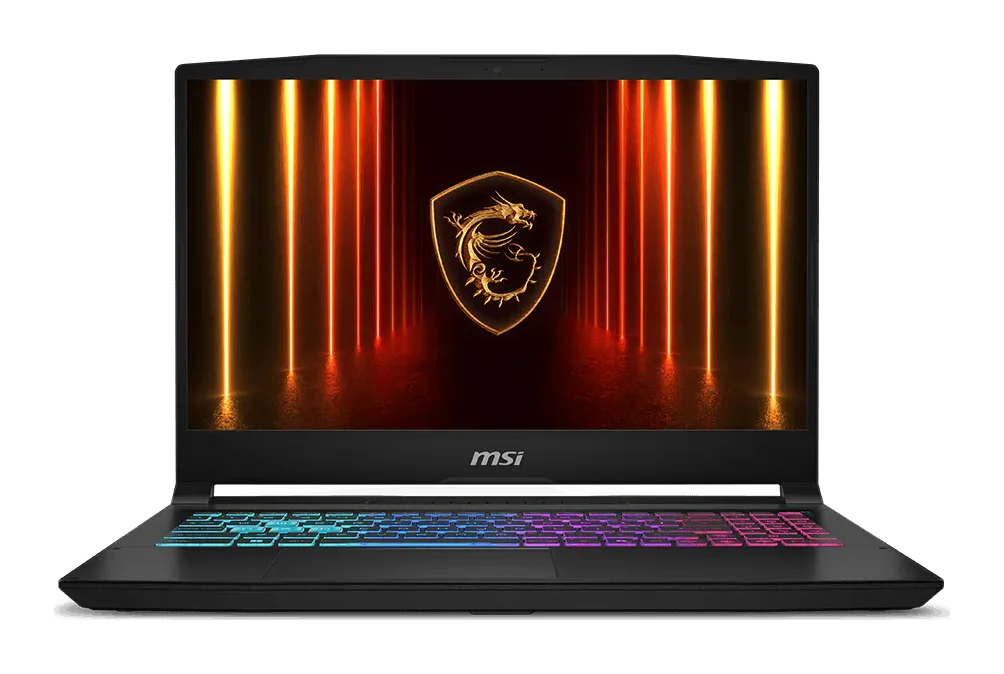
Best for: Gamers seeking balanced performance and affordability
Check price on Amazon- Also GreatLenovo Legion Pro 7i (Gen 10) 16-inchBest for: Professionals needing top-tier performance and display qualityCheck price
- Best ValueAlienware 16X AuroraBest for: Users wanting OLED and upgradeable components affordablyCheck price

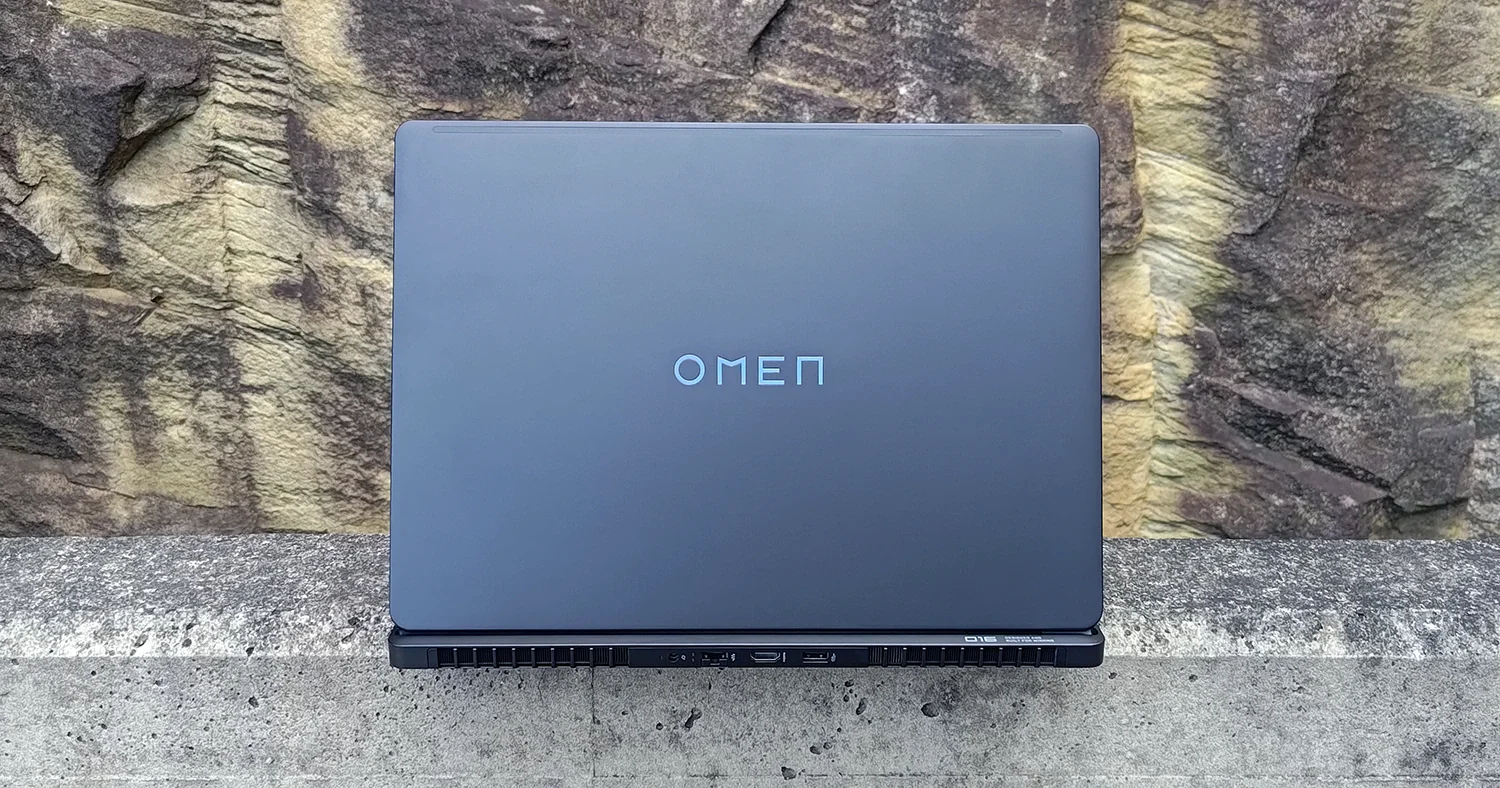
- Best BudgetHP Omen Max 16 (2025)Best for: Budget-conscious buyers wanting flagship GPU optionsCheck price
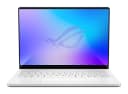
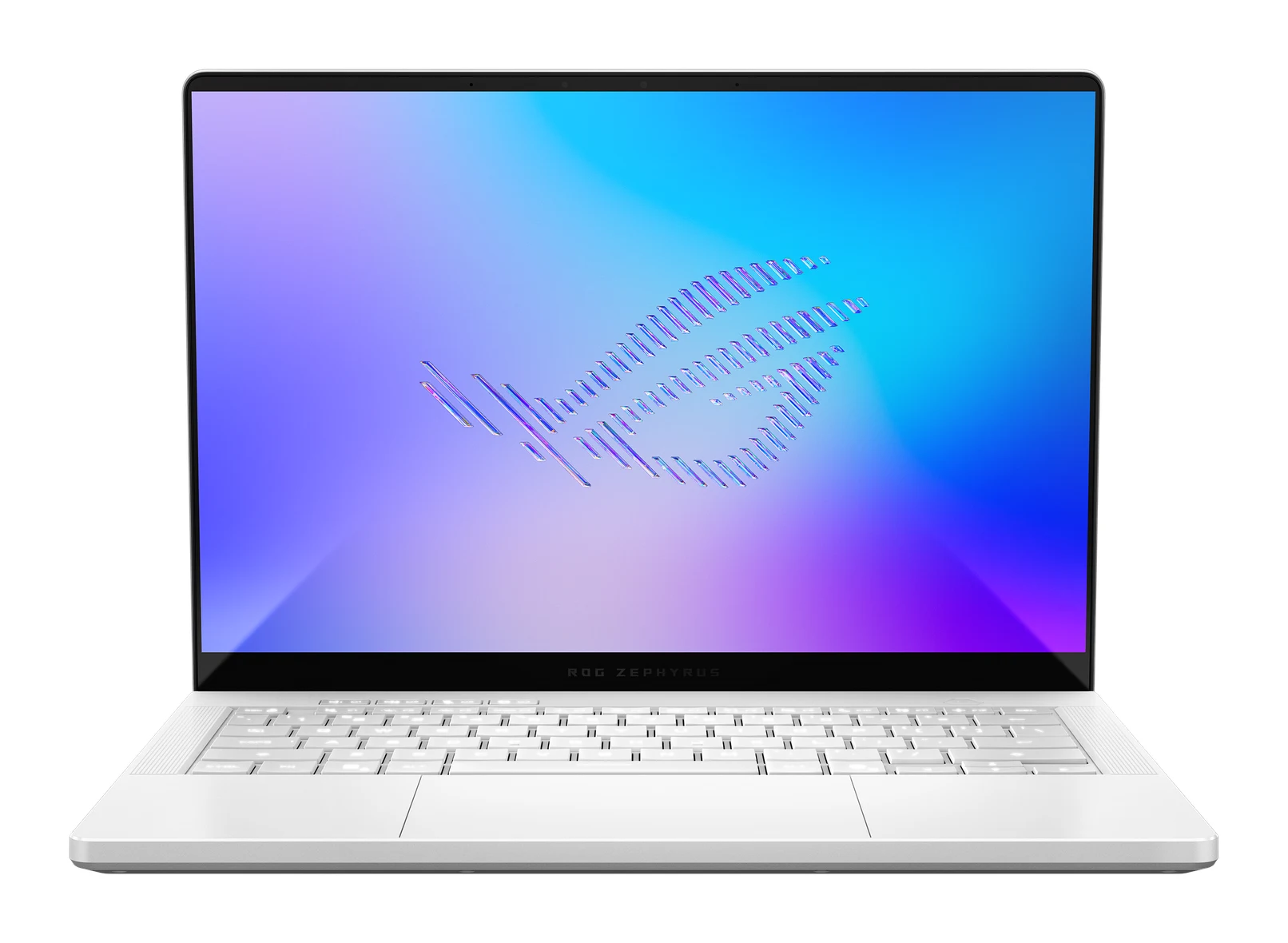
- Premium PickASUS ROG Zephyrus G14 (2026) GU405Best for: Mobile professionals prioritizing portability and brightnessCheck price
The best gaming laptops in 2026 give you RTX 50-series graphics, fast high-refresh screens and cooling that keeps frame rates steady, and the right one depends on whether you value portability, raw power or flexibility. We narrowed the field to five laptops that cover very different needs: a balanced budget all-rounder, a flagship-class powerhouse, OLED options with upgrade paths, and an ultra-portable 14-inch machine.
This guide is based on manufacturer specifications and independent expert recommendations. It is a research-based guide, and we have not used these laptops ourselves. Each laptop below is backed by several expert guides, and we point out the main trade-off of each so you can pick with confidence.
Gaming Laptops at a Glance
| Rank | Laptop | Label | Graphics | Display | Weight | Buy |
|---|---|---|---|---|---|---|
| 1 | MSI Katana 15 HX | Best Overall | RTX 5050/5060/5070 | 15.6-inch, FHD 144Hz or QHD 165Hz IPS | 2.4 kg | Check price |
| 2 | Lenovo Legion Pro 7i (Gen 10) 16-inch | Also Great | RTX 5070 Ti/5080/5090 | 16-inch OLED, 2560 x 1600, 240 Hz | 2.72 kg | Check price |
| 3 | Alienware 16X Aurora | Best Value | RTX 5060-5070 Ti | 16-inch OLED, 2560x1600, 240Hz | 2.57-2.66 kg | Check price |
| 4 | HP Omen Max 16 (2025) | Best Budget | Up to RTX 5090 | Up to 16-inch OLED, 2560 x 1600, 240Hz | Starting at 2.5 kg | Check price |
| 5 | ASUS ROG Zephyrus G14 (2026) GU405 | Premium Pick | Up to RTX 5070 Ti | 14-inch 3K OLED, 120 Hz | 1.5 kg | Check price |
MSI Katana 15 HX: Best Overall Gaming Laptop
Best for: Gamers seeking balanced performance and affordability
The Katana 15 HX earned Best Overall by combining the top value for money and feature set in this group with modern RTX 50-series graphics and a budget price tier. Six expert recommendations back up the balanced spec sheet.
Read our full MSI Katana 15 HX review →- Battery life
- 75 Whr
- Weight
- 2.4 kg
- Display
- 15.6-inch, 1920x1080 FHD 144Hz or 2560x1440 QHD 165Hz, IPS
- Resolution
- 1920 x 1080
- Refresh rate
- 144 Hz
- Processor
- Intel Core i7-14650HX or i9-14900HX
Reasons to buy
- RTX 5050/5060 graphics with 8GB GDDR7 memory
- Intel Core i7-14650HX or i9-14900HX processor options
- 144Hz FHD or 165Hz QHD IPS display choices
- 16GB DDR5 RAM expandable up to 96GB
- Relatively light at 2.4 kg with 75 Whr battery
Reasons to avoid
- Older 14th Gen Intel processors rather than newest generation
- Storage starts at 512GB on base configuration
- Tom's Hardware
- 8.0
- Tom's Guide (score as listed by Notebookcheck)
- 8.0
The Katana 15 HX takes the top spot because it balances modern graphics, a sensible feature set and a budget price tier better than anything else in this group. It pairs NVIDIA RTX 50-series graphics (RTX 5050, 5060 or 5070, with 8GB GDDR7) with an Intel Core i7-14650HX or i9-14900HX processor. Six independent expert guides recommend it.
Keep reading about MSI Katana 15 HX
The screen is a 15.6-inch IPS panel, either FHD at 144Hz or QHD at 165Hz. Memory is 16GB DDR5-5600 and can go up to 96GB, while storage is a PCIe Gen4 NVMe SSD at 512GB or 1TB. At 2.4 kg with a 75 Whr battery, it is relatively light for a performance-focused gaming machine. It also has a 4-Zone RGB keyboard with WASD highlighting, Wi-Fi 6E, Bluetooth 5.3 and HDMI 2.1.
The main trade-off is the processor generation. It uses 14th Gen Intel chips rather than the newest generation, and the base configuration starts at 512GB of storage. If you want a capable, balanced laptop without paying for flagship hardware, this is the one to start with. It also gives you a choice between an FHD 144Hz and a QHD 165Hz display.
Lenovo Legion Pro 7i (Gen 10): Also Great for High-End Hardware
Lenovo Legion Pro 7i (Gen 10) 16-inch
Best for: Professionals needing top-tier performance and display quality
The Legion Pro 7i is Also Great thanks to top-tier performance hardware and eight expert recommendations, the joint highest count here. Its higher cost and weight keep it behind the Katana overall.
Read our full Lenovo Legion Pro 7i (Gen 10) 16-inch review →- Battery life
- 99.99 WHr
- Weight
- 2.72 kg (6 lbs)
- Display
- 16-inch OLED, 2560 x 1600, 240 Hz, 1ms response time
- Resolution
- 2560 x 1600
- Refresh rate
- 240 Hz
- Processor
- Intel Core Ultra 9 275HX (up to 5.4 GHz)
Reasons to buy
- 16-inch 2560x1600 OLED panel running at 240Hz
- Up to RTX 5090 graphics at 175W with vapor chamber cooling
- Large 99.99 WHr battery
- Wi-Fi 7, Thunderbolt 4 and 2.5GbE LAN
- 32GB DDR5-6400 RAM and PCIe Gen 5 storage up to 4TB
Reasons to avoid
- Heaviest in the group at 2.72 kg
- Mid-range price tier with lower value for money than the top pick
- PCWorld
- 9.0
- TechRadar
- 8.0
- Windows Central
- 9.0
- Ultrabookreview
- 8.5
- PCGamer
- 8.7
The Legion Pro 7i is the laptop to look at when performance matters more than weight or cost. It combines an Intel Core Ultra 9 275HX (up to 5.4 GHz) with NVIDIA RTX 5070 Ti, 5080 or 5090 graphics running at up to 175W, backed by vapor chamber cooling. Eight expert guides recommend it, tied for the highest count here.
Keep reading about Lenovo Legion Pro 7i (Gen 10) 16-inch
The 16-inch OLED display runs at 2560 x 1600 and 240 Hz with a 1ms response time, and Advanced Optimus with a MUX switch helps route graphics performance where it is needed. It ships with 32GB DDR5-6400 RAM (up to 64GB) and 1TB to 4TB of PCIe Gen 5 NVMe storage. Connectivity is strong: Wi-Fi 7, Bluetooth 5.4, Thunderbolt 4 and 2.5GbE LAN. The 99.99 WHr battery is the largest in this group.
The downsides are weight and cost. At 2.72 kg it is the heaviest laptop here, and it sits in the mid-range price tier with a lower value for money than the Katana. It is best for players who want a desktop-replacement experience at a desk and rarely carry their machine far.
Alienware 16X Aurora: Best Value Gaming Laptop
Best for: Users wanting OLED and upgradeable components affordably
The Alienware 16X Aurora is Best Value for packing an OLED display, upgradeable memory and storage, and Wi-Fi 7 into a budget price tier. It earned a full feature set and six expert recommendations.
Read our full Alienware 16X Aurora review →- Battery life
- 96Wh lithium-ion
- Weight
- 2.57-2.66 kg (5.66-5.86 lbs)
- Display
- 16-inch WQXGA OLED, 2560x1600, 240Hz, 100% DCI-P3, 500-620 nits
- Resolution
- 2560×1600
- Refresh rate
- 240Hz
- Processor
- Intel Core Ultra 7/9 (20-24 cores, 2.4-5.5GHz)
Reasons to buy
- 16-inch 240Hz OLED with G-SYNC and 100% DCI-P3
- RTX 5060 to 5070 Ti graphics options
- Dual SO-DIMM slots allow RAM upgrades up to 96GB
- Dual storage slots with up to 4TB capacity
- Wi-Fi 7, Thunderbolt 4 and a 96Wh battery
Reasons to avoid
- Weighs 2.57-2.66 kg, heavier than some rivals
- GPU capped at 115W, below the 175W of higher-end rivals
- PCWorld
- 9.0
- Tom's Guide
- 8.0
- TechRadar
- 8.0
- Stuff
- 6.0
- PC Mag
- 8.0
- EFTM
- 8.9
The Alienware 16X Aurora earns Best Value by fitting an OLED screen, upgradeable memory and storage, and modern connectivity into a budget price tier. It earned a full feature set, and six expert guides recommend it.
Keep reading about Alienware 16X Aurora
The 16-inch WQXGA OLED panel runs at 2560x1600 and 240Hz, supports G-SYNC and covers 100% DCI-P3. GPU options run from the RTX 5060 to the RTX 5070 Ti (8GB GDDR7, 115W), paired with an Intel Core Ultra 7 or 9 processor. Upgradeability is a real strength: two SO-DIMM slots take memory from 16GB up to 96GB, and dual storage slots support capacities from 512GB to 4TB. Wi-Fi 7, Thunderbolt 4 and a 96Wh battery round out the package, with a Cryo-Chamber cooling design and dual fans for sustained performance.
There are two trade-offs. It weighs 2.57-2.66 kg, which is heavier than some rivals, and its GPU is capped at 115W, below the 175W of higher-end competitors. If you want an OLED gaming laptop that you can keep upgrading rather than replacing, it is an excellent choice.
HP Omen Max 16 (2025): Best Budget Pick with Flagship Options
Best for: Budget-conscious buyers wanting flagship GPU options
The Omen Max 16 takes Best Budget by offering flagship-class options like RTX 5090 and OLED within a budget price tier. Seven expert recommendations support its high-end hardware ceiling.
- Battery life
- 83 Wh
- Weight
- Starting at 2.5 kg
- Display
- Up to 16-inch WQXGA (2560 x 1600) OLED, 240Hz, 0.2ms response time
- Resolution
- 2560 x 1600
- Refresh rate
- 240Hz
- Processor
- Up to Intel Core Ultra 9 275HX (5.4 GHz, 24 cores, 24 threads)
Reasons to buy
- Configurable up to RTX 5090 with 24GB GDDR7
- Up to Core Ultra 9 275HX with 24 cores
- Up to 16-inch 2.5K OLED at 240Hz, 0.2ms response
- Cryo Chamber and liquid cooling aimed at preventing throttling
- Two Thunderbolt 4 ports plus Wi-Fi 7
Reasons to avoid
- Storage tops out at 2TB
- 83 Wh battery is smaller than several competitors
- Windows Central
- 8.0
- PC World
- 7.0
- XDA Developers
- 7.5
- Trusted Reviews
- 7.0
- Stuff
- 8.0
The Omen Max 16 takes Best Budget because it offers flagship-class options inside a budget price tier. It can be configured with up to an RTX 5090 (24 GB GDDR7) with DLSS 4 and up to an Intel Core Ultra 9 275HX with 24 cores. Seven expert guides recommend it.
Keep reading about HP Omen Max 16 (2025)
The display is up to a 16-inch WQXGA (2560 x 1600) OLED at 240Hz with a 0.2ms response time. Memory goes up to 64 GB DDR5-5600 across two upgradeable slots. HP pairs the hardware with OMEN Cryo Chamber and liquid cooling aimed at preventing throttling. Connectivity includes two Thunderbolt 4 ports, two USB-A 10Gbps ports, HDMI 2.1, RJ-45 Ethernet and Wi-Fi 7. Weight starts at 2.5 kg.
The main compromises are storage and battery. Storage tops out at 2TB, and the 83 Wh battery is smaller than several competitors. It is a good match for players who want a high ceiling for graphics and processing power and are happy to spend their budget on performance rather than on battery capacity.
ASUS ROG Zephyrus G14 (2026) GU405: Premium Pick for Portability
Best for: Mobile professionals prioritizing portability and brightness
The ROG Zephyrus G14 is the Premium Pick for its thin, light CNC aluminum build and bright 3K OLED screen. Eight expert recommendations and a full feature set justify its premium positioning.
- Battery life
- 73 Wh, USB-C charging up to 100 W
- Weight
- 1.5 kg (3.31 lbs)
- Display
- 14-inch 3K OLED (2880 x 1800), 120 Hz, 0.2 ms response time
- Resolution
- 2880 x 1800 pixels
- Refresh rate
- 120 Hz
- Processor
- Intel Core Ultra 9 386H (16 cores, 16 threads, up to 4.9 GHz)
Reasons to buy
- Very portable at 1.5 kg and about 16mm thick
- 14-inch 3K OLED with 1100 nits peak brightness and G-SYNC
- Up to RTX 5070 Ti with Core Ultra 9 386H
- CNC aluminum chassis and 100W USB-C fast charging
- Up to 64GB LPDDR5X-8533 RAM and Wi-Fi 7
Reasons to avoid
- Display limited to 120Hz, lower than 240Hz rivals
- Lowest value for money in the group at premium pricing
- RAM is soldered onboard and not upgradeable
- Ultrabook Review
- 9.0
- CGMag
- 8.5
- iLLGaming
- 7.6
- Notebookcheck
- 9.0
The Zephyrus G14 is the Premium Pick because it delivers serious gaming in the lightest body here. At 1.5 kg, with a CNC-machined aluminum chassis and a 35-zone Slash Lighting design, it is made to be carried every day. Eight expert guides recommend it, and it earned a full feature set.
Keep reading about ASUS ROG Zephyrus G14 (2026) GU405
The 14-inch 3K OLED display (2880 x 1800) reaches 1100 nits peak brightness, supports G-SYNC and has a 0.2 ms response time. You can configure up to an RTX 5070 Ti alongside the Intel Core Ultra 9 386H, which includes a 50 TOPS NPU. Charging is flexible: the 73 Wh battery can be charged over USB-C at up to 100 W, and ASUS lists 0-50% in 30 minutes. Wi-Fi 7, Thunderbolt 4, HDMI 2.1 and an SD card reader are included.
There are several trade-offs. The display is limited to 120Hz, lower than the 240Hz panels on the 16-inch rivals. The RAM (up to 64GB LPDDR5X-8533) is soldered onboard and not upgradeable, and it has the lowest value for money in the group at premium pricing. It suits students, travelers and creators who want a laptop that doubles as a gaming machine.
Compare our picks side by side
The specs most of our picks share, from each maker’s spec page (— = not published). Expert score = the average of published expert reviews, which rate each product for its price. Scroll sideways on small screens.
| Spec | MSI Katana 15 HX | Lenovo Legion Pro 7i (Gen 10) 16-inch | Alienware 16X Aurora | HP Omen Max 16 (2025) | ASUS ROG Zephyrus G14 (2026) GU405 |
|---|---|---|---|---|---|
| Best for | Best Overall | Also Great | Best Value | Best Budget | Premium Pick |
| Expert score | 8.0 | 8.6 | 8.0 | 7.5 | 8.5 |
| Price vs. these picks | Lower | Middle | Lower | Lower | Higher |
| Battery life | 75 Whr | 99.99 WHr | 96Wh lithium-ion | 83 Wh | 73 Wh, USB-C charging up to 100 W |
| Weight | 2.4 kg | 2.72 kg (6 lbs) | 2.57-2.66 kg (5.66-5.86 lbs) | Starting at 2.5 kg | 1.5 kg (3.31 lbs) |
| Display | 15.6-inch, 1920x1080 FHD 144Hz or 2560x1440 QHD 165Hz, IPS | 16-inch OLED, 2560 x 1600, 240 Hz, 1ms response time | 16-inch WQXGA OLED, 2560x1600, 240Hz, 100% DCI-P3, 500-620 nits | Up to 16-inch WQXGA (2560 x 1600) OLED, 240Hz, 0.2ms response time | 14-inch 3K OLED (2880 x 1800), 120 Hz, 0.2 ms response time |
| Resolution | 1920 x 1080 | 2560 x 1600 | 2560×1600 | 2560 x 1600 | 2880 x 1800 pixels |
| Refresh rate | 144 Hz | 240 Hz | 240Hz | 240Hz | 120 Hz |
| Processor | Intel Core i7-14650HX or i9-14900HX | Intel Core Ultra 9 275HX (up to 5.4 GHz) | Intel Core Ultra 7/9 (20-24 cores, 2.4-5.5GHz) | Up to Intel Core Ultra 9 275HX (5.4 GHz, 24 cores, 24 threads) | Intel Core Ultra 9 386H (16 cores, 16 threads, up to 4.9 GHz) |
| RAM | 16GB DDR5-5600 (up to 96GB max) | 32GB DDR5-6400 (up to 64GB) | 16-96GB DDR5-5600 (2x SO-DIMM, upgradeable) | Up to 64 GB DDR5-5600 MT/s | Up to 64 GB LPDDR5X-8533 MT/s onboard |
| Storage | 512GB or 1TB PCIe Gen4 NVMe SSD | 1TB to 4TB PCIe Gen 5 NVMe SSD | 512GB-4TB PCIe Gen4 SSD (dual slots, upgradeable) | Up to 2 TB PCIe Gen 4 SSD | Up to 2 TB PCIe 4.0 NVMe SSD (1x upgradeable M.2 2280 slot) |
| Where to buy | Check price | Check price | Check price | Check price | Check price |
How to Choose Gaming Laptops
Start with the GPU
The graphics chip has the biggest effect on frame rates. The Katana 15 HX covers the RTX 5050 to RTX 5070 range, and the Alienware 16X Aurora spans the RTX 5060 to RTX 5070 Ti. The Legion Pro 7i and Omen Max 16 reach up to the RTX 5090. Wattage also matters: the Legion allows up to 175W, while the Alienware's GPU is capped at 115W.
Pick a screen that matches your games
OLED panels offer rich color and fast response times, and three of these laptops pair them with 240Hz refresh rates. If you mostly play competitive titles, a high refresh rate is the priority. If you prefer an IPS panel, the Katana offers FHD at 144Hz or QHD at 165Hz. The Zephyrus has a sharper 3K screen but is limited to 120Hz.
Weigh portability against power
Weight varies widely, from 1.5 kg for the Zephyrus G14 to 2.72 kg for the Legion Pro 7i. If you carry your laptop daily, the Zephyrus is the obvious choice, and its 100 W USB-C charging helps on the move. If it lives on a desk, the heavier machines give you more performance headroom. If you are weighing a laptop against a more compact option, our guide to the best handheld gaming PCs covers the alternatives.
Think about upgrades
The Katana (up to 96GB), the Alienware (up to 96GB, with dual SO-DIMM slots) and the Omen Max 16 (up to 64 GB across two slots) all allow memory upgrades. The Alienware also has dual storage slots. The Zephyrus G14 has soldered RAM, though it has one upgradeable M.2 2280 storage slot.
Check connectivity and battery
The Katana uses Wi-Fi 6E, while the other four offer Wi-Fi 7. Thunderbolt 4 appears on the Legion, Alienware, Omen Max 16 and Zephyrus. For battery capacity, the Legion's 99.99 WHr and the Alienware's 96Wh lead the group, followed by the Omen at 83 Wh, the Katana at 75 Whr and the Zephyrus at 73 Wh.
How We Picked
This guide is based on manufacturer specifications and independent expert recommendations, and it is research-based rather than drawn from our own use of the laptops. We compared graphics options, processors, displays, memory and storage, cooling, connectivity, weight and battery capacity. We also counted how many independent expert guides recommend each model, and weighed overall value against features. Prices change often, so we leave them out; use the check price buttons for current pricing and availability.
Bottom Line
For most players, the MSI Katana 15 HX is the best overall gaming laptop thanks to its balance of modern RTX graphics, light weight and budget price tier. If you want high-end hardware, the Lenovo Legion Pro 7i pairs an Intel Core Ultra 9 275HX with RTX 5070 Ti/5080/5090 graphics at up to 175W, while the Alienware 16X Aurora is the best value for an upgradeable OLED machine. The HP Omen Max 16 offers a flagship-class ceiling on a budget, and the ASUS ROG Zephyrus G14 is the pick if you want the lightest machine and can accept its trade-offs.
Ready to buy?
 Best OverallMSI Katana 15 HXCheck price
- Also GreatLenovo Legion Pro 7i (Gen 10) 16-inchCheck price
- Best ValueAlienware 16X AuroraCheck price
- Best BudgetHP Omen Max 16 (2025)Check price
- Premium PickASUS ROG Zephyrus G14 (2026) GU405Check price
Frequently asked questions
What is the best gaming laptop overall in 2026?
Based on manufacturer specs and expert recommendations, the MSI Katana 15 HX is our best overall pick. It offers RTX 50-series graphics, a 144Hz or 165Hz display, 16GB DDR5 RAM and a weight of 2.4 kg, and six expert guides recommend it.
Which gaming laptop is the lightest?
The ASUS ROG Zephyrus G14 (2026) is the lightest at 1.5 kg. The heaviest in this guide is the Lenovo Legion Pro 7i at 2.72 kg.
Can I upgrade the RAM in these gaming laptops?
On most of them, yes. The MSI Katana 15 HX supports up to 96GB and the Alienware 16X Aurora has dual SO-DIMM slots that allow up to 96GB. The HP Omen Max 16 has two upgradeable slots for up to 64 GB, and the Legion Pro 7i supports up to 64GB. The ASUS ROG Zephyrus G14 has soldered RAM that cannot be upgraded.
Which gaming laptops have OLED displays?
The Lenovo Legion Pro 7i, Alienware 16X Aurora and HP Omen Max 16 all offer 16-inch OLED panels with 240Hz refresh rates. The ASUS ROG Zephyrus G14 has a 14-inch 3K OLED at 120 Hz. The MSI Katana 15 HX uses an IPS panel instead.
Which gaming laptop has the biggest battery?
The Lenovo Legion Pro 7i has the largest battery at 99.99 WHr, followed closely by the Alienware 16X Aurora at 96Wh. The ASUS ROG Zephyrus G14 has the smallest at 73 Wh, but it supports USB-C charging up to 100 W.
Sources
Specs are taken from the manufacturers' official pages; expert recommendations from the publications below.
- MSI Katana 15 HX: us.msi.com, tomshardware.com, pgrid.app, laptopmedia.com
- Lenovo Legion Pro 7i (Gen 10) 16-inch: lenovo.com, xda-developers.com, tomshardware.com, laptopmedia.com
- Alienware 16X Aurora: dell.com, nanoreview.net, tomshardware.com, tech.sportskeeda.com
- HP Omen Max 16 (2025): hp.com, rtings.com, livescience.com
- ASUS ROG Zephyrus G14 (2026) GU405: rog.asus.com, nanoreview.net, notebookcheck.net, tech.sportskeeda.com
More buying guides
Lenovo Legion Pro 7i Gen 10 Review (2026): RTX 5080 Power
A 175W RTX 5080, a 240Hz OLED and upgradeable memory and storage make the Legion Pro 7i Gen 10 a serious desktop replacement. Weight, fan noise and battery life are the price.
Published Oct 20, 2026
Lenovo Legion Pro 7i (Gen 10) 16-inch Review: OLED Power
A desk-based gaming and creator laptop with a Core Ultra 9 275HX, RTX 5080 graphics and a bright 240Hz OLED screen. Here is what the specs and expert reviews say about who it suits.
Published Oct 30, 2026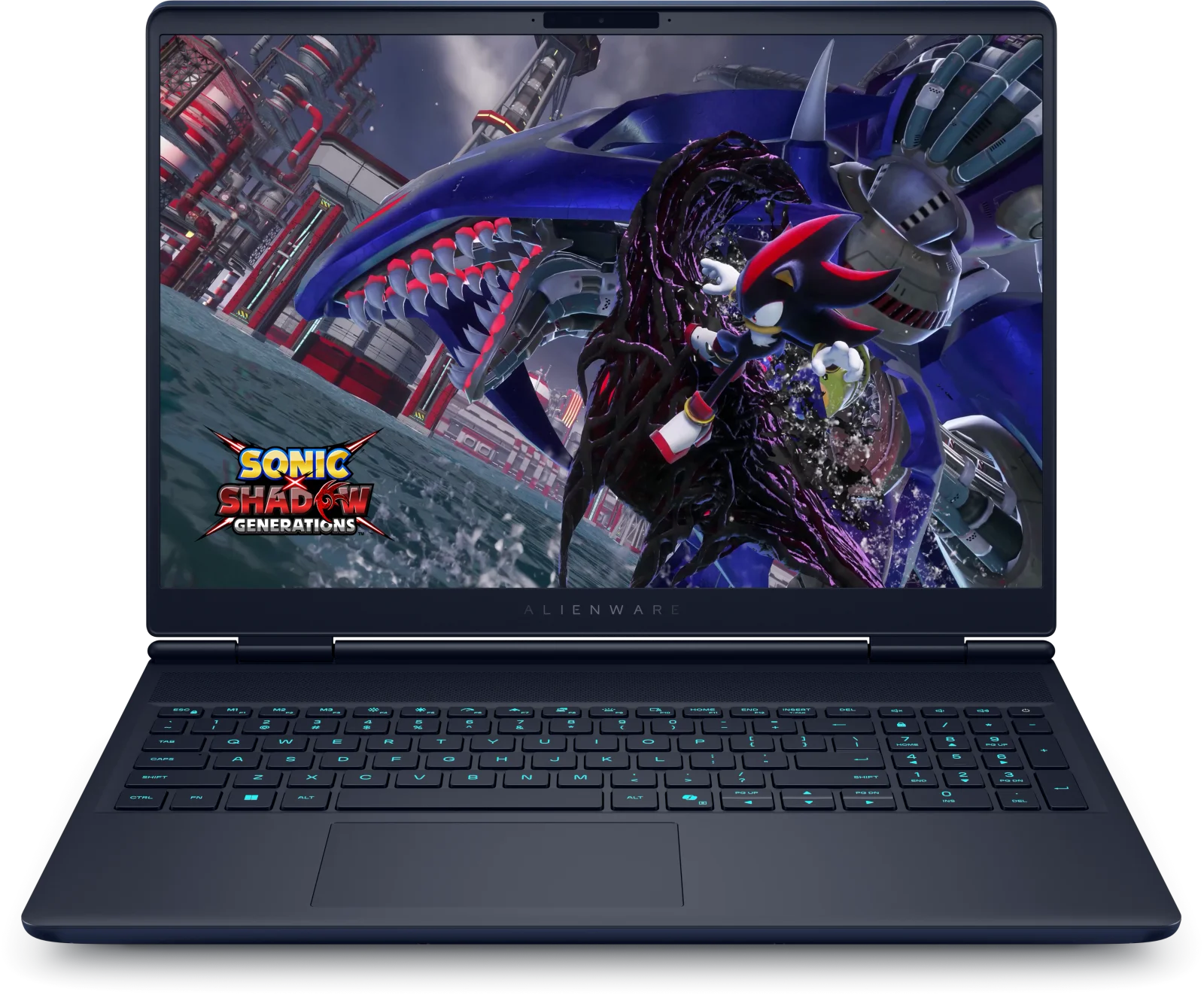
Alienware 16X Aurora Review (2026): Restrained Power
Our Alienware 16X Aurora review looks at a 16-inch gaming laptop with a 240Hz display, upgradeable memory and storage and an understated look, plus its battery and weight trade-offs.
Published Oct 29, 2026