MSI Katana 15 HX B14W Review (2026): Upgradeable Value
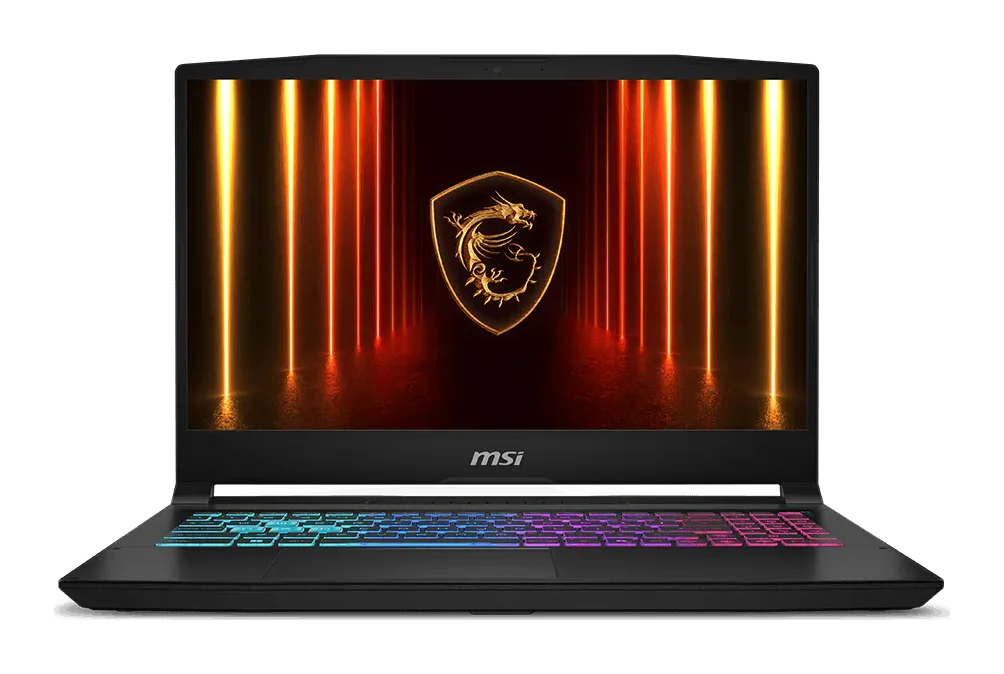
The MSI Katana 15 HX B14W pairs up-to-RTX 5070 graphics and a QHD 165Hz screen with upgradeable RAM and storage. Here's where it shines and where it compromises.
Research-based · We earn from qualifying purchases
Our verdict
The Katana 15 HX is a good-value gaming laptop for people who want solid 1080p/1440p performance with room to upgrade RAM and storage. Skip it if you need a bright display, long battery life or a quiet machine under load.
The good
- Strong 1080p and 1440p gaming performance for the price
- MUX switch lets the discrete GPU drive the display
- Upgradeable: two DDR5 slots up to 96GB plus Gen4 NVMe slot
- Good port selection including HDMI 2.1, USB-C with PD and Gb LAN
- Four-zone RGB keyboard and sturdy, understated design
+2 more
- Good port selection including HDMI 2.1, USB-C with PD and Gb LAN
- Four-zone RGB keyboard and sturdy, understated design
The bad
- Display can look dim and washed out, so brightness needs raising
- Short battery life despite the 75Whr cell
- Fan noise and a warm keyboard under heavy load
- Only one M.2 slot, and 512GB base storage fills quickly
+1 more
- Only one M.2 slot, and 512GB base storage fills quickly
If you want a gaming laptop that can handle modern games at 1080p and 1440p without moving into the premium end of the market, this MSI Katana 15 HX B14W review is aimed at you. The Katana 15 HX sits in the mid-range part of the market. It combines up to an Intel Core i9-14900HX with up to an NVIDIA GeForce RTX 5070 Laptop GPU, and it leaves the RAM and SSD easy to expand later. It suits budget-minded gamers who want upgradeable 1440p performance. This review is based on MSI's manufacturer specs and on what independent expert reviews report, not on hands-on testing.
MSI Katana 15 HX B14W: specs at a glance
From the manufacturer- CPU
- Up to Intel Core i9-14900HX (24 cores, 5.8 GHz max turbo)
- GPU
- Up to NVIDIA GeForce RTX 5070 Laptop GPU 8GB GDDR7
- Audio
- 2x 2W speakers
- Ports
- 1x RJ45, 1x Type-C (USB3.2 Gen2/DisplayPort/PD 3.0), 3x Type-A USB3.2 Gen2, 1x HDMI 2.1
- Memory
- DDR5-5600, 2 slots, max 96GB
- Webcam
- HD (30fps@720p)
- Weight
- 2.4 kg
- Adapter
- 240W
- Battery
- 4-cell, 75Whr
- Display
- 15.6" QHD (2560x1440), 165Hz, IPS-level, 100% DCI-P3 (typical); FHD (1920x1080) 144Hz also offered
- Storage
- 1x M.2 SSD slot (NVMe PCIe Gen4); 512GB or 1TB configs
- Wireless
- Wi-Fi 6E, Bluetooth v5.3
- GPU power
- 115W maximum graphics power with Dynamic Boost
- Dimensions (WxDxH)
- 359 x 262 x 25.5 mm
Key features
- Up to Intel Core i9-14900HX and RTX 50 Series GPUs (up to RTX 5070) for 1080p/1440p gaming
- 15.6-inch QHD 165Hz IPS-level display with 100% DCI-P3 (typical), or a 144Hz FHD option
- MUX switch lets the discrete GPU drive the display for higher gaming performance
- Cooler Boost 5 cooling
- 4-zone RGB keyboard with highlighted WASD keys and a number pad
- Upgradeable: 2 DDR5 slots (up to 96GB) and an M.2 NVMe PCIe Gen4 SSD slot
- Wi-Fi 6E and Bluetooth 5.3, with HDMI 2.1, USB-C with Power Delivery and Gb LAN
- 240W adapter and a 75Whr battery
MSI Katana 15 HX B14W review: design and build
The Katana 15 HX is a 15.6-inch gaming laptop that measures 359 x 262 x 25.5 mm and weighs 2.4 kg. That is portable enough to move between a desk and a backpack, but it is not a thin-and-light machine. Think of it as a desktop replacement that can travel when it has to, with a 240W adapter to carry along.
Reviewers describe the design as sturdy and understated. That matters if you want a gaming laptop that doesn't look out of place in a classroom or office. The keyboard has four-zone RGB lighting, highlighted WASD keys and a number pad. The number pad is a practical bonus for spreadsheets and for games that use many keybinds.
The port selection covers most needs:
- 1x RJ45 for wired Gb LAN
- 1x Type-C (USB3.2 Gen2, DisplayPort and PD 3.0)
- 3x Type-A USB3.2 Gen2
- 1x HDMI 2.1
Reviewers single this out as a strength. Wired networking and HDMI 2.1 suit a desk setup with an external monitor. The Type-C port with DisplayPort gives you another way to connect a screen.
Display: QHD 165Hz, with a catch
The headline display is a 15.6" QHD (2560x1440) IPS-level panel running at 165Hz, with 100% DCI-P3 (typical). A 144Hz FHD (1920x1080) option is also offered. The QHD panel is the more interesting of the two, since the GPU range is pitched at 1080p and 1440p gaming. A high refresh rate is useful for fast shooters and competitive games, and the wide colour coverage on paper is a nice extra for casual creative work.
The display is also a common criticism among reviewers. A common criticism is that the screen can look dim and washed out, so you will probably want to raise the brightness. The spec sheet lists the colour gamut and refresh rate but gives no brightness figure, so don't assume the panel will stand up to a sunny room. If you mostly play in a dim bedroom or at a desk, this matters less. If you game near windows, take it seriously.
Features and what they mean day to day
MUX switch
The MUX switch lets the discrete GPU drive the display directly. In practice that means the graphics card sends frames to the screen without routing through the integrated graphics, which is how you get the most out of the GPU in games. Reviewers specifically praise this feature on the Katana 15 HX. It is a useful sign that MSI built this laptop with gaming performance in mind.
Cooler Boost 5
MSI uses its Cooler Boost 5 cooling design to keep the high-power components in check. It has a real job to do. The GPU can draw up to 115W maximum graphics power with Dynamic Boost, and the CPU can reach up to 24 cores and a 5.8 GHz max turbo. Reviewers note that the cooling comes with trade-offs: fan noise and a warm keyboard under heavy load are common criticisms. If you play with headphones, the noise matters less. If you hate fan noise or plan to use the laptop in a quiet room, keep this in mind.
Upgradeability
This is one of the strongest reasons to consider the laptop. It has two DDR5-5600 memory slots that accept up to 96GB in total, plus an M.2 NVMe PCIe Gen4 SSD slot. You can buy a configuration that fits your budget now and add RAM later as needs change.
The storage side has a limit. There is only one M.2 slot, and the configurations come with 512GB or 1TB. Reviewers point out that the 512GB base storage fills quickly. To get more space you will be replacing the drive rather than adding a second one, so factor that into your plans.
Connectivity
Wireless is handled by Wi-Fi 6E and Bluetooth 5.3, which is a sensible match for a gaming machine. Combined with the Gb LAN port, you have good options for low-latency online play.
Audio and webcam
The laptop has 2x 2W speakers and an HD webcam (30fps@720p). The spec sheet doesn't go beyond those figures, so treat the speakers and camera as basic extras rather than selling points.
Performance: what the hardware suggests
The range goes up to an Intel Core i9-14900HX and up to an RTX 5070 Laptop GPU with 8GB GDDR7, so check exactly which CPU and GPU the listing you are buying includes. The GPU is positioned for 1080p and 1440p gaming, and reviewers praise the laptop's gaming performance for the price. That fits the QHD screen well, though native QHD gaming will ask more of the GPU than FHD.
The GPU has a maximum graphics power of 115W with Dynamic Boost. Reviewers also mention heat and fan noise under heavy load. More performance in a 25.5 mm thick chassis comes with thermal consequences.
Battery life
The battery is a 4-cell, 75Whr unit, which sounds generous on paper. Reviewers nevertheless criticise the battery life as short, and that is the usual story with a high-power gaming laptop. Treat it as a machine you game on while plugged into the 240W adapter. Reviewers criticise the battery life as short, so don't count on all-day use away from a socket.
What experts like and what they criticise
The independent verdict is positive. The laptop averages 8/10 across 2 expert reviews. Tom's Hardware gives it 4/5, and Tom's Guide's score is listed as 80/100 by Notebookcheck.
Reviewers consistently praise:
- Strong 1080p and 1440p gaming performance for the price
- The MUX switch
- The upgrade options for RAM and storage
- The port selection, including HDMI 2.1, USB-C with PD and Gb LAN
- The four-zone RGB keyboard and sturdy design
A common criticism is:
- A display that can look dim and washed out
- Short battery life despite the 75Whr cell
- Fan noise and a warm keyboard under heavy load
- Only one M.2 slot, with a 512GB base storage that fills quickly
The pattern is clear: reviewers praise the gaming performance and upgradeability, while the display, battery life and fan noise draw the criticism.
Who should buy it, and who should skip it
Buy it if you want a gaming laptop that delivers strong 1080p and 1440p performance without a premium price. It also suits you if you like the idea of adding RAM or swapping in a bigger SSD later, or if you want wired networking and HDMI 2.1 for a desk setup. If you game mostly plugged in and with headphones on, its weaknesses will bother you less.
Skip it if you need a bright, vibrant screen, long battery life or a quiet machine under load. Reviewers commonly criticise the dim display, short battery life and fan noise under load. If you rarely move your system and care more about cooling and future upgrades, a desktop may suit you better. Our guide to the best prebuilt gaming PCs covers that route.
How it fits in the gaming laptop category
In general terms, gaming laptops make you choose between performance, portability and cost. The Katana 15 HX leans toward performance and value. It gives you a high-power GPU, a high-refresh QHD screen and upgrade slots, and it accepts compromises in battery life, noise and display quality. It is not a slim, quiet, all-day laptop, and it doesn't try to be one. If you understand that trade-off, the feature set is well matched to the price tier.
Verdict
The MSI Katana 15 HX B14W is a practical choice for gamers who care about frame rates and flexibility more than polish. Strong gaming performance, a MUX switch, a QHD 165Hz option, a good port selection and room to expand memory and storage make a persuasive package. The dim display, short battery life, fan noise and single M.2 slot keep it from being an easy recommendation for everyone. Check which CPU, GPU, screen and storage configuration you are buying, then decide whether you can live with the downsides. If you can, it is a solid, upgradeable pick for 1080p and 1440p gaming.
Related buying guides
- Lenovo Legion Pro 7i Gen 10 Review (2026): RTX 5080 Power
- Best Gaming Headset 2026: Comfort, Battery & Low Latency
- Best Gaming Monitor 2026: QD-OLED Speed, 4K & Ultrawide
- Best Handheld Gaming PCs 2026: Power, Screens & Battery
- Best Gaming Chairs 2026: Comfort for Long Sessions
- Alienware 16X Aurora Review (2026): Restrained Power
Not sure about the MSI Katana 15 HX B14W? Consider these
- Best OverallMSI Katana 15 HXWhy we picked it →
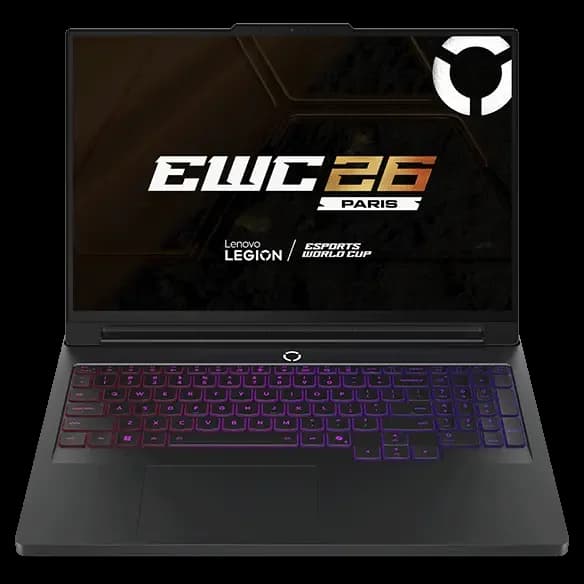
- Also GreatLenovo Legion Pro 7i (Gen 10) 16-inchWhy we picked it →
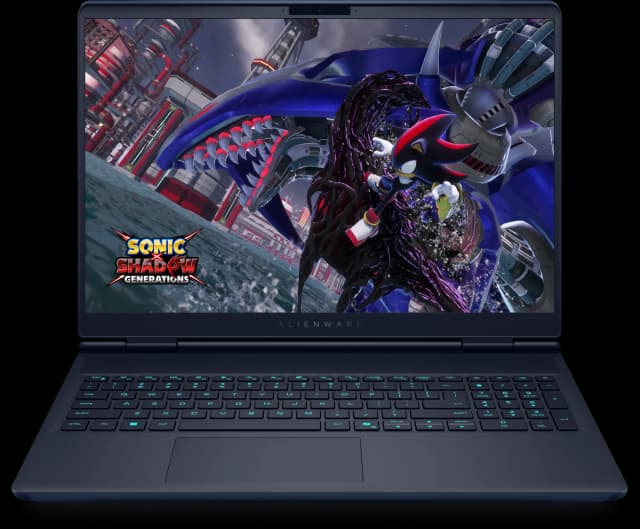
- Best ValueAlienware 16X AuroraWhy we picked it →
Frequently asked questions
Is the MSI Katana 15 HX B14W worth it?
It is a good fit if you want solid 1080p and 1440p gaming performance with upgradeable RAM and storage. Reviewers praise its performance for the price. They criticise the dim display, short battery life and fan noise under load, so it is less suitable if those matter to you. It averages 8/10 across 2 expert reviews.
What graphics card does the Katana 15 HX B14W have?
It is offered with up to an NVIDIA GeForce RTX 5070 Laptop GPU with 8GB GDDR7, with a maximum graphics power of 115W with Dynamic Boost. Lower configurations are also available, so check the exact GPU in the listing you choose.
Can you upgrade the RAM and storage on the Katana 15 HX?
Yes. It has two DDR5-5600 memory slots supporting up to 96GB, and one M.2 NVMe PCIe Gen4 SSD slot. Because there is only one M.2 slot, adding storage means replacing the existing drive. It comes in 512GB or 1TB configurations.
Does the MSI Katana 15 HX B14W have a MUX switch?
Yes. The MUX switch lets the discrete GPU drive the display directly, which supports higher gaming performance. Reviewers single it out as a strength.
How good is the battery life on the Katana 15 HX B14W?
It has a 4-cell, 75Whr battery, but short battery life is a common criticism from reviewers. It is best treated as a laptop you game on while plugged into the 240W adapter.
What ports does the MSI Katana 15 HX B14W have?
It has 1x RJ45, 1x Type-C (USB3.2 Gen2, DisplayPort and PD 3.0), 3x Type-A USB3.2 Gen2 and 1x HDMI 2.1. Wireless is Wi-Fi 6E and Bluetooth 5.3.
Sources
Specs are taken from the manufacturers' official pages; expert recommendations from the publications below.
- MSI Katana 15 HX B14W: msi.com, tomshardware.com, cgmagonline.com, pcguide.com
Related reviews & guides
Best Gaming Laptops 2026: Light, OLED & RTX 50 Power
Five gaming laptops for 2026, from the MSI Katana 15 HX to the ASUS ROG Zephyrus G14, compared on graphics, display, weight and expert recommendations.
Published Oct 8, 2026
Lenovo Legion Pro 7i (Gen 10) 16-inch Review: OLED Power
A desk-based gaming and creator laptop with a Core Ultra 9 275HX, RTX 5080 graphics and a bright 240Hz OLED screen. Here is what the specs and expert reviews say about who it suits.
Published Oct 30, 2026
Alienware 16X Aurora Review (2026): Restrained Power
Our Alienware 16X Aurora review looks at a 16-inch gaming laptop with a 240Hz display, upgradeable memory and storage and an understated look, plus its battery and weight trade-offs.
Published Oct 29, 2026