Best Monitors for Working From Home 2026: One-Cable Desks
Five home-office monitors compared on resolution, USB-C or Thunderbolt charging, KVM switching and eye comfort, using manufacturer specs and expert recommendations.
18 products compared · Research-based · Affiliate links
We earn a commission from qualifying purchases made through our links, at no extra cost to you. It never decides our picks. How we make money
Which one should you buy?
Our picks by what matters to you · details below ↓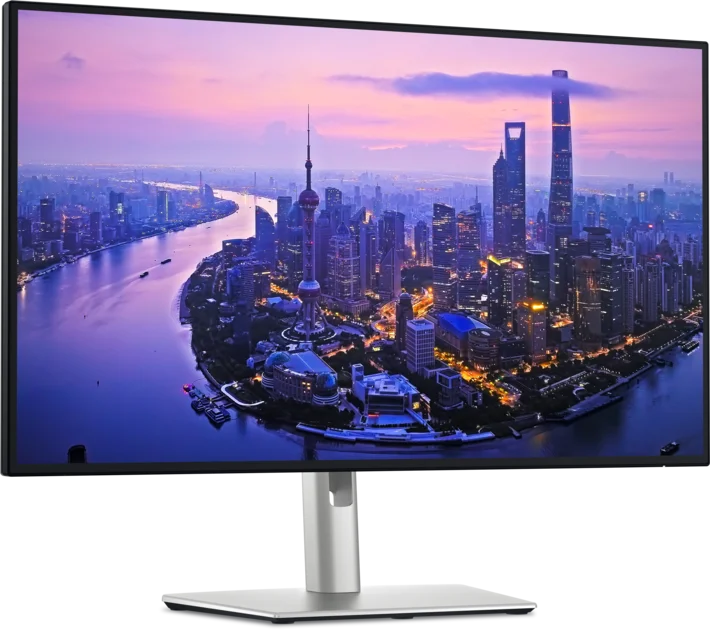
Best for: Remote workers wanting a one-cable docking monitor
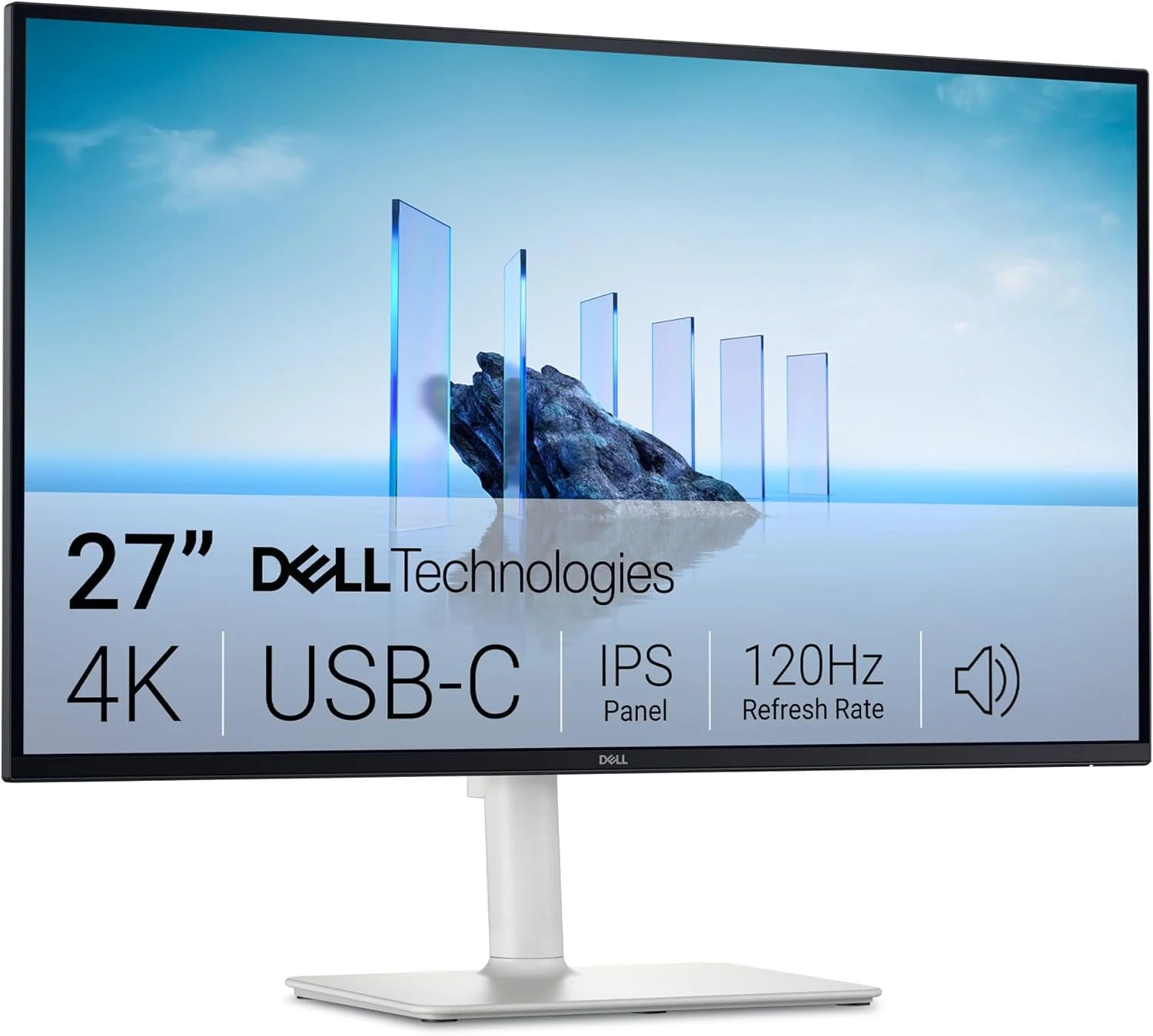
Check price on Amazon- Best ValueDell 27 Plus 4K USB-C Monitor S2725QCBest for: Budget-minded remote workers wanting 4K and USB-CCheck price
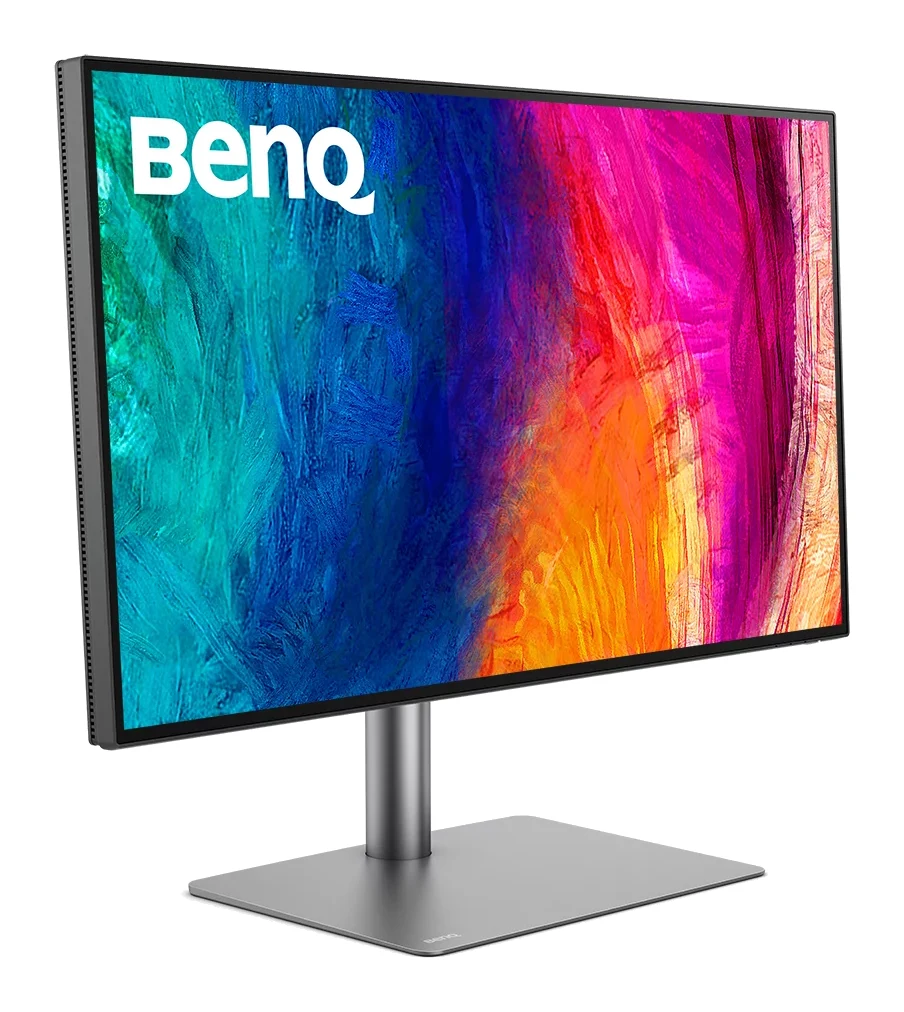
- Premium PickBenQ PD2730SBest for: Mac users and creatives who value sharpness and colorCheck price

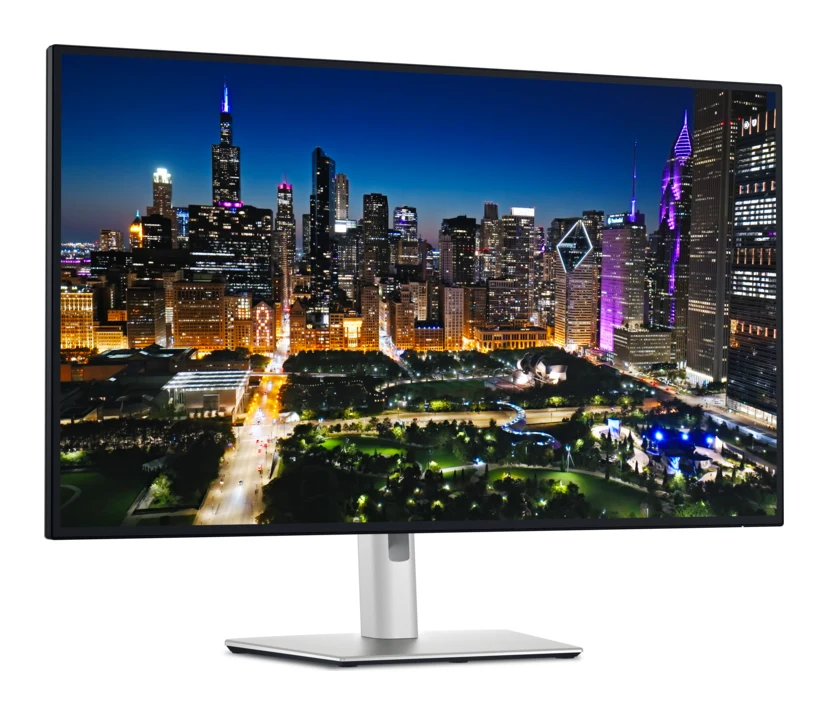
- Also GreatDell UltraSharp U3225QEBest for: Multitaskers wanting a large 4K docking monitorCheck price
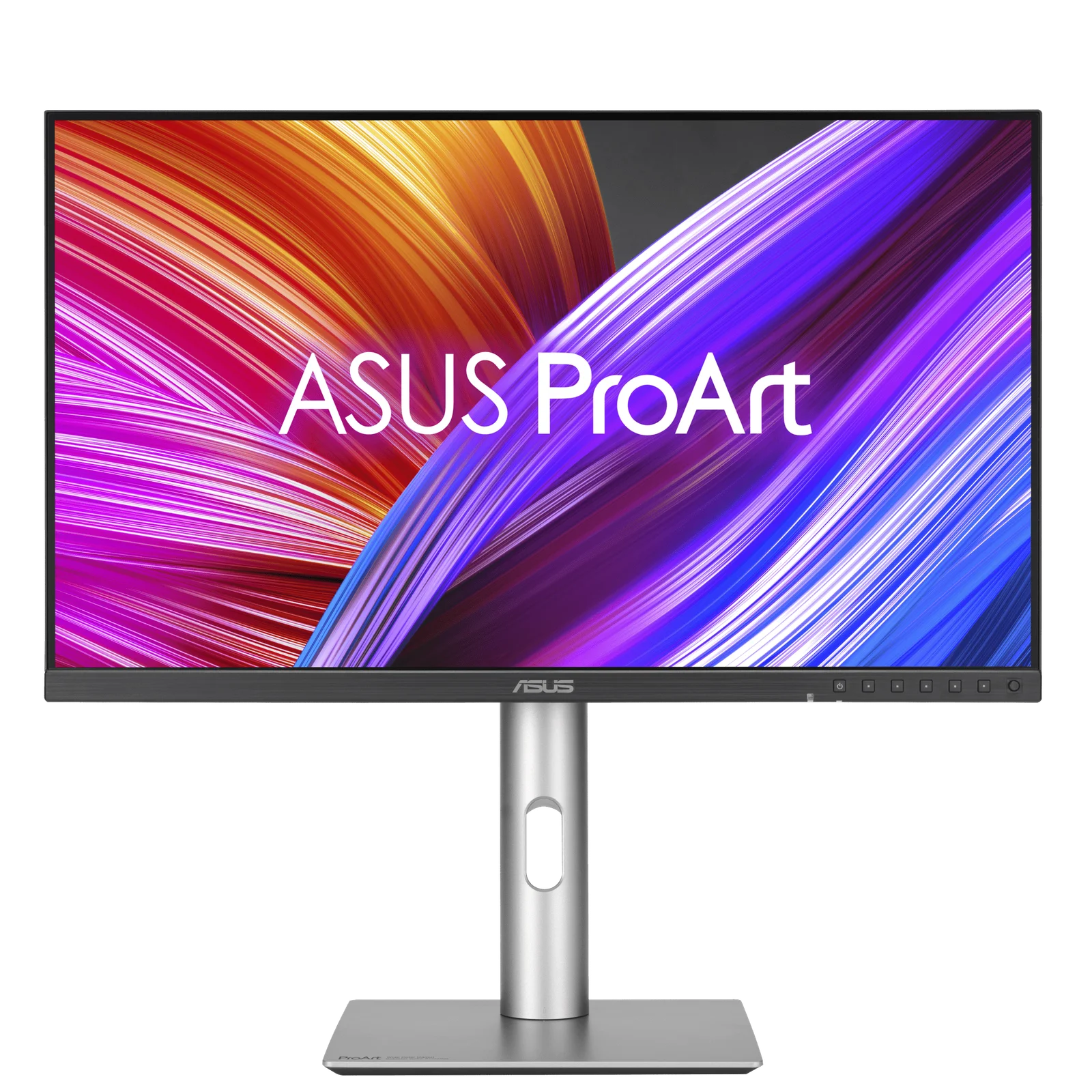
- Best BudgetASUS ProArt Display PA278CFRVBest for: Budget buyers who want accurate color and USB-CCheck price

Choosing among the best monitors for working from home mostly comes down to how your laptop connects, how much screen space you need, and how long you sit in front of the display each day. This guide compares five monitors using manufacturer specs and what independent reviewers say. It covers a mid-range docking all-rounder, a budget 4K screen, a 5K display for Mac users, a large 31.5-inch panel and a color-accurate budget QHD option.
Best Monitors for Working From Home: At a Glance
| Pick | Label | Size and resolution | Refresh rate | Laptop connection | Price tier | Buy |
|---|---|---|---|---|---|---|
| Dell UltraSharp U2725QE | Best Overall | 27-inch, 4K | 120Hz | Thunderbolt 4, 140W | Mid-range | Check price |
| Dell 27 Plus 4K USB-C S2725QC | Best Value | 27-inch, 4K | 120Hz | USB-C, 65W | Budget | Check price |
| BenQ PD2730S | Premium Pick | 27-inch, 5K | 60Hz | Thunderbolt 4, 90W | Premium | Check price |
| Dell UltraSharp U3225QE | Also Great | 31.5-inch, 4K | 120Hz | Thunderbolt 4, 140W | Premium | Check price |
| ASUS ProArt PA278CFRV | Best Budget | 27-inch, QHD | 100Hz | USB-C, 96W | Budget |
Dell UltraSharp U2725QE: Best Overall for One-Cable Docking
Best for: Remote workers wanting a one-cable docking monitor
A well-rounded work-from-home monitor that combines a sharp, color-accurate 4K panel with docking, KVM and eye-comfort features. It can replace a separate dock and simplify a desk setup.
Read our full Dell UltraSharp U2725QE review →- Display
- 27 inch IPS Black
- Resolution
- 3840 x 2160 (4K UHD)
- Refresh rate
- 120 Hz
- Ports
- 1x Thunderbolt 4 upstream (140W PD), 1x Thunderbolt 4 downstream, 1x DisplayPort 1.4 (in/out), 1x HDMI 2.1, 8x USB ports (including 2.5GbE Ethernet)
- Brightness
- 450 cd/m² (standard), 600 cd/m² (peak HDR)
- Panel type
- IPS Black (In-plane Switching)
Reasons to buy
- Sharp 27-inch 4K IPS Black panel with deep 3000:1 contrast
- 140W Thunderbolt 4 charges a laptop over a single cable
- Built-in KVM switch controls two computers with one keyboard and mouse
- Factory-calibrated for 99% DCI-P3 and 100% sRGB
- 120Hz refresh rate makes scrolling and window movement smooth
Reasons to avoid
- Mid-range price is higher than basic USB-C 4K monitors
- 27-inch size may feel small for users wanting extra desktop space
- Windows Central
- 9.0
- The AU Review
- 9.0
- RTINGS
- 8.5
- How-To Geek
- 9.0
- TechAeris
- 9.6
The Dell UltraSharp U2725QE earns Best Overall because it pairs a sharp 27-inch 4K IPS Black panel with a Thunderbolt 4 hub that offers 140W power delivery. That lets a laptop connect and charge over one cable. It suits remote workers who want one monitor to act as their dock.
Keep reading about Dell UltraSharp U2725QE
The panel has a 3000:1 contrast ratio and is factory calibrated for 99% DCI-P3 and 100% sRGB. A 120Hz refresh rate with a 5ms response time keeps scrolling and window movement smooth. An integrated KVM switch lets one keyboard and mouse control two computers, which helps if you have a work machine and a personal one on the same desk. ComfortView Plus and an ambient light sensor are there for long sessions.
The main trade-offs are cost and size. Its mid-range price is higher than basic USB-C 4K monitors, and 27 inches may feel small if you want extra desktop space. It is recommended in 6 expert guides, and reviewers score it well: RTINGS gives it 8.5 out of 10 and How-To Geek 9 out of 10.
Dell 27 Plus 4K USB-C Monitor S2725QC: Best Value for Budget 4K
Best for: Budget-minded remote workers wanting 4K and USB-C
Delivers a sharp 4K, 120Hz picture with USB-C single-cable connectivity and a flexible ergonomic stand at a budget price. It covers the essentials of a home office well.
- Display
- 27 inch IPS
- Resolution
- 3840 x 2160
- Refresh rate
- 120 Hz
- Ports
- 2x HDMI 2.1, 1x USB-C (65W power delivery), 2x USB-A
- Brightness
- 350 cd/m²
- Panel type
- IPS LCD
Reasons to buy
- 4K resolution at 120Hz on a budget-tier monitor
- USB-C with 65W power delivery charges and connects laptops
- Fully adjustable stand with height, pivot, swivel and tilt
- ComfortView Plus with TÜV Rheinland 4-star eye comfort certification
- 2x HDMI 2.1 ports add flexible connection options
Reasons to avoid
- Lower brightness than pricier Dell models at 350 cd/m²
- Covers 99% sRGB only, less suited to wide-gamut color work
- 65W charging may fall short for power-hungry laptops
- HomeOfficeResearch
- 7.8
- SetupScore
- 8.9
- 91Mobiles
- 8.8
- GameTestedTech
- 8.2
The Dell 27 Plus 4K USB-C Monitor S2725QC is the Best Value pick because it delivers 4K at 120Hz with USB-C single-cable connectivity at a budget-tier price. It suits budget-minded remote workers who want a sharp screen and one-cable laptop charging.
Keep reading about Dell 27 Plus 4K USB-C Monitor S2725QC
USB-C provides 65W power delivery, and the monitor has 2x HDMI 2.1 ports and 2x USB-A for other devices. The fully adjustable stand covers height, pivot, swivel and tilt. ComfortView Plus blue light filtering carries a TÜV Rheinland 4-star eye comfort certification. It is recommended in 4 expert guides.
The compromises are clear. Brightness is 350 cd/m², lower than pricier Dell models, and the monitor covers 99% sRGB only, so it is less suited to wide-gamut color work. The 65W charging may also fall short for power-hungry laptops, so check your laptop's charger rating first.
BenQ PD2730S: Premium Pick for Sharp Text on Mac
Best for: Mac users and creatives who value sharpness and color
A premium 5K display that suits detail-oriented work, with excellent text sharpness, validated color and a glare-reducing finish. Thunderbolt 4 and KVM keep a two-computer desk tidy.
- Display
- 27 inch IPS with Nano Matte coating
- Resolution
- 5120 x 2880 (5K)
- Refresh rate
- 60 Hz
- Ports
- HDMI 2.1 (1), DisplayPort 1.4 (1), Thunderbolt 4 (1), Thunderbolt 4 out (1, 15W), USB-C (1), USB-A (3)
- Brightness
- 400 nits (peak)
- Panel type
- IPS with W-LED backlight
Reasons to buy
- 5K resolution with 218 PPI gives very crisp text and detail
- Factory-calibrated with Delta E ≤ 2 and 98% P3 coverage
- Thunderbolt 4 with 90W power delivery suits Mac laptops
- Nano Matte anti-glare coating reduces reflections during long sessions
- Built-in KVM with wireless Hotkey Puck switches between two systems
Reasons to avoid
- 60Hz refresh rate is less fluid than 120Hz rivals
- Premium price may exceed what general office work requires
- PCWorld
- 8.0
- MacRumors
- 9.0
- Creative Bloq
- 9.5
- Macworld
- 9.0
The BenQ PD2730S is the Premium Pick for people who care most about sharpness and color. Its 27-inch 5K panel (5120 x 2880) has 218 PPI, and Thunderbolt 4 with 90W power delivery suits Mac laptops. It is aimed at Mac users and creatives.
Keep reading about BenQ PD2730S
The monitor is factory calibrated with Delta E ≤ 2 and 98% P3 coverage, and carries Pantone Validated, CalMAN Verified and Solidworks certification. A Nano Matte anti-glare panel with a TÜV-certified reflection-free coating is meant to keep long viewing sessions comfortable. A built-in KVM switch with a wireless Hotkey Puck switches between two systems.
The trade-offs are refresh rate and price. At 60Hz it is less fluid than the 120Hz alternatives here, and the premium price may exceed what general office work requires. It is recommended in 4 expert guides. Reviewer scores include 4.5 out of 5 from MacRumors and 4.75 out of 5 from Creative Bloq.
Dell UltraSharp U3225QE: Also Great for Big-Screen Multitasking
Best for: Multitaskers wanting a large 4K docking monitor
Brings the UltraSharp feature set, including docking, KVM and a high-contrast panel, to a bigger 31.5-inch screen. A strong pick for those who want more room for open windows.
- Display
- 31.5 inch
- Resolution
- 3840 x 2160 (4K UHD)
- Refresh rate
- 120 Hz
- Ports
- 1x DisplayPort 1.4, 1x DisplayPort 1.4 out, 1x HDMI 2.1, 1x Thunderbolt 4 upstream (140W), 1x Thunderbolt 4 downstream (15W), 1x USB-C 10Gbps, 2x USB-C 10Gbps downstream, 4x USB-A 10Gbps, 1x RJ45 2.5GbE Ethernet, 1x 3.5mm audio out
- Brightness
- 450 cd/m² (typical), 600 cd/m² (peak HDR)
- Panel type
- IPS Black
Reasons to buy
- Large 31.5-inch 4K screen offers generous workspace for multitasking
- IPS Black panel with 3000:1 contrast for strong image depth
- 140W Thunderbolt 4 power delivery for single-cable laptop docking
- Built-in KVM switch and 2.5GbE Ethernet for multi-device setups
- 120Hz refresh rate keeps scrolling and window animations smooth
Reasons to avoid
- Premium price sits above the smaller 27-inch UltraSharp
- Large panel needs more desk space and viewing distance
- RTINGS
- 8.4
- PCWorld
- 8.0
- The Review Bench
- 8.3
- Home Office Research
- 8.9
The Dell UltraSharp U3225QE brings the UltraSharp feature set to a larger 31.5-inch 4K screen, so it earns the Also Great label for multitaskers who want room for many open windows. It suits people who keep several documents, calls and dashboards visible at once.
Keep reading about Dell UltraSharp U3225QE
It has the same core features as the smaller UltraSharp: 140W Thunderbolt 4 power delivery for single-cable docking, an IPS Black panel with a 3000:1 contrast ratio, a 120Hz refresh rate and a built-in KVM switch. It also includes 2.5GbE Ethernet for a wired network connection. Color is factory calibrated for 99% DCI-P3 and 100% sRGB, and ComfortView Plus works with an ambient light sensor. It is recommended in 5 expert guides.
The main trade-offs are price and footprint. The premium price sits above the smaller 27-inch UltraSharp, and the large panel needs more desk space and viewing distance. Measure your desk before buying.
ASUS ProArt Display PA278CFRV: Best Budget for Accurate Color
Best for: Budget buyers who want accurate color and USB-C
A budget-tier monitor with accurate, calibrated color, strong USB-C charging and a fully adjustable stand. It suits home offices that want color accuracy without paying for 4K.
- Display
- 27-inch IPS QHD
- Resolution
- 2560 x 1440
- Refresh rate
- 100Hz
- Ports
- 1x USB-C (DP Alt Mode, 96W Power Delivery), 2x DisplayPort 1.4, 1x HDMI 2.0, USB Hub (1x USB 3.2 Gen 1 Type-C, 3x USB 3.2 Gen 1 Type-A), 1x 3.5mm audio jack
- Brightness
- 350 cd/m² (typical), 400 cd/m² (peak HDR)
- Panel type
- IPS
Reasons to buy
- Factory-calibrated Calman Verified color accuracy with ΔE below 2
- 95% DCI-P3 and 100% sRGB suit content creation
- USB-C with 96W power delivery charges most laptops over one cable
- Ergonomic stand adjusts for height, tilt, swivel and 90° pivot
- Ambient light sensor adjusts brightness automatically to the room
Reasons to avoid
- QHD resolution is less sharp than the 4K options
- 100Hz refresh rate is lower than 120Hz alternatives
- Lacks a built-in KVM switch
- IT Pro
- 8.0
- Mezha
- 8.0
The ASUS ProArt Display PA278CFRV is the Best Budget pick for people who want accurate color and USB-C charging without paying for 4K. It is a 27-inch QHD (2560 x 1440) monitor, factory calibrated and Calman Verified with ΔE below 2. It suits budget buyers who want accurate color and USB-C.
Keep reading about ASUS ProArt Display PA278CFRV
USB-C with 96W power delivery handles laptop charging and video over one cable. Color coverage is 95% DCI-P3 and 100% sRGB. The stand adjusts for height, tilt, swivel and 90° pivot, and an ambient light sensor adjusts brightness to the room. It also has a 100Hz variable refresh rate with Adaptive Sync. It is recommended in 3 expert guides.
The trade-offs follow from the budget. QHD is less sharp than the 4K options, 100Hz is lower than the 120Hz alternatives, and there is no built-in KVM switch. If you switch between two computers often, that last point matters.
Compare our picks side by side
The specs most of our picks share, from each maker’s spec page (— = not published). Expert score = the average of published expert reviews, which rate each product for its price. Scroll sideways on small screens.
| Spec | Dell UltraSharp U2725QE | Dell 27 Plus 4K USB-C Monitor S2725QC | BenQ PD2730S | Dell UltraSharp U3225QE | ASUS ProArt Display PA278CFRV |
|---|---|---|---|---|---|
| Best for | Best Overall | Best Value | Premium Pick | Also Great | Best Budget |
| Expert score | 9.0 | 8.4 | 8.9 | 8.4 | 8.0 |
| Price vs. these picks | Middle | Lower | Higher | Higher | Lower |
| Display | 27 inch IPS Black | 27 inch IPS | 27 inch IPS with Nano Matte coating | 31.5 inch | 27-inch IPS QHD |
| Resolution | 3840 x 2160 (4K UHD) | 3840 x 2160 | 5120 x 2880 (5K) | 3840 x 2160 (4K UHD) | 2560 x 1440 |
| Refresh rate | 120 Hz | 120 Hz | 60 Hz | 120 Hz | 100Hz |
| Ports | 1x Thunderbolt 4 upstream (140W PD), 1x Thunderbolt 4 downstream, 1x DisplayPort 1.4 (in/out), 1x HDMI 2.1, 8x USB ports (including 2.5GbE Ethernet) | 2x HDMI 2.1, 1x USB-C (65W power delivery), 2x USB-A | HDMI 2.1 (1), DisplayPort 1.4 (1), Thunderbolt 4 (1), Thunderbolt 4 out (1, 15W), USB-C (1), USB-A (3) | 1x DisplayPort 1.4, 1x DisplayPort 1.4 out, 1x HDMI 2.1, 1x Thunderbolt 4 upstream (140W), 1x Thunderbolt 4 downstream (15W), 1x USB-C 10Gbps, 2x USB-C 10Gbps downstream, 4x USB-A 10Gbps, 1x RJ45 2.5GbE Ethernet, 1x 3.5mm audio out | 1x USB-C (DP Alt Mode, 96W Power Delivery), 2x DisplayPort 1.4, 1x HDMI 2.0, USB Hub (1x USB 3.2 Gen 1 Type-C, 3x USB 3.2 Gen 1 Type-A), 1x 3.5mm audio jack |
| Brightness | 450 cd/m² (standard), 600 cd/m² (peak HDR) | 350 cd/m² | 400 nits (peak) | 450 cd/m² (typical), 600 cd/m² (peak HDR) | 350 cd/m² (typical), 400 cd/m² (peak HDR) |
| Panel type | IPS Black (In-plane Switching) | IPS LCD | IPS with W-LED backlight | IPS Black | IPS |
| Response time | 5ms (fast), 8ms (normal) | 4 ms (Extreme Mode) | 5 ms (GtG) | 5 ms (Fast), 8 ms (normal) | 5ms (GTG) |
| Contrast ratio | 3000:1 | 1500:1 | 2000:1 | 3000:1 | 1000:1 (typical), 3000:1 (max) |
| Where to buy | Check price | Check price | Check price | Check price | Check price |
How to Choose the Best Monitors for Working From Home
Match the connection to your laptop
A single USB-C or Thunderbolt cable that carries video, data and charging keeps a home desk tidy. Check the monitor's power delivery against your laptop's charger. Here it ranges from 65W on the Dell S2725QC and 90W on the BenQ PD2730S to 96W on the ASUS ProArt and 140W on the two Dell UltraSharp models. Thunderbolt 4 models also work as docks, adding more ports for peripherals.
Pick resolution and size together
4K at 27 inches gives sharp text. The BenQ's 5K goes further, with 218 PPI. QHD is a reasonable step down if color accuracy and budget matter more. If you want more room for windows, the 31.5-inch UltraSharp provides it, but it needs a deeper desk.
Think about two computers
If you use a work laptop and a personal machine, a built-in KVM switch lets you share one keyboard and mouse. Among these five, the Dell UltraSharp U2725QE, the Dell UltraSharp U3225QE and the BenQ PD2730S include one. The ASUS ProArt does not.
Check comfort and ergonomics
Long workdays make eye-comfort features and a flexible stand worth having. The Dell S2725QC and ASUS ProArt list fully adjustable stands, and several models include ambient light sensors or eye-comfort modes. The BenQ adds an anti-glare Nano Matte coating, useful in a room with windows.
Consider refresh rate
Office work does not need a high refresh rate, but 120Hz makes scrolling and moving windows smoother. The BenQ is 60Hz and the ASUS is 100Hz, so the BenQ's sharpness and the ASUS's calibrated color come with a lower refresh rate than the 120Hz models.
How We Picked
This guide is based on manufacturer specs and independent expert recommendations, not hands-on testing. We looked at display specs, laptop connectivity, ergonomics and eye-comfort features. We also looked at what independent reviewers consistently say and how many expert buying guides recommend each monitor. Prices change, so use the check-price buttons for current pricing.
Bottom Line
The Dell UltraSharp U2725QE is the best all-rounder for most remote workers, with 4K, 120Hz, 140W docking and KVM in one 27-inch monitor. The Dell S2725QC is the pick if you want 4K and USB-C on a budget. Choose the BenQ PD2730S for 5K sharpness and validated color, especially on a Mac, and the Dell UltraSharp U3225QE for a larger 31.5-inch workspace. The ASUS ProArt PA278CFRV is the budget choice if calibrated color matters more than 4K.
Ready to buy?
 Best OverallDell UltraSharp U2725QECheck price
- Best ValueDell 27 Plus 4K USB-C Monitor S2725QCCheck price
- Premium PickBenQ PD2730SCheck price
- Also GreatDell UltraSharp U3225QECheck price
- Best BudgetASUS ProArt Display PA278CFRVCheck price
Related buying guides
- Best Portable Monitor 2026 for Laptops, Consoles & Travel
- LG 27US500-W UltraFine Review (2026): Sharp 4K, Basic Stand
- Best Printer for Home Office 2026: Low Ink Costs & Speed
- Best NAS Devices for Home 2026: Backup, Media & Growth
- MSI PRO MP165 E6 Review (2026): Easy to Carry, Plain Panel
- Arzopa Z3FC Review (2026): Sharp and Fast, Flat in the Dark
- Arzopa Z1FC Review (2026): Smooth 144Hz on the Go
Frequently asked questions
Which monitor here offers the most laptop charging power?
The Dell UltraSharp U2725QE and Dell UltraSharp U3225QE: both offer 140W Thunderbolt 4 power delivery. That is the highest figure among these five. The ASUS ProArt PA278CFRV offers 96W, the BenQ PD2730S 90W and the Dell S2725QC 65W.
What is the best budget 4K monitor for working from home?
The Dell 27 Plus 4K USB-C Monitor S2725QC: it has 4K resolution at 120Hz with USB-C and 65W power delivery at a budget-tier price. Its 65W charging may fall short for power-hungry laptops, and its brightness is 350 cd/m².
Which of these monitors has a built-in KVM switch?
The Dell UltraSharp U2725QE, Dell UltraSharp U3225QE and BenQ PD2730S all include a built-in KVM switch. It lets one keyboard and mouse control two computers. The ASUS ProArt PA278CFRV lacks one.
Which monitor is best for a Mac?
The BenQ PD2730S: it has a 27-inch 5K panel and Thunderbolt 4 with 90W power delivery, which suits Mac laptops. Its 60Hz refresh rate is lower than the 120Hz Dell models, and it sits in the premium price tier.
Do I need a 4K monitor for working from home?
The ASUS ProArt Display PA278CFRV shows that you do not: it is a 27-inch QHD (2560 x 1440) monitor with calibrated color and USB-C charging. 4K is sharper, so it is worth it if you read a lot of text or want more detail.
Sources
Specs are taken from the manufacturers' official pages; expert recommendations from the publications below.
- Dell UltraSharp U2725QE: dell.com, displayspecifications.com, bhphotovideo.com, pcspecchart.com
- Dell 27 Plus 4K USB-C Monitor S2725QC: dell.com, displayspecifications.com, rtings.com, pcpartpicker.com
- BenQ PD2730S: benq.com, displayspecifications.com
- Dell UltraSharp U3225QE: dell.com, displayspecifications.com, bhphotovideo.com, cdw.com
- ASUS ProArt Display PA278CFRV: asus.com, displayspecifications.com, eshop.asus.com
More buying guides
Dell UltraSharp U2725QE Review (2026): One-Cable Desk
A look at the Dell UltraSharp U2725QE, a 27-inch 4K IPS Black monitor with a Thunderbolt 4 hub, KVM and 2.5GbE, and who it suits.
Published Oct 22, 2026
Best Portable Monitor 2026 for Laptops, Consoles & Travel
Five portable monitors compared on size, resolution, refresh rate, brightness, weight and ports, using manufacturer specs and independent expert recommendations.
Published Oct 17, 2026
LG 27US500-W UltraFine Review (2026): Sharp 4K, Basic Stand
A mid-range 27-inch 4K IPS monitor from LG with wide colour and eye-comfort features, but a tilt-only stand, 60Hz refresh and no USB-C. Here is who it suits.
Published Oct 19, 2026