Best Laser Engravers for Beginners 2026: Safe, Easy Starts
Five beginner-friendly laser engravers compared on safety, work area, software and upgrade paths, from the enclosed xTool S1 to the plug-and-play Glowforge Aura.
25 products compared · Research-based · Affiliate links
We earn a commission from qualifying purchases made through our links, at no extra cost to you. It never decides our picks. How we make money
Which one should you buy?
Our picks by what matters to you · details below ↓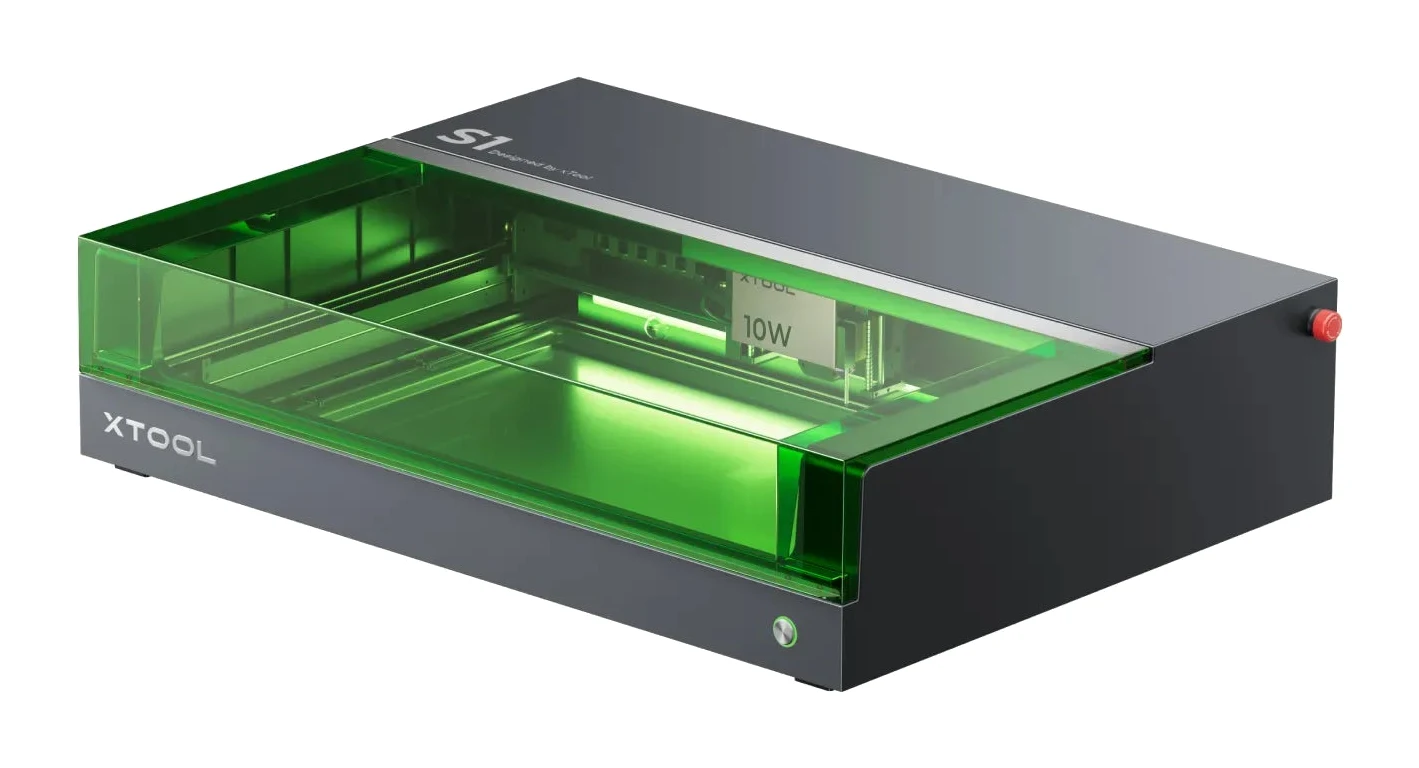
Best for: Beginners wanting a safe machine they can grow into
Check price on Amazon- Best BudgetCreality Falcon2 ProBest for: Budget buyers wanting an enclosed, camera-equipped starter engraverCheck price
- Best ValueSculpfun S10Best for: Tinkerers wanting an affordable, upgradeable first laser engraverCheck price
- Premium PickCreality Falcon A1 Pro 20W Dual-laser EngraverBest for: Beginners who value automation, safety and app controlCheck price
- Also GreatGlowforge AuraBest for: Crafters wanting simple, plug-and-play home laser craftingCheck price
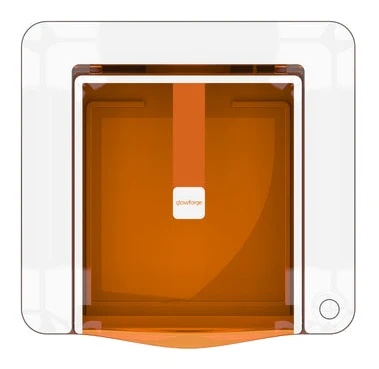
The best laser engravers for beginners keep safety, setup and software simple, while leaving room to grow once you want to cut thicker material. We narrowed the field to five: three enclosed Class 1 machines, one compact crafting-focused unit and one affordable open-frame tinkerer's pick.
This guide is based on manufacturer specs and independent expert recommendations, not our own hands-on testing. Use the live "check price" buttons for current pricing.
Best Laser Engravers for Beginners at a Glance
| Product | Label | Laser power | Work area | Safety design | Best for | Buy |
|---|---|---|---|---|---|---|
| xTool S1 | Best Overall | 40W (also 20W, 10W, 2W IR configurations) | 498 × 319 mm | Fully enclosed, Class 1 | Beginners wanting a safe machine they can grow into | Check price |
| Creality Falcon2 Pro | Best Budget | 22W / 40W / 60W | 400mm × 415mm | Fully enclosed, FDA Class 1 | Budget buyers wanting an enclosed, camera-equipped starter | Check price |
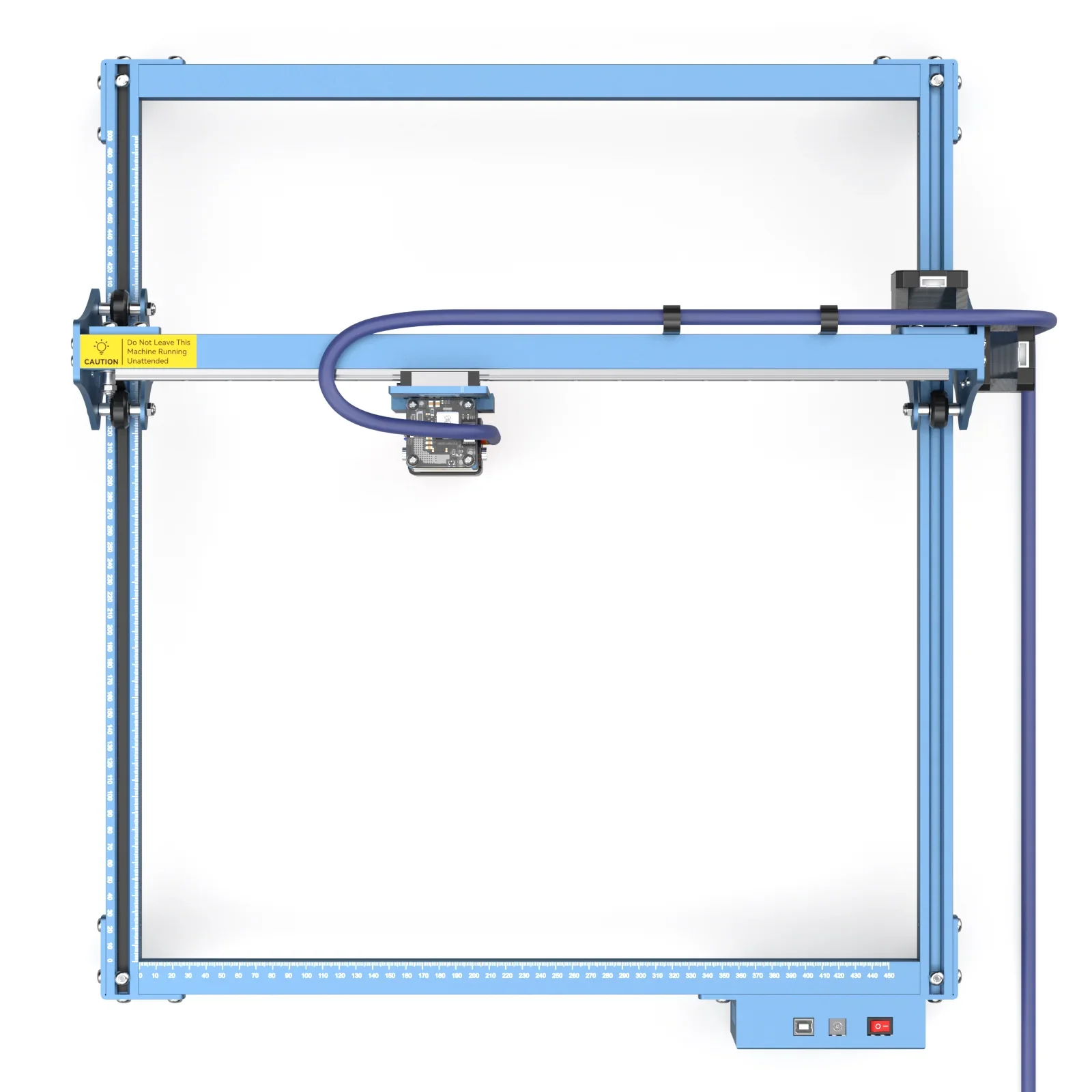
| Sculpfun S10 | Best Value | 10W | 410×400mm (expandable to 410×940mm) | Open frame | Tinkerers wanting an affordable, upgradeable first machine | Check price |
| Creality Falcon A1 Pro | Premium Pick | 20W blue laser (+ optional 2W infrared) | 268 × 358 mm | Fully enclosed, Class 1 (FDA) | Beginners who value automation, safety and app control | Check price |
| Glowforge Aura | Also Great | 6W | 12" × 12" | Class 1 certified | Crafters wanting plug-and-play home laser crafting | Check price |
xTool S1: Best Overall for Safe Growth
xTool S1 Enclosed Diode Laser Cutter
Best for: Beginners wanting a safe machine they can grow into
The xTool S1 combines an enclosed, Class 1 safe body with swappable laser modules, so beginners can start safely and upgrade power later. Autofocus and LightBurn support make it easy to learn and hard to outgrow.
Read our full xTool S1 Enclosed Diode Laser Cutter review →- Resolution
- 0.08 × 0.10 mm
- Output
- 40W (also 20W available)
- Software
- XCS/LightBurn
- Laser power
- 40W (also 20W, 10W, 2W IR configurations)
- Cutting area
- 498 × 319 mm (19.6 × 12.5 in)
- Cooling system
- Built-in exhaust system with optional smoke purifier
Reasons to buy
- Fully enclosed Class 1 design, no goggles needed
- Swappable 10W to 40W diode modules grow with skills
- Cuts 18mm wood in one pass with 40W module
- Autofocus and curved-surface engraving for 3D objects
- Large work area expandable with conveyor feeder
Reasons to avoid
- Premium price tier is steep for a first machine
- Large footprint needs dedicated bench space
- Creative Bloq
- 7.0
- Gathered
- 8.0
- Laser Engraver Expert
- 9.0
- 3D With Us
- 9.4
- Tech Reviewer (en.techreviewer.de)
- 9.3
The xTool S1 earned the top spot because it pairs a fully enclosed, Class 1 safety certified body (no goggles required for safe operation) with swappable laser modules. It suits beginners who want to start safely and upgrade power later. It is recommended in 8 expert guides.
Keep reading about xTool S1 Enclosed Diode Laser Cutter
The module range is the big draw: 10W, 20W and 40W diode options plus an optional 2W IR module. With the 40W module it cuts 18mm wood or 15mm dark acrylic in one pass. Engraving runs at up to 600mm/s with 0.01mm positioning accuracy, and the 498×319mm work area can be expanded to 470×3000mm with an automatic conveyor feeder. Autofocus and curved-surface dynamic engraving help with 3D objects.
On the software side, the S1 works with xTool Creative Space and LightBurn. Reviewers rate it well: Laser Engraver Expert gave it 9 out of 10, and Tech Reviewer scored it 9.3 out of 10. Creative Bloq gave 7 out of 10. The trade-offs are the premium price tier, which is steep for a first machine, and a large footprint (765 × 561 × 183 mm) that needs dedicated bench space.
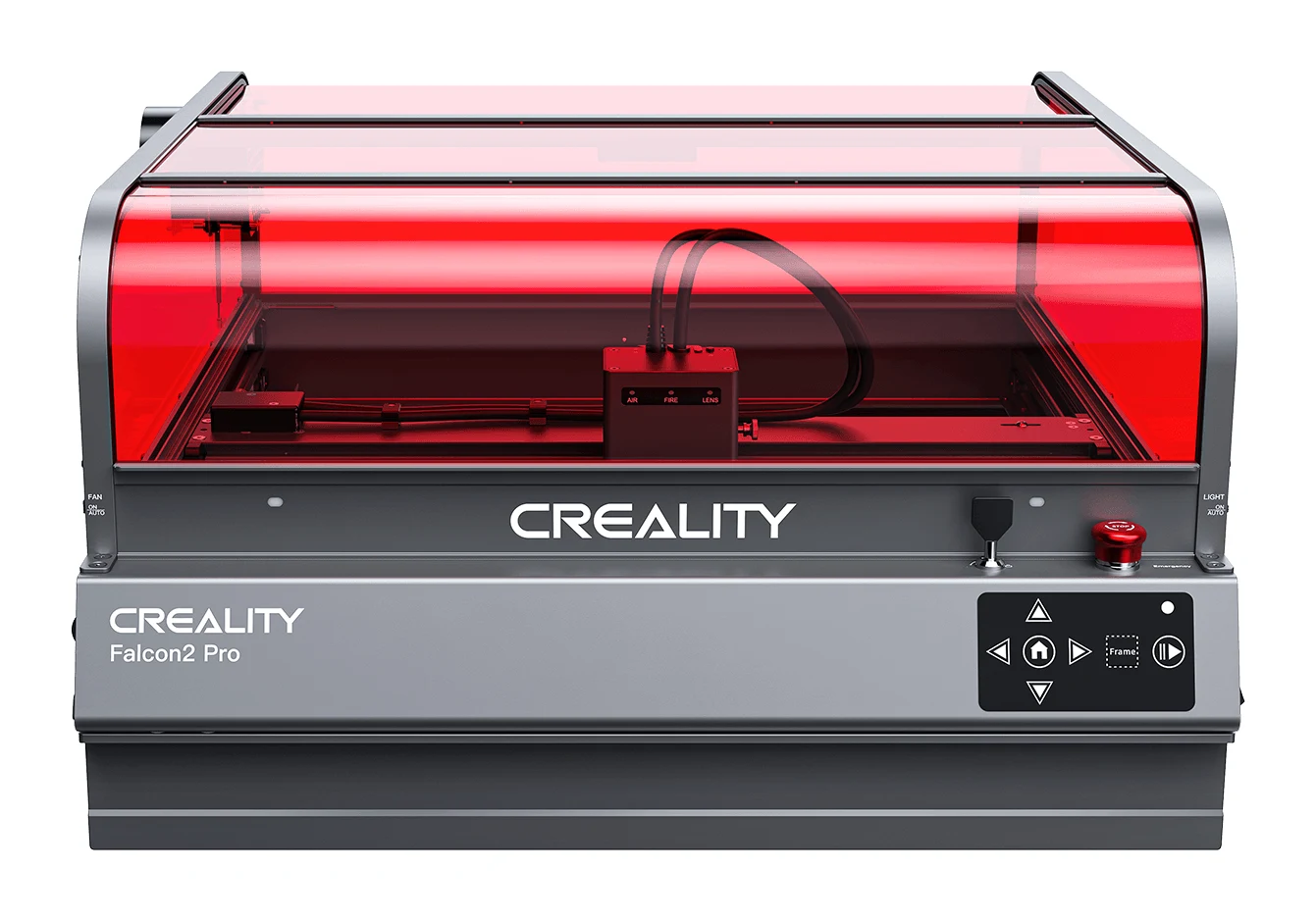
Creality Falcon2 Pro: Best Budget for an Enclosed Camera Setup
Best for: Budget buyers wanting an enclosed, camera-equipped starter engraver
The Falcon2 Pro brings enclosure safety, a camera and air assist at a budget tier. It is a strong entry point for beginners who want features usually found on pricier machines.
- Resolution
- 0.08mm × 0.15mm laser spot (60W), 0.06mm × 0.06mm (1.6W)
- Output
- 22W, 40W, or 60W (configurable laser modules)
- Software
- Falcon Design Space, LightBurn, LaserGRBL
- Laser power
- 22W / 40W / 60W (optical, plus 1.6W module)
- Cutting area
- 400mm × 415mm
- Cooling system
- Integrated air assist with optional external air purifier
Reasons to buy
- Fully enclosed Class 1 design with transparent red cover
- Built-in HD camera simplifies positioning and batch jobs
- Choice of 22W, 40W or 60W swappable modules
- Included 1.6W module handles fine-detail engraving
- Integrated air assist improves cutting results
Reasons to avoid
- Heavy at roughly 18 to 19.5 kg
- Cutting depth varies significantly by chosen power option
- Laser Engraver Expert
- 8.7
- TopEngravers.co.uk
- 9.6
The Creality Falcon2 Pro is the best budget pick because it brings a fully enclosed FDA Class 1 design, a built-in HD camera and air assist at a budget price tier. It is for buyers who want features usually found on pricier machines. It is recommended in 4 expert guides.
Keep reading about Creality Falcon2 Pro
The Falcon2 Pro has a transparent red cover, and the camera supports visual positioning and batch processing. You can choose 22W, 40W or 60W swappable modules, and a 1.6W fine-detail module is included for precision engraving. The 60W model cuts through 22mm basswood and 30mm black acrylic in a single pass. Software support covers LightBurn, LaserGRBL and Falcon Design Space.
Laser Engraver Expert scored it 8.7 out of 10, and TopEngravers.co.uk gave it 4.8 out of 5. Two cons matter: it is heavy at roughly 18 to 19.5 kg, and cutting depth varies significantly by chosen power option. For example, the 22W version handles 15mm wood against 22mm for the 60W. Check which configuration you are buying.
Sculpfun S10: Best Value for Upgradeable Tinkering
Best for: Tinkerers wanting an affordable, upgradeable first laser engraver
The Sculpfun S10 is an affordable, lightweight open-frame engraver with an air assist and wide software support. It suits beginners who want to learn the basics and tinker with upgrades.
- Resolution
- 0.01mm
- Output
- 10W
- Software
- LaserGRBL, LightBurn, Benbox, GrblController, LiteFire
- Laser power
- 10W
- Cutting area
- 410×400mm (expandable to 410×940mm)
- Cooling system
- Air cooled
Reasons to buy
- 10W diode laser with fine 0.08mm beam for detail
- Air assist nozzle included for cleaner cuts
- Linear slide rail X-axis supports accurate engraving
- Engraving area expandable to 410x940mm with optional kit
- Works with LightBurn, LaserGRBL and several other programs
Reasons to avoid
- Open frame design requires separate eye protection
- Air-cooled 10W module limits thick material cutting
- Gizlaser
- 8.0
- Priceboon
- 8.8
- Engraving Future
- 10.0
The Sculpfun S10 is the best value pick for beginners who want an affordable, upgradeable first engraver and don't mind learning the basics hands-on. It is a lightweight open-frame machine at 3.42kg, with a 10W diode laser and an air assist nozzle. It is recommended in 4 expert guides.
Keep reading about Sculpfun S10
Its 0.08mm focused beam suits detailed engraving, and the linear slide rail X-axis supports accuracy. The 410×400mm engraving area can be expanded to 410×940mm with an optional extension kit. The 32-bit motherboard is compatible with upgrades such as a Z-axis and limit switches. It supports LightBurn, LaserGRBL, Benbox, GrblController and LiteFire on Windows and macOS.
The main trade-off is safety: the open frame design requires separate eye protection, which an enclosed machine handles for you. The air-cooled 10W module also limits thick material cutting, with a maximum material thickness of 15mm. Reviewers are positive: Engraving Future gave it 5 out of 5, Priceboon 8.8 out of 10 and Gizlaser 4 out of 5.
Creality Falcon A1 Pro: Premium Pick for Automation and App Control
Creality Falcon A1 Pro 20W Dual-laser Engraver
Best for: Beginners who value automation, safety and app control
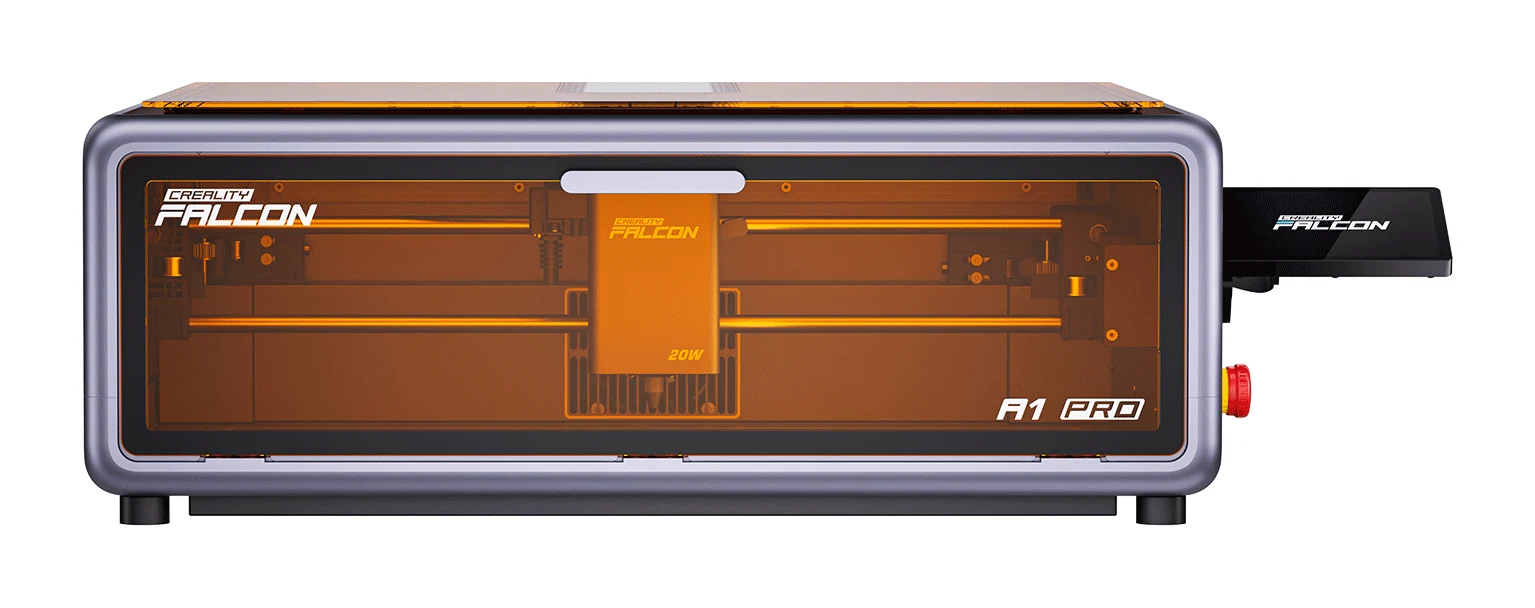
The Falcon A1 Pro pairs a 20W blue laser with smart autofocus, a camera and strong safety features. Its touchscreen and app control make it friendly for newcomers who want a polished setup.
- Resolution
- 0.08 x 0.10 mm (blue), 0.03 x 0.03 mm (IR optional)
- Output
- 20W blue diode laser (455±5nm), optional 2W IR (1064±1nm)
- Software
- Falcon Design Space, LightBurn, LaserGRBL
- Laser power
- 20W blue laser (455±5nm) + optional 2W infrared laser (1064±1nm)
- Cutting area
- 268 × 358 mm
- Cooling system
- Built-in fan with active exhaust system
Reasons to buy
- AI autofocus sets focus quickly and accurately
- 8MP camera gives real-time preview for placement
- Enclosed Class 1 design with flame detection and emergency stop
- CoreXY motion system with fast engraving speed
- Touchscreen and mobile app make operation approachable
Reasons to avoid
- Smaller cutting area than several rivals
- Single-pass cutting limited to about 10mm basswood
- TechRadar
- 9.0
- LaserBuying
- 9.4
- Gadget Review
- 8.2
The Creality Falcon A1 Pro is the premium pick for beginners who want a polished, automated setup. It combines a 20W blue diode laser with AI autofocus, an 8MP camera and an enclosed Class 1 design with flame detection and an emergency stop. It is recommended in 5 expert guides.
Keep reading about Creality Falcon A1 Pro 20W Dual-laser Engraver
The autofocus reaches <0.012 inch precision in 3 seconds, and the camera gives a real-time preview for positioning and batch processing. A CoreXY motion system delivers a 600 mm/s engraving speed. A 4.3-inch touchscreen and mobile app allow remote monitoring. An optional 2W infrared module extends material compatibility to 350+ materials.
The cutting area is 268 × 358 mm, smaller than several rivals here, and single-pass cutting is limited to about 10mm basswood or 8mm black acrylic with the blue laser. Reviewers like it: LaserBuying scored it 4.7 out of 5, TechRadar 4.5 out of 5 and Gadget Review 4.1 out of 5.
Glowforge Aura: Also Great for Simple Plug-and-Play Crafting
Best for: Crafters wanting simple, plug-and-play home laser crafting
The Glowforge Aura focuses on ease of use, with automatic material settings, a camera and browser-based software. It is best for hobbyists who prefer simplicity over raw cutting power.
- Resolution
- 0.01mm accuracy
- Output
- 6W diode laser
- Software
- Glowforge App (web-based, browser)
- Laser power
- 6W
- Cutting area
- 12" × 12"
- Cooling system
- Custom laser head fan for cooling and air assist
Reasons to buy
- Class 1 certified for safe home use
- Proofgrade QR codes set laser settings automatically
- Web-based software works on any device
- Compact footprint fits most work surfaces
- Camera live preview helps place designs precisely
Reasons to avoid
- 6W laser limits cutting to thin materials
- 12-inch cutting area is relatively small
- SlashGear
- 8.0
- GeekBitz
- 9.0
The Glowforge Aura is the pick for crafters who prefer simplicity over raw cutting power. It is Class 1 laser certified for safe home use with family and pets, and its automatic settings and browser-based software keep the learning curve gentle. It is recommended in 7 expert guides.
Keep reading about Glowforge Aura
Proofgrade materials carry QR codes that set the laser settings automatically. The built-in 8-megapixel camera with live preview helps you place designs precisely. The web-based software works on Mac, PC, Chromebook, tablet or phone. A passthrough slot allows cutting materials longer than 12 inches, and the 22" × 20.5" × 5" footprint fits on most work surfaces.
The trade-off is power: the 6W laser limits cutting to thin materials, with 1/4" the maximum for cutting, and the 12" × 12" cutting area is relatively small. GeekBitz gave it 4.5 out of 5 and SlashGear 8 out of 10.
Compare our picks side by side
The specs most of our picks share, from each maker’s spec page (— = not published). Expert score = the average of published expert reviews, which rate each product for its price. Scroll sideways on small screens.
| Spec | xTool S1 Enclosed Diode Laser Cutter | Creality Falcon2 Pro | Sculpfun S10 | Creality Falcon A1 Pro 20W Dual-laser Engraver | Glowforge Aura |
|---|---|---|---|---|---|
| Best for | Best Overall | Best Budget | Best Value | Premium Pick | Also Great |
| Expert score | 8.5 | 9.1 | 8.9 | 8.9 | 8.5 |
| Price vs. these picks | Higher | Lower | Lower | Middle | Middle |
| Resolution | 0.08 × 0.10 mm | 0.08mm × 0.15mm laser spot (60W), 0.06mm × 0.06mm (1.6W) | 0.01mm | 0.08 x 0.10 mm (blue), 0.03 x 0.03 mm (IR optional) | 0.01mm accuracy |
| Output | 40W (also 20W available) | 22W, 40W, or 60W (configurable laser modules) | 10W | 20W blue diode laser (455±5nm), optional 2W IR (1064±1nm) | 6W diode laser |
| Software | XCS/LightBurn | Falcon Design Space, LightBurn, LaserGRBL | LaserGRBL, LightBurn, Benbox, GrblController, LiteFire | Falcon Design Space, LightBurn, LaserGRBL | Glowforge App (web-based, browser) |
| Laser power | 40W (also 20W, 10W, 2W IR configurations) | 22W / 40W / 60W (optical, plus 1.6W module) | 10W | 20W blue laser (455±5nm) + optional 2W infrared laser (1064±1nm) | 6W |
| Cutting area | 498 × 319 mm (19.6 × 12.5 in) | 400mm × 415mm | 410×400mm (expandable to 410×940mm) | 268 × 358 mm | 12" × 12" |
| Cooling system | Built-in exhaust system with optional smoke purifier | Integrated air assist with optional external air purifier | Air cooled | Built-in fan with active exhaust system | Custom laser head fan for cooling and air assist |
| Software compatibility | xTool Creative Space, LightBurn | LightBurn, LaserGRBL, Falcon Design Space | LightBurn, LaserGRBL, Benbox, GrblController, LiteFire, Windows and macOS | Falcon Design Space, LightBurn, LaserGRBL (Windows/macOS) | Mac, PC, Chromebook, tablet, phone via web browser |
| Maximum material thickness | 18 mm wood, 15 mm dark acrylic (40W, one pass) | 22mm wood (60W), 20mm wood (40W), 15mm wood (22W) | 15mm | 10mm basswood, 8mm black acrylic (single pass, blue laser) | 1/4" (cutting); 3/4" (engraving without tray) |
| Where to buy | Check price | Check price | Check price | Check price | Check price |
How to Choose the Best Laser Engravers for Beginners
Safety and enclosure
Laser light can damage eyes, so enclosure is an important consideration for a first machine. The xTool S1, Falcon2 Pro and Falcon A1 Pro are fully enclosed Class 1 designs, and the Glowforge Aura is Class 1 certified. The Sculpfun S10 is open frame and needs separate eye protection, so budget for it.
Laser power and what you want to cut
Higher wattage means thicker cuts. The xTool S1 handles 18mm wood with its 40W module, and the Falcon2 Pro reaches 22mm wood at 60W. The 10W Sculpfun S10 tops out at 15mm, and the 6W Glowforge Aura is built for thin materials.
Work area and upgrades
Check the cutting area against your biggest projects. The xTool S1 and Sculpfun S10 both offer expansion options, while the Falcon A1 Pro and Glowforge Aura have smaller areas. Swappable modules, as on the xTool S1 and the Falcon2 Pro, let you add power later.
Software and ease of use
Cameras, autofocus and automatic material settings reduce guesswork. The Falcon2 Pro and Falcon A1 Pro have cameras, the A1 Pro adds AI autofocus, and the Aura sets laser settings from Proofgrade QR codes. LightBurn support is available on the xTool S1, Falcon2 Pro, Falcon A1 Pro and Sculpfun S10.
Space and weight
The xTool S1 needs dedicated bench space, and the Falcon2 Pro weighs roughly 18 to 19.5 kg. The Sculpfun S10 weighs 3.42kg, and the Glowforge Aura has a compact footprint.
How We Picked
We compared candidates using manufacturer specs and independent expert recommendations, including how many expert buying guides recommend each product and the scores published by named reviews. We looked at safety design, power options, work area, software support and each machine's main trade-off. We did not test these machines ourselves. Prices are not listed because they change; use the live buttons to check current pricing.
Bottom Line
The xTool S1 is the best overall choice for beginners who want a safe machine they can grow into, if you can afford the premium tier and have the space. The Creality Falcon2 Pro is the best budget route into an enclosed, camera-equipped machine. The Sculpfun S10 suits tinkerers happy to wear separate eye protection. The Falcon A1 Pro offers automation and app control, and the Glowforge Aura is the simplest option for thin-material crafting.
Ready to buy?
 Best OverallxTool S1 Enclosed Diode Laser CutterCheck price
- Best BudgetCreality Falcon2 ProCheck price
- Best ValueSculpfun S10Check price
- Premium PickCreality Falcon A1 Pro 20W Dual-laser EngraverCheck price
- Also GreatGlowforge AuraCheck price
Frequently asked questions
What is the best laser engraver for beginners?
The xTool S1 is the best overall pick. It is a fully enclosed, Class 1 safety certified machine with swappable 10W to 40W diode modules, autofocus and LightBurn support. It is recommended in 8 expert guides, though it sits in the premium price tier.
Which beginner laser engraver is the best budget option?
The Creality Falcon2 Pro is the best budget pick. It offers a fully enclosed FDA Class 1 design, a built-in HD camera and air assist at a budget price tier. Note that cutting depth varies by power option.
Do beginner laser engravers need separate eye protection?
The Sculpfun S10 does, because it has an open frame design. The xTool S1, Creality Falcon2 Pro and Falcon A1 Pro are fully enclosed Class 1 designs, and the Glowforge Aura is Class 1 certified for home use. Always follow the manufacturer's safety guidance.
Which laser engraver has the largest expandable work area?
The xTool S1: its 498 × 319 mm work area can be expanded to 470×3000mm with an automatic conveyor feeder. The Sculpfun S10 can also grow from 410×400mm to 410×940mm with an optional extension kit.
Which beginner laser engravers have a built-in camera?
The Creality Falcon2 Pro has a built-in HD camera for visual positioning and batch processing. The Creality Falcon A1 Pro has an 8MP camera with real-time preview, and the Glowforge Aura has a built-in camera with live preview.
What is the easiest laser engraver for crafters?
The Glowforge Aura focuses on simplicity, with Proofgrade QR codes that set laser settings automatically and web-based software that works on any device. Its 6W laser limits cutting to thin materials.
Sources
Specs are taken from the manufacturers' official pages; expert recommendations from the publications below.
- xTool S1 Enclosed Diode Laser Cutter: xtool.com, swingdesign.com, xtools1.com, laserengravingtips.com
- Creality Falcon2 Pro: crealityfalcon.com, creality.com, microcenter.com
- Sculpfun S10: sculpfun.com, hobbylasercutters.com, makerguys.com
- Creality Falcon A1 Pro 20W Dual-laser Engraver: crealityfalcon.com, tomshardware.com, jaspertronics.com, cnx-software.com
- Glowforge Aura: shop.glowforge.com, glowforge.com, tomshardware.com
More buying guides
xTool S1 Review (2026): Enclosed Laser Without a Camera
The xTool S1 is a fully enclosed, Class 1 diode laser with swappable modules, auto-focus and layered safety. Here is who it suits and where it falls short.
Published Oct 28, 2026
Best Digital Pianos for Beginners 2026: Real Touch at Home
Five beginner-friendly digital pianos from Kawai, Casio, Roland and Yamaha, compared on key action, polyphony, portability and connectivity, with a clear pick for each kind of learner.
Published Oct 25, 2026
Best Espresso Machines for Beginners 2026: Simple Starts
Five beginner-friendly espresso machines compared on grinders, milk frothing, counter space and learning curve, based on manufacturer specs and independent expert recommendations.
Published Oct 25, 2026