Dell Tower Plus (EBT2250) Review (2026): Quiet Upgrader
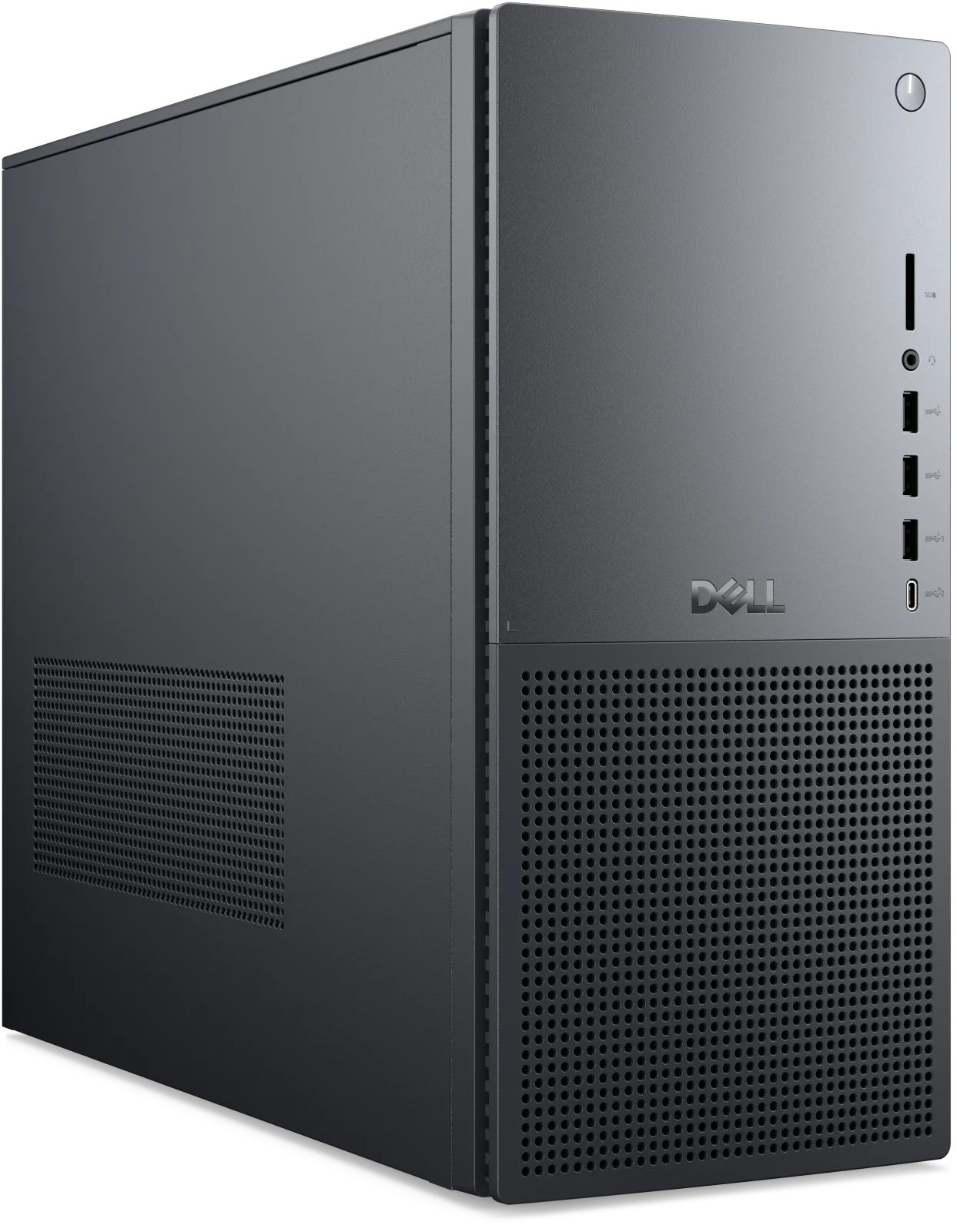
A look at the Dell Tower Plus (EBT2250): a quiet, understated desktop with real upgrade room, Core Ultra Series 2 processors and optional RTX 50 Series graphics.
Research-based · We earn from qualifying purchases
Our verdict
The Dell Tower Plus suits home-office and creative users who want a quiet, understated desktop with real upgrade room and plenty of ports. Gaming-first buyers and anyone wanting flashy looks or top value at the high end should look elsewhere.
The good
- Quiet in operation, even under load, per reviewers
- Three PCIe slots, two M.2 slots and two 3.5-inch HDD bays
- Optional RTX 50 Series graphics up to RTX 5080 16GB
- Wi-Fi 7, Thunderbolt 4 and front USB-C plus SD reader
- Wide configuration range from basic office to creative workloads
+2 more
- Wi-Fi 7, Thunderbolt 4 and front USB-C plus SD reader
- Wide configuration range from basic office to creative workloads
The bad
- Plain styling with no glass panel, RGB or colour options
- Bundled keyboard and mouse are basic
- Higher-spec configurations get pricey and aren't the best value
- Only two DIMM slots, capped at 64GB of memory
+1 more
- Only two DIMM slots, capped at 64GB of memory
The Dell Tower Plus (EBT2250) review question is simple: can a plain-looking desktop be a smart long-term buy? This is a mid-range tower built around Intel Core Ultra Series 2 processors, with optional NVIDIA GeForce RTX 50 Series graphics and a chassis that leaves room to grow. It is aimed at people who want a quiet, upgradeable desktop for work and creative tasks, rather than a light-up gaming rig.
This review is based on Dell's manufacturer specifications and on what independent expert reviews report. It is not hands-on testing.
Dell Tower Plus (EBT2250): specs at a glance
From the manufacturer- Memory
- DDR5 up to 5600 MT/s, 2 DIMM slots, supports up to 64GB
- Weight
- 19.00 lb (8.62 kg) minimum, 28.50 lb (12.94 kg) maximum
- Ethernet
- RJ45 2.5GbE
- Wireless
- Intel Wi-Fi 7 BE200 (2x2) with Bluetooth 5.4
- Rear ports
- HDMI 2.0, Thunderbolt 4, USB 3.2 Type-A Gen 1, USB 2.0 Type-A, S/PDIF optical, 2x stereo audio, Kensington lock slot
- Front ports
- SD card slot, headset jack, USB 3.2 Type-A Gen 1, USB 3.2 Type-C Gen 2
- Base storage
- 512 GB SSD Gen4x4 TLC (entry configuration)
- Chassis volume
- 27.1L
- Graphics options
- Intel UHD Graphics, NVIDIA GeForce RTX 5060 8GB GDDR7, RTX 5060 Ti 8GB GDDR7, RTX 5070 12GB GDDR7, RTX 5080 16GB GDDR7
- Operating system
- Windows 11 Home or Pro, or Ubuntu
- Processor options
- Intel Core Ultra 5 225 / Ultra 7 265 / Ultra 7 265K / Ultra 9 285 / Ultra 9 285K
- Storage expansion
- 2x M.2 SSD, 2x 3.5” HDD bays
- PCIe expansion slots
- 3 (x4, x4, x16)
- Dimensions (H x W x D)
- 14.68 in (372.90 mm) x 6.81 in (173.00 mm) x 16.80 in (426.90 mm)
- Max graphics power supported
- 450W (requires 750W power supply)
Key features
- Intel Core Ultra Series 2 processors, from Ultra 5 225 up to Ultra 9 285K
- Optional NVIDIA GeForce RTX 50 Series graphics, up to RTX 5080 16GB
- Room to upgrade: 3 PCIe slots, 2 DIMM slots, 2 SSD slots and 2 HDD bays
- Newer 120mm fan design that Dell says runs up to 22% quieter
- Front SD card reader for quick camera imports
- Wi-Fi 7 and Thunderbolt 4 on the rear
- Dual 4K monitor support on integrated Intel graphics
- Power supply options up to 1000W for future graphics upgrades
What the Dell Tower Plus is
The Tower Plus is a configurable desktop. You choose the processor, graphics, memory, storage and power supply, and the price moves a long way depending on those choices. Processor options run from the Core Ultra 5 225 through the Ultra 7 265 and Ultra 7 265K to the Ultra 9 285 and Ultra 9 285K. Graphics options start with integrated Intel UHD Graphics and go up through the RTX 5060 8GB GDDR7, RTX 5060 Ti 8GB GDDR7 and RTX 5070 12GB GDDR7 to the RTX 5080 16GB GDDR7.
That spread is the main appeal. The same chassis can serve as a basic office machine or a creative workstation. Reviewers highlight this range, and the expert scores reflect it: the Tower Plus averages 9.5/10 across 2 expert reviews, with TechRadar giving it 4.5/5 and ITPro 5/5.
Dell Tower Plus (EBT2250) review: design and build
The chassis is 27.1L, measuring 14.68 in (372.90 mm) x 6.81 in (173.00 mm) x 16.80 in (426.90 mm). Weight depends on configuration: 19.00 lb (8.62 kg) minimum and 28.50 lb (12.94 kg) maximum. A fully loaded build is something you will want to lift carefully, but a typical configuration is manageable if you move it occasionally.
The styling is deliberately plain. There is no glass side panel, no RGB lighting and no colour options, and reviewers list the plain styling as a drawback. If you want a desktop that doubles as a display piece, this is not it. If you want something that looks at home in an office or a shared living space, the restraint is a benefit.
Cooling and noise
Dell highlights a newer 120mm fan design that it says runs up to 22% quieter. Reviewers back up the general idea, saying the Tower Plus stays quiet in operation even under load. For anyone working in a quiet room, recording audio or simply sitting next to the tower all day, that is a practical advantage over the specs alone. Dell doesn't publish a decibel figure, so treat "quiet" as the experts' general impression rather than a measured number.
Features and what they mean day to day
Upgrade room
The expansion list is the strongest part of the spec sheet. There are 3 PCIe slots (x4, x4 and x16), 2 DIMM slots, 2 M.2 SSD slots and 2 HDD bays for 3.5” drives. In practice that means you can start with a modest configuration and add storage later, or keep a fast SSD for projects alongside bulk hard-drive storage for archives. The x16 slot is the one for a graphics card, while the other PCIe slots leave space for add-in cards.
Memory is the one place where flexibility is limited. There are only two DIMM slots and support tops out at 64GB of DDR5 up to 5600 MT/s. For most home-office and creative work that is plenty, but heavy multitasking users who want more headroom will notice the cap, and reviewers list it as a drawback.
Power and graphics headroom
Power supply options go up to 1000W, which Dell positions as room for future graphics upgrades. The maximum graphics power the chassis supports is 450W, and that requires a 750W power supply. If you plan to start with integrated graphics or a lower-end GPU and upgrade later, it is worth choosing a power supply with that future card in mind at the time of purchase.
Ports and connectivity
The port selection is generous. On the front you get an SD card slot, a headset jack, a USB 3.2 Type-A Gen 1 port and a USB 3.2 Type-C Gen 2 port. The SD reader is a useful touch for photographers who import straight from a camera card. The rear adds HDMI 2.0, Thunderbolt 4, USB 3.2 Type-A Gen 1, USB 2.0 Type-A, S/PDIF optical, 2x stereo audio and a Kensington lock slot.
Wireless is Intel Wi-Fi 7 BE200 (2x2) with Bluetooth 5.4, and wired networking is RJ45 2.5GbE. Between Wi-Fi 7, Thunderbolt 4 and 2.5GbE, the connectivity is well suited to fast external storage, docks and a modern home network. On integrated Intel graphics the machine supports dual 4K monitors, which covers a lot of office setups without needing a graphics card at all.
Performance and configuration advice
The Core Ultra Series 2 range covers a lot of ground, and the right pick depends on the work. The Ultra 5 225 suits everyday office tasks and browsing. The processor range runs from the Ultra 5 225 up to the Ultra 9 285K. Dell doesn't publish benchmark scores in the spec sheet, so this article doesn't quote any performance figures.
For graphics, the lineup splits into a few sensible tiers:
- Integrated Intel UHD Graphics is enough for office work, browsing and driving up to dual 4K monitors.
- RTX 5060 and RTX 5060 Ti (both 8GB GDDR7) are the entry RTX options.
- RTX 5070 12GB and RTX 5080 16GB are for people who want more graphics memory and power for editing, 3D or heavier gaming.
The entry configuration comes with a 512 GB SSD (Gen4x4 TLC). That is a reasonable starting point, and with 2 M.2 slots and 2 HDD bays you aren't stuck with it. The operating system is Windows 11 Home or Pro, or Ubuntu.
One point from reviewers is worth keeping in mind: higher-spec configurations get pricey and aren't the best value. The Tower Plus makes the most sense in the middle of the range, where its quiet running, ports and upgrade room are the selling points.
What experts like and what they criticise
Reviewers consistently praise the Tower Plus for being quiet under load, for the amount of expansion space (three PCIe slots, two M.2 slots and two 3.5-inch HDD bays), for the optional RTX 50 Series graphics up to the RTX 5080 16GB, and for the modern connectivity, including Wi-Fi 7, Thunderbolt 4, front USB-C and the SD reader. They also like that one platform covers everything from basic office use to creative work.
The criticisms are just as consistent. The styling is plain, with no glass panel, RGB or colour options. The bundled keyboard and mouse are basic, so budget for replacements if you care about typing feel. Higher-spec builds aren't the best value, and the two-slot, 64GB memory ceiling limits how far RAM can grow.
Who should buy it, and who should skip it
Buy it if you are a home-office worker, student or creative who wants a desktop that stays out of the way. It also suits anyone who wants to add storage or a graphics card down the line, or who relies on an SD card reader, Thunderbolt 4 and fast networking.
Skip it if you are a gaming-first buyer who wants a showpiece case with lighting, or if you want the most performance per dollar at the high end. People who need more than 64GB of memory should also look elsewhere.
How it fits in the desktop market
The Tower Plus sits in the mid-range part of the market. It is a conventional, brand-name tower rather than an enthusiast build, and its pitch is calm, flexible and well connected rather than flashy. Its pitch is quiet running and a practical port layout rather than flashy looks. Sticking to the middle configurations keeps the value case strongest.
Verdict
The Dell Tower Plus (EBT2250) is a sensible, well-equipped desktop that earns its high expert scores through quiet running, upgrade room and a modern port selection. It won't win any style contests, the bundled peripherals are basic and the higher-spec configurations aren't the best value. For people who just want a quiet, flexible tower that can grow with their needs, it is an easy one to shortlist.
Related buying guides
- Lenovo Legion Tower 5i Gen 10 (Intel) Review: Upgrade-Ready
- Best Mini PC in 2026: Small, Quiet Desktops for Work
- Best Prebuilt Gaming PCs 2026: Ready to Play or Upgrade
- GEEKOM A5 2027 Edition Review (2026): Quiet Office Mini PC
- HP OMEN 35L Review (2026): Quiet, Upgradeable Prebuilt
- Apple Mac mini (M4 Pro, 2024) Review: Small, Fast, Port-Rich
- Beelink SER9 Pro (Ryzen 7 H 255) Review: Small, Quiet
- GEEKOM A6 Review (2026): Small, Solid, Upgradeable
Not sure about the Dell Tower Plus (EBT2250)? Consider these
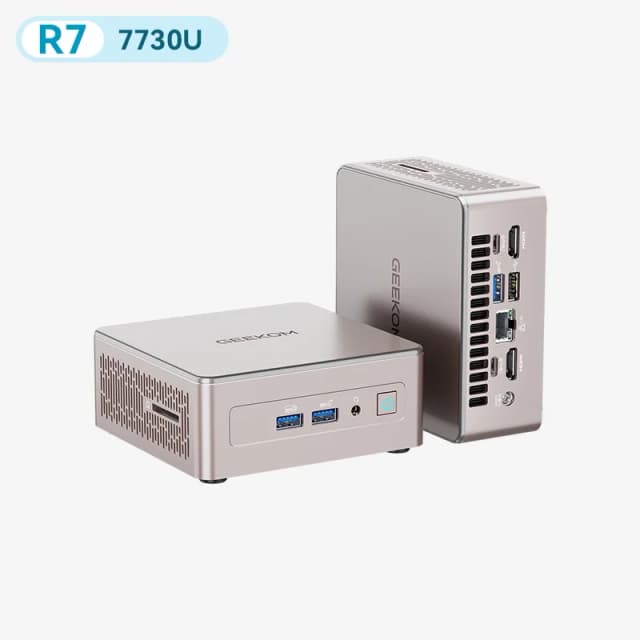
- Best OverallGEEKOM A5 2027 EditionWhy we picked it →
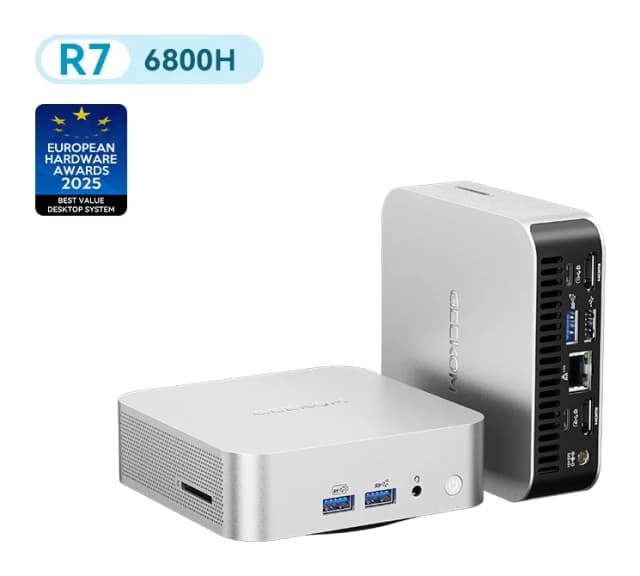
- Also GreatGEEKOM A6Why we picked it →
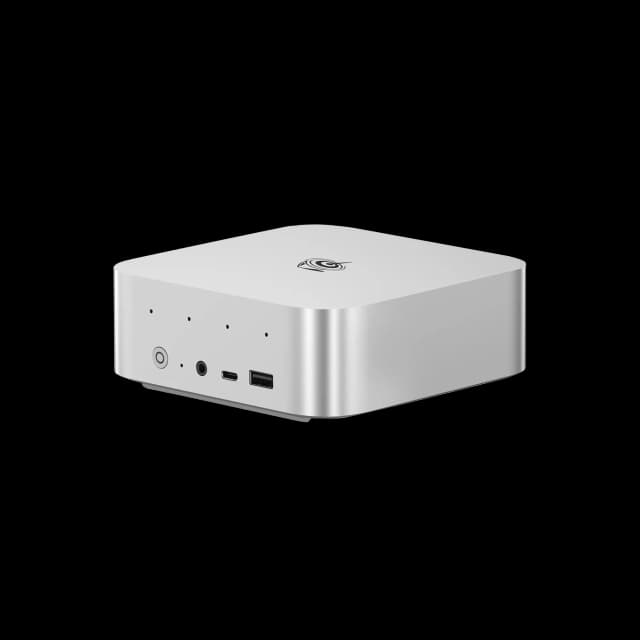
- Premium PickBeelink SER9 ProWhy we picked it →
Frequently asked questions
Is the Dell Tower Plus (EBT2250) worth it?
For home-office and creative users who want a quiet, upgradeable desktop, reviewers think so. It averages 9.5/10 across 2 expert reviews. It is less compelling for gamers who want flashy looks or for buyers looking at the top-spec configurations, which reviewers say aren't the best value.
What graphics options does the Dell Tower Plus offer?
You can choose integrated Intel UHD Graphics or NVIDIA GeForce RTX 50 Series cards: the RTX 5060 8GB GDDR7, RTX 5060 Ti 8GB GDDR7, RTX 5070 12GB GDDR7 and RTX 5080 16GB GDDR7.
Can you upgrade the Dell Tower Plus?
Yes. It has 3 PCIe slots, 2 DIMM slots, 2 M.2 SSD slots and 2 bays for 3.5” hard drives. Memory is capped at 64GB, and power supply options go up to 1000W for future graphics upgrades.
Does the Dell Tower Plus support Wi-Fi 7 and Thunderbolt 4?
Yes. It includes Intel Wi-Fi 7 BE200 (2x2) with Bluetooth 5.4 and a Thunderbolt 4 port on the rear, plus RJ45 2.5GbE wired networking.
Is the Dell Tower Plus quiet?
Reviewers say it stays quiet in operation, even under load. Dell says its newer 120mm fan design runs up to 22% quieter, though it doesn't publish a noise level in decibels.
Can the Dell Tower Plus run two monitors?
Yes. On integrated Intel graphics it supports dual 4K monitors. A discrete RTX graphics card gives you additional options depending on the card you choose.
Sources
Specs are taken from the manufacturers' official pages; expert recommendations from the publications below.
- Dell Tower Plus (EBT2250): dell.com, itpro.com, techradar.com, windowscentral.com
Related reviews & guides
Best Mini PC in 2026: Small, Quiet Desktops for Work
Five compact desktops compared on manufacturer specs and independent expert recommendations, from a quiet all-rounder to budget machines with big upgrade headroom.
Published Oct 17, 2026
GEEKOM A5 2027 Edition Review (2026): Quiet Office Mini PC
A look at the GEEKOM A5 2027 Edition: a compact, upgradable Ryzen 7 mini PC for quiet office work and multi-monitor desks, plus the limits to know about.
Published Oct 25, 2026
Beelink SER9 Pro (Ryzen 7 H 255) Review: Small, Quiet
A compact metal mini PC with dual M.2 slots, triple 4K output and a Radeon 780M. We look at who the Beelink SER9 Pro suits, and where soldered memory and missing OCuLink hold it back.
Published Oct 27, 2026