Roku Streaming Stick Plus Review (2026): Simple 4K Upgrade
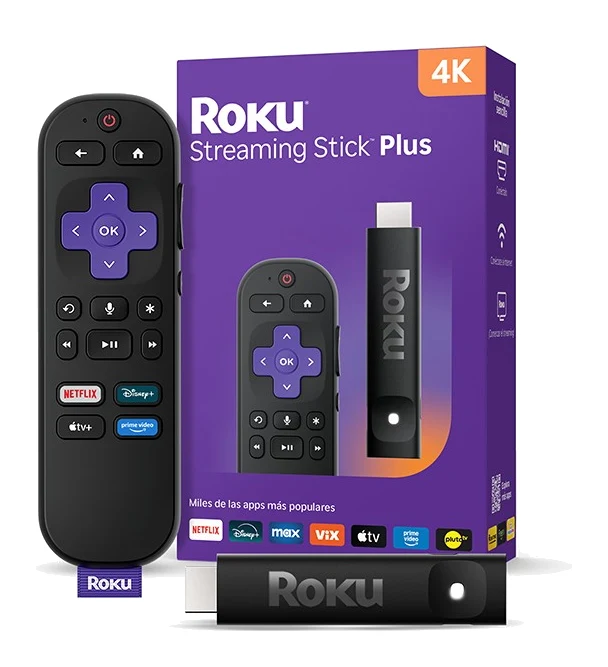
A compact 4K stick that powers from your TV's USB port and keeps the interface simple. Here is what the spec sheet and expert reviews say, including the Dolby Vision gap.
Research-based · We earn from qualifying purchases
Our verdict
A compact, affordable way to add 4K HDR streaming to a TV, with a simple interface and easy USB power. Skip it if you want Dolby Vision or have a weak Wi-Fi signal near the TV.
The good
- 4K streaming with HDR10/10+ and HLG at a mid-range price
- Slim stick won't block neighboring HDMI ports and travels easily
- Powers from the TV's USB port, so no wall outlet needed
- Voice remote controls TV power, volume and mute
- Clean, simple interface with 500+ free channels
+2 more
- Voice remote controls TV power, volume and mute
- Clean, simple interface with 500+ free channels
The bad
- No Dolby Vision support, only HDR10/10+ and HLG
- Some menu lag reported when navigating
- Wi-Fi 5 range is weaker than the Streaming Stick 4K
- No Dolby Atmos support noted by some reviewers
+1 more
- No Dolby Atmos support noted by some reviewers
This Roku Streaming Stick Plus review looks at a small 4K streamer aimed at people who want an older or basic TV to do more without learning a new system. It plugs into an HDMI port, takes power from the TV, and comes with a voice remote. It sits in the mid-range part of the market, and it is best suited to budget-minded buyers upgrading a TV to simple 4K streaming.
This review is based on Roku's manufacturer specifications and on what independent expert reviews report. It is not based on hands-on testing.
Roku Streaming Stick Plus: specs at a glance
From the manufacturer- Size
- 3.7 x 0.80 x .45 inches
- Audio
- Digital stereo over HDMI; DTS Digital Surround pass-through; Dolby-encoded audio pass-through
- Model
- 3830R
- Ports
- Built-in HDMI and USB-C for power
- Weight
- 0.90 ounces (26.0 g)
- CPU / RAM
- ARM Cortex A55 / 1 GB
- In the box
- Voice remote, two pre-installed AAA batteries, USB-C to USB-A power cable
- Networking
- Dual-band Wi-Fi (2.4 GHz / 5 GHz)
- HDR support
- HDR10/10+ and HLG (no Dolby Vision)
- Power input
- 5V – 1A
- Max resolution
- Up to 2160p at 60fps (3840 x 2160) on 4K TVs
- Wi-Fi standard
- Wi-Fi 5 (802.11ac)
- Power consumption
- Approx 2.5W (typical) when streaming 4K UHD video
Key features
- 4K streaming with HDR10/10+ and HLG for vivid picture
- Slim stick plugs straight into HDMI and won't block neighboring ports
- Powers from your TV's USB port, so no wall outlet is needed
- Roku Voice Remote with TV power, volume and mute controls
- Bluetooth Headphone Mode for private listening
- 500+ free TV channels
- Works with Roku Smart Home, Apple AirPlay and HomeKit, Google Home and Alexa
- Upscales 720p and 1080p content to 4K on compatible TVs
What the Roku Streaming Stick Plus is
The Streaming Stick Plus (model 3830R) is a 4K streaming stick. It outputs up to 2160p at 60fps (3840 x 2160) on 4K TVs and supports HDR10/10+ and HLG. It does not support Dolby Vision, and that is the main trade-off to weigh before buying.
The stick also upscales 720p and 1080p content to 4K on compatible TVs. If part of your viewing is older or lower-resolution video, that helps it look better on a 4K screen.
Experts have recognised it: it appears in one independent expert buying guide. It averages 8/10 across 2 expert reviews, with TechRadar and PCWorld each scoring it 4/5. That is a solid, not spectacular, result, and it matches the profile below: a sensible, simple product with a few clear limits.
Design and build: small enough to forget about
The stick measures 3.7 x 0.80 x .45 inches and weighs 0.90 ounces (26.0 g). It plugs straight into an HDMI port, and reviewers note that the slim shape won't block neighbouring ports. That matters on a crowded TV, where a console, soundbar or set-top box may already use the adjacent sockets.
It is also easy to travel with. Because it is so light and small, it can go in a bag and be plugged into a hotel or holiday-home TV, provided you can sign in to your account and get online there.
There is nothing flashy about the hardware, and that suits its purpose. It is meant to disappear behind the TV and leave you with the screen and the remote.
Power and setup
The stick has built-in HDMI and a USB-C port for power. The power input is 5V – 1A, and the box includes a USB-C to USB-A cable. In practice, you can run it from the TV's USB port, so you don't need a wall outlet. Reviewers list powering the stick from the TV's USB port, with no wall outlet needed, as a pro.
Typical power consumption is approx 2.5W (typical) when streaming 4K UHD video. The box also includes the voice remote and two pre-installed AAA batteries, so you can start setting up as soon as you unbox it.
Features and what they mean day to day
The voice remote
The Roku Voice Remote handles TV power, volume and mute as well as the streamer. That means one remote can cover most everyday viewing. Reviewers praise this, and it is a practical reason to choose a stick like this for a TV with a basic remote.
Bluetooth Headphone Mode
Bluetooth Headphone Mode lets you listen privately. It is useful if someone else in the household is asleep or you want to watch late without disturbing anyone. The spec sheet doesn't say more than that, so check Roku's support pages for how it works with specific headphones.
Free channels and the interface
The stick gives access to 500+ free TV channels. Combined with a clean, simple interface that reviewers praise, it is a good fit for people who want to find something and press play without much setup. A common criticism, however, is that some menu lag is reported when navigating. If you are sensitive to sluggish menus, factor that in.
Smart home and AirPlay support
The stick works with Roku Smart Home, Apple AirPlay and HomeKit, Google Home and Alexa. That range of compatibility is useful in a mixed household, where one person uses Apple devices and another uses Android or an Alexa speaker. The spec sheet doesn't spell out exactly which features each platform supports, so check that your preferred controls are covered before relying on them.
Picture, sound and connectivity
Picture quality
On paper, the picture side is straightforward. You get 4K at up to 60fps, with HDR10/10+ and HLG. That covers the common HDR formats apart from Dolby Vision. If your TV supports Dolby Vision and you care about it, this stick won't use that capability. If your TV only supports HDR10, HDR10+ or HLG, the omission is irrelevant.
Audio
Audio is digital stereo over HDMI, with DTS Digital Surround pass-through and Dolby-encoded audio pass-through. Pass-through means the stick hands the soundtrack to your TV or soundbar to decode, which is the normal arrangement. Some reviewers note that there is no Dolby Atmos support. If you have an Atmos soundbar and want that format from your streamer, that is a limit to check.
Wi-Fi
The stick has dual-band Wi-Fi (2.4 GHz / 5 GHz) and uses Wi-Fi 5 (802.11ac). Reviewers say the range is weaker than the Streaming Stick 4K. In a home where the router is in another room, or where the TV sits in a weak spot, that could be the difference between smooth 4K and buffering. If your signal is marginal near the TV, consider fixing that first, for example by moving the router or adding a mesh node. The stick can't make up for a poor connection.
What experts like and what they criticise
Reviewers consistently praise:
- 4K streaming with HDR10/10+ and HLG at a mid-range price
- the slim stick that won't block neighbouring HDMI ports and travels easily
- the ability to power it from the TV's USB port
- a voice remote that controls TV power, volume and mute
- a clean, simple interface with 500+ free channels
The common criticisms are:
- no Dolby Vision, only HDR10/10+ and HLG
- some menu lag when navigating
- Wi-Fi 5 range that is weaker than the Streaming Stick 4K
- no Dolby Atmos support, noted by some reviewers
None of these will matter equally to everyone. The Dolby Vision and Atmos gaps matter most to people with high-end TVs and sound systems. Wi-Fi range matters most in larger homes. Menu lag is one of the criticisms reviewers report; how much it matters depends on how sensitive you are to it.
Who should buy it
This stick suits:
- people with a TV that lacks smart features, or whose built-in system feels dated, who want simple 4K streaming
- households that want one remote for streaming plus TV power, volume and mute
- anyone short on wall outlets, since USB power makes setup tidier
- travellers who want a streamer that is small and light enough to carry
- people who like free ad-supported channels alongside their paid services
Who should skip it
Look elsewhere if:
- you own a Dolby Vision TV and want that format
- you want Dolby Atmos from your streamer
- your Wi-Fi signal is weak near the TV
- you are particularly sensitive to menu lag
How it fits in its category
Streaming sticks generally trade power for price and convenience, and this one follows that pattern. It gives you the essentials, which are 4K, common HDR formats, a capable remote and easy setup, and it leaves out premium extras. It sits in the mid-range price tier, and the case for it rests on the simple interface, the remote and the USB power option rather than on Dolby Vision or Atmos.
Verdict
The Roku Streaming Stick Plus is a sensible choice if you want to bring a TV up to date with 4K HDR streaming and little fuss. Its strengths are practical: a small stick, USB power, a remote that handles TV basics, and an easy interface with plenty of free channels. Its weaknesses are just as clear. There is no Dolby Vision, some reviewers report menu lag, and the Wi-Fi range is weaker than on the Streaming Stick 4K. With an expert average of 8/10, it is a good, if not exceptional, option. Buy it if your TV and Wi-Fi are a good match for it, and skip it if Dolby Vision or Atmos are on your must-have list.
Related buying guides
- Roku Ultra 4850R Review (2026): Fast, but Showing Its Age
- Amazon Fire TV Stick 4K Max (2nd Gen) Review: Who Needs It?
- Google TV Streamer (4K) Review: Fast, With a Hub Inside
- Insignia NS-55F501NA26 Review (2026): Simple 4K Fire TV
- Anker Nebula X1 Review (2026): Bright 4K, Premium Price
- TCL 65QM6K vs LG C5 (2026): Budget Mini-LED or OLED?
Not sure about the Roku Streaming Stick Plus? Consider these
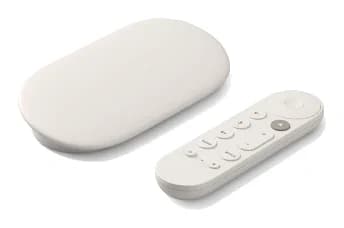
- Best OverallGoogle TV Streamer (4K)Why we picked it →
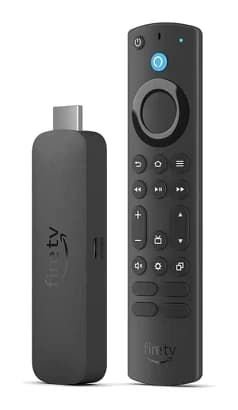
- Best ValueAmazon Fire TV Stick 4K Max (2nd Generation)Why we picked it →
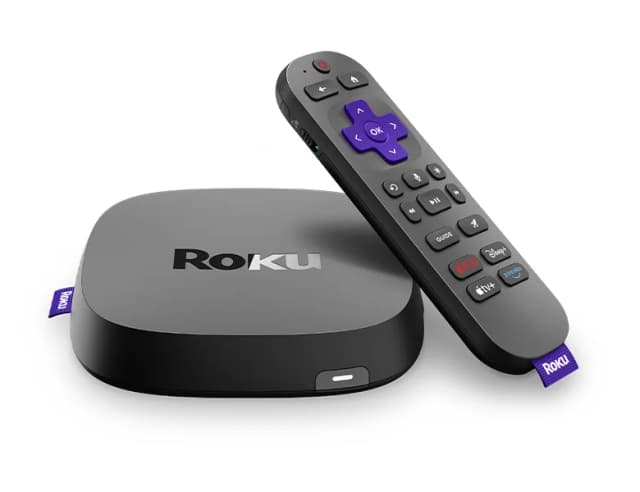
- Premium PickRoku Ultra 4850RWhy we picked it →
Frequently asked questions
Is the Roku Streaming Stick Plus worth it?
It is a good fit if you want simple 4K HDR10/10+ streaming, USB power and a remote that controls TV power and volume. It averages 8/10 across 2 expert reviews. It is less compelling if you want Dolby Vision or have weak Wi-Fi near your TV.
Does the Roku Streaming Stick Plus support Dolby Vision?
No. It supports HDR10/10+ and HLG, but not Dolby Vision. This is a listed drawback in expert reviews.
Does the Roku Streaming Stick Plus support Dolby Atmos?
Some reviewers note there is no Dolby Atmos support. The spec sheet lists digital stereo over HDMI, plus DTS Digital Surround and Dolby-encoded audio pass-through.
Does the Roku Streaming Stick Plus need a wall outlet?
Not necessarily. It powers over USB-C and ships with a USB-C to USB-A cable, so you can run it from your TV's USB port.
Does the Roku Streaming Stick Plus work with Apple AirPlay and Alexa?
Yes. It works with Roku Smart Home, Apple AirPlay and HomeKit, Google Home and Alexa.
What Wi-Fi does the Roku Streaming Stick Plus use?
It has dual-band Wi-Fi (2.4 GHz / 5 GHz) using Wi-Fi 5 (802.11ac). Reviewers say its range is weaker than the Streaming Stick 4K, so a weak signal near the TV can be a problem.
Sources
Specs are taken from the manufacturers' official pages; expert recommendations from the publications below.
- Roku Streaming Stick Plus: roku.com, techradar.com, pcworld.com, cnn.com
Related reviews & guides
Best Streaming Devices 2026: Budget Sticks to Smart Hubs
Five streaming devices compared on picture formats, Wi-Fi, Ethernet, storage and remotes, from a smart home hub to compact budget sticks.
Published Oct 14, 2026
Roku Ultra 4850R Review (2026): Fast, but Showing Its Age
Our Roku Ultra 4850R review looks at Roku's top streaming player: speed, HDR support, the Voice Remote Pro, connectivity and the ads and dated interface experts criticise.
Published Nov 6, 2026
Amazon Fire TV Stick 4K Max (2nd Gen) Review: Who Needs It?
A close look at the Fire TV Stick 4K Max (2nd Gen): quick performance, broad HDR and Atmos support, and the Amazon-heavy interface reviewers criticise.
Published Oct 28, 2026