Best Wi-Fi Range Extenders for 2026 to Kill Dead Zones
Five Wi-Fi range extenders compared on standard, speed, Ethernet port, mesh support and coverage, from a budget Wi-Fi 5 plug-in to a Wi-Fi 7 premium pick.
23 products compared · Research-based · Affiliate links
We earn a commission from qualifying purchases made through our links, at no extra cost to you. It never decides our picks. How we make money
Which one should you buy?
Our picks by what matters to you · details below ↓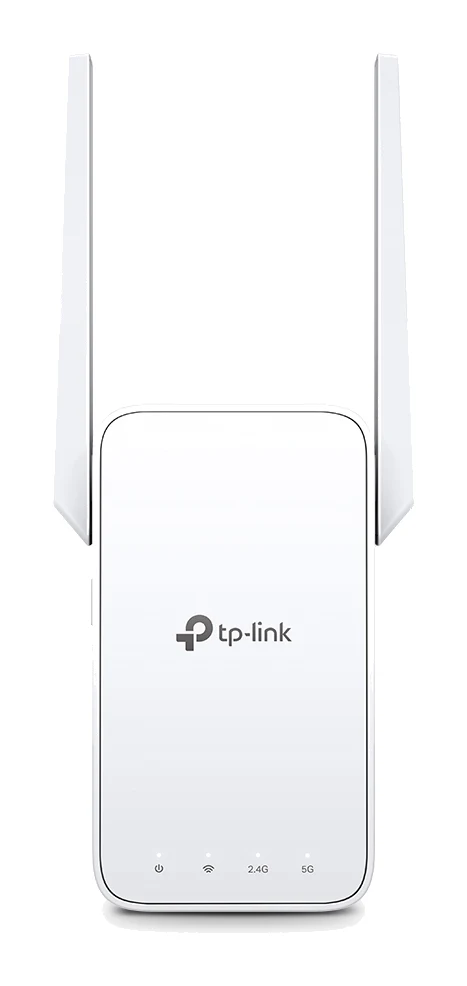
Best for: Budget-conscious users wanting essential mesh coverage
Check price on Amazon- Best ValueTP-Link RE715XBest for: Users seeking modern Wi-Fi 6 at reasonable priceCheck price
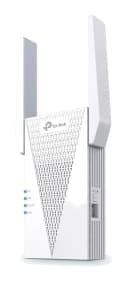
- Best BudgetAsus RP-AX58Best for: Budget buyers needing maximum coverage areaCheck price
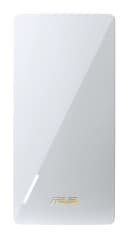
- Premium PickNetgear Nighthawk EXS27 BE5000 WiFi 7 Dual-Band ExtenderBest for: Premium users prioritizing cutting-edge Wi-Fi 7 speedsCheck price
- Also GreatTP-Link RE705X AX3000 Mesh WiFi 6 ExtenderBest for: Budget shoppers wanting Wi-Fi 6 mesh compatibilityCheck price
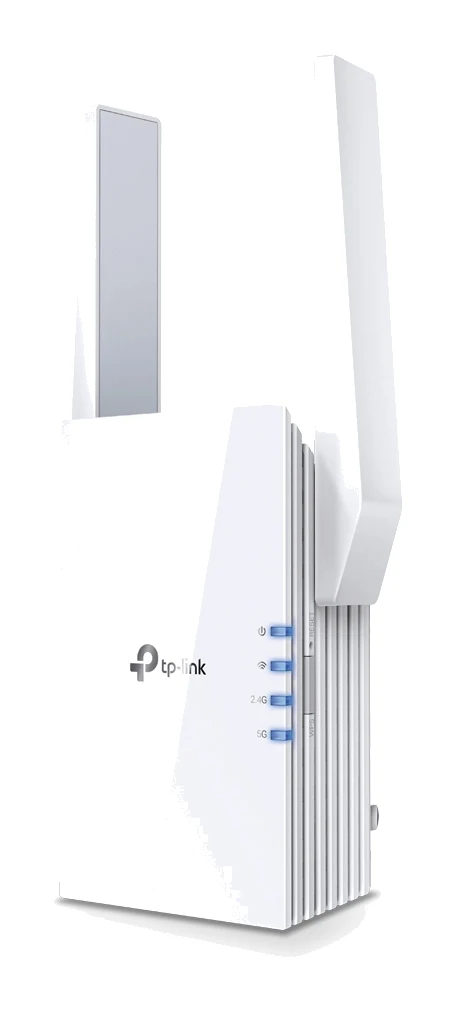
The best Wi-Fi range extenders can turn a frustrating dead zone into usable coverage without rewiring your home or replacing your router. We narrowed the field to five picks, spanning Wi-Fi 5, Wi-Fi 6 and Wi-Fi 7. Whether you need to reach a back bedroom, a garage or an upstairs office, one of these should fit.
This guide is research-based: it draws on product specifications and expert recommendations rather than our own product testing. Specs below are taken from the product specifications provided, and recommendation counts reflect expert recommendations.
Best Wi-Fi Range Extenders at a Glance
| Rank | Pick | Product | Wi-Fi standard | Headline speed | Ethernet port | Stated coverage | Price tier | Buy |
|---|---|---|---|---|---|---|---|---|
| 1 | Best Overall | TP-Link RE315 | Wi-Fi 5 (AC1200) | 1200 Mbps total | 1 x 10/100 Mbps | 1500 square feet | Budget | Check price |
| 2 | Best Value | TP-Link RE715X | Wi-Fi 6 (AX3000) | 2976 Mbps max | 1 Gigabit | Not stated | Mid-range | Check price |
| 3 | Best Budget | Asus RP-AX58 | Wi-Fi 6 | 3,000 Mbps max | 1x Gigabit LAN | 2,200 square feet | Budget | Check price |
| 4 | Premium Pick | Netgear Nighthawk EXS27 | Wi-Fi 7 (BE5000) | 5 Gbps | 1x 2.5 GbE | 1,500 sq. ft. | Premium | Check price |
| 5 | Also Great | TP-Link RE705X | Wi-Fi 6 (AX3000) | 3.0 Gbps | 1 Gigabit | Not stated | Budget | Check price |
Speeds are listed maximums, combining the 2.4 GHz and 5 GHz bands where applicable. Treat them as ceilings rather than what you will see on any single device.
TP-Link RE315: Best Overall
TP-Link RE315 AC1200 Mesh Wi-Fi Range Extender
Best for: Budget-conscious users wanting essential mesh coverage
The RE315 took Best Overall on a top score driven by budget pricing, full feature marks and 7 expert recommendations. It covers the essentials: dual-band AC1200, EasyMesh and access point mode.
Read our full TP-Link RE315 AC1200 Mesh Wi-Fi Range Extender review →- Ports
- <cite index="1-5">1 x 10/100Mbps Ethernet Port (RJ45)</cite>
- Bands
- <cite index="1-3">2.4 GHz and 5 GHz dual-band</cite>
- Speed
- <cite index="1-4">300 Mbps 2.4 GHz and 867 Mbps 5 GHz</cite>
- Antennas
- <cite index="1-7">2 External Antennas</cite>
- Setup method
- <cite index="16-1,11-4">WPS button or Tether app</cite>
- Coverage area
- <cite index="11-6">up to 1500 Square feet</cite>
Reasons to buy
- Dual-band AC1200 with 867 Mbps on 5 GHz
- EasyMesh compatible for whole-home mesh coverage
- Covers up to 1500 sq ft, supports 25 devices
- Access point mode and one-touch WPS setup
Reasons to avoid
- Wi-Fi 5 rather than newer Wi-Fi 6
- Ethernet port limited to 10/100 Mbps
- Networks Hardware
- 9.2
- TechGearLab
- 8.8
- BestChoice
- 8.5
- PlayDJ
- 9.6
The RE315 earns Best Overall by covering the essentials at a budget price tier, and it has 7 expert recommendations. It is a dual-band Wi-Fi 5 extender with 867 Mbps on 5 GHz and 300 Mbps on 2.4 GHz, for 1200 Mbps total. TP-Link says it covers up to 1500 square feet and supports 25 devices, which suits a typical apartment or small home.
Keep reading about TP-Link RE315 AC1200 Mesh Wi-Fi Range Extender
The feature set is practical. It is EasyMesh compatible, so with a compatible router it can join a whole-home mesh rather than creating a separate network. Adaptive path selection connects it to the fastest router connection. One-touch WPS makes setup simple, and an access point mode lets you use a wired connection to broadcast Wi-Fi in a room that has an Ethernet line.
The main trade-off is age. This is Wi-Fi 5 rather than Wi-Fi 6, and the single Ethernet port is limited to 10/100 Mbps. If you plan to plug in a fast wired device, look further up this list. For most households that just want a dead zone fixed, it is the sensible default.
TP-Link RE715X: Best Value
Best for: Users seeking modern Wi-Fi 6 at reasonable price
The RE715X earned Best Value by pairing Wi-Fi 6 AX3000 performance with the most expert recommendations in the group (9). It offers a modern feature set at a mid-range price tier.
Read our full TP-Link RE715X review →- Ports
- 1 x Gigabit Ethernet Port
- Bands
- Dual-Band (2.4 GHz / 5 GHz)
- Speed
- AX3000 (2976 Mbps total)
- Antennas
- 2 External Antennas
- Setup method
- WPS Button, TP-Link Tether App
- Coverage area
- 2,800 square feet
Reasons to buy
- Wi-Fi 6 AX3000 with 2402 Mbps on 5 GHz
- 160 MHz channel support and 2x2 MU-MIMO
- Gigabit Ethernet port for wired devices
- WPA3 security and EasyMesh compatibility
Reasons to avoid
- Higher 15.2 W power draw than other TP-Link picks
- Mid-range price tier, above the budget options
- Dong Knows Tech
- 7.6
- Frontum
- 8.7
- BroadbandNow
- 10.0
The RE715X is Best Value because it brings Wi-Fi 6 AX3000 performance to a mid-range price tier and has the most expert recommendations in this group, with 9 expert guides recommending it. It reaches a maximum of 2976 Mbps, made up of 2402 Mbps on 5 GHz and 574 Mbps on 2.4 GHz.
Keep reading about TP-Link RE715X
It supports 160 MHz channel bandwidth and uses 2x2 MU-MIMO to help eliminate dead zones. A Gigabit Ethernet port handles wired devices such as a console or smart TV. It works with any Wi-Fi router, or it can form a mesh with EasyMesh-compatible routers. Security covers WEP, WPA, WPA2 and WPA3. Setup is via the WPS button, the Tether app or a web interface.
The trade-offs are cost and power. It sits in a higher price tier than the budget picks, and its 15.2 W power draw is higher than the other TP-Link extenders here. If your router is Wi-Fi 6 and you want a well-regarded extender to match it, this is a strong all-rounder.
Asus RP-AX58: Best Budget
Best for: Budget buyers needing maximum coverage area
The RP-AX58 is Best Budget for delivering Wi-Fi 6 with 160 MHz channels and the largest stated coverage of the group at a budget tier. AiMesh support and several operating modes add flexibility.
Read our full Asus RP-AX58 review →- Ports
- 1x Gigabit Ethernet
- Bands
- Dual-band (2.4GHz / 5GHz)
- Speed
- AX3000 (574 + 2402 Mbps)
- Antennas
- 2x Internal
- Setup method
- Mobile app or web UI
- Coverage area
- 2200 square feet
Reasons to buy
- Wi-Fi 6 with 160 MHz bandwidth and 2x2 MIMO
- Extends coverage up to 2,200 square feet
- AiMesh compatible, works with nearly any router
- Multiple modes including media bridge and access point
Reasons to avoid
- Larger body than some competing plug-in extenders
- Uses internal antennas only
- Tom's Guide
- 8.0
- TechRadar
- 7.0
- Dong Knows Tech
- 8.4
The RP-AX58 earns Best Budget by delivering Wi-Fi 6 with 160 MHz channels at a budget price tier. It also has the largest stated coverage in the group, up to 2,200 square feet. Its maximum data rate is 3,000 Mbps, split between 574 Mbps on 2.4 GHz and 2,402 Mbps on 5 GHz, and it uses 2x2 MIMO.
Keep reading about Asus RP-AX58
Flexibility is its strength. It works with nearly any WiFi router and is compatible with AiMesh, so you can add it as a node if you already run an Asus network. Operating modes include range extender, access point, media bridge and AiMesh node. A Gigabit LAN port is on board, along with WPA3 security and AiProtection Pro. Six expert guides recommend it.
The compromises are physical. The body is larger than some competing plug-in extenders, and it uses internal antennas only, so there is nothing to angle or adjust. It suits larger homes and anyone who wants the media bridge mode for a wired device.
Netgear Nighthawk EXS27: Premium Pick
Netgear Nighthawk EXS27 BE5000 WiFi 7 Dual-Band Extender
Best for: Premium users prioritizing cutting-edge Wi-Fi 7 speeds
The Nighthawk EXS27 is the Premium Pick thanks to Wi-Fi 7, a 2.5 GbE port and the highest device capacity listed. It suits buyers who want top-end speed and are fine with premium pricing.
Read our full Netgear Nighthawk EXS27 BE5000 WiFi 7 Dual-Band Extender review →- Ports
- 1x 2.5 GbE Multi-Gigabit Ethernet port
- Bands
- Dual-band (2.4 GHz and 5 GHz)
- Speed
- up to 5 Gbps
- Antennas
- 3 internal antennas
- Setup method
- Nighthawk App or WPS
- Coverage Area
- Up to 1,500 sq. ft.
Reasons to buy
- Wi-Fi 7 BE5000 with up to 5 Gbps speeds
- 2.5 GbE multi-gigabit Ethernet port
- Supports up to 45 devices with Smart Roaming
- Works with any router brand or ISP gateway
Reasons to avoid
- Premium price tier
- Coverage stated at up to 1,500 sq ft only
Our score. Fewer than two published expert reviews score this model yet, so the number is our ranking formula (expert recommendations, features, value, retailers), relative to the other picks in this guide. It switches to the expert average once two reviews are published.
The Nighthawk EXS27 is the Premium Pick because it is the only Wi-Fi 7 model here. It is rated BE5000 with speeds up to 5 Gbps, made up of 4320 Mbps on 5 GHz and 689 Mbps on 2.4 GHz. Its 2.5 GbE Multi-Gigabit Ethernet port is the fastest wired connection of the five, which matters if you want to connect a PC, NAS or gaming console at full speed. Seven expert guides recommend it.
Keep reading about Netgear Nighthawk EXS27 BE5000 WiFi 7 Dual-Band Extender
Smart Roaming lets devices move between your router and the extender under one WiFi name. Netgear lists support for up to 45 devices, the highest capacity in this guide. It works with any router brand or ISP gateway, and setup uses the WPS button or the Nighthawk app.
The trade-offs are the premium price tier and a stated coverage of up to 1,500 sq. ft., which is smaller than the Asus. Wi-Fi 7 only pays off if your router and devices also support it, so this is best for people building a modern network or planning ahead.
TP-Link RE705X: Also Great
TP-Link RE705X AX3000 Mesh WiFi 6 Extender
Best for: Budget shoppers wanting Wi-Fi 6 mesh compatibility
The RE705X is an Also Great choice, offering Wi-Fi 6 AX3000 speeds, EasyMesh and a Gigabit port at a budget tier. It is a solid alternative to the other TP-Link Wi-Fi 6 extender.
- Ports
- 1 Gigabit Ethernet Port
- Bands
- Dual Band (2.4GHz and 5GHz)
- Speed
- Up to 3.0 Gbps (2402 Mbps 5GHz + 574 Mbps 2.4GHz)
- Antennas
- 2 External Antennas
- Setup method
- WPS button or Tether app
- Coverage area
- —
Reasons to buy
- Wi-Fi 6 AX3000 with 2402 Mbps on 5 GHz
- 2x2 160 MHz channel width for wider bandwidth
- EasyMesh compatible with access point mode
- Gigabit Ethernet port and Tether app setup
Reasons to avoid
- Fewer expert recommendations than the other picks
- Specs overlap closely with the pricier RE715X
Our score. Fewer than two published expert reviews score this model yet, so the number is our ranking formula (expert recommendations, features, value, retailers), relative to the other picks in this guide. It switches to the expert average once two reviews are published.
The RE705X is an Also Great choice, offering dual-band Wi-Fi 6 at a budget price tier. It reaches up to 3.0 Gbps, with 2402 Mbps on 5 GHz and 574 Mbps on 2.4 GHz, and uses 2×2 160MHz channels for wider bandwidth than traditional 80MHz. It is EasyMesh-compatible, has a Gigabit Ethernet port and includes an Access Point Mode that turns a wired connection into a dual-band wireless network. Security covers WEP, WPA, WPA2 and WPA3, and setup is through the WPS button or the Tether app.
Keep reading about TP-Link RE705X AX3000 Mesh WiFi 6 Extender
Its weakness is positioning. It has fewer expert recommendations than the other picks, with 5 expert guides, and its specs overlap closely with the pricier RE715X. That is not a flaw in itself, and it means a buyer who wants TP-Link Wi-Fi 6 can choose between the two on price and availability. Its power consumption is 12.6 W.
Compare our picks side by side
The specs most of our picks share, from each maker’s spec page (— = not published). Expert score = the average of published expert reviews, which rate each product for its price. Scroll sideways on small screens.
| Spec | TP-Link RE315 AC1200 Mesh Wi-Fi Range Extender | TP-Link RE715X | Asus RP-AX58 | Netgear Nighthawk EXS27 BE5000 WiFi 7 Dual-Band Extender | TP-Link RE705X AX3000 Mesh WiFi 6 Extender |
|---|---|---|---|---|---|
| Best for | Best Overall | Best Value | Best Budget | Premium Pick | Also Great |
| Expert score | 9.0 | 8.8 | 7.8 | 6.3 | 5.1 |
| Price vs. these picks | Lower | Middle | Lower | Higher | Lower |
| Ports | <cite index="1-5">1 x 10/100Mbps Ethernet Port (RJ45)</cite> | 1 x Gigabit Ethernet Port | 1x Gigabit Ethernet | 1x 2.5 GbE Multi-Gigabit Ethernet port | 1 Gigabit Ethernet Port |
| Bands | <cite index="1-3">2.4 GHz and 5 GHz dual-band</cite> | Dual-Band (2.4 GHz / 5 GHz) | Dual-band (2.4GHz / 5GHz) | Dual-band (2.4 GHz and 5 GHz) | Dual Band (2.4GHz and 5GHz) |
| Speed | <cite index="1-4">300 Mbps 2.4 GHz and 867 Mbps 5 GHz</cite> | AX3000 (2976 Mbps total) | AX3000 (574 + 2402 Mbps) | up to 5 Gbps | Up to 3.0 Gbps (2402 Mbps 5GHz + 574 Mbps 2.4GHz) |
| Antennas | <cite index="1-7">2 External Antennas</cite> | 2 External Antennas | 2x Internal | 3 internal antennas | 2 External Antennas |
| Setup method | <cite index="16-1,11-4">WPS button or Tether app</cite> | WPS Button, TP-Link Tether App | Mobile app or web UI | Nighthawk App or WPS | WPS button or Tether app |
| Coverage area | <cite index="11-6">up to 1500 Square feet</cite> | 2,800 square feet | 2200 square feet | Up to 1,500 sq. ft. | — |
| Wi-Fi Standard | IEEE 802.11ac/n/g/b/a (Wi-Fi 5) | Wi-Fi 6 (802.11ax) | Wi-Fi 6 (802.11ax) | Wi-Fi 7 (802.11be) | WiFi 6 (802.11ax) |
| Ethernet Ports | 1 x 10/100 Mbps (RJ45) | 1 Gigabit Ethernet Port | 1x Gigabit LAN (RJ-45) | — | 1 Gigabit |
| Where to buy | Check price | Check price | Check price | Check price | Check price |
How to Choose the Best Wi-Fi Range Extenders
Match the Wi-Fi standard to your router
An extender cannot make your router faster. It relays what the router provides. If your router is Wi-Fi 5, the Wi-Fi 5 RE315 is a sensible match. If your router is Wi-Fi 6, one of the Wi-Fi 6 models avoids a bottleneck. Wi-Fi 7 only makes sense if your router supports it too.
Check mesh support
EasyMesh (TP-Link) and AiMesh (Asus) let an extender join a compatible router's network and work as part of a mesh. That can give one network name and smoother roaming. If your router already supports one of these systems, choose the extender that matches. Netgear instead offers Smart Roaming, which presents one WiFi name.
Consider the Ethernet port
A wired port is useful for a TV, console or PC near the extender. The RE315 has a 10/100 Mbps port, three others (the RE715X, RP-AX58 and RE705X) have Gigabit ports, and the Nighthawk EXS27 has a 2.5 GbE port. Pick based on the fastest wired device you plan to connect.
Think about coverage and device count
Stated coverage runs from 1,500 sq. ft. on the Netgear to 2,200 square feet on the Asus. Real-world results depend on walls, floors and interference. Device capacity is stated for only two models: 25 devices for the RE315 and up to 45 devices for the EXS27.
Placement matters most
Place the extender where it can still get a strong signal from your router, roughly between the router and the dead zone, not inside the dead zone.
If you are also adding streaming boxes to a newly covered room, our guide to the best streaming devices can help you pick one.
How We Picked
We compared the picks using the product specifications and expert recommendations. Each product's Wi-Fi standard, band speeds, Ethernet port, mesh support, operating modes, stated coverage and security features came from the product specifications provided. We also counted how many expert guides recommend each model, with the RE715X leading at 9. Price tier was a factor in the labels, but we do not list prices because they change; use the live check price buttons for current offers.
This is a research-based roundup. We have not measured real-world speeds or range, and your results will vary with your home's layout and your router.
Bottom Line
For most people the TP-Link RE315 is the best all-round starting point: affordable, EasyMesh compatible and well recommended. If your router is Wi-Fi 6, the TP-Link RE715X gives the strongest balance of modern features and expert backing, while the Asus RP-AX58 is the budget Wi-Fi 6 choice with the largest stated coverage. Choose the Netgear Nighthawk EXS27 if you want Wi-Fi 7 and a 2.5 GbE port, and consider the TP-Link RE705X as a budget Wi-Fi 6 alternative. Whichever you buy, place it halfway between your router and the weak spot for the best results.
Ready to buy?
 Best OverallTP-Link RE315 AC1200 Mesh Wi-Fi Range ExtenderCheck price
- Best ValueTP-Link RE715XCheck price
- Best BudgetAsus RP-AX58Check price
- Premium PickNetgear Nighthawk EXS27 BE5000 WiFi 7 Dual-Band ExtenderCheck price
- Also GreatTP-Link RE705X AX3000 Mesh WiFi 6 ExtenderCheck price
Related buying guides
Frequently asked questions
What is the best Wi-Fi range extender overall?
The TP-Link RE315 is our Best Overall pick. It is a dual-band Wi-Fi 5 extender with EasyMesh support, access point mode and 7 expert recommendations at a budget price tier.
Which range extender is best for a Wi-Fi 6 router?
The TP-Link RE715X, the Asus RP-AX58 and the TP-Link RE705X are all Wi-Fi 6 models with 160 MHz channel support and Gigabit Ethernet ports. The RE715X has the most expert recommendations of the group, while the RP-AX58 states the largest coverage.
Is a Wi-Fi 7 range extender worth it?
The Netgear Nighthawk EXS27 offers Wi-Fi 7 with up to 5 Gbps and a 2.5 GbE port. It makes the most sense if your router and devices also support Wi-Fi 7 and you want a fast wired connection. Otherwise a Wi-Fi 6 model may be enough.
Do I need a router from the same brand as my extender?
Not necessarily. The TP-Link RE715X works with any Wi-Fi router, the Asus RP-AX58 works with nearly any WiFi router, and the Netgear EXS27 works with any router brand or ISP gateway. Same-ecosystem pairing only matters for mesh features such as EasyMesh or AiMesh.
What is the difference between range extender mode and access point mode?
Range extender mode repeats your router's wireless signal. Access point mode takes a wired Ethernet connection and broadcasts it as Wi-Fi. The TP-Link RE315, RE715X and RE705X and the Asus RP-AX58 list access point mode among their options.
Where should I place a Wi-Fi range extender?
Put it between your router and the dead zone, in a spot where it still receives a strong signal. Placing it inside the dead zone usually gives poor results because it has nothing good to relay.
Sources
Specs are taken from the manufacturers' official pages; expert recommendations from the publications below.
- TP-Link RE315 AC1200 Mesh Wi-Fi Range Extender: tp-link.com, bhphotovideo.com, manua.ls, manuals.ca
- TP-Link RE715X: tp-link.com, broadbandnow.com, bhphotovideo.com, dongknows.com
- Asus RP-AX58: asus.com, eshop.asus.com, dongknows.com, bhphotovideo.com
- Netgear Nighthawk EXS27 BE5000 WiFi 7 Dual-Band Extender: netgear.com, shi.com, colamco.com, bhphotovideo.com
- TP-Link RE705X AX3000 Mesh WiFi 6 Extender: tp-link.com, tomsguide.com, dell.com
More buying guides
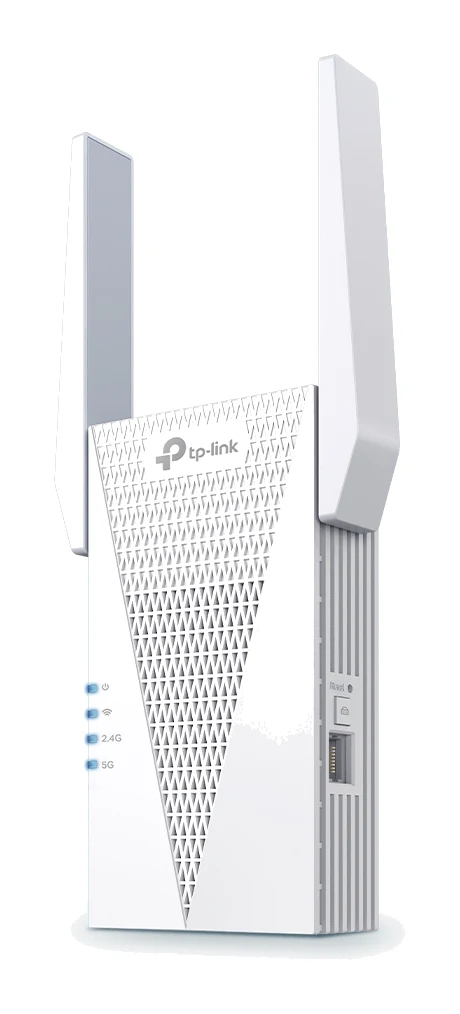
TP-Link RE715X Review (2026): Fast Extender, Bulky Body
A Wi-Fi 6 range extender with 160 MHz support, a wired port and access point mode. This TP-Link RE715X review covers what it does well and where it falls short.
Published Oct 28, 2026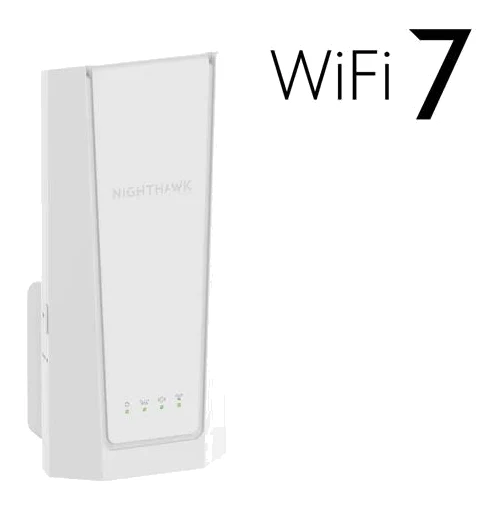
Netgear Nighthawk EXS27 Review (2026): WiFi 7 Plug-In Range
A WiFi 7 wall-plug extender with Smart Roaming and a 2.5 GbE port. Here is who the Netgear Nighthawk EXS27 suits, what reviewers praise and where it falls short.
Published Oct 30, 2026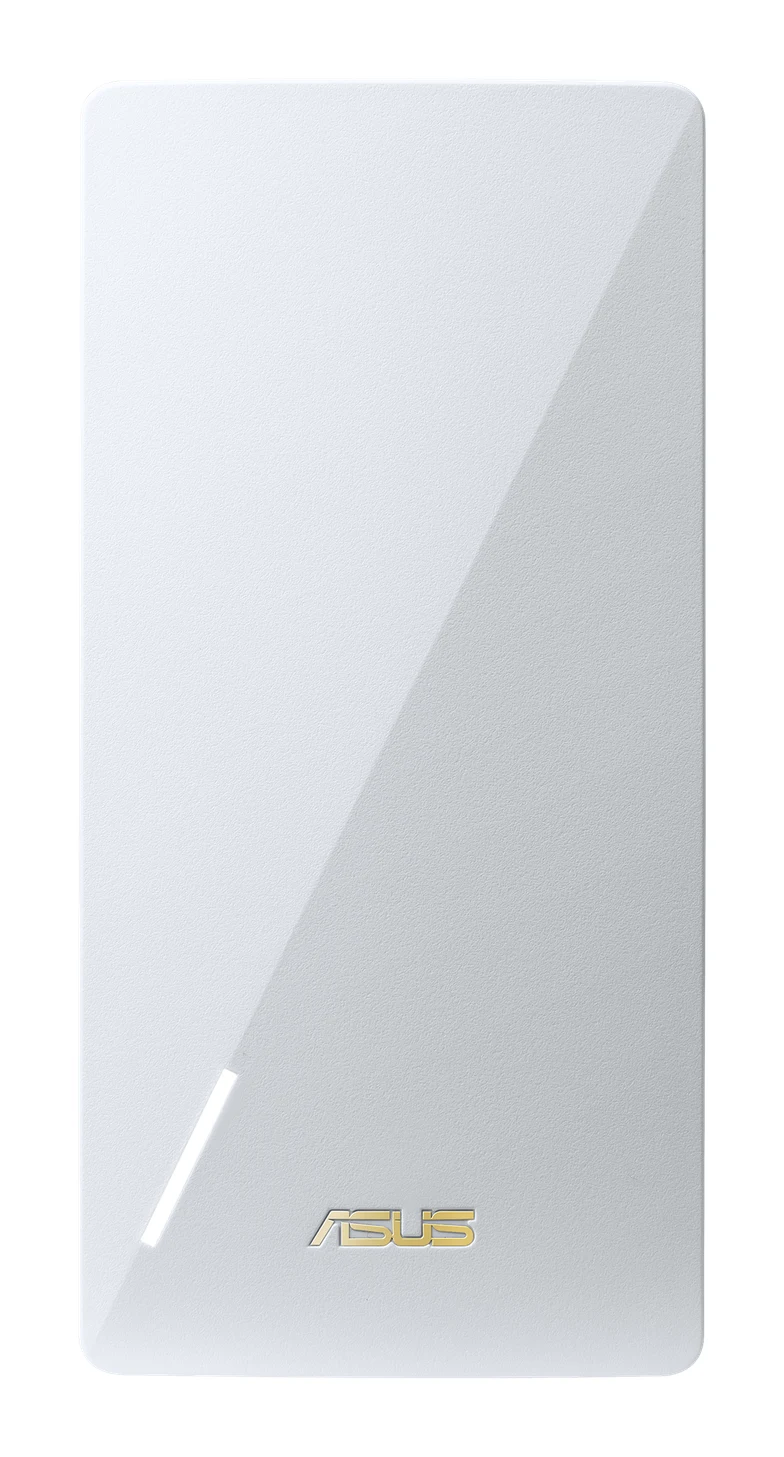
Asus RP-AX58 Review (2026): AiMesh Node for ASUS Owners
The Asus RP-AX58 is a mid-range WiFi 6 extender that can also join an ASUS AiMesh network. Here is what it does well, where it is limited and who should buy it.
Published Oct 29, 2026