Corsair EX400U 2TB Review (2026): USB4 Speed, Magnetic Ring
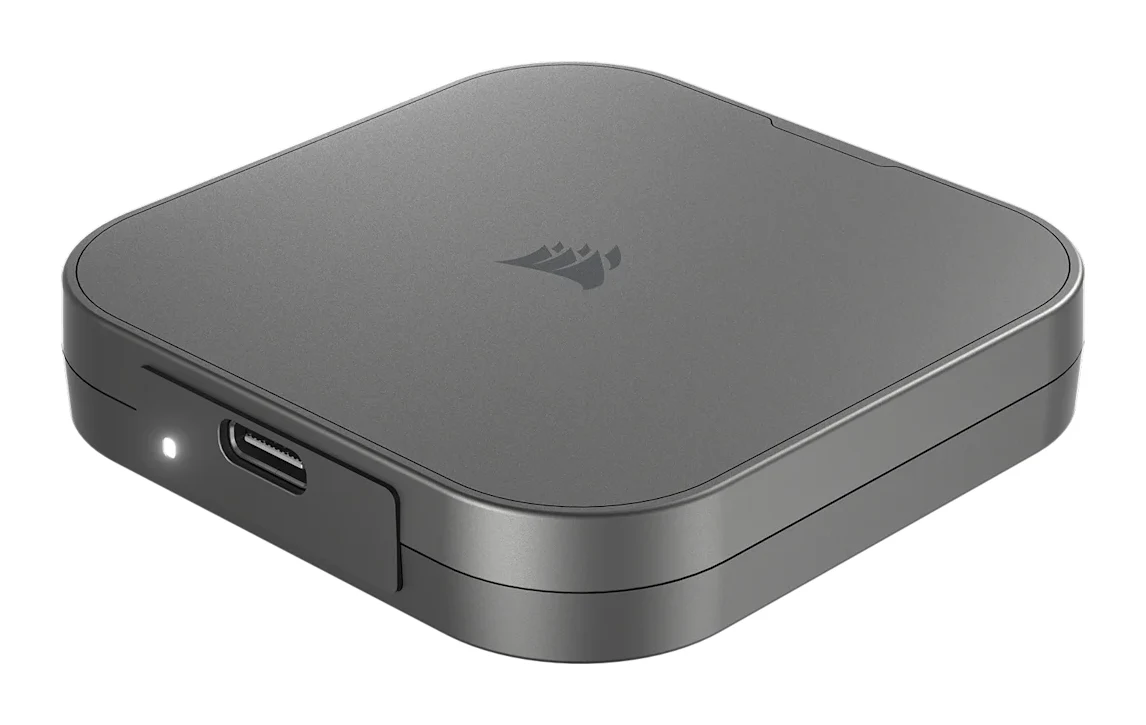
A pocket-sized USB4 SSD with a built-in magnetic ring. Here is what the Corsair EX400U 2TB offers, where experts say it struggles, and who it suits.
Research-based · We earn from qualifying purchases
Our verdict
The EX400U is a very fast, pocketable USB4 drive with a handy magnetic ring, and reviewers see it as good value next to pricier Thunderbolt 5 options. Skip it if your devices lack USB4 or Thunderbolt ports, or if you regularly move huge files and need sustained write speeds and cool operation.
The good
- USB4 40Gbps with up to 4,000MB/s reads, well ahead of 20Gbps drives
- Pocket-sized at about 64mm square and only 92g
- Built-in magnetic ring attaches to iPhone 15 and later or metal surfaces
- Plug-and-play on PC, Mac, iPhone and iPad with no drivers
- Three-year warranty and a USB4 cable included
+2 more
- Plug-and-play on PC, Mac, iPhone and iPad with no drivers
- Three-year warranty and a USB4 cable included
The bad
- Runs very hot under heavy sustained load
- Needs a USB4 or Thunderbolt port to reach full speed
- Write speed drops once the cache fills on long transfers
- Plastic sides and bottom, no hardware encryption and a low TBW rating
+1 more
- Plastic sides and bottom, no hardware encryption and a low TBW rating
If you want external storage that keeps up with modern laptops and phones, this Corsair EX400U 2TB (CSSD-EX400U2TB) review covers the essentials. It is a pocket-sized portable SSD that uses a USB4 connection and has a built-in magnetic ring. It is aimed at creators and iPhone users who want fast storage that is easy to carry. This review is based on Corsair's manufacturer specs and on what independent expert reviews report, not on hands-on testing by us.
Corsair EX400U 2TB (CSSD-EX400U2TB): specs at a glance
From the manufacturer- MTBF
- 1,400,000hrs
- Weight
- 92g
- Warranty
- 3 Years
- Interface
- USB4 Type-C (40Gbps)
- Materials
- Plastic (side and bottom) / Aluminum (Top)
- Controller
- Phison PS2251-21
- Dimensions
- 64.3mm x 64mm x 12mm
- Idle power
- < 12.5mW
- Sequential read
- up to 4,000MB/s
- Sequential write
- up to 3,600MB/s
- Shock resistance
- 1500G
- Thunderbolt support
- Thunderbolt 4 and higher
- Operating temperature
- 0°C to 70°C
- Backward compatibility
- USB 3.2 Gen2 2x2 (20Gbps), backward compatible to USB 3.0 and 2.0
- Capacity (this listing)
- 2TB (also sold in 1TB and 4TB)
- Power active read/write
- 4.5W / 4.0W
Key features
- USB4 40Gbps connection for up to 4,000MB/sec sequential reads
- Up to 3,600MB/sec sequential writes
- Built-in MagSafe magnetic ring attaches to iPhone 15 and later or metal surfaces
- Pocket-sized, about 64mm square
- Single-cable plug-and-play power and data, no drivers needed
- Works with USB-C, Thunderbolt 4 and later, Windows, Mac and iOS/iPadOS
- 30cm USB4 USB-C to USB-C cable included
- CORSAIR SSD Toolbox software and a three-year warranty
Why people are looking at the Corsair EX400U
The EX400U uses USB4 at 40Gbps, which Corsair rates for up to 4,000MB/sec sequential reads and up to 3,600MB/sec sequential writes. Those are the headline numbers. The USB4 connection is well ahead of 20Gbps drives for read speed.
The second draw is the magnetic ring. It attaches to iPhone 15 and later, or to metal surfaces. That gives iPhone 15 and later users a way to keep the drive on the phone, and it also works on metal surfaces. The drive sits in the mid-range part of the market, and reviewers see it as good value next to pricier Thunderbolt 5 options.
The drive is also sold in 1TB and 4TB versions. This article covers the 2TB model.
Design and build
The EX400U is compact. It measures 64.3mm x 64mm x 12mm and weighs 92g, and reviewers praise how pocketable it is.
The top is aluminum and the sides and bottom are plastic. Corsair rates shock resistance at 1500G and operating temperature at 0°C to 70°C. The plastic sides and bottom appear among the criticisms reviewers raise.
The drive ships with a 30cm USB4 USB-C to USB-C cable, so you don't need to buy a separate cable. Corsair backs it with a three-year warranty.
Features and what they mean day to day
The magnetic ring
The built-in MagSafe magnetic ring is the most distinctive feature. On an iPhone 15 or later, the drive can attach to the phone. It will also stick to metal surfaces. Corsair doesn't specify more than that, so we won't promise specific rigs, mounts or use cases beyond what the specs say.
Plug-and-play with no drivers
The EX400U uses a single cable for both power and data, and it needs no drivers. Corsair lists compatibility with USB-C, Thunderbolt 4 and later, Windows, Mac and iOS/iPadOS. Corsair describes it as plug-and-play, with no drivers needed. Reviewers praise this simplicity across PC, Mac, iPhone and iPad.
Software
Corsair provides its SSD Toolbox software.
Performance and connectivity
Speed
The controller is a Phison PS2251-21, and the interface is USB4 Type-C at 40Gbps. With a compatible port, Corsair's rated sequential speeds are up to 4,000MB/s read and up to 3,600MB/s write. For creators moving large video or photo libraries, those figures are the point of buying it.
The drive is also backward compatible. It supports USB 3.2 Gen2 2x2 (20Gbps), and it works with USB 3.0 and 2.0 too. That means it will still connect to older ports. A common criticism, though, is that you need a USB4 or Thunderbolt port to reach full speed. Check your laptop or desktop before you buy. If it only has a slower port, you pay for performance you can't use.
Sustained writes and heat
The main caveats from reviewers concern long transfers. A common criticism is that write speed drops once the cache fills during long transfers. The headline write figure may not hold once the cache fills on long transfers. If you regularly copy very large batches, expect write speed to drop.
Reviewers also say it runs very hot under heavy sustained load.
Endurance and security
Corsair lists an MTBF of 1,400,000hrs, which is a reliability figure rather than an endurance one. Reviewers note that the drive has a low TBW rating, meaning its rated total write endurance is on the low side. They also point out that it has no hardware encryption. If you need encrypted storage for sensitive client work, this is a limitation to weigh.
What experts like and what they criticise
The expert scores are strong. It averages 8.9/10 across 5 expert reviews. PC World gives it 4/5, TweakTown 98/100, KitGuru 8.5/10, Creative Bloq 9/10 and Digital Citizen 4.5/5.
Reviewers praise:
- the USB4 speed, which is well ahead of 20Gbps drives
- the pocketable size and light weight
- the magnetic ring, which works with iPhone 15 and later and with metal surfaces
- the plug-and-play behavior on PC, Mac, iPhone and iPad
- the included USB4 cable and the three-year warranty
A common criticism is:
- heat under heavy sustained load
- the need for a USB4 or Thunderbolt port to reach full speed
- slower writes on long transfers once the cache fills
- plastic sides and bottom, no hardware encryption and a low TBW rating
The criticisms are not minor for everyone. Heat and sustained writes matter a lot if you move huge files every day. For lighter, bursty use, they matter much less.
Who should buy the EX400U, and who should skip it
It suits you if:
- you use an iPhone 15 or later and want fast storage with a magnetic ring that attaches to the phone
- you have a laptop or desktop with a USB4 or Thunderbolt port
- you want a drive that works across Windows, Mac, iPhone and iPad without installing drivers
- you value a small, light drive you can carry anywhere
Skip it if:
- your devices lack USB4 or Thunderbolt ports, since you won't see the full speed
- you regularly move very large files and need steady write speeds and cool operation
- you need hardware encryption
- you want an all-metal build
How it fits in the portable SSD market
The EX400U is a USB4 drive first and foremost. Its 40Gbps connection is the reason to choose it, and its magnetic ring gives it an extra angle for iPhone users. The trade-off is that its best performance depends on the port you plug it into, and sustained heavy use is where its limits show. We have no related guide to link here, so we'd suggest comparing it against other USB4 and Thunderbolt drives on read speed, sustained write behavior and encryption support.
Verdict
The Corsair EX400U 2TB is a fast, compact USB4 drive with a useful magnetic ring, and its expert average of 8.9/10 reflects that. It is a strong fit for creators and iPhone users with the right ports. It is a weaker choice if your work involves long, heavy transfers or if you need encryption. Match it to your ports and workload and it should serve you well. If those caveats apply to you, consider another drive.
Related buying guides
- Best External SSDs of 2026: USB4, Rugged & Encrypted Picks
- Best microSD Cards for Cameras 2026: 4K Speed & Durability
- Samsung Portable SSD T9 Review (2026): Fast, Port-Picky
- Best NAS Devices for Home 2026: Backup, Media & Growth
- Best Printer for Home Office 2026: Low Ink Costs & Speed
- Lexar SILVER PLUS microSDXC Review (2026): Rugged, Fast
- Synology DiskStation DS925+ Review (2026): Quiet, No 10GbE
Not sure about the Corsair EX400U 2TB (CSSD-EX400U2TB)? Consider these
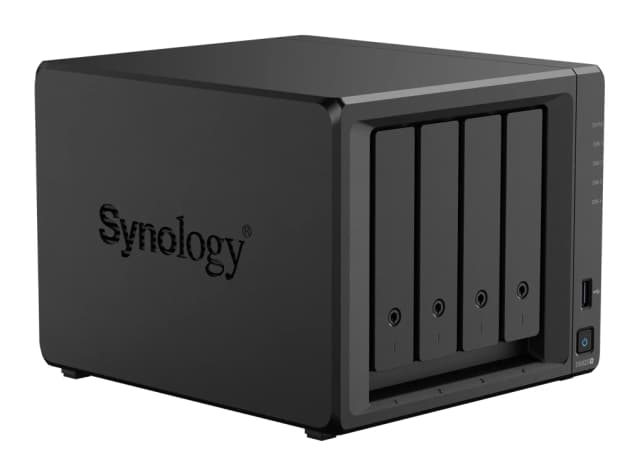
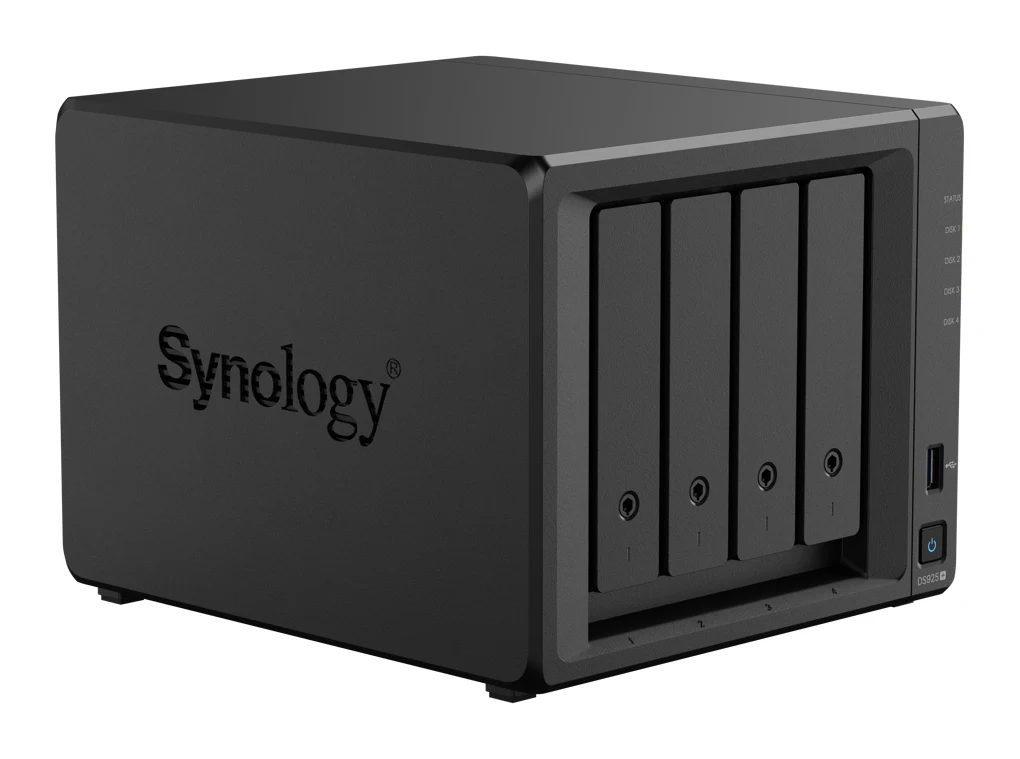
- Best OverallSynology DiskStation DS925+Why we picked it →
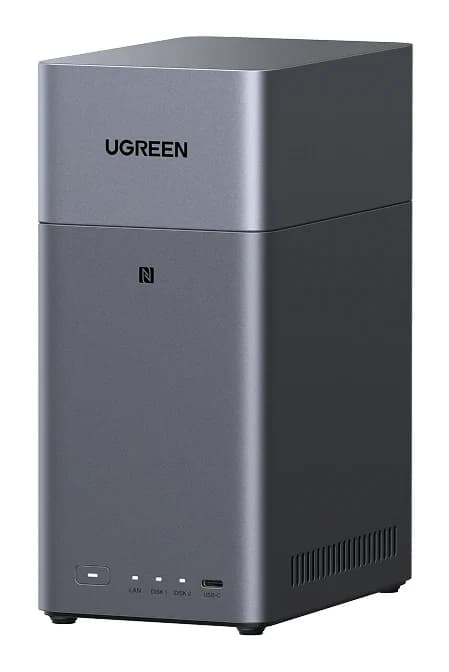
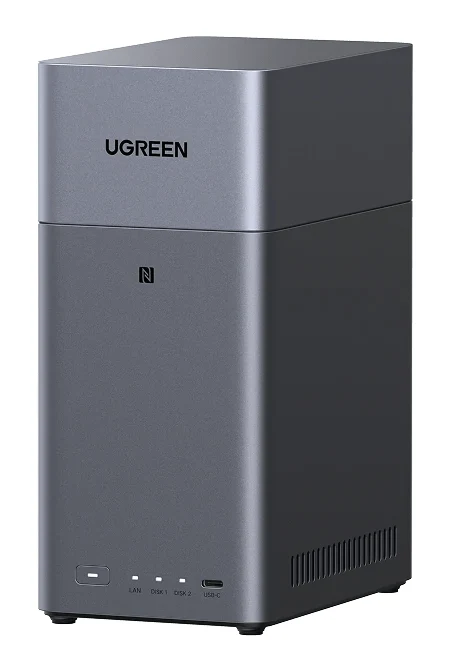
- Best ValueUGREEN NASync DH2300Why we picked it →
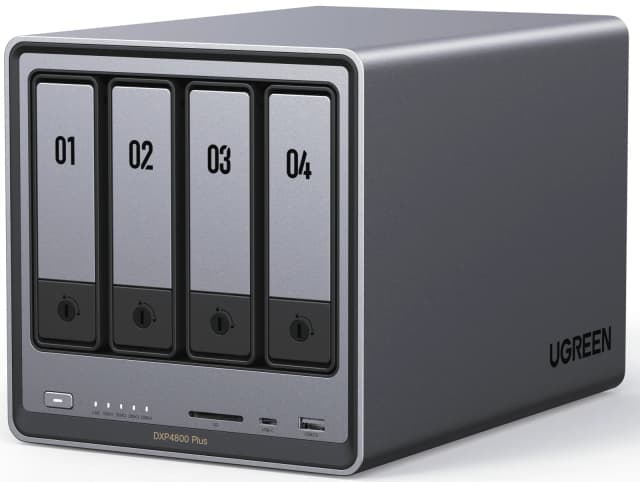
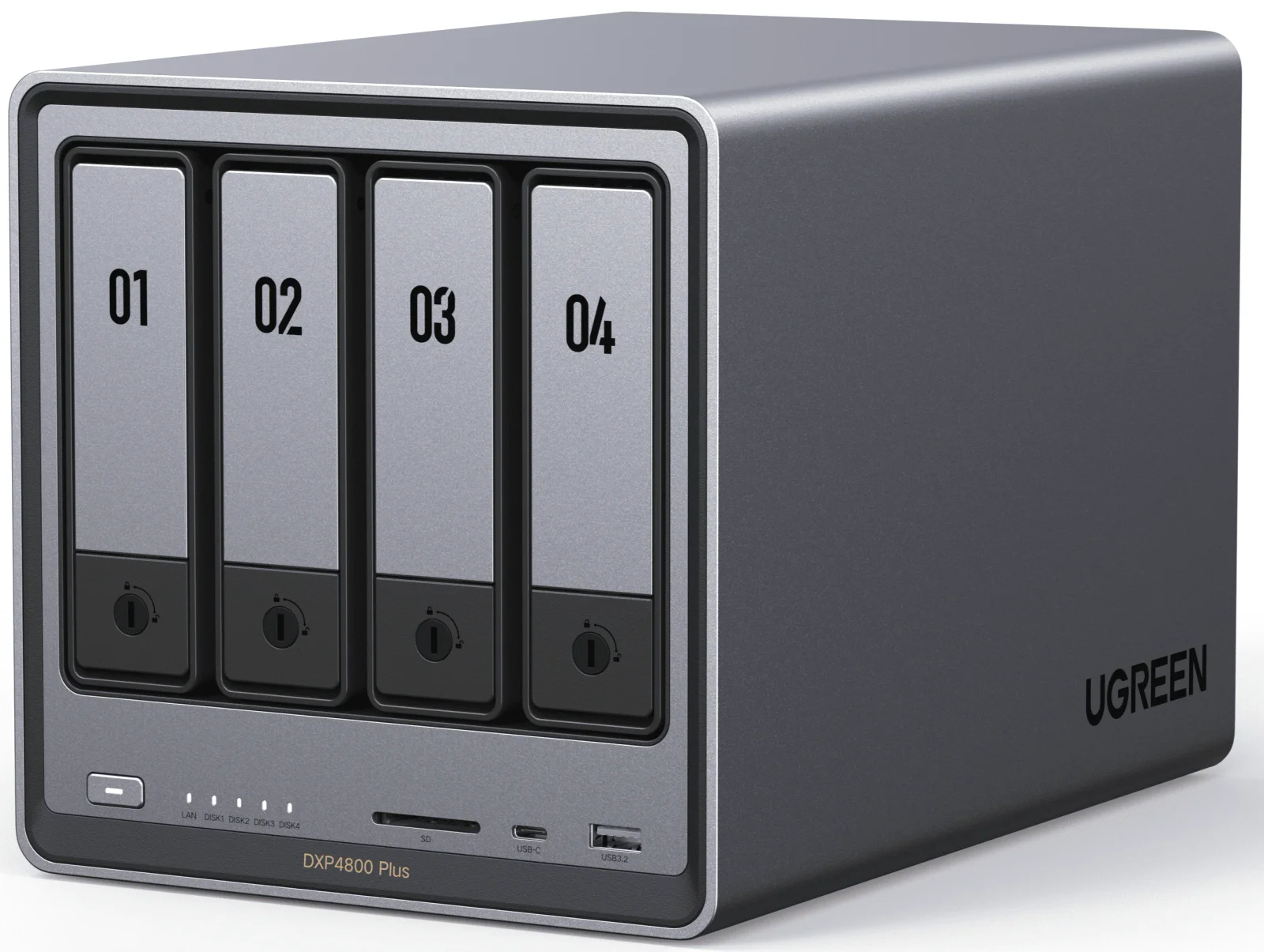
- Also GreatUGREEN NASync DXP4800 PlusWhy we picked it →
Frequently asked questions
Is the Corsair EX400U 2TB worth it?
For people with a USB4 or Thunderbolt port who want a pocketable, fast drive, experts say yes. It averages 8.9/10 across 5 expert reviews, and reviewers see it as good value next to pricier Thunderbolt 5 options. It is less suited to heavy sustained transfers, where heat and slower writes are criticised.
How fast is the Corsair EX400U?
Corsair rates it for up to 4,000MB/s sequential reads and up to 3,600MB/s sequential writes over USB4 at 40Gbps. Reviewers note that write speed drops once the cache fills on long transfers.
Does the Corsair EX400U work with iPhone?
Yes. Corsair lists support for iOS/iPadOS, and the built-in magnetic ring attaches to iPhone 15 and later. It uses a single cable for power and data and needs no drivers.
Do I need a USB4 or Thunderbolt port to use it?
It will connect to older ports, as it is backward compatible with USB 3.2 Gen2 2x2 (20Gbps), USB 3.0 and 2.0. But you need a USB4 or Thunderbolt port to reach full speed.
Does the Corsair EX400U get hot?
A common criticism from reviewers is that it runs very hot under heavy sustained load. Corsair lists an operating temperature of 0°C to 70°C.
Does the EX400U have hardware encryption?
No. Reviewers point out that it has no hardware encryption.
Sources
Specs are taken from the manufacturers' official pages; expert recommendations from the publications below.
- Corsair EX400U 2TB (CSSD-EX400U2TB): corsair.com, thessdreview.com, thepcenthusiast.com
Related reviews & guides
Best External SSDs of 2026: USB4, Rugged & Encrypted Picks
We compared five external SSDs to find the best of 2026. See how Corsair, Samsung, WD and SanDisk stack up on speed, durability, encryption and warranty.
Published Oct 8, 2026
Best microSD Cards for Cameras 2026: 4K Speed & Durability
Four microSD cards for action cameras, drones and DSLR or mirrorless cameras, compared on write speed, V30 rating, capacity range, waterproofing and warranty, based on manufacturer specs.
Published Oct 14, 2026
Samsung Portable SSD T9 Review (2026): Fast, Port-Picky
A look at the Samsung Portable SSD T9 based on Samsung's specs and independent expert reviews: 20Gbps speeds, a drop-rated body, encryption and one big catch.
Published Oct 19, 2026