reMarkable Paper Pro vs Amazon Kindle Scribe (2025)
The reMarkable Paper Pro is the better pick for dedicated note-takers who want color. The Kindle Scribe suits readers who want lighter, occasional note-taking at a lower price tier.
Head-to-head comparison · Research-based · Affiliate links
We earn a commission from qualifying purchases made through our links, at no extra cost to you. It never decides our picks. As an Amazon Associate I earn from qualifying purchases. How we make money
reMarkable Paper Pro vs Amazon Kindle Scribe (2025): which one should you buy?
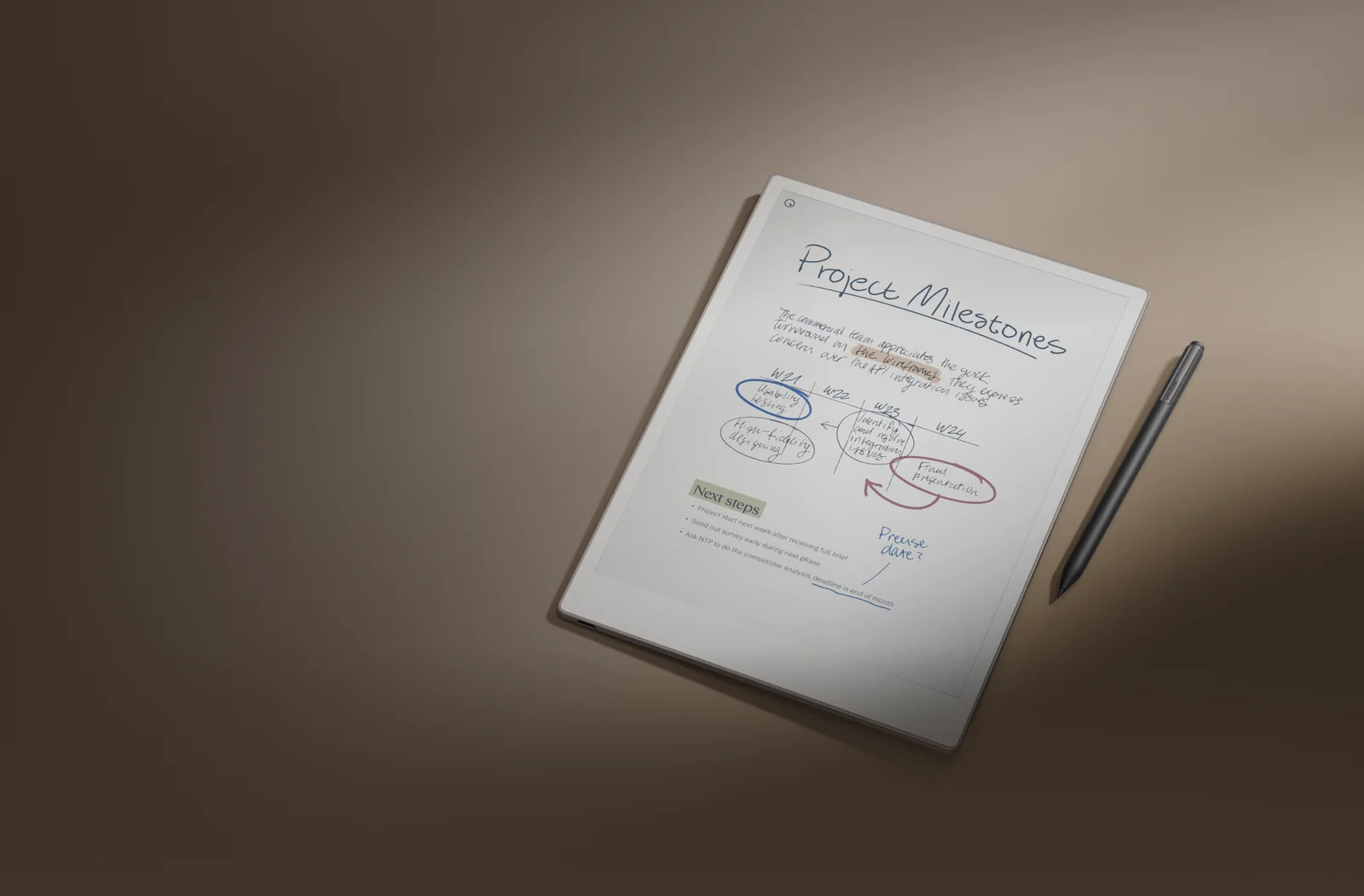
Best for: Dedicated note-takers who want color and a big canvas
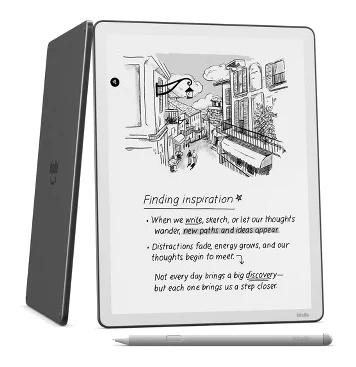
Best for: Readers who also want lighter, occasional note-taking with cloud sync
The reMarkable Paper Pro vs Amazon Kindle Scribe (2025) question mostly comes down to what you do with the screen. Most buyers who mainly want to write, mark up PDFs and think on a big color canvas should pick the reMarkable Paper Pro. If reading is your priority, you want a lighter and sharper screen, or you need Google Drive and OneDrive access at a lower price tier, the Kindle Scribe is the better choice.
Both are large E Ink slates with a pen. They are built for different people, though, and the spec sheets show where.
Writing and note-taking
This is the Paper Pro's home turf. It has 12 ms latency, and reviewers praise how the writing feels like pen on paper. The 11.8-inch screen leaves plenty of room for notes and PDFs. The included Marker works out of the box. A Marker Plus with a built-in eraser is available, but it costs extra.
The Kindle Scribe's latency is listed as under 12 milliseconds. That is an Amazon claim, reported by The eBook Reader blog. On paper the two are close on pen responsiveness, though the Scribe's under-12 ms figure is an Amazon claim. The Scribe's Premium Pen never needs charging and has a built-in eraser and a shortcut button, so the eraser comes with it. Reviewers are less kind about the note-taking software. They say annotating book text is clunky and the note tools are limited next to writing tablets.
Edge: reMarkable Paper Pro for anyone who writes a lot. The Kindle Scribe's pen has a built-in eraser and never needs charging, but its note tools are the weaker side.
reMarkable Paper Pro vs Amazon Kindle Scribe (2025): display and reading
The Paper Pro uses an 11.8" Canvas Color display, based on E Ink Gallery 3, that can render 20,000 colors. That helps with highlighting and color-coded notes. The trade-offs are real, though. Reviewers say page loads and color refreshes can feel slow and colors look muted. The resolution is 2160 x 1620 (229 PPI), and the lower pixel density is a common criticism. An adjustable reading light helps in dim rooms.
The Kindle Scribe has an 11-inch glare-free E Ink Carta 1300 display with a front light. The light has warm and cool tones and an ambient light sensor. Its 1980×2640 resolution gives 300 ppi. Reviewers praise the sharp screen and strong contrast, and call it excellent for comics and manga. Amazon's listing doesn't mention color on this display.
Edge: it depends on the job. The Paper Pro wins if color and canvas size matter for notes and PDFs. The Kindle Scribe wins for sharpness and a lighter body.
Weight, size and battery
The Paper Pro is 5.1 mm thin and weighs 525 g. The Kindle Scribe is 5.4mm thick and weighs 400g without case and stylus, so it is noticeably lighter. Reviewers still say its tall body is awkward to hold one-handed for long periods. Reviewers also note the Paper Pro's weight.
On battery, reMarkable quotes up to two weeks, or up to 90 days on standby. Charging takes 0-90% in 90 minutes. Amazon quotes up to 12 weeks at about 30 min/day of reading. The two figures use different assumptions, so they aren't a like-for-like test. Even so, the Scribe's quoted figure is far longer for light readers. Amazon doesn't list a charging time.
Edge: Kindle Scribe for portability and long gaps between charges, especially if you read more than you write.
Software, files and storage
The Paper Pro is a closed system. Reviewers cite limited file support and some features behind a Connect subscription. It has 64 GB of storage, 2 GB LPDDR4 RAM and a 1.8 GHz quad-core Cortex-A53 processor. Accessories include the optional Type Folio keyboard cover and Book Folio.
The Kindle Scribe is the more connected of the two. It offers Google Drive and Microsoft OneDrive import and export, plus OneNote sharing. It also has AI notebook search, summaries and handwriting refinement, and Quick Notes on the Home screen. You can send notes to Alexa+ (U.S. only). Storage comes in 32GB or 64GB and is non-expandable. It has Bluetooth 5.1, and Amazon doesn't list the processor model.
Edge: Kindle Scribe if cloud sync and document workflows matter. The Paper Pro offers a more focused, distraction-free environment.
What experts say
The reMarkable Paper Pro has the broader review record. Reviewers' scores average 8.5 out of 10:
- Engadget: 90/100
- Tom's Guide: 4/5
- Forbes Vetted: 4.5/5
- XDA Developers: 8.5/10
- Pocket-lint: 4/5
It is also recommended in 5 expert guides. Reviewers praise the color display, the pen-on-paper feel, the large screen, the reading light and the battery. The common criticisms are the premium price, the extra cost of accessories, the closed system and subscription features, slow page loads, muted colors, and the weight.
The Kindle Scribe has one published score in our set, 4.4/5 from Good e-Reader. It is recommended in 3 expert guides. Reviewers praise its lighter body, sharp 300 ppi screen, long battery life, the pen that never needs charging, and the Google Drive and OneDrive support. Criticisms include clunky annotation of book text, limited note tools next to writing tablets, and an awkward tall body. Reviewers also find it hard to recommend at full price. One score is too thin a base for a direct average comparison, so treat the Paper Pro's 8.5 as the better-documented result.
Choose the reMarkable Paper Pro if…
Best for: Dedicated note-takers who want color and a big canvas
Pick the reMarkable Paper Pro over the Kindle Scribe if note-taking and PDF markup are your main use and you want color and a larger canvas. It suits people who value a distraction-free, paper-like writing tool and will pay a premium for it.
Read our full reMarkable Paper Pro review →- Battery life
- Up to 2 weeks (5,030 mAh)
- Latency
- 12 milliseconds
- Weight
- 525 g
- Dimensions
- 274.1 x 196.6 mm
- Display
- 11.8" Canvas Color display (based on E Ink Gallery 3)
- Resolution
- 2160 x 1620 (229 PPI)
Reasons to buy
- Color display renders 20,000 colors for highlighting and color-coded notes
- Writing feels like pen on paper, with 12 ms latency
- Large 11.8-inch screen gives plenty of room for notes and PDFs
- Adjustable reading light makes it usable in dim rooms
- Battery lasts up to two weeks, with up to 90 days on standby
Reasons to avoid
- Premium price, and accessories like Marker Plus and folios cost extra
- Closed system with limited file support and some features behind a Connect subscription
- Page loads and color refreshes can feel slow, and colors look muted
- Heavier at 525 g, with lower pixel density at 229 PPI
- TechRadar
- 8.0
- Trusted Reviews
- 9.0
- Gizmodo
- 6.0
- XDA Developers
- 8.5
- The Shortcut
- 7.0
- CGMagazine
- 8.5
- Templacity
- 8.6
- Engadget
- 9.0
- Tom's Guide
- 8.0
- Forbes Vetted
- 9.0
- Pocket-lint
- 8.0
Choose the Paper Pro if you mainly take notes and mark up PDFs, and you want color and a larger 11.8-inch canvas. It suits people who value a distraction-free, paper-like writing tool and will pay the premium tier for it. Budget for extras like Marker Plus or a folio, and accept the closed system, the Connect-subscription features and a slower, muted-color display.
Choose the Amazon Kindle Scribe (2025) if…
Best for: Readers who also want lighter, occasional note-taking with cloud sync
Pick the Kindle Scribe over the reMarkable if reading is your priority and you want occasional note-taking on a lighter, sharper screen. It also suits people who want Google Drive or OneDrive access, AI search, and a longer-lasting battery.
Read our full Amazon Kindle Scribe (2025) review →- Battery life
- Up to 12 weeks (about 30 min/day reading)
- Latency
- Under 12 milliseconds
- Weight
- 400g (without case and stylus)
- Dimensions
- 189 x 245 x 5.4 mm (7.4 x 9.6 x 0.21 inches)
- Display
- 11-inch glare-free E Ink Carta 1300, front-lit (warm and cold)
- Resolution
- 1980×2640, 300 ppi
Reasons to buy
- Lighter at 400 g and thinner at 5.4 mm than the previous Scribe
- Sharp 300 ppi screen with strong contrast, excellent for reading comics and manga
- Battery lasts up to 12 weeks at about 30 minutes of daily reading
- Premium Pen never needs charging and has an eraser and shortcut button
- Google Drive and OneDrive support plus AI notebook search help with documents
Reasons to avoid
- Annotating book text is clunky, and note tools are limited next to writing tablets
- Tall body is awkward to hold one-handed for long periods
- Battery life is slightly worse than the previous generation
- Reviewers find it hard to recommend at full price
- Good e-Reader
- 8.8
- Technerdo
- 8.4
- Engadget
- 8.6
Choose the Kindle Scribe if reading comes first and you want occasional note-taking on a lighter, sharper 300 ppi screen. It is the budget option here. It also suits you if you want Google Drive or OneDrive access, AI notebook search, and a quoted battery life of up to 12 weeks. Expect limited note tools and clunky annotation of book text.
Compare our picks side by side
The specs most of our picks share, from each maker’s spec page (— = not published). Expert score = the average of published expert reviews, which rate each product for its price. Scroll sideways on small screens.
| Spec | reMarkable Paper Pro | Amazon Kindle Scribe (2025) |
|---|---|---|
| Best for | Our Pick | The Alternative |
| Expert score | 8.1 | 8.6 |
| Price vs. these picks | Higher | Lower |
| Battery life | Up to 2 weeks (5,030 mAh) | Up to 12 weeks (about 30 min/day reading) |
| Latency | 12 milliseconds | Under 12 milliseconds |
| Weight | 525 g | 400g (without case and stylus) |
| Dimensions | 274.1 x 196.6 mm | 189 x 245 x 5.4 mm (7.4 x 9.6 x 0.21 inches) |
| Display | 11.8" Canvas Color display (based on E Ink Gallery 3) | 11-inch glare-free E Ink Carta 1300, front-lit (warm and cold) |
| Resolution | 2160 x 1620 (229 PPI) | 1980×2640, 300 ppi |
| Processor | 1.8 GHz quad-core Cortex-A53 | Quad-core custom chip (model undisclosed) |
| Storage | 64 GB | 32GB / 64GB (non-expandable) |
| Where to buy | View on Amazon | View on Amazon |
The verdict
For most people who want a digital notebook, the reMarkable Paper Pro is the stronger pick. It has color, a larger canvas, a paper-like pen feel and the better-documented expert record, even with its premium price and closed ecosystem. The Kindle Scribe is the smarter buy for readers who want a lighter, sharper, cheaper device with cloud connections and some note-taking on the side.
Ready to buy?
 Our PickreMarkable Paper ProView on Amazon
 The AlternativeAmazon Kindle Scribe (2025)View on Amazon
Frequently asked questions
Is the reMarkable Paper Pro better than the Kindle Scribe (2025)?
The reMarkable Paper Pro is better for dedicated note-taking, thanks to its color display, 11.8-inch canvas and 12 ms latency. The Kindle Scribe is better for reading, with a lighter 400g body and a sharper 300 ppi screen, and it sits in the budget price tier.
Which has longer battery life, the Paper Pro or the Kindle Scribe?
The Kindle Scribe has the longer quoted battery life, at up to 12 weeks based on about 30 min/day of reading. The reMarkable Paper Pro is quoted at up to two weeks, with up to 90 days on standby. The quoted figures use different assumptions.
Does the reMarkable Paper Pro have a color screen?
Yes. The reMarkable Paper Pro has an 11.8" Canvas Color display that can render 20,000 colors. Reviewers say colors look muted and refreshes can feel slow. Amazon's listing for the Kindle Scribe doesn't mention color.
Which is lighter, the Kindle Scribe or the reMarkable Paper Pro?
The Kindle Scribe is lighter, at 400g without case and stylus. The reMarkable Paper Pro weighs 525 g, which reviewers list as a drawback, though it is slightly thinner at 5.1 mm against 5.4mm.
Can the Kindle Scribe connect to Google Drive and OneDrive?
Yes. The Kindle Scribe supports Google Drive and Microsoft OneDrive import and export, plus OneNote sharing. Reviewers describe the reMarkable Paper Pro as a closed system with limited file support and some features behind a Connect subscription.
Does the Kindle Scribe pen need charging?
No. The Kindle Scribe's Premium Pen never needs charging and has a built-in eraser and shortcut button. The reMarkable Paper Pro includes a Marker, while the Marker Plus with a built-in eraser costs extra.
Sources
Specs are taken from the manufacturers' official pages; expert recommendations from the publications below.
- reMarkable Paper Pro: remarkable.com, ewritable.net, wmappdigital.com, bestproductivitytool.com
- Amazon Kindle Scribe (2025): techradar.com, pocket-lint.com, templacity.com, blog.the-ebook-reader.com
More buying guides
reMarkable Paper Pro Review (2026): Is Color Worth It?
A look at the reMarkable Paper Pro, a color E Ink notebook built for focused handwriting, based on manufacturer specs and what independent reviewers report.
Published Oct 26, 2026Amazon Kindle Scribe (3rd Gen, 2025) Review: Reader First
A look at the 2025 Kindle Scribe: a sharp, fast 11-inch E Ink tablet that reads better than it takes notes, based on Amazon's specs and what independent experts report.
Published Nov 4, 2026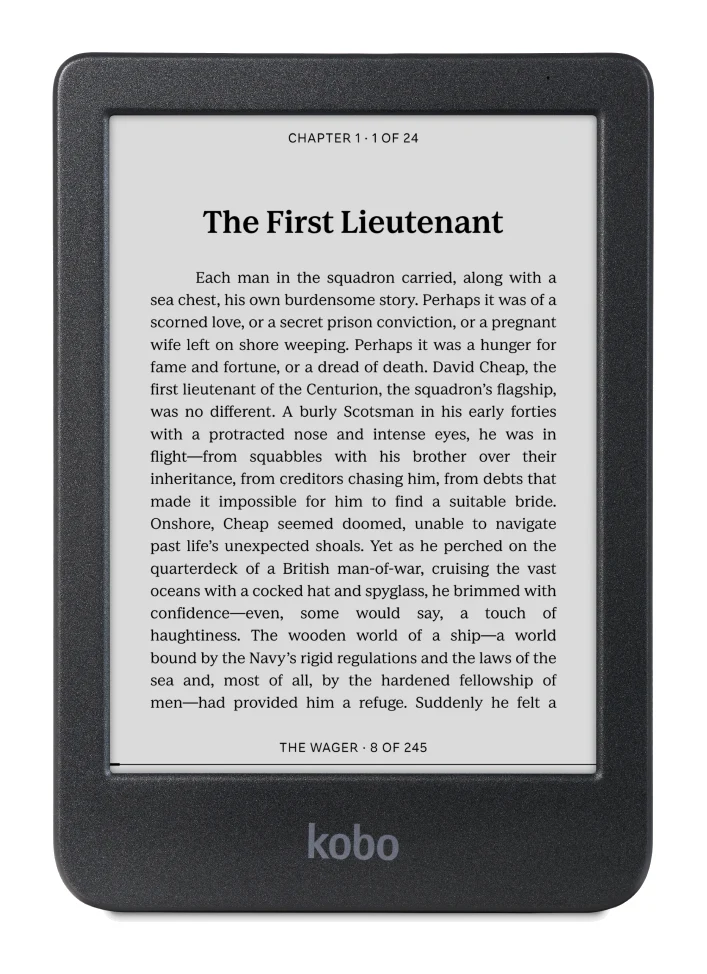
Kobo Clara BW vs Amazon Kindle Paperwhite (2026)
The Kobo Clara BW is the budget, pocketable e-reader with built-in library borrowing. The Kindle Paperwhite (2024, 12th gen) has the bigger screen and longer battery life. Here is who should buy which.
Published Nov 4, 2026