ASUS TUF RTX 5070 Ti vs GIGABYTE RX 9060 XT (2026)
Both cards carry 16GB of VRAM, but they target different gamers. Here is how the ASUS TUF RTX 5070 Ti and the GIGABYTE RX 9060 XT compare on resolution, memory, size and power.
Head-to-head comparison · Research-based · Affiliate links
We earn a commission from qualifying purchases made through our links, at no extra cost to you. It never decides our picks. As an Amazon Associate I earn from qualifying purchases. How we make money
GIGABYTE Radeon RX 9060 XT GAMING OC 16G vs ASUS TUF Gaming GeForce RTX 5070 Ti 16GB GDDR7 OC Edition: which one should you buy?
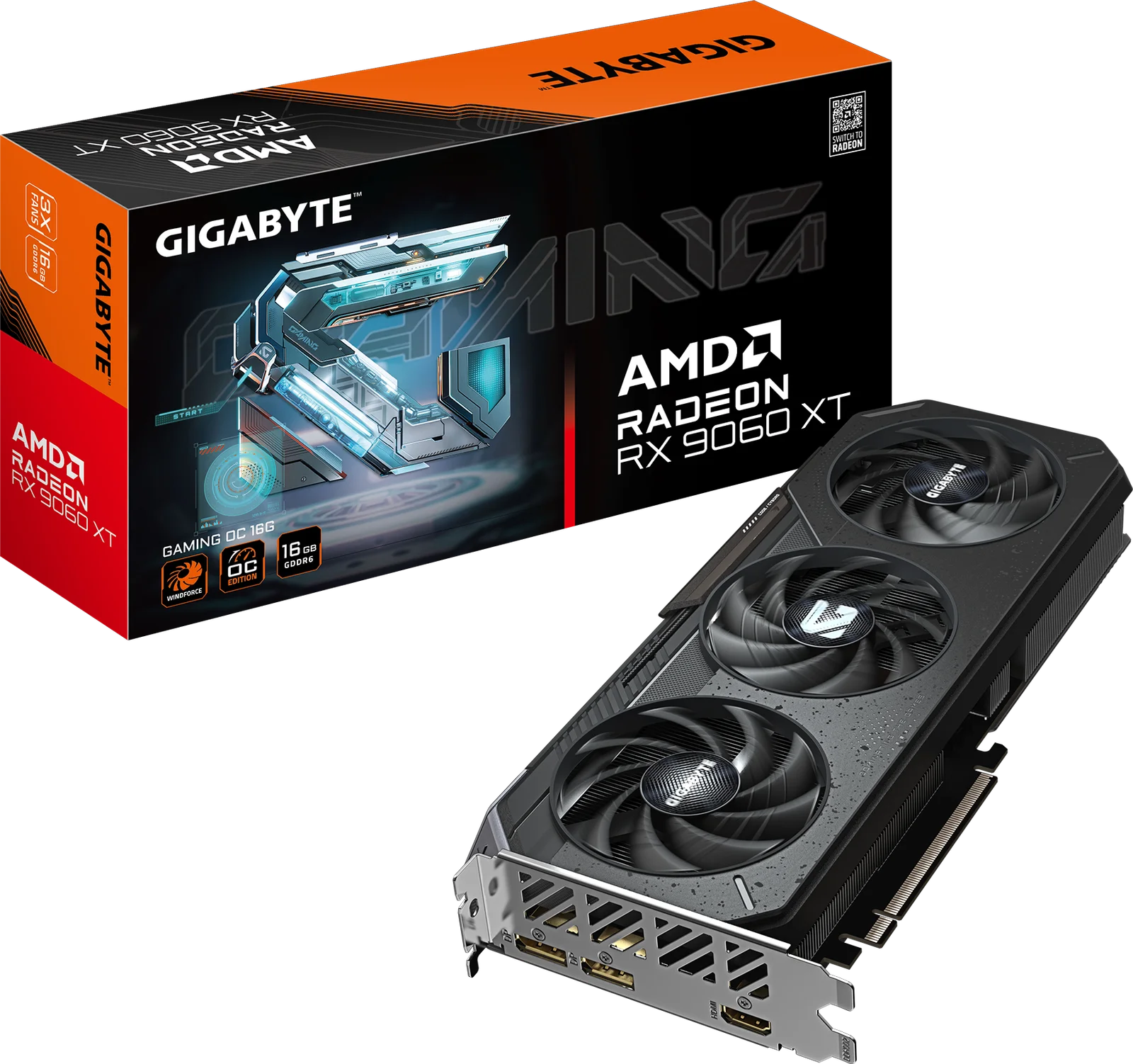
Best for: 1440p gamers wanting efficient, compact 16GB card
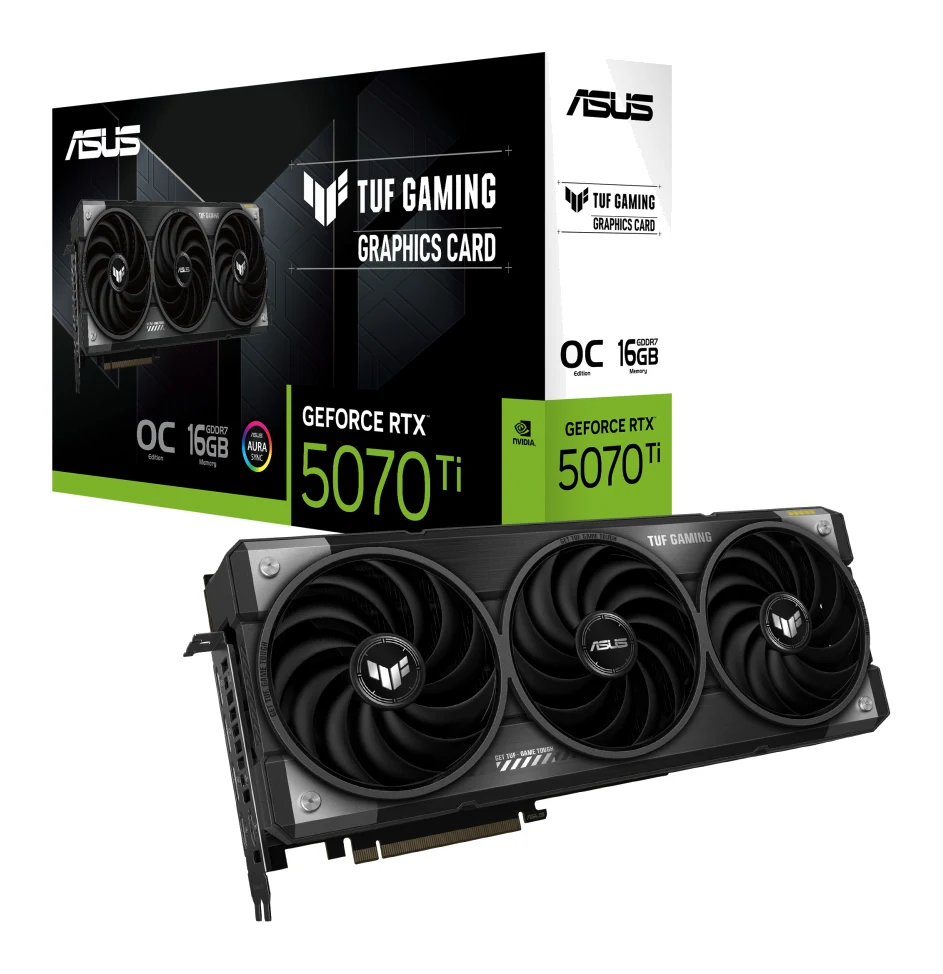
Best for: High-end 1440p and 4K gamers wanting DLSS 4
The ASUS TUF Gaming GeForce RTX 5070 Ti 16GB GDDR7 OC Edition vs GIGABYTE Radeon RX 9060 XT GAMING OC 16G matchup comes down to how much card you actually need. Most buyers gaming at 1080p or 1440p should pick the GIGABYTE RX 9060 XT, because it is cooler, draws less power and fits in a typical case. The ASUS is the better choice if you want high-end 1440p or 4K with DLSS 4 Multi Frame Generation and have a roomy case and a strong power supply.
Both cards carry 16GB of VRAM, so the real differences are in memory design, size, power draw and the resolution each is built for.
ASUS TUF RTX 5070 Ti vs GIGABYTE RX 9060 XT: performance and target resolution
The two cards are aimed at different resolutions. The GIGABYTE RX 9060 XT is built on RDNA 4 with 3rd-gen ray tracing (32 Ray Accelerators) and AI acceleration. Its factory overclock reaches up to 3320 MHz boost, against 3130 MHz on the reference card. Reviewers describe it as strong at 1080p and solid at 1440p, and its own analyst notes it is not built for 4K gaming. It also supports FSR 4, but a common criticism is that its ray tracing and upscaling trail Nvidia.
The ASUS TUF RTX 5070 Ti is the higher-end card. It has 8960 CUDA cores and 4th-gen RT cores (70 of them), and it supports DLSS 4 with Multi Frame Generation on NVIDIA Blackwell. Its factory overclock is modest: 2588MHz default boost and 2610MHz in OC mode. Reviewers call it strong at 1440p, and capable at 4K when DLSS 4 and frame generation are used. They also say the factory overclock gives only a small real-world gain, so don't buy it for the OC label.
The clock speeds and core counts aren't directly comparable across two different GPU architectures. What matters is the target. For 1080p and 1440p, the RX 9060 XT is enough. If you play at 4K or want DLSS 4 with Multi Frame Generation, the ASUS is the better fit; the RX 9060 XT's ray tracing and upscaling trail Nvidia.
Memory and bandwidth
Both cards have 16GB, but the memory behind it differs a lot. The ASUS uses GDDR7 on a 256-bit interface at 28 Gbps, giving 896 GB/sec of bandwidth. The GIGABYTE uses GDDR6 on a 128 bit interface, giving 320 GB/s.
That gap is the clearest hardware difference between them. Reviewers praise the ASUS for its much higher memory bandwidth, and they criticise the RX 9060 XT's 128-bit bus for giving far less. On the plus side, the 16GB of VRAM on the GIGABYTE gives headroom for high-texture 1440p gaming. If you plan to push 4K, the ASUS's bandwidth matters. If you stay at 1440p or below, the GIGABYTE's capacity is the part that counts.
Size, cooling and case fit
This round goes to the GIGABYTE for anyone with a smaller case. The RX 9060 XT measures L=281 W=118 H=40 mm, and reviewers note it is easier to fit in smaller cases. Its WINDFORCE cooler uses three Hawk fans and thermal conductive gel. The 3D Active Fan mode keeps the fans off at low load. Reviewers praise it as quiet and cool.
The ASUS is a much bigger card at 329 x 140 x 62.5 mm. It is a 3.125-slot design with three Axial-tech fans, and a common criticism is that it is very large and heavy, so it can be hard to fit. It does have a dual BIOS switch for Quiet or Performance mode, and a phase-change GPU thermal pad for long-term heat transfer. Reviewers call the cooler very quiet and cool. It also ships with a TUF GPU holder. Reviewers call both coolers quiet, so case room is an important part of the choice.
Power and PSU requirements
Power draw separates them clearly. The GIGABYTE has a 182 W TDP and a single 8 pin connector, with a 450W recommended PSU. That is a much lighter power requirement than the ASUS asks for.
The ASUS has a 300 W TDP, a 1 x 16-pin connector and a recommended PSU of 850W. A common criticism is that it needs a 16-pin connector, has a 300 W TDP and calls for an 850 W PSU. A 1-to-3 power adapter cable is included. If your power supply is modest, budget for an upgrade before choosing the ASUS.
Ports, features and build
The ASUS has more outputs: three DisplayPort 2.1b and two HDMI 2.1b, supporting up to 4 displays. The GIGABYTE offers DisplayPort 2.1a x2 and HDMI 2.1b x1. Both use PCIe 5.0 interfaces.
The ASUS has military-grade components and a protective PCB coating, and reviewers describe its build as tank-like and premium. The GIGABYTE has RGB lighting and a reinforced structure, but a common criticism is that its design is plain and understated.
What experts say
Reviewers praise the GIGABYTE RX 9060 XT for its 16GB of VRAM, strong 1080p and solid 1440p performance, quiet cooling, low 182 W TDP and compact size. The criticisms are that its ray tracing and upscaling trail Nvidia, it isn't built for 4K, its 128-bit bus limits bandwidth, and its design is plain. Pokde.Net scored it 8/10 and GeekaWhat gave it 4.2/5, which averages out to 8.2 out of 10.
For the ASUS TUF RTX 5070 Ti, reviewers praise the high memory bandwidth, the strong 1440p and DLSS-assisted 4K performance, the quiet cooler with its dual BIOS quiet mode, and the premium build. They criticise the size, the 16-pin connector and PSU needs, the price above the baseline RTX 5070 Ti, and the small gain from the factory overclock. PC Gamer scored it 68/100 and Basic Tutorials 90/100, averaging 7.9 out of 10.
The two averages are close, with the GIGABYTE slightly ahead. They suit different systems.
Choose the GIGABYTE Radeon RX 9060 XT GAMING OC 16G if…
Best for: 1440p gamers wanting efficient, compact 16GB card
Pick the RX 9060 XT over the RTX 5070 Ti if you game at 1080p or 1440p and want a cooler, lower-power card that fits easily in a typical case. It offers 16GB of VRAM and FSR 4 support without the big PSU and size demands of the ASUS.
- RAM
- 16GB
- Ports
- DisplayPort 2.1a x2, HDMI 2.1b x1
- TDP
- 182 W
- Cooling
- WINDFORCE, three Hawk fans, thermal conductive gel, semi-passive 3D Active Fan
- VRAM Type
- GDDR6
- Boost clock
- up to 3320 MHz (reference card: 3130 MHz)
Reasons to buy
- 16GB VRAM gives headroom for high-texture 1440p gaming
- Strong 1080p and solid 1440p performance
- Quiet, cool WINDFORCE cooling; fans stop at low load
- 182 W TDP with a single 8-pin connector
- Compact 281 mm card, easier to fit in smaller cases
Reasons to avoid
- Ray tracing and upscaling trail Nvidia
- Not built for 4K gaming
- 128-bit GDDR6 bus gives far less bandwidth
- Plain, understated design
- Pokde.Net
- 8.0
- GeekaWhat
- 8.4
- Notebookcheck
- 8.0
Choose the RX 9060 XT if you game at 1080p or 1440p and want an efficient, compact card. It needs only a single 8 pin connector and a 450W recommended PSU, and at 281 mm it fits in smaller cases. You still get 16GB of VRAM for high-texture 1440p. Accept that ray tracing and upscaling trail Nvidia and that 4K isn't the target.
Choose the ASUS TUF Gaming GeForce RTX 5070 Ti 16GB GDDR7 OC Edition if…
Best for: High-end 1440p and 4K gamers wanting DLSS 4
Pick the ASUS TUF RTX 5070 Ti over the RX 9060 XT if you want high-end 1440p or 4K performance with DLSS 4 Multi Frame Generation. You need a roomy case and a strong power supply to take advantage of it.
Read our full ASUS TUF Gaming GeForce RTX 5070 Ti 16GB GDDR7 OC Edition review →- RAM
- 16GB GDDR7
- Ports
- 2 x HDMI 2.1b, 3 x DisplayPort 2.1b
- TDP
- 300 W
- Cooling
- Three Axial-tech fans, 3.125-slot design
- VRAM Type
- 16GB GDDR7
- Boost clock
- OC mode: 2610MHz, Default mode: 2588MHz
Reasons to buy
- GDDR7 on a 256-bit bus delivers much higher memory bandwidth
- Strong 1440p, and 4K with DLSS 4 and frame generation
- Very quiet, cool cooler with a dual BIOS quiet mode
- Tank-like build with premium feel and protective PCB coating
- Three DisplayPort and two HDMI outputs, up to four displays
Reasons to avoid
- Very large, heavy 3.125-slot card that can be hard to fit
- Needs a 16-pin connector, 300 W TDP and 850 W PSU
- Priced above the baseline RTX 5070 Ti
- Factory overclock gives only a small real-world gain
- Guru3D
- 10.0
- PC Gamer
- 6.8
- Basic Tutorials
- 9.0
- TechPowerUp
- 10.0
Choose the ASUS if you want high-end 1440p or 4K performance with DLSS 4 and Multi Frame Generation. You get GDDR7 on a 256-bit bus with 896 GB/sec of bandwidth, up to four displays and a tough, premium build. You need room for a 3.125-slot card, a 16-pin connector and an 850W PSU. Don't count on the factory overclock to make a noticeable difference.
Compare our picks side by side
The specs most of our picks share, from each maker’s spec page (— = not published). Expert score = the average of published expert reviews, which rate each product for its price. Scroll sideways on small screens.
| Spec | GIGABYTE Radeon RX 9060 XT GAMING OC 16G | ASUS TUF Gaming GeForce RTX 5070 Ti 16GB GDDR7 OC Edition |
|---|---|---|
| Best for | Our Pick | The Alternative |
| Expert score | 8.1 | 9.0 |
| Price vs. these picks | Middle | Middle |
| RAM | 16GB | 16GB GDDR7 |
| Ports | DisplayPort 2.1a x2, HDMI 2.1b x1 | 2 x HDMI 2.1b, 3 x DisplayPort 2.1b |
| TDP | 182 W | 300 W |
| Cooling | WINDFORCE, three Hawk fans, thermal conductive gel, semi-passive 3D Active Fan | Three Axial-tech fans, 3.125-slot design |
| VRAM Type | GDDR6 | 16GB GDDR7 |
| Boost clock | up to 3320 MHz (reference card: 3130 MHz) | OC mode: 2610MHz, Default mode: 2588MHz |
| Memory type | GDDR6 | GDDR7, 256-bit interface, 28 Gbps |
| Ray tracing | 3rd-gen hardware ray tracing, 32 Ray Accelerators | 4th-gen RT cores (70 RT cores) |
| Where to buy | View on Amazon | View on Amazon |
The verdict
For most buyers, the GIGABYTE Radeon RX 9060 XT GAMING OC 16G is the more sensible pick. It delivers strong 1080p and solid 1440p play from a cool, compact card that fits easily in a typical case. The ASUS TUF RTX 5070 Ti is the better card for 4K and DLSS 4, but only if your case and power supply can handle it.
Ready to buy?
 Our PickGIGABYTE Radeon RX 9060 XT GAMING OC 16GView on Amazon
 The AlternativeASUS TUF Gaming GeForce RTX 5070 Ti 16GB GDDR7 OC EditionView on Amazon
Related buying guides
- ASUS TUF RTX 5070 Ti OC Review (2026): Quiet but Costly
- GIGABYTE RX 9070 XT Gaming OC Review (2026): Cool and Quiet
- NVIDIA GeForce RTX 5080 Founders Edition Review (2026)
- Best Graphics Cards for Gaming PCs 2026: Top 5 Picks
- Best Laptops for Video Editing 2026: Macs to RTX
- Best microSD Cards for Cameras 2026: 4K Speed & Durability
Frequently asked questions
Is the ASUS TUF RTX 5070 Ti better than the GIGABYTE RX 9060 XT?
The ASUS TUF RTX 5070 Ti is the stronger card for high-end 1440p and 4K, and it adds DLSS 4 with Multi Frame Generation. The GIGABYTE RX 9060 XT is the better fit for most 1080p and 1440p gamers, though, because it is smaller and draws less power. Expert scores favour the GIGABYTE slightly, at 8.2 against 7.9 out of 10.
Which card is better for 4K gaming?
The ASUS TUF RTX 5070 Ti is better for 4K. Reviewers say it handles 4K with DLSS 4 and frame generation. The GIGABYTE RX 9060 XT is described by its analyst as not built for 4K gaming.
Do both cards have 16GB of VRAM?
Yes, both have 16GB, but the type differs. The ASUS TUF RTX 5070 Ti uses GDDR7 on a 256-bit bus with 896 GB/sec of bandwidth. The GIGABYTE RX 9060 XT uses GDDR6 on a 128 bit bus with 320 GB/s.
What power supply does each card need?
The GIGABYTE RX 9060 XT lists a 450W recommended PSU and uses one 8 pin connector. The ASUS TUF RTX 5070 Ti lists a recommended PSU of 850W and uses a 1 x 16-pin connector.
Which card fits better in a small case?
The GIGABYTE RX 9060 XT fits more easily. It measures L=281 W=118 H=40 mm. The ASUS TUF RTX 5070 Ti is a 3.125-slot card at 329 x 140 x 62.5 mm, and reviewers say it can be hard to fit.
Which card is quieter?
Reviewers call both quiet and cool. The GIGABYTE RX 9060 XT keeps its fans off at low load, and the ASUS TUF RTX 5070 Ti has a dual BIOS switch with a Quiet mode.
Sources
Specs are taken from the manufacturers' official pages; expert recommendations from the publications below.
- GIGABYTE Radeon RX 9060 XT GAMING OC 16G: gigabyte.com, bhphotovideo.com
- ASUS TUF Gaming GeForce RTX 5070 Ti 16GB GDDR7 OC Edition: asus.com
More buying guides
ASUS TUF RTX 5070 Ti OC Review (2026): Quiet but Costly
A look at the ASUS TUF Gaming RTX 5070 Ti OC Edition: a big, tough, quiet-running card for 1440p and capable 4K gaming, with a value catch.
Published Oct 27, 2026
GIGABYTE RX 9070 XT Gaming OC Review (2026): Cool and Quiet
A factory-overclocked RX 9070 XT with a triple-fan WINDFORCE cooler and 16GB of VRAM. We look at who it suits, what reviewers criticise, and what your case and PSU need.
Published Nov 6, 2026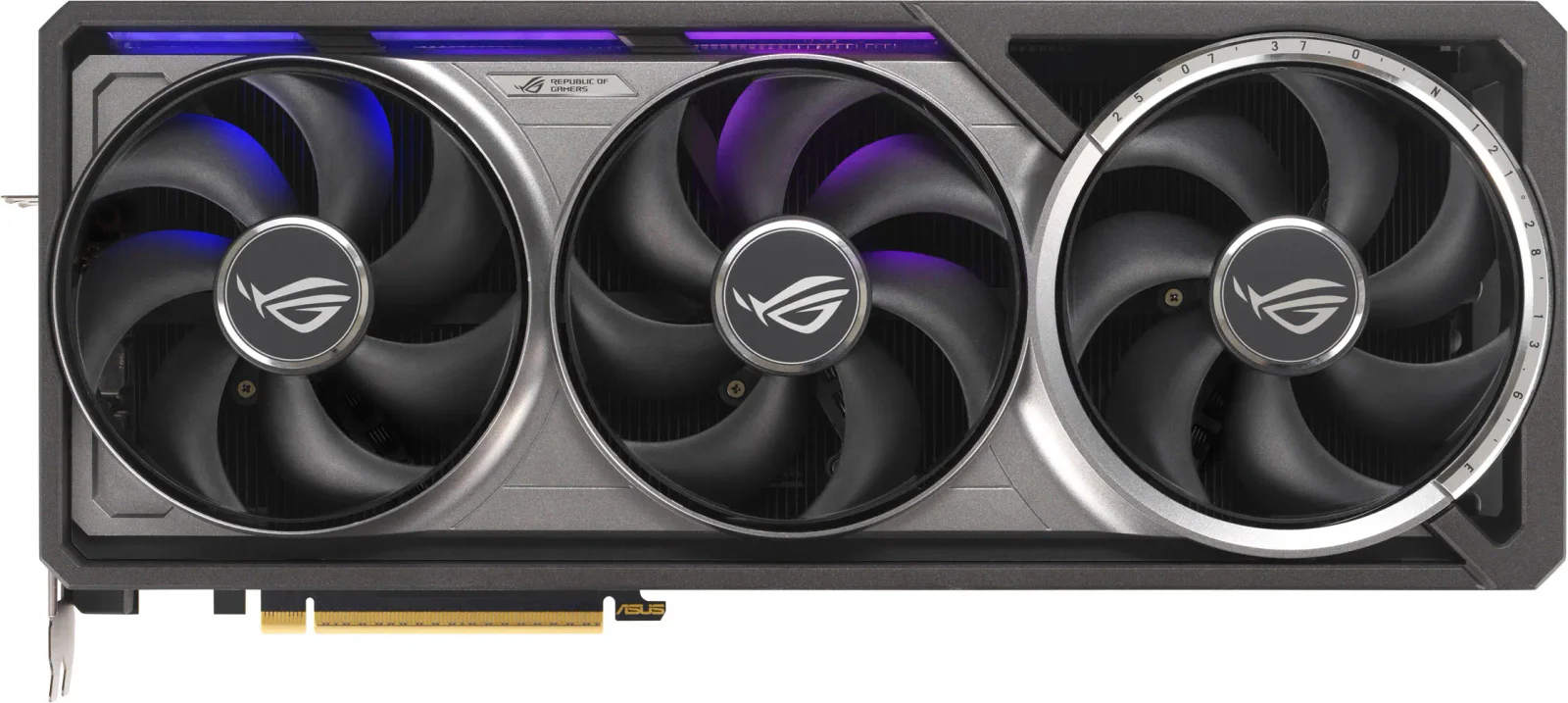
NVIDIA GeForce RTX 5080 Founders Edition Review (2026)
A look at the RTX 5080 Founders Edition: strong 4K gaming, DLSS 4 Multi Frame Generation and a slim 2-slot cooler, plus the limits experts point out.
Published Oct 25, 2026