Pimax Dream Air Review (2026): Sharp but Demanding
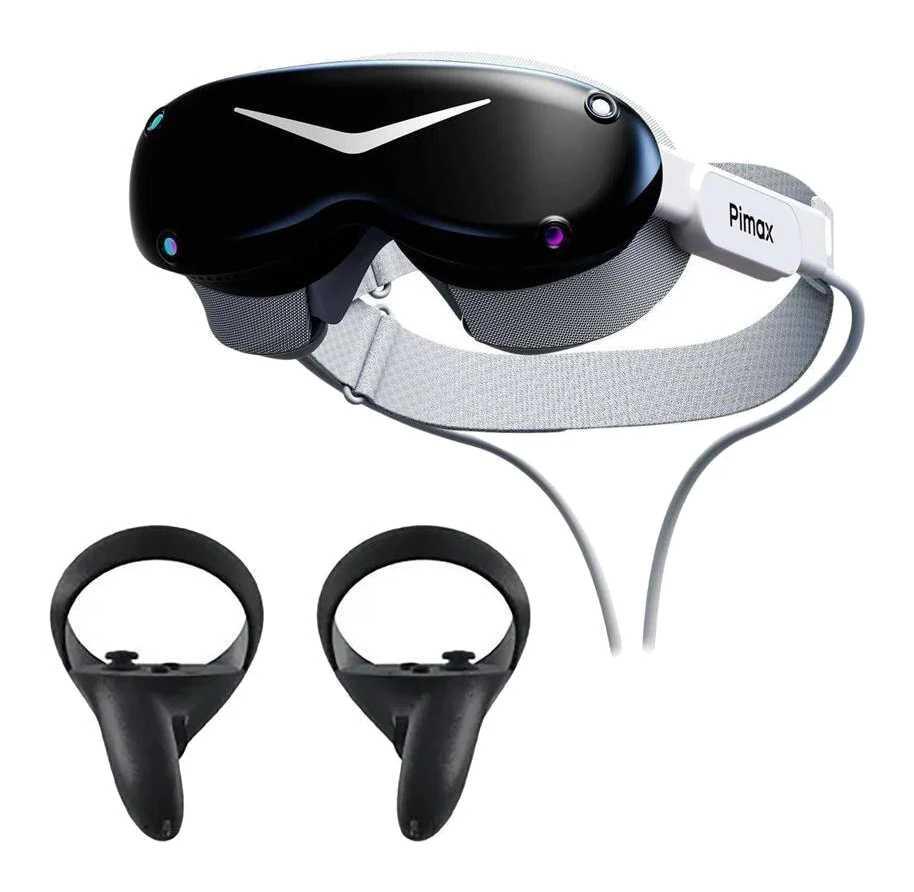
The Pimax Dream Air pairs very sharp Micro-OLED visuals with a light body and built-in eye tracking, but it demands a powerful GPU and has real fit and tracking compromises.
Research-based · We earn from qualifying purchases
Our verdict
The Pimax Dream Air is a light, very sharp PC VR headset with built-in eye tracking and audio, suited to enthusiasts who prioritize image quality and already own a high-end GPU. Buyers on a budget, glasses wearers, or anyone who wants dependable inside-out controller tracking and passthrough should look elsewhere.
The good
- Sony Micro-OLED panels at 3840×3552 per eye deliver very sharp, vivid visuals
- Under 170 g headset weight reduces fatigue in long sessions
- Built-in 120 Hz eye tracking supports dynamic foveated rendering
- Integrated spatial audio means no separate headphones are needed
- Choice of Lighthouse or SLAM tracking suits different setups
+2 more
- Integrated spatial audio means no separate headphones are needed
- Choice of Lighthouse or SLAM tracking suits different setups
The bad
- Fit and face cushion can feel restrictive, and glasses are hard to fit
- SLAM controller tracking and passthrough are weak, with some software quirks
- Headset and cable junction can get warm during use
This Pimax Dream Air review looks at a headset built around one idea: put the sharpest image possible in front of your eyes without making you carry a brick. It uses Sony Micro-OLED panels at 3840×3552 pixels per eye, weighs under 170 g, and ships with eye tracking and spatial audio built in. It is a PC VR headset aimed at enthusiasts who already own serious graphics hardware and care more about image quality than convenience.
This review is based on Pimax's manufacturer specifications and on what independent expert reviews report. It is not hands-on testing.
Pimax Dream Air: specs at a glance
From the manufacturer- Weight
- <170 g headset only
- Display
- Sony Micro-OLED
- Tracking
- Lighthouse or SLAM (choose a version)
- IPD range
- 58–72 mm
- Lens type
- Pancake (ConcaveView)
- Resolution
- 3840 × 3552 per eye
- Cable length
- 5 m
- Connectivity
- DP 1.4a + USB 3.0
- Eye tracking
- Yes (120 Hz, built-in)
- Refresh rate
- 72 / 90 Hz
- Field of view
- 110° horizontal
- Minimum GPU (Pimax product page)
- RTX 2070
- Recommended GPU (Pimax product page)
- RTX 3080
Key features
- Sony Micro-OLED panels with 3840×3552 pixels per eye for very sharp visuals
- Under 170 g headset weight for long-session comfort
- ConcaveView pancake lenses with 110° horizontal FOV
- Built-in 120 Hz eye tracking for dynamic foveated rendering
- Choice of Lighthouse (base stations) or SLAM inside-out tracking
- Integrated spatial audio, so no separate headphones are needed
- Direct DisplayPort 1.4a connection and dual active cooling fans
- Automatic IPD adjustment and Pimax Play software with OpenXR/SteamVR support
Pimax Dream Air review: design and build
The headline design number is weight. Pimax lists the headset at under 170 g, excluding the cable. For PC VR, where long sessions in sim cockpits or social worlds are common, a light front end matters more than almost any spec on the sheet. Reviewers consistently highlight the low weight as a reason the headset is easier to wear for longer.
The optics are Pimax's ConcaveView pancake lenses, which give a 110° horizontal field of view. Pancake lenses are what allow a headset to be this slim. The Dream Air also has automatic IPD adjustment across a 58–72 mm range, so you don't need to fiddle with a dial to line the lenses up with your eyes. Two active cooling fans keep the electronics in check.
The fit is where opinions get more mixed. A common criticism is that the face cushion and overall fit can feel restrictive, and that glasses wearers will struggle to fit the headset comfortably. Reviewers also note that the junction where the headset meets the cable can get warm during use. If you wear glasses day to day, that criticism deserves serious weight before you buy.
Display and image quality
The display is the reason this headset exists. Sony Micro-OLED panels at 3840×3552 pixels per eye are the core of its pitch, and reviewers praise the result as very sharp and vivid. That is the sort of clarity that suits detail-heavy PC VR content, where text, instrument panels and distant objects benefit most from extra pixels.
The refresh rate options are 72 / 90 Hz. That is a sensible fit for a headset at this resolution, since the GPU load at native resolution is already heavy. Pimax doesn't list higher refresh modes, so if very high frame rates are important to you, bear that in mind.
There is a catch that Pimax itself signals. Its product page lists an RTX 2070 as the minimum GPU and an RTX 3080 as the recommended one. Reviewers echo the point: running at the native resolution takes a powerful graphics card. The panel's potential is only fully realised if your PC can feed it, so budget for the computer as well as the headset.
Eye tracking and foveated rendering
Built-in 120 Hz eye tracking is one of the more useful inclusions. Beyond interface tricks, its biggest practical value is dynamic foveated rendering. The headset tracks where you are looking and the system can concentrate rendering effort there, rather than spending GPU power evenly across the whole image. On a headset with a resolution this high, that is a meaningful tool for easing the load, and reviewers list eye tracking among the strengths.
Having it built in rather than as an add-on also means it is part of the standard package, whichever tracking version you pick.
Tracking: Lighthouse or SLAM
Pimax sells the Dream Air in two tracking flavours, and you have to choose one when you buy.
- Lighthouse: uses base stations. It is listed as a headset-only package, so it suits people who already own a Lighthouse ecosystem or want that style of tracking.
- SLAM: inside-out tracking with no external hardware, sold with 2 controllers.
That choice is genuinely helpful, because it lets existing PC VR owners and newcomers each pick a suitable route. It also comes with a trade-off. A recurring criticism is that SLAM controller tracking is weak, and that passthrough is weak too, with some software quirks along the way. If dependable controller tracking is a priority, note that reviewers describe SLAM controller tracking as weak; the Lighthouse version uses base stations instead.
Audio, connection and software
Spatial audio is integrated, so you don't need to find a separate pair of headphones. This is a convenience that reviewers call out as a plus. It also helps keep the headset's overall setup tidier.
The headset connects directly to your PC over DisplayPort 1.4a plus USB 3.0, using a 5 m cable. The headset uses a direct DisplayPort connection, which means you are tethered. This is not a standalone headset, and the cable is part of the experience. Plan your play space with that in mind.
On the software side, Pimax Play handles setup and supports OpenXR and SteamVR. That means you can expect it to work with PC VR titles that go through those standards. Reviewers do mention some software quirks, though, so expect some software quirks.
What experts like and what they criticise
Across published reviews, the Dream Air averages 7.6/10 across 4 expert reviews. Tom's Guide gives it 4/5, GamesRadar+ 3.5/5, PC Gamer 75/100 and PCGamesN 8/10. It is also recommended in one independent expert buying guide. That is a solid but not glowing set of scores, and it fits the pattern in the commentary: strong on image quality and weight, held back by practicalities.
What reviewers praise:
- Very sharp, vivid visuals from the Sony Micro-OLED panels.
- A weight under 170 g that reduces fatigue in long sessions.
- Built-in 120 Hz eye tracking that enables dynamic foveated rendering.
- Integrated spatial audio, so no separate headphones are needed.
- The option of Lighthouse or SLAM tracking.
A common criticism is the cost of entry, with native resolution needing a powerful GPU on top of the headset's own cost. Others are the restrictive fit, difficulty with glasses, weak SLAM controller tracking and passthrough, software quirks, and warmth at the headset and cable junction.
Who should buy the Pimax Dream Air
This headset makes sense if you:
- Already own a high-end graphics card, or are happy to build around one.
- Put image clarity above everything else, for example in simulation or detail-heavy PC VR.
- Want a lightweight headset for long sessions.
- Value built-in eye tracking and audio rather than adding accessories.
- Already have, or are happy to set up, a Lighthouse tracking system, or are content with SLAM's limits.
Who should skip it
Look elsewhere if you:
- Wear glasses and need an easy fit.
- Want reliable inside-out controller tracking or strong passthrough.
- Want a wireless, standalone headset with no PC. This one is tethered by a 5 m cable.
- Have a modest GPU. The listed minimum is an RTX 2070, and the recommended card is an RTX 3080.
- Are shopping on a tight budget. Pimax's pricing puts it in the mid-range part of the comparison set, and the PC requirements add to the real cost.
If you are weighing it against a standalone alternative, our Meta Quest 3S vs Pimax Dream Air comparison lays out how the two approaches differ.
How it fits in the VR market
In general terms, headsets split into easy standalone designs and PC-tethered ones that chase image quality. The Dream Air is firmly the second kind, and within that group it leans toward the enthusiast end: high resolution, light weight, eye tracking, and a choice of tracking systems. The trade-offs of that focus are a demanding PC requirement, a fit that reviewers call restrictive, and some software quirks.
Verdict
The Pimax Dream Air is a specialist tool done with real ambition. Its Sony Micro-OLED panels, low weight, eye tracking and built-in audio make a strong case for PC VR enthusiasts who want the sharpest picture they can get and already have the GPU to drive it. Its weaknesses are just as clear: a restrictive fit, trouble for glasses wearers, weak SLAM controller tracking and passthrough, and heat at the cable junction. Buy it if image quality is your priority and your PC is ready. If convenience, glasses compatibility or dependable inside-out tracking matter more, other headsets will suit you better.
Related buying guides
Not sure about the Pimax Dream Air? Consider these
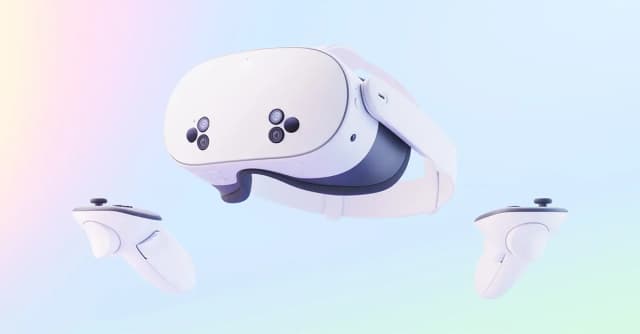
- Best OverallMeta Quest 3SWhy we picked it →
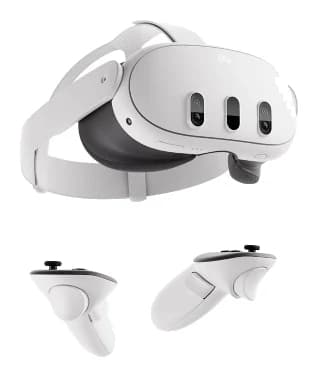
- Best ValueMeta Quest 3Why we picked it →
- Meta Quest 3SRead the review →
Frequently asked questions
Is the Pimax Dream Air worth it?
It is worth considering if you are a PC VR enthusiast who prioritises image quality and already owns a high-end GPU. Reviewers praise its very sharp Micro-OLED visuals, low weight and built-in eye tracking, and it averages 7.6/10 across 4 expert reviews. It is less appealing if you wear glasses, want strong passthrough, or have a modest PC.
What GPU do I need for the Pimax Dream Air?
Pimax's product page lists an RTX 2070 as the minimum and an RTX 3080 as the recommended GPU. Reviewers also note that running at native resolution takes a powerful graphics card.
Does the Pimax Dream Air have eye tracking?
Yes. It has built-in 120 Hz eye tracking, which supports dynamic foveated rendering.
Is the Pimax Dream Air standalone or wireless?
No. It connects to a PC through DisplayPort 1.4a and USB 3.0 using a 5 m cable, so it is a tethered PC VR headset.
Does the Pimax Dream Air work with glasses?
A common criticism from reviewers is that glasses are hard to fit, and that the face cushion and fit can feel restrictive. If you wear glasses regularly, that is a significant consideration.
What is the difference between the Lighthouse and SLAM versions?
Lighthouse uses base stations and is listed as a headset-only package. SLAM is inside-out tracking and comes with 2 controllers. Reviewers describe SLAM controller tracking as weak, so the choice matters.
Sources
Specs are taken from the manufacturers' official pages; expert recommendations from the publications below.
- Pimax Dream Air: pimax.com, mrtv.co, pcgamesn.com, slashgear.com
Related reviews & guides
Meta Quest 3S vs Pimax Dream Air (2026): Which VR Fits?
Meta Quest 3S vs Pimax Dream Air: a budget wireless headset with a huge library against a premium, ultra-sharp PC VR headset. Here's who should buy which.
Published Oct 30, 2026Best VR Headsets 2026 for PS5, PC and Standalone Play
Three VR headsets compared on manufacturer specs and expert reviews: a budget standalone all-rounder, a sharper Quest with PS5 streaming, and a premium PC-tethered display.
Published Oct 16, 2026
Meta Quest 3 Review (2026): Wireless VR With Trade-Offs
A look at the Meta Quest 3 based on manufacturer specs and expert reviews: sharp lenses, strong performance and mixed reality, held back by battery life and the stock strap.
Published Oct 25, 2026