Apple MacBook Pro 14-inch (M5 Pro) Review: For Upgraders
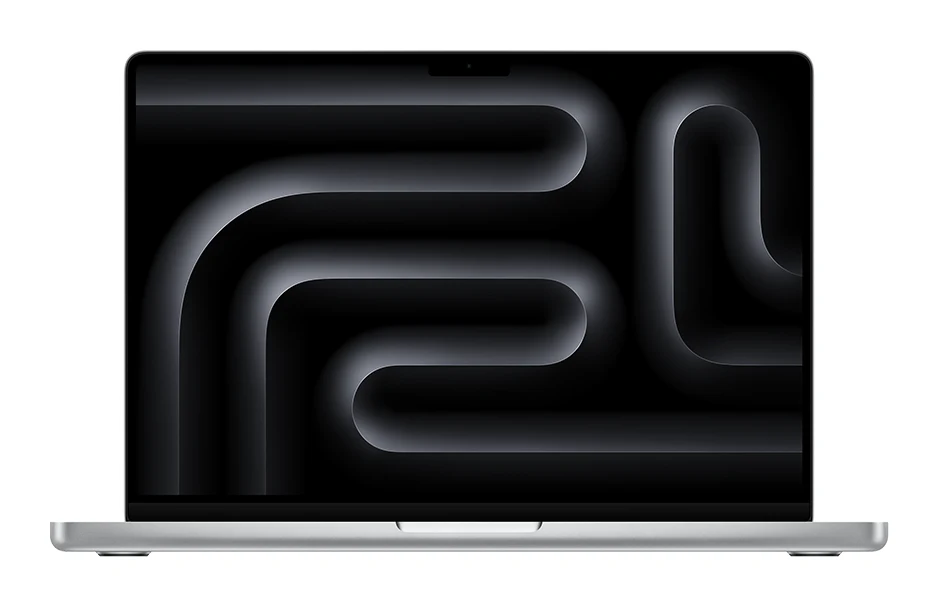
A look at the 14-inch MacBook Pro with M5 Pro: the chip, XDR display, ports and battery, what experts praise and criticise, and who should upgrade.
Research-based · We earn from qualifying purchases
Our verdict
The 14-inch M5 Pro is a fast, well-built pro laptop with an excellent display, long battery life and a full set of ports. It suits creators and developers upgrading from older machines, but M4-generation owners and budget-conscious buyers can skip it.
The good
- Very fast multi-core and on-device AI performance, a big step up from M4 Pro
- Bright Liquid Retina XDR display with 120Hz ProMotion and optional nano-texture
- Up to 22 hours of video streaming from a 72.4Wh battery
- Thunderbolt 5, HDMI, SDXC slot and MagSafe 3 cover pro port needs
- Strong build, keyboard and trackpad, plus much faster SSD than last generation
+2 more
- Thunderbolt 5, HDMI, SDXC slot and MagSafe 3 cover pro port needs
- Strong build, keyboard and trackpad, plus much faster SSD than last generation
The bad
- Design is essentially unchanged, so it feels like an evolutionary update
- Expensive, especially once memory and storage are upgraded
- Modest gains for M4-generation MacBook Pro owners, who may not need to upgrade
- Base 24GB memory tops out at 64GB, depending on GPU choice
+1 more
- Base 24GB memory tops out at 64GB, depending on GPU choice
This Apple MacBook Pro 14-inch (M5 Pro) review looks at a laptop aimed squarely at people who make a living on their computer: video editors, developers, designers and anyone running heavy on-device AI work. It pairs the M5 Pro chip with a Liquid Retina XDR display, a full set of pro ports and a battery rated for up to 22 hours of video streaming. It is built for creators and developers moving up from older Macs who need serious power in a portable body.
Apple MacBook Pro 14-inch (M5 Pro): specs at a glance
From the manufacturer- GPU
- 16-core (20-core configurable)
- Chip
- Apple M5 Pro, 15-core CPU (5 super + 10 performance cores); configurable 18-core CPU
- Ports
- 3x Thunderbolt 5 (USB-C), HDMI, SDXC card slot, MagSafe 3, 3.5 mm headphone jack
- Memory
- 24GB unified memory, configurable up to 64GB (depending on GPU)
- Weight
- 3.5 pounds (1.60 kg)
- Battery
- 72.4-watt-hour; up to 22 hours video streaming, up to 14 hours wireless web
- Display
- 14.2-inch Liquid Retina XDR, 3024-by-1964 at 254 pixels per inch
- Storage
- 1TB SSD, configurable to 2TB or 4TB
- Wireless
- Wi-Fi 7 (802.11be), Bluetooth 6
- Brightness
- 1,000 nits sustained full-screen XDR, 1,600 nits peak (HDR content only)
- Dimensions
- 0.61 inch H x 12.31 inches W x 8.71 inches D
- Refresh rate
- ProMotion up to 120Hz
- Neural Engine
- 16-core
- Power adapter
- 70W USB-C (15-core CPU); 96W USB-C (18-core CPU)
- Memory bandwidth
- 307GB/s
Key features
- M5 Pro chip with 15-core CPU and 16-core GPU, configurable to 18-core CPU and 20-core GPU
- Neural Accelerators and 16-core Neural Engine for faster on-device AI work
- Liquid Retina XDR display with ProMotion up to 120Hz and an optional nano-texture finish
- Three Thunderbolt 5 ports plus HDMI, SDXC card slot and MagSafe 3 for a pro port selection
- Wi-Fi 7 and Bluetooth 6 through Apple's N1 wireless chip
- Up to 22 hours of video streaming from a 72.4-watt-hour battery
- Backlit Magic Keyboard with Touch ID and a Force Touch trackpad
- Configurable up to 64GB unified memory and 4TB SSD
This review is based on Apple's published specifications and what independent expert reviews report. It is not a hands-on test. The 14-inch M5 Pro averages 9/10 across four expert reviews, so the main question is whether it makes sense for your situation, not whether it is any good.
What the M5 Pro 14-inch actually is
The 14-inch MacBook Pro is the compact end of Apple's pro laptop line. In this configuration it uses the Apple M5 Pro chip with a 15-core CPU (5 super cores and 10 performance cores) and a 16-core GPU. If you need more, the CPU can be configured to 18 cores and the GPU to 20 cores. Memory starts at 24GB of unified memory and goes up to 64GB, depending on the GPU you choose. Storage starts at 1TB and can be configured to 2TB or 4TB.
That starting point matters. Here the entry configuration already starts at 24GB of unified memory, which suits the creative and development workloads the machine is aimed at. The platform has a memory bandwidth of 307GB/s, which helps when the CPU, GPU and Neural Engine all pull from the same pool of memory.
Apple MacBook Pro 14-inch (M5 Pro) review: design and build
Reviewers describe the design as essentially unchanged, and a common criticism is that it feels like an evolutionary update. That is fair if you already own a recent MacBook Pro. If you are coming from an older machine, it matters much less. The same body that gets called familiar by upgraders will be new to you.
The practical measurements are what count for portability. The laptop is 0.61 inch high, 12.31 inches wide and 8.71 inches deep, and it weighs 3.5 pounds (1.60 kg). That is a size you can carry daily. It is not an ultralight, but it is manageable for a machine with this much power. Reviewers praise the build quality, the keyboard and the trackpad.
The keyboard is a backlit Magic Keyboard with Touch ID, and the trackpad is a Force Touch trackpad. Touch ID speeds up unlocking the laptop and approving password prompts, which adds up over a working day.
Display: the headline feature for creators
The 14.2-inch Liquid Retina XDR display has a 3024-by-1964 resolution at 254 pixels per inch, so text and fine detail look sharp. Apple rates it at 1,000 nits sustained full-screen XDR brightness, with a peak of 1,600 nits for HDR content only. Reviewers praise the display as bright.
ProMotion adjusts the refresh rate up to 120Hz, so scrolling, cursor movement and timeline scrubbing look smoother than on a fixed-refresh-rate screen. There is also an optional nano-texture finish. This is worth considering if you work near windows or in bright studios, since a matte-style surface is designed to cut glare. Reviewers consistently single out the display as a highlight.
Performance and on-device AI
The most consistent theme in expert coverage is speed. Reviewers praise very fast multi-core performance and strong on-device AI work, and describe the jump from the M4 Pro as big. The chip includes Neural Accelerators and a 16-core Neural Engine, which Apple positions for faster on-device AI tasks.
The SSD is another area where reviewers see a clear gain, describing it as much faster than last generation's. Fast storage helps with large project files, video caches, big code repositories and anything that moves a lot of data.
A small detail worth noting is the power adapter. The 15-core CPU model ships with a 70W USB-C adapter, while the 18-core CPU model uses a 96W USB-C adapter. If you are ordering a configuration, check which one you are getting.
The spec sheet doesn't give sustained performance figures or benchmark scores, and this review doesn't invent any. Use the expert reviews listed below for those details.
Ports and connectivity
This is where the MacBook Pro separates itself from thinner laptops. You get three Thunderbolt 5 (USB-C) ports, HDMI, an SDXC card slot, MagSafe 3 and a 3.5 mm headphone jack. For photographers and video shooters, the SDXC slot means you can ingest footage without a dongle. HDMI makes it simple to connect to a projector or a TV in a meeting room. MagSafe 3 gives you a dedicated charging port and leaves the Thunderbolt ports free.
Wireless is handled by Apple's N1 chip, offering Wi-Fi 7 (802.11be) and Bluetooth 6. If you have a Wi-Fi 7 router, you can take advantage of it. If not, the laptop will still work with your existing network.
Battery life
The 72.4-watt-hour battery is rated for up to 22 hours of video streaming and up to 14 hours of wireless web browsing. Reviewers single out battery life as a strength. Those are Apple's rated figures, and demanding tasks such as rendering video or compiling code will drain the battery faster than streaming does. Even so, the ratings suggest a machine that can cover a full working day away from a power outlet in lighter use.
What experts like and what they criticise
The published scores are strong. Pickr gives it 4.8/5, CG Magazine 85/100, Mac Welt (via Notebookcheck) 100/100 and TechRadar's M5/M5 Pro/M5 Max review 4/5. Together they average 9/10.
What reviewers praise:
- Very fast multi-core and on-device AI performance
- A bright Liquid Retina XDR display with 120Hz ProMotion and an optional nano-texture finish
- Long battery life
- A port selection that covers pro needs
- A strong build, keyboard and trackpad, plus a much faster SSD than last generation
What reviewers criticise:
- The design is essentially unchanged
- The price climbs quickly once memory and storage are upgraded
- Gains are modest for owners of M4-generation MacBook Pro models
- The base 24GB of memory tops out at 64GB, depending on GPU choice
The price point deserves a note. Reviewers call it expensive, particularly once you add memory and storage. Budget for the configuration you actually need, not the entry model.
Who should buy it
This laptop suits creators and developers upgrading from older Macs who need pro power. Video editors and photographers will appreciate the display and the card slot. Developers and AI-minded users will appreciate the memory and the Neural Engine. Anyone who has been struggling with a slower or older machine should feel the difference.
It is also a good fit if you want one laptop to handle a desk setup and mobile work. HDMI and three Thunderbolt 5 ports mean it can drive external gear without a pile of adapters.
Who should skip it
If you already own an M4-generation MacBook Pro, reviewers say the gains are modest and you may not need to upgrade. If your work is email, documents and web browsing, you are unlikely to use the power you are paying for. Budget-conscious buyers should also think carefully, because the cost rises as you add memory and storage.
How it fits in the laptop market
In general terms, this is a performance-first laptop for professionals, not an ultraportable or a budget machine. Its strengths are speed, display quality, ports and battery life. Its weaknesses are cost and a design that has not changed. If you want a fast, well-built pro laptop and are not fussed about a redesign, it is a strong choice.
Verdict
The 14-inch MacBook Pro with M5 Pro is a fast, well-built professional laptop with an excellent display, long battery life and a complete port selection. The expert scores back that up, averaging 9/10. Creators and developers coming from older machines get the most from it. If you already have an M4-generation model, or you do not need this much power, there is little reason to rush.
Related buying guides
- Apple MacBook Air 13-inch M5 Review: Quiet All-Day Laptop
- Apple MacBook Pro 16-inch (M5 Pro, 2026) Review: Worth It?
- Apple MacBook Air 13-inch (M4, 2025) Review: Silent Speed
- Apple MacBook Neo Review (2026): Quiet, Light, Everyday Mac
- Best Laptops in 2026: Overall Picks for Every Budget
- Best Laptops for Video Editing 2026: Macs to RTX
- Best Laptops for College Students 2026: All-Day Battery
Not sure about the Apple MacBook Pro 14-inch (M5 Pro)? Consider these
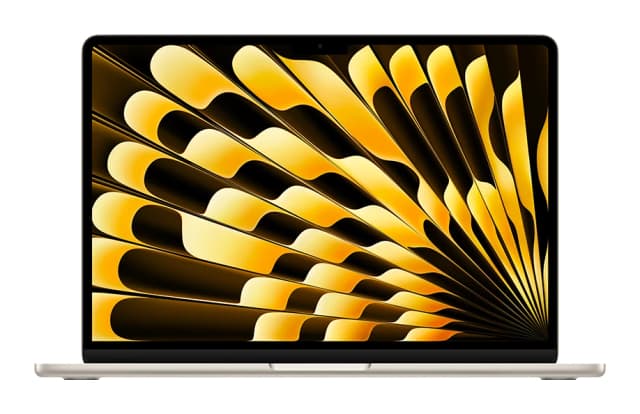
- Best OverallApple MacBook Air (13-inch, M5)Why we picked it →
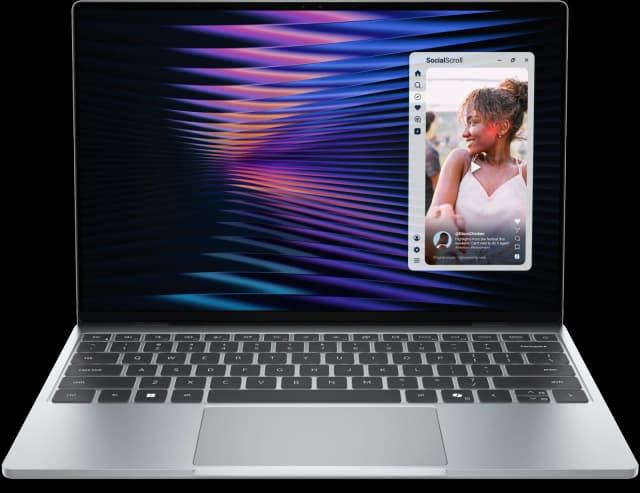
- Best ValueDell XPS 13 (2026)Why we picked it →
- Best BudgetApple MacBook NeoWhy we picked it →


Frequently asked questions
Is the MacBook Pro 14-inch M5 Pro worth it?
For creators and developers upgrading from an older Mac, reviewers say yes. It averages 9/10 across four expert reviews, with praise for performance, the display, battery life and ports. Owners of M4-generation models are likely to see only modest gains.
How long does the battery last?
Apple rates the 72.4-watt-hour battery at up to 22 hours of video streaming and up to 14 hours of wireless web browsing. Heavier work such as rendering or compiling will use the battery faster.
What ports does the MacBook Pro 14-inch M5 Pro have?
It has three Thunderbolt 5 (USB-C) ports, HDMI, an SDXC card slot, MagSafe 3 and a 3.5 mm headphone jack.
How much memory and storage can I get?
Memory starts at 24GB of unified memory and can be configured up to 64GB, depending on the GPU. Storage starts at 1TB and can be configured to 2TB or 4TB.
Does it support Wi-Fi 7?
Yes. It supports Wi-Fi 7 (802.11be) and Bluetooth 6 through Apple's N1 wireless chip.
Should I upgrade from an M4 MacBook Pro?
Reviewers describe the gains for M4-generation owners as modest, and the design is essentially unchanged. Most M4 owners can skip it unless they need the extra performance.
Sources
Specs are taken from the manufacturers' official pages; expert recommendations from the publications below.
- Apple MacBook Pro 14-inch (M5 Pro): apple.com, fstoppers.com, pickr.com.au, notebookcheck.net
Related reviews & guides

Apple MacBook Pro 16-inch (M5 Pro, 2026) Review: Worth It?
Our Apple MacBook Pro 16-inch (M5 Pro, 2026) review covers the chip, XDR display, battery, ports and who should upgrade, based on specs and expert reports.
Published Oct 25, 2026
Apple MacBook Air 13-inch M5 Review: Quiet All-Day Laptop
Our Apple MacBook Air 13-inch M5 review looks at the silent, slim ultraportable: what the specs mean day to day, what experts praise and who should skip it.
Published Oct 25, 2026
Apple MacBook Air 13-inch (M4, 2025) Review: Silent Speed
A silent, fanless 13.6-inch laptop with the M4 chip and all-day battery life. Here is what the specs and expert reviews say about who should buy it.
Published Nov 4, 2026