eero Max 7 Review (2026): Simple Wi-Fi 7, Big Ports
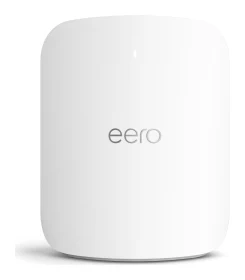
The eero Max 7 pairs tri-band Wi-Fi 7 and multi-gig wired ports with very easy app setup. Here is what the specs and expert reviews say, including where it falls short.
Research-based · We earn from qualifying purchases
Our verdict
The eero Max 7 suits households with multi-gig internet who want fast Wi-Fi 7, plenty of wired ports and a hassle-free app with a built-in smart home hub. Power users who want deep configuration, or buyers who don't want to pay a subscription for advanced security features, should look elsewhere.
The good
- Two 10 GbE ports plus two 2.5 GbE ports for strong wired setups
- Tri-band Wi-Fi 7 with 6 GHz channels up to 320 MHz wide
- Very easy app-guided setup and simple day-to-day management
- Built-in smart home hub supporting Thread, Zigbee and Matter controller
- Reliable, stable performance; works with other eero models
+2 more
- Built-in smart home hub supporting Thread, Zigbee and Matter controller
- Reliable, stable performance; works with other eero models
The bad
- Few advanced settings and limited customisation for power users
- Advanced security and parental controls require a paid eero Plus subscription
- Speeds can drop off at longer distances in some tests
- Large units are harder to place discreetly
+1 more
- Large units are harder to place discreetly
This eero Max 7 review looks at a mesh router built for homes that have outgrown gigabit-era networking. It is a tri-band Wi-Fi 7 system with two 10 GbE ports, a smart home hub inside and the app-led setup eero is known for. It sits in the mid-range part of the market. It is aimed at multi-gig households who want fast, dependable Wi-Fi without spending an evening in a settings menu.
This review is based on eero's published specifications and on what independent expert reviews report. It is not based on hands-on testing.
eero Max 7: specs at a glance
From the manufacturer- Memory
- 2 GB RAM
- Weight
- 3.1 lbs (1.406 kg)
- Storage
- 4 GB flash
- Antennas
- 2.4 GHz: 2x2; 5 GHz: 4x4; 6 GHz: 4x4
- Warranty
- 1-year limited warranty
- Processor
- Quad-core A73
- Dimensions
- 7.24 x 8.73 x 3.54 in (183.90 x 221.89 x 89.90 mm)
- Smart home
- Bluetooth Low Energy 5.0, Thread, Zigbee, Matter (controller only), Works with Alexa
- Power supply
- 45W external USB-PD
- Channel width
- 2.4 GHz: 20/40 MHz; 5 GHz: up to 240 MHz; 6 GHz: up to 320 MHz
- Ethernet ports
- Two auto-sensing 10 GbE + two auto-sensing 2.5 GbE
- Wi-Fi standard
- Wi-Fi 7 (802.11be), tri-band, BE20800
- Max wired speed
- 9.4 Gbps
- Coverage per unit
- 2,500 sq. ft. (232 m^2)
- Devices supported
- 250+ per eero
- Max wireless speed
- 4.3 Gbps
Key features
- Tri-band Wi-Fi 7 for wireless speeds up to 4.3 Gbps
- Two 10 GbE ports for wired speeds up to 9.4 Gbps and multi-gig backhaul
- Covers up to 2,500 sq. ft. per unit
- Connects 250+ devices
- Built-in smart home hub with Thread, Zigbee and Matter (controller only), and Works with Alexa
- App-guided setup, and it works with other eero models
- TrueMesh technology for steady coverage across the home
What the eero Max 7 is
The Max 7 is eero's Wi-Fi 7 (802.11be) tri-band mesh unit, rated BE20800. Each unit is specified to cover up to 2,500 sq. ft. and to connect 250+ devices. It can run on its own as a router, and it also works with other eero models, so you can add to an existing eero network instead of replacing everything.
The pitch is a combination of three things:
- Fast wireless: speeds up to 4.3 Gbps.
- Fast wired connections: two 10 GbE ports and up to 9.4 Gbps of wired speed.
- A simple, app-guided experience.
It also doubles as a hub for Thread, Zigbee and Matter devices.
Design and build
The Max 7 measures 7.24 x 8.73 x 3.54 in (183.90 x 221.89 x 89.90 mm) and weighs 3.1 lbs (1.406 kg). That makes it a substantial unit for a home router. A common criticism from reviewers is that the large units are harder to place discreetly. If you plan to put the router on a shelf in a living area rather than in a cupboard or media closet, think about where it will sit before you buy.
Power comes from a 45W external USB-PD supply. Under the hood is a quad-core A73 processor with 2 GB RAM and 4 GB flash storage. Those figures matter because the unit has to route multi-gig traffic and run the smart home radios at the same time.
eero Max 7 review: features and day-to-day use
Wi-Fi 7 across three bands
The antenna layout is 2x2 on 2.4 GHz and 4x4 on both 5 GHz and 6 GHz. Channel widths go up to 240 MHz on 5 GHz and up to 320 MHz on 6 GHz. Wider channels are the main way Wi-Fi 7 delivers very high throughput, and reviewers single out the 6 GHz channels up to 320 MHz wide as a strength. You need compatible client devices to benefit, and 6 GHz range is generally shorter than lower bands. This is a general trait of the band rather than something specific to this router.
The headline 4.3 Gbps wireless figure is a maximum from the spec sheet. Real-world speed depends on your devices, your walls and your distance from the unit.
Wired connectivity
The wired side is where the Max 7 stands out. It has two auto-sensing 10 GbE ports and two auto-sensing 2.5 GbE ports, with a maximum wired speed of 9.4 Gbps. Reviewers praise this combination for wired setups. In practice you could connect one 10 GbE port to a multi-gig internet connection and the other to a NAS or workstation. The 2.5 GbE ports can then serve a desktop PC, a games console or a second access point.
The 10 GbE ports also support multi-gig backhaul. If you add more eero units, you can link them over a wired connection instead of relying only on wireless links between nodes.
Smart home hub
A built-in hub is a practical extra. The Max 7 supports Bluetooth Low Energy 5.0, Thread, Zigbee and Matter, and it works with Alexa. Matter is listed as controller only, so check that this fits your plans if you expect a broader role for it in a smart home. For people with Thread or Zigbee devices, a router that already includes the radios can mean one fewer box to plug in.
Setup and management
Setup is app-guided, and reviewers consistently praise how easy it is. They say the same about day-to-day management. TrueMesh technology is eero's approach to keeping coverage steady across the home, and the praise for reliable, stable performance fits that goal. The trade-off is below.
Performance: what to expect
The spec sheet gives the ceiling: tri-band Wi-Fi 7, up to 4.3 Gbps wireless and up to 9.4 Gbps wired. Expert reviews describe the performance as reliable and stable. The main caveat is that speeds can drop off at longer distances in some tests. In a larger or awkwardly shaped home, it is worth planning for how far client devices will sit from each unit. One unit is specified for up to 2,500 sq. ft., but walls, floors and layout will affect how much of that you actually get.
If you already have a mesh network, the fact that the Max 7 works with other eero models gives you some flexibility. It could serve as the main router while you keep existing eero units elsewhere. Check eero's own compatibility guidance before relying on that, as the spec sheet only states that it works with other eero models.
What experts like and what they criticise
Three published scores are available. XDA Developers gives it 9/10, PC Gamer scores it 90/100, and Dong Knows Tech scores it 5.8/10. The average across the three expert reviews is 7.9/10. That is a wide spread, and it tells you something. XDA Developers and PC Gamer score it highly, while Dong Knows Tech scores it much lower.
Praised by reviewers:
- The two 10 GbE and two 2.5 GbE ports.
- The 6 GHz channels up to 320 MHz wide.
- Easy app-guided setup and simple management.
- The built-in Thread, Zigbee and Matter controller.
- Stable, reliable day-to-day behaviour.
Common criticisms:
- There are few advanced settings and limited customisation for power users.
- Advanced security and parental controls require a paid eero Plus subscription.
- Speeds can drop off at longer distances in some tests.
- The large units are harder to place discreetly.
The subscription point deserves attention. Basic networking works without it, but the more advanced security and parental controls are locked behind eero Plus, so factor that ongoing cost into your decision if you want them.
Who should buy the eero Max 7
The Max 7 suits you if:
- You have a multi-gig internet connection and want a router that can use it.
- You want plenty of fast wired ports for a NAS, PC or extra access points.
- You value simple setup and management over deep configuration.
- You have Thread or Zigbee devices and like the idea of a built-in hub.
- You already own eero hardware and want to extend or upgrade it.
Who should skip it
Look elsewhere if:
- You are a power user who wants detailed control over network settings. Reviewers say customisation is limited.
- You don't want to pay a subscription for advanced security and parental controls.
- Your home is large enough that you are counting on strong speeds at long distances from a single unit.
- You want a router that disappears into the background. The size makes that harder.
How it fits in the mesh category
The Max 7 emphasises ease of use through app-guided setup and simple management, and it also offers two 10 GbE ports and two 2.5 GbE ports. Its weaker points, such as limited customisation and the paid tier for extra features, come with that approach. If you are weighing other mesh systems, our comparison of the TP-Link Deco BE63 vs TP-Link Deco BE23 shows how a different brand approaches the category.
The warranty is a 1-year limited warranty, which is worth knowing when you consider a router you expect to keep for several years.
Verdict
The eero Max 7 does a clear job well. It gives multi-gig households fast Wi-Fi 7, generous wired connectivity and an easy app, with a smart home hub built in. The 7.9/10 average reflects both sides: high scores from XDA Developers and PC Gamer, and a much lower one from Dong Knows Tech. If you want something that works reliably without constant tinkering, and you can live with limited settings and a subscription for the extra security features, it is an easy mesh system to recommend. If you want control over every setting, or want to avoid recurring fees, it is not the right fit.
Related buying guides
- Best Wi-Fi Routers in 2026: Wi-Fi 7 for Homes of Every Size
- Best Mesh Wi-Fi System for 2026: Wi-Fi 7 on Any Budget
- TP-Link Deco BE23 Review (2026): A Simple Wi-Fi 7 Mesh
- TP-Link Deco BE63 Review (2026): Multi-Gig Wi-Fi 7 Mesh
- TP-Link Archer BE3600 Review (2026): Wi-Fi 7 Without 6 GHz
- TP-Link Archer BE770 Review (2026): Multi-Gig Wi-Fi 7
- TP-Link Deco X55 Review (2026): Easy Mesh, Gigabit Limits
Not sure about the eero Max 7? Consider these
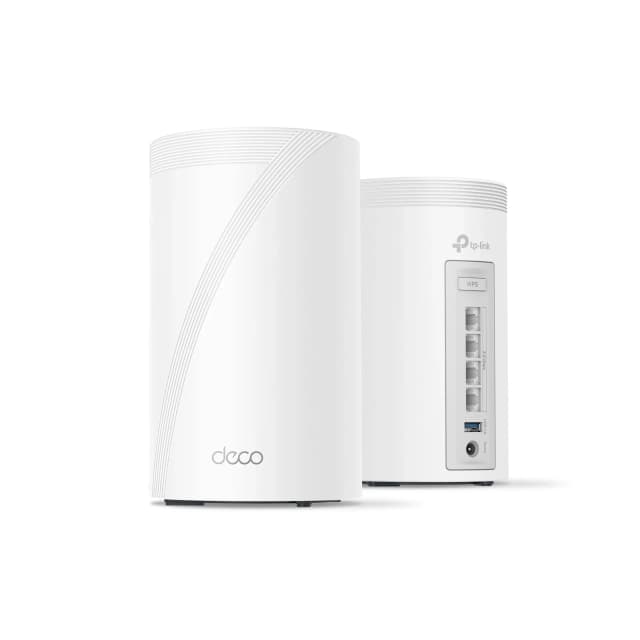
- Best OverallTP-Link Deco 7 Pro BE63Why we picked it →
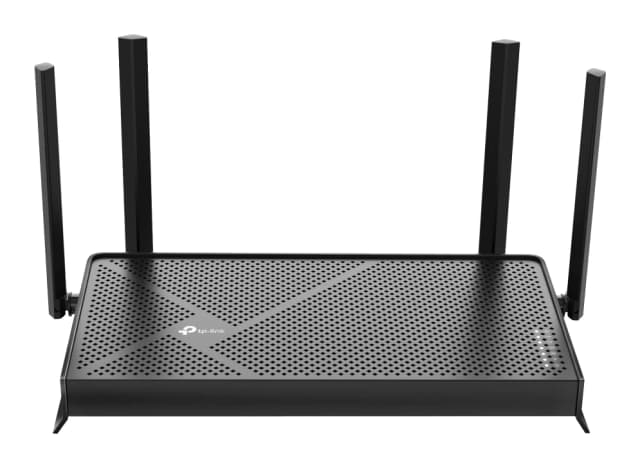
- Best BudgetTP-Link Archer BE770Why we picked it →
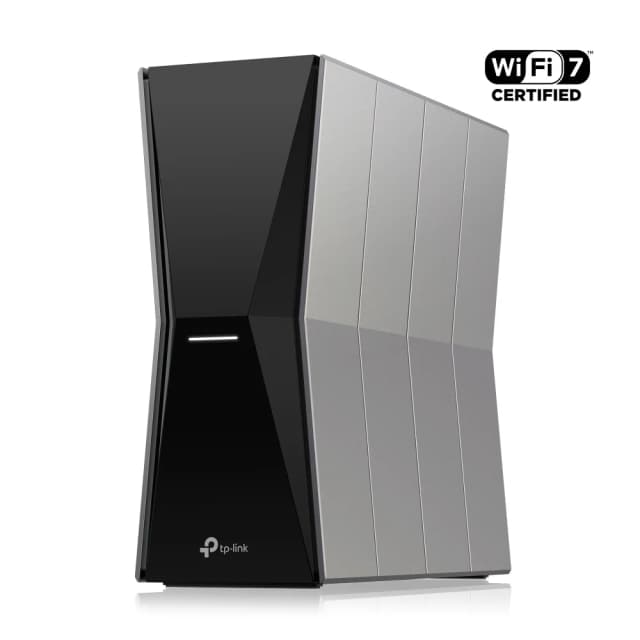
- Best ValueTP-Link Archer BE3600Why we picked it →
Frequently asked questions
Is the eero Max 7 worth it?
It is worth considering if you have multi-gig internet and want Wi-Fi 7 with two 10 GbE ports and a simple app. It averages 7.9/10 across three expert reviews, with scores ranging from 5.8/10 to 9/10. Power users who want deep customisation may be happier with another system.
Does the eero Max 7 support Wi-Fi 7?
Yes. It is a tri-band Wi-Fi 7 (802.11be) system rated BE20800, with wireless speeds up to 4.3 Gbps and 6 GHz channels up to 320 MHz wide.
Does the eero Max 7 have 10 Gb Ethernet ports?
Yes. It has two auto-sensing 10 GbE ports and two auto-sensing 2.5 GbE ports, with wired speeds up to 9.4 Gbps.
Can the eero Max 7 work as a smart home hub?
Yes. It has Bluetooth Low Energy 5.0, Thread, Zigbee and Matter support, and it works with Alexa. Matter is listed as controller only.
Does the eero Max 7 need a subscription?
Basic networking does not, but reviewers note that advanced security and parental controls require a paid eero Plus subscription.
Does the eero Max 7 work with other eero models?
Yes. eero lists it as working with other eero models, so you can use it alongside an existing eero network. Check eero's compatibility guidance for the specifics of your setup.
Sources
Specs are taken from the manufacturers' official pages; expert recommendations from the publications below.
- eero Max 7: eero.com, dongknows.com, tomsguide.com, datawiresolutions.com
Related reviews & guides
Best Wi-Fi Routers in 2026: Wi-Fi 7 for Homes of Every Size
Five Wi-Fi 7 routers compared on speed, wired ports, coverage and security, from a compact apartment pick to a 10 Gbps flagship and a smart home hub.
Published Oct 30, 2026Best Mesh Wi-Fi System for 2026: Wi-Fi 7 on Any Budget
Five Wi-Fi 7 mesh systems compared on bands, wired ports, coverage and expert recommendations, from budget TP-Link Deco picks to a 10G ASUS and an eero smart home hub.
Published Oct 17, 2026
TP-Link Deco BE23 Review (2026): A Simple Wi-Fi 7 Mesh
The TP-Link Deco BE23 brings Wi-Fi 7, MLO and 2.5 Gbps ports to a mid-range mesh system. Here is what it does well, where it compromises, and who it suits.
Published Nov 4, 2026