Lenovo Chromebook Duet 11 Gen 9 Review: Light but Cramped
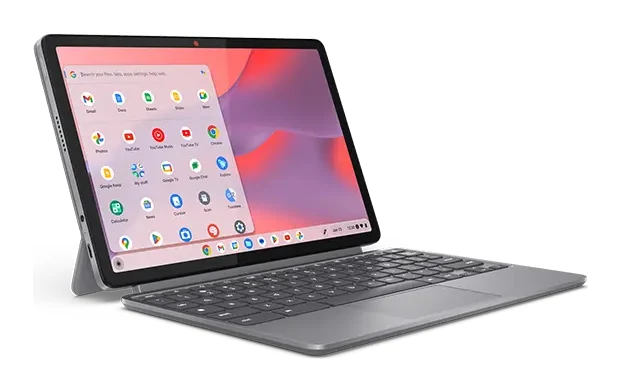
Our Lenovo Chromebook Duet 11 Gen 9 review looks at a featherweight, fanless Chromebook tablet with a detachable folio keyboard, and at who will tolerate its compromises.
Research-based · We earn from qualifying purchases
Our verdict
The Duet 11 Gen 9 suits students and travelers who want a light, quiet Chromebook tablet for web tasks, media and note-taking. Skip it if you type a lot or need a lap-friendly laptop, and choose the 8GB model if you plan to multitask.
The good
- Very light: tablet starts at 510 g with a slim 7.6mm body
- Bright, sharp 10.95-inch 2K touchscreen rated at 400 nits
- Fanless design runs quietly and stays cool
- Detachable folio keyboard and kickstand suit laptop or tablet use
- MIL-STD-810H tested aluminium chassis feels well built
+2 more
- Detachable folio keyboard and kickstand suit laptop or tablet use
- MIL-STD-810H tested aluminium chassis feels well built
The bad
- Folio keyboard is cramped and mushy, with a small trackpad
- Awkward to use on a lap
- 4GB RAM base model can bottleneck; 8GB is the safer choice
- No backlit keyboard, no cellular option and no card reader
+1 more
- No backlit keyboard, no cellular option and no card reader
This Lenovo Chromebook Duet 11 Gen 9 review is for anyone weighing a Chromebook that works first as a tablet and second as a laptop. The Duet 11 is a slim, light 10.95-inch device with a detachable folio keyboard and kickstand. It sits in the mid-range part of the market and is aimed at students and travelers who spend their day in a browser, watching video or taking notes. This article is based on Lenovo's manufacturer specs and on what independent expert reviews report. It is not based on hands-on testing.
Lenovo Chromebook Duet 11 Gen 9: specs at a glance
From the manufacturer- NPU
- MediaTek NPU 650, up to 4 TOPS
- Audio
- Stereo speakers, 1W x2, Waves MaxxAudio, dual-microphone array
- Color
- Luna Grey
- Ports
- 2x USB-C (USB 5Gbps) with PD and DisplayPort 1.4, 3.5mm combo jack, 3-pin pogo connector
- Memory
- 4GB or 8GB LPDDR4X-3733, soldered
- Cameras
- Front 5.0MP with privacy shutter; rear 8.0MP autofocus
- Charger
- 45W USB-C (3-pin) AC adapter, PD 3.0
- Display
- 10.95-inch WUXGA (1920 x 1200) IPS touchscreen, 400 nits, 60Hz
- Storage
- 64GB or 128GB eMMC 5.1, soldered, no card reader
- Graphics
- Arm Mali-G57 MC3 (integrated)
- Wireless
- Wi-Fi 6 (802.11ax), Bluetooth 5.3
- Processor
- MediaTek Kompanio 838 octa-core (2x A78 @2.6GHz + 6x A55 @2.0GHz)
- Tablet weight
- starting at 510 g (1.12 lbs)
- Weight with folio stand and keyboard
- starting at 1.101 kg (2.43 lbs)
Key features
- Ultra-light tablet, starting at 510 g (1.12 lbs), with a slim 7.6mm body
- Detachable folio keyboard and kickstand for laptop or portrait use
- 10.95-inch 2K (1920x1200) 400-nit touchscreen
- Fanless MediaTek Kompanio 838 chip with AI-enabling NPU
- Up to 12-hour battery life, per Lenovo
- MIL-STD-810H tested aluminium chassis
- Stylus support with Lenovo USI Pen 2
- 5.0MP front camera with privacy shutter and 8.0MP rear camera
Design and build: a tablet first
The headline number is weight. The tablet on its own starts at 510 g (1.12 lbs), and the body is just 7.6mm thick. With the folio stand and keyboard attached, the weight starts at 1.101 kg (2.43 lbs). The folio stand and keyboard add to the tablet's weight, so the two figures are worth comparing.
Despite the thin profile, Lenovo describes an aluminium chassis tested to MIL-STD-810H. Reviewers say the chassis feels well built.
The colour is Luna Grey. The folio is a cover, stand and keyboard in one. It works in two modes: as a laptop-style setup with the keyboard attached, and as a portrait-oriented tablet on the kickstand, which suits reading and note-taking. Because the keyboard detaches, you can leave it behind when you only want to watch something or browse.
Display and audio
The screen is a 10.95-inch WUXGA (1920 x 1200) IPS touchscreen rated at 400 nits, running at 60Hz. The panel is rated at 400 nits, and reviewers praise the screen as bright and sharp.
The screen runs at 60Hz, which is adequate for streaming and reading.
Audio comes from stereo speakers (1W x2) tuned with Waves MaxxAudio, plus a dual-microphone array for calls. Lenovo doesn't publish a loudness figure, so treat the speakers as fine for casual video and calls rather than as a selling point.
Performance and what the hardware means day to day
The Duet 11 uses a MediaTek Kompanio 838 octa-core chip (2x A78 @2.6GHz + 6x A55 @2.0GHz) with integrated Arm Mali-G57 MC3 graphics. The chip also includes a MediaTek NPU 650, rated up to 4 TOPS, which Lenovo positions as AI-enabling. That tells you what the Duet is built for: web apps, media, documents, video calls and light multitasking, not heavy workloads.
The chip is fanless. That is one of the strengths reviewers highlight: the Duet runs quietly and stays cool. In a library or lecture hall that silence is a practical advantage.
Memory and storage: choose carefully
You can configure the Duet with 4GB or 8GB of LPDDR4X-3733 memory, soldered to the board, so it can't be upgraded later. Storage is 64GB or 128GB of eMMC 5.1, also soldered, and there is no card reader to expand it.
A common criticism is that the 4GB base model can become a bottleneck. If you keep many tabs and apps open, reviewers say the 8GB model is the safer choice, and that matches the intended use. Because memory can't be added later, buy the amount you will need for the life of the device. The storage limits suggest leaning on cloud storage, particularly with the smaller option.
Battery, charging and connectivity
Lenovo quotes up to 12-hour battery life, so that is a manufacturer claim rather than something independently measured. Real-world results will depend on brightness and what you are doing. The charger is a 45W USB-C (3-pin) AC adapter supporting PD 3.0.
For connections, there are 2x USB-C ports (USB 5Gbps) with Power Delivery and DisplayPort 1.4. That means you can charge, connect accessories or output to an external display through USB-C. There is also a 3.5mm combo jack and a 3-pin pogo connector for the folio keyboard. Wireless is Wi-Fi 6 (802.11ax) and Bluetooth 5.3. There is no cellular option, so if you need a connection away from Wi-Fi you will need to tether to a phone.
Cameras and pen support
The front camera is 5.0MP with a privacy shutter, a helpful touch for video calls and for peace of mind. The rear camera is 8.0MP with autofocus.
The Duet also supports the Lenovo USI Pen 2. Along with the touchscreen and kickstand, that makes the portrait-mode note-taking pitch credible, particularly for students who want to annotate.
What experts like and what they criticise
Reviewers consistently praise the weight and slim body, the bright and sharp 2K touchscreen, the quiet fanless design and the MIL-STD-810H tested aluminium chassis, which feels well built. They also like the flexibility of the detachable folio keyboard and kickstand, which let the Duet switch between laptop and tablet use. Android Authority scores it 8/10.
The criticisms are just as consistent, and they matter:
- The keyboard: it is described as cramped and mushy, with a small trackpad. If you write essays or long emails, that will wear on you.
- Lap use: the kickstand and folio design is awkward on a lap, so the Duet works best on a desk or table.
- RAM: the 4GB version can bottleneck, as above.
- Missing extras: there is no backlit keyboard, no cellular option and no card reader.
These are not minor footnotes. They define the kind of user the Duet suits.
Who should buy it, and who should skip it
Buy it if you are a student or traveler who wants a light, quiet Chromebook tablet for web tasks, streaming and note-taking, and you value a sharp screen and a sturdy body. It is a good match if you will often use it as a tablet and attach the keyboard only for short typing sessions. If you plan to run several things at once, go for the 8GB model.
Skip it if you type a lot, need a lap-friendly laptop, want a backlit keyboard, or need built-in cellular or a card reader. In that case a conventional clamshell Chromebook or laptop will be more comfortable. For wider options, see our guide to the best laptops for every budget.
How it fits in the Chromebook market
In general terms, a detachable Chromebook like this trades keyboard comfort and lap stability for weight, portability and a better tablet experience. The Duet leans hard into portability. If your use is mostly reading, watching and light work, that trade is sensible. If your use is mostly typing, a traditional laptop is the better fit.
Verdict
The Lenovo Chromebook Duet 11 Gen 9 is a well-built, light and quiet Chromebook tablet with a good screen and flexible hardware. It is held back by a cramped keyboard and a design that doesn't suit the lap. Treat it as a tablet that can sometimes be a laptop, choose 8GB of RAM if you multitask, and it should suit students and travelers well.
Related buying guides
- Lenovo ThinkPad P1 Gen 8 Review (2026): Thin, Upgradeable
- Lenovo IdeaPad Slim 3x 15" Review (2026): Battery First
- Acer Chromebook Plus Spin 714 Review (2026): Updates to 2034
- Best Laptops for Video Editing 2026: Macs to RTX
- Best Laptops for College Students 2026: All-Day Battery
- Apple MacBook Neo Review (2026): Quiet, Light, Everyday Mac
Not sure about the Lenovo Chromebook Duet 11 Gen 9? Consider these
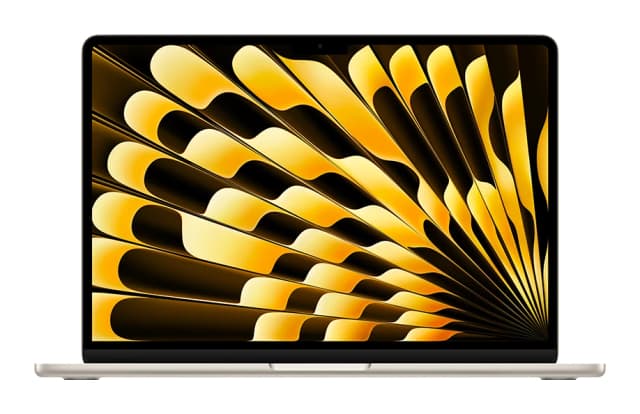
- Best OverallApple MacBook Air (13-inch, M5)Why we picked it →
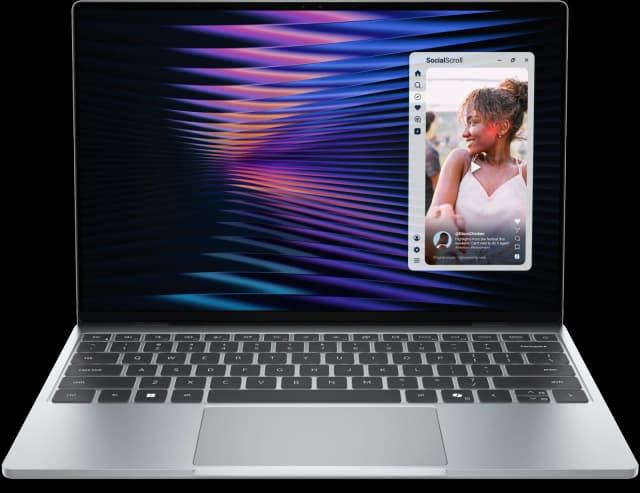
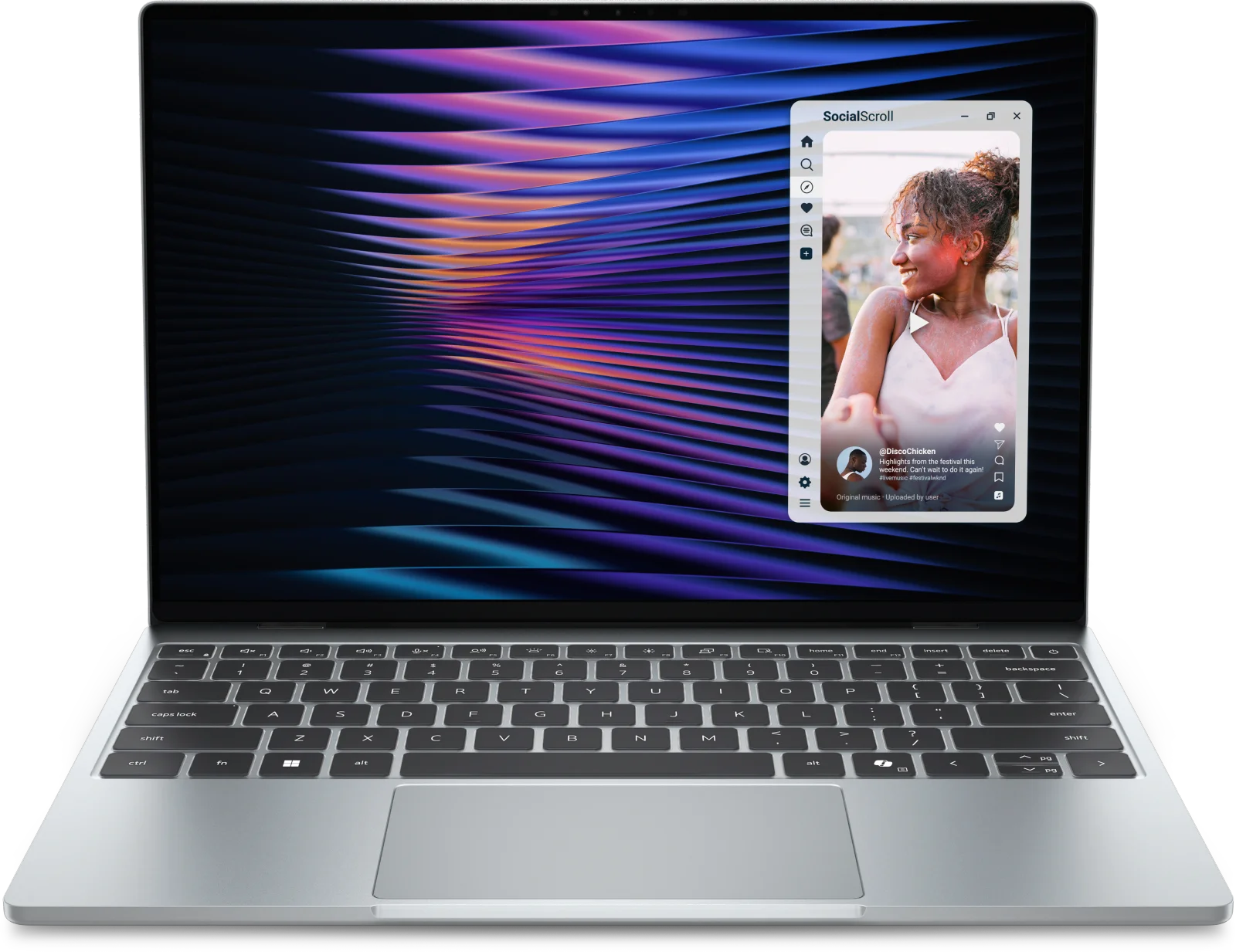
- Best ValueDell XPS 13 (2026)Why we picked it →
- Best BudgetApple MacBook NeoWhy we picked it →


Frequently asked questions
Is the Lenovo Chromebook Duet 11 Gen 9 worth it?
It is worth considering if you want a light, quiet Chromebook tablet for web tasks, media and note-taking. Reviewers praise the weight, the bright 2K touchscreen and the sturdy build. It is less compelling if you type a lot, since the folio keyboard is described as cramped and mushy.
How much RAM and storage should I get?
It comes with 4GB or 8GB of memory and 64GB or 128GB of eMMC 5.1 storage, all soldered, so you can't upgrade later. Reviewers say the 4GB model can bottleneck, so 8GB is the safer choice, especially if you multitask.
Does the Duet 11 Gen 9 come with a keyboard?
It has a detachable folio keyboard and kickstand, which let you use it as a laptop-style setup or as a portrait tablet. The tablet alone starts at 510 g (1.12 lbs), and with the folio stand and keyboard the weight starts at 1.101 kg (2.43 lbs).
Does it support a stylus?
Yes, it supports the Lenovo USI Pen 2, which suits note-taking and annotation on the 10.95-inch touchscreen.
What ports and wireless does the Duet 11 Gen 9 have?
It has 2x USB-C ports (USB 5Gbps) with Power Delivery and DisplayPort 1.4, a 3.5mm combo jack and a 3-pin pogo connector. Wireless is Wi-Fi 6 (802.11ax) and Bluetooth 5.3. There is no cellular option and no card reader.
How long does the battery last?
Lenovo quotes up to 12-hour battery life. That is a manufacturer claim, and real results will vary with screen brightness and what you are doing.
Sources
Specs are taken from the manufacturers' official pages; expert recommendations from the publications below.
- Lenovo Chromebook Duet 11 Gen 9: lenovo.com, laptopmag.com, androidauthority.com, umpcportal.com
Related reviews & guides
Best Chromebooks 2026: Budget, 2-in-1 and AMOLED Picks
Five of the best Chromebooks for 2026, from a premium convertible with a decade of updates to a budget detachable and a slim AMOLED laptop.
Published Oct 15, 2026
Lenovo ThinkPad P1 Gen 8 Review (2026): Thin, Upgradeable
A slim 16-inch workstation with optional OLED, RTX PRO Blackwell graphics and upgradeable memory and storage. Here is what the specs and expert reviews say about who it suits.
Published Oct 28, 2026
Lenovo IdeaPad Slim 3x 15" Review (2026): Battery First
A light, long-lasting Snapdragon laptop with a number pad and plenty of ports. Here is what the specs and expert reviews say about its strengths and trade-offs.
Published Oct 25, 2026