Lenovo Chromebook Plus (14", 10) Review (2026): OLED Speed
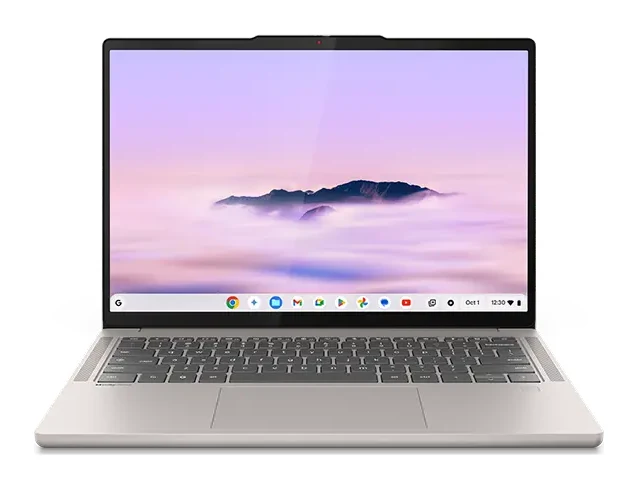
A fast, silent ChromeOS laptop with a 14-inch OLED screen and all-day battery, held back by a mid-range price and limited ports. Here is who it suits.
Research-based · We earn from qualifying purchases
Our verdict
This is a premium, fast and silent ChromeOS laptop with a standout OLED screen and all-day battery, best for people who live in Chrome and want a polished, portable machine. Buyers on a tight budget, or those needing more ports or Windows-only software, should look elsewhere.
The good
- Fastest Chromebook reviewers had tested, with strong multitasking
- Bright, vivid 14-inch OLED with 100% DCI-P3 colour
- Slim, light aluminum build starting at 1.17 kg
- Battery lasts a full workday, rated up to 17 hours by Lenovo
- Fanless and silent, with clear quad-speaker Dolby Atmos audio
+2 more
- Battery lasts a full workday, rated up to 17 hours by Lenovo
- Fanless and silent, with clear quad-speaker Dolby Atmos audio
The bad
- Pricey for a Chromebook, close to Windows-laptop territory
- Limited ports: only two USB-C, one USB-A and a headphone jack
- 1920x1200 resolution is modest, and the glossy panel reflects in bright light
- Case warms up under sustained heavy load
+1 more
- Case warms up under sustained heavy load
This Lenovo Chromebook Plus (14", 10) review looks at a laptop that tries to move ChromeOS upmarket. It pairs a MediaTek Kompanio Ultra 910 chip with a 14-inch OLED screen, an aluminum body and a fanless design. It is aimed at people who do most of their work in Chrome and want a polished, portable machine rather than the cheapest option.
This review is based on Lenovo's specifications and on what independent expert reviews report. It is not hands-on testing. Reviewers give it a strong overall reception, with the main caveats being price, ports and the screen's modest resolution.
Lenovo Chromebook Plus (14", 10): specs at a glance
From the manufacturer- GPU
- Arm Immortalis-G925 MC
- NPU
- MediaTek NPU 890, up to 50 TOPS
- Audio
- 4x 2W speakers, Dolby Atmos
- Ports
- 2x USB-C 5Gbps, 1x USB-A 5Gbps, 1x 3.5mm combo jack
- Camera
- 5MP with privacy shutter
- Memory
- Up to 16GB LPDDR5X (soldered)
- Weight
- Starting at 1.17 kg (2.58 lbs); touchscreen model around 1.26 kg (2.78 lbs)
- Battery
- 60Wh, up to 17 hours; 65W USB-C Rapid Charge adapter
- Display
- 14" WUXGA (1920x1200) OLED, 16:10, 400nits, 100% DCI-P3, 60Hz; touch on some models
- Storage
- Up to 256GB UFS 4.0
- Wireless
- Wi-Fi 7, Bluetooth 5.4
- Processor
- MediaTek Kompanio Ultra 910 (8-core)
- Dimensions
- 314.2 x 219.1 x 15.79 mm
- Operating system
- ChromeOS
Key features
- MediaTek Kompanio Ultra 910 chip with a 50 TOPS NPU for on-device AI
- 14-inch 1920x1200 OLED screen with 100% DCI-P3 colour
- Up to 17 hours of battery life (Lenovo claim) from a 60Wh battery
- Fanless, silent aluminum design, starting at 1.17 kg
- Quad 2W speakers with Dolby Atmos and down-firing woofers
- 5MP webcam with physical privacy shutter, plus optional fingerprint reader
- Backlit keyboard and large touchpad
- Wi-Fi 7, and support for two external 4K displays
What the Lenovo Chromebook Plus (14", 10) is
The laptop runs ChromeOS on an 8-core MediaTek Kompanio Ultra 910 processor with an Arm Immortalis-G925 MC GPU. Memory goes up to 16GB of LPDDR5X and storage up to 256GB of UFS 4.0. The memory is soldered, so choose the configuration you need at purchase.
The chip also includes a MediaTek NPU 890 rated at up to 50 TOPS. Lenovo positions it for on-device AI features. In practice that means some AI tasks can run locally instead of relying only on the cloud. How much you benefit depends on which ChromeOS AI tools you use.
It is a premium choice among Chromebooks, though reviewers note it comes close to Windows-laptop territory on price.
Design and build
The body is aluminum and measures 314.2 x 219.1 x 15.79 mm. Weight starts at 1.17 kg (2.58 lbs). The touchscreen model is around 1.26 kg (2.78 lbs), so choosing touch costs a little in weight. Reviewers single out the slim, light build as a highlight, and it suits someone carrying a laptop to class, the office or between meetings.
The design is fanless, so the laptop makes no fan noise. That is a real benefit in libraries, meetings and quiet rooms. The trade-off is that passive cooling has limits, and a common criticism is that the case warms up under sustained heavy load. For everyday browsing, documents and video calls this is unlikely to matter. If you plan long, demanding sessions, factor it in.
The keyboard is backlit and the touchpad is large, which matters if you type a lot or work without a mouse. Lenovo also offers an optional fingerprint reader, so check that your configuration includes it if you want one.
The display
The screen is the main reason to consider this model. It is a 14" WUXGA (1920x1200) OLED panel in a 16:10 aspect ratio, which gives a little more vertical room than a 16:9 screen for documents and web pages. It is rated at 400nits with 100% DCI-P3 colour, and reviewers describe it as bright and vivid.
There are two caveats that reviewers raise. First, 1920x1200 is a modest resolution for a laptop at this level. Second, the glossy panel reflects in bright light. The refresh rate is 60Hz, and touch is available only on some models.
The laptop can also drive two external 4K displays. That is useful if you dock it at a desk and want more screen space than a single 14-inch panel offers.
Lenovo Chromebook Plus (14", 10) review: performance and battery
Speed and multitasking
Reviewers call it the fastest Chromebook they had tested, with strong multitasking. That fits the spec sheet. The 8-core chip is paired with up to 16GB of fast LPDDR5X memory and UFS 4.0 storage. Opening many tabs, switching between apps and running several tasks at once are the things this kind of hardware helps with.
Because it runs ChromeOS, performance is only part of the picture. Your software has to work there, which means web apps, Android apps and the tools ChromeOS supports. Windows-only programs are not an option.
Battery life and charging
Lenovo rates the 60Wh battery at up to 17 hours. That is a manufacturer claim, and real-world results depend on brightness, workload and settings. Reviewers say the battery lasts a full workday. A 65W USB-C Rapid Charge adapter is included in the specification, so you can top up with a single cable.
For most people the practical point is that, with Lenovo's 17-hour rating and reviewers reporting a full workday, you can leave the charger at home on a typical day.
Audio and webcam
The laptop has four 2W speakers with Dolby Atmos and down-firing woofers. Reviewers praise the audio as clear, which helps for video calls, streaming and casual music. The 5MP webcam has a physical privacy shutter, a simple and reassuring feature if you work in shared spaces.
Connectivity and ports
Wireless support is current, with Wi-Fi 7 and Bluetooth 5.4. Wired connections are where the compromises show up. You get two USB-C 5Gbps ports, one USB-A 5Gbps port and a 3.5mm combo jack. Reviewers list the limited port selection as a criticism, and it is easy to see why if you connect a monitor, a drive and other accessories at once. A small USB-C hub would solve that, though it is one more thing to carry.
What experts like and what they criticise
The published scores are positive. TechRadar scores it 4 out of 5, XDA Developers 8/10 and Notebookcheck 86/100. It averages 8.2/10 across 3 expert reviews. It is also recommended in an independent expert buying guide.
Reviewers consistently praise:
- Its speed and multitasking ability for a Chromebook.
- The bright, colourful OLED display.
- The slim, light aluminum build.
- Battery life that covers a full workday.
- The silent, fanless design and clear speaker sound.
The common criticisms are:
- The price, which is high for a Chromebook.
- The limited ports.
- The modest screen resolution, and reflections on the glossy panel.
- The case warming up under sustained heavy use.
Who should buy it
This laptop suits people who already live in Chrome and want a premium, portable machine. It is a good fit for:
- Students and professionals who work mostly in the browser, web apps and Android apps.
- People who value a quiet laptop with a strong screen and good audio for calls and media.
- Anyone who wants a day of battery without carrying a charger.
- Desk users who want to connect two external 4K displays.
Who should skip it
Look elsewhere if any of these apply:
- You are on a tight budget. Reviewers call it pricey for a Chromebook, close to Windows-laptop territory.
- You need Windows-only software. ChromeOS can't run it.
- You connect many accessories. The port selection is limited.
- You work outdoors or in bright rooms. The glossy panel reflects light.
- You want a screen with higher resolution. 1920x1200 is modest.
How it fits in the Chromebook market
This is a premium Chromebook, built around a bright OLED screen, speed and silence. It is not trying to be the cheapest option. If you are weighing it against other high-end ChromeOS laptops, including convertible designs, our comparison of the Acer Chromebook Plus Spin 714 and Samsung Galaxy Chromebook Plus is a useful next read.
Verdict
The Lenovo Chromebook Plus (14", 10) suits people who know they want ChromeOS and want a fast, polished, portable machine with a premium OLED screen. Speed, a standout OLED display, a light fanless build and a full day of battery are its strengths. The price, limited ports, modest resolution and warm case under heavy load are the trade-offs. If those fit your needs, it is a strong option for a premium ChromeOS laptop. If they don't, a cheaper Chromebook or a Windows laptop may serve you better.
Related buying guides
- Acer Spin 714 vs Lenovo Chromebook Duet (2026)
- Lenovo Chromebook Duet 11 Gen 9 Review: Light but Cramped
- Acer Chromebook Plus 515 Review (2026): Roomy and Quick
- Acer Chromebook Plus Spin 714 Review (2026): Updates to 2034
- Lenovo ThinkPad P1 Gen 8 Review (2026): Thin, Upgradeable
- Lenovo IdeaPad Slim 3x 15" Review (2026): Battery First
Not sure about the Lenovo Chromebook Plus (14", 10)? Consider these
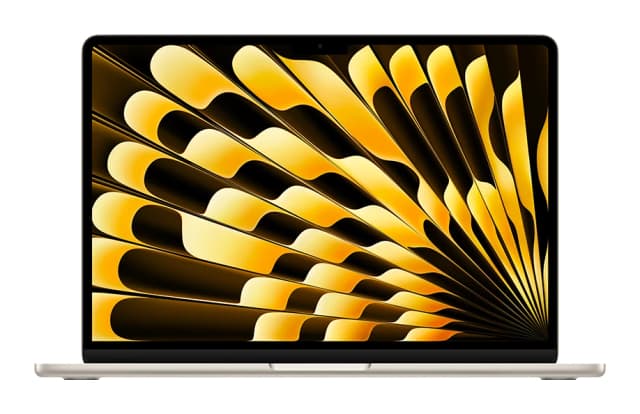
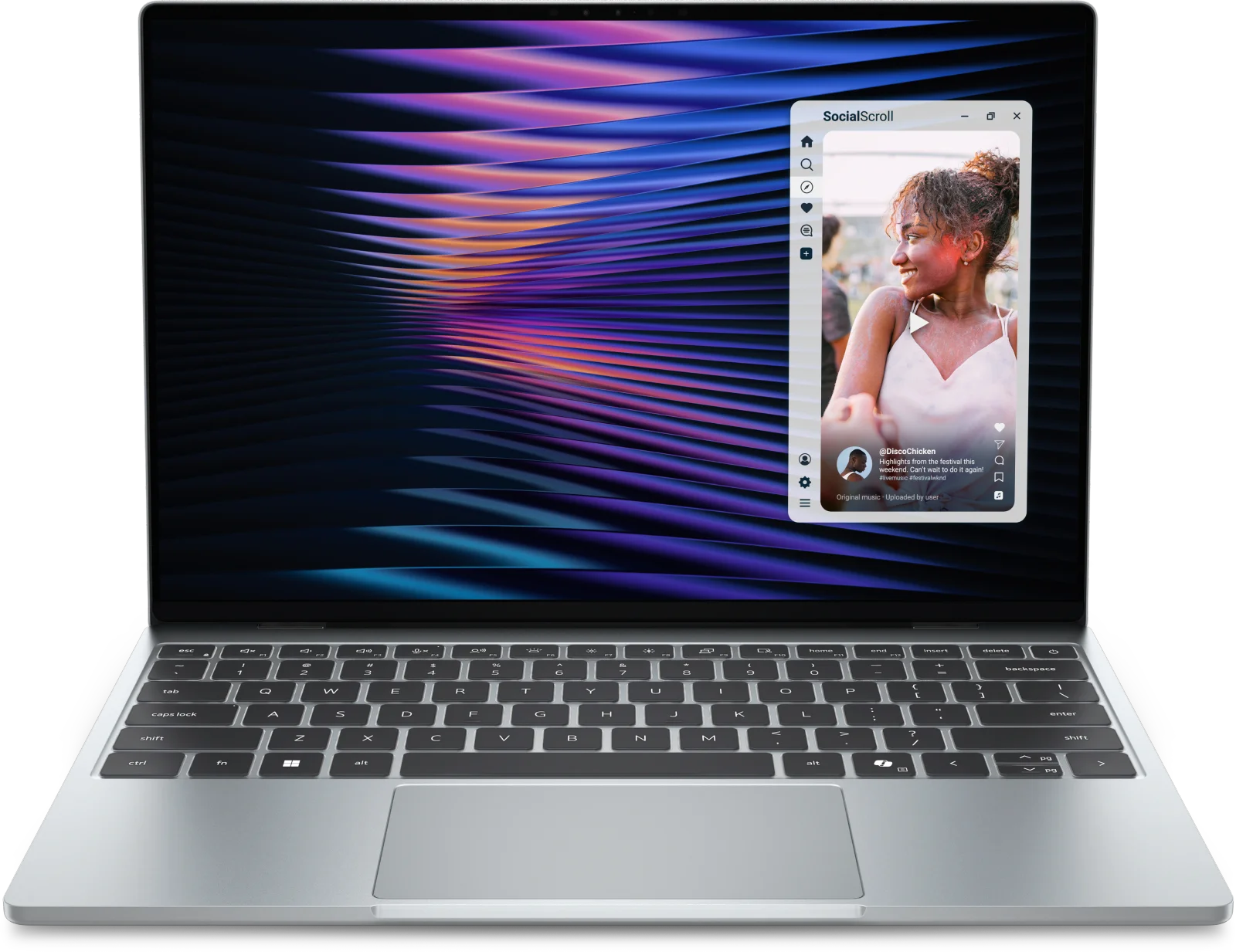
- Best OverallApple MacBook Air (13-inch, M5)Why we picked it →
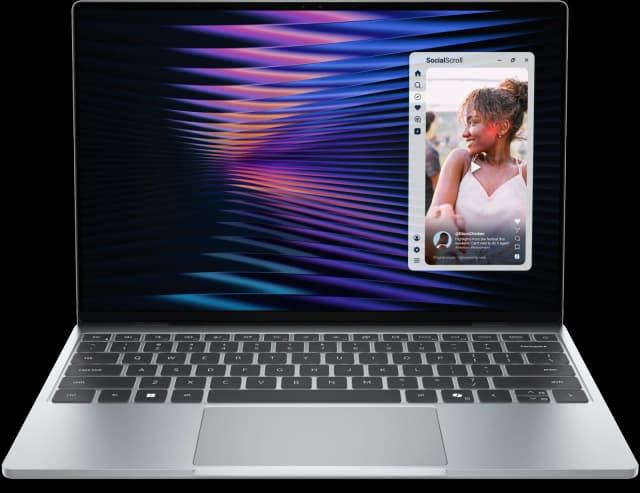
- Best ValueDell XPS 13 (2026)Why we picked it →
- Best BudgetApple MacBook NeoWhy we picked it →


Frequently asked questions
Is the Lenovo Chromebook Plus (14", 10) worth it?
It is worth considering if you work mainly in Chrome and want a fast, silent laptop with an OLED screen and all-day battery. It averages 8.2/10 across 3 expert reviews. The main drawback is that it is priced above typical Chromebooks, so it is harder to justify on a tight budget.
How long does the battery last?
Lenovo rates the 60Wh battery at up to 17 hours. That is a manufacturer claim, and results vary with brightness and workload. Reviewers say it lasts a full workday.
Does it have a touchscreen?
Touch is available on some models only. The touchscreen version weighs around 1.26 kg (2.78 lbs), while the lightest configuration starts at 1.17 kg (2.58 lbs). Check the exact configuration before buying.
What ports does the Lenovo Chromebook Plus (14", 10) have?
It has two USB-C 5Gbps ports, one USB-A 5Gbps port and a 3.5mm combo jack. Reviewers criticise the limited selection. If you connect many accessories, you may want a USB-C hub.
Does it support Wi-Fi 7 and external monitors?
Yes. It supports Wi-Fi 7 and Bluetooth 5.4, and it can drive two external 4K displays.
Can it run Windows programs?
No. It runs ChromeOS, so Windows-only software is not supported. It suits web apps and the other apps ChromeOS supports.
Sources
Specs are taken from the manufacturers' official pages; expert recommendations from the publications below.
- Lenovo Chromebook Plus (14", 10): lenovo.com, itpro.com, expertreviews.co.uk, tomsguide.com
Related reviews & guides
Acer Spin 714 vs Lenovo Chromebook Duet (2026)
Acer's laptop-class convertible against Lenovo's featherweight detachable. We compare performance, portability, keyboards, ports and what experts say.
Published Nov 4, 2026
Lenovo Chromebook Duet 11 Gen 9 Review: Light but Cramped
Our Lenovo Chromebook Duet 11 Gen 9 review looks at a featherweight, fanless Chromebook tablet with a detachable folio keyboard, and at who will tolerate its compromises.
Published Nov 4, 2026
Acer Chromebook Plus 515 Review (2026): Roomy and Quick
The Acer Chromebook Plus 515 pairs a big 15.6-inch matte screen with quick performance and a generous port selection. Here is where it shines and where it falls short.
Published Nov 11, 2026