ASUS Chromebook CX15 (CX1505) Review (2026): Big, Not Fast
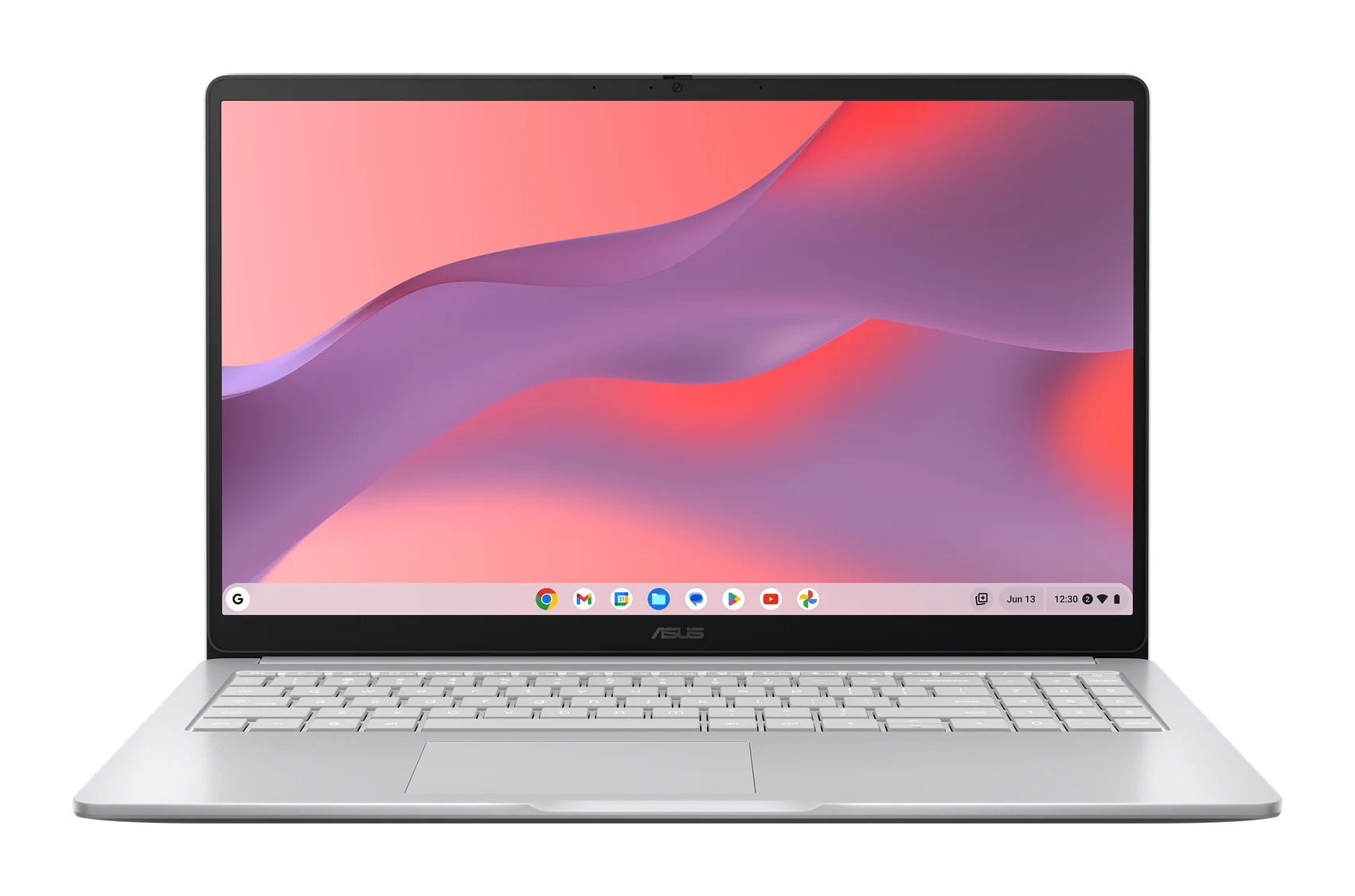
A 15.6-inch Chromebook with a full-size keyboard, HDMI and a durability rating. Here's who the ASUS CX15 suits and who should look elsewhere.
Research-based · We earn from qualifying purchases
Our verdict
The CX15 suits budget buyers who want a big screen and a comfortable keyboard with number pad for browsing, documents and streaming. Skip it if you multitask heavily, carry your laptop daily, or want a sharper webcam and a better touchpad.
The good
- Large 15.6-inch FHD anti-glare screen with thin bezels
- Full-size spill-resistant keyboard with numeric keypad
- HDMI, USB-C and USB-A ports reduce the need for adapters
- MIL-STD 810H durability rating for rougher everyday use
- Privacy-shuttered webcam plus Titan C security chip and Kensington lock slot
+2 more
- MIL-STD 810H durability rating for rougher everyday use
- Privacy-shuttered webcam plus Titan C security chip and Kensington lock slot
The bad
- Dual-core Celeron N4500 or N50 chip struggles with heavy multitasking
- 4GB RAM version holds performance back
- Touchpad feels cheap and imprecise, per reviewers
- At 1.59 kg and 36 cm wide, it is bulky to carry
+1 more
- At 1.59 kg and 36 cm wide, it is bulky to carry
This ASUS Chromebook CX15 (CX1505) review looks at a laptop that makes one idea its whole pitch: a large, comfortable Chromebook for everyday work, without the premium-tier price. It has a 15.6-inch Full HD screen, a full-size keyboard with a number pad, and a port selection that covers most desk setups. The hardware is entry-level, though. That makes it a fit for browsing, documents, email and streaming, and a poor fit for anything demanding.
It sits in the mid-range part of the market. It is best for budget buyers who want a big-screen Chromebook for everyday tasks, such as a family laptop, a student's home machine or a desk-based work device. This review is based on ASUS's manufacturer specifications and what independent expert reviews report. It is not based on hands-on testing.
ASUS Chromebook CX15 (CX1505): specs at a glance
From the manufacturer- Ports
- Up to 2x USB 3.2 Gen 1 Type-C (display/power delivery), USB 3.2 Gen 1 Type-A, 1x HDMI 1.4, 3.5mm combo audio jack
- Camera
- 720p HD with privacy shutter
- Weight
- Starts from 1.59 kg (3.51 lbs)
- Battery
- 42WHrs, 3S1P, 3-cell Li-ion
- Display
- Non-touch, 15.6-inch, FHD (1920 x 1080) 16:9, wide view, anti-glare, 300nits, NTSC 45%
- Storage
- 128G eMMC
- Graphics
- Intel UHD Graphics
- Wireless
- Wi-Fi 6 (802.11ax) dual band 2*2 + Bluetooth 5.4
- Power supply
- 45W USB-C AC adapter
- Memory (CX1505CKA)
- 8GB LPDDR4X on board
- Memory (CX1505CTA)
- 4GB LPDDR5 on board
- Processor (CX1505CKA)
- Intel Celeron N4500 1.1 GHz (up to 2.8 GHz, 2 cores, 2 threads)
- Processor (CX1505CTA)
- Intel Processor N50 1.0 GHz (up to 3.4 GHz, 2 cores, 2 threads)
- Dimensions (W x D x H)
- 35.95 x 23.22 x 2.01 cm (14.15" x 9.14" x 0.79")
Key features
- Large 15.6-inch FHD anti-glare screen with a thin-bezel 87% screen-to-body ratio
- Full-size spill-resistant keyboard with a numeric keypad
- HDMI 1.4 port plus USB-C and USB-A, so fewer adapters are needed
- Rated to the MIL-STD 810H military durability standard
- 720p webcam with a physical privacy shutter
- Titan C security chip and Kensington Nano lock slot
- Wi-Fi 6 and Bluetooth 5.4
- Built with 28% recycled plastic
ASUS Chromebook CX15 (CX1505) Review: Design and Build
The CX15 is a big laptop. It measures 35.95 x 23.22 x 2.01 cm and starts from 1.59 kg (3.51 lbs). Reviewers note that it is bulky to carry, and the dimensions fit that. If your laptop lives on a desk or moves between rooms at home, the size is the point, because it gives you the screen and keyboard space of a larger machine. If it goes in a bag every day, it is harder to recommend.
ASUS rates the chassis to the MIL-STD 810H military durability standard. Reviewers list this among the CX15's strengths, particularly for rougher everyday use. It is a standard rating, not a promise that the laptop is indestructible, but it is a reassurance on a machine likely to be used by students or shared by a family. ASUS also says the body is built with 28% recycled plastic, which may matter if sustainability is part of your buying decision.
The thin-bezel design gives an 87% screen-to-body ratio, which helps the display feel larger than the footprint alone suggests.
The Display: Large, Anti-Glare, Not Flashy
The screen is a non-touch 15.6-inch FHD (1920 x 1080) panel with a wide-view anti-glare finish, rated at 300nits and 45% NTSC. In plain terms, you get plenty of room for two windows side by side, and the matte finish should help in rooms with windows or overhead lighting. Reviewers praise the large anti-glare screen.
The 300nits brightness and 45% NTSC colour coverage tell you where it sits. This is a screen for documents, web pages and video, not for colour-critical photo editing or a bright outdoor workspace. It is also not a touchscreen, so you will rely on the keyboard and touchpad.
Keyboard, Touchpad and Webcam
The keyboard is one of the CX15's clearest selling points. It is full-size, spill-resistant and includes a numeric keypad. For anyone who types for long stretches, works with figures or fills in spreadsheets, a number pad is a practical feature. Reviewers consistently praise it.
The touchpad is the opposite story. A common criticism is that it feels cheap and imprecise. With a keyboard this good, many buyers will simply plug in a mouse for longer sessions, which is easy given the ports.
The webcam is a 720p HD unit with a physical privacy shutter. The shutter is a useful reassurance for video calls and shared spaces. The 720p resolution is basic, and anyone wanting a sharper webcam should look elsewhere.
Ports, Connectivity and Security
Port selection is where the CX15 helps with day-to-day convenience. ASUS lists up to 2x USB 3.2 Gen 1 Type-C ports (supporting display and power delivery), a USB 3.2 Gen 1 Type-A port, an HDMI 1.4 port and a 3.5mm combo audio jack. In practice, you can connect a monitor or TV over HDMI, plug in a USB-A mouse or flash drive, and charge over USB-C without hunting for adapters. Reviewers specifically credit the mix of HDMI, USB-C and USB-A for reducing the need for dongles.
Wireless is Wi-Fi 6 (802.11ax) dual band 2*2 plus Bluetooth 5.4, which covers modern home routers and current wireless accessories. The laptop charges from a 45W USB-C AC adapter.
On security, the CX15 has a Titan C security chip and a Kensington Nano lock slot. The lock slot is handy for shared spaces such as classrooms, libraries or offices where you want to physically secure the machine.
Performance: Know Which Version You Are Buying
This is the section that matters most, because the CX15 is sold in two configurations with different internals:
- CX1505CKA: Intel Celeron N4500 (1.1 GHz, up to 2.8 GHz, 2 cores, 2 threads) with 8GB LPDDR4X memory on board.
- CX1505CTA: Intel Processor N50 (1.0 GHz, up to 3.4 GHz, 2 cores, 2 threads) with 4GB LPDDR5 memory on board.
Both are dual-core chips with Intel UHD Graphics, and both come with 128G eMMC storage. A common criticism from reviewers is that the dual-core Celeron N4500 or N50 struggles with heavy multitasking. They also say the 4GB RAM version holds performance back, which is the CX1505CTA model above.
For realistic use, that means a handful of browser tabs, documents, email and video streaming are the intended workload. Piling on many tabs, apps and background tasks is where it is likely to slow down. If you can choose, the 8GB configuration is the safer pick. The 128G of eMMC storage is modest, so it suits a Chromebook that leans on web apps and cloud storage rather than large local files.
Battery Life
The CX15 has a 42WHrs, 3-cell Li-ion battery. ASUS's spec sheet doesn't give a runtime figure, and we won't guess one. Check recent expert reviews if all-day unplugged use is essential for you.
What Experts Like and What They Criticise
The CX15 averages 7.7/10 across 3 expert reviews. TechRadar and Tom's Guide each give it 4 out of 5, and PCWorld gives it 3.5 out of 5. That points to a respectable, if not exceptional, budget-minded Chromebook.
Reviewers' praise centres on:
- the large, thin-bezel, anti-glare Full HD screen
- the full-size spill-resistant keyboard with number pad
- the HDMI, USB-C and USB-A mix
- the MIL-STD 810H durability rating
- the privacy-shuttered webcam, Titan C security chip and Kensington lock slot
Their criticisms are just as consistent:
- the dual-core Celeron N4500 or N50 struggles with heavy multitasking
- the 4GB RAM version holds performance back
- the touchpad feels cheap and imprecise
- at 1.59 kg and 36 cm wide, it is bulky to carry
None of these is a surprise given the hardware. They do mean the CX15 is a trade-off, and it rewards buyers who know what they will use it for.
Who Should Buy the CX15, and Who Should Skip It
Buy it if you want a roomy screen and a comfortable keyboard with a number pad for browsing, documents and streaming. It also suits you if you value built-in ports for HDMI and USB-A, or want a durability rating and security features for a shared or student machine. It works as a home or desk laptop that doesn't travel much.
Skip it if you multitask heavily, carry your laptop every day, or want a sharper webcam and a better touchpad. If you are considering the 4GB version for anything beyond light use, think twice.
How It Fits Among Chromebooks
In general terms, the CX15 is a screen-size-and-practicality Chromebook rather than a performance one. Its appeal is the large display, keyboard and ports, not raw speed. If you are weighing other Chromebooks, our Acer Spin 714 vs Samsung Galaxy Chromebook Plus comparison and our Lenovo Chromebook Plus (14", 10) review cover other approaches to the category.
Verdict
The ASUS CX15 (CX1505) does what a big, practical Chromebook should: it gives you a large anti-glare screen, a keyboard with a number pad, and ports that mean fewer adapters. The cost is modest dual-core performance, a touchpad reviewers find disappointing, and a body that is awkward to carry around. Buy it as a home or desk Chromebook for everyday tasks, preferably in the 8GB configuration, and it makes sense. Buy it expecting power or portability, and you will be disappointed.
Related buying guides
Not sure about the ASUS Chromebook CX15 (CX1505)? Consider these
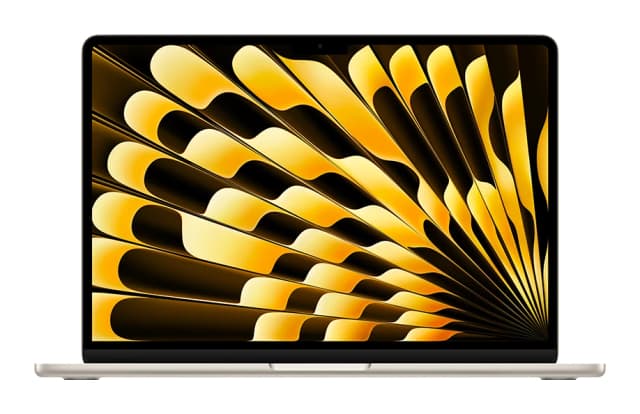
- Best OverallApple MacBook Air (13-inch, M5)Why we picked it →
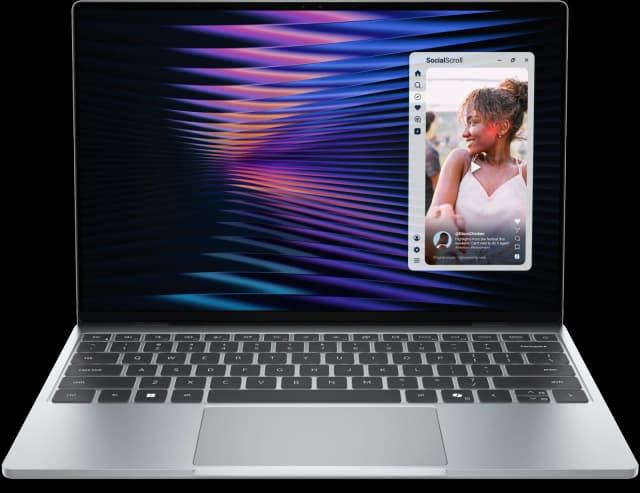
- Best ValueDell XPS 13 (2026)Why we picked it →
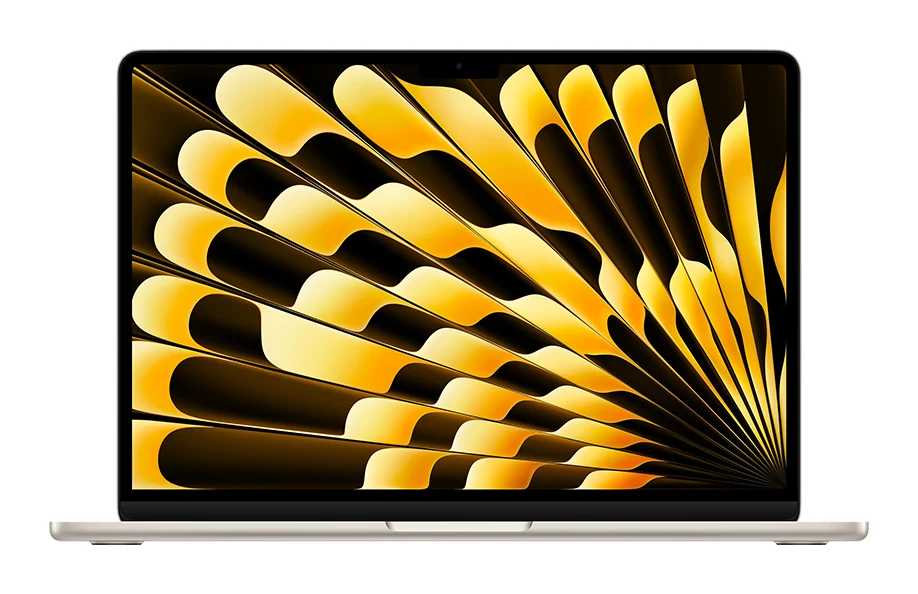
- Best BudgetApple MacBook NeoWhy we picked it →


Frequently asked questions
Is the ASUS Chromebook CX15 (CX1505) worth it?
It is worth considering if you want a big 15.6-inch FHD screen and a full-size keyboard with a number pad for everyday browsing, documents and streaming. It averages 7.7/10 across 3 expert reviews. It is less appealing if you multitask heavily or carry your laptop daily.
What is the difference between the CX1505CKA and CX1505CTA?
The CX1505CKA has an Intel Celeron N4500 and 8GB LPDDR4X memory. The CX1505CTA has an Intel Processor N50 and 4GB LPDDR5 memory. Reviewers say the 4GB version holds performance back, so the 8GB model is the safer choice.
Does the ASUS CX15 have an HDMI port?
Yes. It has one HDMI 1.4 port, plus up to 2x USB 3.2 Gen 1 Type-C ports, a USB 3.2 Gen 1 Type-A port and a 3.5mm combo audio jack.
Does the ASUS Chromebook CX15 have a touchscreen?
No. The 15.6-inch FHD (1920 x 1080) display is non-touch with an anti-glare finish.
Is the ASUS CX15 durable?
ASUS rates it to the MIL-STD 810H military durability standard, and the keyboard is spill-resistant. Reviewers list the durability rating among its strengths.
Does the CX15 have a webcam privacy shutter?
Yes. The 720p HD webcam has a physical privacy shutter. The laptop also has a Titan C security chip and a Kensington Nano lock slot.
Sources
Specs are taken from the manufacturers' official pages; expert recommendations from the publications below.
- ASUS Chromebook CX15 (CX1505): asus.com
Related reviews & guides
Best Chromebooks 2026: Budget, 2-in-1 and AMOLED Picks
Five of the best Chromebooks for 2026, from a premium convertible with a decade of updates to a budget detachable and a slim AMOLED laptop.
Published Oct 15, 2026
Lenovo Chromebook Plus (14", 10) Review (2026): OLED Speed
A fast, silent ChromeOS laptop with a 14-inch OLED screen and all-day battery, held back by a mid-range price and limited ports. Here is who it suits.
Published Nov 16, 2026
Acer Chromebook Plus 515 Review (2026): Roomy and Quick
The Acer Chromebook Plus 515 pairs a big 15.6-inch matte screen with quick performance and a generous port selection. Here is where it shines and where it falls short.
Published Nov 11, 2026